 ROS Index
Repository Summary
| Description | |
| Checkout URI | https://github.com/lecar-lab/anycar.git |
| VCS Type | git |
| VCS Version | main |
| Last Updated | 2024-10-28 |
| Dev Status | UNKNOWN |
| Released | UNRELEASED |
| Contributing |
Help Wanted (-)
Good First Issues (-) Pull Requests to Review (-) |
Packages
| Name | Version |
|---|---|
| car_ros2 | 0.0.0 |
README
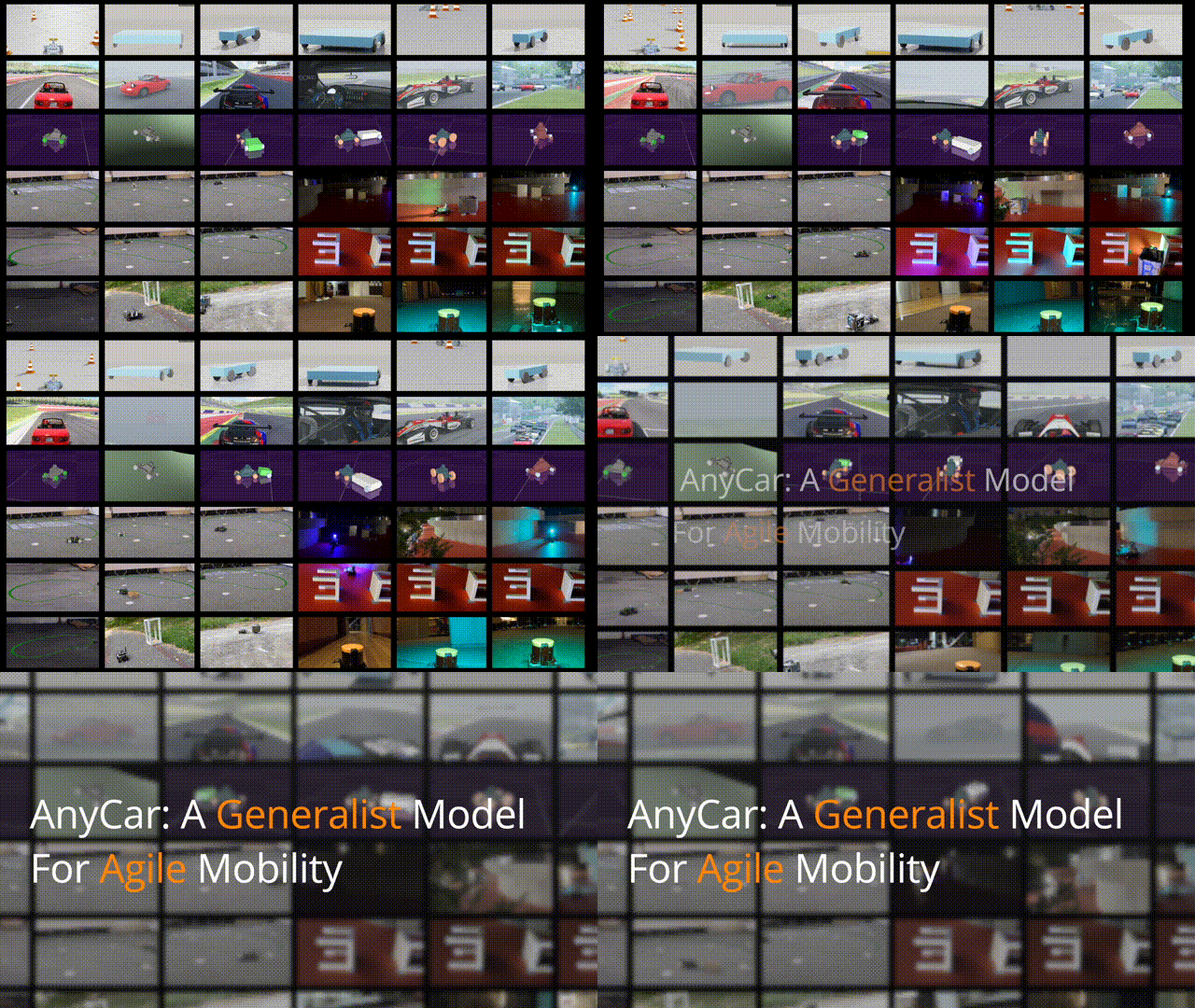
AnyCar to Anywhere: Learning Universal Dynamics Model for Agile and Adaptive Mobility
 ](https://github.com/google/jax)
[](https://opensource.org/licenses/Apache-2.0)
](https://github.com/google/jax)
[](https://opensource.org/licenses/Apache-2.0)
Environment Setup
[!IMPORTANT] We recommend Ubuntu >= 22.04 + Python >= 3.10 + CUDA >= 12.3. You can create a mamba (or conda) environment before proceeding.
- Install ROS2 Humble on your machine
- Clone this repo and cd to the folder
    git clone git@github.com:LeCAR-Lab/anycar.git
    cd anycar
3. Create a new mamba environment and activate it


```bash
    mamba create -n anycar python=3.10
    mamba activate anycar
- Install python dependencies
pip install -r requirements.txt
- Add the path of this project folder to your environment path
CAR_PATH
export CAR_PATH=$(pwd)
-
Add Python Path and Interpreter for ROS2 Compatibility
- get python path:
which python - get python path to packages:
python -c "import site; print(site.getsitepackages()[0])"
- get python path:
    export PYTHON_EXECUTABLE=PATH-OF-PYTHON
    export PYTHONPATH=PATH-OF-PYTHON-SITE-PACKAGES:$PYTHONPATH
- Build the project
colcon build
- Source the environment
source install/setup.bash
- Download Foxglove Studio and import the visualization config from
misc/anycar-vis.json
Quick Start
- run foxglove node:
ros2 launch foxglove_bridge foxglove_bridge_launch.xml
- run car_sim node:
XLA_PYTHON_CLIENT_MEM_FRACTION=0.3 ros2 launch car_ros2 car_sim.launch.py
- Check the visualization in Foxglove Studio
localhost:8765
Expected to see:
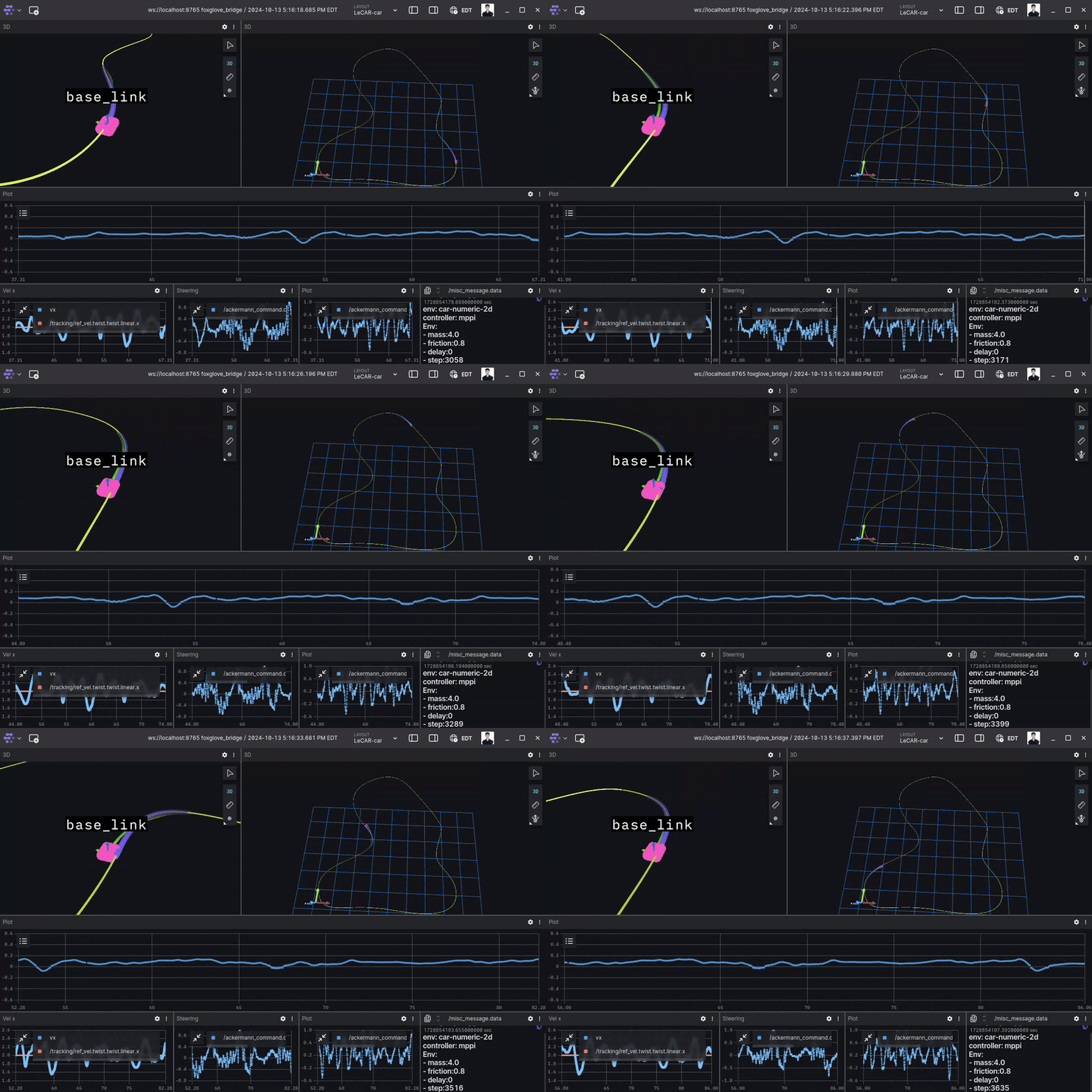
For this example environment, we provide an example checkpoint. Please put folder under
car_foundation/car_foundation/models/.
AnyCar Pipeline
File truncated at 100 lines see the full file
CONTRIBUTING
Repository Summary
| Description | |
| Checkout URI | https://github.com/lecar-lab/anycar.git |
| VCS Type | git |
| VCS Version | main |
| Last Updated | 2024-10-28 |
| Dev Status | UNKNOWN |
| Released | UNRELEASED |
| Contributing |
Help Wanted (-)
Good First Issues (-) Pull Requests to Review (-) |
Packages
| Name | Version |
|---|---|
| car_ros2 | 0.0.0 |
README
AnyCar to Anywhere: Learning Universal Dynamics Model for Agile and Adaptive Mobility
](https://github.com/google/jax)
[](https://opensource.org/licenses/Apache-2.0)
Environment Setup
[!IMPORTANT] We recommend Ubuntu >= 22.04 + Python >= 3.10 + CUDA >= 12.3. You can create a mamba (or conda) environment before proceeding.
- Install ROS2 Humble on your machine
- Clone this repo and cd to the folder
    git clone git@github.com:LeCAR-Lab/anycar.git
    cd anycar
3. Create a new mamba environment and activate it


```bash
    mamba create -n anycar python=3.10
    mamba activate anycar
- Install python dependencies
pip install -r requirements.txt
- Add the path of this project folder to your environment path
CAR_PATH
export CAR_PATH=$(pwd)
-
Add Python Path and Interpreter for ROS2 Compatibility
- get python path:
which python - get python path to packages:
python -c "import site; print(site.getsitepackages()[0])"
- get python path:
    export PYTHON_EXECUTABLE=PATH-OF-PYTHON
    export PYTHONPATH=PATH-OF-PYTHON-SITE-PACKAGES:$PYTHONPATH
- Build the project
colcon build
- Source the environment
source install/setup.bash
- Download Foxglove Studio and import the visualization config from
misc/anycar-vis.json
Quick Start
- run foxglove node:
ros2 launch foxglove_bridge foxglove_bridge_launch.xml
- run car_sim node:
XLA_PYTHON_CLIENT_MEM_FRACTION=0.3 ros2 launch car_ros2 car_sim.launch.py
- Check the visualization in Foxglove Studio
localhost:8765
Expected to see:
For this example environment, we provide an example checkpoint. Please put folder under
car_foundation/car_foundation/models/.
AnyCar Pipeline
File truncated at 100 lines see the full file
CONTRIBUTING
Repository Summary
| Description | |
| Checkout URI | https://github.com/lecar-lab/anycar.git |
| VCS Type | git |
| VCS Version | main |
| Last Updated | 2024-10-28 |
| Dev Status | UNKNOWN |
| Released | UNRELEASED |
| Contributing |
Help Wanted (-)
Good First Issues (-) Pull Requests to Review (-) |
Packages
| Name | Version |
|---|---|
| car_ros2 | 0.0.0 |
README
AnyCar to Anywhere: Learning Universal Dynamics Model for Agile and Adaptive Mobility
](https://github.com/google/jax)
[](https://opensource.org/licenses/Apache-2.0)
Environment Setup
[!IMPORTANT] We recommend Ubuntu >= 22.04 + Python >= 3.10 + CUDA >= 12.3. You can create a mamba (or conda) environment before proceeding.
- Install ROS2 Humble on your machine
- Clone this repo and cd to the folder
    git clone git@github.com:LeCAR-Lab/anycar.git
    cd anycar
3. Create a new mamba environment and activate it


```bash
    mamba create -n anycar python=3.10
    mamba activate anycar
- Install python dependencies
pip install -r requirements.txt
- Add the path of this project folder to your environment path
CAR_PATH
export CAR_PATH=$(pwd)
-
Add Python Path and Interpreter for ROS2 Compatibility
- get python path:
which python - get python path to packages:
python -c "import site; print(site.getsitepackages()[0])"
- get python path:
    export PYTHON_EXECUTABLE=PATH-OF-PYTHON
    export PYTHONPATH=PATH-OF-PYTHON-SITE-PACKAGES:$PYTHONPATH
- Build the project
colcon build
- Source the environment
source install/setup.bash
- Download Foxglove Studio and import the visualization config from
misc/anycar-vis.json
Quick Start
- run foxglove node:
ros2 launch foxglove_bridge foxglove_bridge_launch.xml
- run car_sim node:
XLA_PYTHON_CLIENT_MEM_FRACTION=0.3 ros2 launch car_ros2 car_sim.launch.py
- Check the visualization in Foxglove Studio
localhost:8765
Expected to see:
For this example environment, we provide an example checkpoint. Please put folder under
car_foundation/car_foundation/models/.
AnyCar Pipeline
File truncated at 100 lines see the full file
CONTRIBUTING
Repository Summary
| Description | |
| Checkout URI | https://github.com/lecar-lab/anycar.git |
| VCS Type | git |
| VCS Version | main |
| Last Updated | 2024-10-28 |
| Dev Status | UNKNOWN |
| Released | UNRELEASED |
| Contributing |
Help Wanted (-)
Good First Issues (-) Pull Requests to Review (-) |
Packages
| Name | Version |
|---|---|
| car_ros2 | 0.0.0 |
README
AnyCar to Anywhere: Learning Universal Dynamics Model for Agile and Adaptive Mobility
](https://github.com/google/jax)
[](https://opensource.org/licenses/Apache-2.0)
Environment Setup
[!IMPORTANT] We recommend Ubuntu >= 22.04 + Python >= 3.10 + CUDA >= 12.3. You can create a mamba (or conda) environment before proceeding.
- Install ROS2 Humble on your machine
- Clone this repo and cd to the folder
    git clone git@github.com:LeCAR-Lab/anycar.git
    cd anycar
3. Create a new mamba environment and activate it


```bash
    mamba create -n anycar python=3.10
    mamba activate anycar
- Install python dependencies
pip install -r requirements.txt
- Add the path of this project folder to your environment path
CAR_PATH
export CAR_PATH=$(pwd)
-
Add Python Path and Interpreter for ROS2 Compatibility
- get python path:
which python - get python path to packages:
python -c "import site; print(site.getsitepackages()[0])"
- get python path:
    export PYTHON_EXECUTABLE=PATH-OF-PYTHON
    export PYTHONPATH=PATH-OF-PYTHON-SITE-PACKAGES:$PYTHONPATH
- Build the project
colcon build
- Source the environment
source install/setup.bash
- Download Foxglove Studio and import the visualization config from
misc/anycar-vis.json
Quick Start
- run foxglove node:
ros2 launch foxglove_bridge foxglove_bridge_launch.xml
- run car_sim node:
XLA_PYTHON_CLIENT_MEM_FRACTION=0.3 ros2 launch car_ros2 car_sim.launch.py
- Check the visualization in Foxglove Studio
localhost:8765
Expected to see:
For this example environment, we provide an example checkpoint. Please put folder under
car_foundation/car_foundation/models/.
AnyCar Pipeline
File truncated at 100 lines see the full file
CONTRIBUTING
Repository Summary
| Description | |
| Checkout URI | https://github.com/lecar-lab/anycar.git |
| VCS Type | git |
| VCS Version | main |
| Last Updated | 2024-10-28 |
| Dev Status | UNKNOWN |
| Released | UNRELEASED |
| Contributing |
Help Wanted (-)
Good First Issues (-) Pull Requests to Review (-) |
Packages
| Name | Version |
|---|---|
| car_ros2 | 0.0.0 |
README
AnyCar to Anywhere: Learning Universal Dynamics Model for Agile and Adaptive Mobility
](https://github.com/google/jax)
[](https://opensource.org/licenses/Apache-2.0)
Environment Setup
[!IMPORTANT] We recommend Ubuntu >= 22.04 + Python >= 3.10 + CUDA >= 12.3. You can create a mamba (or conda) environment before proceeding.
- Install ROS2 Humble on your machine
- Clone this repo and cd to the folder
    git clone git@github.com:LeCAR-Lab/anycar.git
    cd anycar
3. Create a new mamba environment and activate it


```bash
    mamba create -n anycar python=3.10
    mamba activate anycar
- Install python dependencies
pip install -r requirements.txt
- Add the path of this project folder to your environment path
CAR_PATH
export CAR_PATH=$(pwd)
-
Add Python Path and Interpreter for ROS2 Compatibility
- get python path:
which python - get python path to packages:
python -c "import site; print(site.getsitepackages()[0])"
- get python path:
    export PYTHON_EXECUTABLE=PATH-OF-PYTHON
    export PYTHONPATH=PATH-OF-PYTHON-SITE-PACKAGES:$PYTHONPATH
- Build the project
colcon build
- Source the environment
source install/setup.bash
- Download Foxglove Studio and import the visualization config from
misc/anycar-vis.json
Quick Start
- run foxglove node:
ros2 launch foxglove_bridge foxglove_bridge_launch.xml
- run car_sim node:
XLA_PYTHON_CLIENT_MEM_FRACTION=0.3 ros2 launch car_ros2 car_sim.launch.py
- Check the visualization in Foxglove Studio
localhost:8765
Expected to see:
For this example environment, we provide an example checkpoint. Please put folder under
car_foundation/car_foundation/models/.
AnyCar Pipeline
File truncated at 100 lines see the full file
CONTRIBUTING
Repository Summary
| Description | |
| Checkout URI | https://github.com/lecar-lab/anycar.git |
| VCS Type | git |
| VCS Version | main |
| Last Updated | 2024-10-28 |
| Dev Status | UNKNOWN |
| Released | UNRELEASED |
| Contributing |
Help Wanted (-)
Good First Issues (-) Pull Requests to Review (-) |
Packages
| Name | Version |
|---|---|
| car_ros2 | 0.0.0 |
README
AnyCar to Anywhere: Learning Universal Dynamics Model for Agile and Adaptive Mobility
](https://github.com/google/jax)
[](https://opensource.org/licenses/Apache-2.0)
Environment Setup
[!IMPORTANT] We recommend Ubuntu >= 22.04 + Python >= 3.10 + CUDA >= 12.3. You can create a mamba (or conda) environment before proceeding.
- Install ROS2 Humble on your machine
- Clone this repo and cd to the folder
    git clone git@github.com:LeCAR-Lab/anycar.git
    cd anycar
3. Create a new mamba environment and activate it


```bash
    mamba create -n anycar python=3.10
    mamba activate anycar
- Install python dependencies
pip install -r requirements.txt
- Add the path of this project folder to your environment path
CAR_PATH
export CAR_PATH=$(pwd)
-
Add Python Path and Interpreter for ROS2 Compatibility
- get python path:
which python - get python path to packages:
python -c "import site; print(site.getsitepackages()[0])"
- get python path:
    export PYTHON_EXECUTABLE=PATH-OF-PYTHON
    export PYTHONPATH=PATH-OF-PYTHON-SITE-PACKAGES:$PYTHONPATH
- Build the project
colcon build
- Source the environment
source install/setup.bash
- Download Foxglove Studio and import the visualization config from
misc/anycar-vis.json
Quick Start
- run foxglove node:
ros2 launch foxglove_bridge foxglove_bridge_launch.xml
- run car_sim node:
XLA_PYTHON_CLIENT_MEM_FRACTION=0.3 ros2 launch car_ros2 car_sim.launch.py
- Check the visualization in Foxglove Studio
localhost:8765
Expected to see:
For this example environment, we provide an example checkpoint. Please put folder under
car_foundation/car_foundation/models/.
AnyCar Pipeline
File truncated at 100 lines see the full file
CONTRIBUTING
Repository Summary
| Description | |
| Checkout URI | https://github.com/lecar-lab/anycar.git |
| VCS Type | git |
| VCS Version | main |
| Last Updated | 2024-10-28 |
| Dev Status | UNKNOWN |
| Released | UNRELEASED |
| Contributing |
Help Wanted (-)
Good First Issues (-) Pull Requests to Review (-) |
Packages
| Name | Version |
|---|---|
| car_ros2 | 0.0.0 |
README
AnyCar to Anywhere: Learning Universal Dynamics Model for Agile and Adaptive Mobility
](https://github.com/google/jax)
[](https://opensource.org/licenses/Apache-2.0)
Environment Setup
[!IMPORTANT] We recommend Ubuntu >= 22.04 + Python >= 3.10 + CUDA >= 12.3. You can create a mamba (or conda) environment before proceeding.
- Install ROS2 Humble on your machine
- Clone this repo and cd to the folder
    git clone git@github.com:LeCAR-Lab/anycar.git
    cd anycar
3. Create a new mamba environment and activate it


```bash
    mamba create -n anycar python=3.10
    mamba activate anycar
- Install python dependencies
pip install -r requirements.txt
- Add the path of this project folder to your environment path
CAR_PATH
export CAR_PATH=$(pwd)
-
Add Python Path and Interpreter for ROS2 Compatibility
- get python path:
which python - get python path to packages:
python -c "import site; print(site.getsitepackages()[0])"
- get python path:
    export PYTHON_EXECUTABLE=PATH-OF-PYTHON
    export PYTHONPATH=PATH-OF-PYTHON-SITE-PACKAGES:$PYTHONPATH
- Build the project
colcon build
- Source the environment
source install/setup.bash
- Download Foxglove Studio and import the visualization config from
misc/anycar-vis.json
Quick Start
- run foxglove node:
ros2 launch foxglove_bridge foxglove_bridge_launch.xml
- run car_sim node:
XLA_PYTHON_CLIENT_MEM_FRACTION=0.3 ros2 launch car_ros2 car_sim.launch.py
- Check the visualization in Foxglove Studio
localhost:8765
Expected to see:
For this example environment, we provide an example checkpoint. Please put folder under
car_foundation/car_foundation/models/.
AnyCar Pipeline
File truncated at 100 lines see the full file
CONTRIBUTING
Repository Summary
| Description | |
| Checkout URI | https://github.com/lecar-lab/anycar.git |
| VCS Type | git |
| VCS Version | main |
| Last Updated | 2024-10-28 |
| Dev Status | UNKNOWN |
| Released | UNRELEASED |
| Contributing |
Help Wanted (-)
Good First Issues (-) Pull Requests to Review (-) |
Packages
| Name | Version |
|---|---|
| car_ros2 | 0.0.0 |
README
AnyCar to Anywhere: Learning Universal Dynamics Model for Agile and Adaptive Mobility
](https://github.com/google/jax)
[](https://opensource.org/licenses/Apache-2.0)
Environment Setup
[!IMPORTANT] We recommend Ubuntu >= 22.04 + Python >= 3.10 + CUDA >= 12.3. You can create a mamba (or conda) environment before proceeding.
- Install ROS2 Humble on your machine
- Clone this repo and cd to the folder
    git clone git@github.com:LeCAR-Lab/anycar.git
    cd anycar
3. Create a new mamba environment and activate it


```bash
    mamba create -n anycar python=3.10
    mamba activate anycar
- Install python dependencies
pip install -r requirements.txt
- Add the path of this project folder to your environment path
CAR_PATH
export CAR_PATH=$(pwd)
-
Add Python Path and Interpreter for ROS2 Compatibility
- get python path:
which python - get python path to packages:
python -c "import site; print(site.getsitepackages()[0])"
- get python path:
    export PYTHON_EXECUTABLE=PATH-OF-PYTHON
    export PYTHONPATH=PATH-OF-PYTHON-SITE-PACKAGES:$PYTHONPATH
- Build the project
colcon build
- Source the environment
source install/setup.bash
- Download Foxglove Studio and import the visualization config from
misc/anycar-vis.json
Quick Start
- run foxglove node:
ros2 launch foxglove_bridge foxglove_bridge_launch.xml
- run car_sim node:
XLA_PYTHON_CLIENT_MEM_FRACTION=0.3 ros2 launch car_ros2 car_sim.launch.py
- Check the visualization in Foxglove Studio
localhost:8765
Expected to see:
For this example environment, we provide an example checkpoint. Please put folder under
car_foundation/car_foundation/models/.
AnyCar Pipeline
File truncated at 100 lines see the full file
CONTRIBUTING
Repository Summary
| Description | |
| Checkout URI | https://github.com/lecar-lab/anycar.git |
| VCS Type | git |
| VCS Version | main |
| Last Updated | 2024-10-28 |
| Dev Status | UNKNOWN |
| Released | UNRELEASED |
| Contributing |
Help Wanted (-)
Good First Issues (-) Pull Requests to Review (-) |
Packages
| Name | Version |
|---|---|
| car_ros2 | 0.0.0 |
README
AnyCar to Anywhere: Learning Universal Dynamics Model for Agile and Adaptive Mobility
](https://github.com/google/jax)
[](https://opensource.org/licenses/Apache-2.0)
Environment Setup
[!IMPORTANT] We recommend Ubuntu >= 22.04 + Python >= 3.10 + CUDA >= 12.3. You can create a mamba (or conda) environment before proceeding.
- Install ROS2 Humble on your machine
- Clone this repo and cd to the folder
    git clone git@github.com:LeCAR-Lab/anycar.git
    cd anycar
3. Create a new mamba environment and activate it


```bash
    mamba create -n anycar python=3.10
    mamba activate anycar
- Install python dependencies
pip install -r requirements.txt
- Add the path of this project folder to your environment path
CAR_PATH
export CAR_PATH=$(pwd)
-
Add Python Path and Interpreter for ROS2 Compatibility
- get python path:
which python - get python path to packages:
python -c "import site; print(site.getsitepackages()[0])"
- get python path:
    export PYTHON_EXECUTABLE=PATH-OF-PYTHON
    export PYTHONPATH=PATH-OF-PYTHON-SITE-PACKAGES:$PYTHONPATH
- Build the project
colcon build
- Source the environment
source install/setup.bash
- Download Foxglove Studio and import the visualization config from
misc/anycar-vis.json
Quick Start
- run foxglove node:
ros2 launch foxglove_bridge foxglove_bridge_launch.xml
- run car_sim node:
XLA_PYTHON_CLIENT_MEM_FRACTION=0.3 ros2 launch car_ros2 car_sim.launch.py
- Check the visualization in Foxglove Studio
localhost:8765
Expected to see:
For this example environment, we provide an example checkpoint. Please put folder under
car_foundation/car_foundation/models/.
AnyCar Pipeline
File truncated at 100 lines see the full file