 ROS Index
Repository Summary
| Description | |
| Checkout URI | https://github.com/legubiao/quadruped_ros2_control.git |
| VCS Type | git |
| VCS Version | main |
| Last Updated | 2025-06-24 |
| Dev Status | UNKNOWN |
| Released | UNRELEASED |
| Contributing |
Help Wanted (-)
Good First Issues (-) Pull Requests to Review (-) |
Packages
| Name | Version |
|---|---|
| control_input_msgs | 0.0.0 |
| joystick_input | 0.0.0 |
| keyboard_input | 0.0.0 |
| unitree_joystick_input | 0.0.0 |
| leg_pd_controller | 0.0.0 |
| ocs2_quadruped_controller | 0.0.0 |
| rl_quadruped_controller | 0.0.0 |
| unitree_guide_controller | 0.0.0 |
| anymal_c_description | 0.0.0 |
| lite3_description | 0.0.0 |
| x30_description | 0.0.0 |
| cyberdog_description | 0.0.0 |
| magicdog_description | 0.0.0 |
| a1_description | 0.0.0 |
| aliengo_description | 0.0.0 |
| b2_description | 1.0.0 |
| go1_description | 0.0.0 |
| go2_description | 1.0.0 |
| gz_quadruped_hardware | 2.0.6 |
| hardware_unitree_sdk2 | 0.0.0 |
| controller_common | 0.0.0 |
| gz_quadruped_playground | 0.0.0 |
| qpoases_colcon | 0.0.0 |
README
Quadruped ROS2 Control
This repository contains the ros2-control based controllers for the quadruped robot.
- Controllers: contains the ros2-control controllers
- Commands: contains command node used to send command to the controller
- Descriptions: contains the urdf model of the robot
- Hardwares: contains the ros2-control hardware interface for the robot
Warning: Default branch was developed under ROS2 Jazzy. For ROS2 Humble, please check out humble branch.
Todo List:
-
[2025-02-23] Add Gazebo Playground
- OCS2 controller for Gazebo Simulation
- Refactor FSM and Unitree Guide Controller
- [2025-03-30] Add Real Go2 Robot Support
- [2025-05-20] Isaac Sim Support
- OCS2 Perceptive locomotion demo
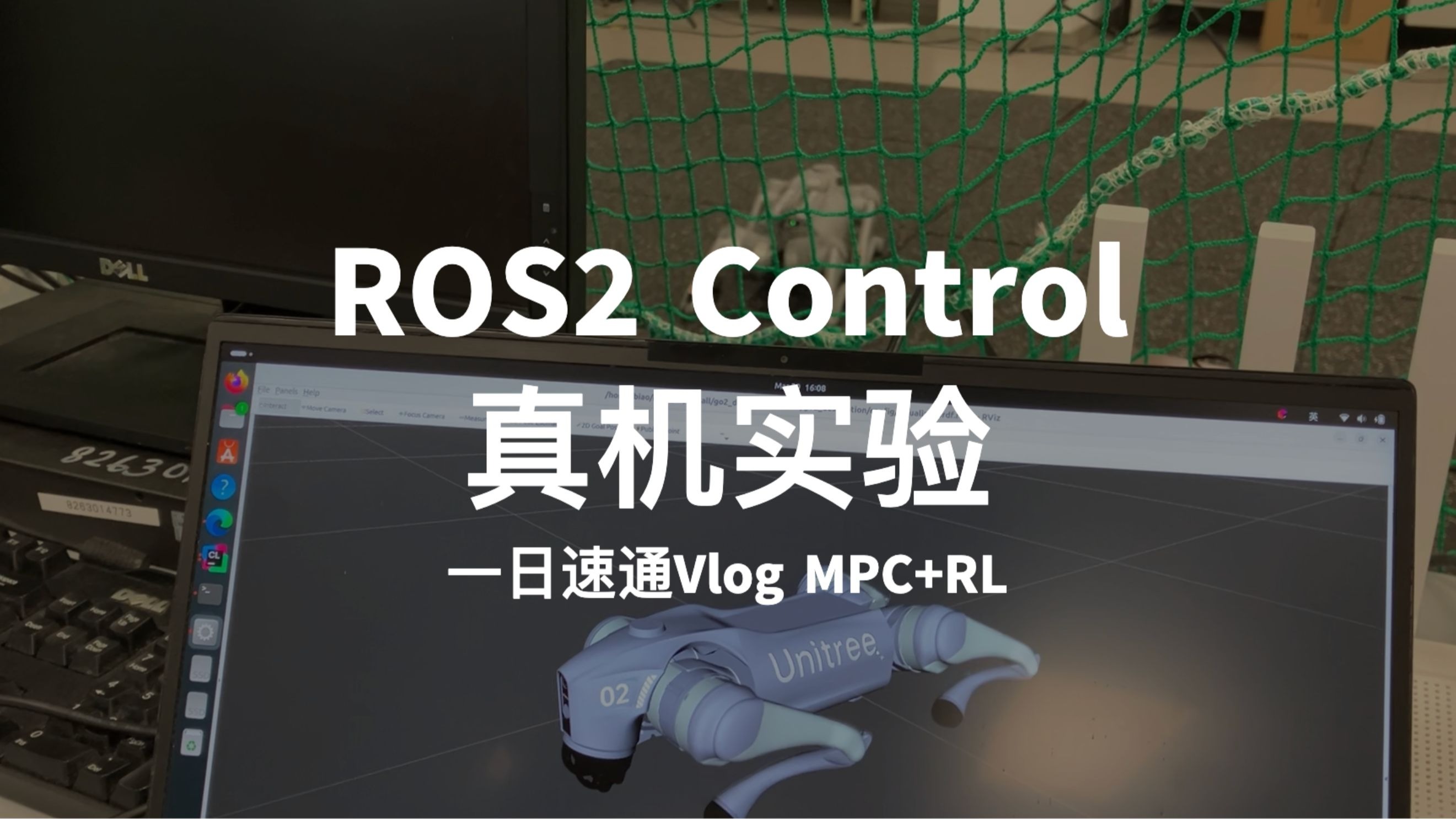
Video on Real Unitree Go2 Robot:
1. Quick Start
- rosdep
    cd ~/ros2_ws
    rosdep install --from-paths src --ignore-src -r -y
- Compile the package
colcon build --packages-up-to unitree_guide_controller go2_description keyboard_input --symlink-install
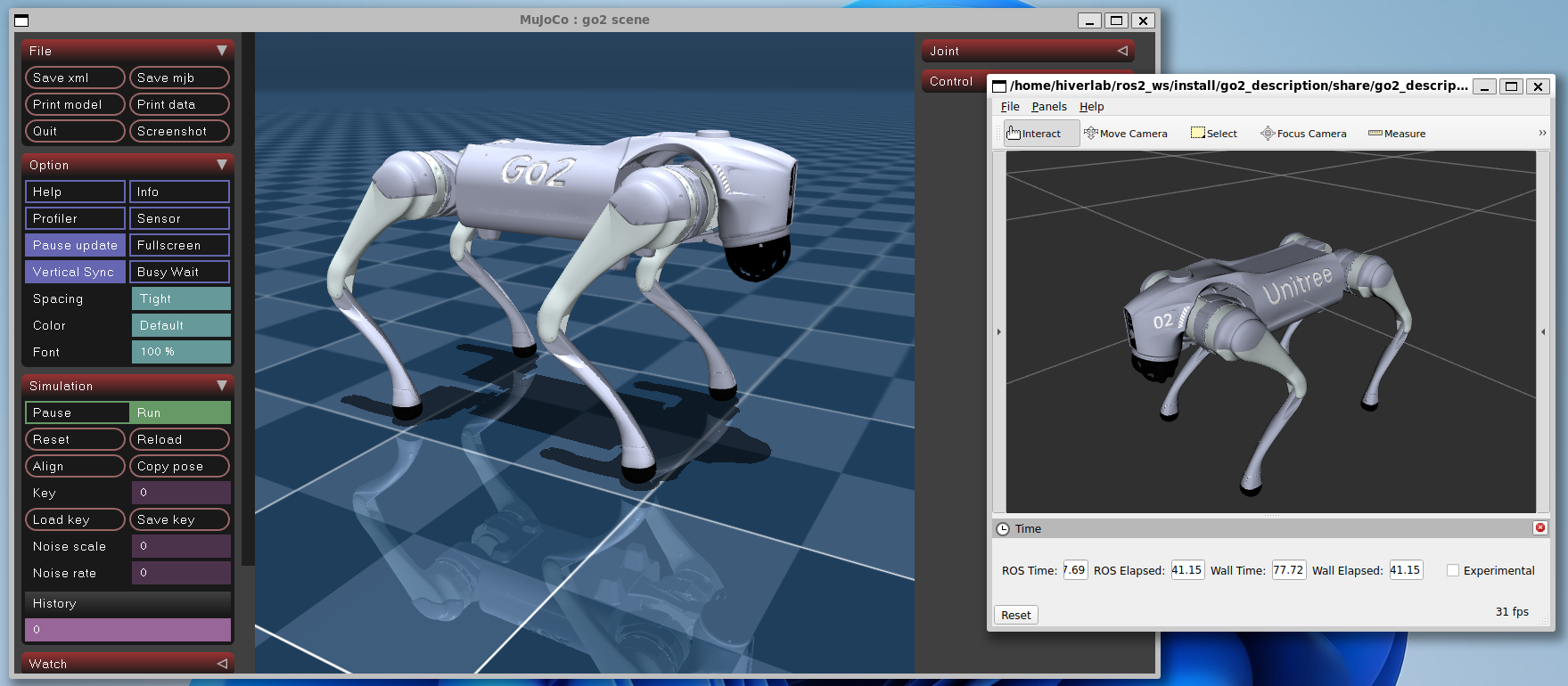
1.1 Mujoco Simulator or Real Unitree Robot
Warning: CycloneDDS ROS2 RMW may conflict with unitree_sdk2. If you cannot launch unitree mujoco simulation without
sudo, then you cannot usedunitree_mujoco_hardware. This conflict could be solved by one of below two methods:
- Uninstall CycloneDDS ROS2 RMW, used another ROS2 RMW, such as FastDDS [Recommended].
- Follow the guide in unitree_ros2 to configure the ROS2 RMW by compiling cyclone dds.
- Compile Unitree Hardware Interfaces
    cd ~/ros2_ws
    colcon build --packages-up-to hardware_unitree_sdk2
- Follow the guide in unitree_mujoco to launch the unitree mujoco go2 simulation
- Launch the ros2-control
    source ~/ros2_ws/install/setup.bash
    ros2 launch unitree_guide_controller mujoco.launch.py
- Run the keyboard control node
    source ~/ros2_ws/install/setup.bash
    ros2 run keyboard_input keyboard_input
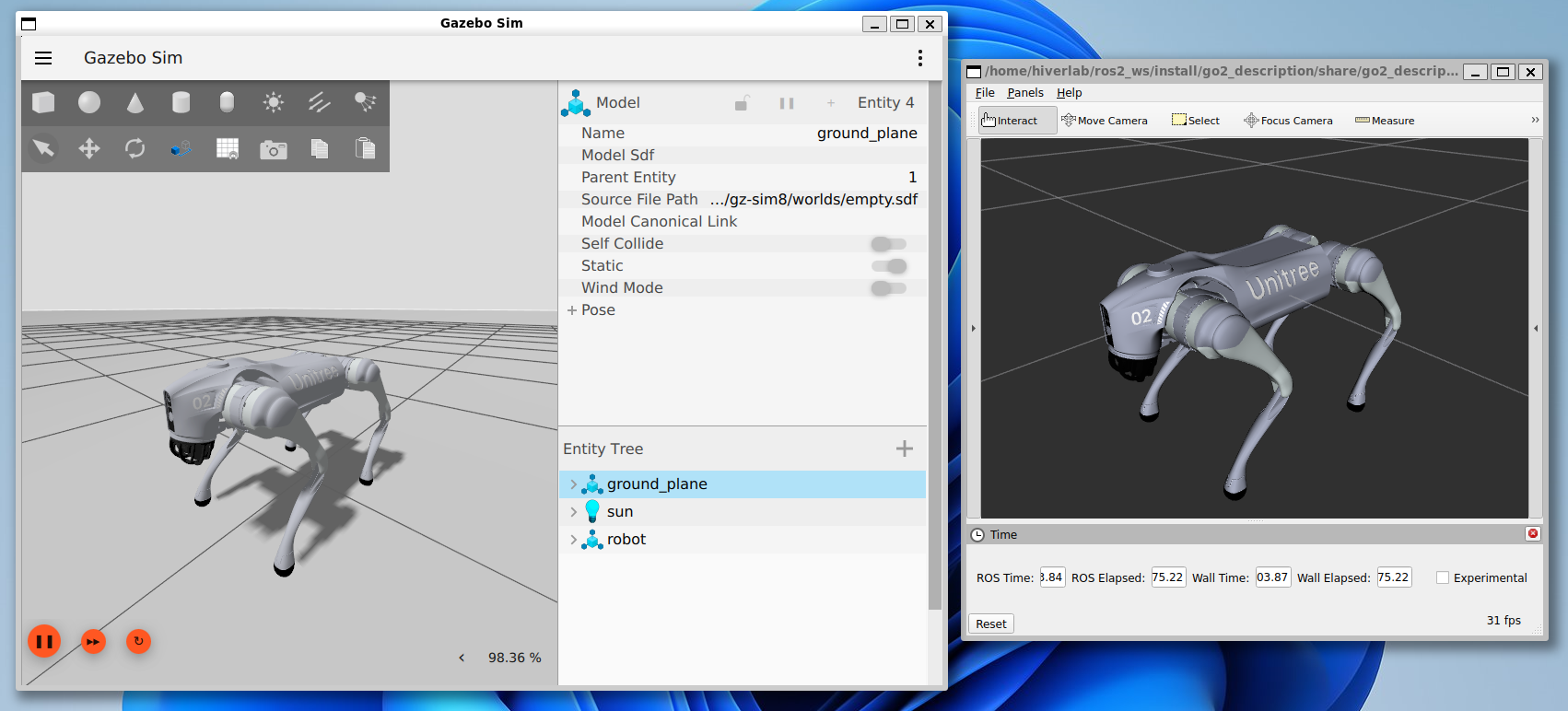
1.3 Gazebo Harmonic Simulator
- Install Gazebo
sudo apt-get install ros-jazzy-ros-gz
- Compile Gazebo Playground
colcon build --packages-up-to gz_quadruped_playground --symlink-install
- Launch the ros2-control
  source ~/ros2_ws/install/setup.bash
  ros2 launch unitree_guide_controller gazebo.launch.py
- Run the keyboard control node
    source ~/ros2_ws/install/setup.bash
    ros2 run keyboard_input keyboard_input
For more details, please refer to the unitree guide controller and go2 description.
What’s Next
Congratulations! You have successfully launched the quadruped robot in the simulation. Here are some suggestions for you to have a try:
- More Robot Models could be found at description
-
Try more controllers.
- OCS2 Quadruped Controller: Robust MPC-based controller for quadruped robot
- RL Quadruped Controller: Reinforcement learning controller for quadruped robot
-
Simulate with more sensors
- Gazebo Quadruped Playground: Provide gazebo simulation with lidar or depth camera.
-
Real Robot Deploy
- Unitree Go2 Robot: Check here about how to deploy on go2 robot.
File truncated at 100 lines see the full file
CONTRIBUTING
Repository Summary
| Description | |
| Checkout URI | https://github.com/legubiao/quadruped_ros2_control.git |
| VCS Type | git |
| VCS Version | main |
| Last Updated | 2025-06-24 |
| Dev Status | UNKNOWN |
| Released | UNRELEASED |
| Contributing |
Help Wanted (-)
Good First Issues (-) Pull Requests to Review (-) |
Packages
| Name | Version |
|---|---|
| control_input_msgs | 0.0.0 |
| joystick_input | 0.0.0 |
| keyboard_input | 0.0.0 |
| unitree_joystick_input | 0.0.0 |
| leg_pd_controller | 0.0.0 |
| ocs2_quadruped_controller | 0.0.0 |
| rl_quadruped_controller | 0.0.0 |
| unitree_guide_controller | 0.0.0 |
| anymal_c_description | 0.0.0 |
| lite3_description | 0.0.0 |
| x30_description | 0.0.0 |
| cyberdog_description | 0.0.0 |
| magicdog_description | 0.0.0 |
| a1_description | 0.0.0 |
| aliengo_description | 0.0.0 |
| b2_description | 1.0.0 |
| go1_description | 0.0.0 |
| go2_description | 1.0.0 |
| gz_quadruped_hardware | 2.0.6 |
| hardware_unitree_sdk2 | 0.0.0 |
| controller_common | 0.0.0 |
| gz_quadruped_playground | 0.0.0 |
| qpoases_colcon | 0.0.0 |
README
Quadruped ROS2 Control
This repository contains the ros2-control based controllers for the quadruped robot.
- Controllers: contains the ros2-control controllers
- Commands: contains command node used to send command to the controller
- Descriptions: contains the urdf model of the robot
- Hardwares: contains the ros2-control hardware interface for the robot
Warning: Default branch was developed under ROS2 Jazzy. For ROS2 Humble, please check out humble branch.
Todo List:
-
[2025-02-23] Add Gazebo Playground
- OCS2 controller for Gazebo Simulation
- Refactor FSM and Unitree Guide Controller
- [2025-03-30] Add Real Go2 Robot Support
- [2025-05-20] Isaac Sim Support
- OCS2 Perceptive locomotion demo
Video on Real Unitree Go2 Robot:
1. Quick Start
- rosdep
    cd ~/ros2_ws
    rosdep install --from-paths src --ignore-src -r -y
- Compile the package
colcon build --packages-up-to unitree_guide_controller go2_description keyboard_input --symlink-install
1.1 Mujoco Simulator or Real Unitree Robot
Warning: CycloneDDS ROS2 RMW may conflict with unitree_sdk2. If you cannot launch unitree mujoco simulation without
sudo, then you cannot usedunitree_mujoco_hardware. This conflict could be solved by one of below two methods:
- Uninstall CycloneDDS ROS2 RMW, used another ROS2 RMW, such as FastDDS [Recommended].
- Follow the guide in unitree_ros2 to configure the ROS2 RMW by compiling cyclone dds.
- Compile Unitree Hardware Interfaces
    cd ~/ros2_ws
    colcon build --packages-up-to hardware_unitree_sdk2
- Follow the guide in unitree_mujoco to launch the unitree mujoco go2 simulation
- Launch the ros2-control
    source ~/ros2_ws/install/setup.bash
    ros2 launch unitree_guide_controller mujoco.launch.py
- Run the keyboard control node
    source ~/ros2_ws/install/setup.bash
    ros2 run keyboard_input keyboard_input
1.3 Gazebo Harmonic Simulator
- Install Gazebo
sudo apt-get install ros-jazzy-ros-gz
- Compile Gazebo Playground
colcon build --packages-up-to gz_quadruped_playground --symlink-install
- Launch the ros2-control
  source ~/ros2_ws/install/setup.bash
  ros2 launch unitree_guide_controller gazebo.launch.py
- Run the keyboard control node
    source ~/ros2_ws/install/setup.bash
    ros2 run keyboard_input keyboard_input
For more details, please refer to the unitree guide controller and go2 description.
What’s Next
Congratulations! You have successfully launched the quadruped robot in the simulation. Here are some suggestions for you to have a try:
- More Robot Models could be found at description
-
Try more controllers.
- OCS2 Quadruped Controller: Robust MPC-based controller for quadruped robot
- RL Quadruped Controller: Reinforcement learning controller for quadruped robot
-
Simulate with more sensors
- Gazebo Quadruped Playground: Provide gazebo simulation with lidar or depth camera.
-
Real Robot Deploy
- Unitree Go2 Robot: Check here about how to deploy on go2 robot.
File truncated at 100 lines see the full file
CONTRIBUTING
Repository Summary
| Description | |
| Checkout URI | https://github.com/legubiao/quadruped_ros2_control.git |
| VCS Type | git |
| VCS Version | main |
| Last Updated | 2025-06-24 |
| Dev Status | UNKNOWN |
| Released | UNRELEASED |
| Contributing |
Help Wanted (-)
Good First Issues (-) Pull Requests to Review (-) |
Packages
| Name | Version |
|---|---|
| control_input_msgs | 0.0.0 |
| joystick_input | 0.0.0 |
| keyboard_input | 0.0.0 |
| unitree_joystick_input | 0.0.0 |
| leg_pd_controller | 0.0.0 |
| ocs2_quadruped_controller | 0.0.0 |
| rl_quadruped_controller | 0.0.0 |
| unitree_guide_controller | 0.0.0 |
| anymal_c_description | 0.0.0 |
| lite3_description | 0.0.0 |
| x30_description | 0.0.0 |
| cyberdog_description | 0.0.0 |
| magicdog_description | 0.0.0 |
| a1_description | 0.0.0 |
| aliengo_description | 0.0.0 |
| b2_description | 1.0.0 |
| go1_description | 0.0.0 |
| go2_description | 1.0.0 |
| gz_quadruped_hardware | 2.0.6 |
| hardware_unitree_sdk2 | 0.0.0 |
| controller_common | 0.0.0 |
| gz_quadruped_playground | 0.0.0 |
| qpoases_colcon | 0.0.0 |
README
Quadruped ROS2 Control
This repository contains the ros2-control based controllers for the quadruped robot.
- Controllers: contains the ros2-control controllers
- Commands: contains command node used to send command to the controller
- Descriptions: contains the urdf model of the robot
- Hardwares: contains the ros2-control hardware interface for the robot
Warning: Default branch was developed under ROS2 Jazzy. For ROS2 Humble, please check out humble branch.
Todo List:
-
[2025-02-23] Add Gazebo Playground
- OCS2 controller for Gazebo Simulation
- Refactor FSM and Unitree Guide Controller
- [2025-03-30] Add Real Go2 Robot Support
- [2025-05-20] Isaac Sim Support
- OCS2 Perceptive locomotion demo
Video on Real Unitree Go2 Robot:
1. Quick Start
- rosdep
    cd ~/ros2_ws
    rosdep install --from-paths src --ignore-src -r -y
- Compile the package
colcon build --packages-up-to unitree_guide_controller go2_description keyboard_input --symlink-install
1.1 Mujoco Simulator or Real Unitree Robot
Warning: CycloneDDS ROS2 RMW may conflict with unitree_sdk2. If you cannot launch unitree mujoco simulation without
sudo, then you cannot usedunitree_mujoco_hardware. This conflict could be solved by one of below two methods:
- Uninstall CycloneDDS ROS2 RMW, used another ROS2 RMW, such as FastDDS [Recommended].
- Follow the guide in unitree_ros2 to configure the ROS2 RMW by compiling cyclone dds.
- Compile Unitree Hardware Interfaces
    cd ~/ros2_ws
    colcon build --packages-up-to hardware_unitree_sdk2
- Follow the guide in unitree_mujoco to launch the unitree mujoco go2 simulation
- Launch the ros2-control
    source ~/ros2_ws/install/setup.bash
    ros2 launch unitree_guide_controller mujoco.launch.py
- Run the keyboard control node
    source ~/ros2_ws/install/setup.bash
    ros2 run keyboard_input keyboard_input
1.3 Gazebo Harmonic Simulator
- Install Gazebo
sudo apt-get install ros-jazzy-ros-gz
- Compile Gazebo Playground
colcon build --packages-up-to gz_quadruped_playground --symlink-install
- Launch the ros2-control
  source ~/ros2_ws/install/setup.bash
  ros2 launch unitree_guide_controller gazebo.launch.py
- Run the keyboard control node
    source ~/ros2_ws/install/setup.bash
    ros2 run keyboard_input keyboard_input
For more details, please refer to the unitree guide controller and go2 description.
What’s Next
Congratulations! You have successfully launched the quadruped robot in the simulation. Here are some suggestions for you to have a try:
- More Robot Models could be found at description
-
Try more controllers.
- OCS2 Quadruped Controller: Robust MPC-based controller for quadruped robot
- RL Quadruped Controller: Reinforcement learning controller for quadruped robot
-
Simulate with more sensors
- Gazebo Quadruped Playground: Provide gazebo simulation with lidar or depth camera.
-
Real Robot Deploy
- Unitree Go2 Robot: Check here about how to deploy on go2 robot.
File truncated at 100 lines see the full file
CONTRIBUTING
Repository Summary
| Description | |
| Checkout URI | https://github.com/legubiao/quadruped_ros2_control.git |
| VCS Type | git |
| VCS Version | main |
| Last Updated | 2025-06-24 |
| Dev Status | UNKNOWN |
| Released | UNRELEASED |
| Contributing |
Help Wanted (-)
Good First Issues (-) Pull Requests to Review (-) |
Packages
| Name | Version |
|---|---|
| control_input_msgs | 0.0.0 |
| joystick_input | 0.0.0 |
| keyboard_input | 0.0.0 |
| unitree_joystick_input | 0.0.0 |
| leg_pd_controller | 0.0.0 |
| ocs2_quadruped_controller | 0.0.0 |
| rl_quadruped_controller | 0.0.0 |
| unitree_guide_controller | 0.0.0 |
| anymal_c_description | 0.0.0 |
| lite3_description | 0.0.0 |
| x30_description | 0.0.0 |
| cyberdog_description | 0.0.0 |
| magicdog_description | 0.0.0 |
| a1_description | 0.0.0 |
| aliengo_description | 0.0.0 |
| b2_description | 1.0.0 |
| go1_description | 0.0.0 |
| go2_description | 1.0.0 |
| gz_quadruped_hardware | 2.0.6 |
| hardware_unitree_sdk2 | 0.0.0 |
| controller_common | 0.0.0 |
| gz_quadruped_playground | 0.0.0 |
| qpoases_colcon | 0.0.0 |
README
Quadruped ROS2 Control
This repository contains the ros2-control based controllers for the quadruped robot.
- Controllers: contains the ros2-control controllers
- Commands: contains command node used to send command to the controller
- Descriptions: contains the urdf model of the robot
- Hardwares: contains the ros2-control hardware interface for the robot
Warning: Default branch was developed under ROS2 Jazzy. For ROS2 Humble, please check out humble branch.
Todo List:
-
[2025-02-23] Add Gazebo Playground
- OCS2 controller for Gazebo Simulation
- Refactor FSM and Unitree Guide Controller
- [2025-03-30] Add Real Go2 Robot Support
- [2025-05-20] Isaac Sim Support
- OCS2 Perceptive locomotion demo
Video on Real Unitree Go2 Robot:
1. Quick Start
- rosdep
    cd ~/ros2_ws
    rosdep install --from-paths src --ignore-src -r -y
- Compile the package
colcon build --packages-up-to unitree_guide_controller go2_description keyboard_input --symlink-install
1.1 Mujoco Simulator or Real Unitree Robot
Warning: CycloneDDS ROS2 RMW may conflict with unitree_sdk2. If you cannot launch unitree mujoco simulation without
sudo, then you cannot usedunitree_mujoco_hardware. This conflict could be solved by one of below two methods:
- Uninstall CycloneDDS ROS2 RMW, used another ROS2 RMW, such as FastDDS [Recommended].
- Follow the guide in unitree_ros2 to configure the ROS2 RMW by compiling cyclone dds.
- Compile Unitree Hardware Interfaces
    cd ~/ros2_ws
    colcon build --packages-up-to hardware_unitree_sdk2
- Follow the guide in unitree_mujoco to launch the unitree mujoco go2 simulation
- Launch the ros2-control
    source ~/ros2_ws/install/setup.bash
    ros2 launch unitree_guide_controller mujoco.launch.py
- Run the keyboard control node
    source ~/ros2_ws/install/setup.bash
    ros2 run keyboard_input keyboard_input
1.3 Gazebo Harmonic Simulator
- Install Gazebo
sudo apt-get install ros-jazzy-ros-gz
- Compile Gazebo Playground
colcon build --packages-up-to gz_quadruped_playground --symlink-install
- Launch the ros2-control
  source ~/ros2_ws/install/setup.bash
  ros2 launch unitree_guide_controller gazebo.launch.py
- Run the keyboard control node
    source ~/ros2_ws/install/setup.bash
    ros2 run keyboard_input keyboard_input
For more details, please refer to the unitree guide controller and go2 description.
What’s Next
Congratulations! You have successfully launched the quadruped robot in the simulation. Here are some suggestions for you to have a try:
- More Robot Models could be found at description
-
Try more controllers.
- OCS2 Quadruped Controller: Robust MPC-based controller for quadruped robot
- RL Quadruped Controller: Reinforcement learning controller for quadruped robot
-
Simulate with more sensors
- Gazebo Quadruped Playground: Provide gazebo simulation with lidar or depth camera.
-
Real Robot Deploy
- Unitree Go2 Robot: Check here about how to deploy on go2 robot.
File truncated at 100 lines see the full file
CONTRIBUTING
Repository Summary
| Description | |
| Checkout URI | https://github.com/legubiao/quadruped_ros2_control.git |
| VCS Type | git |
| VCS Version | main |
| Last Updated | 2025-06-24 |
| Dev Status | UNKNOWN |
| Released | UNRELEASED |
| Contributing |
Help Wanted (-)
Good First Issues (-) Pull Requests to Review (-) |
Packages
| Name | Version |
|---|---|
| control_input_msgs | 0.0.0 |
| joystick_input | 0.0.0 |
| keyboard_input | 0.0.0 |
| unitree_joystick_input | 0.0.0 |
| leg_pd_controller | 0.0.0 |
| ocs2_quadruped_controller | 0.0.0 |
| rl_quadruped_controller | 0.0.0 |
| unitree_guide_controller | 0.0.0 |
| anymal_c_description | 0.0.0 |
| lite3_description | 0.0.0 |
| x30_description | 0.0.0 |
| cyberdog_description | 0.0.0 |
| magicdog_description | 0.0.0 |
| a1_description | 0.0.0 |
| aliengo_description | 0.0.0 |
| b2_description | 1.0.0 |
| go1_description | 0.0.0 |
| go2_description | 1.0.0 |
| gz_quadruped_hardware | 2.0.6 |
| hardware_unitree_sdk2 | 0.0.0 |
| controller_common | 0.0.0 |
| gz_quadruped_playground | 0.0.0 |
| qpoases_colcon | 0.0.0 |
README
Quadruped ROS2 Control
This repository contains the ros2-control based controllers for the quadruped robot.
- Controllers: contains the ros2-control controllers
- Commands: contains command node used to send command to the controller
- Descriptions: contains the urdf model of the robot
- Hardwares: contains the ros2-control hardware interface for the robot
Warning: Default branch was developed under ROS2 Jazzy. For ROS2 Humble, please check out humble branch.
Todo List:
-
[2025-02-23] Add Gazebo Playground
- OCS2 controller for Gazebo Simulation
- Refactor FSM and Unitree Guide Controller
- [2025-03-30] Add Real Go2 Robot Support
- [2025-05-20] Isaac Sim Support
- OCS2 Perceptive locomotion demo
Video on Real Unitree Go2 Robot:
1. Quick Start
- rosdep
    cd ~/ros2_ws
    rosdep install --from-paths src --ignore-src -r -y
- Compile the package
colcon build --packages-up-to unitree_guide_controller go2_description keyboard_input --symlink-install
1.1 Mujoco Simulator or Real Unitree Robot
Warning: CycloneDDS ROS2 RMW may conflict with unitree_sdk2. If you cannot launch unitree mujoco simulation without
sudo, then you cannot usedunitree_mujoco_hardware. This conflict could be solved by one of below two methods:
- Uninstall CycloneDDS ROS2 RMW, used another ROS2 RMW, such as FastDDS [Recommended].
- Follow the guide in unitree_ros2 to configure the ROS2 RMW by compiling cyclone dds.
- Compile Unitree Hardware Interfaces
    cd ~/ros2_ws
    colcon build --packages-up-to hardware_unitree_sdk2
- Follow the guide in unitree_mujoco to launch the unitree mujoco go2 simulation
- Launch the ros2-control
    source ~/ros2_ws/install/setup.bash
    ros2 launch unitree_guide_controller mujoco.launch.py
- Run the keyboard control node
    source ~/ros2_ws/install/setup.bash
    ros2 run keyboard_input keyboard_input
1.3 Gazebo Harmonic Simulator
- Install Gazebo
sudo apt-get install ros-jazzy-ros-gz
- Compile Gazebo Playground
colcon build --packages-up-to gz_quadruped_playground --symlink-install
- Launch the ros2-control
  source ~/ros2_ws/install/setup.bash
  ros2 launch unitree_guide_controller gazebo.launch.py
- Run the keyboard control node
    source ~/ros2_ws/install/setup.bash
    ros2 run keyboard_input keyboard_input
For more details, please refer to the unitree guide controller and go2 description.
What’s Next
Congratulations! You have successfully launched the quadruped robot in the simulation. Here are some suggestions for you to have a try:
- More Robot Models could be found at description
-
Try more controllers.
- OCS2 Quadruped Controller: Robust MPC-based controller for quadruped robot
- RL Quadruped Controller: Reinforcement learning controller for quadruped robot
-
Simulate with more sensors
- Gazebo Quadruped Playground: Provide gazebo simulation with lidar or depth camera.
-
Real Robot Deploy
- Unitree Go2 Robot: Check here about how to deploy on go2 robot.
File truncated at 100 lines see the full file
CONTRIBUTING
Repository Summary
| Description | |
| Checkout URI | https://github.com/legubiao/quadruped_ros2_control.git |
| VCS Type | git |
| VCS Version | main |
| Last Updated | 2025-06-24 |
| Dev Status | UNKNOWN |
| Released | UNRELEASED |
| Contributing |
Help Wanted (-)
Good First Issues (-) Pull Requests to Review (-) |
Packages
| Name | Version |
|---|---|
| control_input_msgs | 0.0.0 |
| joystick_input | 0.0.0 |
| keyboard_input | 0.0.0 |
| unitree_joystick_input | 0.0.0 |
| leg_pd_controller | 0.0.0 |
| ocs2_quadruped_controller | 0.0.0 |
| rl_quadruped_controller | 0.0.0 |
| unitree_guide_controller | 0.0.0 |
| anymal_c_description | 0.0.0 |
| lite3_description | 0.0.0 |
| x30_description | 0.0.0 |
| cyberdog_description | 0.0.0 |
| magicdog_description | 0.0.0 |
| a1_description | 0.0.0 |
| aliengo_description | 0.0.0 |
| b2_description | 1.0.0 |
| go1_description | 0.0.0 |
| go2_description | 1.0.0 |
| gz_quadruped_hardware | 2.0.6 |
| hardware_unitree_sdk2 | 0.0.0 |
| controller_common | 0.0.0 |
| gz_quadruped_playground | 0.0.0 |
| qpoases_colcon | 0.0.0 |
README
Quadruped ROS2 Control
This repository contains the ros2-control based controllers for the quadruped robot.
- Controllers: contains the ros2-control controllers
- Commands: contains command node used to send command to the controller
- Descriptions: contains the urdf model of the robot
- Hardwares: contains the ros2-control hardware interface for the robot
Warning: Default branch was developed under ROS2 Jazzy. For ROS2 Humble, please check out humble branch.
Todo List:
-
[2025-02-23] Add Gazebo Playground
- OCS2 controller for Gazebo Simulation
- Refactor FSM and Unitree Guide Controller
- [2025-03-30] Add Real Go2 Robot Support
- [2025-05-20] Isaac Sim Support
- OCS2 Perceptive locomotion demo
Video on Real Unitree Go2 Robot:
1. Quick Start
- rosdep
    cd ~/ros2_ws
    rosdep install --from-paths src --ignore-src -r -y
- Compile the package
colcon build --packages-up-to unitree_guide_controller go2_description keyboard_input --symlink-install
1.1 Mujoco Simulator or Real Unitree Robot
Warning: CycloneDDS ROS2 RMW may conflict with unitree_sdk2. If you cannot launch unitree mujoco simulation without
sudo, then you cannot usedunitree_mujoco_hardware. This conflict could be solved by one of below two methods:
- Uninstall CycloneDDS ROS2 RMW, used another ROS2 RMW, such as FastDDS [Recommended].
- Follow the guide in unitree_ros2 to configure the ROS2 RMW by compiling cyclone dds.
- Compile Unitree Hardware Interfaces
    cd ~/ros2_ws
    colcon build --packages-up-to hardware_unitree_sdk2
- Follow the guide in unitree_mujoco to launch the unitree mujoco go2 simulation
- Launch the ros2-control
    source ~/ros2_ws/install/setup.bash
    ros2 launch unitree_guide_controller mujoco.launch.py
- Run the keyboard control node
    source ~/ros2_ws/install/setup.bash
    ros2 run keyboard_input keyboard_input
1.3 Gazebo Harmonic Simulator
- Install Gazebo
sudo apt-get install ros-jazzy-ros-gz
- Compile Gazebo Playground
colcon build --packages-up-to gz_quadruped_playground --symlink-install
- Launch the ros2-control
  source ~/ros2_ws/install/setup.bash
  ros2 launch unitree_guide_controller gazebo.launch.py
- Run the keyboard control node
    source ~/ros2_ws/install/setup.bash
    ros2 run keyboard_input keyboard_input
For more details, please refer to the unitree guide controller and go2 description.
What’s Next
Congratulations! You have successfully launched the quadruped robot in the simulation. Here are some suggestions for you to have a try:
- More Robot Models could be found at description
-
Try more controllers.
- OCS2 Quadruped Controller: Robust MPC-based controller for quadruped robot
- RL Quadruped Controller: Reinforcement learning controller for quadruped robot
-
Simulate with more sensors
- Gazebo Quadruped Playground: Provide gazebo simulation with lidar or depth camera.
-
Real Robot Deploy
- Unitree Go2 Robot: Check here about how to deploy on go2 robot.
File truncated at 100 lines see the full file
CONTRIBUTING
Repository Summary
| Description | |
| Checkout URI | https://github.com/legubiao/quadruped_ros2_control.git |
| VCS Type | git |
| VCS Version | main |
| Last Updated | 2025-06-24 |
| Dev Status | UNKNOWN |
| Released | UNRELEASED |
| Contributing |
Help Wanted (-)
Good First Issues (-) Pull Requests to Review (-) |
Packages
| Name | Version |
|---|---|
| control_input_msgs | 0.0.0 |
| joystick_input | 0.0.0 |
| keyboard_input | 0.0.0 |
| unitree_joystick_input | 0.0.0 |
| leg_pd_controller | 0.0.0 |
| ocs2_quadruped_controller | 0.0.0 |
| rl_quadruped_controller | 0.0.0 |
| unitree_guide_controller | 0.0.0 |
| anymal_c_description | 0.0.0 |
| lite3_description | 0.0.0 |
| x30_description | 0.0.0 |
| cyberdog_description | 0.0.0 |
| magicdog_description | 0.0.0 |
| a1_description | 0.0.0 |
| aliengo_description | 0.0.0 |
| b2_description | 1.0.0 |
| go1_description | 0.0.0 |
| go2_description | 1.0.0 |
| gz_quadruped_hardware | 2.0.6 |
| hardware_unitree_sdk2 | 0.0.0 |
| controller_common | 0.0.0 |
| gz_quadruped_playground | 0.0.0 |
| qpoases_colcon | 0.0.0 |
README
Quadruped ROS2 Control
This repository contains the ros2-control based controllers for the quadruped robot.
- Controllers: contains the ros2-control controllers
- Commands: contains command node used to send command to the controller
- Descriptions: contains the urdf model of the robot
- Hardwares: contains the ros2-control hardware interface for the robot
Warning: Default branch was developed under ROS2 Jazzy. For ROS2 Humble, please check out humble branch.
Todo List:
-
[2025-02-23] Add Gazebo Playground
- OCS2 controller for Gazebo Simulation
- Refactor FSM and Unitree Guide Controller
- [2025-03-30] Add Real Go2 Robot Support
- [2025-05-20] Isaac Sim Support
- OCS2 Perceptive locomotion demo
Video on Real Unitree Go2 Robot:
1. Quick Start
- rosdep
    cd ~/ros2_ws
    rosdep install --from-paths src --ignore-src -r -y
- Compile the package
colcon build --packages-up-to unitree_guide_controller go2_description keyboard_input --symlink-install
1.1 Mujoco Simulator or Real Unitree Robot
Warning: CycloneDDS ROS2 RMW may conflict with unitree_sdk2. If you cannot launch unitree mujoco simulation without
sudo, then you cannot usedunitree_mujoco_hardware. This conflict could be solved by one of below two methods:
- Uninstall CycloneDDS ROS2 RMW, used another ROS2 RMW, such as FastDDS [Recommended].
- Follow the guide in unitree_ros2 to configure the ROS2 RMW by compiling cyclone dds.
- Compile Unitree Hardware Interfaces
    cd ~/ros2_ws
    colcon build --packages-up-to hardware_unitree_sdk2
- Follow the guide in unitree_mujoco to launch the unitree mujoco go2 simulation
- Launch the ros2-control
    source ~/ros2_ws/install/setup.bash
    ros2 launch unitree_guide_controller mujoco.launch.py
- Run the keyboard control node
    source ~/ros2_ws/install/setup.bash
    ros2 run keyboard_input keyboard_input
1.3 Gazebo Harmonic Simulator
- Install Gazebo
sudo apt-get install ros-jazzy-ros-gz
- Compile Gazebo Playground
colcon build --packages-up-to gz_quadruped_playground --symlink-install
- Launch the ros2-control
  source ~/ros2_ws/install/setup.bash
  ros2 launch unitree_guide_controller gazebo.launch.py
- Run the keyboard control node
    source ~/ros2_ws/install/setup.bash
    ros2 run keyboard_input keyboard_input
For more details, please refer to the unitree guide controller and go2 description.
What’s Next
Congratulations! You have successfully launched the quadruped robot in the simulation. Here are some suggestions for you to have a try:
- More Robot Models could be found at description
-
Try more controllers.
- OCS2 Quadruped Controller: Robust MPC-based controller for quadruped robot
- RL Quadruped Controller: Reinforcement learning controller for quadruped robot
-
Simulate with more sensors
- Gazebo Quadruped Playground: Provide gazebo simulation with lidar or depth camera.
-
Real Robot Deploy
- Unitree Go2 Robot: Check here about how to deploy on go2 robot.
File truncated at 100 lines see the full file
CONTRIBUTING
Repository Summary
| Description | |
| Checkout URI | https://github.com/legubiao/quadruped_ros2_control.git |
| VCS Type | git |
| VCS Version | main |
| Last Updated | 2025-06-24 |
| Dev Status | UNKNOWN |
| Released | UNRELEASED |
| Contributing |
Help Wanted (-)
Good First Issues (-) Pull Requests to Review (-) |
Packages
| Name | Version |
|---|---|
| control_input_msgs | 0.0.0 |
| joystick_input | 0.0.0 |
| keyboard_input | 0.0.0 |
| unitree_joystick_input | 0.0.0 |
| leg_pd_controller | 0.0.0 |
| ocs2_quadruped_controller | 0.0.0 |
| rl_quadruped_controller | 0.0.0 |
| unitree_guide_controller | 0.0.0 |
| anymal_c_description | 0.0.0 |
| lite3_description | 0.0.0 |
| x30_description | 0.0.0 |
| cyberdog_description | 0.0.0 |
| magicdog_description | 0.0.0 |
| a1_description | 0.0.0 |
| aliengo_description | 0.0.0 |
| b2_description | 1.0.0 |
| go1_description | 0.0.0 |
| go2_description | 1.0.0 |
| gz_quadruped_hardware | 2.0.6 |
| hardware_unitree_sdk2 | 0.0.0 |
| controller_common | 0.0.0 |
| gz_quadruped_playground | 0.0.0 |
| qpoases_colcon | 0.0.0 |
README
Quadruped ROS2 Control
This repository contains the ros2-control based controllers for the quadruped robot.
- Controllers: contains the ros2-control controllers
- Commands: contains command node used to send command to the controller
- Descriptions: contains the urdf model of the robot
- Hardwares: contains the ros2-control hardware interface for the robot
Warning: Default branch was developed under ROS2 Jazzy. For ROS2 Humble, please check out humble branch.
Todo List:
-
[2025-02-23] Add Gazebo Playground
- OCS2 controller for Gazebo Simulation
- Refactor FSM and Unitree Guide Controller
- [2025-03-30] Add Real Go2 Robot Support
- [2025-05-20] Isaac Sim Support
- OCS2 Perceptive locomotion demo
Video on Real Unitree Go2 Robot:
1. Quick Start
- rosdep
    cd ~/ros2_ws
    rosdep install --from-paths src --ignore-src -r -y
- Compile the package
colcon build --packages-up-to unitree_guide_controller go2_description keyboard_input --symlink-install
1.1 Mujoco Simulator or Real Unitree Robot
Warning: CycloneDDS ROS2 RMW may conflict with unitree_sdk2. If you cannot launch unitree mujoco simulation without
sudo, then you cannot usedunitree_mujoco_hardware. This conflict could be solved by one of below two methods:
- Uninstall CycloneDDS ROS2 RMW, used another ROS2 RMW, such as FastDDS [Recommended].
- Follow the guide in unitree_ros2 to configure the ROS2 RMW by compiling cyclone dds.
- Compile Unitree Hardware Interfaces
    cd ~/ros2_ws
    colcon build --packages-up-to hardware_unitree_sdk2
- Follow the guide in unitree_mujoco to launch the unitree mujoco go2 simulation
- Launch the ros2-control
    source ~/ros2_ws/install/setup.bash
    ros2 launch unitree_guide_controller mujoco.launch.py
- Run the keyboard control node
    source ~/ros2_ws/install/setup.bash
    ros2 run keyboard_input keyboard_input
1.3 Gazebo Harmonic Simulator
- Install Gazebo
sudo apt-get install ros-jazzy-ros-gz
- Compile Gazebo Playground
colcon build --packages-up-to gz_quadruped_playground --symlink-install
- Launch the ros2-control
  source ~/ros2_ws/install/setup.bash
  ros2 launch unitree_guide_controller gazebo.launch.py
- Run the keyboard control node
    source ~/ros2_ws/install/setup.bash
    ros2 run keyboard_input keyboard_input
For more details, please refer to the unitree guide controller and go2 description.
What’s Next
Congratulations! You have successfully launched the quadruped robot in the simulation. Here are some suggestions for you to have a try:
- More Robot Models could be found at description
-
Try more controllers.
- OCS2 Quadruped Controller: Robust MPC-based controller for quadruped robot
- RL Quadruped Controller: Reinforcement learning controller for quadruped robot
-
Simulate with more sensors
- Gazebo Quadruped Playground: Provide gazebo simulation with lidar or depth camera.
-
Real Robot Deploy
- Unitree Go2 Robot: Check here about how to deploy on go2 robot.
File truncated at 100 lines see the full file
CONTRIBUTING
Repository Summary
| Description | |
| Checkout URI | https://github.com/legubiao/quadruped_ros2_control.git |
| VCS Type | git |
| VCS Version | main |
| Last Updated | 2025-06-24 |
| Dev Status | UNKNOWN |
| Released | UNRELEASED |
| Contributing |
Help Wanted (-)
Good First Issues (-) Pull Requests to Review (-) |
Packages
| Name | Version |
|---|---|
| control_input_msgs | 0.0.0 |
| joystick_input | 0.0.0 |
| keyboard_input | 0.0.0 |
| unitree_joystick_input | 0.0.0 |
| leg_pd_controller | 0.0.0 |
| ocs2_quadruped_controller | 0.0.0 |
| rl_quadruped_controller | 0.0.0 |
| unitree_guide_controller | 0.0.0 |
| anymal_c_description | 0.0.0 |
| lite3_description | 0.0.0 |
| x30_description | 0.0.0 |
| cyberdog_description | 0.0.0 |
| magicdog_description | 0.0.0 |
| a1_description | 0.0.0 |
| aliengo_description | 0.0.0 |
| b2_description | 1.0.0 |
| go1_description | 0.0.0 |
| go2_description | 1.0.0 |
| gz_quadruped_hardware | 2.0.6 |
| hardware_unitree_sdk2 | 0.0.0 |
| controller_common | 0.0.0 |
| gz_quadruped_playground | 0.0.0 |
| qpoases_colcon | 0.0.0 |
README
Quadruped ROS2 Control
This repository contains the ros2-control based controllers for the quadruped robot.
- Controllers: contains the ros2-control controllers
- Commands: contains command node used to send command to the controller
- Descriptions: contains the urdf model of the robot
- Hardwares: contains the ros2-control hardware interface for the robot
Warning: Default branch was developed under ROS2 Jazzy. For ROS2 Humble, please check out humble branch.
Todo List:
-
[2025-02-23] Add Gazebo Playground
- OCS2 controller for Gazebo Simulation
- Refactor FSM and Unitree Guide Controller
- [2025-03-30] Add Real Go2 Robot Support
- [2025-05-20] Isaac Sim Support
- OCS2 Perceptive locomotion demo
Video on Real Unitree Go2 Robot:
1. Quick Start
- rosdep
    cd ~/ros2_ws
    rosdep install --from-paths src --ignore-src -r -y
- Compile the package
colcon build --packages-up-to unitree_guide_controller go2_description keyboard_input --symlink-install
1.1 Mujoco Simulator or Real Unitree Robot
Warning: CycloneDDS ROS2 RMW may conflict with unitree_sdk2. If you cannot launch unitree mujoco simulation without
sudo, then you cannot usedunitree_mujoco_hardware. This conflict could be solved by one of below two methods:
- Uninstall CycloneDDS ROS2 RMW, used another ROS2 RMW, such as FastDDS [Recommended].
- Follow the guide in unitree_ros2 to configure the ROS2 RMW by compiling cyclone dds.
- Compile Unitree Hardware Interfaces
    cd ~/ros2_ws
    colcon build --packages-up-to hardware_unitree_sdk2
- Follow the guide in unitree_mujoco to launch the unitree mujoco go2 simulation
- Launch the ros2-control
    source ~/ros2_ws/install/setup.bash
    ros2 launch unitree_guide_controller mujoco.launch.py
- Run the keyboard control node
    source ~/ros2_ws/install/setup.bash
    ros2 run keyboard_input keyboard_input
1.3 Gazebo Harmonic Simulator
- Install Gazebo
sudo apt-get install ros-jazzy-ros-gz
- Compile Gazebo Playground
colcon build --packages-up-to gz_quadruped_playground --symlink-install
- Launch the ros2-control
  source ~/ros2_ws/install/setup.bash
  ros2 launch unitree_guide_controller gazebo.launch.py
- Run the keyboard control node
    source ~/ros2_ws/install/setup.bash
    ros2 run keyboard_input keyboard_input
For more details, please refer to the unitree guide controller and go2 description.
What’s Next
Congratulations! You have successfully launched the quadruped robot in the simulation. Here are some suggestions for you to have a try:
- More Robot Models could be found at description
-
Try more controllers.
- OCS2 Quadruped Controller: Robust MPC-based controller for quadruped robot
- RL Quadruped Controller: Reinforcement learning controller for quadruped robot
-
Simulate with more sensors
- Gazebo Quadruped Playground: Provide gazebo simulation with lidar or depth camera.
-
Real Robot Deploy
- Unitree Go2 Robot: Check here about how to deploy on go2 robot.
File truncated at 100 lines see the full file