 ROS Index
Repository Summary
| Description | |
| Checkout URI | https://github.com/rt-net/raspimouse_sim.git |
| VCS Type | git |
| VCS Version | humble-devel |
| Last Updated | 2024-03-06 |
| Dev Status | MAINTAINED |
| Released | RELEASED |
| Contributing |
Help Wanted (-)
Good First Issues (-) Pull Requests to Review (-) |
Packages
| Name | Version |
|---|---|
| raspimouse_fake | 2.1.0 |
| raspimouse_gazebo | 2.1.0 |
| raspimouse_sim | 2.1.0 |
README
| English | 日本語 |
raspimouse_sim
ROS 2 package suite for Raspberry Pi Mouse Simulator runs on Gazebo
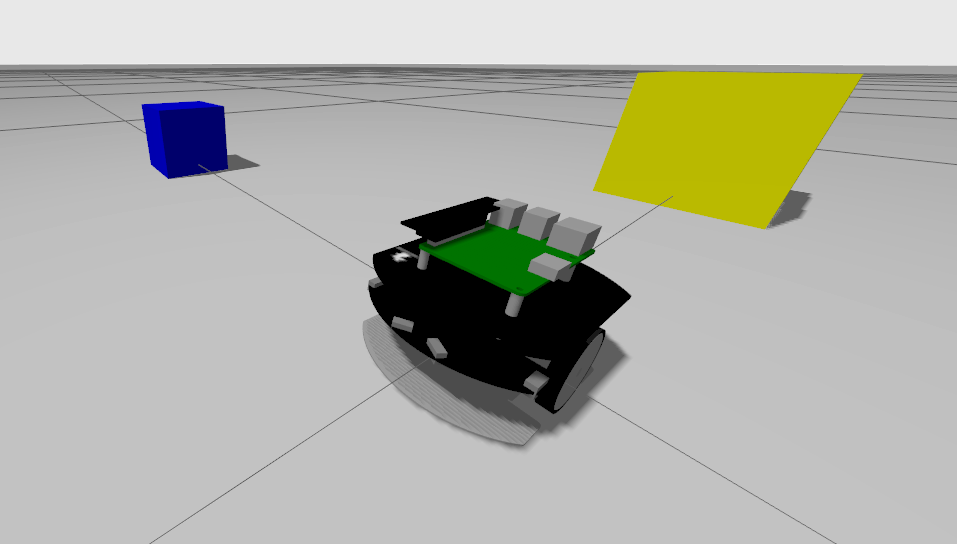
ROS 2 Package Status
| main develop (ros2) |
Humble + Ubuntu Jammy (humble-devel) |
|---|---|
 |
 |
Requirements
requires the following to run:
- Ubuntu
- Ubuntu Jammy Jellyfish 22.04.*
- ROS 2
- ROS Humble Hawksbill
- Gazebo
- Ignition Gazebo 6.x
- ROS 2 Package
- ros-humble-desktop-full
Installation
Download this ROS 2 package.
cd ~/ros2_ws/src
git clone -b ros2 https://github.com/rt-net/raspimouse_sim.git
Download the dependent ROS 2 packages.
cd ~/ros2_ws/src
git clone https://github.com/rt-net/raspimouse_ros2_examples.git
git clone -b ros2 https://github.com/rt-net/raspimouse_description.git
rosdep install -r -y -i --from-paths raspimouse*
Build this package using colcon.
cd ~/ros2_ws
colcon build --symlink-install
source ~/ros2_ws/install/setup.bash
QuickStart
After building this package, run the following commands.
ros2 launch raspimouse_gazebo raspimouse_with_emptyworld.launch.py
Examples
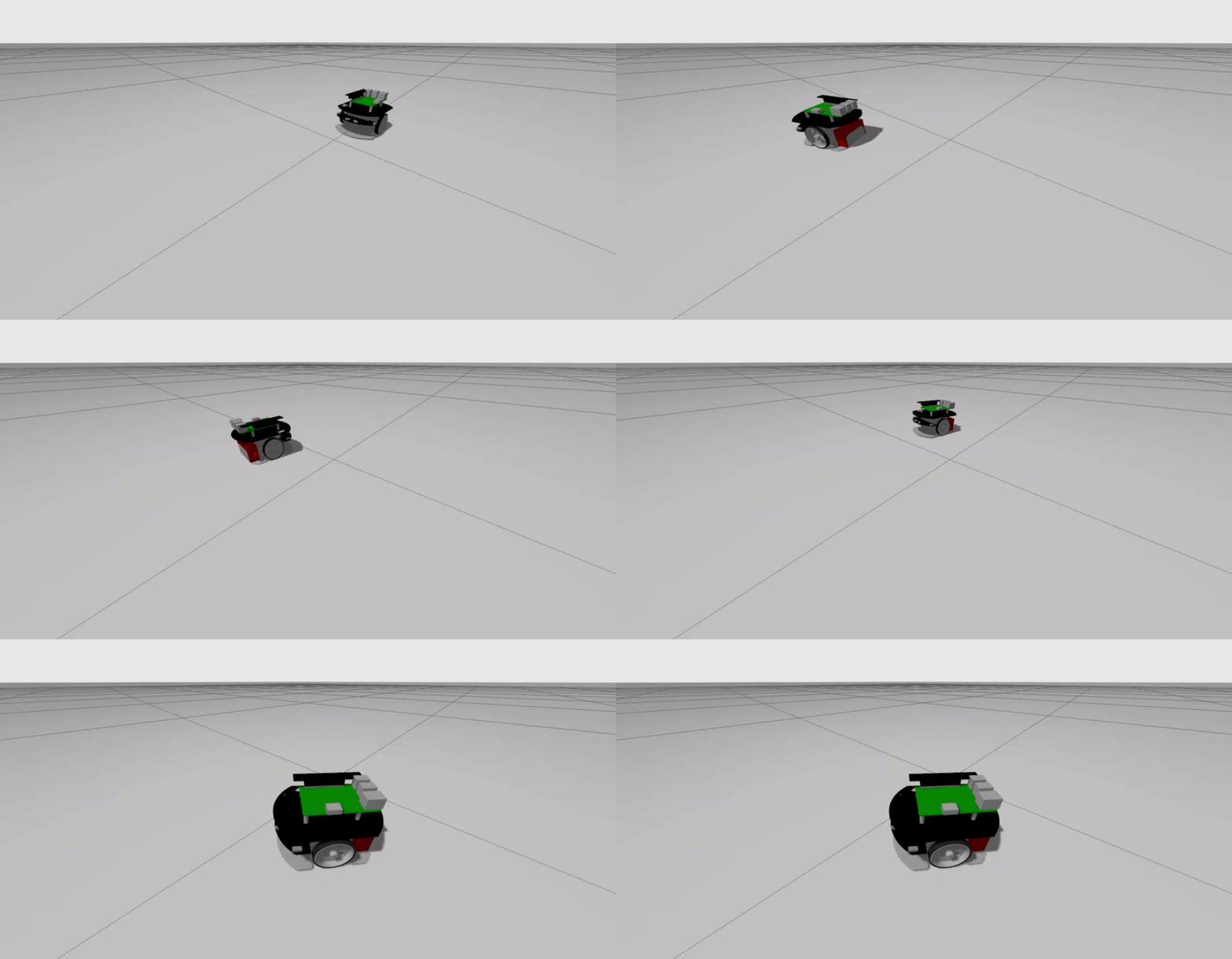
Joystick Controll
Terminal 1:
ros2 launch raspimouse_gazebo raspimouse_with_emptyworld.launch.py
Terminal 2:
ros2 launch raspimouse_ros2_examples teleop_joy.launch.py joydev:="/dev/input/js0" joyconfig:=f710 mouse:=false
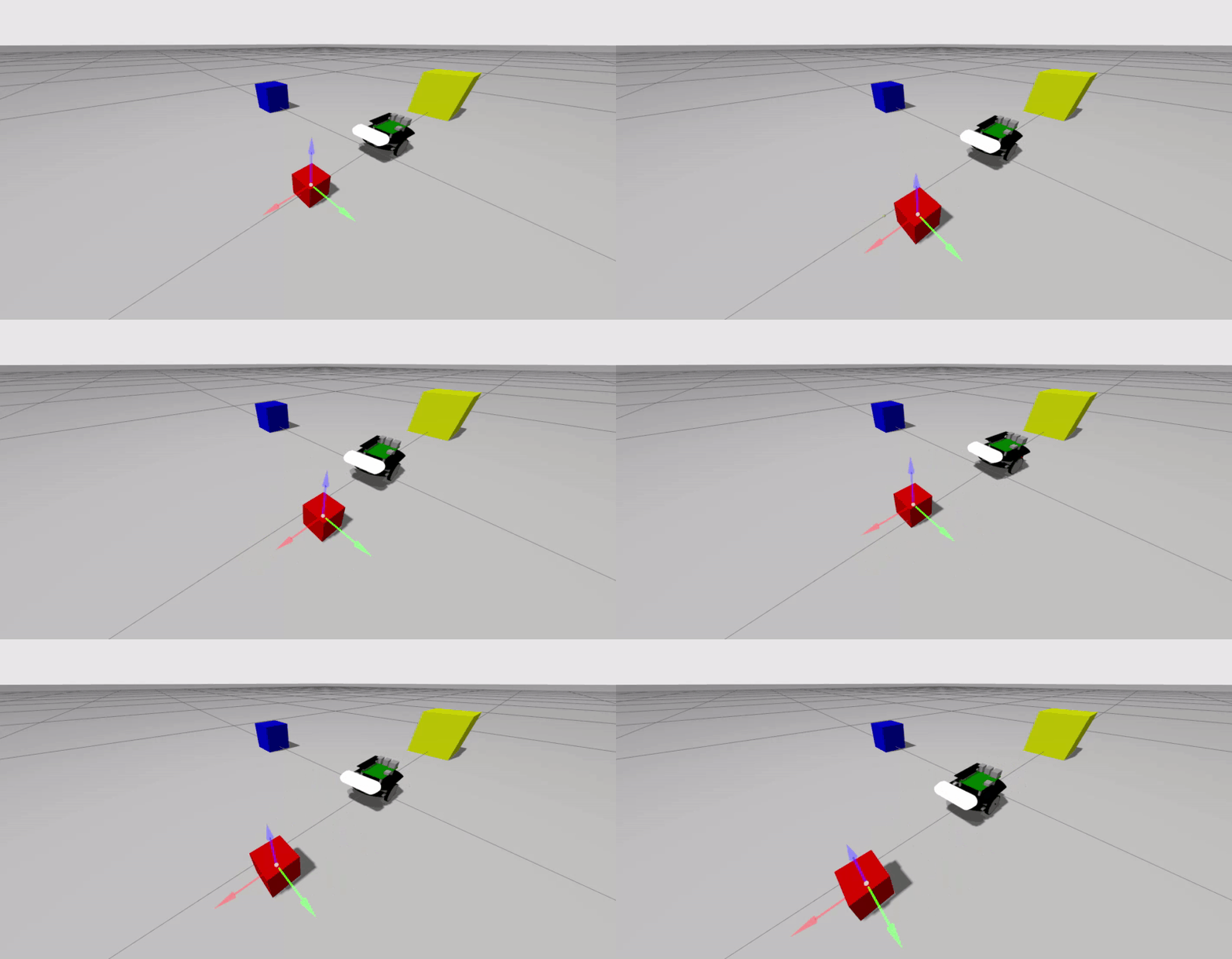
Object Tracking
Terminal 1:
ros2 launch raspimouse_gazebo raspimouse_with_color_objects.launch.py use_rgb_camera:=true
Terminal 2:
ros2 launch raspimouse_ros2_examples object_tracking.launch.py mouse:=false use_camera_node:=false
camera_line_follower
Terminal 1:
```sh
File truncated at 100 lines see the full file
CONTRIBUTING
Repository Summary
| Description | |
| Checkout URI | https://github.com/rt-net/raspimouse_sim.git |
| VCS Type | git |
| VCS Version | jazzy |
| Last Updated | 2024-11-29 |
| Dev Status | MAINTAINED |
| Released | RELEASED |
| Contributing |
Help Wanted (-)
Good First Issues (-) Pull Requests to Review (-) |
Packages
| Name | Version |
|---|---|
| raspimouse_fake | 3.0.1 |
| raspimouse_gazebo | 3.0.1 |
| raspimouse_sim | 3.0.1 |
README
| English | 日本語 |
raspimouse_sim

ROS 2 package suite for Raspberry Pi Mouse Simulator runs on Gazebo
This branch is intended for ROS 2 Jazzy. For other distributions, please refer to the corresponding branches listed below.
- ROS 2 Humble (humble)
Requirements
requires the following to run:
- Ubuntu
- Ubuntu 24.04 Noble Numbat
- ROS 2
- ROS 2 Jazzy Jalisco
- Gazebo
- Gazebo Sim 8.x
- ROS 2 Package
- ros-jazzy-desktop-full
Installation
Download this ROS 2 package.
cd ~/ros2_ws/src
git clone -b $ROS_DISTRO https://github.com/rt-net/raspimouse_sim.git
Download the dependent ROS 2 packages.
cd ~/ros2_ws/src
git clone -b $ROS_DISTRO https://github.com/rt-net/raspimouse_ros2_examples.git
git clone -b $ROS_DISTRO https://github.com/rt-net/raspimouse_slam_navigation_ros2.git
git clone -b $ROS_DISTRO https://github.com/rt-net/raspimouse_description.git
rosdep install -r -y -i --from-paths raspimouse*
Build this package using colcon.
cd ~/ros2_ws
colcon build --symlink-install
source ~/ros2_ws/install/setup.bash
QuickStart
After building this package, run the following commands.
ros2 launch raspimouse_gazebo raspimouse_with_emptyworld.launch.py
Examples
These exsamples require raspimouse_ros2_examples to operate.
Joystick Controll
Terminal 1:
ros2 launch raspimouse_gazebo raspimouse_with_emptyworld.launch.py
Terminal 2:
ros2 launch raspimouse_ros2_examples teleop_joy.launch.py joydev:="/dev/input/js0" joyconfig:=f710 mouse:=false
Object Tracking
Terminal 1:
ros2 launch raspimouse_gazebo raspimouse_with_color_objects.launch.py use_rgb_camera:=true
Terminal 2:
ros2 launch raspimouse_ros2_examples object_tracking.launch.py mouse:=false use_camera_node:=false
camera_line_follower
File truncated at 100 lines see the full file
CONTRIBUTING
Repository Summary
| Description | |
| Checkout URI | https://github.com/rt-net/raspimouse_sim.git |
| VCS Type | git |
| VCS Version | humble-devel |
| Last Updated | 2024-03-06 |
| Dev Status | MAINTAINED |
| Released | RELEASED |
| Contributing |
Help Wanted (-)
Good First Issues (-) Pull Requests to Review (-) |
Packages
| Name | Version |
|---|---|
| raspimouse_fake | 2.1.0 |
| raspimouse_gazebo | 2.1.0 |
| raspimouse_sim | 2.1.0 |
README
| English | 日本語 |
raspimouse_sim
ROS 2 package suite for Raspberry Pi Mouse Simulator runs on Gazebo
ROS 2 Package Status
| main develop (ros2) |
Humble + Ubuntu Jammy (humble-devel) |
|---|---|
|
|
Requirements
requires the following to run:
- Ubuntu
- Ubuntu Jammy Jellyfish 22.04.*
- ROS 2
- ROS Humble Hawksbill
- Gazebo
- Ignition Gazebo 6.x
- ROS 2 Package
- ros-humble-desktop-full
Installation
Download this ROS 2 package.
cd ~/ros2_ws/src
git clone -b ros2 https://github.com/rt-net/raspimouse_sim.git
Download the dependent ROS 2 packages.
cd ~/ros2_ws/src
git clone https://github.com/rt-net/raspimouse_ros2_examples.git
git clone -b ros2 https://github.com/rt-net/raspimouse_description.git
rosdep install -r -y -i --from-paths raspimouse*
Build this package using colcon.
cd ~/ros2_ws
colcon build --symlink-install
source ~/ros2_ws/install/setup.bash
QuickStart
After building this package, run the following commands.
ros2 launch raspimouse_gazebo raspimouse_with_emptyworld.launch.py
Examples
Joystick Controll
Terminal 1:
ros2 launch raspimouse_gazebo raspimouse_with_emptyworld.launch.py
Terminal 2:
ros2 launch raspimouse_ros2_examples teleop_joy.launch.py joydev:="/dev/input/js0" joyconfig:=f710 mouse:=false
Object Tracking
Terminal 1:
ros2 launch raspimouse_gazebo raspimouse_with_color_objects.launch.py use_rgb_camera:=true
Terminal 2:
ros2 launch raspimouse_ros2_examples object_tracking.launch.py mouse:=false use_camera_node:=false
camera_line_follower
Terminal 1:
```sh
File truncated at 100 lines see the full file
CONTRIBUTING
Repository Summary
| Description | |
| Checkout URI | https://github.com/rt-net/raspimouse_sim.git |
| VCS Type | git |
| VCS Version | humble-devel |
| Last Updated | 2024-03-06 |
| Dev Status | MAINTAINED |
| Released | RELEASED |
| Contributing |
Help Wanted (-)
Good First Issues (-) Pull Requests to Review (-) |
Packages
| Name | Version |
|---|---|
| raspimouse_fake | 2.1.0 |
| raspimouse_gazebo | 2.1.0 |
| raspimouse_sim | 2.1.0 |
README
| English | 日本語 |
raspimouse_sim
ROS 2 package suite for Raspberry Pi Mouse Simulator runs on Gazebo
ROS 2 Package Status
| main develop (ros2) |
Humble + Ubuntu Jammy (humble-devel) |
|---|---|
|
|
Requirements
requires the following to run:
- Ubuntu
- Ubuntu Jammy Jellyfish 22.04.*
- ROS 2
- ROS Humble Hawksbill
- Gazebo
- Ignition Gazebo 6.x
- ROS 2 Package
- ros-humble-desktop-full
Installation
Download this ROS 2 package.
cd ~/ros2_ws/src
git clone -b ros2 https://github.com/rt-net/raspimouse_sim.git
Download the dependent ROS 2 packages.
cd ~/ros2_ws/src
git clone https://github.com/rt-net/raspimouse_ros2_examples.git
git clone -b ros2 https://github.com/rt-net/raspimouse_description.git
rosdep install -r -y -i --from-paths raspimouse*
Build this package using colcon.
cd ~/ros2_ws
colcon build --symlink-install
source ~/ros2_ws/install/setup.bash
QuickStart
After building this package, run the following commands.
ros2 launch raspimouse_gazebo raspimouse_with_emptyworld.launch.py
Examples
Joystick Controll
Terminal 1:
ros2 launch raspimouse_gazebo raspimouse_with_emptyworld.launch.py
Terminal 2:
ros2 launch raspimouse_ros2_examples teleop_joy.launch.py joydev:="/dev/input/js0" joyconfig:=f710 mouse:=false
Object Tracking
Terminal 1:
ros2 launch raspimouse_gazebo raspimouse_with_color_objects.launch.py use_rgb_camera:=true
Terminal 2:
ros2 launch raspimouse_ros2_examples object_tracking.launch.py mouse:=false use_camera_node:=false
camera_line_follower
Terminal 1:
```sh
File truncated at 100 lines see the full file
CONTRIBUTING
Repository Summary
| Description | |
| Checkout URI | https://github.com/rt-net/raspimouse_sim.git |
| VCS Type | git |
| VCS Version | humble-devel |
| Last Updated | 2024-03-06 |
| Dev Status | MAINTAINED |
| Released | RELEASED |
| Contributing |
Help Wanted (-)
Good First Issues (-) Pull Requests to Review (-) |
Packages
| Name | Version |
|---|---|
| raspimouse_fake | 2.1.0 |
| raspimouse_gazebo | 2.1.0 |
| raspimouse_sim | 2.1.0 |
README
| English | 日本語 |
raspimouse_sim
ROS 2 package suite for Raspberry Pi Mouse Simulator runs on Gazebo
ROS 2 Package Status
| main develop (ros2) |
Humble + Ubuntu Jammy (humble-devel) |
|---|---|
|
|
Requirements
requires the following to run:
- Ubuntu
- Ubuntu Jammy Jellyfish 22.04.*
- ROS 2
- ROS Humble Hawksbill
- Gazebo
- Ignition Gazebo 6.x
- ROS 2 Package
- ros-humble-desktop-full
Installation
Download this ROS 2 package.
cd ~/ros2_ws/src
git clone -b ros2 https://github.com/rt-net/raspimouse_sim.git
Download the dependent ROS 2 packages.
cd ~/ros2_ws/src
git clone https://github.com/rt-net/raspimouse_ros2_examples.git
git clone -b ros2 https://github.com/rt-net/raspimouse_description.git
rosdep install -r -y -i --from-paths raspimouse*
Build this package using colcon.
cd ~/ros2_ws
colcon build --symlink-install
source ~/ros2_ws/install/setup.bash
QuickStart
After building this package, run the following commands.
ros2 launch raspimouse_gazebo raspimouse_with_emptyworld.launch.py
Examples
Joystick Controll
Terminal 1:
ros2 launch raspimouse_gazebo raspimouse_with_emptyworld.launch.py
Terminal 2:
ros2 launch raspimouse_ros2_examples teleop_joy.launch.py joydev:="/dev/input/js0" joyconfig:=f710 mouse:=false
Object Tracking
Terminal 1:
ros2 launch raspimouse_gazebo raspimouse_with_color_objects.launch.py use_rgb_camera:=true
Terminal 2:
ros2 launch raspimouse_ros2_examples object_tracking.launch.py mouse:=false use_camera_node:=false
camera_line_follower
Terminal 1:
```sh
File truncated at 100 lines see the full file
CONTRIBUTING
Repository Summary
| Description | |
| Checkout URI | https://github.com/rt-net/raspimouse_sim.git |
| VCS Type | git |
| VCS Version | humble-devel |
| Last Updated | 2024-03-06 |
| Dev Status | MAINTAINED |
| Released | RELEASED |
| Contributing |
Help Wanted (-)
Good First Issues (-) Pull Requests to Review (-) |
Packages
| Name | Version |
|---|---|
| raspimouse_fake | 2.1.0 |
| raspimouse_gazebo | 2.1.0 |
| raspimouse_sim | 2.1.0 |
README
| English | 日本語 |
raspimouse_sim
ROS 2 package suite for Raspberry Pi Mouse Simulator runs on Gazebo
ROS 2 Package Status
| main develop (ros2) |
Humble + Ubuntu Jammy (humble-devel) |
|---|---|
|
|
Requirements
requires the following to run:
- Ubuntu
- Ubuntu Jammy Jellyfish 22.04.*
- ROS 2
- ROS Humble Hawksbill
- Gazebo
- Ignition Gazebo 6.x
- ROS 2 Package
- ros-humble-desktop-full
Installation
Download this ROS 2 package.
cd ~/ros2_ws/src
git clone -b ros2 https://github.com/rt-net/raspimouse_sim.git
Download the dependent ROS 2 packages.
cd ~/ros2_ws/src
git clone https://github.com/rt-net/raspimouse_ros2_examples.git
git clone -b ros2 https://github.com/rt-net/raspimouse_description.git
rosdep install -r -y -i --from-paths raspimouse*
Build this package using colcon.
cd ~/ros2_ws
colcon build --symlink-install
source ~/ros2_ws/install/setup.bash
QuickStart
After building this package, run the following commands.
ros2 launch raspimouse_gazebo raspimouse_with_emptyworld.launch.py
Examples
Joystick Controll
Terminal 1:
ros2 launch raspimouse_gazebo raspimouse_with_emptyworld.launch.py
Terminal 2:
ros2 launch raspimouse_ros2_examples teleop_joy.launch.py joydev:="/dev/input/js0" joyconfig:=f710 mouse:=false
Object Tracking
Terminal 1:
ros2 launch raspimouse_gazebo raspimouse_with_color_objects.launch.py use_rgb_camera:=true
Terminal 2:
ros2 launch raspimouse_ros2_examples object_tracking.launch.py mouse:=false use_camera_node:=false
camera_line_follower
Terminal 1:
```sh
File truncated at 100 lines see the full file
CONTRIBUTING
Repository Summary
| Description | |
| Checkout URI | https://github.com/rt-net/raspimouse_sim.git |
| VCS Type | git |
| VCS Version | humble-devel |
| Last Updated | 2024-03-06 |
| Dev Status | MAINTAINED |
| Released | RELEASED |
| Contributing |
Help Wanted (-)
Good First Issues (-) Pull Requests to Review (-) |
Packages
| Name | Version |
|---|---|
| raspimouse_fake | 2.1.0 |
| raspimouse_gazebo | 2.1.0 |
| raspimouse_sim | 2.1.0 |
README
| English | 日本語 |
raspimouse_sim
ROS 2 package suite for Raspberry Pi Mouse Simulator runs on Gazebo
ROS 2 Package Status
| main develop (ros2) |
Humble + Ubuntu Jammy (humble-devel) |
|---|---|
|
|
Requirements
requires the following to run:
- Ubuntu
- Ubuntu Jammy Jellyfish 22.04.*
- ROS 2
- ROS Humble Hawksbill
- Gazebo
- Ignition Gazebo 6.x
- ROS 2 Package
- ros-humble-desktop-full
Installation
Download this ROS 2 package.
cd ~/ros2_ws/src
git clone -b ros2 https://github.com/rt-net/raspimouse_sim.git
Download the dependent ROS 2 packages.
cd ~/ros2_ws/src
git clone https://github.com/rt-net/raspimouse_ros2_examples.git
git clone -b ros2 https://github.com/rt-net/raspimouse_description.git
rosdep install -r -y -i --from-paths raspimouse*
Build this package using colcon.
cd ~/ros2_ws
colcon build --symlink-install
source ~/ros2_ws/install/setup.bash
QuickStart
After building this package, run the following commands.
ros2 launch raspimouse_gazebo raspimouse_with_emptyworld.launch.py
Examples
Joystick Controll
Terminal 1:
ros2 launch raspimouse_gazebo raspimouse_with_emptyworld.launch.py
Terminal 2:
ros2 launch raspimouse_ros2_examples teleop_joy.launch.py joydev:="/dev/input/js0" joyconfig:=f710 mouse:=false
Object Tracking
Terminal 1:
ros2 launch raspimouse_gazebo raspimouse_with_color_objects.launch.py use_rgb_camera:=true
Terminal 2:
ros2 launch raspimouse_ros2_examples object_tracking.launch.py mouse:=false use_camera_node:=false
camera_line_follower
Terminal 1:
```sh
File truncated at 100 lines see the full file
CONTRIBUTING
Repository Summary
| Description | |
| Checkout URI | https://github.com/rt-net/raspimouse_sim.git |
| VCS Type | git |
| VCS Version | melodic-devel |
| Last Updated | 2020-12-08 |
| Dev Status | MAINTAINED |
| Released | UNRELEASED |
| Contributing |
Help Wanted (-)
Good First Issues (-) Pull Requests to Review (-) |
Packages
| Name | Version |
|---|---|
| raspimouse_fake | 0.1.1 |
| raspimouse_gazebo | 0.1.1 |
| raspimouse_sim | 0.1.1 |
README
| English | 日本語 |
raspimouse_sim
ROS package suite for Raspberry Pi Mouse Simulator runs on Gazebo
ROS Package Status
| main develop (master) |
Kinetic + Ubuntu Xenial (kinetic-devel) |
Melodic + Ubuntu Bionic (melodic-devel) |
|---|---|---|
 |
 |
 |
The follwing branches are not maintained.
- rpim_book_version
- indigo-devel
Requirements
requires the following to run:
- Ubuntu
- Ubuntu Xenial Xerus 16.04.*
- ROS
- ROS Kinetic Kame
- Gazebo
- Gazebo 7.x
- ROS Package
- ros-kinetic-desktop-full
or
- Ubuntu
- Ubuntu Bionic Beaver 18.04.*
- ROS
- ROS Melodic Morenia
- Gazebo
- Gazebo 9.x
- ROS Package
- ros-melodic-desktop-full
Installation
Download this ROS package.
cd ~/catkin_ws/src
git clone https://github.com/rt-net/raspimouse_sim.git
Download the dependent ROS packages.
cd ~/catkin_ws/src
git clone https://github.com/ryuichiueda/raspimouse_ros_2.git
git clone https://github.com/rt-net/raspimouse_description.git
rosdep install -r -y -i --from-paths raspimouse*
Build this package using catkin_make.
cd ~/catkin_ws && catkin_make
source ~/catkin_ws/devel/setup.bash
Download the hardware model data that will be used in Gazebo.
rosrun raspimouse_gazebo download_gazebo_models.sh
QuickStart
After the installation, run the following commands.
roslaunch raspimouse_gazebo raspimouse_with_samplemaze.launch
Checkout this page for details.
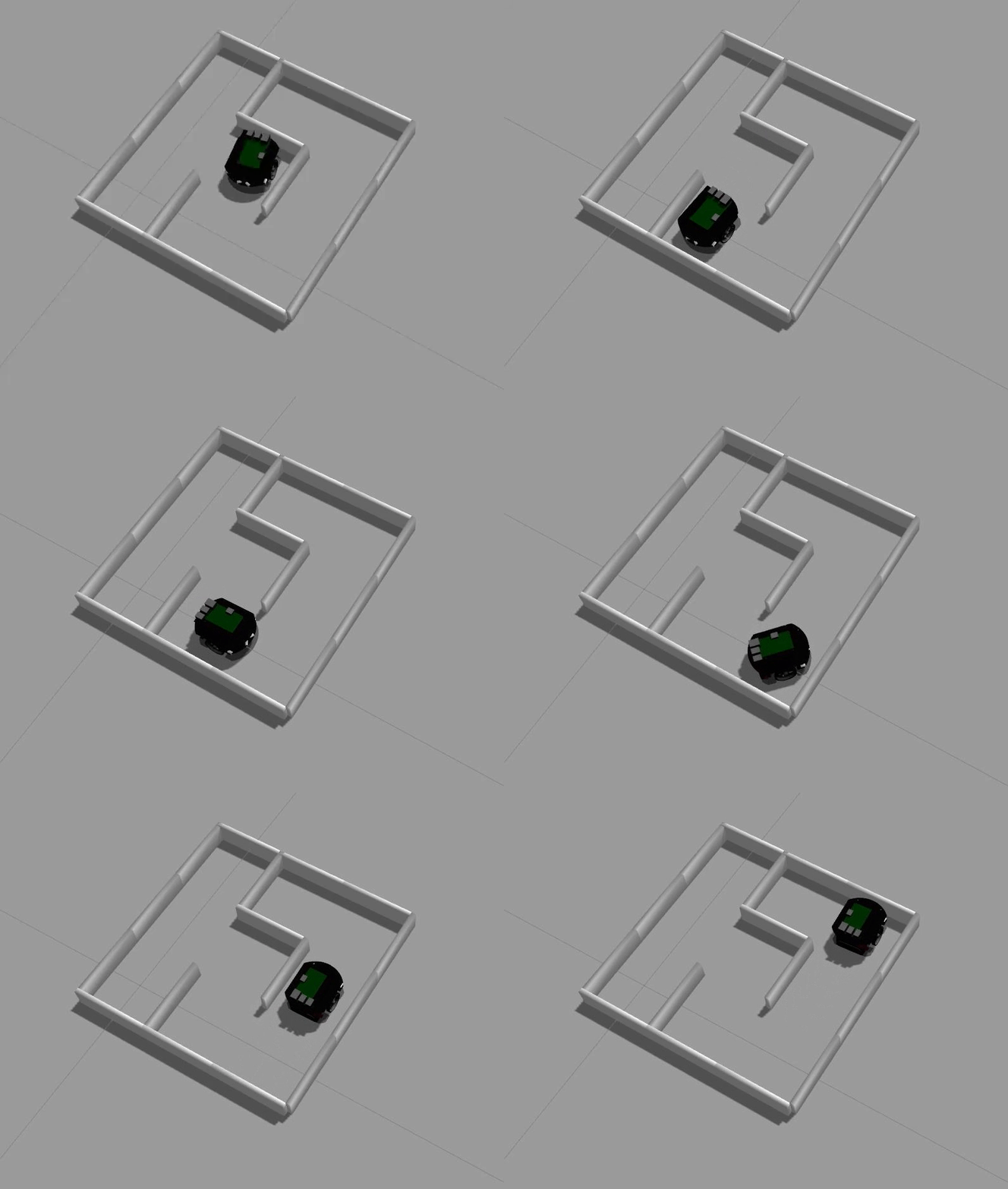
Screenshots
moving in sample maze
roslaunch raspimouse_gazebo raspimouse_with_samplemaze.launch
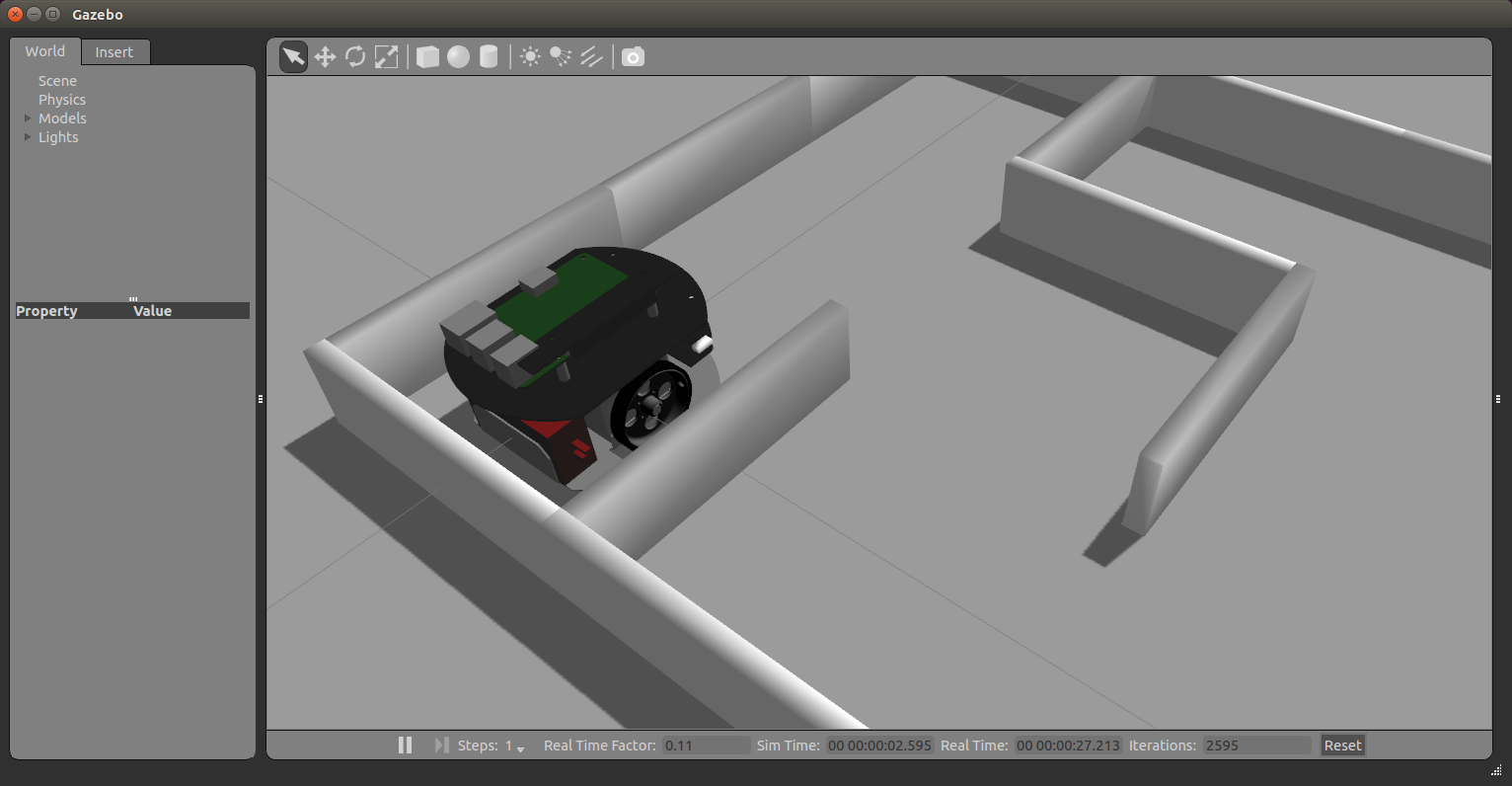
moving with URG
roslaunch raspimouse_gazebo raspimouse_with_gasstand.launch
File truncated at 100 lines see the full file
CONTRIBUTING
Repository Summary
| Description | |
| Checkout URI | https://github.com/rt-net/raspimouse_sim.git |
| VCS Type | git |
| VCS Version | humble-devel |
| Last Updated | 2024-03-06 |
| Dev Status | MAINTAINED |
| Released | RELEASED |
| Contributing |
Help Wanted (-)
Good First Issues (-) Pull Requests to Review (-) |
Packages
| Name | Version |
|---|---|
| raspimouse_fake | 2.1.0 |
| raspimouse_gazebo | 2.1.0 |
| raspimouse_sim | 2.1.0 |
README
| English | 日本語 |
raspimouse_sim
ROS 2 package suite for Raspberry Pi Mouse Simulator runs on Gazebo
ROS 2 Package Status
| main develop (ros2) |
Humble + Ubuntu Jammy (humble-devel) |
|---|---|
|
|
Requirements
requires the following to run:
- Ubuntu
- Ubuntu Jammy Jellyfish 22.04.*
- ROS 2
- ROS Humble Hawksbill
- Gazebo
- Ignition Gazebo 6.x
- ROS 2 Package
- ros-humble-desktop-full
Installation
Download this ROS 2 package.
cd ~/ros2_ws/src
git clone -b ros2 https://github.com/rt-net/raspimouse_sim.git
Download the dependent ROS 2 packages.
cd ~/ros2_ws/src
git clone https://github.com/rt-net/raspimouse_ros2_examples.git
git clone -b ros2 https://github.com/rt-net/raspimouse_description.git
rosdep install -r -y -i --from-paths raspimouse*
Build this package using colcon.
cd ~/ros2_ws
colcon build --symlink-install
source ~/ros2_ws/install/setup.bash
QuickStart
After building this package, run the following commands.
ros2 launch raspimouse_gazebo raspimouse_with_emptyworld.launch.py
Examples
Joystick Controll
Terminal 1:
ros2 launch raspimouse_gazebo raspimouse_with_emptyworld.launch.py
Terminal 2:
ros2 launch raspimouse_ros2_examples teleop_joy.launch.py joydev:="/dev/input/js0" joyconfig:=f710 mouse:=false
Object Tracking
Terminal 1:
ros2 launch raspimouse_gazebo raspimouse_with_color_objects.launch.py use_rgb_camera:=true
Terminal 2:
ros2 launch raspimouse_ros2_examples object_tracking.launch.py mouse:=false use_camera_node:=false
camera_line_follower
Terminal 1:
```sh
File truncated at 100 lines see the full file