 ROS Index
Repository Summary
| Description | |
| Checkout URI | https://github.com/SteveMacenski/ros2_ouster_drivers.git |
| VCS Type | git |
| VCS Version | foxy-devel |
| Last Updated | 2020-11-30 |
| Dev Status | MAINTAINED |
| Released | RELEASED |
| Contributing |
Help Wanted (-)
Good First Issues (-) Pull Requests to Review (-) |
Packages
| Name | Version |
|---|---|
| ouster_msgs | 0.2.0 |
| ros2_ouster | 0.2.0 |
README
ROS2 Ouster Drivers
These are an implementation of ROS2 drivers for the Ouster OS-1 3D lidars. This includes all models of the OS-1 from 16 to 128 beams.
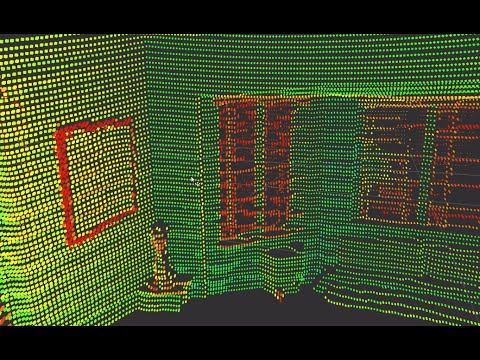
You can find a few videos looking over the sensor below. They both introduce the ROS1 driver but are extremely useful references regardless:
| OS-1 Networking Setup | OS-1 Data Overview |
|---|---|
 |
 |
Documentation
Documentation can be generated using Doxygen.
Run doxygen in the root of this repository. It will generate a /doc/* directory containing the documentation. Entrypoint in a browser is index.html.
Design
See design doc in design/* directory here.
ROS Interfaces
IMG | PCL | IMU | SCAN |
Note: TF will provide you the transformations from the sensor frame to each of the data frames.
Timestamp Modes
Referring to the parameter table above, the timestamp_mode parameter has four
allowable options (as of this writing). They are: TIME_FROM_INTERNAL_OSC,
TIME_FROM_SYNC_PULSE_IN, TIME_FROM_PTP_1588, TIME_FROM_ROS_RECEPTION. A
description of each now follows.
TIME_FROM_INTERNAL_OSC
Use the LiDAR internal clock. Measurements are time stamped with ns since power-on. Free running counter based on the OS1’s internal oscillator. Counts seconds and nanoseconds since OS1 turn on, reported at ns resolution (both a second and nanosecond register in every UDP packet), but min increment is on the order of 10 ns. Accuracy is +/- 90 ppm.
TIME_FROM_SYNC_PULSE_IN
A free running counter synced to the SYNC_PULSE_IN input counts seconds (# of
pulses) and nanoseconds since OS1 turn on. If multipurpose_io_mode is set to
INPUT_NMEA_UART then the seconds register jumps to time extracted from a NMEA
$GPRMC message read on the multipurpose_io port. Reported at ns resolution
(both a second and nanosecond register in every UDP packet), but min increment
is on the order of 10 ns. Accuracy is +/- 1 s from a perfect SYNC_PULSE_IN
source.
TIME_FROM_PTP_1588
Synchronize with an external PTP master. A monotonically increasing counter that will begin counting seconds and nanoseconds since startup. As soon as a 1588 sync event happens, the time will be updated to seconds and nanoseconds since 1970. The counter must always count forward in time. If another 1588 sync event happens the counter will either jump forward to match the new time, or slow itself down. It is reported at ns resolution (there is both a second and nanosecond register in every UDP packet), but the minimum increment varies. Accuracy is +/- <50 us from the 1588 master.
TIME_FROM_ROS_RECEPTION
Data are stamped with the ROS time when they are received. The inherent latency between when the data were sampled by the LiDAR and when the data were received by this ROS node is not modelled. This approach may be acceptable to get up and
File truncated at 100 lines see the full file
CONTRIBUTING
Repository Summary
| Description | |
| Checkout URI | https://github.com/ros-drivers/ros2_ouster_drivers.git |
| VCS Type | git |
| VCS Version | ros2 |
| Last Updated | 2024-06-18 |
| Dev Status | MAINTAINED |
| Released | UNRELEASED |
| Contributing |
Help Wanted (-)
Good First Issues (-) Pull Requests to Review (-) |
Packages
| Name | Version |
|---|---|
| ouster_msgs | 0.5.1 |
| ros2_ouster | 0.5.1 |
README
ROS2 Ouster Drivers
These are an implementation of ROS2 drivers for the Ouster lidar. This includes all models of the OS-x from 16 to 128 beams running the firmware 2.2-2.4. This is a legacy driver for those deploying within their applications. For new applications, we recommend checking out Ouster’s newly supported ROS 2 driver which we have also validated works well.
You can find a few videos looking over the sensor below. They both introduce the ROS1 driver but are extremely useful references regardless:
| OS-1 Networking Setup | OS-1 Data Overview |
|---|---|
|
|
Documentation
Documentation can be generated using Doxygen.
Run doxygen in the root of this repository. It will generate a /doc/* directory containing the documentation. Entrypoint in a browser is index.html.
Design
See design doc in design/* directory here.
ROS Interfaces
IMG | PCL | IMU | SCAN |
| `pointcloud_filter_zero_points` | bool | Reduce pointcloud size by omitting (0, 0, 0) points, default `False`. If used, will make the PC2 unstructured. |
Note: TF will provide you the transformations from the sensor frame to each of the data frames.
Timestamp Modes
Referring to the parameter table above, the timestamp_mode parameter has four
allowable options (as of this writing). They are: TIME_FROM_INTERNAL_OSC,
TIME_FROM_SYNC_PULSE_IN, TIME_FROM_PTP_1588, TIME_FROM_ROS_RECEPTION. A
description of each now follows.
TIME_FROM_INTERNAL_OSC
Use the LiDAR internal clock. Measurements are time stamped with ns since power-on. Free running counter based on the sensor’s internal oscillator. Counts seconds and nanoseconds since sensor turn on, reported at ns resolution (both a second and nanosecond register in every UDP packet), but min increment is on the order of 10 ns. Accuracy is +/- 90 ppm.
TIME_FROM_SYNC_PULSE_IN
A free running counter synced to the SYNC_PULSE_IN input counts seconds (# of
pulses) and nanoseconds since sensor turn on. If multipurpose_io_mode is set to
INPUT_NMEA_UART then the seconds register jumps to time extracted from a NMEA
$GPRMC message read on the multipurpose_io port. Reported at ns resolution
(both a second and nanosecond register in every UDP packet), but min increment
is on the order of 10 ns. Accuracy is +/- 1 s from a perfect SYNC_PULSE_IN
source.
TIME_FROM_PTP_1588
Synchronize with an external PTP master. A monotonically increasing counter that will begin counting seconds and nanoseconds since startup. As soon as a 1588 sync event happens, the time will be updated to seconds and nanoseconds since 1970. The counter must always count forward in time. If another 1588 sync event happens the counter will either jump forward to match the new time, or slow itself down. It is reported at ns resolution (there is both a second and nanosecond register in every UDP packet), but the minimum increment varies. Accuracy is +/- <50 us from the 1588 master.
TIME_FROM_ROS_RECEPTION
File truncated at 100 lines see the full file
CONTRIBUTING
Repository Summary
| Description | |
| Checkout URI | https://github.com/SteveMacenski/ros2_ouster_drivers.git |
| VCS Type | git |
| VCS Version | foxy-devel |
| Last Updated | 2020-11-30 |
| Dev Status | MAINTAINED |
| Released | RELEASED |
| Contributing |
Help Wanted (-)
Good First Issues (-) Pull Requests to Review (-) |
Packages
| Name | Version |
|---|---|
| ouster_msgs | 0.2.0 |
| ros2_ouster | 0.2.0 |
README
ROS2 Ouster Drivers
These are an implementation of ROS2 drivers for the Ouster OS-1 3D lidars. This includes all models of the OS-1 from 16 to 128 beams.
You can find a few videos looking over the sensor below. They both introduce the ROS1 driver but are extremely useful references regardless:
| OS-1 Networking Setup | OS-1 Data Overview |
|---|---|
|
|
Documentation
Documentation can be generated using Doxygen.
Run doxygen in the root of this repository. It will generate a /doc/* directory containing the documentation. Entrypoint in a browser is index.html.
Design
See design doc in design/* directory here.
ROS Interfaces
IMG | PCL | IMU | SCAN |
Note: TF will provide you the transformations from the sensor frame to each of the data frames.
Timestamp Modes
Referring to the parameter table above, the timestamp_mode parameter has four
allowable options (as of this writing). They are: TIME_FROM_INTERNAL_OSC,
TIME_FROM_SYNC_PULSE_IN, TIME_FROM_PTP_1588, TIME_FROM_ROS_RECEPTION. A
description of each now follows.
TIME_FROM_INTERNAL_OSC
Use the LiDAR internal clock. Measurements are time stamped with ns since power-on. Free running counter based on the OS1’s internal oscillator. Counts seconds and nanoseconds since OS1 turn on, reported at ns resolution (both a second and nanosecond register in every UDP packet), but min increment is on the order of 10 ns. Accuracy is +/- 90 ppm.
TIME_FROM_SYNC_PULSE_IN
A free running counter synced to the SYNC_PULSE_IN input counts seconds (# of
pulses) and nanoseconds since OS1 turn on. If multipurpose_io_mode is set to
INPUT_NMEA_UART then the seconds register jumps to time extracted from a NMEA
$GPRMC message read on the multipurpose_io port. Reported at ns resolution
(both a second and nanosecond register in every UDP packet), but min increment
is on the order of 10 ns. Accuracy is +/- 1 s from a perfect SYNC_PULSE_IN
source.
TIME_FROM_PTP_1588
Synchronize with an external PTP master. A monotonically increasing counter that will begin counting seconds and nanoseconds since startup. As soon as a 1588 sync event happens, the time will be updated to seconds and nanoseconds since 1970. The counter must always count forward in time. If another 1588 sync event happens the counter will either jump forward to match the new time, or slow itself down. It is reported at ns resolution (there is both a second and nanosecond register in every UDP packet), but the minimum increment varies. Accuracy is +/- <50 us from the 1588 master.
TIME_FROM_ROS_RECEPTION
Data are stamped with the ROS time when they are received. The inherent latency between when the data were sampled by the LiDAR and when the data were received by this ROS node is not modelled. This approach may be acceptable to get up and
File truncated at 100 lines see the full file
CONTRIBUTING
Repository Summary
| Description | |
| Checkout URI | https://github.com/SteveMacenski/ros2_ouster_drivers.git |
| VCS Type | git |
| VCS Version | foxy-devel |
| Last Updated | 2020-11-30 |
| Dev Status | MAINTAINED |
| Released | RELEASED |
| Contributing |
Help Wanted (-)
Good First Issues (-) Pull Requests to Review (-) |
Packages
| Name | Version |
|---|---|
| ouster_msgs | 0.2.0 |
| ros2_ouster | 0.2.0 |
README
ROS2 Ouster Drivers
These are an implementation of ROS2 drivers for the Ouster OS-1 3D lidars. This includes all models of the OS-1 from 16 to 128 beams.
You can find a few videos looking over the sensor below. They both introduce the ROS1 driver but are extremely useful references regardless:
| OS-1 Networking Setup | OS-1 Data Overview |
|---|---|
|
|
Documentation
Documentation can be generated using Doxygen.
Run doxygen in the root of this repository. It will generate a /doc/* directory containing the documentation. Entrypoint in a browser is index.html.
Design
See design doc in design/* directory here.
ROS Interfaces
IMG | PCL | IMU | SCAN |
Note: TF will provide you the transformations from the sensor frame to each of the data frames.
Timestamp Modes
Referring to the parameter table above, the timestamp_mode parameter has four
allowable options (as of this writing). They are: TIME_FROM_INTERNAL_OSC,
TIME_FROM_SYNC_PULSE_IN, TIME_FROM_PTP_1588, TIME_FROM_ROS_RECEPTION. A
description of each now follows.
TIME_FROM_INTERNAL_OSC
Use the LiDAR internal clock. Measurements are time stamped with ns since power-on. Free running counter based on the OS1’s internal oscillator. Counts seconds and nanoseconds since OS1 turn on, reported at ns resolution (both a second and nanosecond register in every UDP packet), but min increment is on the order of 10 ns. Accuracy is +/- 90 ppm.
TIME_FROM_SYNC_PULSE_IN
A free running counter synced to the SYNC_PULSE_IN input counts seconds (# of
pulses) and nanoseconds since OS1 turn on. If multipurpose_io_mode is set to
INPUT_NMEA_UART then the seconds register jumps to time extracted from a NMEA
$GPRMC message read on the multipurpose_io port. Reported at ns resolution
(both a second and nanosecond register in every UDP packet), but min increment
is on the order of 10 ns. Accuracy is +/- 1 s from a perfect SYNC_PULSE_IN
source.
TIME_FROM_PTP_1588
Synchronize with an external PTP master. A monotonically increasing counter that will begin counting seconds and nanoseconds since startup. As soon as a 1588 sync event happens, the time will be updated to seconds and nanoseconds since 1970. The counter must always count forward in time. If another 1588 sync event happens the counter will either jump forward to match the new time, or slow itself down. It is reported at ns resolution (there is both a second and nanosecond register in every UDP packet), but the minimum increment varies. Accuracy is +/- <50 us from the 1588 master.
TIME_FROM_ROS_RECEPTION
Data are stamped with the ROS time when they are received. The inherent latency between when the data were sampled by the LiDAR and when the data were received by this ROS node is not modelled. This approach may be acceptable to get up and
File truncated at 100 lines see the full file
CONTRIBUTING
Repository Summary
| Description | |
| Checkout URI | https://github.com/SteveMacenski/ros2_ouster_drivers.git |
| VCS Type | git |
| VCS Version | foxy-devel |
| Last Updated | 2020-11-30 |
| Dev Status | MAINTAINED |
| Released | RELEASED |
| Contributing |
Help Wanted (-)
Good First Issues (-) Pull Requests to Review (-) |
Packages
| Name | Version |
|---|---|
| ouster_msgs | 0.2.0 |
| ros2_ouster | 0.2.0 |
README
ROS2 Ouster Drivers
These are an implementation of ROS2 drivers for the Ouster OS-1 3D lidars. This includes all models of the OS-1 from 16 to 128 beams.
You can find a few videos looking over the sensor below. They both introduce the ROS1 driver but are extremely useful references regardless:
| OS-1 Networking Setup | OS-1 Data Overview |
|---|---|
|
|
Documentation
Documentation can be generated using Doxygen.
Run doxygen in the root of this repository. It will generate a /doc/* directory containing the documentation. Entrypoint in a browser is index.html.
Design
See design doc in design/* directory here.
ROS Interfaces
IMG | PCL | IMU | SCAN |
Note: TF will provide you the transformations from the sensor frame to each of the data frames.
Timestamp Modes
Referring to the parameter table above, the timestamp_mode parameter has four
allowable options (as of this writing). They are: TIME_FROM_INTERNAL_OSC,
TIME_FROM_SYNC_PULSE_IN, TIME_FROM_PTP_1588, TIME_FROM_ROS_RECEPTION. A
description of each now follows.
TIME_FROM_INTERNAL_OSC
Use the LiDAR internal clock. Measurements are time stamped with ns since power-on. Free running counter based on the OS1’s internal oscillator. Counts seconds and nanoseconds since OS1 turn on, reported at ns resolution (both a second and nanosecond register in every UDP packet), but min increment is on the order of 10 ns. Accuracy is +/- 90 ppm.
TIME_FROM_SYNC_PULSE_IN
A free running counter synced to the SYNC_PULSE_IN input counts seconds (# of
pulses) and nanoseconds since OS1 turn on. If multipurpose_io_mode is set to
INPUT_NMEA_UART then the seconds register jumps to time extracted from a NMEA
$GPRMC message read on the multipurpose_io port. Reported at ns resolution
(both a second and nanosecond register in every UDP packet), but min increment
is on the order of 10 ns. Accuracy is +/- 1 s from a perfect SYNC_PULSE_IN
source.
TIME_FROM_PTP_1588
Synchronize with an external PTP master. A monotonically increasing counter that will begin counting seconds and nanoseconds since startup. As soon as a 1588 sync event happens, the time will be updated to seconds and nanoseconds since 1970. The counter must always count forward in time. If another 1588 sync event happens the counter will either jump forward to match the new time, or slow itself down. It is reported at ns resolution (there is both a second and nanosecond register in every UDP packet), but the minimum increment varies. Accuracy is +/- <50 us from the 1588 master.
TIME_FROM_ROS_RECEPTION
Data are stamped with the ROS time when they are received. The inherent latency between when the data were sampled by the LiDAR and when the data were received by this ROS node is not modelled. This approach may be acceptable to get up and
File truncated at 100 lines see the full file
CONTRIBUTING
Repository Summary
| Description | |
| Checkout URI | https://github.com/SteveMacenski/ros2_ouster_drivers.git |
| VCS Type | git |
| VCS Version | foxy-devel |
| Last Updated | 2020-11-30 |
| Dev Status | MAINTAINED |
| Released | RELEASED |
| Contributing |
Help Wanted (-)
Good First Issues (-) Pull Requests to Review (-) |
Packages
| Name | Version |
|---|---|
| ouster_msgs | 0.2.0 |
| ros2_ouster | 0.2.0 |
README
ROS2 Ouster Drivers
These are an implementation of ROS2 drivers for the Ouster OS-1 3D lidars. This includes all models of the OS-1 from 16 to 128 beams.
You can find a few videos looking over the sensor below. They both introduce the ROS1 driver but are extremely useful references regardless:
| OS-1 Networking Setup | OS-1 Data Overview |
|---|---|
|
|
Documentation
Documentation can be generated using Doxygen.
Run doxygen in the root of this repository. It will generate a /doc/* directory containing the documentation. Entrypoint in a browser is index.html.
Design
See design doc in design/* directory here.
ROS Interfaces
IMG | PCL | IMU | SCAN |
Note: TF will provide you the transformations from the sensor frame to each of the data frames.
Timestamp Modes
Referring to the parameter table above, the timestamp_mode parameter has four
allowable options (as of this writing). They are: TIME_FROM_INTERNAL_OSC,
TIME_FROM_SYNC_PULSE_IN, TIME_FROM_PTP_1588, TIME_FROM_ROS_RECEPTION. A
description of each now follows.
TIME_FROM_INTERNAL_OSC
Use the LiDAR internal clock. Measurements are time stamped with ns since power-on. Free running counter based on the OS1’s internal oscillator. Counts seconds and nanoseconds since OS1 turn on, reported at ns resolution (both a second and nanosecond register in every UDP packet), but min increment is on the order of 10 ns. Accuracy is +/- 90 ppm.
TIME_FROM_SYNC_PULSE_IN
A free running counter synced to the SYNC_PULSE_IN input counts seconds (# of
pulses) and nanoseconds since OS1 turn on. If multipurpose_io_mode is set to
INPUT_NMEA_UART then the seconds register jumps to time extracted from a NMEA
$GPRMC message read on the multipurpose_io port. Reported at ns resolution
(both a second and nanosecond register in every UDP packet), but min increment
is on the order of 10 ns. Accuracy is +/- 1 s from a perfect SYNC_PULSE_IN
source.
TIME_FROM_PTP_1588
Synchronize with an external PTP master. A monotonically increasing counter that will begin counting seconds and nanoseconds since startup. As soon as a 1588 sync event happens, the time will be updated to seconds and nanoseconds since 1970. The counter must always count forward in time. If another 1588 sync event happens the counter will either jump forward to match the new time, or slow itself down. It is reported at ns resolution (there is both a second and nanosecond register in every UDP packet), but the minimum increment varies. Accuracy is +/- <50 us from the 1588 master.
TIME_FROM_ROS_RECEPTION
Data are stamped with the ROS time when they are received. The inherent latency between when the data were sampled by the LiDAR and when the data were received by this ROS node is not modelled. This approach may be acceptable to get up and
File truncated at 100 lines see the full file
CONTRIBUTING
Repository Summary
| Description | |
| Checkout URI | https://github.com/SteveMacenski/ros2_ouster_drivers.git |
| VCS Type | git |
| VCS Version | foxy-devel |
| Last Updated | 2020-11-30 |
| Dev Status | MAINTAINED |
| Released | RELEASED |
| Contributing |
Help Wanted (-)
Good First Issues (-) Pull Requests to Review (-) |
Packages
| Name | Version |
|---|---|
| ouster_msgs | 0.2.0 |
| ros2_ouster | 0.2.0 |
README
ROS2 Ouster Drivers
These are an implementation of ROS2 drivers for the Ouster OS-1 3D lidars. This includes all models of the OS-1 from 16 to 128 beams.
You can find a few videos looking over the sensor below. They both introduce the ROS1 driver but are extremely useful references regardless:
| OS-1 Networking Setup | OS-1 Data Overview |
|---|---|
|
|
Documentation
Documentation can be generated using Doxygen.
Run doxygen in the root of this repository. It will generate a /doc/* directory containing the documentation. Entrypoint in a browser is index.html.
Design
See design doc in design/* directory here.
ROS Interfaces
IMG | PCL | IMU | SCAN |
Note: TF will provide you the transformations from the sensor frame to each of the data frames.
Timestamp Modes
Referring to the parameter table above, the timestamp_mode parameter has four
allowable options (as of this writing). They are: TIME_FROM_INTERNAL_OSC,
TIME_FROM_SYNC_PULSE_IN, TIME_FROM_PTP_1588, TIME_FROM_ROS_RECEPTION. A
description of each now follows.
TIME_FROM_INTERNAL_OSC
Use the LiDAR internal clock. Measurements are time stamped with ns since power-on. Free running counter based on the OS1’s internal oscillator. Counts seconds and nanoseconds since OS1 turn on, reported at ns resolution (both a second and nanosecond register in every UDP packet), but min increment is on the order of 10 ns. Accuracy is +/- 90 ppm.
TIME_FROM_SYNC_PULSE_IN
A free running counter synced to the SYNC_PULSE_IN input counts seconds (# of
pulses) and nanoseconds since OS1 turn on. If multipurpose_io_mode is set to
INPUT_NMEA_UART then the seconds register jumps to time extracted from a NMEA
$GPRMC message read on the multipurpose_io port. Reported at ns resolution
(both a second and nanosecond register in every UDP packet), but min increment
is on the order of 10 ns. Accuracy is +/- 1 s from a perfect SYNC_PULSE_IN
source.
TIME_FROM_PTP_1588
Synchronize with an external PTP master. A monotonically increasing counter that will begin counting seconds and nanoseconds since startup. As soon as a 1588 sync event happens, the time will be updated to seconds and nanoseconds since 1970. The counter must always count forward in time. If another 1588 sync event happens the counter will either jump forward to match the new time, or slow itself down. It is reported at ns resolution (there is both a second and nanosecond register in every UDP packet), but the minimum increment varies. Accuracy is +/- <50 us from the 1588 master.
TIME_FROM_ROS_RECEPTION
Data are stamped with the ROS time when they are received. The inherent latency between when the data were sampled by the LiDAR and when the data were received by this ROS node is not modelled. This approach may be acceptable to get up and
File truncated at 100 lines see the full file
CONTRIBUTING
Repository Summary
| Description | |
| Checkout URI | https://github.com/SteveMacenski/ros2_ouster_drivers.git |
| VCS Type | git |
| VCS Version | foxy-devel |
| Last Updated | 2020-11-30 |
| Dev Status | MAINTAINED |
| Released | RELEASED |
| Contributing |
Help Wanted (-)
Good First Issues (-) Pull Requests to Review (-) |
Packages
| Name | Version |
|---|---|
| ouster_msgs | 0.2.0 |
| ros2_ouster | 0.2.0 |
README
ROS2 Ouster Drivers
These are an implementation of ROS2 drivers for the Ouster OS-1 3D lidars. This includes all models of the OS-1 from 16 to 128 beams.
You can find a few videos looking over the sensor below. They both introduce the ROS1 driver but are extremely useful references regardless:
| OS-1 Networking Setup | OS-1 Data Overview |
|---|---|
|
|
Documentation
Documentation can be generated using Doxygen.
Run doxygen in the root of this repository. It will generate a /doc/* directory containing the documentation. Entrypoint in a browser is index.html.
Design
See design doc in design/* directory here.
ROS Interfaces
IMG | PCL | IMU | SCAN |
Note: TF will provide you the transformations from the sensor frame to each of the data frames.
Timestamp Modes
Referring to the parameter table above, the timestamp_mode parameter has four
allowable options (as of this writing). They are: TIME_FROM_INTERNAL_OSC,
TIME_FROM_SYNC_PULSE_IN, TIME_FROM_PTP_1588, TIME_FROM_ROS_RECEPTION. A
description of each now follows.
TIME_FROM_INTERNAL_OSC
Use the LiDAR internal clock. Measurements are time stamped with ns since power-on. Free running counter based on the OS1’s internal oscillator. Counts seconds and nanoseconds since OS1 turn on, reported at ns resolution (both a second and nanosecond register in every UDP packet), but min increment is on the order of 10 ns. Accuracy is +/- 90 ppm.
TIME_FROM_SYNC_PULSE_IN
A free running counter synced to the SYNC_PULSE_IN input counts seconds (# of
pulses) and nanoseconds since OS1 turn on. If multipurpose_io_mode is set to
INPUT_NMEA_UART then the seconds register jumps to time extracted from a NMEA
$GPRMC message read on the multipurpose_io port. Reported at ns resolution
(both a second and nanosecond register in every UDP packet), but min increment
is on the order of 10 ns. Accuracy is +/- 1 s from a perfect SYNC_PULSE_IN
source.
TIME_FROM_PTP_1588
Synchronize with an external PTP master. A monotonically increasing counter that will begin counting seconds and nanoseconds since startup. As soon as a 1588 sync event happens, the time will be updated to seconds and nanoseconds since 1970. The counter must always count forward in time. If another 1588 sync event happens the counter will either jump forward to match the new time, or slow itself down. It is reported at ns resolution (there is both a second and nanosecond register in every UDP packet), but the minimum increment varies. Accuracy is +/- <50 us from the 1588 master.
TIME_FROM_ROS_RECEPTION
Data are stamped with the ROS time when they are received. The inherent latency between when the data were sampled by the LiDAR and when the data were received by this ROS node is not modelled. This approach may be acceptable to get up and
File truncated at 100 lines see the full file
CONTRIBUTING
Repository Summary
| Description | |
| Checkout URI | https://github.com/SteveMacenski/ros2_ouster_drivers.git |
| VCS Type | git |
| VCS Version | foxy-devel |
| Last Updated | 2020-11-30 |
| Dev Status | MAINTAINED |
| Released | RELEASED |
| Contributing |
Help Wanted (-)
Good First Issues (-) Pull Requests to Review (-) |
Packages
| Name | Version |
|---|---|
| ouster_msgs | 0.2.0 |
| ros2_ouster | 0.2.0 |
README
ROS2 Ouster Drivers
These are an implementation of ROS2 drivers for the Ouster OS-1 3D lidars. This includes all models of the OS-1 from 16 to 128 beams.
You can find a few videos looking over the sensor below. They both introduce the ROS1 driver but are extremely useful references regardless:
| OS-1 Networking Setup | OS-1 Data Overview |
|---|---|
|
|
Documentation
Documentation can be generated using Doxygen.
Run doxygen in the root of this repository. It will generate a /doc/* directory containing the documentation. Entrypoint in a browser is index.html.
Design
See design doc in design/* directory here.
ROS Interfaces
IMG | PCL | IMU | SCAN |
Note: TF will provide you the transformations from the sensor frame to each of the data frames.
Timestamp Modes
Referring to the parameter table above, the timestamp_mode parameter has four
allowable options (as of this writing). They are: TIME_FROM_INTERNAL_OSC,
TIME_FROM_SYNC_PULSE_IN, TIME_FROM_PTP_1588, TIME_FROM_ROS_RECEPTION. A
description of each now follows.
TIME_FROM_INTERNAL_OSC
Use the LiDAR internal clock. Measurements are time stamped with ns since power-on. Free running counter based on the OS1’s internal oscillator. Counts seconds and nanoseconds since OS1 turn on, reported at ns resolution (both a second and nanosecond register in every UDP packet), but min increment is on the order of 10 ns. Accuracy is +/- 90 ppm.
TIME_FROM_SYNC_PULSE_IN
A free running counter synced to the SYNC_PULSE_IN input counts seconds (# of
pulses) and nanoseconds since OS1 turn on. If multipurpose_io_mode is set to
INPUT_NMEA_UART then the seconds register jumps to time extracted from a NMEA
$GPRMC message read on the multipurpose_io port. Reported at ns resolution
(both a second and nanosecond register in every UDP packet), but min increment
is on the order of 10 ns. Accuracy is +/- 1 s from a perfect SYNC_PULSE_IN
source.
TIME_FROM_PTP_1588
Synchronize with an external PTP master. A monotonically increasing counter that will begin counting seconds and nanoseconds since startup. As soon as a 1588 sync event happens, the time will be updated to seconds and nanoseconds since 1970. The counter must always count forward in time. If another 1588 sync event happens the counter will either jump forward to match the new time, or slow itself down. It is reported at ns resolution (there is both a second and nanosecond register in every UDP packet), but the minimum increment varies. Accuracy is +/- <50 us from the 1588 master.
TIME_FROM_ROS_RECEPTION
Data are stamped with the ROS time when they are received. The inherent latency between when the data were sampled by the LiDAR and when the data were received by this ROS node is not modelled. This approach may be acceptable to get up and
File truncated at 100 lines see the full file