 ROS Index

|
spot_ros2 repositoryspot_common spot_controllers spot_driver spot_examples spot_hardware_interface spot_msgs spot_ros2_control spot_rviz_plugins |
ROS Distro
|
Repository Summary
| Description | |
| Checkout URI | https://github.com/bdaiinstitute/spot_ros2.git |
| VCS Type | git |
| VCS Version | main |
| Last Updated | 2026-10-14 |
| Dev Status | UNKNOWN |
| Released | UNRELEASED |
| Contributing |
Help Wanted (-)
Good First Issues (-) Pull Requests to Review (-) |
Packages
| Name | Version |
|---|---|
| spot_common | 0.1.0 |
| spot_controllers | 0.0.0 |
| spot_driver | 0.0.0 |
| spot_examples | 0.0.0 |
| spot_hardware_interface | 0.0.0 |
| spot_msgs | 0.0.0 |
| spot_ros2_control | 0.0.0 |
| spot_rviz_plugins | 0.0.0 |
README
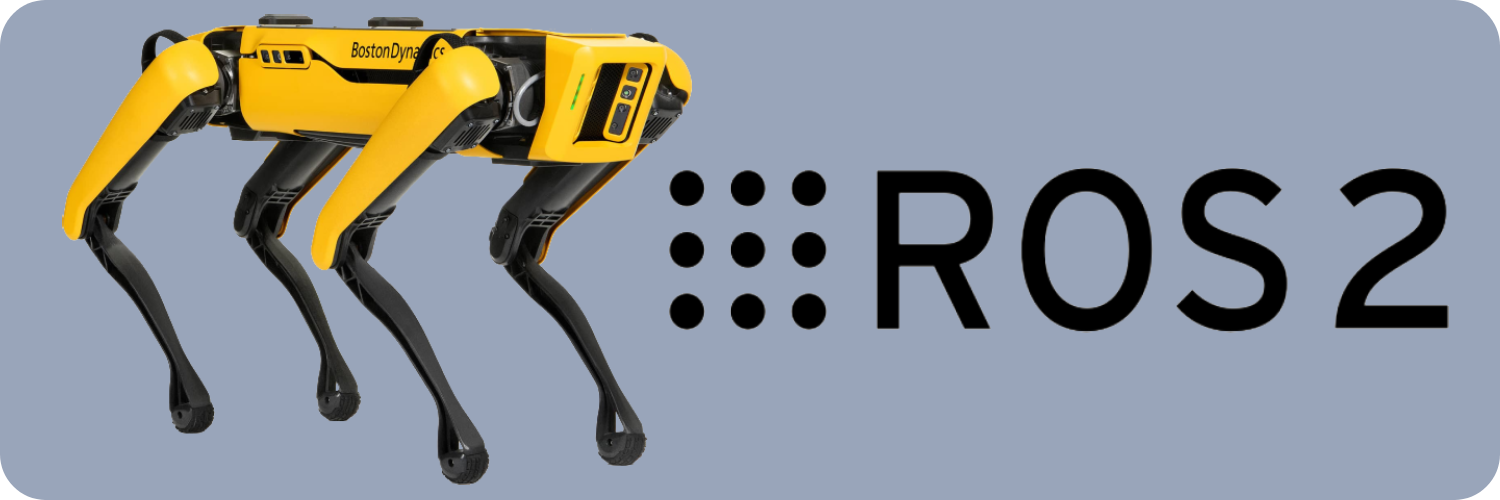
Spot ROS 2


Overview
spot_ros2 is a set of ROS 2 packages for interacting with Boston Dynamics’ Spot, based off the the ROS 1 equivalent.
Its spot_driver package is designed to bridge the core functionality of the Spot SDK to ROS 2, and exposes topics, services, and actions necessary to control Spot and receive state information (such as images).
Currently, this repository corresponds to version 5.0.1 of the spot-sdk.
Requirements
This repository is supported for use with Ubuntu 22.04 and ROS 2 Humble on both ARM64 and AMD64 platforms.
Installation
Set up your ROS 2 workspace, and clone the repository in the src directory:
mkdir -p <ROS workspace>/src && cd <ROS workspace>/src
git clone https://github.com/rai-opensource/spot_ros2.git
Then, initialize and install the submodules.
cd spot_ros2
git submodule init
git submodule update
Next, run the following script to install the necessary Boston Dynamics packages (both Python and C++) and ROS dependencies. The install script takes the optional argument
```; it otherwise defaults to an AMD64 install.

```bash
./install_spot_ros2.sh
or
./install_spot_ros2.sh --arm64
From here, build and source your ROS 2 workspace.
cd <ROS workspace>
colcon build --symlink-install
source install/setup.bash
Alternative - Docker Image
Alternatively, a Dockerfile is available that prepares a ready-to-run ROS2 Humble install with the Spot driver installed. The Docker image can be built and minimally run with the following commands:
cd <ROS workspace>/src/spot_ros2
docker build . -t spot_ros2
docker run -it spot_ros2:latest
The following flags may be useful for extra functionality when running the image.
| Flag | Use |
| ——– | ————— |
| --runtime nvidia + --gpus all | Use the NVIDIA Container Runtime to run the container with GPU acceleration |
| -e DISPLAY | Bind your display to the container in order to run GUI apps. Note that you will need to allow the Docker container to connect to your X11 server, which can be done in a number of ways ranging from disabling X11 authentication entirely, or by allowing the Docker daemon specifically to access your display server. |
| --network host | Use the host network directly. May help resolve issues connecting to Spot Wifi |
| --build-arg EXPERIMENTAL_ZENOH_RMW=TRUE | Enable experimental rmw_zenoh middleware. May result in issues we cannot address. |
Experimental - RMW ZENOH Middleware
Disclaimer: The RMW ZENOH middleware is now available for installation with the driver. Please note that this feature is currently under experimental testing and may result in issues that we cannot address. To use the zenoh implementation, please refer to the rmw_zenoh documentation.
Packages
This repository consists of a series of ROS 2 packages for usage with Spot. Further documentation on how each of these packages can be used can be found in their resepective READMEs.
-
spot_driver: Core driver for operating Spot. This contains all of the necessary topics, services, and actions for controlling Spot and receiving state information over ROS 2.- The driver can be launched via the following command after building and sourcing your workspace. More details can be found on the
spot_driverREADME.
- The driver can be launched via the following command after building and sourcing your workspace. More details can be found on the
ros2 launch spot_driver spot_driver.launch.py [config_file:=<path/to/config.yaml>] [spot_name:=<Spot Name>] [tf_prefix:=<TF Frame Prefix>] [launch_rviz:=<True|False>] [launch_image_publishers:=<True|False>] [publish_point_clouds:=<True|False>] [uncompress_images:=<True|False>] [publish_compressed_images:=<True|False>] [stitch_front_images:=<True|False>]
-
spot_examples: Examples of how to control Spot via the Spot driver. -
spot_msgs: Custom messages, services, and interfaces relevant for operating Spot. -
spot_common: Common utilities for several packages in the Spot ROS 2 stack.
The following packages are used to enable joint level control of Spot via ROS 2 control.
-
spot_ros2_control: Contains core launchfiles for bringing up Spot’s ROS 2 control stack, and some examples of how to use this. -
spot_hardware_interface: Creates a ROS 2 control hardware interface plugin for operating Spot with the joint level API. -
spot_controllers: Holds some simple forwarding controller plugins useful for sending commands.
File truncated at 100 lines see the full file
CONTRIBUTING
|
|
spot_ros2 repositoryspot_common spot_controllers spot_driver spot_examples spot_hardware_interface spot_msgs spot_ros2_control spot_rviz_plugins |
ROS Distro
|
Repository Summary
| Description | |
| Checkout URI | https://github.com/bdaiinstitute/spot_ros2.git |
| VCS Type | git |
| VCS Version | main |
| Last Updated | 2026-10-14 |
| Dev Status | UNKNOWN |
| Released | UNRELEASED |
| Contributing |
Help Wanted (-)
Good First Issues (-) Pull Requests to Review (-) |
Packages
| Name | Version |
|---|---|
| spot_common | 0.1.0 |
| spot_controllers | 0.0.0 |
| spot_driver | 0.0.0 |
| spot_examples | 0.0.0 |
| spot_hardware_interface | 0.0.0 |
| spot_msgs | 0.0.0 |
| spot_ros2_control | 0.0.0 |
| spot_rviz_plugins | 0.0.0 |
README
Spot ROS 2
Overview
spot_ros2 is a set of ROS 2 packages for interacting with Boston Dynamics’ Spot, based off the the ROS 1 equivalent.
Its spot_driver package is designed to bridge the core functionality of the Spot SDK to ROS 2, and exposes topics, services, and actions necessary to control Spot and receive state information (such as images).
Currently, this repository corresponds to version 5.0.1 of the spot-sdk.
Requirements
This repository is supported for use with Ubuntu 22.04 and ROS 2 Humble on both ARM64 and AMD64 platforms.
Installation
Set up your ROS 2 workspace, and clone the repository in the src directory:
mkdir -p <ROS workspace>/src && cd <ROS workspace>/src
git clone https://github.com/rai-opensource/spot_ros2.git
Then, initialize and install the submodules.
cd spot_ros2
git submodule init
git submodule update
Next, run the following script to install the necessary Boston Dynamics packages (both Python and C++) and ROS dependencies. The install script takes the optional argument
```; it otherwise defaults to an AMD64 install.

```bash
./install_spot_ros2.sh
or
./install_spot_ros2.sh --arm64
From here, build and source your ROS 2 workspace.
cd <ROS workspace>
colcon build --symlink-install
source install/setup.bash
Alternative - Docker Image
Alternatively, a Dockerfile is available that prepares a ready-to-run ROS2 Humble install with the Spot driver installed. The Docker image can be built and minimally run with the following commands:
cd <ROS workspace>/src/spot_ros2
docker build . -t spot_ros2
docker run -it spot_ros2:latest
The following flags may be useful for extra functionality when running the image.
| Flag | Use |
| ——– | ————— |
| --runtime nvidia + --gpus all | Use the NVIDIA Container Runtime to run the container with GPU acceleration |
| -e DISPLAY | Bind your display to the container in order to run GUI apps. Note that you will need to allow the Docker container to connect to your X11 server, which can be done in a number of ways ranging from disabling X11 authentication entirely, or by allowing the Docker daemon specifically to access your display server. |
| --network host | Use the host network directly. May help resolve issues connecting to Spot Wifi |
| --build-arg EXPERIMENTAL_ZENOH_RMW=TRUE | Enable experimental rmw_zenoh middleware. May result in issues we cannot address. |
Experimental - RMW ZENOH Middleware
Disclaimer: The RMW ZENOH middleware is now available for installation with the driver. Please note that this feature is currently under experimental testing and may result in issues that we cannot address. To use the zenoh implementation, please refer to the rmw_zenoh documentation.
Packages
This repository consists of a series of ROS 2 packages for usage with Spot. Further documentation on how each of these packages can be used can be found in their resepective READMEs.
-
spot_driver: Core driver for operating Spot. This contains all of the necessary topics, services, and actions for controlling Spot and receiving state information over ROS 2.- The driver can be launched via the following command after building and sourcing your workspace. More details can be found on the
spot_driverREADME.
- The driver can be launched via the following command after building and sourcing your workspace. More details can be found on the
ros2 launch spot_driver spot_driver.launch.py [config_file:=<path/to/config.yaml>] [spot_name:=<Spot Name>] [tf_prefix:=<TF Frame Prefix>] [launch_rviz:=<True|False>] [launch_image_publishers:=<True|False>] [publish_point_clouds:=<True|False>] [uncompress_images:=<True|False>] [publish_compressed_images:=<True|False>] [stitch_front_images:=<True|False>]
-
spot_examples: Examples of how to control Spot via the Spot driver. -
spot_msgs: Custom messages, services, and interfaces relevant for operating Spot. -
spot_common: Common utilities for several packages in the Spot ROS 2 stack.
The following packages are used to enable joint level control of Spot via ROS 2 control.
-
spot_ros2_control: Contains core launchfiles for bringing up Spot’s ROS 2 control stack, and some examples of how to use this. -
spot_hardware_interface: Creates a ROS 2 control hardware interface plugin for operating Spot with the joint level API. -
spot_controllers: Holds some simple forwarding controller plugins useful for sending commands.
File truncated at 100 lines see the full file
CONTRIBUTING
|
|
spot_ros2 repositoryspot_common spot_controllers spot_driver spot_examples spot_hardware_interface spot_msgs spot_ros2_control spot_rviz_plugins |
ROS Distro
|
Repository Summary
| Description | |
| Checkout URI | https://github.com/bdaiinstitute/spot_ros2.git |
| VCS Type | git |
| VCS Version | main |
| Last Updated | 2026-10-14 |
| Dev Status | UNKNOWN |
| Released | UNRELEASED |
| Contributing |
Help Wanted (-)
Good First Issues (-) Pull Requests to Review (-) |
Packages
| Name | Version |
|---|---|
| spot_common | 0.1.0 |
| spot_controllers | 0.0.0 |
| spot_driver | 0.0.0 |
| spot_examples | 0.0.0 |
| spot_hardware_interface | 0.0.0 |
| spot_msgs | 0.0.0 |
| spot_ros2_control | 0.0.0 |
| spot_rviz_plugins | 0.0.0 |
README
Spot ROS 2
Overview
spot_ros2 is a set of ROS 2 packages for interacting with Boston Dynamics’ Spot, based off the the ROS 1 equivalent.
Its spot_driver package is designed to bridge the core functionality of the Spot SDK to ROS 2, and exposes topics, services, and actions necessary to control Spot and receive state information (such as images).
Currently, this repository corresponds to version 5.0.1 of the spot-sdk.
Requirements
This repository is supported for use with Ubuntu 22.04 and ROS 2 Humble on both ARM64 and AMD64 platforms.
Installation
Set up your ROS 2 workspace, and clone the repository in the src directory:
mkdir -p <ROS workspace>/src && cd <ROS workspace>/src
git clone https://github.com/rai-opensource/spot_ros2.git
Then, initialize and install the submodules.
cd spot_ros2
git submodule init
git submodule update
Next, run the following script to install the necessary Boston Dynamics packages (both Python and C++) and ROS dependencies. The install script takes the optional argument
```; it otherwise defaults to an AMD64 install.

```bash
./install_spot_ros2.sh
or
./install_spot_ros2.sh --arm64
From here, build and source your ROS 2 workspace.
cd <ROS workspace>
colcon build --symlink-install
source install/setup.bash
Alternative - Docker Image
Alternatively, a Dockerfile is available that prepares a ready-to-run ROS2 Humble install with the Spot driver installed. The Docker image can be built and minimally run with the following commands:
cd <ROS workspace>/src/spot_ros2
docker build . -t spot_ros2
docker run -it spot_ros2:latest
The following flags may be useful for extra functionality when running the image.
| Flag | Use |
| ——– | ————— |
| --runtime nvidia + --gpus all | Use the NVIDIA Container Runtime to run the container with GPU acceleration |
| -e DISPLAY | Bind your display to the container in order to run GUI apps. Note that you will need to allow the Docker container to connect to your X11 server, which can be done in a number of ways ranging from disabling X11 authentication entirely, or by allowing the Docker daemon specifically to access your display server. |
| --network host | Use the host network directly. May help resolve issues connecting to Spot Wifi |
| --build-arg EXPERIMENTAL_ZENOH_RMW=TRUE | Enable experimental rmw_zenoh middleware. May result in issues we cannot address. |
Experimental - RMW ZENOH Middleware
Disclaimer: The RMW ZENOH middleware is now available for installation with the driver. Please note that this feature is currently under experimental testing and may result in issues that we cannot address. To use the zenoh implementation, please refer to the rmw_zenoh documentation.
Packages
This repository consists of a series of ROS 2 packages for usage with Spot. Further documentation on how each of these packages can be used can be found in their resepective READMEs.
-
spot_driver: Core driver for operating Spot. This contains all of the necessary topics, services, and actions for controlling Spot and receiving state information over ROS 2.- The driver can be launched via the following command after building and sourcing your workspace. More details can be found on the
spot_driverREADME.
- The driver can be launched via the following command after building and sourcing your workspace. More details can be found on the
ros2 launch spot_driver spot_driver.launch.py [config_file:=<path/to/config.yaml>] [spot_name:=<Spot Name>] [tf_prefix:=<TF Frame Prefix>] [launch_rviz:=<True|False>] [launch_image_publishers:=<True|False>] [publish_point_clouds:=<True|False>] [uncompress_images:=<True|False>] [publish_compressed_images:=<True|False>] [stitch_front_images:=<True|False>]
-
spot_examples: Examples of how to control Spot via the Spot driver. -
spot_msgs: Custom messages, services, and interfaces relevant for operating Spot. -
spot_common: Common utilities for several packages in the Spot ROS 2 stack.
The following packages are used to enable joint level control of Spot via ROS 2 control.
-
spot_ros2_control: Contains core launchfiles for bringing up Spot’s ROS 2 control stack, and some examples of how to use this. -
spot_hardware_interface: Creates a ROS 2 control hardware interface plugin for operating Spot with the joint level API. -
spot_controllers: Holds some simple forwarding controller plugins useful for sending commands.
File truncated at 100 lines see the full file
CONTRIBUTING
|
|
spot_ros2 repositoryspot_common spot_controllers spot_driver spot_examples spot_hardware_interface spot_msgs spot_ros2_control spot_rviz_plugins |
ROS Distro
|
Repository Summary
| Description | |
| Checkout URI | https://github.com/bdaiinstitute/spot_ros2.git |
| VCS Type | git |
| VCS Version | main |
| Last Updated | 2026-10-14 |
| Dev Status | UNKNOWN |
| Released | UNRELEASED |
| Contributing |
Help Wanted (-)
Good First Issues (-) Pull Requests to Review (-) |
Packages
| Name | Version |
|---|---|
| spot_common | 0.1.0 |
| spot_controllers | 0.0.0 |
| spot_driver | 0.0.0 |
| spot_examples | 0.0.0 |
| spot_hardware_interface | 0.0.0 |
| spot_msgs | 0.0.0 |
| spot_ros2_control | 0.0.0 |
| spot_rviz_plugins | 0.0.0 |
README
Spot ROS 2
Overview
spot_ros2 is a set of ROS 2 packages for interacting with Boston Dynamics’ Spot, based off the the ROS 1 equivalent.
Its spot_driver package is designed to bridge the core functionality of the Spot SDK to ROS 2, and exposes topics, services, and actions necessary to control Spot and receive state information (such as images).
Currently, this repository corresponds to version 5.0.1 of the spot-sdk.
Requirements
This repository is supported for use with Ubuntu 22.04 and ROS 2 Humble on both ARM64 and AMD64 platforms.
Installation
Set up your ROS 2 workspace, and clone the repository in the src directory:
mkdir -p <ROS workspace>/src && cd <ROS workspace>/src
git clone https://github.com/rai-opensource/spot_ros2.git
Then, initialize and install the submodules.
cd spot_ros2
git submodule init
git submodule update
Next, run the following script to install the necessary Boston Dynamics packages (both Python and C++) and ROS dependencies. The install script takes the optional argument
```; it otherwise defaults to an AMD64 install.

```bash
./install_spot_ros2.sh
or
./install_spot_ros2.sh --arm64
From here, build and source your ROS 2 workspace.
cd <ROS workspace>
colcon build --symlink-install
source install/setup.bash
Alternative - Docker Image
Alternatively, a Dockerfile is available that prepares a ready-to-run ROS2 Humble install with the Spot driver installed. The Docker image can be built and minimally run with the following commands:
cd <ROS workspace>/src/spot_ros2
docker build . -t spot_ros2
docker run -it spot_ros2:latest
The following flags may be useful for extra functionality when running the image.
| Flag | Use |
| ——– | ————— |
| --runtime nvidia + --gpus all | Use the NVIDIA Container Runtime to run the container with GPU acceleration |
| -e DISPLAY | Bind your display to the container in order to run GUI apps. Note that you will need to allow the Docker container to connect to your X11 server, which can be done in a number of ways ranging from disabling X11 authentication entirely, or by allowing the Docker daemon specifically to access your display server. |
| --network host | Use the host network directly. May help resolve issues connecting to Spot Wifi |
| --build-arg EXPERIMENTAL_ZENOH_RMW=TRUE | Enable experimental rmw_zenoh middleware. May result in issues we cannot address. |
Experimental - RMW ZENOH Middleware
Disclaimer: The RMW ZENOH middleware is now available for installation with the driver. Please note that this feature is currently under experimental testing and may result in issues that we cannot address. To use the zenoh implementation, please refer to the rmw_zenoh documentation.
Packages
This repository consists of a series of ROS 2 packages for usage with Spot. Further documentation on how each of these packages can be used can be found in their resepective READMEs.
-
spot_driver: Core driver for operating Spot. This contains all of the necessary topics, services, and actions for controlling Spot and receiving state information over ROS 2.- The driver can be launched via the following command after building and sourcing your workspace. More details can be found on the
spot_driverREADME.
- The driver can be launched via the following command after building and sourcing your workspace. More details can be found on the
ros2 launch spot_driver spot_driver.launch.py [config_file:=<path/to/config.yaml>] [spot_name:=<Spot Name>] [tf_prefix:=<TF Frame Prefix>] [launch_rviz:=<True|False>] [launch_image_publishers:=<True|False>] [publish_point_clouds:=<True|False>] [uncompress_images:=<True|False>] [publish_compressed_images:=<True|False>] [stitch_front_images:=<True|False>]
-
spot_examples: Examples of how to control Spot via the Spot driver. -
spot_msgs: Custom messages, services, and interfaces relevant for operating Spot. -
spot_common: Common utilities for several packages in the Spot ROS 2 stack.
The following packages are used to enable joint level control of Spot via ROS 2 control.
-
spot_ros2_control: Contains core launchfiles for bringing up Spot’s ROS 2 control stack, and some examples of how to use this. -
spot_hardware_interface: Creates a ROS 2 control hardware interface plugin for operating Spot with the joint level API. -
spot_controllers: Holds some simple forwarding controller plugins useful for sending commands.
File truncated at 100 lines see the full file
CONTRIBUTING
|
|
spot_ros2 repositoryspot_common spot_controllers spot_driver spot_examples spot_hardware_interface spot_msgs spot_ros2_control spot_rviz_plugins |
ROS Distro
|
Repository Summary
| Description | |
| Checkout URI | https://github.com/bdaiinstitute/spot_ros2.git |
| VCS Type | git |
| VCS Version | main |
| Last Updated | 2026-10-14 |
| Dev Status | UNKNOWN |
| Released | UNRELEASED |
| Contributing |
Help Wanted (-)
Good First Issues (-) Pull Requests to Review (-) |
Packages
| Name | Version |
|---|---|
| spot_common | 0.1.0 |
| spot_controllers | 0.0.0 |
| spot_driver | 0.0.0 |
| spot_examples | 0.0.0 |
| spot_hardware_interface | 0.0.0 |
| spot_msgs | 0.0.0 |
| spot_ros2_control | 0.0.0 |
| spot_rviz_plugins | 0.0.0 |
README
Spot ROS 2
Overview
spot_ros2 is a set of ROS 2 packages for interacting with Boston Dynamics’ Spot, based off the the ROS 1 equivalent.
Its spot_driver package is designed to bridge the core functionality of the Spot SDK to ROS 2, and exposes topics, services, and actions necessary to control Spot and receive state information (such as images).
Currently, this repository corresponds to version 5.0.1 of the spot-sdk.
Requirements
This repository is supported for use with Ubuntu 22.04 and ROS 2 Humble on both ARM64 and AMD64 platforms.
Installation
Set up your ROS 2 workspace, and clone the repository in the src directory:
mkdir -p <ROS workspace>/src && cd <ROS workspace>/src
git clone https://github.com/rai-opensource/spot_ros2.git
Then, initialize and install the submodules.
cd spot_ros2
git submodule init
git submodule update
Next, run the following script to install the necessary Boston Dynamics packages (both Python and C++) and ROS dependencies. The install script takes the optional argument
```; it otherwise defaults to an AMD64 install.

```bash
./install_spot_ros2.sh
or
./install_spot_ros2.sh --arm64
From here, build and source your ROS 2 workspace.
cd <ROS workspace>
colcon build --symlink-install
source install/setup.bash
Alternative - Docker Image
Alternatively, a Dockerfile is available that prepares a ready-to-run ROS2 Humble install with the Spot driver installed. The Docker image can be built and minimally run with the following commands:
cd <ROS workspace>/src/spot_ros2
docker build . -t spot_ros2
docker run -it spot_ros2:latest
The following flags may be useful for extra functionality when running the image.
| Flag | Use |
| ——– | ————— |
| --runtime nvidia + --gpus all | Use the NVIDIA Container Runtime to run the container with GPU acceleration |
| -e DISPLAY | Bind your display to the container in order to run GUI apps. Note that you will need to allow the Docker container to connect to your X11 server, which can be done in a number of ways ranging from disabling X11 authentication entirely, or by allowing the Docker daemon specifically to access your display server. |
| --network host | Use the host network directly. May help resolve issues connecting to Spot Wifi |
| --build-arg EXPERIMENTAL_ZENOH_RMW=TRUE | Enable experimental rmw_zenoh middleware. May result in issues we cannot address. |
Experimental - RMW ZENOH Middleware
Disclaimer: The RMW ZENOH middleware is now available for installation with the driver. Please note that this feature is currently under experimental testing and may result in issues that we cannot address. To use the zenoh implementation, please refer to the rmw_zenoh documentation.
Packages
This repository consists of a series of ROS 2 packages for usage with Spot. Further documentation on how each of these packages can be used can be found in their resepective READMEs.
-
spot_driver: Core driver for operating Spot. This contains all of the necessary topics, services, and actions for controlling Spot and receiving state information over ROS 2.- The driver can be launched via the following command after building and sourcing your workspace. More details can be found on the
spot_driverREADME.
- The driver can be launched via the following command after building and sourcing your workspace. More details can be found on the
ros2 launch spot_driver spot_driver.launch.py [config_file:=<path/to/config.yaml>] [spot_name:=<Spot Name>] [tf_prefix:=<TF Frame Prefix>] [launch_rviz:=<True|False>] [launch_image_publishers:=<True|False>] [publish_point_clouds:=<True|False>] [uncompress_images:=<True|False>] [publish_compressed_images:=<True|False>] [stitch_front_images:=<True|False>]
-
spot_examples: Examples of how to control Spot via the Spot driver. -
spot_msgs: Custom messages, services, and interfaces relevant for operating Spot. -
spot_common: Common utilities for several packages in the Spot ROS 2 stack.
The following packages are used to enable joint level control of Spot via ROS 2 control.
-
spot_ros2_control: Contains core launchfiles for bringing up Spot’s ROS 2 control stack, and some examples of how to use this. -
spot_hardware_interface: Creates a ROS 2 control hardware interface plugin for operating Spot with the joint level API. -
spot_controllers: Holds some simple forwarding controller plugins useful for sending commands.
File truncated at 100 lines see the full file
CONTRIBUTING
|
|
spot_ros2 repositoryspot_common spot_controllers spot_driver spot_examples spot_hardware_interface spot_msgs spot_ros2_control spot_rviz_plugins |
ROS Distro
|
Repository Summary
| Description | |
| Checkout URI | https://github.com/bdaiinstitute/spot_ros2.git |
| VCS Type | git |
| VCS Version | main |
| Last Updated | 2026-10-14 |
| Dev Status | UNKNOWN |
| Released | UNRELEASED |
| Contributing |
Help Wanted (-)
Good First Issues (-) Pull Requests to Review (-) |
Packages
| Name | Version |
|---|---|
| spot_common | 0.1.0 |
| spot_controllers | 0.0.0 |
| spot_driver | 0.0.0 |
| spot_examples | 0.0.0 |
| spot_hardware_interface | 0.0.0 |
| spot_msgs | 0.0.0 |
| spot_ros2_control | 0.0.0 |
| spot_rviz_plugins | 0.0.0 |
README
Spot ROS 2
Overview
spot_ros2 is a set of ROS 2 packages for interacting with Boston Dynamics’ Spot, based off the the ROS 1 equivalent.
Its spot_driver package is designed to bridge the core functionality of the Spot SDK to ROS 2, and exposes topics, services, and actions necessary to control Spot and receive state information (such as images).
Currently, this repository corresponds to version 5.0.1 of the spot-sdk.
Requirements
This repository is supported for use with Ubuntu 22.04 and ROS 2 Humble on both ARM64 and AMD64 platforms.
Installation
Set up your ROS 2 workspace, and clone the repository in the src directory:
mkdir -p <ROS workspace>/src && cd <ROS workspace>/src
git clone https://github.com/rai-opensource/spot_ros2.git
Then, initialize and install the submodules.
cd spot_ros2
git submodule init
git submodule update
Next, run the following script to install the necessary Boston Dynamics packages (both Python and C++) and ROS dependencies. The install script takes the optional argument
```; it otherwise defaults to an AMD64 install.

```bash
./install_spot_ros2.sh
or
./install_spot_ros2.sh --arm64
From here, build and source your ROS 2 workspace.
cd <ROS workspace>
colcon build --symlink-install
source install/setup.bash
Alternative - Docker Image
Alternatively, a Dockerfile is available that prepares a ready-to-run ROS2 Humble install with the Spot driver installed. The Docker image can be built and minimally run with the following commands:
cd <ROS workspace>/src/spot_ros2
docker build . -t spot_ros2
docker run -it spot_ros2:latest
The following flags may be useful for extra functionality when running the image.
| Flag | Use |
| ——– | ————— |
| --runtime nvidia + --gpus all | Use the NVIDIA Container Runtime to run the container with GPU acceleration |
| -e DISPLAY | Bind your display to the container in order to run GUI apps. Note that you will need to allow the Docker container to connect to your X11 server, which can be done in a number of ways ranging from disabling X11 authentication entirely, or by allowing the Docker daemon specifically to access your display server. |
| --network host | Use the host network directly. May help resolve issues connecting to Spot Wifi |
| --build-arg EXPERIMENTAL_ZENOH_RMW=TRUE | Enable experimental rmw_zenoh middleware. May result in issues we cannot address. |
Experimental - RMW ZENOH Middleware
Disclaimer: The RMW ZENOH middleware is now available for installation with the driver. Please note that this feature is currently under experimental testing and may result in issues that we cannot address. To use the zenoh implementation, please refer to the rmw_zenoh documentation.
Packages
This repository consists of a series of ROS 2 packages for usage with Spot. Further documentation on how each of these packages can be used can be found in their resepective READMEs.
-
spot_driver: Core driver for operating Spot. This contains all of the necessary topics, services, and actions for controlling Spot and receiving state information over ROS 2.- The driver can be launched via the following command after building and sourcing your workspace. More details can be found on the
spot_driverREADME.
- The driver can be launched via the following command after building and sourcing your workspace. More details can be found on the
ros2 launch spot_driver spot_driver.launch.py [config_file:=<path/to/config.yaml>] [spot_name:=<Spot Name>] [tf_prefix:=<TF Frame Prefix>] [launch_rviz:=<True|False>] [launch_image_publishers:=<True|False>] [publish_point_clouds:=<True|False>] [uncompress_images:=<True|False>] [publish_compressed_images:=<True|False>] [stitch_front_images:=<True|False>]
-
spot_examples: Examples of how to control Spot via the Spot driver. -
spot_msgs: Custom messages, services, and interfaces relevant for operating Spot. -
spot_common: Common utilities for several packages in the Spot ROS 2 stack.
The following packages are used to enable joint level control of Spot via ROS 2 control.
-
spot_ros2_control: Contains core launchfiles for bringing up Spot’s ROS 2 control stack, and some examples of how to use this. -
spot_hardware_interface: Creates a ROS 2 control hardware interface plugin for operating Spot with the joint level API. -
spot_controllers: Holds some simple forwarding controller plugins useful for sending commands.
File truncated at 100 lines see the full file
CONTRIBUTING
|
|
spot_ros2 repositoryspot_common spot_controllers spot_driver spot_examples spot_hardware_interface spot_msgs spot_ros2_control spot_rviz_plugins |
ROS Distro
|
Repository Summary
| Description | |
| Checkout URI | https://github.com/bdaiinstitute/spot_ros2.git |
| VCS Type | git |
| VCS Version | main |
| Last Updated | 2026-10-14 |
| Dev Status | UNKNOWN |
| Released | UNRELEASED |
| Contributing |
Help Wanted (-)
Good First Issues (-) Pull Requests to Review (-) |
Packages
| Name | Version |
|---|---|
| spot_common | 0.1.0 |
| spot_controllers | 0.0.0 |
| spot_driver | 0.0.0 |
| spot_examples | 0.0.0 |
| spot_hardware_interface | 0.0.0 |
| spot_msgs | 0.0.0 |
| spot_ros2_control | 0.0.0 |
| spot_rviz_plugins | 0.0.0 |
README
Spot ROS 2
Overview
spot_ros2 is a set of ROS 2 packages for interacting with Boston Dynamics’ Spot, based off the the ROS 1 equivalent.
Its spot_driver package is designed to bridge the core functionality of the Spot SDK to ROS 2, and exposes topics, services, and actions necessary to control Spot and receive state information (such as images).
Currently, this repository corresponds to version 5.0.1 of the spot-sdk.
Requirements
This repository is supported for use with Ubuntu 22.04 and ROS 2 Humble on both ARM64 and AMD64 platforms.
Installation
Set up your ROS 2 workspace, and clone the repository in the src directory:
mkdir -p <ROS workspace>/src && cd <ROS workspace>/src
git clone https://github.com/rai-opensource/spot_ros2.git
Then, initialize and install the submodules.
cd spot_ros2
git submodule init
git submodule update
Next, run the following script to install the necessary Boston Dynamics packages (both Python and C++) and ROS dependencies. The install script takes the optional argument
```; it otherwise defaults to an AMD64 install.

```bash
./install_spot_ros2.sh
or
./install_spot_ros2.sh --arm64
From here, build and source your ROS 2 workspace.
cd <ROS workspace>
colcon build --symlink-install
source install/setup.bash
Alternative - Docker Image
Alternatively, a Dockerfile is available that prepares a ready-to-run ROS2 Humble install with the Spot driver installed. The Docker image can be built and minimally run with the following commands:
cd <ROS workspace>/src/spot_ros2
docker build . -t spot_ros2
docker run -it spot_ros2:latest
The following flags may be useful for extra functionality when running the image.
| Flag | Use |
| ——– | ————— |
| --runtime nvidia + --gpus all | Use the NVIDIA Container Runtime to run the container with GPU acceleration |
| -e DISPLAY | Bind your display to the container in order to run GUI apps. Note that you will need to allow the Docker container to connect to your X11 server, which can be done in a number of ways ranging from disabling X11 authentication entirely, or by allowing the Docker daemon specifically to access your display server. |
| --network host | Use the host network directly. May help resolve issues connecting to Spot Wifi |
| --build-arg EXPERIMENTAL_ZENOH_RMW=TRUE | Enable experimental rmw_zenoh middleware. May result in issues we cannot address. |
Experimental - RMW ZENOH Middleware
Disclaimer: The RMW ZENOH middleware is now available for installation with the driver. Please note that this feature is currently under experimental testing and may result in issues that we cannot address. To use the zenoh implementation, please refer to the rmw_zenoh documentation.
Packages
This repository consists of a series of ROS 2 packages for usage with Spot. Further documentation on how each of these packages can be used can be found in their resepective READMEs.
-
spot_driver: Core driver for operating Spot. This contains all of the necessary topics, services, and actions for controlling Spot and receiving state information over ROS 2.- The driver can be launched via the following command after building and sourcing your workspace. More details can be found on the
spot_driverREADME.
- The driver can be launched via the following command after building and sourcing your workspace. More details can be found on the
ros2 launch spot_driver spot_driver.launch.py [config_file:=<path/to/config.yaml>] [spot_name:=<Spot Name>] [tf_prefix:=<TF Frame Prefix>] [launch_rviz:=<True|False>] [launch_image_publishers:=<True|False>] [publish_point_clouds:=<True|False>] [uncompress_images:=<True|False>] [publish_compressed_images:=<True|False>] [stitch_front_images:=<True|False>]
-
spot_examples: Examples of how to control Spot via the Spot driver. -
spot_msgs: Custom messages, services, and interfaces relevant for operating Spot. -
spot_common: Common utilities for several packages in the Spot ROS 2 stack.
The following packages are used to enable joint level control of Spot via ROS 2 control.
-
spot_ros2_control: Contains core launchfiles for bringing up Spot’s ROS 2 control stack, and some examples of how to use this. -
spot_hardware_interface: Creates a ROS 2 control hardware interface plugin for operating Spot with the joint level API. -
spot_controllers: Holds some simple forwarding controller plugins useful for sending commands.
File truncated at 100 lines see the full file
CONTRIBUTING
|
|
spot_ros2 repositoryspot_common spot_controllers spot_driver spot_examples spot_hardware_interface spot_msgs spot_ros2_control spot_rviz_plugins |
ROS Distro
|
Repository Summary
| Description | |
| Checkout URI | https://github.com/bdaiinstitute/spot_ros2.git |
| VCS Type | git |
| VCS Version | main |
| Last Updated | 2026-10-14 |
| Dev Status | UNKNOWN |
| Released | UNRELEASED |
| Contributing |
Help Wanted (-)
Good First Issues (-) Pull Requests to Review (-) |
Packages
| Name | Version |
|---|---|
| spot_common | 0.1.0 |
| spot_controllers | 0.0.0 |
| spot_driver | 0.0.0 |
| spot_examples | 0.0.0 |
| spot_hardware_interface | 0.0.0 |
| spot_msgs | 0.0.0 |
| spot_ros2_control | 0.0.0 |
| spot_rviz_plugins | 0.0.0 |
README
Spot ROS 2
Overview
spot_ros2 is a set of ROS 2 packages for interacting with Boston Dynamics’ Spot, based off the the ROS 1 equivalent.
Its spot_driver package is designed to bridge the core functionality of the Spot SDK to ROS 2, and exposes topics, services, and actions necessary to control Spot and receive state information (such as images).
Currently, this repository corresponds to version 5.0.1 of the spot-sdk.
Requirements
This repository is supported for use with Ubuntu 22.04 and ROS 2 Humble on both ARM64 and AMD64 platforms.
Installation
Set up your ROS 2 workspace, and clone the repository in the src directory:
mkdir -p <ROS workspace>/src && cd <ROS workspace>/src
git clone https://github.com/rai-opensource/spot_ros2.git
Then, initialize and install the submodules.
cd spot_ros2
git submodule init
git submodule update
Next, run the following script to install the necessary Boston Dynamics packages (both Python and C++) and ROS dependencies. The install script takes the optional argument
```; it otherwise defaults to an AMD64 install.

```bash
./install_spot_ros2.sh
or
./install_spot_ros2.sh --arm64
From here, build and source your ROS 2 workspace.
cd <ROS workspace>
colcon build --symlink-install
source install/setup.bash
Alternative - Docker Image
Alternatively, a Dockerfile is available that prepares a ready-to-run ROS2 Humble install with the Spot driver installed. The Docker image can be built and minimally run with the following commands:
cd <ROS workspace>/src/spot_ros2
docker build . -t spot_ros2
docker run -it spot_ros2:latest
The following flags may be useful for extra functionality when running the image.
| Flag | Use |
| ——– | ————— |
| --runtime nvidia + --gpus all | Use the NVIDIA Container Runtime to run the container with GPU acceleration |
| -e DISPLAY | Bind your display to the container in order to run GUI apps. Note that you will need to allow the Docker container to connect to your X11 server, which can be done in a number of ways ranging from disabling X11 authentication entirely, or by allowing the Docker daemon specifically to access your display server. |
| --network host | Use the host network directly. May help resolve issues connecting to Spot Wifi |
| --build-arg EXPERIMENTAL_ZENOH_RMW=TRUE | Enable experimental rmw_zenoh middleware. May result in issues we cannot address. |
Experimental - RMW ZENOH Middleware
Disclaimer: The RMW ZENOH middleware is now available for installation with the driver. Please note that this feature is currently under experimental testing and may result in issues that we cannot address. To use the zenoh implementation, please refer to the rmw_zenoh documentation.
Packages
This repository consists of a series of ROS 2 packages for usage with Spot. Further documentation on how each of these packages can be used can be found in their resepective READMEs.
-
spot_driver: Core driver for operating Spot. This contains all of the necessary topics, services, and actions for controlling Spot and receiving state information over ROS 2.- The driver can be launched via the following command after building and sourcing your workspace. More details can be found on the
spot_driverREADME.
- The driver can be launched via the following command after building and sourcing your workspace. More details can be found on the
ros2 launch spot_driver spot_driver.launch.py [config_file:=<path/to/config.yaml>] [spot_name:=<Spot Name>] [tf_prefix:=<TF Frame Prefix>] [launch_rviz:=<True|False>] [launch_image_publishers:=<True|False>] [publish_point_clouds:=<True|False>] [uncompress_images:=<True|False>] [publish_compressed_images:=<True|False>] [stitch_front_images:=<True|False>]
-
spot_examples: Examples of how to control Spot via the Spot driver. -
spot_msgs: Custom messages, services, and interfaces relevant for operating Spot. -
spot_common: Common utilities for several packages in the Spot ROS 2 stack.
The following packages are used to enable joint level control of Spot via ROS 2 control.
-
spot_ros2_control: Contains core launchfiles for bringing up Spot’s ROS 2 control stack, and some examples of how to use this. -
spot_hardware_interface: Creates a ROS 2 control hardware interface plugin for operating Spot with the joint level API. -
spot_controllers: Holds some simple forwarding controller plugins useful for sending commands.
File truncated at 100 lines see the full file
CONTRIBUTING
|
|
spot_ros2 repositoryspot_common spot_controllers spot_driver spot_examples spot_hardware_interface spot_msgs spot_ros2_control spot_rviz_plugins |
ROS Distro
|
Repository Summary
| Description | |
| Checkout URI | https://github.com/bdaiinstitute/spot_ros2.git |
| VCS Type | git |
| VCS Version | main |
| Last Updated | 2026-10-14 |
| Dev Status | UNKNOWN |
| Released | UNRELEASED |
| Contributing |
Help Wanted (-)
Good First Issues (-) Pull Requests to Review (-) |
Packages
| Name | Version |
|---|---|
| spot_common | 0.1.0 |
| spot_controllers | 0.0.0 |
| spot_driver | 0.0.0 |
| spot_examples | 0.0.0 |
| spot_hardware_interface | 0.0.0 |
| spot_msgs | 0.0.0 |
| spot_ros2_control | 0.0.0 |
| spot_rviz_plugins | 0.0.0 |
README
Spot ROS 2
Overview
spot_ros2 is a set of ROS 2 packages for interacting with Boston Dynamics’ Spot, based off the the ROS 1 equivalent.
Its spot_driver package is designed to bridge the core functionality of the Spot SDK to ROS 2, and exposes topics, services, and actions necessary to control Spot and receive state information (such as images).
Currently, this repository corresponds to version 5.0.1 of the spot-sdk.
Requirements
This repository is supported for use with Ubuntu 22.04 and ROS 2 Humble on both ARM64 and AMD64 platforms.
Installation
Set up your ROS 2 workspace, and clone the repository in the src directory:
mkdir -p <ROS workspace>/src && cd <ROS workspace>/src
git clone https://github.com/rai-opensource/spot_ros2.git
Then, initialize and install the submodules.
cd spot_ros2
git submodule init
git submodule update
Next, run the following script to install the necessary Boston Dynamics packages (both Python and C++) and ROS dependencies. The install script takes the optional argument
```; it otherwise defaults to an AMD64 install.

```bash
./install_spot_ros2.sh
or
./install_spot_ros2.sh --arm64
From here, build and source your ROS 2 workspace.
cd <ROS workspace>
colcon build --symlink-install
source install/setup.bash
Alternative - Docker Image
Alternatively, a Dockerfile is available that prepares a ready-to-run ROS2 Humble install with the Spot driver installed. The Docker image can be built and minimally run with the following commands:
cd <ROS workspace>/src/spot_ros2
docker build . -t spot_ros2
docker run -it spot_ros2:latest
The following flags may be useful for extra functionality when running the image.
| Flag | Use |
| ——– | ————— |
| --runtime nvidia + --gpus all | Use the NVIDIA Container Runtime to run the container with GPU acceleration |
| -e DISPLAY | Bind your display to the container in order to run GUI apps. Note that you will need to allow the Docker container to connect to your X11 server, which can be done in a number of ways ranging from disabling X11 authentication entirely, or by allowing the Docker daemon specifically to access your display server. |
| --network host | Use the host network directly. May help resolve issues connecting to Spot Wifi |
| --build-arg EXPERIMENTAL_ZENOH_RMW=TRUE | Enable experimental rmw_zenoh middleware. May result in issues we cannot address. |
Experimental - RMW ZENOH Middleware
Disclaimer: The RMW ZENOH middleware is now available for installation with the driver. Please note that this feature is currently under experimental testing and may result in issues that we cannot address. To use the zenoh implementation, please refer to the rmw_zenoh documentation.
Packages
This repository consists of a series of ROS 2 packages for usage with Spot. Further documentation on how each of these packages can be used can be found in their resepective READMEs.
-
spot_driver: Core driver for operating Spot. This contains all of the necessary topics, services, and actions for controlling Spot and receiving state information over ROS 2.- The driver can be launched via the following command after building and sourcing your workspace. More details can be found on the
spot_driverREADME.
- The driver can be launched via the following command after building and sourcing your workspace. More details can be found on the
ros2 launch spot_driver spot_driver.launch.py [config_file:=<path/to/config.yaml>] [spot_name:=<Spot Name>] [tf_prefix:=<TF Frame Prefix>] [launch_rviz:=<True|False>] [launch_image_publishers:=<True|False>] [publish_point_clouds:=<True|False>] [uncompress_images:=<True|False>] [publish_compressed_images:=<True|False>] [stitch_front_images:=<True|False>]
-
spot_examples: Examples of how to control Spot via the Spot driver. -
spot_msgs: Custom messages, services, and interfaces relevant for operating Spot. -
spot_common: Common utilities for several packages in the Spot ROS 2 stack.
The following packages are used to enable joint level control of Spot via ROS 2 control.
-
spot_ros2_control: Contains core launchfiles for bringing up Spot’s ROS 2 control stack, and some examples of how to use this. -
spot_hardware_interface: Creates a ROS 2 control hardware interface plugin for operating Spot with the joint level API. -
spot_controllers: Holds some simple forwarding controller plugins useful for sending commands.
File truncated at 100 lines see the full file
CONTRIBUTING
|
|
spot_ros2 repositoryspot_common spot_controllers spot_driver spot_examples spot_hardware_interface spot_msgs spot_ros2_control spot_rviz_plugins |
ROS Distro
|
Repository Summary
| Description | |
| Checkout URI | https://github.com/bdaiinstitute/spot_ros2.git |
| VCS Type | git |
| VCS Version | main |
| Last Updated | 2026-10-14 |
| Dev Status | UNKNOWN |
| Released | UNRELEASED |
| Contributing |
Help Wanted (-)
Good First Issues (-) Pull Requests to Review (-) |
Packages
| Name | Version |
|---|---|
| spot_common | 0.1.0 |
| spot_controllers | 0.0.0 |
| spot_driver | 0.0.0 |
| spot_examples | 0.0.0 |
| spot_hardware_interface | 0.0.0 |
| spot_msgs | 0.0.0 |
| spot_ros2_control | 0.0.0 |
| spot_rviz_plugins | 0.0.0 |
README
Spot ROS 2
Overview
spot_ros2 is a set of ROS 2 packages for interacting with Boston Dynamics’ Spot, based off the the ROS 1 equivalent.
Its spot_driver package is designed to bridge the core functionality of the Spot SDK to ROS 2, and exposes topics, services, and actions necessary to control Spot and receive state information (such as images).
Currently, this repository corresponds to version 5.0.1 of the spot-sdk.
Requirements
This repository is supported for use with Ubuntu 22.04 and ROS 2 Humble on both ARM64 and AMD64 platforms.
Installation
Set up your ROS 2 workspace, and clone the repository in the src directory:
mkdir -p <ROS workspace>/src && cd <ROS workspace>/src
git clone https://github.com/rai-opensource/spot_ros2.git
Then, initialize and install the submodules.
cd spot_ros2
git submodule init
git submodule update
Next, run the following script to install the necessary Boston Dynamics packages (both Python and C++) and ROS dependencies. The install script takes the optional argument
```; it otherwise defaults to an AMD64 install.

```bash
./install_spot_ros2.sh
or
./install_spot_ros2.sh --arm64
From here, build and source your ROS 2 workspace.
cd <ROS workspace>
colcon build --symlink-install
source install/setup.bash
Alternative - Docker Image
Alternatively, a Dockerfile is available that prepares a ready-to-run ROS2 Humble install with the Spot driver installed. The Docker image can be built and minimally run with the following commands:
cd <ROS workspace>/src/spot_ros2
docker build . -t spot_ros2
docker run -it spot_ros2:latest
The following flags may be useful for extra functionality when running the image.
| Flag | Use |
| ——– | ————— |
| --runtime nvidia + --gpus all | Use the NVIDIA Container Runtime to run the container with GPU acceleration |
| -e DISPLAY | Bind your display to the container in order to run GUI apps. Note that you will need to allow the Docker container to connect to your X11 server, which can be done in a number of ways ranging from disabling X11 authentication entirely, or by allowing the Docker daemon specifically to access your display server. |
| --network host | Use the host network directly. May help resolve issues connecting to Spot Wifi |
| --build-arg EXPERIMENTAL_ZENOH_RMW=TRUE | Enable experimental rmw_zenoh middleware. May result in issues we cannot address. |
Experimental - RMW ZENOH Middleware
Disclaimer: The RMW ZENOH middleware is now available for installation with the driver. Please note that this feature is currently under experimental testing and may result in issues that we cannot address. To use the zenoh implementation, please refer to the rmw_zenoh documentation.
Packages
This repository consists of a series of ROS 2 packages for usage with Spot. Further documentation on how each of these packages can be used can be found in their resepective READMEs.
-
spot_driver: Core driver for operating Spot. This contains all of the necessary topics, services, and actions for controlling Spot and receiving state information over ROS 2.- The driver can be launched via the following command after building and sourcing your workspace. More details can be found on the
spot_driverREADME.
- The driver can be launched via the following command after building and sourcing your workspace. More details can be found on the
ros2 launch spot_driver spot_driver.launch.py [config_file:=<path/to/config.yaml>] [spot_name:=<Spot Name>] [tf_prefix:=<TF Frame Prefix>] [launch_rviz:=<True|False>] [launch_image_publishers:=<True|False>] [publish_point_clouds:=<True|False>] [uncompress_images:=<True|False>] [publish_compressed_images:=<True|False>] [stitch_front_images:=<True|False>]
-
spot_examples: Examples of how to control Spot via the Spot driver. -
spot_msgs: Custom messages, services, and interfaces relevant for operating Spot. -
spot_common: Common utilities for several packages in the Spot ROS 2 stack.
The following packages are used to enable joint level control of Spot via ROS 2 control.
-
spot_ros2_control: Contains core launchfiles for bringing up Spot’s ROS 2 control stack, and some examples of how to use this. -
spot_hardware_interface: Creates a ROS 2 control hardware interface plugin for operating Spot with the joint level API. -
spot_controllers: Holds some simple forwarding controller plugins useful for sending commands.
File truncated at 100 lines see the full file