 ROS Index

|
opencv_apps package from opencv_apps repoopencv_apps |
ROS Distro
|
Package Summary
| Version | 3.0.0 |
| License | BSD |
| Build type | AMENT_CMAKE |
| Use | RECOMMENDED |
Repository Summary
| Description | |
| Checkout URI | https://github.com/ros-perception/opencv_apps.git |
| VCS Type | git |
| VCS Version | 3.0.0 |
| Last Updated | 2026-11-14 |
| Dev Status | UNKNOWN |
| Released | RELEASED |
| Contributing |
Help Wanted (-)
Good First Issues (-) Pull Requests to Review (-) |
Package Description
Additional Links
Maintainers
- Kei Okada
Authors
- Kei Okada
opencv_apps







opencv_apps provides the ROS nodes that run the functions of OpenCV: image processing,
features, contours, optical flows, tracking, detection and recognition, and the deep learning models of cv::dnn.
Each node subscribes an image topic, and publishes its results as messages and as an image, so you can use the
functions of OpenCV just by running a launch file. The same source supports both ROS 1 and ROS 2.
sudo apt install ros-$ROS_DISTRO-opencv-apps ros-$ROS_DISTRO-image-publisher
# ROS 2, terminal 1: publish the USB camera as image (0: the number of the camera, /dev/video0)
ros2 run image_publisher image_publisher_node 0 --ros-args -r image_raw:=image
# ROS 2, terminal 2: the face detection on it
ros2 launch opencv_apps face_detection.launch.xml image:=image
# ROS 1 (ROS One), terminal 1: publish the USB camera as camera/image_raw (0: /dev/video0)
rosrun image_publisher image_publisher 0 __name:=camera
# ROS 1 (ROS One), terminal 2: the face detection on it
roslaunch opencv_apps face_detection.launch image:=camera/image_raw use_opencv4:=true
Documentation: https://ros-perception.github.io/opencv_apps/ (the topics, the parameters and the usage of the nodes)
What opencv_apps can do
Image processing
Filter and transform the images: edges, histogram equalization, morphology, image pyramids, smoothing, thresholds and the Fourier transform.
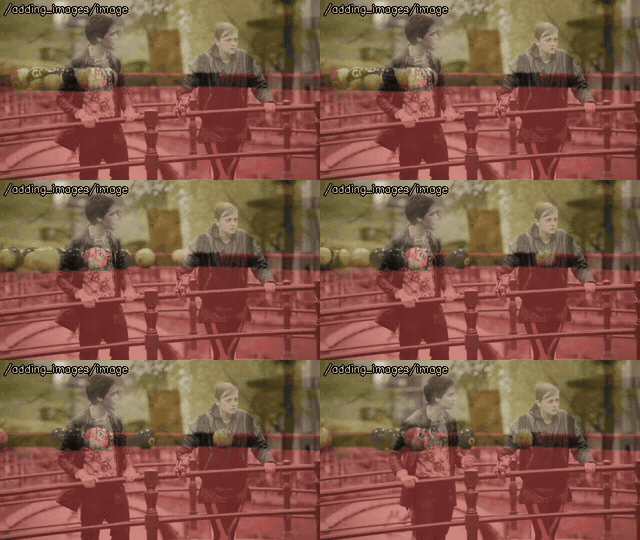 adding_images |
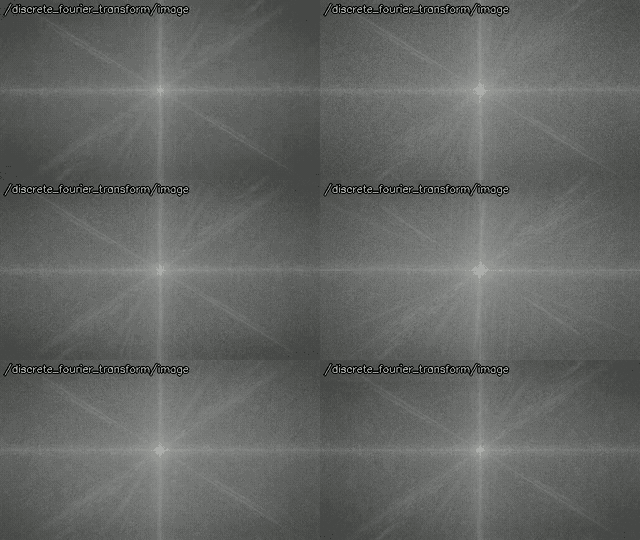 discrete_fourier_transform |
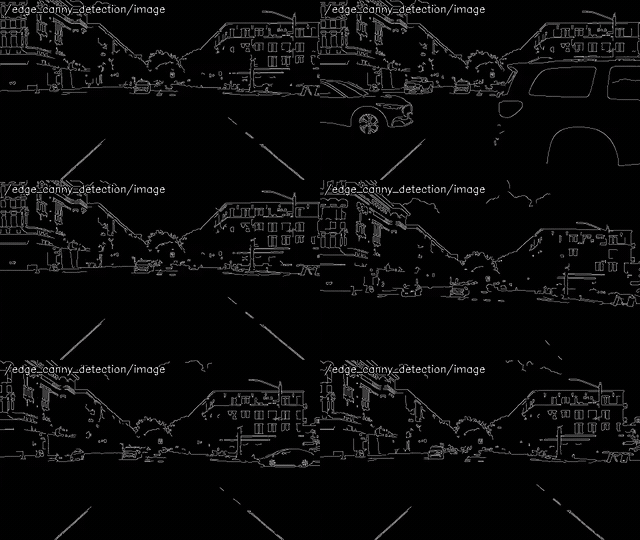 edge_detection |
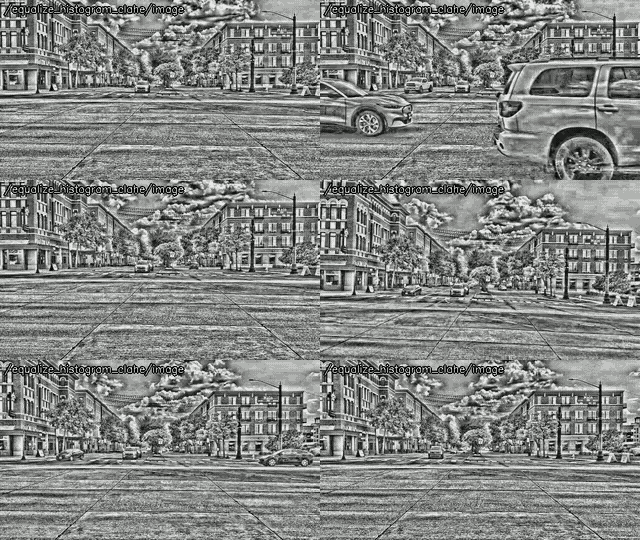 equalize_histogram |
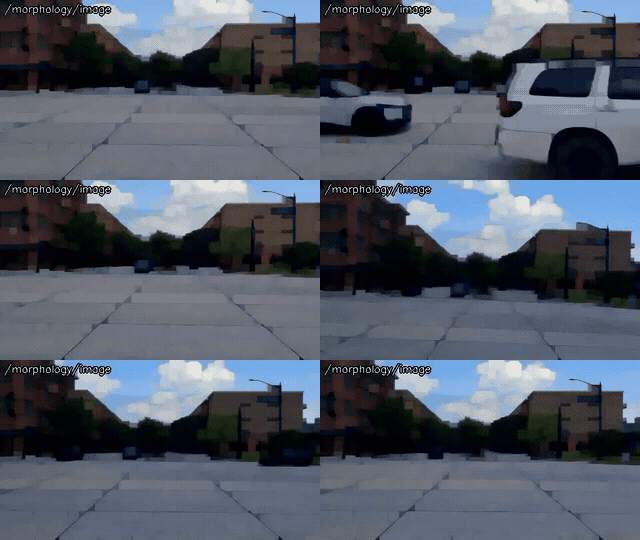 morphology |
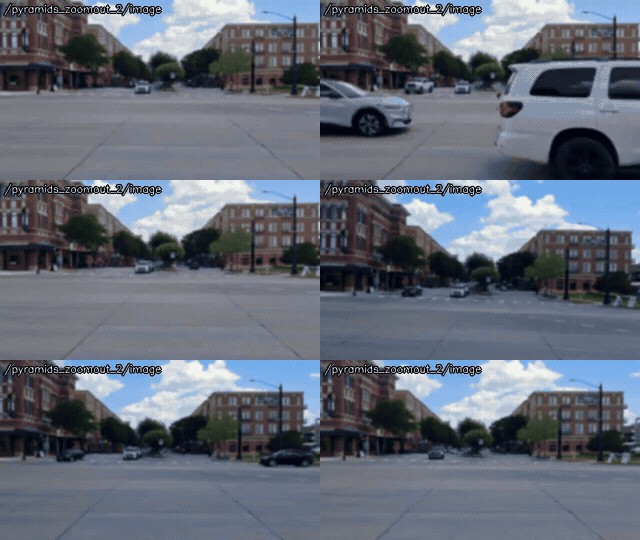 pyramids |
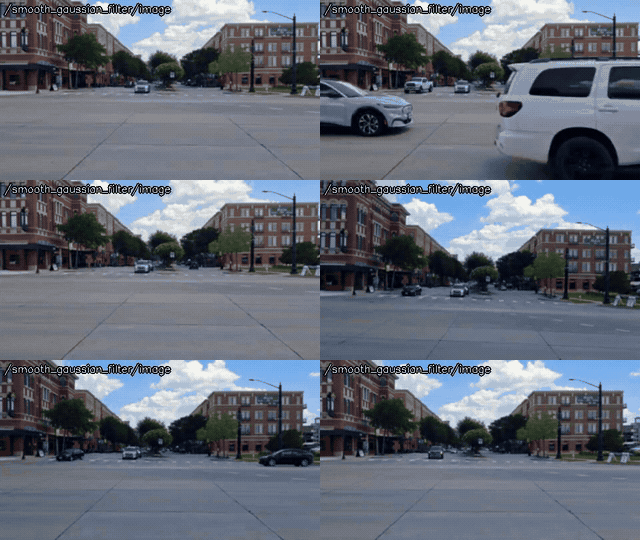 smoothing |
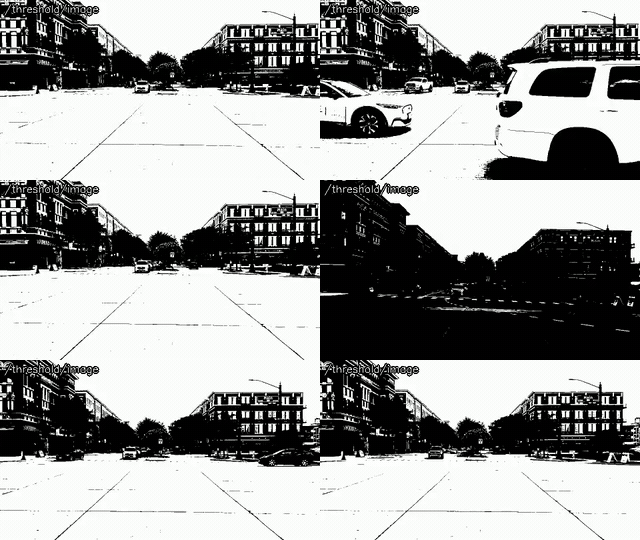 threshold |
Color
Extract the pixels in a range of colors in HSV, HLS, Lab* or RGB, and compare the color histograms.
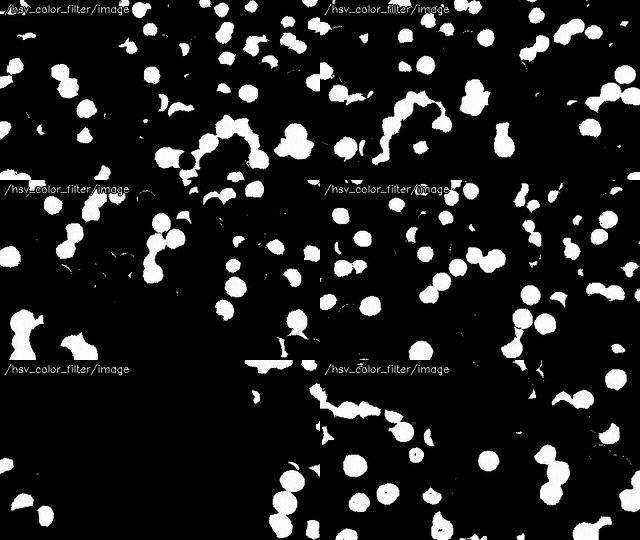 hsv_color_filter |
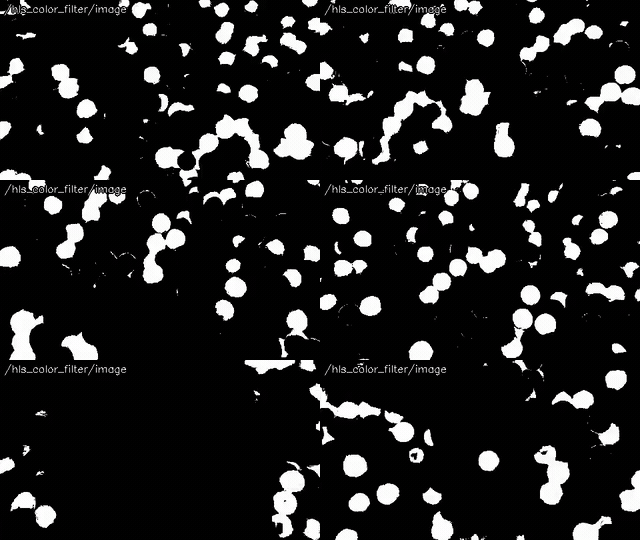 hls_color_filter |
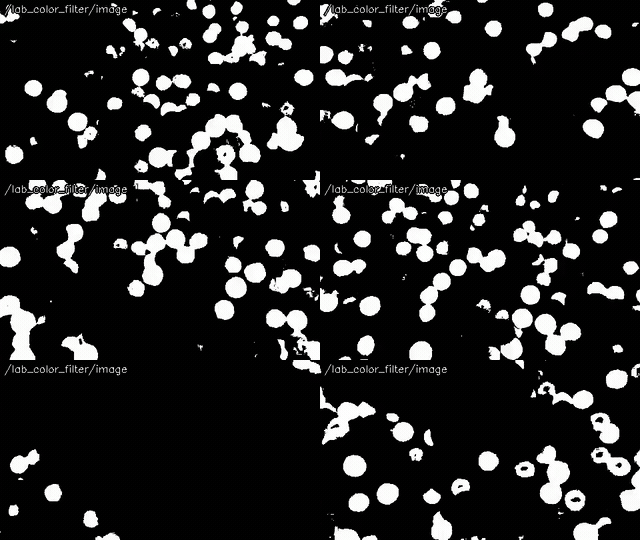 lab_color_filter |
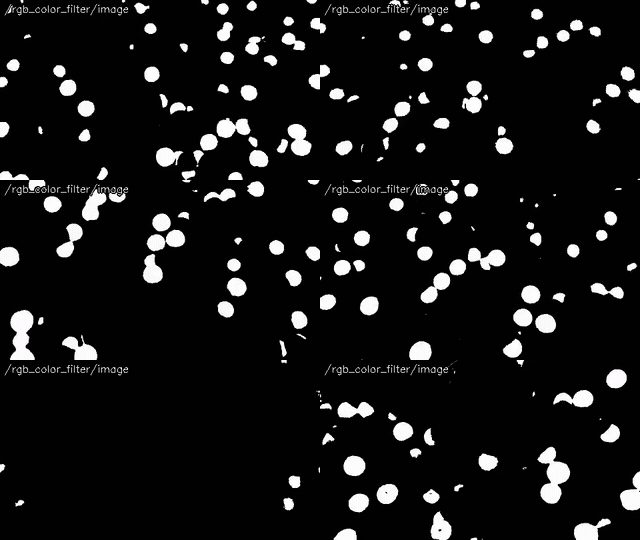 rgb_color_filter |
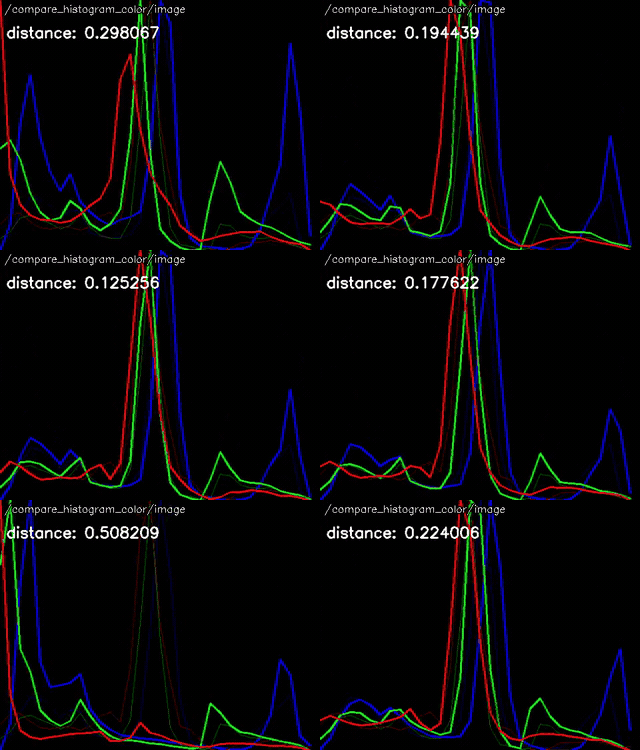 compare_histogram |
Features, lines and contours
Find the corners, lines, line segments, circles, blobs and contours, with their moments and convex hulls.
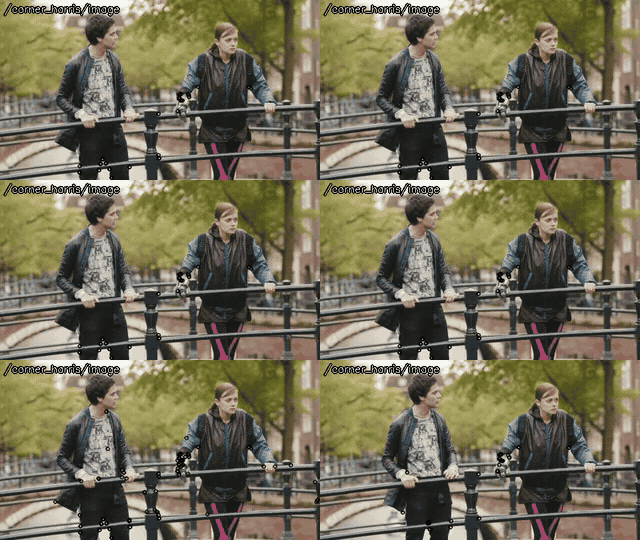 corner_harris |
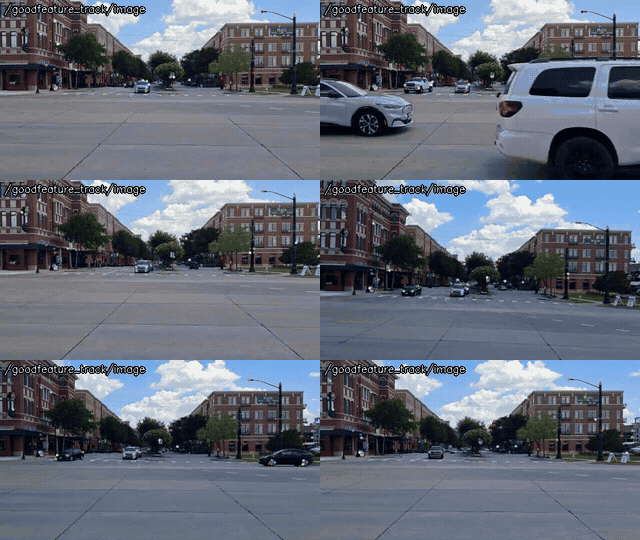 goodfeature_track |
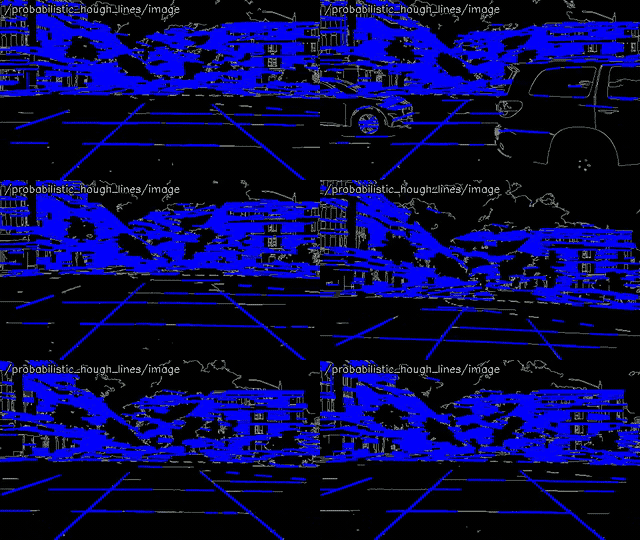 hough_lines |
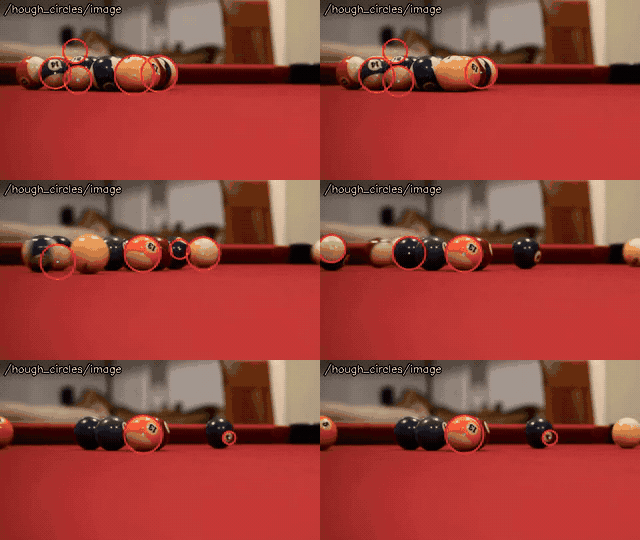 hough_circles |
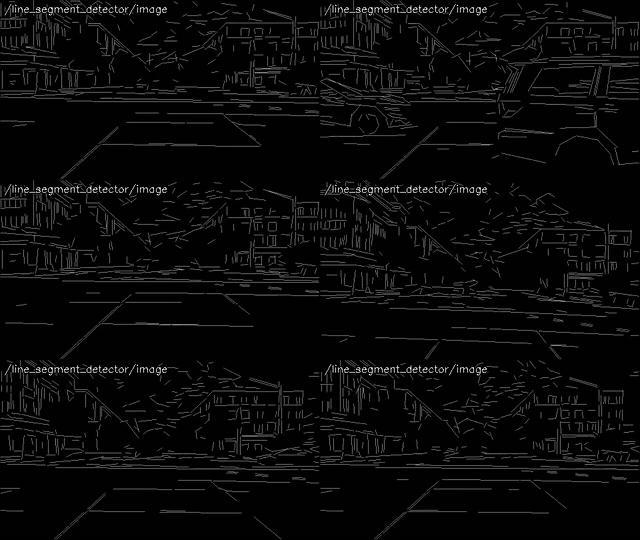 line_segment_detector |
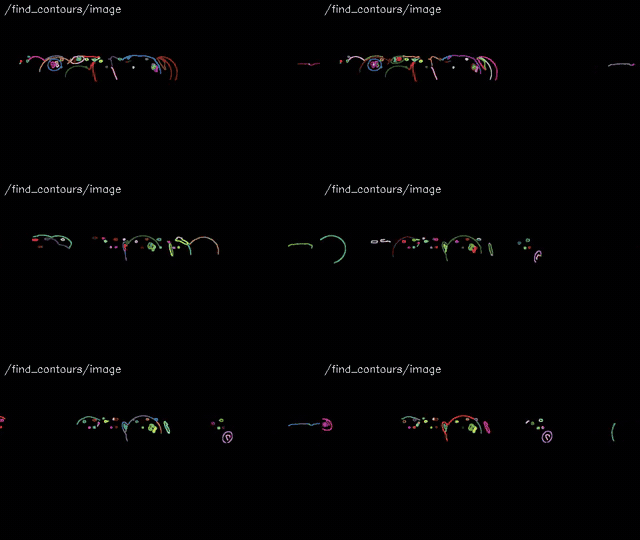 find_contours |
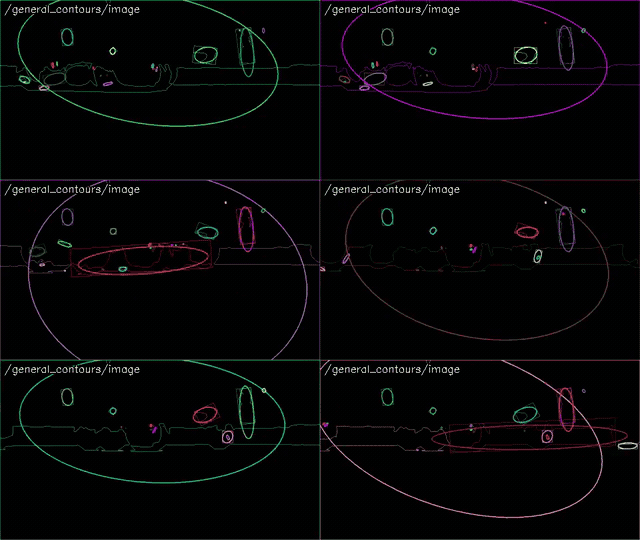 general_contours |
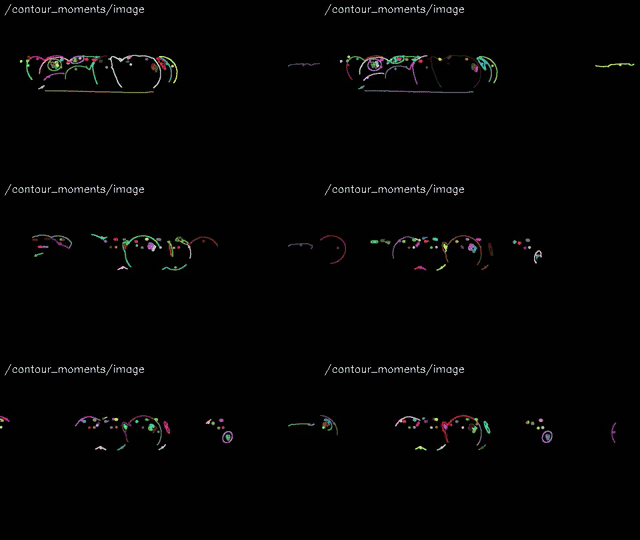 contour_moments |
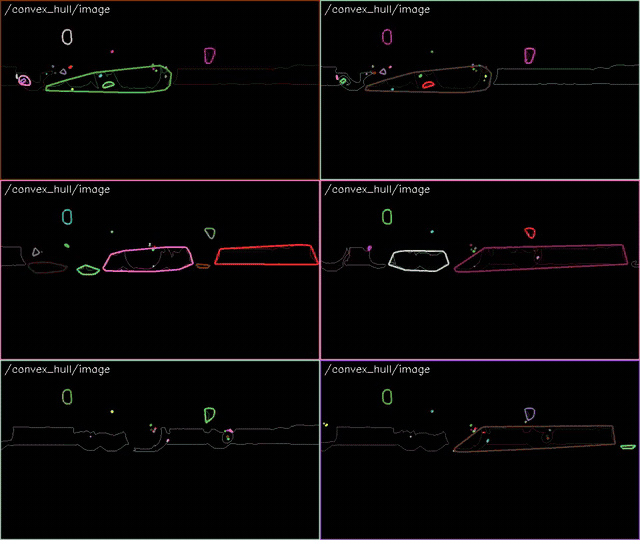 convex_hull |
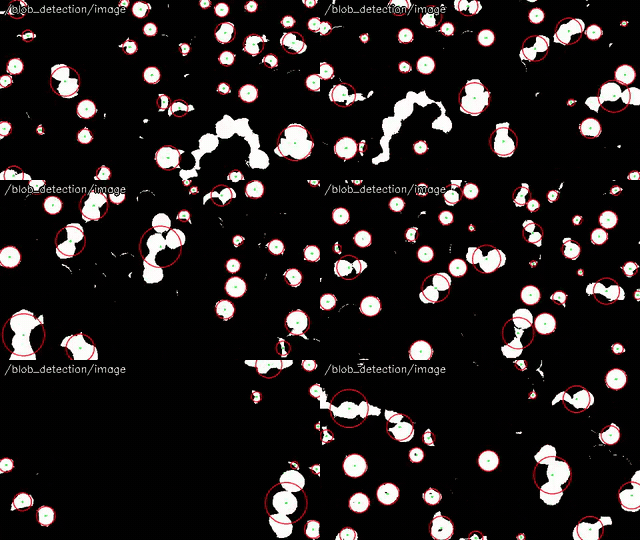 blob_detection |
Segmentation
Separate the foreground and the objects: background subtraction, connected components and watershed.
 segment_objects |
File truncated at 100 lines [see the full file](https://github.com/ros-perception/opencv_apps/tree/3.0.0/./README.md)
Changelog for package opencv_apps
3.0.0 (2026-11-14)
- Port to ROS2 (jazzy, kilted, lyrical), keeping ROS1 (noetic, ROS One) with the same source and compat headers (#153)
- Follow-ups to the ROS2 port: lk_flow re-detection, ROS1 parameter clamping, zero-copy publishing (#154)
- Add OpenCV 4 nodes: dnn_face_detection (YuNet), dnn_face_recognition (SFace), dnn_object_detection (YOLOX), qrcode_detection, barcode_detection and aruco_detection (#165)
- Fixes of the dnn and aruco_detection nodes: model cache per URL scheme, fisheye camera model (#169)
- Add DNN nodes: dnn_text_detection (OCR), dnn_semantic_segmentation, dnn_depth_estimation, dnn_pose_estimation, dnn_hand_pose_estimation (with tracking and smoothing, Keypoint / Skeleton messages), dnn_image_classification and dnn_facial_expression_recognition (#171)
- Add tracking node with the OpenCV trackers (port of #129), and dnn_tracking node with the DNN based trackers (DaSiamRPN, NanoTrack, VitTrack), with the same interface (~set_roi, ~output) (#157, #170, #172)
- Add match_template node (port of #68) (#163)
- Add background_subtraction node (port of #62) (#164)
- Add blob_detection node (port of #130) (#162)
- Add compare_histogram node (port of #128, #104) (#160)
- Add line_segment_detector node (port of #35) (#159)
- color filters: publish the pixels in the color space as PointCloud2 (port of #61) (#161)
- camshift: tracking rectangle from parameters, publish the confidence (port of #141) (#158)
- morph_size range, Release build, bgr8 encoding (ports of #135, #105 and #102) (#155)
- Fix the descriptions of theta of hough_lines, morph_size of morphology, filter_by_inertia of blob_detection and padding of people_detect, and the range of morph_operator of morphology (0 - 4) (#173)
- Add the documentation, published to https://ros-perception.github.io/opencv_apps/, with the demos of all the nodes, and a new README (#173)
- Add CONTRIBUTING.md (rewrite of #110) (#156)
- CI: ROS-O test, fix flaky ROS2 tests (Fast DDS shared memory for the images) (#152, #167)
- Contributors: Kei Okada, Fan Shi, HuiShiSerenaShi, Iori Yanokura, Ryosuke Tajima
2.0.3 (2025-05-22)
- [lk_flow] Keep matching information for sparse optical flow (#149)
- use bgr8 for output visualization (#145)
- add ROS-O test (#147)
- Suppress cmake warning (#146)
- [TEST] Fix catkin_lint version 1.6.18 to avoid [cmake_minimum_required]{.title-ref} error (#143)
- Add sync_.reset/async_.reset to destructor in face_recognition (#139)
- fix github actions (#140)
- fix missing .git directory (#136)
- Add histogram equalization default and clahe (#126)
- check all output of test/test-pyramids.test (#127)
- tests: properly remap camera_info
File truncated at 100 lines see the full file
Package Dependencies
System Dependencies
Dependant Packages
Launch files
- launch/adding_images.launch
-
- node_name [default: adding_images]
- image1 [default: image1] — The image topic. Should be remapped to the name of the real image topic.
- image2 [default: image2] — The image topic. Should be remapped to the name of the real image topic.
- use_camera_info [default: false] — Indicates that the camera_info topic should be subscribed to to get the default input_frame_id. Otherwise the frame from the image message will be used.
- debug_view [default: true] — Specify whether the node displays a window to show edge image
- queue_size [default: 3] — Specigy queue_size of input image subscribers
- alpha [default: 0.5] — Weight of the first array elements
- gamma [default: 0] — Scalar added to each sum
- approximate_sync [default: false] — Flag of approximate_sync. If this value is false, image1 and image2 synchronize exact time.
- launch/aruco_detection.launch
-
- node_name [default: aruco_detection]
- image [default: image] — The image topic. Should be remapped to the name of the real image topic.
- use_camera_info [default: false] — Indicates that the camera_info topic should be subscribed to to get the default input_frame_id. Otherwise the frame from the image message will be used.
- debug_view [default: true] — Specify whether the node displays a window to show the result
- queue_size [default: 3] — Specify queue_size of input image subscribers
- dictionary [default: DICT_4X4_50] — Predefined dictionary of the markers, e.g. DICT_4X4_50, DICT_6X6_250, DICT_ARUCO_ORIGINAL, DICT_APRILTAG_36h11
- marker_length [default: 0.0] — Length of the side of the markers in meters, to publish their poses with the camera info (use_camera_info:=true), 0 not to publish
- rectified [default: false] — The image is rectified (e.g. image_rect of image_proc), then the poses are estimated with the intrinsics of P of the camera info without distortion, instead of K and D
- launch/background_subtraction.launch
-
- node_name [default: background_subtraction]
- image [default: image] — The image topic. Should be remapped to the name of the real image topic.
- use_camera_info [default: false] — Indicates that the camera_info topic should be subscribed to to get the default input_frame_id. Otherwise the frame from the image message will be used.
- debug_view [default: true] — Specify whether the node displays a window to show the foreground mask
- queue_size [default: 3] — Specify queue_size of input image subscribers
- method [default: 0] — Background subtraction method, 0: MOG2, 1: KNN, 2: MOG, 3: GMG, 4: CNT, 5: GSOC, 6: LSBP (MOG, GMG, CNT, GSOC and LSBP need the bgsegm module of opencv_contrib, otherwise MOG2 is used)
- learning_rate [default: -1.0] — Learning rate of the background model, negative: automatically chosen, 0: not updated, 1: reinitialized from the last frame (CNT, GSOC and LSBP may still update the model at 0, and GMG, GSOC and LSBP do not reinitialize it at 1)
- launch/barcode_detection.launch
-
- node_name [default: barcode_detection]
- image [default: image] — The image topic. Should be remapped to the name of the real image topic.
- use_camera_info [default: false] — Indicates that the camera_info topic should be subscribed to to get the default input_frame_id. Otherwise the frame from the image message will be used.
- debug_view [default: true] — Specify whether the node displays a window to show the result
- queue_size [default: 3] — Specify queue_size of input image subscribers
- launch/blob_detection.launch
-
- node_name [default: blob_detection]
- image [default: image] — The image topic, typically a binary mask (e.g. hsv_color_filter/image). Should be remapped to the name of the real image topic.
- use_camera_info [default: false] — Indicates that the camera_info topic should be subscribed to to get the default input_frame_id. Otherwise the frame from the image message will be used.
- debug_view [default: true] — Specify whether the node displays a window to show the detected blobs
- queue_size [default: 3] — Specify queue_size of input image subscribers
- threshold_step [default: 10.0] — Step of the thresholds from min_threshold to max_threshold
- min_threshold [default: 50.0] — The minimum threshold to binarize the image
- max_threshold [default: 220.0] — The maximum threshold (exclusive) to binarize the image
- min_repeatability [default: 2] — The minimum number of the binarized images in which a blob is detected
- min_dist_between_blobs [default: 10.0] — The blobs located closer than min_dist_between_blobs are merged
- filter_by_color [default: true] — Filter the blobs by the color of the center
- blob_color [default: 255] — 0 to extract dark blobs and 255 to extract light blobs
- filter_by_area [default: true] — Filter the blobs by the area
- min_area [default: 25.0] — The minimum area (inclusive) of the blobs [pixel]
- max_area [default: 100000.0] — The maximum area (exclusive) of the blobs [pixel]
- filter_by_circularity [default: false] — Filter the blobs by the circularity (4*pi*area/perimeter^2)
- min_circularity [default: 0.8] — The minimum circularity (inclusive) of the blobs
- max_circularity [default: 1.0] — The maximum circularity (exclusive) of the blobs, 1.0 means no limit
- filter_by_inertia [default: false] — Filter the blobs by the inertia ratio (the minimum / maximum second central moment, the square of minor axis / major axis for an ellipse, 0: line, 1: circle)
- min_inertia_ratio [default: 0.1] — The minimum inertia ratio (inclusive) of the blobs
- max_inertia_ratio [default: 1.0] — The maximum inertia ratio (exclusive) of the blobs, 1.0 means no limit
- filter_by_convexity [default: false] — Filter the blobs by the convexity (area / area of convex hull)
- min_convexity [default: 0.95] — The minimum convexity (inclusive) of the blobs
- max_convexity [default: 1.0] — The maximum convexity (exclusive) of the blobs, 1.0 means no limit
- launch/camshift.launch
-
- node_name [default: camshift]
- image [default: image] — The image topic. Should be remapped to the name of the real image topic.
- use_camera_info [default: false] — Indicates that the camera_info topic should be subscribed to to get the default input_frame_id. Otherwise the frame from the image message will be used.
- debug_view [default: true] — Specify whether the node displays a window to show edge image
- queue_size [default: 3] — Specigy queue_size of input image subscribers
- histogram [default: [0.0, 255.0, 0.0, 0.0, 0.0, 0.0, 0.0, 0.0, 0.0, 0.0, 0.0, 0.0, 0.0, 0.0, 0.0, 0.0]] — Histogram of tracked color object
- vmin [default: 10] — Min threshould of lightness.
- vmax [default: 230] — Max threshould of lightness.
- smin [default: 60] — Min value of saturation.
- x [default: 0] — Center x of the rectangle to track.
- y [default: 0] — Center y of the rectangle to track.
- width [default: 0] — Width of the rectangle to track, 0 for none: at startup the histogram is used instead, setting it to 0 at runtime stops tracking.
- height [default: 0] — Height of the rectangle to track, 0 for none: at startup the histogram is used instead, setting it to 0 at runtime stops tracking.
- launch/compare_histogram.launch
-
- node_name [default: compare_histogram]
- image [default: image] — The image topic. Should be remapped to the name of the real image topic.
- use_camera_info [default: false] — Indicates that the camera_info topic should be subscribed to to get the default input_frame_id. Otherwise the frame from the image message will be used.
- debug_view [default: true] — Specify whether the node displays a window to show the histogram
- queue_size [default: 3] — Specify queue_size of input image subscribers
- histogram_size [default: 64] — Number of bins of the histogram of each channel
- histogram_comparison_type [default: 0] — Histogram comparison method. 0: Correlation, 1: Chi-Square, 2: Intersection, 3: Bhattacharyya
- reference_histogram [default: []] — Reference of the histogram comparison: channels x histogram_size numbers in the layout of ~histogram, i.e. [b0, b1, ..., g0, g1, ..., r0, r1, ...] for BGR images, [v0, v1, ...] for gray images. A YAML list of integers and/or decimals (newlines are fine). [] to disable the comparison.
- launch/contour_moments.launch
-
- node_name [default: contour_moments]
- image [default: image] — The image topic. Should be remapped to the name of the real image topic.
- use_camera_info [default: false] — Indicates that the camera_info topic should be subscribed to to get the default input_frame_id. Otherwise the frame from the image message will be used.
- debug_view [default: true] — Specify whether the node displays a window to show edge image
- queue_size [default: 3] — Specigy queue_size of input image subscribers
- canny_low_threshold [default: 100] — Canny Edge low Threshold
- launch/convex_hull.launch
-
- node_name [default: convex_hull]
- image [default: image] — The image topic. Should be remapped to the name of the real image topic.
- use_camera_info [default: false] — Indicates that the camera_info topic should be subscribed to to get the default input_frame_id. Otherwise the frame from the image message will be used.
- debug_view [default: true] — Specify whether the node displays a window to show edge image
- queue_size [default: 3] — Specigy queue_size of input image subscribers
- threshold [default: 100] — Treshold for the detecting edges.
- launch/corner_harris.launch
-
- node_name [default: corner_harris]
- image [default: image] — The image topic. Should be remapped to the name of the real image topic.
- use_camera_info [default: false] — Indicates that the camera_info topic should be subscribed to to get the default input_frame_id. Otherwise the frame from the image message will be used.
- debug_view [default: true] — Specify whether the node displays a window to show image
- queue_size [default: 3] — Specigy queue_size of input image subscribers
- threshold [default: 200] — Threshold value of a circle around corners's norm
- launch/discrete_fourier_transform.launch
-
- node_name [default: discrete_fourier_transform]
- image [default: image] — The image topic. Should be remapped to the name of the real image topic.
- use_camera_info [default: false] — Indicates that the camera_info topic should be subscribed to to get the default input_frame_id. Otherwise the frame from the image message will be used.
- debug_view [default: true] — Specify whether the node displays a window to show edge image
- queue_size [default: 1] — Specigy queue_size of input image subscribers
- launch/dnn_depth_estimation.launch
-
- node_name [default: dnn_depth_estimation]
- image [default: image] — The image topic. Should be remapped to the name of the real image topic.
- use_camera_info [default: false] — Indicates that the camera_info topic should be subscribed to to get the default input_frame_id. Otherwise the frame from the image message will be used.
- debug_view [default: true] — Specify whether the node displays a window to show the result
- queue_size [default: 3] — Specify queue_size of input image subscribers
- model [default: ] — Path or URL of the model (onnx) of the same input and output as MiDaS, empty for MiDaS v2.1 small
- backend [default: auto] — Backend of cv::dnn: auto, cpu, opencl, opencl_fp16, cuda or cuda_fp16. auto uses CUDA when OpenCV is built with CUDA and a CUDA device is found, and the CPU otherwise.
- input_width [default: 256] — Width of the network input, 256 for MiDaS v2.1 small
- input_height [default: 256] — Height of the network input, 256 for MiDaS v2.1 small
- launch/dnn_face_detection.launch
-
- node_name [default: dnn_face_detection]
- image [default: image] — The image topic. Should be remapped to the name of the real image topic.
- use_camera_info [default: false] — Indicates that the camera_info topic should be subscribed to to get the default input_frame_id. Otherwise the frame from the image message will be used.
- debug_view [default: true] — Specify whether the node displays a window to show the result
- queue_size [default: 3] — Specify queue_size of input image subscribers
- model [default: ] — Path or URL of the YuNet model (onnx), empty for the default for this OpenCV version
- backend [default: auto] — Backend of cv::dnn: auto, cpu, opencl, opencl_fp16, cuda or cuda_fp16. auto uses CUDA when OpenCV is built with CUDA and a CUDA device is found, and the CPU otherwise.
- score_threshold [default: 0.9] — Threshold of the score to detect the faces
- nms_threshold [default: 0.3] — Threshold of the overlap of the faces to suppress, by non maximum suppression
- top_k [default: 5000] — Number of the candidates to keep before non maximum suppression
- launch/dnn_face_recognition.launch
-
- node_name [default: dnn_face_recognition]
- image [default: image] — The image topic. Should be remapped to the name of the real image topic.
- use_camera_info [default: false] — Indicates that the camera_info topic should be subscribed to to get the default input_frame_id. Otherwise the frame from the image message will be used.
- debug_view [default: true] — Specify whether the node displays a window to show the result
- queue_size [default: 3] — Specify queue_size of input image subscribers
- detection_model [default: ] — Path or URL of the YuNet face detection model (onnx), empty for the default for this OpenCV version
- recognition_model [default: ] — Path or URL of the SFace face recognition model (onnx), empty for the default
- backend [default: auto] — Backend of cv::dnn: auto, cpu, opencl, opencl_fp16, cuda or cuda_fp16. auto uses CUDA when OpenCV is built with CUDA and a CUDA device is found, and the CPU otherwise.
- score_threshold [default: 0.9] — Threshold of the score to detect the faces
- match_threshold [default: 0.363] — Threshold of the cosine similarity to recognize the face as the trained one
- data_dir [default: ~/.ros/opencv_apps/dnn_face_data] — Directory to save and load the trained faces
- launch/dnn_facial_expression_recognition.launch
-
- node_name [default: dnn_facial_expression_recognition]
- image [default: image] — The image topic. Should be remapped to the name of the real image topic.
- use_camera_info [default: false] — Indicates that the camera_info topic should be subscribed to to get the default input_frame_id. Otherwise the frame from the image message will be used.
- debug_view [default: true] — Specify whether the node displays a window to show the result
- queue_size [default: 3] — Specify queue_size of input image subscribers
- detection_model [default: ] — Path or URL of the YuNet model (onnx), empty for the default for this OpenCV version
- recognition_model [default: ] — Path or URL of the facial expression recognition model (onnx), empty for MobileFaceNet of opencv_zoo
- backend [default: auto] — Backend of cv::dnn: auto, cpu, opencl, opencl_fp16, cuda or cuda_fp16. auto uses CUDA when OpenCV is built with CUDA and a CUDA device is found, and the CPU otherwise.
- score_threshold [default: 0.9] — Threshold of the score to detect the faces
- nms_threshold [default: 0.3] — Threshold of the overlap of the faces to suppress, by non maximum suppression
- top_k [default: 5000] — Number of the candidates to keep before non maximum suppression
- launch/dnn_hand_pose_estimation.launch
-
- node_name [default: dnn_hand_pose_estimation]
- image [default: image] — The image topic. Should be remapped to the name of the real image topic.
- use_camera_info [default: false] — Indicates that the camera_info topic should be subscribed to to get the default input_frame_id. Otherwise the frame from the image message will be used.
- debug_view [default: true] — Specify whether the node displays a window to show the result
- queue_size [default: 3] — Specify queue_size of input image subscribers
- palm_detection_model [default: ] — Path or URL of the MediaPipe palm detection model (onnx), empty for palm_detection_mediapipe_2023feb.onnx of opencv_zoo
- hand_pose_estimation_model [default: ] — Path or URL of the MediaPipe hand pose estimation model (onnx), empty for handpose_estimation_mediapipe_2023feb.onnx of opencv_zoo
- backend [default: auto] — Backend of cv::dnn: auto, cpu, opencl, opencl_fp16, cuda or cuda_fp16. auto uses CUDA when OpenCV is built with CUDA and a CUDA device is found, and the CPU otherwise.
- confidence_threshold [default: 0.5] — Threshold of the confidence to detect the palms and to estimate the hands
- nms_threshold [default: 0.3] — Threshold of the overlap of the hands to suppress, by non maximum suppression
- tracking [default: true] — Track the hands by their poses in the previous image, as MediaPipe, and run the palm detection every detection_interval images, otherwise every image
- detection_interval [default: 10] — Interval of the palm detection to find the new hands while tracking
- smoothing [default: true] — Smooth the landmarks of the tracked hands by One Euro filter
- smoothing_min_cutoff [default: 0.05] — Minimum cutoff frequency (Hz) of One Euro filter, smaller is smoother when still
- smoothing_beta [default: 80.0] — Speed coefficient of One Euro filter, larger follows the fast motion with less lag
- smoothing_derivative_cutoff [default: 1.0] — Cutoff frequency (Hz) of the velocity of One Euro filter
- launch/dnn_image_classification.launch
-
- node_name [default: dnn_image_classification]
- image [default: image] — The image topic. Should be remapped to the name of the real image topic.
- use_camera_info [default: false] — Indicates that the camera_info topic should be subscribed to to get the default input_frame_id. Otherwise the frame from the image message will be used.
- debug_view [default: true] — Specify whether the node displays a window to show the result
- queue_size [default: 3] — Specify queue_size of input image subscribers
- model [default: ] — Path or URL of the model (onnx), empty for PP-ResNet50 of opencv_zoo, e.g. MobileNet of opencv_zoo (OpenCV 4.9 or later)
- classes [default: ] — Path or URL of the class names of the model, one class per line, or empty for the 1000 classes of ImageNet
- backend [default: auto] — Backend of cv::dnn: auto, cpu, opencl, opencl_fp16, cuda or cuda_fp16. auto uses CUDA when OpenCV is built with CUDA and a CUDA device is found, and the CPU otherwise.
- input_width [default: 224] — Width of the network input
- input_height [default: 224] — Height of the network input
- top_k [default: 5] — Number of the classes to publish
- softmax [default: true] — Apply softmax to the output of the model to get the probabilities, true for the models whose output is the logits (e.g. PP-ResNet50 and MobileNet of opencv_zoo), false for the models whose output is the probabilities
- launch/dnn_object_detection.launch
-
- node_name [default: dnn_object_detection]
- image [default: image] — The image topic. Should be remapped to the name of the real image topic.
- use_camera_info [default: false] — Indicates that the camera_info topic should be subscribed to to get the default input_frame_id. Otherwise the frame from the image message will be used.
- debug_view [default: true] — Specify whether the node displays a window to show the result
- queue_size [default: 3] — Specify queue_size of input image subscribers
- model_type [default: yolox] — yolox for the YOLOX models (onnx), or detection_model for the models of cv::dnn::DetectionModel, e.g. YOLO (darknet), SSD (caffe, tensorflow), with config, input_width, input_height, scale and swap_rb
- model [default: ] — Path or URL of the model (e.g. .onnx, .weights), empty for YOLOX-S trained on COCO of opencv_zoo
- config [default: ] — Path or URL of the network configuration (e.g. .cfg) of the model, or empty
- classes [default: ] — Path or URL of the class names, one name per line, or empty for the classes of COCO for yolox
- backend [default: auto] — Backend of cv::dnn: auto, cpu, opencl, opencl_fp16, cuda or cuda_fp16. auto uses CUDA when OpenCV is built with CUDA and a CUDA device is found, and the CPU otherwise.
- input_width [default: 640] — Width of the network input, a multiple of 32 for yolox
- input_height [default: 640] — Height of the network input, a multiple of 32 for yolox
- scale [default: 0.00392156862745098] — Multiplier of the pixel values for the network input, for detection_model
- swap_rb [default: true] — Swap the red and blue channels, true for the models trained in RGB, for detection_model
- confidence_threshold [default: 0.5] — Threshold of the confidence to detect the objects
- nms_threshold [default: 0.4] — Threshold of the overlap of the objects to suppress, by non maximum suppression
- launch/dnn_pose_estimation.launch
-
- node_name [default: dnn_pose_estimation]
- image [default: image] — The image topic. Should be remapped to the name of the real image topic.
- use_camera_info [default: false] — Indicates that the camera_info topic should be subscribed to to get the default input_frame_id. Otherwise the frame from the image message will be used.
- debug_view [default: true] — Specify whether the node displays a window to show the result
- queue_size [default: 3] — Specify queue_size of input image subscribers
- person_detection_model [default: ] — Path or URL of the MediaPipe person detection model (onnx), empty for person_detection_mediapipe_2023mar.onnx of opencv_zoo
- pose_estimation_model [default: ] — Path or URL of the MediaPipe pose estimation model (onnx), empty for pose_estimation_mediapipe_2023mar.onnx of opencv_zoo
- backend [default: auto] — Backend of cv::dnn: auto, cpu, opencl, opencl_fp16, cuda or cuda_fp16. auto uses CUDA when OpenCV is built with CUDA and a CUDA device is found, and the CPU otherwise.
- confidence_threshold [default: 0.5] — Threshold of the confidence to detect the persons and to estimate their poses
- nms_threshold [default: 0.3] — Threshold of the overlap of the persons to suppress, by non maximum suppression
- tracking [default: true] — Track the persons by their poses in the previous image, as MediaPipe, and run the person detection every detection_interval images, otherwise every image
- detection_interval [default: 10] — Interval of the person detection to find the new persons while tracking
- smoothing [default: true] — Smooth the landmarks of the tracked persons by One Euro filter
- smoothing_min_cutoff [default: 0.05] — Minimum cutoff frequency (Hz) of One Euro filter, smaller is smoother when still
- smoothing_beta [default: 80.0] — Speed coefficient of One Euro filter, larger follows the fast motion with less lag
- smoothing_derivative_cutoff [default: 1.0] — Cutoff frequency (Hz) of the velocity of One Euro filter
- launch/dnn_semantic_segmentation.launch
-
- node_name [default: dnn_semantic_segmentation]
- image [default: image] — The image topic. Should be remapped to the name of the real image topic.
- use_camera_info [default: false] — Indicates that the camera_info topic should be subscribed to to get the default input_frame_id. Otherwise the frame from the image message will be used.
- debug_view [default: true] — Specify whether the node displays a window to show the result
- queue_size [default: 3] — Specify queue_size of input image subscribers
- model [default: ] — Path or URL of the model whose output is the scores of the classes for each pixel, empty for PP-HumanSeg of opencv_zoo
- classes [default: ] — Path or URL of the class names of the model, one name per line, the first one is the background, or empty for background and person of PP-HumanSeg
- backend [default: auto] — Backend of cv::dnn: auto, cpu, opencl, opencl_fp16, cuda or cuda_fp16. auto uses CUDA when OpenCV is built with CUDA and a CUDA device is found, and the CPU otherwise.
- input_width [default: 192] — Width of the network input
- input_height [default: 192] — Height of the network input
- scale [default: 0.00784313725490196] — Multiplier of the pixel values for the network input
- mean [default: 127.5] — Mean subtracted from the pixel values before the scale
- swap_rb [default: true] — Swap the red and blue channels, true for the models trained in RGB
- launch/dnn_text_detection.launch
-
- node_name [default: dnn_text_detection]
- image [default: image] — The image topic. Should be remapped to the name of the real image topic.
- use_camera_info [default: false] — Indicates that the camera_info topic should be subscribed to to get the default input_frame_id. Otherwise the frame from the image message will be used.
- debug_view [default: true] — Specify whether the node displays a window to show the result
- queue_size [default: 3] — Specify queue_size of input image subscribers
- detection_model [default: ] — Path or URL of the text detection model of DB (onnx), empty for DB (ResNet-18, IC15) of opencv_zoo
- recognition_model [default: ] — Path or URL of the text recognition model of CRNN (onnx), empty for CRNN (English) of opencv_zoo, or none to detect the text only
- vocabulary [default: ] — Path or URL of the vocabulary of the recognition model, one character per line, or empty for 0-9 and a-z of CRNN (English)
- backend [default: auto] — Backend of cv::dnn: auto, cpu, opencl, opencl_fp16, cuda or cuda_fp16. auto uses CUDA when OpenCV is built with CUDA and a CUDA device is found, and the CPU otherwise.
- input_width [default: 736] — Width of the input of the detection model, a multiple of 32
- input_height [default: 736] — Height of the input of the detection model, a multiple of 32
- binary_threshold [default: 0.3] — Threshold of the text probability of the pixels
- polygon_threshold [default: 0.5] — Threshold of the score of the text regions
- unclip_ratio [default: 2.0] — Ratio to expand the detected text regions
- max_candidates [default: 200] — Maximum number of the text regions
- launch/dnn_tracking.launch
-
- node_name [default: dnn_tracking]
- image [default: image] — The image topic. Should be remapped to the name of the real image topic.
- use_camera_info [default: false] — Indicates that the camera_info topic should be subscribed to to get the default input_frame_id. Otherwise the frame from the image message will be used.
- debug_view [default: true] — Specify whether the node displays a window to show tracking image
- queue_size [default: 3] — Specify queue_size of input image subscribers
- tracking_algorithm [default: -1] — Tracking algorithm -1: the newest one of this OpenCV (VitTrack, NanoTrack or DaSiamRPN), 0: DaSiamRPN, 1: NanoTrack (OpenCV 4.7 or later), 2: VitTrack (OpenCV 4.9 or later)
- backend [default: auto] — Backend of cv::dnn: auto, cpu, opencl, opencl_fp16, cuda or cuda_fp16. auto uses CUDA when OpenCV is built with CUDA and a CUDA device is found, and the CPU otherwise.
- dasiamrpn_model [default: ] — dasiamrpn_model.onnx of DaSiamRPN, a path or URL (downloaded to ~/.ros/opencv_apps/models/ at the first time), empty for the default
- dasiamrpn_kernel_cls1 [default: ] — dasiamrpn_kernel_cls1.onnx of DaSiamRPN, a path or URL (downloaded to ~/.ros/opencv_apps/models/ at the first time), empty for the default
- dasiamrpn_kernel_r1 [default: ] — dasiamrpn_kernel_r1.onnx of DaSiamRPN, a path or URL (downloaded to ~/.ros/opencv_apps/models/ at the first time), empty for the default
- nanotrack_backbone [default: ] — Backbone model (onnx) of NanoTrack, a path or URL (downloaded to ~/.ros/opencv_apps/models/ at the first time), empty for the default (NanoTrack v2)
- nanotrack_neckhead [default: ] — Neck and head model (onnx) of NanoTrack, a path or URL (downloaded to ~/.ros/opencv_apps/models/ at the first time), empty for the default (NanoTrack v2)
- vittrack_model [default: ] — Model (onnx) of VitTrack, a path or URL (downloaded to ~/.ros/opencv_apps/models/ at the first time), empty for the default (object_tracking_vittrack_2023sep.onnx of opencv_zoo)
- launch/edge_detection.launch
-
- node_name [default: edge_detection]
- image [default: image] — The image topic. Should be remapped to the name of the real image topic.
- use_camera_info [default: false] — Indicates that the camera_info topic should be subscribed to to get the default input_frame_id. Otherwise the frame from the image message will be used.
- debug_view [default: true] — Specify whether the node displays a window to show edge image
- queue_size [default: 3] — Specigy queue_size of input image subscribers
- edge_type [default: 0] — Specify edge dtection methods. 0: Sobel Derivatives, 1: Lapalace Operator, 2, Canny Edge Detector.
- canny_threshold1 [default: 100] — Specify second canny threashold value.
- canny_threshold2 [default: 200] — Specity first canny threashold value.
- apertureSize [default: 3] — Aperture size for the Sobel() operator.
- apply_blur_pre [default: true] — Flag, applying Blur() to input image
- postBlurSize [default: 13] — Aperture size for the Blur() to input image()
- postBlurSigma [default: 3.2] — Sigma for the GaussianBlur() to input image.
- apply_blur_post [default: false] — Flag, applying GaussinaBlur() to output(edge) image
- L2gradient [default: false] — Flag, L2Gradient
- launch/equalize_histogram.launch
-
- node_name [default: equalize_histogram]
- image [default: image] — The image topic. Should be remapped to the name of the real image topic.
- use_camera_info [default: false] — Indicates that the camera_info topic should be subscribed to to get the default input_frame_id. Otherwise the frame from the image message will be used.
- debug_view [default: true] — Specify whether the node displays a window to show image
- queue_size [default: 3] — Specigy queue_size of input image subscribers
- histogram_equalization_type [default: 0] — Specify histogram equaliztion methods. 0: Default, 1: Clahe
- clahe_clip_limit [default: 255.0] — The maximum allowed field value Clip Limit
- clahe_tile_size_x [default: 300] — The maximum allowed field value Threshold X Limit
- clahe_tile_size_y [default: 300] — The maximum allowed field value Threshold Y Limit
- use_opencl [default: true] — Enable or disable OpenCL
- launch/face_detection.launch
-
- node_name [default: face_detection]
- use_opencv3 [default: false]
- use_opencv3_1 [default: false]
- use_opencv3_2 [default: false]
- use_opencv3_3 [default: $(arg use_opencv3)]
- use_opencv4 [default: false]
- image [default: image] — The image topic. Should be remapped to the name of the real image topic.
- use_camera_info [default: false] — Indicates that the camera_info topic should be subscribed to to get the default input_frame_id. Otherwise the frame from the image message will be used.
- debug_view [default: true] — Specify whether the node displays a window to show edge image
- queue_size [default: 3] — Specigy queue_size of input image subscribers
- face_cascade_name [default: $(find opencv3)/../OpenCV-3.1.0-dev/haarcascades/haarcascade_frontalface_alt.xml] — Face dtection cascade Filename
- eyes_cascade_name [default: $(find opencv3)/../OpenCV-3.1.0-dev/haarcascades/haarcascade_eye_tree_eyeglasses.xml] — Eye dtection cascade Filename
- face_cascade_name [default: $(find opencv3)/../OpenCV-3.2.0-dev/haarcascades/haarcascade_frontalface_alt.xml] — Face dtection cascade Filename
- eyes_cascade_name [default: $(find opencv3)/../OpenCV-3.2.0-dev/haarcascades/haarcascade_eye_tree_eyeglasses.xml] — Eye dtection cascade Filename
- face_cascade_name [default: $(find opencv3)/../OpenCV-3.3.1-dev/haarcascades/haarcascade_frontalface_alt.xml] — Face dtection cascade Filename
- eyes_cascade_name [default: $(find opencv3)/../OpenCV-3.3.1-dev/haarcascades/haarcascade_eye_tree_eyeglasses.xml] — Eye dtection cascade Filename
- face_cascade_name [default: /usr/share/opencv4/haarcascades/haarcascade_frontalface_alt.xml] — Face dtection cascade Filename
- eyes_cascade_name [default: /usr/share/opencv4/haarcascades/haarcascade_eye_tree_eyeglasses.xml] — Eye dtection cascade Filename
- face_cascade_name [default: /usr/share/opencv/haarcascades/haarcascade_frontalface_alt.xml] — Face dtection cascade Filename
- eyes_cascade_name [default: /usr/share/opencv/haarcascades/haarcascade_eye_tree_eyeglasses.xml] — Eye dtection cascade Filename
- face_cascade_name [default: /usr/share/opencv/haarcascades/haarcascade_frontalface_alt.xml] — Face dtection cascade Filename
- eyes_cascade_name [default: /usr/share/opencv/haarcascades/haarcascade_eye_tree_eyeglasses.xml] — Eye dtection cascade Filename
- launch/face_recognition.launch
-
- launch_face_detection [default: true]
- launch_trainer [default: true]
- use_opencv3 [default: false]
- use_opencv3_1 [default: false]
- use_opencv3_2 [default: false]
- use_opencv3_3 [default: false]
- use_opencv4 [default: false]
- debug_view [default: true]
- queue_size [default: 100] — Specigy queue_size of input image subscribers
- image [default: image]
- data_dir [default: ~/.ros/opencv_apps/face_data]
- launch/fback_flow.launch
-
- node_name [default: fback_flow]
- image [default: image] — The image topic. Should be remapped to the name of the real image topic.
- use_camera_info [default: false] — Indicates that the camera_info topic should be subscribed to to get the default input_frame_id. Otherwise the frame from the image message will be used.
- debug_view [default: true] — Specify whether the node displays a window to show edge image
- queue_size [default: 3] — Specigy queue_size of input image subscribers
- launch/find_contours.launch
-
- node_name [default: find_contours]
- image [default: image] — The image topic. Should be remapped to the name of the real image topic.
- use_camera_info [default: false] — Indicates that the camera_info topic should be subscribed to to get the default input_frame_id. Otherwise the frame from the image message will be used.
- debug_view [default: true] — Specify whether the node displays a window to show edge image
- queue_size [default: 3] — Specigy queue_size of input image subscribers
- canny_low_threshold [default: 10] — Lower threshold for the internal Canny edge detector.
- launch/general_contours.launch
-
- node_name [default: general_contours]
- image [default: image] — The image topic. Should be remapped to the name of the real image topic.
- use_camera_info [default: false] — Indicates that the camera_info topic should be subscribed to to get the default input_frame_id. Otherwise the frame from the image message will be used.
- debug_view [default: true] — Specify whether the node displays a window to show edge image
- queue_size [default: 3] — Specigy queue_size of input image subscribers
- threshold [default: 100] — Treshold for the detecting edges.
- launch/goodfeature_track.launch
-
- node_name [default: goodfeature_track]
- image [default: image] — The image topic. Should be remapped to the name of the real image topic.
- use_camera_info [default: false] — Indicates that the camera_info topic should be subscribed to to get the default input_frame_id. Otherwise the frame from the image message will be used.
- debug_view [default: true] — Specify whether the node displays a window to show edge image
- queue_size [default: 3] — Specigy queue_size of input image subscribers
- max_corners [default: 23] — Maximum number of corners to return. If there are more corners than are found, the strongest of them is returned.
- launch/hls_color_filter.launch
-
- node_name [default: hls_color_filter]
- image [default: image] — The image topic. Should be remapped to the name of the real image topic.
- use_camera_info [default: false] — Indicates that the camera_info topic should be subscribed to to get the default input_frame_id. Otherwise the frame from the image message will be used.
- debug_view [default: true] — Specify whether the node displays a window to show image
- queue_size [default: 3] — Specigy queue_size of input image subscribers
- h_limit_max [default: 250] — The maximum allowed field value Hue
- h_limit_min [default: 0] — The minimum allowed field value Hue
- s_limit_max [default: 255] — The maximum allowed field value Saturation
- s_limit_min [default: 150] — The minimum allowed field value Saturation
- l_limit_max [default: 255] — The maximum allowed field value Luminance
- l_limit_min [default: 50] — The minimum allowed field value Luminance
- launch/hough_circles.launch
-
- node_name [default: hough_circles]
- image [default: image] — The image topic. Should be remapped to the name of the real image topic.
- use_camera_info [default: false] — Indicates that the camera_info topic should be subscribed to to get the default input_frame_id. Otherwise the frame from the image message will be used.
- debug_view [default: true] — Specify whether the node displays a window to show edge image
- queue_size [default: 3] — Specigy queue_size of input image subscribers
- canny_threshold [default: 200] — Upper threshold for the internal Canny edge detector.
- accumulator_threshold [default: 50] — Threshold for center detection.
- gaussian_blur_size [default: 9] — The size of gaussian blur (should be odd number)
- gaussian_sigma_x [default: 2] — Sigma x of gaussian kernel
- gaussian_sigma_y [default: 2] — Sigma y of gaussian kernel
- dp [default: 2] — The inverse ratio of resolution.
- min_circle_radius [default: 0] — The minimum size of the circle, If unknown, put zero as default
- max_circle_radius [default: 0] — The maximum size of the circle, If unknown, put zero as default.
- launch/hough_lines.launch
-
- node_name [default: hough_lines]
- image [default: image] — The image topic. Should be remapped to the name of the real image topic.
- use_camera_info [default: false] — Indicates that the camera_info topic should be subscribed to to get the default input_frame_id. Otherwise the frame from the image message will be used.
- debug_view [default: true] — Specify whether the node displays a window to show edge image
- queue_size [default: 3] — Specigy queue_size of input image subscribers
- hough_type [default: 0] — Apecify Hough transform type, 0 for Standard Hough Detection and 1 for Probabilistic Hough Detection
- threshold [default: 150] — Threshould value for hough line detection
- rho [default: 1.0] — The resolution of the parameter r in pixels.
- theta [default: 1.0] — The resolution of the parameter theta in degrees.
- minLineLength [default: 30] — The minimum number of points that can form a line.
- maxLineGrap [default: 10] — The maximum gap between two points to be considered in the same line.
- launch/hsv_color_filter.launch
-
- node_name [default: hsv_color_filter]
- image [default: image] — The image topic. Should be remapped to the name of the real image topic.
- use_camera_info [default: false] — Indicates that the camera_info topic should be subscribed to to get the default input_frame_id. Otherwise the frame from the image message will be used.
- debug_view [default: true] — Specify whether the node displays a window to show image
- queue_size [default: 3] — Specigy queue_size of input image subscribers
- h_limit_max [default: 250] — The maximum allowed field value Hue
- h_limit_min [default: 0] — The minimum allowed field value Hue
- s_limit_max [default: 255] — The maximum allowed field value Saturation
- s_limit_min [default: 150] — The minimum allowed field value Saturation
- v_limit_max [default: 255] — The maximum allowed field value Value
- v_limit_min [default: 50] — The minimum allowed field value Value
- launch/lab_color_filter.launch
-
- node_name [default: lab_color_filter]
- image [default: image] — The image topic. Should be remapped to the name of the real image topic.
- use_camera_info [default: false] — Indicates that the camera_info topic should be subscribed to to get the default input_frame_id. Otherwise the frame from the image message will be used.
- debug_view [default: true] — Specify whether the node displays a window to show image
- queue_size [default: 3] — Specigy queue_size of input image subscribers
- l_limit_max [default: 255] — The maximum allowed field value L*
- l_limit_min [default: 50] — The minimum allowed field value L*
- a_limit_max [default: 250] — The maximum allowed field value a*
- a_limit_min [default: 0] — The minimum allowed field value a*
- b_limit_max [default: 255] — The maximum allowed field value b*
- b_limit_min [default: 150] — The minimum allowed field value b*
- launch/line_segment_detector.launch
-
- node_name [default: line_segment_detector]
- image [default: image] — The image topic. Should be remapped to the name of the real image topic.
- use_camera_info [default: false] — Indicates that the camera_info topic should be subscribed to to get the default input_frame_id. Otherwise the frame from the image message will be used.
- debug_view [default: true] — Specify whether the node displays a window to show line segment image
- queue_size [default: 3] — Specify queue_size of input image subscribers
- lsd_refine_type [default: 0] — Line Segment Detector Modes. 0: No refinement applied, 1: Standard refinement is applied, 2, Advanced refinement is applied.
- lsd_scale [default: 0.8] — The scale of the image that will be used to find the lines. Range [0.1..1]
- lsd_sigma_scale [default: 0.6] — Sigma for Gaussian filter. It is computed as sigma = _sigma_scale/_scale
- lsd_quant [default: 2.0] — Bound to the quantization error on the gradient norm
- lsd_angle_threshold [default: 22.5] — Gradient angle tolerance in degrees
- lsd_log_eps [default: 0.0] — Detection threshold: -log10(NFA) > log_eps. Used only when advanced refinement is chosen
- lsd_density_threshold [default: 0.7] — Minimal density of aligned region points in the enclosing rectangle
- lsd_n_bins [default: 1024] — Number of bins in pseudo-ordering of gradient modulus
- lsd_line_length_threshold [default: 100.0] — Threshold of line length. Shorter lines are not published nor drawn.
- launch/lk_flow.launch
-
- node_name [default: lk_flow]
- image [default: image] — The image topic. Should be remapped to the name of the real image topic.
- use_camera_info [default: false] — Indicates that the camera_info topic should be subscribed to to get the default input_frame_id. Otherwise the frame from the image message will be used.
- debug_view [default: true] — Specify whether the node displays a window to show edge image
- queue_size [default: 3] — Specigy queue_size of input image subscribers
- quality_level [default: 0.01] — Parameter characterizing the minimal acceptance quality of image corners.
- min_distance [default: 10] — Minimum possible Euclidean distance between the returned corners.
- block_size [default: 3] — Size of an average block for computing a derivative covariation matrix over each pixel neighborhood.
- harris_k [default: 0.04] — Free parameter of the Harris detector
- launch/match_template.launch
-
- node_name [default: match_template]
- image [default: image] — The image topic. Should be remapped to the name of the real image topic.
- use_camera_info [default: false] — Indicates that the camera_info topic should be subscribed to to get the default input_frame_id. Otherwise the frame from the image message will be used.
- debug_view [default: true] — Specify whether the node displays a window to show the match, the template can be selected with mouse on the window
- queue_size [default: 3] — Specify queue_size of input image subscribers
- match_method [default: 5] — Matching method. 0: TM_SQDIFF, 1: TM_SQDIFF_NORMED, 2: TM_CCORR, 3: TM_CCORR_NORMED, 4: TM_CCOEFF, 5: TM_CCOEFF_NORMED
- match_threshold [default: 0.0] — Minimum similarity of a match (score of TM_CCORR_NORMED and TM_CCOEFF_NORMED, 1 - score of TM_SQDIFF_NORMED), not used by the methods which are not normalized
- max_matches [default: 1] — Maximum number of the matches. 1: the best match only, more than 1: the matches above match_threshold, after a non-maximum suppression
- template_file [default: ] — File name of the template image, it is replaced by the image on ~template topic
- mask_file [default: ] — File name of the mask image of the template (non-zero pixels are used), it is replaced by the image on ~mask topic
- launch/morphology.launch
-
- node_name [default: morphology]
- image [default: image] — The image topic. Should be remapped to the name of the real image topic.
- use_camera_info [default: false] — Indicates that the camera_info topic should be subscribed to to get the default input_frame_id. Otherwise the frame from the image message will be used.
- debug_view [default: true] — Specify whether the node displays a window to show edge image
- queue_size [default: 3] — Specigy queue_size of input image subscribers
- morph_operator [default: 0] — Morphology Operation Methods 0: Opening, 1: Closing, 2: Gradient, 3: Top Hat, 4: Black Hat
- morph_element [default: 0] — Type of the kernel 0: Rect, 1: Cross, 2: Ellipse
- morph_size [default: 0] — Radius of the kernel, whose size is 2 * morph_size + 1.
- launch/people_detect.launch
-
- node_name [default: people_detect]
- image [default: image] — The image topic. Should be remapped to the name of the real image topic.
- use_camera_info [default: false] — Indicates that the camera_info topic should be subscribed to to get the default input_frame_id. Otherwise the frame from the image message will be used.
- debug_view [default: true] — Specify whether the node displays a window to show edge image
- queue_size [default: 3] — Specigy queue_size of input image subscribers
- hit_threshold [default: 0] — Threshold for the distance between features and SVM classifying plane
- win_stride [default: 8] — Window stride. It must be a multiple of block stride.
- padding [default: 32] — Padding of the detection window in pixels, of cv::HOGDescriptor::detectMultiScale().
- scale0 [default: 1.05] — Coefficient of the detection window increase.
- group_threshold [default: 2] — Coefficient to regulate the similarity threshold. When detected, some objects can be covered by many rectangles. 0 means not to perform grouping.
- launch/phase_corr.launch
-
- node_name [default: phase_corr]
- image [default: image] — The image topic. Should be remapped to the name of the real image topic.
- use_camera_info [default: false] — Indicates that the camera_info topic should be subscribed to to get the default input_frame_id. Otherwise the frame from the image message will be used.
- debug_view [default: true] — Specify whether the node displays a window to show edge image
- queue_size [default: 3] — Specigy queue_size of input image subscribers
- launch/pyramids.launch
-
- node_name [default: pyramids]
- image [default: image] — The image topic. Should be remapped to the name of the real image topic.
- use_camera_info [default: false] — Indicates that the camera_info topic should be subscribed to to get the default input_frame_id. Otherwise the frame from the image message will be used.
- debug_view [default: true] — Specify whether the node displays a window to show pyramids image
- queue_size [default: 3] — Specigy queue_size of input image subscribers
- pyramids_type [default: 0] — Specify pyramids Up/Down. 0: Up size(zoom in), 1: Down size(zoom out).
- num_of_pyramids [default: 0] — Number of Up/Down sampling.
- launch/qrcode_detection.launch
-
- node_name [default: qrcode_detection]
- image [default: image] — The image topic. Should be remapped to the name of the real image topic.
- use_camera_info [default: false] — Indicates that the camera_info topic should be subscribed to to get the default input_frame_id. Otherwise the frame from the image message will be used.
- debug_view [default: true] — Specify whether the node displays a window to show the result
- queue_size [default: 3] — Specify queue_size of input image subscribers
- launch/rgb_color_filter.launch
-
- node_name [default: rgb_color_filter]
- image [default: image] — The image topic. Should be remapped to the name of the real image topic.
- use_camera_info [default: false] — Indicates that the camera_info topic should be subscribed to to get the default input_frame_id. Otherwise the frame from the image message will be used.
- debug_view [default: true] — Specify whether the node displays a window to show image
- queue_size [default: 3] — Specigy queue_size of input image subscribers
- r_limit_max [default: 250] — The maximum allowed field value Red
- r_limit_min [default: 50] — The minimum allowed field value Red
- g_limit_max [default: 200] — The maximum allowed field value Green
- g_limit_min [default: 100] — The minimum allowed field value Green
- b_limit_max [default: 150] — The maximum allowed field value Blue
- b_limit_min [default: 20] — The minimum allowed field value Blue
- launch/segment_objects.launch
-
- node_name [default: segment_objects]
- image [default: image] — The image topic. Should be remapped to the name of the real image topic.
- use_camera_info [default: false] — Indicates that the camera_info topic should be subscribed to to get the default input_frame_id. Otherwise the frame from the image message will be used.
- debug_view [default: true] — Specify whether the node displays a window to show edge image
- queue_size [default: 3] — Specigy queue_size of input image subscribers
- launch/simple_flow.launch
-
- node_name [default: simple_flow]
- image [default: image] — The image topic. Should be remapped to the name of the real image topic.
- use_camera_info [default: false] — Indicates that the camera_info topic should be subscribed to to get the default input_frame_id. Otherwise the frame from the image message will be used.
- debug_view [default: true] — Specify whether the node displays a window to show edge image
- queue_size [default: 3] — Specigy queue_size of input image subscribers
- scale [default: 8] — Specify the scale factor to calculate optical flow.
- launch/smoothing.launch
-
- node_name [default: smoothing]
- image [default: image] — The image topic. Should be remapped to the name of the real image topic.
- use_camera_info [default: false] — Indicates that the camera_info topic should be subscribed to to get the default input_frame_id. Otherwise the frame from the image message will be used.
- debug_view [default: true] — Specify whether the node displays a window to show edge image
- queue_size [default: 3] — Specigy queue_size of input image subscribers
- filter_type [default: 0] — Smoothing Filter Methods. 0:Homogeneous blur, 1:Gaussian blur, 2:Median blur, 3:Bilateral Filter.
- kernel_size [default: 7] — Size of the kernel (only one because we use a square window). Must be odd.
- launch/threshold.launch
-
- node_name [default: threshold]
- image [default: image] — The image topic. Should be remapped to the name of the real image topic.
- use_camera_info [default: false] — Indicates that the camera_info topic should be subscribed to to get the default input_frame_id. Otherwise the frame from the image message will be used.
- debug_view [default: true] — Specify whether the node displays a window to show edge image
- queue_size [default: 3] — Specigy queue_size of input image subscribers
- apply_otsu [default: false] — Decide applying Otsu's algotirhm threshold. If this value is true, threshold value will be ignored
- threshold_type [default: 0] — Specify threshold types. 0: Binary threshold, 1: Binary inverted threshold, 2: Threshold truncated, 3: Threshold to zero, 4: Threshold to zero inverted
- threshold [default: 150] — threshold value
- max_binary [default: 255] — maximum value to use with the 0: Binary thresholding and 1: Binary inverted thresholding types.
- launch/tracking.launch
-
- node_name [default: tracking]
- image [default: image] — The image topic. Should be remapped to the name of the real image topic.
- use_camera_info [default: false] — Indicates that the camera_info topic should be subscribed to to get the default input_frame_id. Otherwise the frame from the image message will be used.
- debug_view [default: true] — Specify whether the node displays a window to show tracking image
- queue_size [default: 3] — Specify queue_size of input image subscribers
- tracking_algorithm [default: 4] — Tracking algorithm 0: MIL, 1: BOOSTING, 2: MEDIANFLOW, 3: TLD, 4: KCF, 6: MOSSE, 7: CSRT
- launch/watershed_segmentation.launch
-
- node_name [default: watershed_segmentation]
- image [default: image] — The image topic. Should be remapped to the name of the real image topic.
- use_camera_info [default: false] — Indicates that the camera_info topic should be subscribed to to get the default input_frame_id. Otherwise the frame from the image message will be used.
- debug_view [default: true] — Specify whether the node displays a window to show edge image
- queue_size [default: 3] — Specigy queue_size of input image subscribers
- launch/adding_images.launch.xml
-
- node_name [default: adding_images]
- image1 [default: image1]
- image2 [default: image2]
- use_camera_info [default: false]
- debug_view [default: true]
- queue_size [default: 3]
- alpha [default: 0.5]
- gamma [default: 0.0]
- approximate_sync [default: false]
- launch/aruco_detection.launch.xml
-
- node_name [default: aruco_detection]
- image [default: image]
- use_camera_info [default: false]
- debug_view [default: true]
- queue_size [default: 3]
- dictionary [default: DICT_4X4_50]
- marker_length [default: 0.0]
- rectified [default: false]
- launch/background_subtraction.launch.xml
-
- node_name [default: background_subtraction]
- image [default: image]
- use_camera_info [default: false]
- debug_view [default: true]
- queue_size [default: 3]
- method [default: 0]
- learning_rate [default: -1.0]
- launch/barcode_detection.launch.xml
-
- node_name [default: barcode_detection]
- image [default: image]
- use_camera_info [default: false]
- debug_view [default: true]
- queue_size [default: 3]
- launch/blob_detection.launch.xml
-
- node_name [default: blob_detection]
- image [default: image]
- use_camera_info [default: false]
- debug_view [default: true]
- queue_size [default: 3]
- threshold_step [default: 10.0]
- min_threshold [default: 50.0]
- max_threshold [default: 220.0]
- min_repeatability [default: 2]
- min_dist_between_blobs [default: 10.0]
- filter_by_color [default: true]
- blob_color [default: 255]
- filter_by_area [default: true]
- min_area [default: 25.0]
- max_area [default: 100000.0]
- filter_by_circularity [default: false]
- min_circularity [default: 0.8]
- max_circularity [default: 1.0]
- filter_by_inertia [default: false]
- min_inertia_ratio [default: 0.1]
- max_inertia_ratio [default: 1.0]
- filter_by_convexity [default: false]
- min_convexity [default: 0.95]
- max_convexity [default: 1.0]
- launch/camshift.launch.xml
-
- node_name [default: camshift]
- image [default: image]
- use_camera_info [default: false]
- debug_view [default: true]
- queue_size [default: 3]
- histogram [default: [0.0, 255.0, 0.0, 0.0, 0.0, 0.0, 0.0, 0.0, 0.0, 0.0, 0.0, 0.0, 0.0, 0.0, 0.0, 0.0]]
- vmin [default: 10]
- vmax [default: 230]
- smin [default: 60]
- x [default: 0]
- y [default: 0]
- width [default: 0]
- height [default: 0]
- launch/compare_histogram.launch.xml
-
- node_name [default: compare_histogram]
- image [default: image]
- use_camera_info [default: false]
- debug_view [default: true]
- queue_size [default: 3]
- histogram_size [default: 64]
- histogram_comparison_type [default: 0]
- reference_histogram [default: ]
- launch/contour_moments.launch.xml
-
- node_name [default: contour_moments]
- image [default: image]
- use_camera_info [default: false]
- debug_view [default: true]
- queue_size [default: 3]
- canny_low_threshold [default: 100]
- launch/convex_hull.launch.xml
-
- node_name [default: convex_hull]
- image [default: image]
- use_camera_info [default: false]
- debug_view [default: true]
- queue_size [default: 3]
- threshold [default: 100]
- launch/corner_harris.launch.xml
-
- node_name [default: corner_harris]
- image [default: image]
- use_camera_info [default: false]
- debug_view [default: true]
- queue_size [default: 3]
- threshold [default: 200]
- launch/discrete_fourier_transform.launch.xml
-
- node_name [default: discrete_fourier_transform]
- image [default: image]
- use_camera_info [default: false]
- debug_view [default: true]
- queue_size [default: 1]
- launch/dnn_depth_estimation.launch.xml
-
- node_name [default: dnn_depth_estimation]
- image [default: image]
- use_camera_info [default: false]
- debug_view [default: true]
- queue_size [default: 3]
- model [default: ]
- backend [default: auto]
- input_width [default: 256]
- input_height [default: 256]
- launch/dnn_face_detection.launch.xml
-
- node_name [default: dnn_face_detection]
- image [default: image]
- use_camera_info [default: false]
- debug_view [default: true]
- queue_size [default: 3]
- model [default: ]
- backend [default: auto]
- score_threshold [default: 0.9]
- nms_threshold [default: 0.3]
- top_k [default: 5000]
- launch/dnn_face_recognition.launch.xml
-
- node_name [default: dnn_face_recognition]
- image [default: image]
- use_camera_info [default: false]
- debug_view [default: true]
- queue_size [default: 3]
- detection_model [default: ]
- recognition_model [default: ]
- backend [default: auto]
- score_threshold [default: 0.9]
- match_threshold [default: 0.363]
- data_dir [default: ~/.ros/opencv_apps/dnn_face_data]
- launch/dnn_facial_expression_recognition.launch.xml
-
- node_name [default: dnn_facial_expression_recognition]
- image [default: image]
- use_camera_info [default: false]
- debug_view [default: true]
- queue_size [default: 3]
- detection_model [default: ]
- recognition_model [default: ]
- backend [default: auto]
- score_threshold [default: 0.9]
- nms_threshold [default: 0.3]
- top_k [default: 5000]
- launch/dnn_hand_pose_estimation.launch.xml
-
- node_name [default: dnn_hand_pose_estimation]
- image [default: image]
- use_camera_info [default: false]
- debug_view [default: true]
- queue_size [default: 3]
- palm_detection_model [default: ]
- hand_pose_estimation_model [default: ]
- backend [default: auto]
- confidence_threshold [default: 0.5]
- nms_threshold [default: 0.3]
- tracking [default: true]
- detection_interval [default: 10]
- smoothing [default: true]
- smoothing_min_cutoff [default: 0.05]
- smoothing_beta [default: 80.0]
- smoothing_derivative_cutoff [default: 1.0]
- launch/dnn_image_classification.launch.xml
-
- node_name [default: dnn_image_classification]
- image [default: image]
- use_camera_info [default: false]
- debug_view [default: true]
- queue_size [default: 3]
- model [default: ]
- classes [default: ]
- backend [default: auto]
- input_width [default: 224]
- input_height [default: 224]
- top_k [default: 5]
- softmax [default: true]
- launch/dnn_object_detection.launch.xml
-
- node_name [default: dnn_object_detection]
- image [default: image]
- use_camera_info [default: false]
- debug_view [default: true]
- queue_size [default: 3]
- model_type [default: yolox]
- model [default: ]
- config [default: ]
- classes [default: ]
- backend [default: auto]
- input_width [default: 640]
- input_height [default: 640]
- scale [default: 0.00392156862745098]
- swap_rb [default: true]
- confidence_threshold [default: 0.5]
- nms_threshold [default: 0.4]
- launch/dnn_pose_estimation.launch.xml
-
- node_name [default: dnn_pose_estimation]
- image [default: image]
- use_camera_info [default: false]
- debug_view [default: true]
- queue_size [default: 3]
- person_detection_model [default: ]
- pose_estimation_model [default: ]
- backend [default: auto]
- confidence_threshold [default: 0.5]
- nms_threshold [default: 0.3]
- tracking [default: true]
- detection_interval [default: 10]
- smoothing [default: true]
- smoothing_min_cutoff [default: 0.05]
- smoothing_beta [default: 80.0]
- smoothing_derivative_cutoff [default: 1.0]
- launch/dnn_semantic_segmentation.launch.xml
-
- node_name [default: dnn_semantic_segmentation]
- image [default: image]
- use_camera_info [default: false]
- debug_view [default: true]
- queue_size [default: 3]
- model [default: ]
- classes [default: ]
- backend [default: auto]
- input_width [default: 192]
- input_height [default: 192]
- scale [default: 0.00784313725490196]
- mean [default: 127.5]
- swap_rb [default: true]
- launch/dnn_text_detection.launch.xml
-
- node_name [default: dnn_text_detection]
- image [default: image]
- use_camera_info [default: false]
- debug_view [default: true]
- queue_size [default: 3]
- detection_model [default: ]
- recognition_model [default: ]
- vocabulary [default: ]
- backend [default: auto]
- input_width [default: 736]
- input_height [default: 736]
- binary_threshold [default: 0.3]
- polygon_threshold [default: 0.5]
- unclip_ratio [default: 2.0]
- max_candidates [default: 200]
- launch/dnn_tracking.launch.xml
-
- node_name [default: dnn_tracking]
- image [default: image]
- use_camera_info [default: false]
- debug_view [default: true]
- queue_size [default: 3]
- tracking_algorithm [default: -1]
- backend [default: auto]
- dasiamrpn_model [default: ]
- dasiamrpn_kernel_cls1 [default: ]
- dasiamrpn_kernel_r1 [default: ]
- nanotrack_backbone [default: ]
- nanotrack_neckhead [default: ]
- vittrack_model [default: ]
- launch/edge_detection.launch.xml
-
- node_name [default: edge_detection]
- image [default: image]
- use_camera_info [default: false]
- debug_view [default: true]
- queue_size [default: 3]
- edge_type [default: 0]
- canny_threshold1 [default: 100]
- canny_threshold2 [default: 200]
- apertureSize [default: 3]
- apply_blur_pre [default: true]
- postBlurSize [default: 13]
- postBlurSigma [default: 3.2]
- apply_blur_post [default: false]
- L2gradient [default: false]
- launch/equalize_histogram.launch.xml
-
- node_name [default: equalize_histogram]
- image [default: image]
- use_camera_info [default: false]
- debug_view [default: true]
- queue_size [default: 3]
- histogram_equalization_type [default: 0]
- clahe_clip_limit [default: 255.0]
- clahe_tile_size_x [default: 300]
- clahe_tile_size_y [default: 300]
- use_opencl [default: true]
- launch/face_detection.launch.xml
-
- node_name [default: face_detection]
- image [default: image]
- use_camera_info [default: false]
- debug_view [default: true]
- queue_size [default: 3]
- face_cascade_name [default: /usr/share/opencv4/haarcascades/haarcascade_frontalface_alt.xml]
- eyes_cascade_name [default: /usr/share/opencv4/haarcascades/haarcascade_eye_tree_eyeglasses.xml]
- launch/face_recognition.launch.xml
-
- launch_face_detection [default: true]
- launch_trainer [default: true]
- debug_view [default: true]
- queue_size [default: 100]
- image [default: image]
- data_dir [default: ~/.ros/opencv_apps/face_data]
- launch/fback_flow.launch.xml
-
- node_name [default: fback_flow]
- image [default: image]
- use_camera_info [default: false]
- debug_view [default: true]
- queue_size [default: 3]
- launch/find_contours.launch.xml
-
- node_name [default: find_contours]
- image [default: image]
- use_camera_info [default: false]
- debug_view [default: true]
- queue_size [default: 3]
- canny_low_threshold [default: 10]
- launch/general_contours.launch.xml
-
- node_name [default: general_contours]
- image [default: image]
- use_camera_info [default: false]
- debug_view [default: true]
- queue_size [default: 3]
- threshold [default: 100]
- launch/goodfeature_track.launch.xml
-
- node_name [default: goodfeature_track]
- image [default: image]
- use_camera_info [default: false]
- debug_view [default: true]
- queue_size [default: 3]
- max_corners [default: 23]
- launch/hls_color_filter.launch.xml
-
- node_name [default: hls_color_filter]
- image [default: image]
- use_camera_info [default: false]
- debug_view [default: true]
- queue_size [default: 3]
- h_limit_max [default: 250]
- h_limit_min [default: 0]
- s_limit_max [default: 255]
- s_limit_min [default: 150]
- l_limit_max [default: 255]
- l_limit_min [default: 50]
- launch/hough_circles.launch.xml
-
- node_name [default: hough_circles]
- image [default: image]
- use_camera_info [default: false]
- debug_view [default: true]
- queue_size [default: 3]
- canny_threshold [default: 200.0]
- accumulator_threshold [default: 50.0]
- gaussian_blur_size [default: 9]
- gaussian_sigma_x [default: 2.0]
- gaussian_sigma_y [default: 2.0]
- dp [default: 2.0]
- min_circle_radius [default: 0]
- max_circle_radius [default: 0]
- launch/hough_lines.launch.xml
-
- node_name [default: hough_lines]
- image [default: image]
- use_camera_info [default: false]
- debug_view [default: true]
- queue_size [default: 3]
- hough_type [default: 0]
- threshold [default: 150]
- rho [default: 1.0]
- theta [default: 1.0]
- minLineLength [default: 30.0]
- maxLineGrap [default: 10.0]
- launch/hsv_color_filter.launch.xml
-
- node_name [default: hsv_color_filter]
- image [default: image]
- use_camera_info [default: false]
- debug_view [default: true]
- queue_size [default: 3]
- h_limit_max [default: 250]
- h_limit_min [default: 0]
- s_limit_max [default: 255]
- s_limit_min [default: 150]
- v_limit_max [default: 255]
- v_limit_min [default: 50]
- launch/lab_color_filter.launch.xml
-
- node_name [default: lab_color_filter]
- image [default: image]
- use_camera_info [default: false]
- debug_view [default: true]
- queue_size [default: 3]
- l_limit_max [default: 255]
- l_limit_min [default: 50]
- a_limit_max [default: 250]
- a_limit_min [default: 0]
- b_limit_max [default: 255]
- b_limit_min [default: 150]
- launch/line_segment_detector.launch.xml
-
- node_name [default: line_segment_detector]
- image [default: image]
- use_camera_info [default: false]
- debug_view [default: true]
- queue_size [default: 3]
- lsd_refine_type [default: 0]
- lsd_scale [default: 0.8]
- lsd_sigma_scale [default: 0.6]
- lsd_quant [default: 2.0]
- lsd_angle_threshold [default: 22.5]
- lsd_log_eps [default: 0.0]
- lsd_density_threshold [default: 0.7]
- lsd_n_bins [default: 1024]
- lsd_line_length_threshold [default: 100.0]
- launch/lk_flow.launch.xml
-
- node_name [default: lk_flow]
- image [default: image]
- use_camera_info [default: false]
- debug_view [default: true]
- queue_size [default: 3]
- quality_level [default: 0.01]
- min_distance [default: 10]
- block_size [default: 3]
- harris_k [default: 0.04]
- launch/match_template.launch.xml
-
- node_name [default: match_template]
- image [default: image]
- use_camera_info [default: false]
- debug_view [default: true]
- queue_size [default: 3]
- match_method [default: 5]
- match_threshold [default: 0.0]
- max_matches [default: 1]
- template_file [default: ]
- mask_file [default: ]
- launch/morphology.launch.xml
-
- node_name [default: morphology]
- image [default: image]
- use_camera_info [default: false]
- debug_view [default: true]
- queue_size [default: 3]
- morph_operator [default: 0]
- morph_element [default: 0]
- morph_size [default: 0]
- launch/people_detect.launch.xml
-
- node_name [default: people_detect]
- image [default: image]
- use_camera_info [default: false]
- debug_view [default: true]
- queue_size [default: 3]
- hit_threshold [default: 0.0]
- win_stride [default: 8]
- padding [default: 32]
- scale0 [default: 1.05]
- group_threshold [default: 2]
- launch/phase_corr.launch.xml
-
- node_name [default: phase_corr]
- image [default: image]
- use_camera_info [default: false]
- debug_view [default: true]
- queue_size [default: 3]
- launch/pyramids.launch.xml
-
- node_name [default: pyramids]
- image [default: image]
- use_camera_info [default: false]
- debug_view [default: true]
- queue_size [default: 3]
- pyramids_type [default: 0]
- num_of_pyramids [default: 1]
- launch/qrcode_detection.launch.xml
-
- node_name [default: qrcode_detection]
- image [default: image]
- use_camera_info [default: false]
- debug_view [default: true]
- queue_size [default: 3]
- launch/rgb_color_filter.launch.xml
-
- node_name [default: rgb_color_filter]
- image [default: image]
- use_camera_info [default: false]
- debug_view [default: true]
- queue_size [default: 3]
- r_limit_max [default: 250]
- r_limit_min [default: 50]
- g_limit_max [default: 200]
- g_limit_min [default: 100]
- b_limit_max [default: 150]
- b_limit_min [default: 20]
- launch/segment_objects.launch.xml
-
- node_name [default: segment_objects]
- image [default: image]
- use_camera_info [default: false]
- debug_view [default: true]
- queue_size [default: 3]
- launch/simple_flow.launch.xml
-
- node_name [default: simple_flow]
- image [default: image]
- use_camera_info [default: false]
- debug_view [default: true]
- queue_size [default: 3]
- scale [default: 8]
- launch/smoothing.launch.xml
-
- node_name [default: smoothing]
- image [default: image]
- use_camera_info [default: false]
- debug_view [default: true]
- queue_size [default: 3]
- filter_type [default: 0]
- kernel_size [default: 7]
- launch/threshold.launch.xml
-
- node_name [default: threshold]
- image [default: image]
- use_camera_info [default: false]
- debug_view [default: true]
- queue_size [default: 3]
- apply_otsu [default: false]
- threshold_type [default: 0]
- threshold [default: 150]
- max_binary [default: 255]
- launch/tracking.launch.xml
-
- node_name [default: tracking]
- image [default: image]
- use_camera_info [default: false]
- debug_view [default: true]
- queue_size [default: 3]
- tracking_algorithm [default: 4]
- launch/watershed_segmentation.launch.xml
-
- node_name [default: watershed_segmentation]
- image [default: image]
- use_camera_info [default: false]
- debug_view [default: true]
- queue_size [default: 3]
Messages
- Circle [Source]
- CircleArray [Source]
- CircleArrayStamped [Source]
- Contour [Source]
- ContourArray [Source]
- ContourArrayStamped [Source]
- Detection [Source]
- DetectionArray [Source]
- DetectionArrayStamped [Source]
- Face [Source]
- FaceArray [Source]
- FaceArrayStamped [Source]
- Flow [Source]
- FlowArray [Source]
- FlowArrayStamped [Source]
- FlowStamped [Source]
- Keypoint [Source]
- Line [Source]
- LineArray [Source]
- LineArrayStamped [Source]
- Moment [Source]
- MomentArray [Source]
- MomentArrayStamped [Source]
- Point2D [Source]
- Point2DArray [Source]
- Point2DArrayStamped [Source]
- Point2DStamped [Source]
- Rect [Source]
- RectArray [Source]
- RectArrayStamped [Source]
- RotatedRect [Source]
- RotatedRectArray [Source]
- RotatedRectArrayStamped [Source]
- RotatedRectStamped [Source]
- Size [Source]
- Skeleton [Source]
- SkeletonArray [Source]
- SkeletonArrayStamped [Source]
Services
Plugins
Recent questions tagged opencv_apps at Robotics Stack Exchange
|
|
opencv_apps package from opencv_apps repoopencv_apps |
ROS Distro
|
Package Summary
| Version | 3.0.0 |
| License | BSD |
| Build type | AMENT_CMAKE |
| Use | RECOMMENDED |
Repository Summary
| Description | |
| Checkout URI | https://github.com/ros-perception/opencv_apps.git |
| VCS Type | git |
| VCS Version | 3.0.0 |
| Last Updated | 2026-11-14 |
| Dev Status | UNKNOWN |
| Released | RELEASED |
| Contributing |
Help Wanted (-)
Good First Issues (-) Pull Requests to Review (-) |
Package Description
Additional Links
Maintainers
- Kei Okada
Authors
- Kei Okada
opencv_apps
opencv_apps provides the ROS nodes that run the functions of OpenCV: image processing,
features, contours, optical flows, tracking, detection and recognition, and the deep learning models of cv::dnn.
Each node subscribes an image topic, and publishes its results as messages and as an image, so you can use the
functions of OpenCV just by running a launch file. The same source supports both ROS 1 and ROS 2.
sudo apt install ros-$ROS_DISTRO-opencv-apps ros-$ROS_DISTRO-image-publisher
# ROS 2, terminal 1: publish the USB camera as image (0: the number of the camera, /dev/video0)
ros2 run image_publisher image_publisher_node 0 --ros-args -r image_raw:=image
# ROS 2, terminal 2: the face detection on it
ros2 launch opencv_apps face_detection.launch.xml image:=image
# ROS 1 (ROS One), terminal 1: publish the USB camera as camera/image_raw (0: /dev/video0)
rosrun image_publisher image_publisher 0 __name:=camera
# ROS 1 (ROS One), terminal 2: the face detection on it
roslaunch opencv_apps face_detection.launch image:=camera/image_raw use_opencv4:=true
Documentation: https://ros-perception.github.io/opencv_apps/ (the topics, the parameters and the usage of the nodes)
What opencv_apps can do
Image processing
Filter and transform the images: edges, histogram equalization, morphology, image pyramids, smoothing, thresholds and the Fourier transform.
adding_images |
discrete_fourier_transform |
edge_detection |
equalize_histogram |
morphology |
pyramids |
smoothing |
threshold |
Color
Extract the pixels in a range of colors in HSV, HLS, Lab* or RGB, and compare the color histograms.
hsv_color_filter |
hls_color_filter |
lab_color_filter |
rgb_color_filter |
compare_histogram |
Features, lines and contours
Find the corners, lines, line segments, circles, blobs and contours, with their moments and convex hulls.
corner_harris |
goodfeature_track |
hough_lines |
hough_circles |
line_segment_detector |
find_contours |
general_contours |
contour_moments |
convex_hull |
blob_detection |
Segmentation
Separate the foreground and the objects: background subtraction, connected components and watershed.
segment_objects |
File truncated at 100 lines [see the full file](https://github.com/ros-perception/opencv_apps/tree/3.0.0/./README.md)
Changelog for package opencv_apps
3.0.0 (2026-11-14)
- Port to ROS2 (jazzy, kilted, lyrical), keeping ROS1 (noetic, ROS One) with the same source and compat headers (#153)
- Follow-ups to the ROS2 port: lk_flow re-detection, ROS1 parameter clamping, zero-copy publishing (#154)
- Add OpenCV 4 nodes: dnn_face_detection (YuNet), dnn_face_recognition (SFace), dnn_object_detection (YOLOX), qrcode_detection, barcode_detection and aruco_detection (#165)
- Fixes of the dnn and aruco_detection nodes: model cache per URL scheme, fisheye camera model (#169)
- Add DNN nodes: dnn_text_detection (OCR), dnn_semantic_segmentation, dnn_depth_estimation, dnn_pose_estimation, dnn_hand_pose_estimation (with tracking and smoothing, Keypoint / Skeleton messages), dnn_image_classification and dnn_facial_expression_recognition (#171)
- Add tracking node with the OpenCV trackers (port of #129), and dnn_tracking node with the DNN based trackers (DaSiamRPN, NanoTrack, VitTrack), with the same interface (~set_roi, ~output) (#157, #170, #172)
- Add match_template node (port of #68) (#163)
- Add background_subtraction node (port of #62) (#164)
- Add blob_detection node (port of #130) (#162)
- Add compare_histogram node (port of #128, #104) (#160)
- Add line_segment_detector node (port of #35) (#159)
- color filters: publish the pixels in the color space as PointCloud2 (port of #61) (#161)
- camshift: tracking rectangle from parameters, publish the confidence (port of #141) (#158)
- morph_size range, Release build, bgr8 encoding (ports of #135, #105 and #102) (#155)
- Fix the descriptions of theta of hough_lines, morph_size of morphology, filter_by_inertia of blob_detection and padding of people_detect, and the range of morph_operator of morphology (0 - 4) (#173)
- Add the documentation, published to https://ros-perception.github.io/opencv_apps/, with the demos of all the nodes, and a new README (#173)
- Add CONTRIBUTING.md (rewrite of #110) (#156)
- CI: ROS-O test, fix flaky ROS2 tests (Fast DDS shared memory for the images) (#152, #167)
- Contributors: Kei Okada, Fan Shi, HuiShiSerenaShi, Iori Yanokura, Ryosuke Tajima
2.0.3 (2025-05-22)
- [lk_flow] Keep matching information for sparse optical flow (#149)
- use bgr8 for output visualization (#145)
- add ROS-O test (#147)
- Suppress cmake warning (#146)
- [TEST] Fix catkin_lint version 1.6.18 to avoid [cmake_minimum_required]{.title-ref} error (#143)
- Add sync_.reset/async_.reset to destructor in face_recognition (#139)
- fix github actions (#140)
- fix missing .git directory (#136)
- Add histogram equalization default and clahe (#126)
- check all output of test/test-pyramids.test (#127)
- tests: properly remap camera_info
File truncated at 100 lines see the full file
Package Dependencies
System Dependencies
Dependant Packages
Launch files
- launch/adding_images.launch
-
- node_name [default: adding_images]
- image1 [default: image1] — The image topic. Should be remapped to the name of the real image topic.
- image2 [default: image2] — The image topic. Should be remapped to the name of the real image topic.
- use_camera_info [default: false] — Indicates that the camera_info topic should be subscribed to to get the default input_frame_id. Otherwise the frame from the image message will be used.
- debug_view [default: true] — Specify whether the node displays a window to show edge image
- queue_size [default: 3] — Specigy queue_size of input image subscribers
- alpha [default: 0.5] — Weight of the first array elements
- gamma [default: 0] — Scalar added to each sum
- approximate_sync [default: false] — Flag of approximate_sync. If this value is false, image1 and image2 synchronize exact time.
- launch/aruco_detection.launch
-
- node_name [default: aruco_detection]
- image [default: image] — The image topic. Should be remapped to the name of the real image topic.
- use_camera_info [default: false] — Indicates that the camera_info topic should be subscribed to to get the default input_frame_id. Otherwise the frame from the image message will be used.
- debug_view [default: true] — Specify whether the node displays a window to show the result
- queue_size [default: 3] — Specify queue_size of input image subscribers
- dictionary [default: DICT_4X4_50] — Predefined dictionary of the markers, e.g. DICT_4X4_50, DICT_6X6_250, DICT_ARUCO_ORIGINAL, DICT_APRILTAG_36h11
- marker_length [default: 0.0] — Length of the side of the markers in meters, to publish their poses with the camera info (use_camera_info:=true), 0 not to publish
- rectified [default: false] — The image is rectified (e.g. image_rect of image_proc), then the poses are estimated with the intrinsics of P of the camera info without distortion, instead of K and D
- launch/background_subtraction.launch
-
- node_name [default: background_subtraction]
- image [default: image] — The image topic. Should be remapped to the name of the real image topic.
- use_camera_info [default: false] — Indicates that the camera_info topic should be subscribed to to get the default input_frame_id. Otherwise the frame from the image message will be used.
- debug_view [default: true] — Specify whether the node displays a window to show the foreground mask
- queue_size [default: 3] — Specify queue_size of input image subscribers
- method [default: 0] — Background subtraction method, 0: MOG2, 1: KNN, 2: MOG, 3: GMG, 4: CNT, 5: GSOC, 6: LSBP (MOG, GMG, CNT, GSOC and LSBP need the bgsegm module of opencv_contrib, otherwise MOG2 is used)
- learning_rate [default: -1.0] — Learning rate of the background model, negative: automatically chosen, 0: not updated, 1: reinitialized from the last frame (CNT, GSOC and LSBP may still update the model at 0, and GMG, GSOC and LSBP do not reinitialize it at 1)
- launch/barcode_detection.launch
-
- node_name [default: barcode_detection]
- image [default: image] — The image topic. Should be remapped to the name of the real image topic.
- use_camera_info [default: false] — Indicates that the camera_info topic should be subscribed to to get the default input_frame_id. Otherwise the frame from the image message will be used.
- debug_view [default: true] — Specify whether the node displays a window to show the result
- queue_size [default: 3] — Specify queue_size of input image subscribers
- launch/blob_detection.launch
-
- node_name [default: blob_detection]
- image [default: image] — The image topic, typically a binary mask (e.g. hsv_color_filter/image). Should be remapped to the name of the real image topic.
- use_camera_info [default: false] — Indicates that the camera_info topic should be subscribed to to get the default input_frame_id. Otherwise the frame from the image message will be used.
- debug_view [default: true] — Specify whether the node displays a window to show the detected blobs
- queue_size [default: 3] — Specify queue_size of input image subscribers
- threshold_step [default: 10.0] — Step of the thresholds from min_threshold to max_threshold
- min_threshold [default: 50.0] — The minimum threshold to binarize the image
- max_threshold [default: 220.0] — The maximum threshold (exclusive) to binarize the image
- min_repeatability [default: 2] — The minimum number of the binarized images in which a blob is detected
- min_dist_between_blobs [default: 10.0] — The blobs located closer than min_dist_between_blobs are merged
- filter_by_color [default: true] — Filter the blobs by the color of the center
- blob_color [default: 255] — 0 to extract dark blobs and 255 to extract light blobs
- filter_by_area [default: true] — Filter the blobs by the area
- min_area [default: 25.0] — The minimum area (inclusive) of the blobs [pixel]
- max_area [default: 100000.0] — The maximum area (exclusive) of the blobs [pixel]
- filter_by_circularity [default: false] — Filter the blobs by the circularity (4*pi*area/perimeter^2)
- min_circularity [default: 0.8] — The minimum circularity (inclusive) of the blobs
- max_circularity [default: 1.0] — The maximum circularity (exclusive) of the blobs, 1.0 means no limit
- filter_by_inertia [default: false] — Filter the blobs by the inertia ratio (the minimum / maximum second central moment, the square of minor axis / major axis for an ellipse, 0: line, 1: circle)
- min_inertia_ratio [default: 0.1] — The minimum inertia ratio (inclusive) of the blobs
- max_inertia_ratio [default: 1.0] — The maximum inertia ratio (exclusive) of the blobs, 1.0 means no limit
- filter_by_convexity [default: false] — Filter the blobs by the convexity (area / area of convex hull)
- min_convexity [default: 0.95] — The minimum convexity (inclusive) of the blobs
- max_convexity [default: 1.0] — The maximum convexity (exclusive) of the blobs, 1.0 means no limit
- launch/camshift.launch
-
- node_name [default: camshift]
- image [default: image] — The image topic. Should be remapped to the name of the real image topic.
- use_camera_info [default: false] — Indicates that the camera_info topic should be subscribed to to get the default input_frame_id. Otherwise the frame from the image message will be used.
- debug_view [default: true] — Specify whether the node displays a window to show edge image
- queue_size [default: 3] — Specigy queue_size of input image subscribers
- histogram [default: [0.0, 255.0, 0.0, 0.0, 0.0, 0.0, 0.0, 0.0, 0.0, 0.0, 0.0, 0.0, 0.0, 0.0, 0.0, 0.0]] — Histogram of tracked color object
- vmin [default: 10] — Min threshould of lightness.
- vmax [default: 230] — Max threshould of lightness.
- smin [default: 60] — Min value of saturation.
- x [default: 0] — Center x of the rectangle to track.
- y [default: 0] — Center y of the rectangle to track.
- width [default: 0] — Width of the rectangle to track, 0 for none: at startup the histogram is used instead, setting it to 0 at runtime stops tracking.
- height [default: 0] — Height of the rectangle to track, 0 for none: at startup the histogram is used instead, setting it to 0 at runtime stops tracking.
- launch/compare_histogram.launch
-
- node_name [default: compare_histogram]
- image [default: image] — The image topic. Should be remapped to the name of the real image topic.
- use_camera_info [default: false] — Indicates that the camera_info topic should be subscribed to to get the default input_frame_id. Otherwise the frame from the image message will be used.
- debug_view [default: true] — Specify whether the node displays a window to show the histogram
- queue_size [default: 3] — Specify queue_size of input image subscribers
- histogram_size [default: 64] — Number of bins of the histogram of each channel
- histogram_comparison_type [default: 0] — Histogram comparison method. 0: Correlation, 1: Chi-Square, 2: Intersection, 3: Bhattacharyya
- reference_histogram [default: []] — Reference of the histogram comparison: channels x histogram_size numbers in the layout of ~histogram, i.e. [b0, b1, ..., g0, g1, ..., r0, r1, ...] for BGR images, [v0, v1, ...] for gray images. A YAML list of integers and/or decimals (newlines are fine). [] to disable the comparison.
- launch/contour_moments.launch
-
- node_name [default: contour_moments]
- image [default: image] — The image topic. Should be remapped to the name of the real image topic.
- use_camera_info [default: false] — Indicates that the camera_info topic should be subscribed to to get the default input_frame_id. Otherwise the frame from the image message will be used.
- debug_view [default: true] — Specify whether the node displays a window to show edge image
- queue_size [default: 3] — Specigy queue_size of input image subscribers
- canny_low_threshold [default: 100] — Canny Edge low Threshold
- launch/convex_hull.launch
-
- node_name [default: convex_hull]
- image [default: image] — The image topic. Should be remapped to the name of the real image topic.
- use_camera_info [default: false] — Indicates that the camera_info topic should be subscribed to to get the default input_frame_id. Otherwise the frame from the image message will be used.
- debug_view [default: true] — Specify whether the node displays a window to show edge image
- queue_size [default: 3] — Specigy queue_size of input image subscribers
- threshold [default: 100] — Treshold for the detecting edges.
- launch/corner_harris.launch
-
- node_name [default: corner_harris]
- image [default: image] — The image topic. Should be remapped to the name of the real image topic.
- use_camera_info [default: false] — Indicates that the camera_info topic should be subscribed to to get the default input_frame_id. Otherwise the frame from the image message will be used.
- debug_view [default: true] — Specify whether the node displays a window to show image
- queue_size [default: 3] — Specigy queue_size of input image subscribers
- threshold [default: 200] — Threshold value of a circle around corners's norm
- launch/discrete_fourier_transform.launch
-
- node_name [default: discrete_fourier_transform]
- image [default: image] — The image topic. Should be remapped to the name of the real image topic.
- use_camera_info [default: false] — Indicates that the camera_info topic should be subscribed to to get the default input_frame_id. Otherwise the frame from the image message will be used.
- debug_view [default: true] — Specify whether the node displays a window to show edge image
- queue_size [default: 1] — Specigy queue_size of input image subscribers
- launch/dnn_depth_estimation.launch
-
- node_name [default: dnn_depth_estimation]
- image [default: image] — The image topic. Should be remapped to the name of the real image topic.
- use_camera_info [default: false] — Indicates that the camera_info topic should be subscribed to to get the default input_frame_id. Otherwise the frame from the image message will be used.
- debug_view [default: true] — Specify whether the node displays a window to show the result
- queue_size [default: 3] — Specify queue_size of input image subscribers
- model [default: ] — Path or URL of the model (onnx) of the same input and output as MiDaS, empty for MiDaS v2.1 small
- backend [default: auto] — Backend of cv::dnn: auto, cpu, opencl, opencl_fp16, cuda or cuda_fp16. auto uses CUDA when OpenCV is built with CUDA and a CUDA device is found, and the CPU otherwise.
- input_width [default: 256] — Width of the network input, 256 for MiDaS v2.1 small
- input_height [default: 256] — Height of the network input, 256 for MiDaS v2.1 small
- launch/dnn_face_detection.launch
-
- node_name [default: dnn_face_detection]
- image [default: image] — The image topic. Should be remapped to the name of the real image topic.
- use_camera_info [default: false] — Indicates that the camera_info topic should be subscribed to to get the default input_frame_id. Otherwise the frame from the image message will be used.
- debug_view [default: true] — Specify whether the node displays a window to show the result
- queue_size [default: 3] — Specify queue_size of input image subscribers
- model [default: ] — Path or URL of the YuNet model (onnx), empty for the default for this OpenCV version
- backend [default: auto] — Backend of cv::dnn: auto, cpu, opencl, opencl_fp16, cuda or cuda_fp16. auto uses CUDA when OpenCV is built with CUDA and a CUDA device is found, and the CPU otherwise.
- score_threshold [default: 0.9] — Threshold of the score to detect the faces
- nms_threshold [default: 0.3] — Threshold of the overlap of the faces to suppress, by non maximum suppression
- top_k [default: 5000] — Number of the candidates to keep before non maximum suppression
- launch/dnn_face_recognition.launch
-
- node_name [default: dnn_face_recognition]
- image [default: image] — The image topic. Should be remapped to the name of the real image topic.
- use_camera_info [default: false] — Indicates that the camera_info topic should be subscribed to to get the default input_frame_id. Otherwise the frame from the image message will be used.
- debug_view [default: true] — Specify whether the node displays a window to show the result
- queue_size [default: 3] — Specify queue_size of input image subscribers
- detection_model [default: ] — Path or URL of the YuNet face detection model (onnx), empty for the default for this OpenCV version
- recognition_model [default: ] — Path or URL of the SFace face recognition model (onnx), empty for the default
- backend [default: auto] — Backend of cv::dnn: auto, cpu, opencl, opencl_fp16, cuda or cuda_fp16. auto uses CUDA when OpenCV is built with CUDA and a CUDA device is found, and the CPU otherwise.
- score_threshold [default: 0.9] — Threshold of the score to detect the faces
- match_threshold [default: 0.363] — Threshold of the cosine similarity to recognize the face as the trained one
- data_dir [default: ~/.ros/opencv_apps/dnn_face_data] — Directory to save and load the trained faces
- launch/dnn_facial_expression_recognition.launch
-
- node_name [default: dnn_facial_expression_recognition]
- image [default: image] — The image topic. Should be remapped to the name of the real image topic.
- use_camera_info [default: false] — Indicates that the camera_info topic should be subscribed to to get the default input_frame_id. Otherwise the frame from the image message will be used.
- debug_view [default: true] — Specify whether the node displays a window to show the result
- queue_size [default: 3] — Specify queue_size of input image subscribers
- detection_model [default: ] — Path or URL of the YuNet model (onnx), empty for the default for this OpenCV version
- recognition_model [default: ] — Path or URL of the facial expression recognition model (onnx), empty for MobileFaceNet of opencv_zoo
- backend [default: auto] — Backend of cv::dnn: auto, cpu, opencl, opencl_fp16, cuda or cuda_fp16. auto uses CUDA when OpenCV is built with CUDA and a CUDA device is found, and the CPU otherwise.
- score_threshold [default: 0.9] — Threshold of the score to detect the faces
- nms_threshold [default: 0.3] — Threshold of the overlap of the faces to suppress, by non maximum suppression
- top_k [default: 5000] — Number of the candidates to keep before non maximum suppression
- launch/dnn_hand_pose_estimation.launch
-
- node_name [default: dnn_hand_pose_estimation]
- image [default: image] — The image topic. Should be remapped to the name of the real image topic.
- use_camera_info [default: false] — Indicates that the camera_info topic should be subscribed to to get the default input_frame_id. Otherwise the frame from the image message will be used.
- debug_view [default: true] — Specify whether the node displays a window to show the result
- queue_size [default: 3] — Specify queue_size of input image subscribers
- palm_detection_model [default: ] — Path or URL of the MediaPipe palm detection model (onnx), empty for palm_detection_mediapipe_2023feb.onnx of opencv_zoo
- hand_pose_estimation_model [default: ] — Path or URL of the MediaPipe hand pose estimation model (onnx), empty for handpose_estimation_mediapipe_2023feb.onnx of opencv_zoo
- backend [default: auto] — Backend of cv::dnn: auto, cpu, opencl, opencl_fp16, cuda or cuda_fp16. auto uses CUDA when OpenCV is built with CUDA and a CUDA device is found, and the CPU otherwise.
- confidence_threshold [default: 0.5] — Threshold of the confidence to detect the palms and to estimate the hands
- nms_threshold [default: 0.3] — Threshold of the overlap of the hands to suppress, by non maximum suppression
- tracking [default: true] — Track the hands by their poses in the previous image, as MediaPipe, and run the palm detection every detection_interval images, otherwise every image
- detection_interval [default: 10] — Interval of the palm detection to find the new hands while tracking
- smoothing [default: true] — Smooth the landmarks of the tracked hands by One Euro filter
- smoothing_min_cutoff [default: 0.05] — Minimum cutoff frequency (Hz) of One Euro filter, smaller is smoother when still
- smoothing_beta [default: 80.0] — Speed coefficient of One Euro filter, larger follows the fast motion with less lag
- smoothing_derivative_cutoff [default: 1.0] — Cutoff frequency (Hz) of the velocity of One Euro filter
- launch/dnn_image_classification.launch
-
- node_name [default: dnn_image_classification]
- image [default: image] — The image topic. Should be remapped to the name of the real image topic.
- use_camera_info [default: false] — Indicates that the camera_info topic should be subscribed to to get the default input_frame_id. Otherwise the frame from the image message will be used.
- debug_view [default: true] — Specify whether the node displays a window to show the result
- queue_size [default: 3] — Specify queue_size of input image subscribers
- model [default: ] — Path or URL of the model (onnx), empty for PP-ResNet50 of opencv_zoo, e.g. MobileNet of opencv_zoo (OpenCV 4.9 or later)
- classes [default: ] — Path or URL of the class names of the model, one class per line, or empty for the 1000 classes of ImageNet
- backend [default: auto] — Backend of cv::dnn: auto, cpu, opencl, opencl_fp16, cuda or cuda_fp16. auto uses CUDA when OpenCV is built with CUDA and a CUDA device is found, and the CPU otherwise.
- input_width [default: 224] — Width of the network input
- input_height [default: 224] — Height of the network input
- top_k [default: 5] — Number of the classes to publish
- softmax [default: true] — Apply softmax to the output of the model to get the probabilities, true for the models whose output is the logits (e.g. PP-ResNet50 and MobileNet of opencv_zoo), false for the models whose output is the probabilities
- launch/dnn_object_detection.launch
-
- node_name [default: dnn_object_detection]
- image [default: image] — The image topic. Should be remapped to the name of the real image topic.
- use_camera_info [default: false] — Indicates that the camera_info topic should be subscribed to to get the default input_frame_id. Otherwise the frame from the image message will be used.
- debug_view [default: true] — Specify whether the node displays a window to show the result
- queue_size [default: 3] — Specify queue_size of input image subscribers
- model_type [default: yolox] — yolox for the YOLOX models (onnx), or detection_model for the models of cv::dnn::DetectionModel, e.g. YOLO (darknet), SSD (caffe, tensorflow), with config, input_width, input_height, scale and swap_rb
- model [default: ] — Path or URL of the model (e.g. .onnx, .weights), empty for YOLOX-S trained on COCO of opencv_zoo
- config [default: ] — Path or URL of the network configuration (e.g. .cfg) of the model, or empty
- classes [default: ] — Path or URL of the class names, one name per line, or empty for the classes of COCO for yolox
- backend [default: auto] — Backend of cv::dnn: auto, cpu, opencl, opencl_fp16, cuda or cuda_fp16. auto uses CUDA when OpenCV is built with CUDA and a CUDA device is found, and the CPU otherwise.
- input_width [default: 640] — Width of the network input, a multiple of 32 for yolox
- input_height [default: 640] — Height of the network input, a multiple of 32 for yolox
- scale [default: 0.00392156862745098] — Multiplier of the pixel values for the network input, for detection_model
- swap_rb [default: true] — Swap the red and blue channels, true for the models trained in RGB, for detection_model
- confidence_threshold [default: 0.5] — Threshold of the confidence to detect the objects
- nms_threshold [default: 0.4] — Threshold of the overlap of the objects to suppress, by non maximum suppression
- launch/dnn_pose_estimation.launch
-
- node_name [default: dnn_pose_estimation]
- image [default: image] — The image topic. Should be remapped to the name of the real image topic.
- use_camera_info [default: false] — Indicates that the camera_info topic should be subscribed to to get the default input_frame_id. Otherwise the frame from the image message will be used.
- debug_view [default: true] — Specify whether the node displays a window to show the result
- queue_size [default: 3] — Specify queue_size of input image subscribers
- person_detection_model [default: ] — Path or URL of the MediaPipe person detection model (onnx), empty for person_detection_mediapipe_2023mar.onnx of opencv_zoo
- pose_estimation_model [default: ] — Path or URL of the MediaPipe pose estimation model (onnx), empty for pose_estimation_mediapipe_2023mar.onnx of opencv_zoo
- backend [default: auto] — Backend of cv::dnn: auto, cpu, opencl, opencl_fp16, cuda or cuda_fp16. auto uses CUDA when OpenCV is built with CUDA and a CUDA device is found, and the CPU otherwise.
- confidence_threshold [default: 0.5] — Threshold of the confidence to detect the persons and to estimate their poses
- nms_threshold [default: 0.3] — Threshold of the overlap of the persons to suppress, by non maximum suppression
- tracking [default: true] — Track the persons by their poses in the previous image, as MediaPipe, and run the person detection every detection_interval images, otherwise every image
- detection_interval [default: 10] — Interval of the person detection to find the new persons while tracking
- smoothing [default: true] — Smooth the landmarks of the tracked persons by One Euro filter
- smoothing_min_cutoff [default: 0.05] — Minimum cutoff frequency (Hz) of One Euro filter, smaller is smoother when still
- smoothing_beta [default: 80.0] — Speed coefficient of One Euro filter, larger follows the fast motion with less lag
- smoothing_derivative_cutoff [default: 1.0] — Cutoff frequency (Hz) of the velocity of One Euro filter
- launch/dnn_semantic_segmentation.launch
-
- node_name [default: dnn_semantic_segmentation]
- image [default: image] — The image topic. Should be remapped to the name of the real image topic.
- use_camera_info [default: false] — Indicates that the camera_info topic should be subscribed to to get the default input_frame_id. Otherwise the frame from the image message will be used.
- debug_view [default: true] — Specify whether the node displays a window to show the result
- queue_size [default: 3] — Specify queue_size of input image subscribers
- model [default: ] — Path or URL of the model whose output is the scores of the classes for each pixel, empty for PP-HumanSeg of opencv_zoo
- classes [default: ] — Path or URL of the class names of the model, one name per line, the first one is the background, or empty for background and person of PP-HumanSeg
- backend [default: auto] — Backend of cv::dnn: auto, cpu, opencl, opencl_fp16, cuda or cuda_fp16. auto uses CUDA when OpenCV is built with CUDA and a CUDA device is found, and the CPU otherwise.
- input_width [default: 192] — Width of the network input
- input_height [default: 192] — Height of the network input
- scale [default: 0.00784313725490196] — Multiplier of the pixel values for the network input
- mean [default: 127.5] — Mean subtracted from the pixel values before the scale
- swap_rb [default: true] — Swap the red and blue channels, true for the models trained in RGB
- launch/dnn_text_detection.launch
-
- node_name [default: dnn_text_detection]
- image [default: image] — The image topic. Should be remapped to the name of the real image topic.
- use_camera_info [default: false] — Indicates that the camera_info topic should be subscribed to to get the default input_frame_id. Otherwise the frame from the image message will be used.
- debug_view [default: true] — Specify whether the node displays a window to show the result
- queue_size [default: 3] — Specify queue_size of input image subscribers
- detection_model [default: ] — Path or URL of the text detection model of DB (onnx), empty for DB (ResNet-18, IC15) of opencv_zoo
- recognition_model [default: ] — Path or URL of the text recognition model of CRNN (onnx), empty for CRNN (English) of opencv_zoo, or none to detect the text only
- vocabulary [default: ] — Path or URL of the vocabulary of the recognition model, one character per line, or empty for 0-9 and a-z of CRNN (English)
- backend [default: auto] — Backend of cv::dnn: auto, cpu, opencl, opencl_fp16, cuda or cuda_fp16. auto uses CUDA when OpenCV is built with CUDA and a CUDA device is found, and the CPU otherwise.
- input_width [default: 736] — Width of the input of the detection model, a multiple of 32
- input_height [default: 736] — Height of the input of the detection model, a multiple of 32
- binary_threshold [default: 0.3] — Threshold of the text probability of the pixels
- polygon_threshold [default: 0.5] — Threshold of the score of the text regions
- unclip_ratio [default: 2.0] — Ratio to expand the detected text regions
- max_candidates [default: 200] — Maximum number of the text regions
- launch/dnn_tracking.launch
-
- node_name [default: dnn_tracking]
- image [default: image] — The image topic. Should be remapped to the name of the real image topic.
- use_camera_info [default: false] — Indicates that the camera_info topic should be subscribed to to get the default input_frame_id. Otherwise the frame from the image message will be used.
- debug_view [default: true] — Specify whether the node displays a window to show tracking image
- queue_size [default: 3] — Specify queue_size of input image subscribers
- tracking_algorithm [default: -1] — Tracking algorithm -1: the newest one of this OpenCV (VitTrack, NanoTrack or DaSiamRPN), 0: DaSiamRPN, 1: NanoTrack (OpenCV 4.7 or later), 2: VitTrack (OpenCV 4.9 or later)
- backend [default: auto] — Backend of cv::dnn: auto, cpu, opencl, opencl_fp16, cuda or cuda_fp16. auto uses CUDA when OpenCV is built with CUDA and a CUDA device is found, and the CPU otherwise.
- dasiamrpn_model [default: ] — dasiamrpn_model.onnx of DaSiamRPN, a path or URL (downloaded to ~/.ros/opencv_apps/models/ at the first time), empty for the default
- dasiamrpn_kernel_cls1 [default: ] — dasiamrpn_kernel_cls1.onnx of DaSiamRPN, a path or URL (downloaded to ~/.ros/opencv_apps/models/ at the first time), empty for the default
- dasiamrpn_kernel_r1 [default: ] — dasiamrpn_kernel_r1.onnx of DaSiamRPN, a path or URL (downloaded to ~/.ros/opencv_apps/models/ at the first time), empty for the default
- nanotrack_backbone [default: ] — Backbone model (onnx) of NanoTrack, a path or URL (downloaded to ~/.ros/opencv_apps/models/ at the first time), empty for the default (NanoTrack v2)
- nanotrack_neckhead [default: ] — Neck and head model (onnx) of NanoTrack, a path or URL (downloaded to ~/.ros/opencv_apps/models/ at the first time), empty for the default (NanoTrack v2)
- vittrack_model [default: ] — Model (onnx) of VitTrack, a path or URL (downloaded to ~/.ros/opencv_apps/models/ at the first time), empty for the default (object_tracking_vittrack_2023sep.onnx of opencv_zoo)
- launch/edge_detection.launch
-
- node_name [default: edge_detection]
- image [default: image] — The image topic. Should be remapped to the name of the real image topic.
- use_camera_info [default: false] — Indicates that the camera_info topic should be subscribed to to get the default input_frame_id. Otherwise the frame from the image message will be used.
- debug_view [default: true] — Specify whether the node displays a window to show edge image
- queue_size [default: 3] — Specigy queue_size of input image subscribers
- edge_type [default: 0] — Specify edge dtection methods. 0: Sobel Derivatives, 1: Lapalace Operator, 2, Canny Edge Detector.
- canny_threshold1 [default: 100] — Specify second canny threashold value.
- canny_threshold2 [default: 200] — Specity first canny threashold value.
- apertureSize [default: 3] — Aperture size for the Sobel() operator.
- apply_blur_pre [default: true] — Flag, applying Blur() to input image
- postBlurSize [default: 13] — Aperture size for the Blur() to input image()
- postBlurSigma [default: 3.2] — Sigma for the GaussianBlur() to input image.
- apply_blur_post [default: false] — Flag, applying GaussinaBlur() to output(edge) image
- L2gradient [default: false] — Flag, L2Gradient
- launch/equalize_histogram.launch
-
- node_name [default: equalize_histogram]
- image [default: image] — The image topic. Should be remapped to the name of the real image topic.
- use_camera_info [default: false] — Indicates that the camera_info topic should be subscribed to to get the default input_frame_id. Otherwise the frame from the image message will be used.
- debug_view [default: true] — Specify whether the node displays a window to show image
- queue_size [default: 3] — Specigy queue_size of input image subscribers
- histogram_equalization_type [default: 0] — Specify histogram equaliztion methods. 0: Default, 1: Clahe
- clahe_clip_limit [default: 255.0] — The maximum allowed field value Clip Limit
- clahe_tile_size_x [default: 300] — The maximum allowed field value Threshold X Limit
- clahe_tile_size_y [default: 300] — The maximum allowed field value Threshold Y Limit
- use_opencl [default: true] — Enable or disable OpenCL
- launch/face_detection.launch
-
- node_name [default: face_detection]
- use_opencv3 [default: false]
- use_opencv3_1 [default: false]
- use_opencv3_2 [default: false]
- use_opencv3_3 [default: $(arg use_opencv3)]
- use_opencv4 [default: false]
- image [default: image] — The image topic. Should be remapped to the name of the real image topic.
- use_camera_info [default: false] — Indicates that the camera_info topic should be subscribed to to get the default input_frame_id. Otherwise the frame from the image message will be used.
- debug_view [default: true] — Specify whether the node displays a window to show edge image
- queue_size [default: 3] — Specigy queue_size of input image subscribers
- face_cascade_name [default: $(find opencv3)/../OpenCV-3.1.0-dev/haarcascades/haarcascade_frontalface_alt.xml] — Face dtection cascade Filename
- eyes_cascade_name [default: $(find opencv3)/../OpenCV-3.1.0-dev/haarcascades/haarcascade_eye_tree_eyeglasses.xml] — Eye dtection cascade Filename
- face_cascade_name [default: $(find opencv3)/../OpenCV-3.2.0-dev/haarcascades/haarcascade_frontalface_alt.xml] — Face dtection cascade Filename
- eyes_cascade_name [default: $(find opencv3)/../OpenCV-3.2.0-dev/haarcascades/haarcascade_eye_tree_eyeglasses.xml] — Eye dtection cascade Filename
- face_cascade_name [default: $(find opencv3)/../OpenCV-3.3.1-dev/haarcascades/haarcascade_frontalface_alt.xml] — Face dtection cascade Filename
- eyes_cascade_name [default: $(find opencv3)/../OpenCV-3.3.1-dev/haarcascades/haarcascade_eye_tree_eyeglasses.xml] — Eye dtection cascade Filename
- face_cascade_name [default: /usr/share/opencv4/haarcascades/haarcascade_frontalface_alt.xml] — Face dtection cascade Filename
- eyes_cascade_name [default: /usr/share/opencv4/haarcascades/haarcascade_eye_tree_eyeglasses.xml] — Eye dtection cascade Filename
- face_cascade_name [default: /usr/share/opencv/haarcascades/haarcascade_frontalface_alt.xml] — Face dtection cascade Filename
- eyes_cascade_name [default: /usr/share/opencv/haarcascades/haarcascade_eye_tree_eyeglasses.xml] — Eye dtection cascade Filename
- face_cascade_name [default: /usr/share/opencv/haarcascades/haarcascade_frontalface_alt.xml] — Face dtection cascade Filename
- eyes_cascade_name [default: /usr/share/opencv/haarcascades/haarcascade_eye_tree_eyeglasses.xml] — Eye dtection cascade Filename
- launch/face_recognition.launch
-
- launch_face_detection [default: true]
- launch_trainer [default: true]
- use_opencv3 [default: false]
- use_opencv3_1 [default: false]
- use_opencv3_2 [default: false]
- use_opencv3_3 [default: false]
- use_opencv4 [default: false]
- debug_view [default: true]
- queue_size [default: 100] — Specigy queue_size of input image subscribers
- image [default: image]
- data_dir [default: ~/.ros/opencv_apps/face_data]
- launch/fback_flow.launch
-
- node_name [default: fback_flow]
- image [default: image] — The image topic. Should be remapped to the name of the real image topic.
- use_camera_info [default: false] — Indicates that the camera_info topic should be subscribed to to get the default input_frame_id. Otherwise the frame from the image message will be used.
- debug_view [default: true] — Specify whether the node displays a window to show edge image
- queue_size [default: 3] — Specigy queue_size of input image subscribers
- launch/find_contours.launch
-
- node_name [default: find_contours]
- image [default: image] — The image topic. Should be remapped to the name of the real image topic.
- use_camera_info [default: false] — Indicates that the camera_info topic should be subscribed to to get the default input_frame_id. Otherwise the frame from the image message will be used.
- debug_view [default: true] — Specify whether the node displays a window to show edge image
- queue_size [default: 3] — Specigy queue_size of input image subscribers
- canny_low_threshold [default: 10] — Lower threshold for the internal Canny edge detector.
- launch/general_contours.launch
-
- node_name [default: general_contours]
- image [default: image] — The image topic. Should be remapped to the name of the real image topic.
- use_camera_info [default: false] — Indicates that the camera_info topic should be subscribed to to get the default input_frame_id. Otherwise the frame from the image message will be used.
- debug_view [default: true] — Specify whether the node displays a window to show edge image
- queue_size [default: 3] — Specigy queue_size of input image subscribers
- threshold [default: 100] — Treshold for the detecting edges.
- launch/goodfeature_track.launch
-
- node_name [default: goodfeature_track]
- image [default: image] — The image topic. Should be remapped to the name of the real image topic.
- use_camera_info [default: false] — Indicates that the camera_info topic should be subscribed to to get the default input_frame_id. Otherwise the frame from the image message will be used.
- debug_view [default: true] — Specify whether the node displays a window to show edge image
- queue_size [default: 3] — Specigy queue_size of input image subscribers
- max_corners [default: 23] — Maximum number of corners to return. If there are more corners than are found, the strongest of them is returned.
- launch/hls_color_filter.launch
-
- node_name [default: hls_color_filter]
- image [default: image] — The image topic. Should be remapped to the name of the real image topic.
- use_camera_info [default: false] — Indicates that the camera_info topic should be subscribed to to get the default input_frame_id. Otherwise the frame from the image message will be used.
- debug_view [default: true] — Specify whether the node displays a window to show image
- queue_size [default: 3] — Specigy queue_size of input image subscribers
- h_limit_max [default: 250] — The maximum allowed field value Hue
- h_limit_min [default: 0] — The minimum allowed field value Hue
- s_limit_max [default: 255] — The maximum allowed field value Saturation
- s_limit_min [default: 150] — The minimum allowed field value Saturation
- l_limit_max [default: 255] — The maximum allowed field value Luminance
- l_limit_min [default: 50] — The minimum allowed field value Luminance
- launch/hough_circles.launch
-
- node_name [default: hough_circles]
- image [default: image] — The image topic. Should be remapped to the name of the real image topic.
- use_camera_info [default: false] — Indicates that the camera_info topic should be subscribed to to get the default input_frame_id. Otherwise the frame from the image message will be used.
- debug_view [default: true] — Specify whether the node displays a window to show edge image
- queue_size [default: 3] — Specigy queue_size of input image subscribers
- canny_threshold [default: 200] — Upper threshold for the internal Canny edge detector.
- accumulator_threshold [default: 50] — Threshold for center detection.
- gaussian_blur_size [default: 9] — The size of gaussian blur (should be odd number)
- gaussian_sigma_x [default: 2] — Sigma x of gaussian kernel
- gaussian_sigma_y [default: 2] — Sigma y of gaussian kernel
- dp [default: 2] — The inverse ratio of resolution.
- min_circle_radius [default: 0] — The minimum size of the circle, If unknown, put zero as default
- max_circle_radius [default: 0] — The maximum size of the circle, If unknown, put zero as default.
- launch/hough_lines.launch
-
- node_name [default: hough_lines]
- image [default: image] — The image topic. Should be remapped to the name of the real image topic.
- use_camera_info [default: false] — Indicates that the camera_info topic should be subscribed to to get the default input_frame_id. Otherwise the frame from the image message will be used.
- debug_view [default: true] — Specify whether the node displays a window to show edge image
- queue_size [default: 3] — Specigy queue_size of input image subscribers
- hough_type [default: 0] — Apecify Hough transform type, 0 for Standard Hough Detection and 1 for Probabilistic Hough Detection
- threshold [default: 150] — Threshould value for hough line detection
- rho [default: 1.0] — The resolution of the parameter r in pixels.
- theta [default: 1.0] — The resolution of the parameter theta in degrees.
- minLineLength [default: 30] — The minimum number of points that can form a line.
- maxLineGrap [default: 10] — The maximum gap between two points to be considered in the same line.
- launch/hsv_color_filter.launch
-
- node_name [default: hsv_color_filter]
- image [default: image] — The image topic. Should be remapped to the name of the real image topic.
- use_camera_info [default: false] — Indicates that the camera_info topic should be subscribed to to get the default input_frame_id. Otherwise the frame from the image message will be used.
- debug_view [default: true] — Specify whether the node displays a window to show image
- queue_size [default: 3] — Specigy queue_size of input image subscribers
- h_limit_max [default: 250] — The maximum allowed field value Hue
- h_limit_min [default: 0] — The minimum allowed field value Hue
- s_limit_max [default: 255] — The maximum allowed field value Saturation
- s_limit_min [default: 150] — The minimum allowed field value Saturation
- v_limit_max [default: 255] — The maximum allowed field value Value
- v_limit_min [default: 50] — The minimum allowed field value Value
- launch/lab_color_filter.launch
-
- node_name [default: lab_color_filter]
- image [default: image] — The image topic. Should be remapped to the name of the real image topic.
- use_camera_info [default: false] — Indicates that the camera_info topic should be subscribed to to get the default input_frame_id. Otherwise the frame from the image message will be used.
- debug_view [default: true] — Specify whether the node displays a window to show image
- queue_size [default: 3] — Specigy queue_size of input image subscribers
- l_limit_max [default: 255] — The maximum allowed field value L*
- l_limit_min [default: 50] — The minimum allowed field value L*
- a_limit_max [default: 250] — The maximum allowed field value a*
- a_limit_min [default: 0] — The minimum allowed field value a*
- b_limit_max [default: 255] — The maximum allowed field value b*
- b_limit_min [default: 150] — The minimum allowed field value b*
- launch/line_segment_detector.launch
-
- node_name [default: line_segment_detector]
- image [default: image] — The image topic. Should be remapped to the name of the real image topic.
- use_camera_info [default: false] — Indicates that the camera_info topic should be subscribed to to get the default input_frame_id. Otherwise the frame from the image message will be used.
- debug_view [default: true] — Specify whether the node displays a window to show line segment image
- queue_size [default: 3] — Specify queue_size of input image subscribers
- lsd_refine_type [default: 0] — Line Segment Detector Modes. 0: No refinement applied, 1: Standard refinement is applied, 2, Advanced refinement is applied.
- lsd_scale [default: 0.8] — The scale of the image that will be used to find the lines. Range [0.1..1]
- lsd_sigma_scale [default: 0.6] — Sigma for Gaussian filter. It is computed as sigma = _sigma_scale/_scale
- lsd_quant [default: 2.0] — Bound to the quantization error on the gradient norm
- lsd_angle_threshold [default: 22.5] — Gradient angle tolerance in degrees
- lsd_log_eps [default: 0.0] — Detection threshold: -log10(NFA) > log_eps. Used only when advanced refinement is chosen
- lsd_density_threshold [default: 0.7] — Minimal density of aligned region points in the enclosing rectangle
- lsd_n_bins [default: 1024] — Number of bins in pseudo-ordering of gradient modulus
- lsd_line_length_threshold [default: 100.0] — Threshold of line length. Shorter lines are not published nor drawn.
- launch/lk_flow.launch
-
- node_name [default: lk_flow]
- image [default: image] — The image topic. Should be remapped to the name of the real image topic.
- use_camera_info [default: false] — Indicates that the camera_info topic should be subscribed to to get the default input_frame_id. Otherwise the frame from the image message will be used.
- debug_view [default: true] — Specify whether the node displays a window to show edge image
- queue_size [default: 3] — Specigy queue_size of input image subscribers
- quality_level [default: 0.01] — Parameter characterizing the minimal acceptance quality of image corners.
- min_distance [default: 10] — Minimum possible Euclidean distance between the returned corners.
- block_size [default: 3] — Size of an average block for computing a derivative covariation matrix over each pixel neighborhood.
- harris_k [default: 0.04] — Free parameter of the Harris detector
- launch/match_template.launch
-
- node_name [default: match_template]
- image [default: image] — The image topic. Should be remapped to the name of the real image topic.
- use_camera_info [default: false] — Indicates that the camera_info topic should be subscribed to to get the default input_frame_id. Otherwise the frame from the image message will be used.
- debug_view [default: true] — Specify whether the node displays a window to show the match, the template can be selected with mouse on the window
- queue_size [default: 3] — Specify queue_size of input image subscribers
- match_method [default: 5] — Matching method. 0: TM_SQDIFF, 1: TM_SQDIFF_NORMED, 2: TM_CCORR, 3: TM_CCORR_NORMED, 4: TM_CCOEFF, 5: TM_CCOEFF_NORMED
- match_threshold [default: 0.0] — Minimum similarity of a match (score of TM_CCORR_NORMED and TM_CCOEFF_NORMED, 1 - score of TM_SQDIFF_NORMED), not used by the methods which are not normalized
- max_matches [default: 1] — Maximum number of the matches. 1: the best match only, more than 1: the matches above match_threshold, after a non-maximum suppression
- template_file [default: ] — File name of the template image, it is replaced by the image on ~template topic
- mask_file [default: ] — File name of the mask image of the template (non-zero pixels are used), it is replaced by the image on ~mask topic
- launch/morphology.launch
-
- node_name [default: morphology]
- image [default: image] — The image topic. Should be remapped to the name of the real image topic.
- use_camera_info [default: false] — Indicates that the camera_info topic should be subscribed to to get the default input_frame_id. Otherwise the frame from the image message will be used.
- debug_view [default: true] — Specify whether the node displays a window to show edge image
- queue_size [default: 3] — Specigy queue_size of input image subscribers
- morph_operator [default: 0] — Morphology Operation Methods 0: Opening, 1: Closing, 2: Gradient, 3: Top Hat, 4: Black Hat
- morph_element [default: 0] — Type of the kernel 0: Rect, 1: Cross, 2: Ellipse
- morph_size [default: 0] — Radius of the kernel, whose size is 2 * morph_size + 1.
- launch/people_detect.launch
-
- node_name [default: people_detect]
- image [default: image] — The image topic. Should be remapped to the name of the real image topic.
- use_camera_info [default: false] — Indicates that the camera_info topic should be subscribed to to get the default input_frame_id. Otherwise the frame from the image message will be used.
- debug_view [default: true] — Specify whether the node displays a window to show edge image
- queue_size [default: 3] — Specigy queue_size of input image subscribers
- hit_threshold [default: 0] — Threshold for the distance between features and SVM classifying plane
- win_stride [default: 8] — Window stride. It must be a multiple of block stride.
- padding [default: 32] — Padding of the detection window in pixels, of cv::HOGDescriptor::detectMultiScale().
- scale0 [default: 1.05] — Coefficient of the detection window increase.
- group_threshold [default: 2] — Coefficient to regulate the similarity threshold. When detected, some objects can be covered by many rectangles. 0 means not to perform grouping.
- launch/phase_corr.launch
-
- node_name [default: phase_corr]
- image [default: image] — The image topic. Should be remapped to the name of the real image topic.
- use_camera_info [default: false] — Indicates that the camera_info topic should be subscribed to to get the default input_frame_id. Otherwise the frame from the image message will be used.
- debug_view [default: true] — Specify whether the node displays a window to show edge image
- queue_size [default: 3] — Specigy queue_size of input image subscribers
- launch/pyramids.launch
-
- node_name [default: pyramids]
- image [default: image] — The image topic. Should be remapped to the name of the real image topic.
- use_camera_info [default: false] — Indicates that the camera_info topic should be subscribed to to get the default input_frame_id. Otherwise the frame from the image message will be used.
- debug_view [default: true] — Specify whether the node displays a window to show pyramids image
- queue_size [default: 3] — Specigy queue_size of input image subscribers
- pyramids_type [default: 0] — Specify pyramids Up/Down. 0: Up size(zoom in), 1: Down size(zoom out).
- num_of_pyramids [default: 0] — Number of Up/Down sampling.
- launch/qrcode_detection.launch
-
- node_name [default: qrcode_detection]
- image [default: image] — The image topic. Should be remapped to the name of the real image topic.
- use_camera_info [default: false] — Indicates that the camera_info topic should be subscribed to to get the default input_frame_id. Otherwise the frame from the image message will be used.
- debug_view [default: true] — Specify whether the node displays a window to show the result
- queue_size [default: 3] — Specify queue_size of input image subscribers
- launch/rgb_color_filter.launch
-
- node_name [default: rgb_color_filter]
- image [default: image] — The image topic. Should be remapped to the name of the real image topic.
- use_camera_info [default: false] — Indicates that the camera_info topic should be subscribed to to get the default input_frame_id. Otherwise the frame from the image message will be used.
- debug_view [default: true] — Specify whether the node displays a window to show image
- queue_size [default: 3] — Specigy queue_size of input image subscribers
- r_limit_max [default: 250] — The maximum allowed field value Red
- r_limit_min [default: 50] — The minimum allowed field value Red
- g_limit_max [default: 200] — The maximum allowed field value Green
- g_limit_min [default: 100] — The minimum allowed field value Green
- b_limit_max [default: 150] — The maximum allowed field value Blue
- b_limit_min [default: 20] — The minimum allowed field value Blue
- launch/segment_objects.launch
-
- node_name [default: segment_objects]
- image [default: image] — The image topic. Should be remapped to the name of the real image topic.
- use_camera_info [default: false] — Indicates that the camera_info topic should be subscribed to to get the default input_frame_id. Otherwise the frame from the image message will be used.
- debug_view [default: true] — Specify whether the node displays a window to show edge image
- queue_size [default: 3] — Specigy queue_size of input image subscribers
- launch/simple_flow.launch
-
- node_name [default: simple_flow]
- image [default: image] — The image topic. Should be remapped to the name of the real image topic.
- use_camera_info [default: false] — Indicates that the camera_info topic should be subscribed to to get the default input_frame_id. Otherwise the frame from the image message will be used.
- debug_view [default: true] — Specify whether the node displays a window to show edge image
- queue_size [default: 3] — Specigy queue_size of input image subscribers
- scale [default: 8] — Specify the scale factor to calculate optical flow.
- launch/smoothing.launch
-
- node_name [default: smoothing]
- image [default: image] — The image topic. Should be remapped to the name of the real image topic.
- use_camera_info [default: false] — Indicates that the camera_info topic should be subscribed to to get the default input_frame_id. Otherwise the frame from the image message will be used.
- debug_view [default: true] — Specify whether the node displays a window to show edge image
- queue_size [default: 3] — Specigy queue_size of input image subscribers
- filter_type [default: 0] — Smoothing Filter Methods. 0:Homogeneous blur, 1:Gaussian blur, 2:Median blur, 3:Bilateral Filter.
- kernel_size [default: 7] — Size of the kernel (only one because we use a square window). Must be odd.
- launch/threshold.launch
-
- node_name [default: threshold]
- image [default: image] — The image topic. Should be remapped to the name of the real image topic.
- use_camera_info [default: false] — Indicates that the camera_info topic should be subscribed to to get the default input_frame_id. Otherwise the frame from the image message will be used.
- debug_view [default: true] — Specify whether the node displays a window to show edge image
- queue_size [default: 3] — Specigy queue_size of input image subscribers
- apply_otsu [default: false] — Decide applying Otsu's algotirhm threshold. If this value is true, threshold value will be ignored
- threshold_type [default: 0] — Specify threshold types. 0: Binary threshold, 1: Binary inverted threshold, 2: Threshold truncated, 3: Threshold to zero, 4: Threshold to zero inverted
- threshold [default: 150] — threshold value
- max_binary [default: 255] — maximum value to use with the 0: Binary thresholding and 1: Binary inverted thresholding types.
- launch/tracking.launch
-
- node_name [default: tracking]
- image [default: image] — The image topic. Should be remapped to the name of the real image topic.
- use_camera_info [default: false] — Indicates that the camera_info topic should be subscribed to to get the default input_frame_id. Otherwise the frame from the image message will be used.
- debug_view [default: true] — Specify whether the node displays a window to show tracking image
- queue_size [default: 3] — Specify queue_size of input image subscribers
- tracking_algorithm [default: 4] — Tracking algorithm 0: MIL, 1: BOOSTING, 2: MEDIANFLOW, 3: TLD, 4: KCF, 6: MOSSE, 7: CSRT
- launch/watershed_segmentation.launch
-
- node_name [default: watershed_segmentation]
- image [default: image] — The image topic. Should be remapped to the name of the real image topic.
- use_camera_info [default: false] — Indicates that the camera_info topic should be subscribed to to get the default input_frame_id. Otherwise the frame from the image message will be used.
- debug_view [default: true] — Specify whether the node displays a window to show edge image
- queue_size [default: 3] — Specigy queue_size of input image subscribers
- launch/adding_images.launch.xml
-
- node_name [default: adding_images]
- image1 [default: image1]
- image2 [default: image2]
- use_camera_info [default: false]
- debug_view [default: true]
- queue_size [default: 3]
- alpha [default: 0.5]
- gamma [default: 0.0]
- approximate_sync [default: false]
- launch/aruco_detection.launch.xml
-
- node_name [default: aruco_detection]
- image [default: image]
- use_camera_info [default: false]
- debug_view [default: true]
- queue_size [default: 3]
- dictionary [default: DICT_4X4_50]
- marker_length [default: 0.0]
- rectified [default: false]
- launch/background_subtraction.launch.xml
-
- node_name [default: background_subtraction]
- image [default: image]
- use_camera_info [default: false]
- debug_view [default: true]
- queue_size [default: 3]
- method [default: 0]
- learning_rate [default: -1.0]
- launch/barcode_detection.launch.xml
-
- node_name [default: barcode_detection]
- image [default: image]
- use_camera_info [default: false]
- debug_view [default: true]
- queue_size [default: 3]
- launch/blob_detection.launch.xml
-
- node_name [default: blob_detection]
- image [default: image]
- use_camera_info [default: false]
- debug_view [default: true]
- queue_size [default: 3]
- threshold_step [default: 10.0]
- min_threshold [default: 50.0]
- max_threshold [default: 220.0]
- min_repeatability [default: 2]
- min_dist_between_blobs [default: 10.0]
- filter_by_color [default: true]
- blob_color [default: 255]
- filter_by_area [default: true]
- min_area [default: 25.0]
- max_area [default: 100000.0]
- filter_by_circularity [default: false]
- min_circularity [default: 0.8]
- max_circularity [default: 1.0]
- filter_by_inertia [default: false]
- min_inertia_ratio [default: 0.1]
- max_inertia_ratio [default: 1.0]
- filter_by_convexity [default: false]
- min_convexity [default: 0.95]
- max_convexity [default: 1.0]
- launch/camshift.launch.xml
-
- node_name [default: camshift]
- image [default: image]
- use_camera_info [default: false]
- debug_view [default: true]
- queue_size [default: 3]
- histogram [default: [0.0, 255.0, 0.0, 0.0, 0.0, 0.0, 0.0, 0.0, 0.0, 0.0, 0.0, 0.0, 0.0, 0.0, 0.0, 0.0]]
- vmin [default: 10]
- vmax [default: 230]
- smin [default: 60]
- x [default: 0]
- y [default: 0]
- width [default: 0]
- height [default: 0]
- launch/compare_histogram.launch.xml
-
- node_name [default: compare_histogram]
- image [default: image]
- use_camera_info [default: false]
- debug_view [default: true]
- queue_size [default: 3]
- histogram_size [default: 64]
- histogram_comparison_type [default: 0]
- reference_histogram [default: ]
- launch/contour_moments.launch.xml
-
- node_name [default: contour_moments]
- image [default: image]
- use_camera_info [default: false]
- debug_view [default: true]
- queue_size [default: 3]
- canny_low_threshold [default: 100]
- launch/convex_hull.launch.xml
-
- node_name [default: convex_hull]
- image [default: image]
- use_camera_info [default: false]
- debug_view [default: true]
- queue_size [default: 3]
- threshold [default: 100]
- launch/corner_harris.launch.xml
-
- node_name [default: corner_harris]
- image [default: image]
- use_camera_info [default: false]
- debug_view [default: true]
- queue_size [default: 3]
- threshold [default: 200]
- launch/discrete_fourier_transform.launch.xml
-
- node_name [default: discrete_fourier_transform]
- image [default: image]
- use_camera_info [default: false]
- debug_view [default: true]
- queue_size [default: 1]
- launch/dnn_depth_estimation.launch.xml
-
- node_name [default: dnn_depth_estimation]
- image [default: image]
- use_camera_info [default: false]
- debug_view [default: true]
- queue_size [default: 3]
- model [default: ]
- backend [default: auto]
- input_width [default: 256]
- input_height [default: 256]
- launch/dnn_face_detection.launch.xml
-
- node_name [default: dnn_face_detection]
- image [default: image]
- use_camera_info [default: false]
- debug_view [default: true]
- queue_size [default: 3]
- model [default: ]
- backend [default: auto]
- score_threshold [default: 0.9]
- nms_threshold [default: 0.3]
- top_k [default: 5000]
- launch/dnn_face_recognition.launch.xml
-
- node_name [default: dnn_face_recognition]
- image [default: image]
- use_camera_info [default: false]
- debug_view [default: true]
- queue_size [default: 3]
- detection_model [default: ]
- recognition_model [default: ]
- backend [default: auto]
- score_threshold [default: 0.9]
- match_threshold [default: 0.363]
- data_dir [default: ~/.ros/opencv_apps/dnn_face_data]
- launch/dnn_facial_expression_recognition.launch.xml
-
- node_name [default: dnn_facial_expression_recognition]
- image [default: image]
- use_camera_info [default: false]
- debug_view [default: true]
- queue_size [default: 3]
- detection_model [default: ]
- recognition_model [default: ]
- backend [default: auto]
- score_threshold [default: 0.9]
- nms_threshold [default: 0.3]
- top_k [default: 5000]
- launch/dnn_hand_pose_estimation.launch.xml
-
- node_name [default: dnn_hand_pose_estimation]
- image [default: image]
- use_camera_info [default: false]
- debug_view [default: true]
- queue_size [default: 3]
- palm_detection_model [default: ]
- hand_pose_estimation_model [default: ]
- backend [default: auto]
- confidence_threshold [default: 0.5]
- nms_threshold [default: 0.3]
- tracking [default: true]
- detection_interval [default: 10]
- smoothing [default: true]
- smoothing_min_cutoff [default: 0.05]
- smoothing_beta [default: 80.0]
- smoothing_derivative_cutoff [default: 1.0]
- launch/dnn_image_classification.launch.xml
-
- node_name [default: dnn_image_classification]
- image [default: image]
- use_camera_info [default: false]
- debug_view [default: true]
- queue_size [default: 3]
- model [default: ]
- classes [default: ]
- backend [default: auto]
- input_width [default: 224]
- input_height [default: 224]
- top_k [default: 5]
- softmax [default: true]
- launch/dnn_object_detection.launch.xml
-
- node_name [default: dnn_object_detection]
- image [default: image]
- use_camera_info [default: false]
- debug_view [default: true]
- queue_size [default: 3]
- model_type [default: yolox]
- model [default: ]
- config [default: ]
- classes [default: ]
- backend [default: auto]
- input_width [default: 640]
- input_height [default: 640]
- scale [default: 0.00392156862745098]
- swap_rb [default: true]
- confidence_threshold [default: 0.5]
- nms_threshold [default: 0.4]
- launch/dnn_pose_estimation.launch.xml
-
- node_name [default: dnn_pose_estimation]
- image [default: image]
- use_camera_info [default: false]
- debug_view [default: true]
- queue_size [default: 3]
- person_detection_model [default: ]
- pose_estimation_model [default: ]
- backend [default: auto]
- confidence_threshold [default: 0.5]
- nms_threshold [default: 0.3]
- tracking [default: true]
- detection_interval [default: 10]
- smoothing [default: true]
- smoothing_min_cutoff [default: 0.05]
- smoothing_beta [default: 80.0]
- smoothing_derivative_cutoff [default: 1.0]
- launch/dnn_semantic_segmentation.launch.xml
-
- node_name [default: dnn_semantic_segmentation]
- image [default: image]
- use_camera_info [default: false]
- debug_view [default: true]
- queue_size [default: 3]
- model [default: ]
- classes [default: ]
- backend [default: auto]
- input_width [default: 192]
- input_height [default: 192]
- scale [default: 0.00784313725490196]
- mean [default: 127.5]
- swap_rb [default: true]
- launch/dnn_text_detection.launch.xml
-
- node_name [default: dnn_text_detection]
- image [default: image]
- use_camera_info [default: false]
- debug_view [default: true]
- queue_size [default: 3]
- detection_model [default: ]
- recognition_model [default: ]
- vocabulary [default: ]
- backend [default: auto]
- input_width [default: 736]
- input_height [default: 736]
- binary_threshold [default: 0.3]
- polygon_threshold [default: 0.5]
- unclip_ratio [default: 2.0]
- max_candidates [default: 200]
- launch/dnn_tracking.launch.xml
-
- node_name [default: dnn_tracking]
- image [default: image]
- use_camera_info [default: false]
- debug_view [default: true]
- queue_size [default: 3]
- tracking_algorithm [default: -1]
- backend [default: auto]
- dasiamrpn_model [default: ]
- dasiamrpn_kernel_cls1 [default: ]
- dasiamrpn_kernel_r1 [default: ]
- nanotrack_backbone [default: ]
- nanotrack_neckhead [default: ]
- vittrack_model [default: ]
- launch/edge_detection.launch.xml
-
- node_name [default: edge_detection]
- image [default: image]
- use_camera_info [default: false]
- debug_view [default: true]
- queue_size [default: 3]
- edge_type [default: 0]
- canny_threshold1 [default: 100]
- canny_threshold2 [default: 200]
- apertureSize [default: 3]
- apply_blur_pre [default: true]
- postBlurSize [default: 13]
- postBlurSigma [default: 3.2]
- apply_blur_post [default: false]
- L2gradient [default: false]
- launch/equalize_histogram.launch.xml
-
- node_name [default: equalize_histogram]
- image [default: image]
- use_camera_info [default: false]
- debug_view [default: true]
- queue_size [default: 3]
- histogram_equalization_type [default: 0]
- clahe_clip_limit [default: 255.0]
- clahe_tile_size_x [default: 300]
- clahe_tile_size_y [default: 300]
- use_opencl [default: true]
- launch/face_detection.launch.xml
-
- node_name [default: face_detection]
- image [default: image]
- use_camera_info [default: false]
- debug_view [default: true]
- queue_size [default: 3]
- face_cascade_name [default: /usr/share/opencv4/haarcascades/haarcascade_frontalface_alt.xml]
- eyes_cascade_name [default: /usr/share/opencv4/haarcascades/haarcascade_eye_tree_eyeglasses.xml]
- launch/face_recognition.launch.xml
-
- launch_face_detection [default: true]
- launch_trainer [default: true]
- debug_view [default: true]
- queue_size [default: 100]
- image [default: image]
- data_dir [default: ~/.ros/opencv_apps/face_data]
- launch/fback_flow.launch.xml
-
- node_name [default: fback_flow]
- image [default: image]
- use_camera_info [default: false]
- debug_view [default: true]
- queue_size [default: 3]
- launch/find_contours.launch.xml
-
- node_name [default: find_contours]
- image [default: image]
- use_camera_info [default: false]
- debug_view [default: true]
- queue_size [default: 3]
- canny_low_threshold [default: 10]
- launch/general_contours.launch.xml
-
- node_name [default: general_contours]
- image [default: image]
- use_camera_info [default: false]
- debug_view [default: true]
- queue_size [default: 3]
- threshold [default: 100]
- launch/goodfeature_track.launch.xml
-
- node_name [default: goodfeature_track]
- image [default: image]
- use_camera_info [default: false]
- debug_view [default: true]
- queue_size [default: 3]
- max_corners [default: 23]
- launch/hls_color_filter.launch.xml
-
- node_name [default: hls_color_filter]
- image [default: image]
- use_camera_info [default: false]
- debug_view [default: true]
- queue_size [default: 3]
- h_limit_max [default: 250]
- h_limit_min [default: 0]
- s_limit_max [default: 255]
- s_limit_min [default: 150]
- l_limit_max [default: 255]
- l_limit_min [default: 50]
- launch/hough_circles.launch.xml
-
- node_name [default: hough_circles]
- image [default: image]
- use_camera_info [default: false]
- debug_view [default: true]
- queue_size [default: 3]
- canny_threshold [default: 200.0]
- accumulator_threshold [default: 50.0]
- gaussian_blur_size [default: 9]
- gaussian_sigma_x [default: 2.0]
- gaussian_sigma_y [default: 2.0]
- dp [default: 2.0]
- min_circle_radius [default: 0]
- max_circle_radius [default: 0]
- launch/hough_lines.launch.xml
-
- node_name [default: hough_lines]
- image [default: image]
- use_camera_info [default: false]
- debug_view [default: true]
- queue_size [default: 3]
- hough_type [default: 0]
- threshold [default: 150]
- rho [default: 1.0]
- theta [default: 1.0]
- minLineLength [default: 30.0]
- maxLineGrap [default: 10.0]
- launch/hsv_color_filter.launch.xml
-
- node_name [default: hsv_color_filter]
- image [default: image]
- use_camera_info [default: false]
- debug_view [default: true]
- queue_size [default: 3]
- h_limit_max [default: 250]
- h_limit_min [default: 0]
- s_limit_max [default: 255]
- s_limit_min [default: 150]
- v_limit_max [default: 255]
- v_limit_min [default: 50]
- launch/lab_color_filter.launch.xml
-
- node_name [default: lab_color_filter]
- image [default: image]
- use_camera_info [default: false]
- debug_view [default: true]
- queue_size [default: 3]
- l_limit_max [default: 255]
- l_limit_min [default: 50]
- a_limit_max [default: 250]
- a_limit_min [default: 0]
- b_limit_max [default: 255]
- b_limit_min [default: 150]
- launch/line_segment_detector.launch.xml
-
- node_name [default: line_segment_detector]
- image [default: image]
- use_camera_info [default: false]
- debug_view [default: true]
- queue_size [default: 3]
- lsd_refine_type [default: 0]
- lsd_scale [default: 0.8]
- lsd_sigma_scale [default: 0.6]
- lsd_quant [default: 2.0]
- lsd_angle_threshold [default: 22.5]
- lsd_log_eps [default: 0.0]
- lsd_density_threshold [default: 0.7]
- lsd_n_bins [default: 1024]
- lsd_line_length_threshold [default: 100.0]
- launch/lk_flow.launch.xml
-
- node_name [default: lk_flow]
- image [default: image]
- use_camera_info [default: false]
- debug_view [default: true]
- queue_size [default: 3]
- quality_level [default: 0.01]
- min_distance [default: 10]
- block_size [default: 3]
- harris_k [default: 0.04]
- launch/match_template.launch.xml
-
- node_name [default: match_template]
- image [default: image]
- use_camera_info [default: false]
- debug_view [default: true]
- queue_size [default: 3]
- match_method [default: 5]
- match_threshold [default: 0.0]
- max_matches [default: 1]
- template_file [default: ]
- mask_file [default: ]
- launch/morphology.launch.xml
-
- node_name [default: morphology]
- image [default: image]
- use_camera_info [default: false]
- debug_view [default: true]
- queue_size [default: 3]
- morph_operator [default: 0]
- morph_element [default: 0]
- morph_size [default: 0]
- launch/people_detect.launch.xml
-
- node_name [default: people_detect]
- image [default: image]
- use_camera_info [default: false]
- debug_view [default: true]
- queue_size [default: 3]
- hit_threshold [default: 0.0]
- win_stride [default: 8]
- padding [default: 32]
- scale0 [default: 1.05]
- group_threshold [default: 2]
- launch/phase_corr.launch.xml
-
- node_name [default: phase_corr]
- image [default: image]
- use_camera_info [default: false]
- debug_view [default: true]
- queue_size [default: 3]
- launch/pyramids.launch.xml
-
- node_name [default: pyramids]
- image [default: image]
- use_camera_info [default: false]
- debug_view [default: true]
- queue_size [default: 3]
- pyramids_type [default: 0]
- num_of_pyramids [default: 1]
- launch/qrcode_detection.launch.xml
-
- node_name [default: qrcode_detection]
- image [default: image]
- use_camera_info [default: false]
- debug_view [default: true]
- queue_size [default: 3]
- launch/rgb_color_filter.launch.xml
-
- node_name [default: rgb_color_filter]
- image [default: image]
- use_camera_info [default: false]
- debug_view [default: true]
- queue_size [default: 3]
- r_limit_max [default: 250]
- r_limit_min [default: 50]
- g_limit_max [default: 200]
- g_limit_min [default: 100]
- b_limit_max [default: 150]
- b_limit_min [default: 20]
- launch/segment_objects.launch.xml
-
- node_name [default: segment_objects]
- image [default: image]
- use_camera_info [default: false]
- debug_view [default: true]
- queue_size [default: 3]
- launch/simple_flow.launch.xml
-
- node_name [default: simple_flow]
- image [default: image]
- use_camera_info [default: false]
- debug_view [default: true]
- queue_size [default: 3]
- scale [default: 8]
- launch/smoothing.launch.xml
-
- node_name [default: smoothing]
- image [default: image]
- use_camera_info [default: false]
- debug_view [default: true]
- queue_size [default: 3]
- filter_type [default: 0]
- kernel_size [default: 7]
- launch/threshold.launch.xml
-
- node_name [default: threshold]
- image [default: image]
- use_camera_info [default: false]
- debug_view [default: true]
- queue_size [default: 3]
- apply_otsu [default: false]
- threshold_type [default: 0]
- threshold [default: 150]
- max_binary [default: 255]
- launch/tracking.launch.xml
-
- node_name [default: tracking]
- image [default: image]
- use_camera_info [default: false]
- debug_view [default: true]
- queue_size [default: 3]
- tracking_algorithm [default: 4]
- launch/watershed_segmentation.launch.xml
-
- node_name [default: watershed_segmentation]
- image [default: image]
- use_camera_info [default: false]
- debug_view [default: true]
- queue_size [default: 3]
Messages
- Circle [Source]
- CircleArray [Source]
- CircleArrayStamped [Source]
- Contour [Source]
- ContourArray [Source]
- ContourArrayStamped [Source]
- Detection [Source]
- DetectionArray [Source]
- DetectionArrayStamped [Source]
- Face [Source]
- FaceArray [Source]
- FaceArrayStamped [Source]
- Flow [Source]
- FlowArray [Source]
- FlowArrayStamped [Source]
- FlowStamped [Source]
- Keypoint [Source]
- Line [Source]
- LineArray [Source]
- LineArrayStamped [Source]
- Moment [Source]
- MomentArray [Source]
- MomentArrayStamped [Source]
- Point2D [Source]
- Point2DArray [Source]
- Point2DArrayStamped [Source]
- Point2DStamped [Source]
- Rect [Source]
- RectArray [Source]
- RectArrayStamped [Source]
- RotatedRect [Source]
- RotatedRectArray [Source]
- RotatedRectArrayStamped [Source]
- RotatedRectStamped [Source]
- Size [Source]
- Skeleton [Source]
- SkeletonArray [Source]
- SkeletonArrayStamped [Source]
Services
Plugins
Recent questions tagged opencv_apps at Robotics Stack Exchange
|
|
opencv_apps package from opencv_apps repoopencv_apps |
ROS Distro
|
Package Summary
| Version | 3.0.0 |
| License | BSD |
| Build type | AMENT_CMAKE |
| Use | RECOMMENDED |
Repository Summary
| Description | |
| Checkout URI | https://github.com/ros-perception/opencv_apps.git |
| VCS Type | git |
| VCS Version | 3.0.0 |
| Last Updated | 2026-11-14 |
| Dev Status | UNKNOWN |
| Released | RELEASED |
| Contributing |
Help Wanted (-)
Good First Issues (-) Pull Requests to Review (-) |
Package Description
Additional Links
Maintainers
- Kei Okada
Authors
- Kei Okada
opencv_apps
opencv_apps provides the ROS nodes that run the functions of OpenCV: image processing,
features, contours, optical flows, tracking, detection and recognition, and the deep learning models of cv::dnn.
Each node subscribes an image topic, and publishes its results as messages and as an image, so you can use the
functions of OpenCV just by running a launch file. The same source supports both ROS 1 and ROS 2.
sudo apt install ros-$ROS_DISTRO-opencv-apps ros-$ROS_DISTRO-image-publisher
# ROS 2, terminal 1: publish the USB camera as image (0: the number of the camera, /dev/video0)
ros2 run image_publisher image_publisher_node 0 --ros-args -r image_raw:=image
# ROS 2, terminal 2: the face detection on it
ros2 launch opencv_apps face_detection.launch.xml image:=image
# ROS 1 (ROS One), terminal 1: publish the USB camera as camera/image_raw (0: /dev/video0)
rosrun image_publisher image_publisher 0 __name:=camera
# ROS 1 (ROS One), terminal 2: the face detection on it
roslaunch opencv_apps face_detection.launch image:=camera/image_raw use_opencv4:=true
Documentation: https://ros-perception.github.io/opencv_apps/ (the topics, the parameters and the usage of the nodes)
What opencv_apps can do
Image processing
Filter and transform the images: edges, histogram equalization, morphology, image pyramids, smoothing, thresholds and the Fourier transform.
adding_images |
discrete_fourier_transform |
edge_detection |
equalize_histogram |
morphology |
pyramids |
smoothing |
threshold |
Color
Extract the pixels in a range of colors in HSV, HLS, Lab* or RGB, and compare the color histograms.
hsv_color_filter |
hls_color_filter |
lab_color_filter |
rgb_color_filter |
compare_histogram |
Features, lines and contours
Find the corners, lines, line segments, circles, blobs and contours, with their moments and convex hulls.
corner_harris |
goodfeature_track |
hough_lines |
hough_circles |
line_segment_detector |
find_contours |
general_contours |
contour_moments |
convex_hull |
blob_detection |
Segmentation
Separate the foreground and the objects: background subtraction, connected components and watershed.
segment_objects |
File truncated at 100 lines [see the full file](https://github.com/ros-perception/opencv_apps/tree/3.0.0/./README.md)
Changelog for package opencv_apps
3.0.0 (2026-11-14)
- Port to ROS2 (jazzy, kilted, lyrical), keeping ROS1 (noetic, ROS One) with the same source and compat headers (#153)
- Follow-ups to the ROS2 port: lk_flow re-detection, ROS1 parameter clamping, zero-copy publishing (#154)
- Add OpenCV 4 nodes: dnn_face_detection (YuNet), dnn_face_recognition (SFace), dnn_object_detection (YOLOX), qrcode_detection, barcode_detection and aruco_detection (#165)
- Fixes of the dnn and aruco_detection nodes: model cache per URL scheme, fisheye camera model (#169)
- Add DNN nodes: dnn_text_detection (OCR), dnn_semantic_segmentation, dnn_depth_estimation, dnn_pose_estimation, dnn_hand_pose_estimation (with tracking and smoothing, Keypoint / Skeleton messages), dnn_image_classification and dnn_facial_expression_recognition (#171)
- Add tracking node with the OpenCV trackers (port of #129), and dnn_tracking node with the DNN based trackers (DaSiamRPN, NanoTrack, VitTrack), with the same interface (~set_roi, ~output) (#157, #170, #172)
- Add match_template node (port of #68) (#163)
- Add background_subtraction node (port of #62) (#164)
- Add blob_detection node (port of #130) (#162)
- Add compare_histogram node (port of #128, #104) (#160)
- Add line_segment_detector node (port of #35) (#159)
- color filters: publish the pixels in the color space as PointCloud2 (port of #61) (#161)
- camshift: tracking rectangle from parameters, publish the confidence (port of #141) (#158)
- morph_size range, Release build, bgr8 encoding (ports of #135, #105 and #102) (#155)
- Fix the descriptions of theta of hough_lines, morph_size of morphology, filter_by_inertia of blob_detection and padding of people_detect, and the range of morph_operator of morphology (0 - 4) (#173)
- Add the documentation, published to https://ros-perception.github.io/opencv_apps/, with the demos of all the nodes, and a new README (#173)
- Add CONTRIBUTING.md (rewrite of #110) (#156)
- CI: ROS-O test, fix flaky ROS2 tests (Fast DDS shared memory for the images) (#152, #167)
- Contributors: Kei Okada, Fan Shi, HuiShiSerenaShi, Iori Yanokura, Ryosuke Tajima
2.0.3 (2025-05-22)
- [lk_flow] Keep matching information for sparse optical flow (#149)
- use bgr8 for output visualization (#145)
- add ROS-O test (#147)
- Suppress cmake warning (#146)
- [TEST] Fix catkin_lint version 1.6.18 to avoid [cmake_minimum_required]{.title-ref} error (#143)
- Add sync_.reset/async_.reset to destructor in face_recognition (#139)
- fix github actions (#140)
- fix missing .git directory (#136)
- Add histogram equalization default and clahe (#126)
- check all output of test/test-pyramids.test (#127)
- tests: properly remap camera_info
File truncated at 100 lines see the full file
Package Dependencies
System Dependencies
Dependant Packages
Launch files
- launch/adding_images.launch
-
- node_name [default: adding_images]
- image1 [default: image1] — The image topic. Should be remapped to the name of the real image topic.
- image2 [default: image2] — The image topic. Should be remapped to the name of the real image topic.
- use_camera_info [default: false] — Indicates that the camera_info topic should be subscribed to to get the default input_frame_id. Otherwise the frame from the image message will be used.
- debug_view [default: true] — Specify whether the node displays a window to show edge image
- queue_size [default: 3] — Specigy queue_size of input image subscribers
- alpha [default: 0.5] — Weight of the first array elements
- gamma [default: 0] — Scalar added to each sum
- approximate_sync [default: false] — Flag of approximate_sync. If this value is false, image1 and image2 synchronize exact time.
- launch/aruco_detection.launch
-
- node_name [default: aruco_detection]
- image [default: image] — The image topic. Should be remapped to the name of the real image topic.
- use_camera_info [default: false] — Indicates that the camera_info topic should be subscribed to to get the default input_frame_id. Otherwise the frame from the image message will be used.
- debug_view [default: true] — Specify whether the node displays a window to show the result
- queue_size [default: 3] — Specify queue_size of input image subscribers
- dictionary [default: DICT_4X4_50] — Predefined dictionary of the markers, e.g. DICT_4X4_50, DICT_6X6_250, DICT_ARUCO_ORIGINAL, DICT_APRILTAG_36h11
- marker_length [default: 0.0] — Length of the side of the markers in meters, to publish their poses with the camera info (use_camera_info:=true), 0 not to publish
- rectified [default: false] — The image is rectified (e.g. image_rect of image_proc), then the poses are estimated with the intrinsics of P of the camera info without distortion, instead of K and D
- launch/background_subtraction.launch
-
- node_name [default: background_subtraction]
- image [default: image] — The image topic. Should be remapped to the name of the real image topic.
- use_camera_info [default: false] — Indicates that the camera_info topic should be subscribed to to get the default input_frame_id. Otherwise the frame from the image message will be used.
- debug_view [default: true] — Specify whether the node displays a window to show the foreground mask
- queue_size [default: 3] — Specify queue_size of input image subscribers
- method [default: 0] — Background subtraction method, 0: MOG2, 1: KNN, 2: MOG, 3: GMG, 4: CNT, 5: GSOC, 6: LSBP (MOG, GMG, CNT, GSOC and LSBP need the bgsegm module of opencv_contrib, otherwise MOG2 is used)
- learning_rate [default: -1.0] — Learning rate of the background model, negative: automatically chosen, 0: not updated, 1: reinitialized from the last frame (CNT, GSOC and LSBP may still update the model at 0, and GMG, GSOC and LSBP do not reinitialize it at 1)
- launch/barcode_detection.launch
-
- node_name [default: barcode_detection]
- image [default: image] — The image topic. Should be remapped to the name of the real image topic.
- use_camera_info [default: false] — Indicates that the camera_info topic should be subscribed to to get the default input_frame_id. Otherwise the frame from the image message will be used.
- debug_view [default: true] — Specify whether the node displays a window to show the result
- queue_size [default: 3] — Specify queue_size of input image subscribers
- launch/blob_detection.launch
-
- node_name [default: blob_detection]
- image [default: image] — The image topic, typically a binary mask (e.g. hsv_color_filter/image). Should be remapped to the name of the real image topic.
- use_camera_info [default: false] — Indicates that the camera_info topic should be subscribed to to get the default input_frame_id. Otherwise the frame from the image message will be used.
- debug_view [default: true] — Specify whether the node displays a window to show the detected blobs
- queue_size [default: 3] — Specify queue_size of input image subscribers
- threshold_step [default: 10.0] — Step of the thresholds from min_threshold to max_threshold
- min_threshold [default: 50.0] — The minimum threshold to binarize the image
- max_threshold [default: 220.0] — The maximum threshold (exclusive) to binarize the image
- min_repeatability [default: 2] — The minimum number of the binarized images in which a blob is detected
- min_dist_between_blobs [default: 10.0] — The blobs located closer than min_dist_between_blobs are merged
- filter_by_color [default: true] — Filter the blobs by the color of the center
- blob_color [default: 255] — 0 to extract dark blobs and 255 to extract light blobs
- filter_by_area [default: true] — Filter the blobs by the area
- min_area [default: 25.0] — The minimum area (inclusive) of the blobs [pixel]
- max_area [default: 100000.0] — The maximum area (exclusive) of the blobs [pixel]
- filter_by_circularity [default: false] — Filter the blobs by the circularity (4*pi*area/perimeter^2)
- min_circularity [default: 0.8] — The minimum circularity (inclusive) of the blobs
- max_circularity [default: 1.0] — The maximum circularity (exclusive) of the blobs, 1.0 means no limit
- filter_by_inertia [default: false] — Filter the blobs by the inertia ratio (the minimum / maximum second central moment, the square of minor axis / major axis for an ellipse, 0: line, 1: circle)
- min_inertia_ratio [default: 0.1] — The minimum inertia ratio (inclusive) of the blobs
- max_inertia_ratio [default: 1.0] — The maximum inertia ratio (exclusive) of the blobs, 1.0 means no limit
- filter_by_convexity [default: false] — Filter the blobs by the convexity (area / area of convex hull)
- min_convexity [default: 0.95] — The minimum convexity (inclusive) of the blobs
- max_convexity [default: 1.0] — The maximum convexity (exclusive) of the blobs, 1.0 means no limit
- launch/camshift.launch
-
- node_name [default: camshift]
- image [default: image] — The image topic. Should be remapped to the name of the real image topic.
- use_camera_info [default: false] — Indicates that the camera_info topic should be subscribed to to get the default input_frame_id. Otherwise the frame from the image message will be used.
- debug_view [default: true] — Specify whether the node displays a window to show edge image
- queue_size [default: 3] — Specigy queue_size of input image subscribers
- histogram [default: [0.0, 255.0, 0.0, 0.0, 0.0, 0.0, 0.0, 0.0, 0.0, 0.0, 0.0, 0.0, 0.0, 0.0, 0.0, 0.0]] — Histogram of tracked color object
- vmin [default: 10] — Min threshould of lightness.
- vmax [default: 230] — Max threshould of lightness.
- smin [default: 60] — Min value of saturation.
- x [default: 0] — Center x of the rectangle to track.
- y [default: 0] — Center y of the rectangle to track.
- width [default: 0] — Width of the rectangle to track, 0 for none: at startup the histogram is used instead, setting it to 0 at runtime stops tracking.
- height [default: 0] — Height of the rectangle to track, 0 for none: at startup the histogram is used instead, setting it to 0 at runtime stops tracking.
- launch/compare_histogram.launch
-
- node_name [default: compare_histogram]
- image [default: image] — The image topic. Should be remapped to the name of the real image topic.
- use_camera_info [default: false] — Indicates that the camera_info topic should be subscribed to to get the default input_frame_id. Otherwise the frame from the image message will be used.
- debug_view [default: true] — Specify whether the node displays a window to show the histogram
- queue_size [default: 3] — Specify queue_size of input image subscribers
- histogram_size [default: 64] — Number of bins of the histogram of each channel
- histogram_comparison_type [default: 0] — Histogram comparison method. 0: Correlation, 1: Chi-Square, 2: Intersection, 3: Bhattacharyya
- reference_histogram [default: []] — Reference of the histogram comparison: channels x histogram_size numbers in the layout of ~histogram, i.e. [b0, b1, ..., g0, g1, ..., r0, r1, ...] for BGR images, [v0, v1, ...] for gray images. A YAML list of integers and/or decimals (newlines are fine). [] to disable the comparison.
- launch/contour_moments.launch
-
- node_name [default: contour_moments]
- image [default: image] — The image topic. Should be remapped to the name of the real image topic.
- use_camera_info [default: false] — Indicates that the camera_info topic should be subscribed to to get the default input_frame_id. Otherwise the frame from the image message will be used.
- debug_view [default: true] — Specify whether the node displays a window to show edge image
- queue_size [default: 3] — Specigy queue_size of input image subscribers
- canny_low_threshold [default: 100] — Canny Edge low Threshold
- launch/convex_hull.launch
-
- node_name [default: convex_hull]
- image [default: image] — The image topic. Should be remapped to the name of the real image topic.
- use_camera_info [default: false] — Indicates that the camera_info topic should be subscribed to to get the default input_frame_id. Otherwise the frame from the image message will be used.
- debug_view [default: true] — Specify whether the node displays a window to show edge image
- queue_size [default: 3] — Specigy queue_size of input image subscribers
- threshold [default: 100] — Treshold for the detecting edges.
- launch/corner_harris.launch
-
- node_name [default: corner_harris]
- image [default: image] — The image topic. Should be remapped to the name of the real image topic.
- use_camera_info [default: false] — Indicates that the camera_info topic should be subscribed to to get the default input_frame_id. Otherwise the frame from the image message will be used.
- debug_view [default: true] — Specify whether the node displays a window to show image
- queue_size [default: 3] — Specigy queue_size of input image subscribers
- threshold [default: 200] — Threshold value of a circle around corners's norm
- launch/discrete_fourier_transform.launch
-
- node_name [default: discrete_fourier_transform]
- image [default: image] — The image topic. Should be remapped to the name of the real image topic.
- use_camera_info [default: false] — Indicates that the camera_info topic should be subscribed to to get the default input_frame_id. Otherwise the frame from the image message will be used.
- debug_view [default: true] — Specify whether the node displays a window to show edge image
- queue_size [default: 1] — Specigy queue_size of input image subscribers
- launch/dnn_depth_estimation.launch
-
- node_name [default: dnn_depth_estimation]
- image [default: image] — The image topic. Should be remapped to the name of the real image topic.
- use_camera_info [default: false] — Indicates that the camera_info topic should be subscribed to to get the default input_frame_id. Otherwise the frame from the image message will be used.
- debug_view [default: true] — Specify whether the node displays a window to show the result
- queue_size [default: 3] — Specify queue_size of input image subscribers
- model [default: ] — Path or URL of the model (onnx) of the same input and output as MiDaS, empty for MiDaS v2.1 small
- backend [default: auto] — Backend of cv::dnn: auto, cpu, opencl, opencl_fp16, cuda or cuda_fp16. auto uses CUDA when OpenCV is built with CUDA and a CUDA device is found, and the CPU otherwise.
- input_width [default: 256] — Width of the network input, 256 for MiDaS v2.1 small
- input_height [default: 256] — Height of the network input, 256 for MiDaS v2.1 small
- launch/dnn_face_detection.launch
-
- node_name [default: dnn_face_detection]
- image [default: image] — The image topic. Should be remapped to the name of the real image topic.
- use_camera_info [default: false] — Indicates that the camera_info topic should be subscribed to to get the default input_frame_id. Otherwise the frame from the image message will be used.
- debug_view [default: true] — Specify whether the node displays a window to show the result
- queue_size [default: 3] — Specify queue_size of input image subscribers
- model [default: ] — Path or URL of the YuNet model (onnx), empty for the default for this OpenCV version
- backend [default: auto] — Backend of cv::dnn: auto, cpu, opencl, opencl_fp16, cuda or cuda_fp16. auto uses CUDA when OpenCV is built with CUDA and a CUDA device is found, and the CPU otherwise.
- score_threshold [default: 0.9] — Threshold of the score to detect the faces
- nms_threshold [default: 0.3] — Threshold of the overlap of the faces to suppress, by non maximum suppression
- top_k [default: 5000] — Number of the candidates to keep before non maximum suppression
- launch/dnn_face_recognition.launch
-
- node_name [default: dnn_face_recognition]
- image [default: image] — The image topic. Should be remapped to the name of the real image topic.
- use_camera_info [default: false] — Indicates that the camera_info topic should be subscribed to to get the default input_frame_id. Otherwise the frame from the image message will be used.
- debug_view [default: true] — Specify whether the node displays a window to show the result
- queue_size [default: 3] — Specify queue_size of input image subscribers
- detection_model [default: ] — Path or URL of the YuNet face detection model (onnx), empty for the default for this OpenCV version
- recognition_model [default: ] — Path or URL of the SFace face recognition model (onnx), empty for the default
- backend [default: auto] — Backend of cv::dnn: auto, cpu, opencl, opencl_fp16, cuda or cuda_fp16. auto uses CUDA when OpenCV is built with CUDA and a CUDA device is found, and the CPU otherwise.
- score_threshold [default: 0.9] — Threshold of the score to detect the faces
- match_threshold [default: 0.363] — Threshold of the cosine similarity to recognize the face as the trained one
- data_dir [default: ~/.ros/opencv_apps/dnn_face_data] — Directory to save and load the trained faces
- launch/dnn_facial_expression_recognition.launch
-
- node_name [default: dnn_facial_expression_recognition]
- image [default: image] — The image topic. Should be remapped to the name of the real image topic.
- use_camera_info [default: false] — Indicates that the camera_info topic should be subscribed to to get the default input_frame_id. Otherwise the frame from the image message will be used.
- debug_view [default: true] — Specify whether the node displays a window to show the result
- queue_size [default: 3] — Specify queue_size of input image subscribers
- detection_model [default: ] — Path or URL of the YuNet model (onnx), empty for the default for this OpenCV version
- recognition_model [default: ] — Path or URL of the facial expression recognition model (onnx), empty for MobileFaceNet of opencv_zoo
- backend [default: auto] — Backend of cv::dnn: auto, cpu, opencl, opencl_fp16, cuda or cuda_fp16. auto uses CUDA when OpenCV is built with CUDA and a CUDA device is found, and the CPU otherwise.
- score_threshold [default: 0.9] — Threshold of the score to detect the faces
- nms_threshold [default: 0.3] — Threshold of the overlap of the faces to suppress, by non maximum suppression
- top_k [default: 5000] — Number of the candidates to keep before non maximum suppression
- launch/dnn_hand_pose_estimation.launch
-
- node_name [default: dnn_hand_pose_estimation]
- image [default: image] — The image topic. Should be remapped to the name of the real image topic.
- use_camera_info [default: false] — Indicates that the camera_info topic should be subscribed to to get the default input_frame_id. Otherwise the frame from the image message will be used.
- debug_view [default: true] — Specify whether the node displays a window to show the result
- queue_size [default: 3] — Specify queue_size of input image subscribers
- palm_detection_model [default: ] — Path or URL of the MediaPipe palm detection model (onnx), empty for palm_detection_mediapipe_2023feb.onnx of opencv_zoo
- hand_pose_estimation_model [default: ] — Path or URL of the MediaPipe hand pose estimation model (onnx), empty for handpose_estimation_mediapipe_2023feb.onnx of opencv_zoo
- backend [default: auto] — Backend of cv::dnn: auto, cpu, opencl, opencl_fp16, cuda or cuda_fp16. auto uses CUDA when OpenCV is built with CUDA and a CUDA device is found, and the CPU otherwise.
- confidence_threshold [default: 0.5] — Threshold of the confidence to detect the palms and to estimate the hands
- nms_threshold [default: 0.3] — Threshold of the overlap of the hands to suppress, by non maximum suppression
- tracking [default: true] — Track the hands by their poses in the previous image, as MediaPipe, and run the palm detection every detection_interval images, otherwise every image
- detection_interval [default: 10] — Interval of the palm detection to find the new hands while tracking
- smoothing [default: true] — Smooth the landmarks of the tracked hands by One Euro filter
- smoothing_min_cutoff [default: 0.05] — Minimum cutoff frequency (Hz) of One Euro filter, smaller is smoother when still
- smoothing_beta [default: 80.0] — Speed coefficient of One Euro filter, larger follows the fast motion with less lag
- smoothing_derivative_cutoff [default: 1.0] — Cutoff frequency (Hz) of the velocity of One Euro filter
- launch/dnn_image_classification.launch
-
- node_name [default: dnn_image_classification]
- image [default: image] — The image topic. Should be remapped to the name of the real image topic.
- use_camera_info [default: false] — Indicates that the camera_info topic should be subscribed to to get the default input_frame_id. Otherwise the frame from the image message will be used.
- debug_view [default: true] — Specify whether the node displays a window to show the result
- queue_size [default: 3] — Specify queue_size of input image subscribers
- model [default: ] — Path or URL of the model (onnx), empty for PP-ResNet50 of opencv_zoo, e.g. MobileNet of opencv_zoo (OpenCV 4.9 or later)
- classes [default: ] — Path or URL of the class names of the model, one class per line, or empty for the 1000 classes of ImageNet
- backend [default: auto] — Backend of cv::dnn: auto, cpu, opencl, opencl_fp16, cuda or cuda_fp16. auto uses CUDA when OpenCV is built with CUDA and a CUDA device is found, and the CPU otherwise.
- input_width [default: 224] — Width of the network input
- input_height [default: 224] — Height of the network input
- top_k [default: 5] — Number of the classes to publish
- softmax [default: true] — Apply softmax to the output of the model to get the probabilities, true for the models whose output is the logits (e.g. PP-ResNet50 and MobileNet of opencv_zoo), false for the models whose output is the probabilities
- launch/dnn_object_detection.launch
-
- node_name [default: dnn_object_detection]
- image [default: image] — The image topic. Should be remapped to the name of the real image topic.
- use_camera_info [default: false] — Indicates that the camera_info topic should be subscribed to to get the default input_frame_id. Otherwise the frame from the image message will be used.
- debug_view [default: true] — Specify whether the node displays a window to show the result
- queue_size [default: 3] — Specify queue_size of input image subscribers
- model_type [default: yolox] — yolox for the YOLOX models (onnx), or detection_model for the models of cv::dnn::DetectionModel, e.g. YOLO (darknet), SSD (caffe, tensorflow), with config, input_width, input_height, scale and swap_rb
- model [default: ] — Path or URL of the model (e.g. .onnx, .weights), empty for YOLOX-S trained on COCO of opencv_zoo
- config [default: ] — Path or URL of the network configuration (e.g. .cfg) of the model, or empty
- classes [default: ] — Path or URL of the class names, one name per line, or empty for the classes of COCO for yolox
- backend [default: auto] — Backend of cv::dnn: auto, cpu, opencl, opencl_fp16, cuda or cuda_fp16. auto uses CUDA when OpenCV is built with CUDA and a CUDA device is found, and the CPU otherwise.
- input_width [default: 640] — Width of the network input, a multiple of 32 for yolox
- input_height [default: 640] — Height of the network input, a multiple of 32 for yolox
- scale [default: 0.00392156862745098] — Multiplier of the pixel values for the network input, for detection_model
- swap_rb [default: true] — Swap the red and blue channels, true for the models trained in RGB, for detection_model
- confidence_threshold [default: 0.5] — Threshold of the confidence to detect the objects
- nms_threshold [default: 0.4] — Threshold of the overlap of the objects to suppress, by non maximum suppression
- launch/dnn_pose_estimation.launch
-
- node_name [default: dnn_pose_estimation]
- image [default: image] — The image topic. Should be remapped to the name of the real image topic.
- use_camera_info [default: false] — Indicates that the camera_info topic should be subscribed to to get the default input_frame_id. Otherwise the frame from the image message will be used.
- debug_view [default: true] — Specify whether the node displays a window to show the result
- queue_size [default: 3] — Specify queue_size of input image subscribers
- person_detection_model [default: ] — Path or URL of the MediaPipe person detection model (onnx), empty for person_detection_mediapipe_2023mar.onnx of opencv_zoo
- pose_estimation_model [default: ] — Path or URL of the MediaPipe pose estimation model (onnx), empty for pose_estimation_mediapipe_2023mar.onnx of opencv_zoo
- backend [default: auto] — Backend of cv::dnn: auto, cpu, opencl, opencl_fp16, cuda or cuda_fp16. auto uses CUDA when OpenCV is built with CUDA and a CUDA device is found, and the CPU otherwise.
- confidence_threshold [default: 0.5] — Threshold of the confidence to detect the persons and to estimate their poses
- nms_threshold [default: 0.3] — Threshold of the overlap of the persons to suppress, by non maximum suppression
- tracking [default: true] — Track the persons by their poses in the previous image, as MediaPipe, and run the person detection every detection_interval images, otherwise every image
- detection_interval [default: 10] — Interval of the person detection to find the new persons while tracking
- smoothing [default: true] — Smooth the landmarks of the tracked persons by One Euro filter
- smoothing_min_cutoff [default: 0.05] — Minimum cutoff frequency (Hz) of One Euro filter, smaller is smoother when still
- smoothing_beta [default: 80.0] — Speed coefficient of One Euro filter, larger follows the fast motion with less lag
- smoothing_derivative_cutoff [default: 1.0] — Cutoff frequency (Hz) of the velocity of One Euro filter
- launch/dnn_semantic_segmentation.launch
-
- node_name [default: dnn_semantic_segmentation]
- image [default: image] — The image topic. Should be remapped to the name of the real image topic.
- use_camera_info [default: false] — Indicates that the camera_info topic should be subscribed to to get the default input_frame_id. Otherwise the frame from the image message will be used.
- debug_view [default: true] — Specify whether the node displays a window to show the result
- queue_size [default: 3] — Specify queue_size of input image subscribers
- model [default: ] — Path or URL of the model whose output is the scores of the classes for each pixel, empty for PP-HumanSeg of opencv_zoo
- classes [default: ] — Path or URL of the class names of the model, one name per line, the first one is the background, or empty for background and person of PP-HumanSeg
- backend [default: auto] — Backend of cv::dnn: auto, cpu, opencl, opencl_fp16, cuda or cuda_fp16. auto uses CUDA when OpenCV is built with CUDA and a CUDA device is found, and the CPU otherwise.
- input_width [default: 192] — Width of the network input
- input_height [default: 192] — Height of the network input
- scale [default: 0.00784313725490196] — Multiplier of the pixel values for the network input
- mean [default: 127.5] — Mean subtracted from the pixel values before the scale
- swap_rb [default: true] — Swap the red and blue channels, true for the models trained in RGB
- launch/dnn_text_detection.launch
-
- node_name [default: dnn_text_detection]
- image [default: image] — The image topic. Should be remapped to the name of the real image topic.
- use_camera_info [default: false] — Indicates that the camera_info topic should be subscribed to to get the default input_frame_id. Otherwise the frame from the image message will be used.
- debug_view [default: true] — Specify whether the node displays a window to show the result
- queue_size [default: 3] — Specify queue_size of input image subscribers
- detection_model [default: ] — Path or URL of the text detection model of DB (onnx), empty for DB (ResNet-18, IC15) of opencv_zoo
- recognition_model [default: ] — Path or URL of the text recognition model of CRNN (onnx), empty for CRNN (English) of opencv_zoo, or none to detect the text only
- vocabulary [default: ] — Path or URL of the vocabulary of the recognition model, one character per line, or empty for 0-9 and a-z of CRNN (English)
- backend [default: auto] — Backend of cv::dnn: auto, cpu, opencl, opencl_fp16, cuda or cuda_fp16. auto uses CUDA when OpenCV is built with CUDA and a CUDA device is found, and the CPU otherwise.
- input_width [default: 736] — Width of the input of the detection model, a multiple of 32
- input_height [default: 736] — Height of the input of the detection model, a multiple of 32
- binary_threshold [default: 0.3] — Threshold of the text probability of the pixels
- polygon_threshold [default: 0.5] — Threshold of the score of the text regions
- unclip_ratio [default: 2.0] — Ratio to expand the detected text regions
- max_candidates [default: 200] — Maximum number of the text regions
- launch/dnn_tracking.launch
-
- node_name [default: dnn_tracking]
- image [default: image] — The image topic. Should be remapped to the name of the real image topic.
- use_camera_info [default: false] — Indicates that the camera_info topic should be subscribed to to get the default input_frame_id. Otherwise the frame from the image message will be used.
- debug_view [default: true] — Specify whether the node displays a window to show tracking image
- queue_size [default: 3] — Specify queue_size of input image subscribers
- tracking_algorithm [default: -1] — Tracking algorithm -1: the newest one of this OpenCV (VitTrack, NanoTrack or DaSiamRPN), 0: DaSiamRPN, 1: NanoTrack (OpenCV 4.7 or later), 2: VitTrack (OpenCV 4.9 or later)
- backend [default: auto] — Backend of cv::dnn: auto, cpu, opencl, opencl_fp16, cuda or cuda_fp16. auto uses CUDA when OpenCV is built with CUDA and a CUDA device is found, and the CPU otherwise.
- dasiamrpn_model [default: ] — dasiamrpn_model.onnx of DaSiamRPN, a path or URL (downloaded to ~/.ros/opencv_apps/models/ at the first time), empty for the default
- dasiamrpn_kernel_cls1 [default: ] — dasiamrpn_kernel_cls1.onnx of DaSiamRPN, a path or URL (downloaded to ~/.ros/opencv_apps/models/ at the first time), empty for the default
- dasiamrpn_kernel_r1 [default: ] — dasiamrpn_kernel_r1.onnx of DaSiamRPN, a path or URL (downloaded to ~/.ros/opencv_apps/models/ at the first time), empty for the default
- nanotrack_backbone [default: ] — Backbone model (onnx) of NanoTrack, a path or URL (downloaded to ~/.ros/opencv_apps/models/ at the first time), empty for the default (NanoTrack v2)
- nanotrack_neckhead [default: ] — Neck and head model (onnx) of NanoTrack, a path or URL (downloaded to ~/.ros/opencv_apps/models/ at the first time), empty for the default (NanoTrack v2)
- vittrack_model [default: ] — Model (onnx) of VitTrack, a path or URL (downloaded to ~/.ros/opencv_apps/models/ at the first time), empty for the default (object_tracking_vittrack_2023sep.onnx of opencv_zoo)
- launch/edge_detection.launch
-
- node_name [default: edge_detection]
- image [default: image] — The image topic. Should be remapped to the name of the real image topic.
- use_camera_info [default: false] — Indicates that the camera_info topic should be subscribed to to get the default input_frame_id. Otherwise the frame from the image message will be used.
- debug_view [default: true] — Specify whether the node displays a window to show edge image
- queue_size [default: 3] — Specigy queue_size of input image subscribers
- edge_type [default: 0] — Specify edge dtection methods. 0: Sobel Derivatives, 1: Lapalace Operator, 2, Canny Edge Detector.
- canny_threshold1 [default: 100] — Specify second canny threashold value.
- canny_threshold2 [default: 200] — Specity first canny threashold value.
- apertureSize [default: 3] — Aperture size for the Sobel() operator.
- apply_blur_pre [default: true] — Flag, applying Blur() to input image
- postBlurSize [default: 13] — Aperture size for the Blur() to input image()
- postBlurSigma [default: 3.2] — Sigma for the GaussianBlur() to input image.
- apply_blur_post [default: false] — Flag, applying GaussinaBlur() to output(edge) image
- L2gradient [default: false] — Flag, L2Gradient
- launch/equalize_histogram.launch
-
- node_name [default: equalize_histogram]
- image [default: image] — The image topic. Should be remapped to the name of the real image topic.
- use_camera_info [default: false] — Indicates that the camera_info topic should be subscribed to to get the default input_frame_id. Otherwise the frame from the image message will be used.
- debug_view [default: true] — Specify whether the node displays a window to show image
- queue_size [default: 3] — Specigy queue_size of input image subscribers
- histogram_equalization_type [default: 0] — Specify histogram equaliztion methods. 0: Default, 1: Clahe
- clahe_clip_limit [default: 255.0] — The maximum allowed field value Clip Limit
- clahe_tile_size_x [default: 300] — The maximum allowed field value Threshold X Limit
- clahe_tile_size_y [default: 300] — The maximum allowed field value Threshold Y Limit
- use_opencl [default: true] — Enable or disable OpenCL
- launch/face_detection.launch
-
- node_name [default: face_detection]
- use_opencv3 [default: false]
- use_opencv3_1 [default: false]
- use_opencv3_2 [default: false]
- use_opencv3_3 [default: $(arg use_opencv3)]
- use_opencv4 [default: false]
- image [default: image] — The image topic. Should be remapped to the name of the real image topic.
- use_camera_info [default: false] — Indicates that the camera_info topic should be subscribed to to get the default input_frame_id. Otherwise the frame from the image message will be used.
- debug_view [default: true] — Specify whether the node displays a window to show edge image
- queue_size [default: 3] — Specigy queue_size of input image subscribers
- face_cascade_name [default: $(find opencv3)/../OpenCV-3.1.0-dev/haarcascades/haarcascade_frontalface_alt.xml] — Face dtection cascade Filename
- eyes_cascade_name [default: $(find opencv3)/../OpenCV-3.1.0-dev/haarcascades/haarcascade_eye_tree_eyeglasses.xml] — Eye dtection cascade Filename
- face_cascade_name [default: $(find opencv3)/../OpenCV-3.2.0-dev/haarcascades/haarcascade_frontalface_alt.xml] — Face dtection cascade Filename
- eyes_cascade_name [default: $(find opencv3)/../OpenCV-3.2.0-dev/haarcascades/haarcascade_eye_tree_eyeglasses.xml] — Eye dtection cascade Filename
- face_cascade_name [default: $(find opencv3)/../OpenCV-3.3.1-dev/haarcascades/haarcascade_frontalface_alt.xml] — Face dtection cascade Filename
- eyes_cascade_name [default: $(find opencv3)/../OpenCV-3.3.1-dev/haarcascades/haarcascade_eye_tree_eyeglasses.xml] — Eye dtection cascade Filename
- face_cascade_name [default: /usr/share/opencv4/haarcascades/haarcascade_frontalface_alt.xml] — Face dtection cascade Filename
- eyes_cascade_name [default: /usr/share/opencv4/haarcascades/haarcascade_eye_tree_eyeglasses.xml] — Eye dtection cascade Filename
- face_cascade_name [default: /usr/share/opencv/haarcascades/haarcascade_frontalface_alt.xml] — Face dtection cascade Filename
- eyes_cascade_name [default: /usr/share/opencv/haarcascades/haarcascade_eye_tree_eyeglasses.xml] — Eye dtection cascade Filename
- face_cascade_name [default: /usr/share/opencv/haarcascades/haarcascade_frontalface_alt.xml] — Face dtection cascade Filename
- eyes_cascade_name [default: /usr/share/opencv/haarcascades/haarcascade_eye_tree_eyeglasses.xml] — Eye dtection cascade Filename
- launch/face_recognition.launch
-
- launch_face_detection [default: true]
- launch_trainer [default: true]
- use_opencv3 [default: false]
- use_opencv3_1 [default: false]
- use_opencv3_2 [default: false]
- use_opencv3_3 [default: false]
- use_opencv4 [default: false]
- debug_view [default: true]
- queue_size [default: 100] — Specigy queue_size of input image subscribers
- image [default: image]
- data_dir [default: ~/.ros/opencv_apps/face_data]
- launch/fback_flow.launch
-
- node_name [default: fback_flow]
- image [default: image] — The image topic. Should be remapped to the name of the real image topic.
- use_camera_info [default: false] — Indicates that the camera_info topic should be subscribed to to get the default input_frame_id. Otherwise the frame from the image message will be used.
- debug_view [default: true] — Specify whether the node displays a window to show edge image
- queue_size [default: 3] — Specigy queue_size of input image subscribers
- launch/find_contours.launch
-
- node_name [default: find_contours]
- image [default: image] — The image topic. Should be remapped to the name of the real image topic.
- use_camera_info [default: false] — Indicates that the camera_info topic should be subscribed to to get the default input_frame_id. Otherwise the frame from the image message will be used.
- debug_view [default: true] — Specify whether the node displays a window to show edge image
- queue_size [default: 3] — Specigy queue_size of input image subscribers
- canny_low_threshold [default: 10] — Lower threshold for the internal Canny edge detector.
- launch/general_contours.launch
-
- node_name [default: general_contours]
- image [default: image] — The image topic. Should be remapped to the name of the real image topic.
- use_camera_info [default: false] — Indicates that the camera_info topic should be subscribed to to get the default input_frame_id. Otherwise the frame from the image message will be used.
- debug_view [default: true] — Specify whether the node displays a window to show edge image
- queue_size [default: 3] — Specigy queue_size of input image subscribers
- threshold [default: 100] — Treshold for the detecting edges.
- launch/goodfeature_track.launch
-
- node_name [default: goodfeature_track]
- image [default: image] — The image topic. Should be remapped to the name of the real image topic.
- use_camera_info [default: false] — Indicates that the camera_info topic should be subscribed to to get the default input_frame_id. Otherwise the frame from the image message will be used.
- debug_view [default: true] — Specify whether the node displays a window to show edge image
- queue_size [default: 3] — Specigy queue_size of input image subscribers
- max_corners [default: 23] — Maximum number of corners to return. If there are more corners than are found, the strongest of them is returned.
- launch/hls_color_filter.launch
-
- node_name [default: hls_color_filter]
- image [default: image] — The image topic. Should be remapped to the name of the real image topic.
- use_camera_info [default: false] — Indicates that the camera_info topic should be subscribed to to get the default input_frame_id. Otherwise the frame from the image message will be used.
- debug_view [default: true] — Specify whether the node displays a window to show image
- queue_size [default: 3] — Specigy queue_size of input image subscribers
- h_limit_max [default: 250] — The maximum allowed field value Hue
- h_limit_min [default: 0] — The minimum allowed field value Hue
- s_limit_max [default: 255] — The maximum allowed field value Saturation
- s_limit_min [default: 150] — The minimum allowed field value Saturation
- l_limit_max [default: 255] — The maximum allowed field value Luminance
- l_limit_min [default: 50] — The minimum allowed field value Luminance
- launch/hough_circles.launch
-
- node_name [default: hough_circles]
- image [default: image] — The image topic. Should be remapped to the name of the real image topic.
- use_camera_info [default: false] — Indicates that the camera_info topic should be subscribed to to get the default input_frame_id. Otherwise the frame from the image message will be used.
- debug_view [default: true] — Specify whether the node displays a window to show edge image
- queue_size [default: 3] — Specigy queue_size of input image subscribers
- canny_threshold [default: 200] — Upper threshold for the internal Canny edge detector.
- accumulator_threshold [default: 50] — Threshold for center detection.
- gaussian_blur_size [default: 9] — The size of gaussian blur (should be odd number)
- gaussian_sigma_x [default: 2] — Sigma x of gaussian kernel
- gaussian_sigma_y [default: 2] — Sigma y of gaussian kernel
- dp [default: 2] — The inverse ratio of resolution.
- min_circle_radius [default: 0] — The minimum size of the circle, If unknown, put zero as default
- max_circle_radius [default: 0] — The maximum size of the circle, If unknown, put zero as default.
- launch/hough_lines.launch
-
- node_name [default: hough_lines]
- image [default: image] — The image topic. Should be remapped to the name of the real image topic.
- use_camera_info [default: false] — Indicates that the camera_info topic should be subscribed to to get the default input_frame_id. Otherwise the frame from the image message will be used.
- debug_view [default: true] — Specify whether the node displays a window to show edge image
- queue_size [default: 3] — Specigy queue_size of input image subscribers
- hough_type [default: 0] — Apecify Hough transform type, 0 for Standard Hough Detection and 1 for Probabilistic Hough Detection
- threshold [default: 150] — Threshould value for hough line detection
- rho [default: 1.0] — The resolution of the parameter r in pixels.
- theta [default: 1.0] — The resolution of the parameter theta in degrees.
- minLineLength [default: 30] — The minimum number of points that can form a line.
- maxLineGrap [default: 10] — The maximum gap between two points to be considered in the same line.
- launch/hsv_color_filter.launch
-
- node_name [default: hsv_color_filter]
- image [default: image] — The image topic. Should be remapped to the name of the real image topic.
- use_camera_info [default: false] — Indicates that the camera_info topic should be subscribed to to get the default input_frame_id. Otherwise the frame from the image message will be used.
- debug_view [default: true] — Specify whether the node displays a window to show image
- queue_size [default: 3] — Specigy queue_size of input image subscribers
- h_limit_max [default: 250] — The maximum allowed field value Hue
- h_limit_min [default: 0] — The minimum allowed field value Hue
- s_limit_max [default: 255] — The maximum allowed field value Saturation
- s_limit_min [default: 150] — The minimum allowed field value Saturation
- v_limit_max [default: 255] — The maximum allowed field value Value
- v_limit_min [default: 50] — The minimum allowed field value Value
- launch/lab_color_filter.launch
-
- node_name [default: lab_color_filter]
- image [default: image] — The image topic. Should be remapped to the name of the real image topic.
- use_camera_info [default: false] — Indicates that the camera_info topic should be subscribed to to get the default input_frame_id. Otherwise the frame from the image message will be used.
- debug_view [default: true] — Specify whether the node displays a window to show image
- queue_size [default: 3] — Specigy queue_size of input image subscribers
- l_limit_max [default: 255] — The maximum allowed field value L*
- l_limit_min [default: 50] — The minimum allowed field value L*
- a_limit_max [default: 250] — The maximum allowed field value a*
- a_limit_min [default: 0] — The minimum allowed field value a*
- b_limit_max [default: 255] — The maximum allowed field value b*
- b_limit_min [default: 150] — The minimum allowed field value b*
- launch/line_segment_detector.launch
-
- node_name [default: line_segment_detector]
- image [default: image] — The image topic. Should be remapped to the name of the real image topic.
- use_camera_info [default: false] — Indicates that the camera_info topic should be subscribed to to get the default input_frame_id. Otherwise the frame from the image message will be used.
- debug_view [default: true] — Specify whether the node displays a window to show line segment image
- queue_size [default: 3] — Specify queue_size of input image subscribers
- lsd_refine_type [default: 0] — Line Segment Detector Modes. 0: No refinement applied, 1: Standard refinement is applied, 2, Advanced refinement is applied.
- lsd_scale [default: 0.8] — The scale of the image that will be used to find the lines. Range [0.1..1]
- lsd_sigma_scale [default: 0.6] — Sigma for Gaussian filter. It is computed as sigma = _sigma_scale/_scale
- lsd_quant [default: 2.0] — Bound to the quantization error on the gradient norm
- lsd_angle_threshold [default: 22.5] — Gradient angle tolerance in degrees
- lsd_log_eps [default: 0.0] — Detection threshold: -log10(NFA) > log_eps. Used only when advanced refinement is chosen
- lsd_density_threshold [default: 0.7] — Minimal density of aligned region points in the enclosing rectangle
- lsd_n_bins [default: 1024] — Number of bins in pseudo-ordering of gradient modulus
- lsd_line_length_threshold [default: 100.0] — Threshold of line length. Shorter lines are not published nor drawn.
- launch/lk_flow.launch
-
- node_name [default: lk_flow]
- image [default: image] — The image topic. Should be remapped to the name of the real image topic.
- use_camera_info [default: false] — Indicates that the camera_info topic should be subscribed to to get the default input_frame_id. Otherwise the frame from the image message will be used.
- debug_view [default: true] — Specify whether the node displays a window to show edge image
- queue_size [default: 3] — Specigy queue_size of input image subscribers
- quality_level [default: 0.01] — Parameter characterizing the minimal acceptance quality of image corners.
- min_distance [default: 10] — Minimum possible Euclidean distance between the returned corners.
- block_size [default: 3] — Size of an average block for computing a derivative covariation matrix over each pixel neighborhood.
- harris_k [default: 0.04] — Free parameter of the Harris detector
- launch/match_template.launch
-
- node_name [default: match_template]
- image [default: image] — The image topic. Should be remapped to the name of the real image topic.
- use_camera_info [default: false] — Indicates that the camera_info topic should be subscribed to to get the default input_frame_id. Otherwise the frame from the image message will be used.
- debug_view [default: true] — Specify whether the node displays a window to show the match, the template can be selected with mouse on the window
- queue_size [default: 3] — Specify queue_size of input image subscribers
- match_method [default: 5] — Matching method. 0: TM_SQDIFF, 1: TM_SQDIFF_NORMED, 2: TM_CCORR, 3: TM_CCORR_NORMED, 4: TM_CCOEFF, 5: TM_CCOEFF_NORMED
- match_threshold [default: 0.0] — Minimum similarity of a match (score of TM_CCORR_NORMED and TM_CCOEFF_NORMED, 1 - score of TM_SQDIFF_NORMED), not used by the methods which are not normalized
- max_matches [default: 1] — Maximum number of the matches. 1: the best match only, more than 1: the matches above match_threshold, after a non-maximum suppression
- template_file [default: ] — File name of the template image, it is replaced by the image on ~template topic
- mask_file [default: ] — File name of the mask image of the template (non-zero pixels are used), it is replaced by the image on ~mask topic
- launch/morphology.launch
-
- node_name [default: morphology]
- image [default: image] — The image topic. Should be remapped to the name of the real image topic.
- use_camera_info [default: false] — Indicates that the camera_info topic should be subscribed to to get the default input_frame_id. Otherwise the frame from the image message will be used.
- debug_view [default: true] — Specify whether the node displays a window to show edge image
- queue_size [default: 3] — Specigy queue_size of input image subscribers
- morph_operator [default: 0] — Morphology Operation Methods 0: Opening, 1: Closing, 2: Gradient, 3: Top Hat, 4: Black Hat
- morph_element [default: 0] — Type of the kernel 0: Rect, 1: Cross, 2: Ellipse
- morph_size [default: 0] — Radius of the kernel, whose size is 2 * morph_size + 1.
- launch/people_detect.launch
-
- node_name [default: people_detect]
- image [default: image] — The image topic. Should be remapped to the name of the real image topic.
- use_camera_info [default: false] — Indicates that the camera_info topic should be subscribed to to get the default input_frame_id. Otherwise the frame from the image message will be used.
- debug_view [default: true] — Specify whether the node displays a window to show edge image
- queue_size [default: 3] — Specigy queue_size of input image subscribers
- hit_threshold [default: 0] — Threshold for the distance between features and SVM classifying plane
- win_stride [default: 8] — Window stride. It must be a multiple of block stride.
- padding [default: 32] — Padding of the detection window in pixels, of cv::HOGDescriptor::detectMultiScale().
- scale0 [default: 1.05] — Coefficient of the detection window increase.
- group_threshold [default: 2] — Coefficient to regulate the similarity threshold. When detected, some objects can be covered by many rectangles. 0 means not to perform grouping.
- launch/phase_corr.launch
-
- node_name [default: phase_corr]
- image [default: image] — The image topic. Should be remapped to the name of the real image topic.
- use_camera_info [default: false] — Indicates that the camera_info topic should be subscribed to to get the default input_frame_id. Otherwise the frame from the image message will be used.
- debug_view [default: true] — Specify whether the node displays a window to show edge image
- queue_size [default: 3] — Specigy queue_size of input image subscribers
- launch/pyramids.launch
-
- node_name [default: pyramids]
- image [default: image] — The image topic. Should be remapped to the name of the real image topic.
- use_camera_info [default: false] — Indicates that the camera_info topic should be subscribed to to get the default input_frame_id. Otherwise the frame from the image message will be used.
- debug_view [default: true] — Specify whether the node displays a window to show pyramids image
- queue_size [default: 3] — Specigy queue_size of input image subscribers
- pyramids_type [default: 0] — Specify pyramids Up/Down. 0: Up size(zoom in), 1: Down size(zoom out).
- num_of_pyramids [default: 0] — Number of Up/Down sampling.
- launch/qrcode_detection.launch
-
- node_name [default: qrcode_detection]
- image [default: image] — The image topic. Should be remapped to the name of the real image topic.
- use_camera_info [default: false] — Indicates that the camera_info topic should be subscribed to to get the default input_frame_id. Otherwise the frame from the image message will be used.
- debug_view [default: true] — Specify whether the node displays a window to show the result
- queue_size [default: 3] — Specify queue_size of input image subscribers
- launch/rgb_color_filter.launch
-
- node_name [default: rgb_color_filter]
- image [default: image] — The image topic. Should be remapped to the name of the real image topic.
- use_camera_info [default: false] — Indicates that the camera_info topic should be subscribed to to get the default input_frame_id. Otherwise the frame from the image message will be used.
- debug_view [default: true] — Specify whether the node displays a window to show image
- queue_size [default: 3] — Specigy queue_size of input image subscribers
- r_limit_max [default: 250] — The maximum allowed field value Red
- r_limit_min [default: 50] — The minimum allowed field value Red
- g_limit_max [default: 200] — The maximum allowed field value Green
- g_limit_min [default: 100] — The minimum allowed field value Green
- b_limit_max [default: 150] — The maximum allowed field value Blue
- b_limit_min [default: 20] — The minimum allowed field value Blue
- launch/segment_objects.launch
-
- node_name [default: segment_objects]
- image [default: image] — The image topic. Should be remapped to the name of the real image topic.
- use_camera_info [default: false] — Indicates that the camera_info topic should be subscribed to to get the default input_frame_id. Otherwise the frame from the image message will be used.
- debug_view [default: true] — Specify whether the node displays a window to show edge image
- queue_size [default: 3] — Specigy queue_size of input image subscribers
- launch/simple_flow.launch
-
- node_name [default: simple_flow]
- image [default: image] — The image topic. Should be remapped to the name of the real image topic.
- use_camera_info [default: false] — Indicates that the camera_info topic should be subscribed to to get the default input_frame_id. Otherwise the frame from the image message will be used.
- debug_view [default: true] — Specify whether the node displays a window to show edge image
- queue_size [default: 3] — Specigy queue_size of input image subscribers
- scale [default: 8] — Specify the scale factor to calculate optical flow.
- launch/smoothing.launch
-
- node_name [default: smoothing]
- image [default: image] — The image topic. Should be remapped to the name of the real image topic.
- use_camera_info [default: false] — Indicates that the camera_info topic should be subscribed to to get the default input_frame_id. Otherwise the frame from the image message will be used.
- debug_view [default: true] — Specify whether the node displays a window to show edge image
- queue_size [default: 3] — Specigy queue_size of input image subscribers
- filter_type [default: 0] — Smoothing Filter Methods. 0:Homogeneous blur, 1:Gaussian blur, 2:Median blur, 3:Bilateral Filter.
- kernel_size [default: 7] — Size of the kernel (only one because we use a square window). Must be odd.
- launch/threshold.launch
-
- node_name [default: threshold]
- image [default: image] — The image topic. Should be remapped to the name of the real image topic.
- use_camera_info [default: false] — Indicates that the camera_info topic should be subscribed to to get the default input_frame_id. Otherwise the frame from the image message will be used.
- debug_view [default: true] — Specify whether the node displays a window to show edge image
- queue_size [default: 3] — Specigy queue_size of input image subscribers
- apply_otsu [default: false] — Decide applying Otsu's algotirhm threshold. If this value is true, threshold value will be ignored
- threshold_type [default: 0] — Specify threshold types. 0: Binary threshold, 1: Binary inverted threshold, 2: Threshold truncated, 3: Threshold to zero, 4: Threshold to zero inverted
- threshold [default: 150] — threshold value
- max_binary [default: 255] — maximum value to use with the 0: Binary thresholding and 1: Binary inverted thresholding types.
- launch/tracking.launch
-
- node_name [default: tracking]
- image [default: image] — The image topic. Should be remapped to the name of the real image topic.
- use_camera_info [default: false] — Indicates that the camera_info topic should be subscribed to to get the default input_frame_id. Otherwise the frame from the image message will be used.
- debug_view [default: true] — Specify whether the node displays a window to show tracking image
- queue_size [default: 3] — Specify queue_size of input image subscribers
- tracking_algorithm [default: 4] — Tracking algorithm 0: MIL, 1: BOOSTING, 2: MEDIANFLOW, 3: TLD, 4: KCF, 6: MOSSE, 7: CSRT
- launch/watershed_segmentation.launch
-
- node_name [default: watershed_segmentation]
- image [default: image] — The image topic. Should be remapped to the name of the real image topic.
- use_camera_info [default: false] — Indicates that the camera_info topic should be subscribed to to get the default input_frame_id. Otherwise the frame from the image message will be used.
- debug_view [default: true] — Specify whether the node displays a window to show edge image
- queue_size [default: 3] — Specigy queue_size of input image subscribers
- launch/adding_images.launch.xml
-
- node_name [default: adding_images]
- image1 [default: image1]
- image2 [default: image2]
- use_camera_info [default: false]
- debug_view [default: true]
- queue_size [default: 3]
- alpha [default: 0.5]
- gamma [default: 0.0]
- approximate_sync [default: false]
- launch/aruco_detection.launch.xml
-
- node_name [default: aruco_detection]
- image [default: image]
- use_camera_info [default: false]
- debug_view [default: true]
- queue_size [default: 3]
- dictionary [default: DICT_4X4_50]
- marker_length [default: 0.0]
- rectified [default: false]
- launch/background_subtraction.launch.xml
-
- node_name [default: background_subtraction]
- image [default: image]
- use_camera_info [default: false]
- debug_view [default: true]
- queue_size [default: 3]
- method [default: 0]
- learning_rate [default: -1.0]
- launch/barcode_detection.launch.xml
-
- node_name [default: barcode_detection]
- image [default: image]
- use_camera_info [default: false]
- debug_view [default: true]
- queue_size [default: 3]
- launch/blob_detection.launch.xml
-
- node_name [default: blob_detection]
- image [default: image]
- use_camera_info [default: false]
- debug_view [default: true]
- queue_size [default: 3]
- threshold_step [default: 10.0]
- min_threshold [default: 50.0]
- max_threshold [default: 220.0]
- min_repeatability [default: 2]
- min_dist_between_blobs [default: 10.0]
- filter_by_color [default: true]
- blob_color [default: 255]
- filter_by_area [default: true]
- min_area [default: 25.0]
- max_area [default: 100000.0]
- filter_by_circularity [default: false]
- min_circularity [default: 0.8]
- max_circularity [default: 1.0]
- filter_by_inertia [default: false]
- min_inertia_ratio [default: 0.1]
- max_inertia_ratio [default: 1.0]
- filter_by_convexity [default: false]
- min_convexity [default: 0.95]
- max_convexity [default: 1.0]
- launch/camshift.launch.xml
-
- node_name [default: camshift]
- image [default: image]
- use_camera_info [default: false]
- debug_view [default: true]
- queue_size [default: 3]
- histogram [default: [0.0, 255.0, 0.0, 0.0, 0.0, 0.0, 0.0, 0.0, 0.0, 0.0, 0.0, 0.0, 0.0, 0.0, 0.0, 0.0]]
- vmin [default: 10]
- vmax [default: 230]
- smin [default: 60]
- x [default: 0]
- y [default: 0]
- width [default: 0]
- height [default: 0]
- launch/compare_histogram.launch.xml
-
- node_name [default: compare_histogram]
- image [default: image]
- use_camera_info [default: false]
- debug_view [default: true]
- queue_size [default: 3]
- histogram_size [default: 64]
- histogram_comparison_type [default: 0]
- reference_histogram [default: ]
- launch/contour_moments.launch.xml
-
- node_name [default: contour_moments]
- image [default: image]
- use_camera_info [default: false]
- debug_view [default: true]
- queue_size [default: 3]
- canny_low_threshold [default: 100]
- launch/convex_hull.launch.xml
-
- node_name [default: convex_hull]
- image [default: image]
- use_camera_info [default: false]
- debug_view [default: true]
- queue_size [default: 3]
- threshold [default: 100]
- launch/corner_harris.launch.xml
-
- node_name [default: corner_harris]
- image [default: image]
- use_camera_info [default: false]
- debug_view [default: true]
- queue_size [default: 3]
- threshold [default: 200]
- launch/discrete_fourier_transform.launch.xml
-
- node_name [default: discrete_fourier_transform]
- image [default: image]
- use_camera_info [default: false]
- debug_view [default: true]
- queue_size [default: 1]
- launch/dnn_depth_estimation.launch.xml
-
- node_name [default: dnn_depth_estimation]
- image [default: image]
- use_camera_info [default: false]
- debug_view [default: true]
- queue_size [default: 3]
- model [default: ]
- backend [default: auto]
- input_width [default: 256]
- input_height [default: 256]
- launch/dnn_face_detection.launch.xml
-
- node_name [default: dnn_face_detection]
- image [default: image]
- use_camera_info [default: false]
- debug_view [default: true]
- queue_size [default: 3]
- model [default: ]
- backend [default: auto]
- score_threshold [default: 0.9]
- nms_threshold [default: 0.3]
- top_k [default: 5000]
- launch/dnn_face_recognition.launch.xml
-
- node_name [default: dnn_face_recognition]
- image [default: image]
- use_camera_info [default: false]
- debug_view [default: true]
- queue_size [default: 3]
- detection_model [default: ]
- recognition_model [default: ]
- backend [default: auto]
- score_threshold [default: 0.9]
- match_threshold [default: 0.363]
- data_dir [default: ~/.ros/opencv_apps/dnn_face_data]
- launch/dnn_facial_expression_recognition.launch.xml
-
- node_name [default: dnn_facial_expression_recognition]
- image [default: image]
- use_camera_info [default: false]
- debug_view [default: true]
- queue_size [default: 3]
- detection_model [default: ]
- recognition_model [default: ]
- backend [default: auto]
- score_threshold [default: 0.9]
- nms_threshold [default: 0.3]
- top_k [default: 5000]
- launch/dnn_hand_pose_estimation.launch.xml
-
- node_name [default: dnn_hand_pose_estimation]
- image [default: image]
- use_camera_info [default: false]
- debug_view [default: true]
- queue_size [default: 3]
- palm_detection_model [default: ]
- hand_pose_estimation_model [default: ]
- backend [default: auto]
- confidence_threshold [default: 0.5]
- nms_threshold [default: 0.3]
- tracking [default: true]
- detection_interval [default: 10]
- smoothing [default: true]
- smoothing_min_cutoff [default: 0.05]
- smoothing_beta [default: 80.0]
- smoothing_derivative_cutoff [default: 1.0]
- launch/dnn_image_classification.launch.xml
-
- node_name [default: dnn_image_classification]
- image [default: image]
- use_camera_info [default: false]
- debug_view [default: true]
- queue_size [default: 3]
- model [default: ]
- classes [default: ]
- backend [default: auto]
- input_width [default: 224]
- input_height [default: 224]
- top_k [default: 5]
- softmax [default: true]
- launch/dnn_object_detection.launch.xml
-
- node_name [default: dnn_object_detection]
- image [default: image]
- use_camera_info [default: false]
- debug_view [default: true]
- queue_size [default: 3]
- model_type [default: yolox]
- model [default: ]
- config [default: ]
- classes [default: ]
- backend [default: auto]
- input_width [default: 640]
- input_height [default: 640]
- scale [default: 0.00392156862745098]
- swap_rb [default: true]
- confidence_threshold [default: 0.5]
- nms_threshold [default: 0.4]
- launch/dnn_pose_estimation.launch.xml
-
- node_name [default: dnn_pose_estimation]
- image [default: image]
- use_camera_info [default: false]
- debug_view [default: true]
- queue_size [default: 3]
- person_detection_model [default: ]
- pose_estimation_model [default: ]
- backend [default: auto]
- confidence_threshold [default: 0.5]
- nms_threshold [default: 0.3]
- tracking [default: true]
- detection_interval [default: 10]
- smoothing [default: true]
- smoothing_min_cutoff [default: 0.05]
- smoothing_beta [default: 80.0]
- smoothing_derivative_cutoff [default: 1.0]
- launch/dnn_semantic_segmentation.launch.xml
-
- node_name [default: dnn_semantic_segmentation]
- image [default: image]
- use_camera_info [default: false]
- debug_view [default: true]
- queue_size [default: 3]
- model [default: ]
- classes [default: ]
- backend [default: auto]
- input_width [default: 192]
- input_height [default: 192]
- scale [default: 0.00784313725490196]
- mean [default: 127.5]
- swap_rb [default: true]
- launch/dnn_text_detection.launch.xml
-
- node_name [default: dnn_text_detection]
- image [default: image]
- use_camera_info [default: false]
- debug_view [default: true]
- queue_size [default: 3]
- detection_model [default: ]
- recognition_model [default: ]
- vocabulary [default: ]
- backend [default: auto]
- input_width [default: 736]
- input_height [default: 736]
- binary_threshold [default: 0.3]
- polygon_threshold [default: 0.5]
- unclip_ratio [default: 2.0]
- max_candidates [default: 200]
- launch/dnn_tracking.launch.xml
-
- node_name [default: dnn_tracking]
- image [default: image]
- use_camera_info [default: false]
- debug_view [default: true]
- queue_size [default: 3]
- tracking_algorithm [default: -1]
- backend [default: auto]
- dasiamrpn_model [default: ]
- dasiamrpn_kernel_cls1 [default: ]
- dasiamrpn_kernel_r1 [default: ]
- nanotrack_backbone [default: ]
- nanotrack_neckhead [default: ]
- vittrack_model [default: ]
- launch/edge_detection.launch.xml
-
- node_name [default: edge_detection]
- image [default: image]
- use_camera_info [default: false]
- debug_view [default: true]
- queue_size [default: 3]
- edge_type [default: 0]
- canny_threshold1 [default: 100]
- canny_threshold2 [default: 200]
- apertureSize [default: 3]
- apply_blur_pre [default: true]
- postBlurSize [default: 13]
- postBlurSigma [default: 3.2]
- apply_blur_post [default: false]
- L2gradient [default: false]
- launch/equalize_histogram.launch.xml
-
- node_name [default: equalize_histogram]
- image [default: image]
- use_camera_info [default: false]
- debug_view [default: true]
- queue_size [default: 3]
- histogram_equalization_type [default: 0]
- clahe_clip_limit [default: 255.0]
- clahe_tile_size_x [default: 300]
- clahe_tile_size_y [default: 300]
- use_opencl [default: true]
- launch/face_detection.launch.xml
-
- node_name [default: face_detection]
- image [default: image]
- use_camera_info [default: false]
- debug_view [default: true]
- queue_size [default: 3]
- face_cascade_name [default: /usr/share/opencv4/haarcascades/haarcascade_frontalface_alt.xml]
- eyes_cascade_name [default: /usr/share/opencv4/haarcascades/haarcascade_eye_tree_eyeglasses.xml]
- launch/face_recognition.launch.xml
-
- launch_face_detection [default: true]
- launch_trainer [default: true]
- debug_view [default: true]
- queue_size [default: 100]
- image [default: image]
- data_dir [default: ~/.ros/opencv_apps/face_data]
- launch/fback_flow.launch.xml
-
- node_name [default: fback_flow]
- image [default: image]
- use_camera_info [default: false]
- debug_view [default: true]
- queue_size [default: 3]
- launch/find_contours.launch.xml
-
- node_name [default: find_contours]
- image [default: image]
- use_camera_info [default: false]
- debug_view [default: true]
- queue_size [default: 3]
- canny_low_threshold [default: 10]
- launch/general_contours.launch.xml
-
- node_name [default: general_contours]
- image [default: image]
- use_camera_info [default: false]
- debug_view [default: true]
- queue_size [default: 3]
- threshold [default: 100]
- launch/goodfeature_track.launch.xml
-
- node_name [default: goodfeature_track]
- image [default: image]
- use_camera_info [default: false]
- debug_view [default: true]
- queue_size [default: 3]
- max_corners [default: 23]
- launch/hls_color_filter.launch.xml
-
- node_name [default: hls_color_filter]
- image [default: image]
- use_camera_info [default: false]
- debug_view [default: true]
- queue_size [default: 3]
- h_limit_max [default: 250]
- h_limit_min [default: 0]
- s_limit_max [default: 255]
- s_limit_min [default: 150]
- l_limit_max [default: 255]
- l_limit_min [default: 50]
- launch/hough_circles.launch.xml
-
- node_name [default: hough_circles]
- image [default: image]
- use_camera_info [default: false]
- debug_view [default: true]
- queue_size [default: 3]
- canny_threshold [default: 200.0]
- accumulator_threshold [default: 50.0]
- gaussian_blur_size [default: 9]
- gaussian_sigma_x [default: 2.0]
- gaussian_sigma_y [default: 2.0]
- dp [default: 2.0]
- min_circle_radius [default: 0]
- max_circle_radius [default: 0]
- launch/hough_lines.launch.xml
-
- node_name [default: hough_lines]
- image [default: image]
- use_camera_info [default: false]
- debug_view [default: true]
- queue_size [default: 3]
- hough_type [default: 0]
- threshold [default: 150]
- rho [default: 1.0]
- theta [default: 1.0]
- minLineLength [default: 30.0]
- maxLineGrap [default: 10.0]
- launch/hsv_color_filter.launch.xml
-
- node_name [default: hsv_color_filter]
- image [default: image]
- use_camera_info [default: false]
- debug_view [default: true]
- queue_size [default: 3]
- h_limit_max [default: 250]
- h_limit_min [default: 0]
- s_limit_max [default: 255]
- s_limit_min [default: 150]
- v_limit_max [default: 255]
- v_limit_min [default: 50]
- launch/lab_color_filter.launch.xml
-
- node_name [default: lab_color_filter]
- image [default: image]
- use_camera_info [default: false]
- debug_view [default: true]
- queue_size [default: 3]
- l_limit_max [default: 255]
- l_limit_min [default: 50]
- a_limit_max [default: 250]
- a_limit_min [default: 0]
- b_limit_max [default: 255]
- b_limit_min [default: 150]
- launch/line_segment_detector.launch.xml
-
- node_name [default: line_segment_detector]
- image [default: image]
- use_camera_info [default: false]
- debug_view [default: true]
- queue_size [default: 3]
- lsd_refine_type [default: 0]
- lsd_scale [default: 0.8]
- lsd_sigma_scale [default: 0.6]
- lsd_quant [default: 2.0]
- lsd_angle_threshold [default: 22.5]
- lsd_log_eps [default: 0.0]
- lsd_density_threshold [default: 0.7]
- lsd_n_bins [default: 1024]
- lsd_line_length_threshold [default: 100.0]
- launch/lk_flow.launch.xml
-
- node_name [default: lk_flow]
- image [default: image]
- use_camera_info [default: false]
- debug_view [default: true]
- queue_size [default: 3]
- quality_level [default: 0.01]
- min_distance [default: 10]
- block_size [default: 3]
- harris_k [default: 0.04]
- launch/match_template.launch.xml
-
- node_name [default: match_template]
- image [default: image]
- use_camera_info [default: false]
- debug_view [default: true]
- queue_size [default: 3]
- match_method [default: 5]
- match_threshold [default: 0.0]
- max_matches [default: 1]
- template_file [default: ]
- mask_file [default: ]
- launch/morphology.launch.xml
-
- node_name [default: morphology]
- image [default: image]
- use_camera_info [default: false]
- debug_view [default: true]
- queue_size [default: 3]
- morph_operator [default: 0]
- morph_element [default: 0]
- morph_size [default: 0]
- launch/people_detect.launch.xml
-
- node_name [default: people_detect]
- image [default: image]
- use_camera_info [default: false]
- debug_view [default: true]
- queue_size [default: 3]
- hit_threshold [default: 0.0]
- win_stride [default: 8]
- padding [default: 32]
- scale0 [default: 1.05]
- group_threshold [default: 2]
- launch/phase_corr.launch.xml
-
- node_name [default: phase_corr]
- image [default: image]
- use_camera_info [default: false]
- debug_view [default: true]
- queue_size [default: 3]
- launch/pyramids.launch.xml
-
- node_name [default: pyramids]
- image [default: image]
- use_camera_info [default: false]
- debug_view [default: true]
- queue_size [default: 3]
- pyramids_type [default: 0]
- num_of_pyramids [default: 1]
- launch/qrcode_detection.launch.xml
-
- node_name [default: qrcode_detection]
- image [default: image]
- use_camera_info [default: false]
- debug_view [default: true]
- queue_size [default: 3]
- launch/rgb_color_filter.launch.xml
-
- node_name [default: rgb_color_filter]
- image [default: image]
- use_camera_info [default: false]
- debug_view [default: true]
- queue_size [default: 3]
- r_limit_max [default: 250]
- r_limit_min [default: 50]
- g_limit_max [default: 200]
- g_limit_min [default: 100]
- b_limit_max [default: 150]
- b_limit_min [default: 20]
- launch/segment_objects.launch.xml
-
- node_name [default: segment_objects]
- image [default: image]
- use_camera_info [default: false]
- debug_view [default: true]
- queue_size [default: 3]
- launch/simple_flow.launch.xml
-
- node_name [default: simple_flow]
- image [default: image]
- use_camera_info [default: false]
- debug_view [default: true]
- queue_size [default: 3]
- scale [default: 8]
- launch/smoothing.launch.xml
-
- node_name [default: smoothing]
- image [default: image]
- use_camera_info [default: false]
- debug_view [default: true]
- queue_size [default: 3]
- filter_type [default: 0]
- kernel_size [default: 7]
- launch/threshold.launch.xml
-
- node_name [default: threshold]
- image [default: image]
- use_camera_info [default: false]
- debug_view [default: true]
- queue_size [default: 3]
- apply_otsu [default: false]
- threshold_type [default: 0]
- threshold [default: 150]
- max_binary [default: 255]
- launch/tracking.launch.xml
-
- node_name [default: tracking]
- image [default: image]
- use_camera_info [default: false]
- debug_view [default: true]
- queue_size [default: 3]
- tracking_algorithm [default: 4]
- launch/watershed_segmentation.launch.xml
-
- node_name [default: watershed_segmentation]
- image [default: image]
- use_camera_info [default: false]
- debug_view [default: true]
- queue_size [default: 3]
Messages
- Circle [Source]
- CircleArray [Source]
- CircleArrayStamped [Source]
- Contour [Source]
- ContourArray [Source]
- ContourArrayStamped [Source]
- Detection [Source]
- DetectionArray [Source]
- DetectionArrayStamped [Source]
- Face [Source]
- FaceArray [Source]
- FaceArrayStamped [Source]
- Flow [Source]
- FlowArray [Source]
- FlowArrayStamped [Source]
- FlowStamped [Source]
- Keypoint [Source]
- Line [Source]
- LineArray [Source]
- LineArrayStamped [Source]
- Moment [Source]
- MomentArray [Source]
- MomentArrayStamped [Source]
- Point2D [Source]
- Point2DArray [Source]
- Point2DArrayStamped [Source]
- Point2DStamped [Source]
- Rect [Source]
- RectArray [Source]
- RectArrayStamped [Source]
- RotatedRect [Source]
- RotatedRectArray [Source]
- RotatedRectArrayStamped [Source]
- RotatedRectStamped [Source]
- Size [Source]
- Skeleton [Source]
- SkeletonArray [Source]
- SkeletonArrayStamped [Source]
Services
Plugins
Recent questions tagged opencv_apps at Robotics Stack Exchange
|
|
opencv_apps package from opencv_apps repoopencv_apps |
ROS Distro
|
Package Summary
| Version | 3.0.0 |
| License | BSD |
| Build type | AMENT_CMAKE |
| Use | RECOMMENDED |
Repository Summary
| Description | |
| Checkout URI | https://github.com/ros-perception/opencv_apps.git |
| VCS Type | git |
| VCS Version | 3.0.0 |
| Last Updated | 2026-11-14 |
| Dev Status | UNKNOWN |
| Released | RELEASED |
| Contributing |
Help Wanted (-)
Good First Issues (-) Pull Requests to Review (-) |
Package Description
Additional Links
Maintainers
- Kei Okada
Authors
- Kei Okada
opencv_apps
opencv_apps provides the ROS nodes that run the functions of OpenCV: image processing,
features, contours, optical flows, tracking, detection and recognition, and the deep learning models of cv::dnn.
Each node subscribes an image topic, and publishes its results as messages and as an image, so you can use the
functions of OpenCV just by running a launch file. The same source supports both ROS 1 and ROS 2.
sudo apt install ros-$ROS_DISTRO-opencv-apps ros-$ROS_DISTRO-image-publisher
# ROS 2, terminal 1: publish the USB camera as image (0: the number of the camera, /dev/video0)
ros2 run image_publisher image_publisher_node 0 --ros-args -r image_raw:=image
# ROS 2, terminal 2: the face detection on it
ros2 launch opencv_apps face_detection.launch.xml image:=image
# ROS 1 (ROS One), terminal 1: publish the USB camera as camera/image_raw (0: /dev/video0)
rosrun image_publisher image_publisher 0 __name:=camera
# ROS 1 (ROS One), terminal 2: the face detection on it
roslaunch opencv_apps face_detection.launch image:=camera/image_raw use_opencv4:=true
Documentation: https://ros-perception.github.io/opencv_apps/ (the topics, the parameters and the usage of the nodes)
What opencv_apps can do
Image processing
Filter and transform the images: edges, histogram equalization, morphology, image pyramids, smoothing, thresholds and the Fourier transform.
adding_images |
discrete_fourier_transform |
edge_detection |
equalize_histogram |
morphology |
pyramids |
smoothing |
threshold |
Color
Extract the pixels in a range of colors in HSV, HLS, Lab* or RGB, and compare the color histograms.
hsv_color_filter |
hls_color_filter |
lab_color_filter |
rgb_color_filter |
compare_histogram |
Features, lines and contours
Find the corners, lines, line segments, circles, blobs and contours, with their moments and convex hulls.
corner_harris |
goodfeature_track |
hough_lines |
hough_circles |
line_segment_detector |
find_contours |
general_contours |
contour_moments |
convex_hull |
blob_detection |
Segmentation
Separate the foreground and the objects: background subtraction, connected components and watershed.
segment_objects |
File truncated at 100 lines [see the full file](https://github.com/ros-perception/opencv_apps/tree/3.0.0/./README.md)
Changelog for package opencv_apps
3.0.0 (2026-11-14)
- Port to ROS2 (jazzy, kilted, lyrical), keeping ROS1 (noetic, ROS One) with the same source and compat headers (#153)
- Follow-ups to the ROS2 port: lk_flow re-detection, ROS1 parameter clamping, zero-copy publishing (#154)
- Add OpenCV 4 nodes: dnn_face_detection (YuNet), dnn_face_recognition (SFace), dnn_object_detection (YOLOX), qrcode_detection, barcode_detection and aruco_detection (#165)
- Fixes of the dnn and aruco_detection nodes: model cache per URL scheme, fisheye camera model (#169)
- Add DNN nodes: dnn_text_detection (OCR), dnn_semantic_segmentation, dnn_depth_estimation, dnn_pose_estimation, dnn_hand_pose_estimation (with tracking and smoothing, Keypoint / Skeleton messages), dnn_image_classification and dnn_facial_expression_recognition (#171)
- Add tracking node with the OpenCV trackers (port of #129), and dnn_tracking node with the DNN based trackers (DaSiamRPN, NanoTrack, VitTrack), with the same interface (~set_roi, ~output) (#157, #170, #172)
- Add match_template node (port of #68) (#163)
- Add background_subtraction node (port of #62) (#164)
- Add blob_detection node (port of #130) (#162)
- Add compare_histogram node (port of #128, #104) (#160)
- Add line_segment_detector node (port of #35) (#159)
- color filters: publish the pixels in the color space as PointCloud2 (port of #61) (#161)
- camshift: tracking rectangle from parameters, publish the confidence (port of #141) (#158)
- morph_size range, Release build, bgr8 encoding (ports of #135, #105 and #102) (#155)
- Fix the descriptions of theta of hough_lines, morph_size of morphology, filter_by_inertia of blob_detection and padding of people_detect, and the range of morph_operator of morphology (0 - 4) (#173)
- Add the documentation, published to https://ros-perception.github.io/opencv_apps/, with the demos of all the nodes, and a new README (#173)
- Add CONTRIBUTING.md (rewrite of #110) (#156)
- CI: ROS-O test, fix flaky ROS2 tests (Fast DDS shared memory for the images) (#152, #167)
- Contributors: Kei Okada, Fan Shi, HuiShiSerenaShi, Iori Yanokura, Ryosuke Tajima
2.0.3 (2025-05-22)
- [lk_flow] Keep matching information for sparse optical flow (#149)
- use bgr8 for output visualization (#145)
- add ROS-O test (#147)
- Suppress cmake warning (#146)
- [TEST] Fix catkin_lint version 1.6.18 to avoid [cmake_minimum_required]{.title-ref} error (#143)
- Add sync_.reset/async_.reset to destructor in face_recognition (#139)
- fix github actions (#140)
- fix missing .git directory (#136)
- Add histogram equalization default and clahe (#126)
- check all output of test/test-pyramids.test (#127)
- tests: properly remap camera_info
File truncated at 100 lines see the full file
Package Dependencies
System Dependencies
Dependant Packages
Launch files
- launch/adding_images.launch
-
- node_name [default: adding_images]
- image1 [default: image1] — The image topic. Should be remapped to the name of the real image topic.
- image2 [default: image2] — The image topic. Should be remapped to the name of the real image topic.
- use_camera_info [default: false] — Indicates that the camera_info topic should be subscribed to to get the default input_frame_id. Otherwise the frame from the image message will be used.
- debug_view [default: true] — Specify whether the node displays a window to show edge image
- queue_size [default: 3] — Specigy queue_size of input image subscribers
- alpha [default: 0.5] — Weight of the first array elements
- gamma [default: 0] — Scalar added to each sum
- approximate_sync [default: false] — Flag of approximate_sync. If this value is false, image1 and image2 synchronize exact time.
- launch/aruco_detection.launch
-
- node_name [default: aruco_detection]
- image [default: image] — The image topic. Should be remapped to the name of the real image topic.
- use_camera_info [default: false] — Indicates that the camera_info topic should be subscribed to to get the default input_frame_id. Otherwise the frame from the image message will be used.
- debug_view [default: true] — Specify whether the node displays a window to show the result
- queue_size [default: 3] — Specify queue_size of input image subscribers
- dictionary [default: DICT_4X4_50] — Predefined dictionary of the markers, e.g. DICT_4X4_50, DICT_6X6_250, DICT_ARUCO_ORIGINAL, DICT_APRILTAG_36h11
- marker_length [default: 0.0] — Length of the side of the markers in meters, to publish their poses with the camera info (use_camera_info:=true), 0 not to publish
- rectified [default: false] — The image is rectified (e.g. image_rect of image_proc), then the poses are estimated with the intrinsics of P of the camera info without distortion, instead of K and D
- launch/background_subtraction.launch
-
- node_name [default: background_subtraction]
- image [default: image] — The image topic. Should be remapped to the name of the real image topic.
- use_camera_info [default: false] — Indicates that the camera_info topic should be subscribed to to get the default input_frame_id. Otherwise the frame from the image message will be used.
- debug_view [default: true] — Specify whether the node displays a window to show the foreground mask
- queue_size [default: 3] — Specify queue_size of input image subscribers
- method [default: 0] — Background subtraction method, 0: MOG2, 1: KNN, 2: MOG, 3: GMG, 4: CNT, 5: GSOC, 6: LSBP (MOG, GMG, CNT, GSOC and LSBP need the bgsegm module of opencv_contrib, otherwise MOG2 is used)
- learning_rate [default: -1.0] — Learning rate of the background model, negative: automatically chosen, 0: not updated, 1: reinitialized from the last frame (CNT, GSOC and LSBP may still update the model at 0, and GMG, GSOC and LSBP do not reinitialize it at 1)
- launch/barcode_detection.launch
-
- node_name [default: barcode_detection]
- image [default: image] — The image topic. Should be remapped to the name of the real image topic.
- use_camera_info [default: false] — Indicates that the camera_info topic should be subscribed to to get the default input_frame_id. Otherwise the frame from the image message will be used.
- debug_view [default: true] — Specify whether the node displays a window to show the result
- queue_size [default: 3] — Specify queue_size of input image subscribers
- launch/blob_detection.launch
-
- node_name [default: blob_detection]
- image [default: image] — The image topic, typically a binary mask (e.g. hsv_color_filter/image). Should be remapped to the name of the real image topic.
- use_camera_info [default: false] — Indicates that the camera_info topic should be subscribed to to get the default input_frame_id. Otherwise the frame from the image message will be used.
- debug_view [default: true] — Specify whether the node displays a window to show the detected blobs
- queue_size [default: 3] — Specify queue_size of input image subscribers
- threshold_step [default: 10.0] — Step of the thresholds from min_threshold to max_threshold
- min_threshold [default: 50.0] — The minimum threshold to binarize the image
- max_threshold [default: 220.0] — The maximum threshold (exclusive) to binarize the image
- min_repeatability [default: 2] — The minimum number of the binarized images in which a blob is detected
- min_dist_between_blobs [default: 10.0] — The blobs located closer than min_dist_between_blobs are merged
- filter_by_color [default: true] — Filter the blobs by the color of the center
- blob_color [default: 255] — 0 to extract dark blobs and 255 to extract light blobs
- filter_by_area [default: true] — Filter the blobs by the area
- min_area [default: 25.0] — The minimum area (inclusive) of the blobs [pixel]
- max_area [default: 100000.0] — The maximum area (exclusive) of the blobs [pixel]
- filter_by_circularity [default: false] — Filter the blobs by the circularity (4*pi*area/perimeter^2)
- min_circularity [default: 0.8] — The minimum circularity (inclusive) of the blobs
- max_circularity [default: 1.0] — The maximum circularity (exclusive) of the blobs, 1.0 means no limit
- filter_by_inertia [default: false] — Filter the blobs by the inertia ratio (the minimum / maximum second central moment, the square of minor axis / major axis for an ellipse, 0: line, 1: circle)
- min_inertia_ratio [default: 0.1] — The minimum inertia ratio (inclusive) of the blobs
- max_inertia_ratio [default: 1.0] — The maximum inertia ratio (exclusive) of the blobs, 1.0 means no limit
- filter_by_convexity [default: false] — Filter the blobs by the convexity (area / area of convex hull)
- min_convexity [default: 0.95] — The minimum convexity (inclusive) of the blobs
- max_convexity [default: 1.0] — The maximum convexity (exclusive) of the blobs, 1.0 means no limit
- launch/camshift.launch
-
- node_name [default: camshift]
- image [default: image] — The image topic. Should be remapped to the name of the real image topic.
- use_camera_info [default: false] — Indicates that the camera_info topic should be subscribed to to get the default input_frame_id. Otherwise the frame from the image message will be used.
- debug_view [default: true] — Specify whether the node displays a window to show edge image
- queue_size [default: 3] — Specigy queue_size of input image subscribers
- histogram [default: [0.0, 255.0, 0.0, 0.0, 0.0, 0.0, 0.0, 0.0, 0.0, 0.0, 0.0, 0.0, 0.0, 0.0, 0.0, 0.0]] — Histogram of tracked color object
- vmin [default: 10] — Min threshould of lightness.
- vmax [default: 230] — Max threshould of lightness.
- smin [default: 60] — Min value of saturation.
- x [default: 0] — Center x of the rectangle to track.
- y [default: 0] — Center y of the rectangle to track.
- width [default: 0] — Width of the rectangle to track, 0 for none: at startup the histogram is used instead, setting it to 0 at runtime stops tracking.
- height [default: 0] — Height of the rectangle to track, 0 for none: at startup the histogram is used instead, setting it to 0 at runtime stops tracking.
- launch/compare_histogram.launch
-
- node_name [default: compare_histogram]
- image [default: image] — The image topic. Should be remapped to the name of the real image topic.
- use_camera_info [default: false] — Indicates that the camera_info topic should be subscribed to to get the default input_frame_id. Otherwise the frame from the image message will be used.
- debug_view [default: true] — Specify whether the node displays a window to show the histogram
- queue_size [default: 3] — Specify queue_size of input image subscribers
- histogram_size [default: 64] — Number of bins of the histogram of each channel
- histogram_comparison_type [default: 0] — Histogram comparison method. 0: Correlation, 1: Chi-Square, 2: Intersection, 3: Bhattacharyya
- reference_histogram [default: []] — Reference of the histogram comparison: channels x histogram_size numbers in the layout of ~histogram, i.e. [b0, b1, ..., g0, g1, ..., r0, r1, ...] for BGR images, [v0, v1, ...] for gray images. A YAML list of integers and/or decimals (newlines are fine). [] to disable the comparison.
- launch/contour_moments.launch
-
- node_name [default: contour_moments]
- image [default: image] — The image topic. Should be remapped to the name of the real image topic.
- use_camera_info [default: false] — Indicates that the camera_info topic should be subscribed to to get the default input_frame_id. Otherwise the frame from the image message will be used.
- debug_view [default: true] — Specify whether the node displays a window to show edge image
- queue_size [default: 3] — Specigy queue_size of input image subscribers
- canny_low_threshold [default: 100] — Canny Edge low Threshold
- launch/convex_hull.launch
-
- node_name [default: convex_hull]
- image [default: image] — The image topic. Should be remapped to the name of the real image topic.
- use_camera_info [default: false] — Indicates that the camera_info topic should be subscribed to to get the default input_frame_id. Otherwise the frame from the image message will be used.
- debug_view [default: true] — Specify whether the node displays a window to show edge image
- queue_size [default: 3] — Specigy queue_size of input image subscribers
- threshold [default: 100] — Treshold for the detecting edges.
- launch/corner_harris.launch
-
- node_name [default: corner_harris]
- image [default: image] — The image topic. Should be remapped to the name of the real image topic.
- use_camera_info [default: false] — Indicates that the camera_info topic should be subscribed to to get the default input_frame_id. Otherwise the frame from the image message will be used.
- debug_view [default: true] — Specify whether the node displays a window to show image
- queue_size [default: 3] — Specigy queue_size of input image subscribers
- threshold [default: 200] — Threshold value of a circle around corners's norm
- launch/discrete_fourier_transform.launch
-
- node_name [default: discrete_fourier_transform]
- image [default: image] — The image topic. Should be remapped to the name of the real image topic.
- use_camera_info [default: false] — Indicates that the camera_info topic should be subscribed to to get the default input_frame_id. Otherwise the frame from the image message will be used.
- debug_view [default: true] — Specify whether the node displays a window to show edge image
- queue_size [default: 1] — Specigy queue_size of input image subscribers
- launch/dnn_depth_estimation.launch
-
- node_name [default: dnn_depth_estimation]
- image [default: image] — The image topic. Should be remapped to the name of the real image topic.
- use_camera_info [default: false] — Indicates that the camera_info topic should be subscribed to to get the default input_frame_id. Otherwise the frame from the image message will be used.
- debug_view [default: true] — Specify whether the node displays a window to show the result
- queue_size [default: 3] — Specify queue_size of input image subscribers
- model [default: ] — Path or URL of the model (onnx) of the same input and output as MiDaS, empty for MiDaS v2.1 small
- backend [default: auto] — Backend of cv::dnn: auto, cpu, opencl, opencl_fp16, cuda or cuda_fp16. auto uses CUDA when OpenCV is built with CUDA and a CUDA device is found, and the CPU otherwise.
- input_width [default: 256] — Width of the network input, 256 for MiDaS v2.1 small
- input_height [default: 256] — Height of the network input, 256 for MiDaS v2.1 small
- launch/dnn_face_detection.launch
-
- node_name [default: dnn_face_detection]
- image [default: image] — The image topic. Should be remapped to the name of the real image topic.
- use_camera_info [default: false] — Indicates that the camera_info topic should be subscribed to to get the default input_frame_id. Otherwise the frame from the image message will be used.
- debug_view [default: true] — Specify whether the node displays a window to show the result
- queue_size [default: 3] — Specify queue_size of input image subscribers
- model [default: ] — Path or URL of the YuNet model (onnx), empty for the default for this OpenCV version
- backend [default: auto] — Backend of cv::dnn: auto, cpu, opencl, opencl_fp16, cuda or cuda_fp16. auto uses CUDA when OpenCV is built with CUDA and a CUDA device is found, and the CPU otherwise.
- score_threshold [default: 0.9] — Threshold of the score to detect the faces
- nms_threshold [default: 0.3] — Threshold of the overlap of the faces to suppress, by non maximum suppression
- top_k [default: 5000] — Number of the candidates to keep before non maximum suppression
- launch/dnn_face_recognition.launch
-
- node_name [default: dnn_face_recognition]
- image [default: image] — The image topic. Should be remapped to the name of the real image topic.
- use_camera_info [default: false] — Indicates that the camera_info topic should be subscribed to to get the default input_frame_id. Otherwise the frame from the image message will be used.
- debug_view [default: true] — Specify whether the node displays a window to show the result
- queue_size [default: 3] — Specify queue_size of input image subscribers
- detection_model [default: ] — Path or URL of the YuNet face detection model (onnx), empty for the default for this OpenCV version
- recognition_model [default: ] — Path or URL of the SFace face recognition model (onnx), empty for the default
- backend [default: auto] — Backend of cv::dnn: auto, cpu, opencl, opencl_fp16, cuda or cuda_fp16. auto uses CUDA when OpenCV is built with CUDA and a CUDA device is found, and the CPU otherwise.
- score_threshold [default: 0.9] — Threshold of the score to detect the faces
- match_threshold [default: 0.363] — Threshold of the cosine similarity to recognize the face as the trained one
- data_dir [default: ~/.ros/opencv_apps/dnn_face_data] — Directory to save and load the trained faces
- launch/dnn_facial_expression_recognition.launch
-
- node_name [default: dnn_facial_expression_recognition]
- image [default: image] — The image topic. Should be remapped to the name of the real image topic.
- use_camera_info [default: false] — Indicates that the camera_info topic should be subscribed to to get the default input_frame_id. Otherwise the frame from the image message will be used.
- debug_view [default: true] — Specify whether the node displays a window to show the result
- queue_size [default: 3] — Specify queue_size of input image subscribers
- detection_model [default: ] — Path or URL of the YuNet model (onnx), empty for the default for this OpenCV version
- recognition_model [default: ] — Path or URL of the facial expression recognition model (onnx), empty for MobileFaceNet of opencv_zoo
- backend [default: auto] — Backend of cv::dnn: auto, cpu, opencl, opencl_fp16, cuda or cuda_fp16. auto uses CUDA when OpenCV is built with CUDA and a CUDA device is found, and the CPU otherwise.
- score_threshold [default: 0.9] — Threshold of the score to detect the faces
- nms_threshold [default: 0.3] — Threshold of the overlap of the faces to suppress, by non maximum suppression
- top_k [default: 5000] — Number of the candidates to keep before non maximum suppression
- launch/dnn_hand_pose_estimation.launch
-
- node_name [default: dnn_hand_pose_estimation]
- image [default: image] — The image topic. Should be remapped to the name of the real image topic.
- use_camera_info [default: false] — Indicates that the camera_info topic should be subscribed to to get the default input_frame_id. Otherwise the frame from the image message will be used.
- debug_view [default: true] — Specify whether the node displays a window to show the result
- queue_size [default: 3] — Specify queue_size of input image subscribers
- palm_detection_model [default: ] — Path or URL of the MediaPipe palm detection model (onnx), empty for palm_detection_mediapipe_2023feb.onnx of opencv_zoo
- hand_pose_estimation_model [default: ] — Path or URL of the MediaPipe hand pose estimation model (onnx), empty for handpose_estimation_mediapipe_2023feb.onnx of opencv_zoo
- backend [default: auto] — Backend of cv::dnn: auto, cpu, opencl, opencl_fp16, cuda or cuda_fp16. auto uses CUDA when OpenCV is built with CUDA and a CUDA device is found, and the CPU otherwise.
- confidence_threshold [default: 0.5] — Threshold of the confidence to detect the palms and to estimate the hands
- nms_threshold [default: 0.3] — Threshold of the overlap of the hands to suppress, by non maximum suppression
- tracking [default: true] — Track the hands by their poses in the previous image, as MediaPipe, and run the palm detection every detection_interval images, otherwise every image
- detection_interval [default: 10] — Interval of the palm detection to find the new hands while tracking
- smoothing [default: true] — Smooth the landmarks of the tracked hands by One Euro filter
- smoothing_min_cutoff [default: 0.05] — Minimum cutoff frequency (Hz) of One Euro filter, smaller is smoother when still
- smoothing_beta [default: 80.0] — Speed coefficient of One Euro filter, larger follows the fast motion with less lag
- smoothing_derivative_cutoff [default: 1.0] — Cutoff frequency (Hz) of the velocity of One Euro filter
- launch/dnn_image_classification.launch
-
- node_name [default: dnn_image_classification]
- image [default: image] — The image topic. Should be remapped to the name of the real image topic.
- use_camera_info [default: false] — Indicates that the camera_info topic should be subscribed to to get the default input_frame_id. Otherwise the frame from the image message will be used.
- debug_view [default: true] — Specify whether the node displays a window to show the result
- queue_size [default: 3] — Specify queue_size of input image subscribers
- model [default: ] — Path or URL of the model (onnx), empty for PP-ResNet50 of opencv_zoo, e.g. MobileNet of opencv_zoo (OpenCV 4.9 or later)
- classes [default: ] — Path or URL of the class names of the model, one class per line, or empty for the 1000 classes of ImageNet
- backend [default: auto] — Backend of cv::dnn: auto, cpu, opencl, opencl_fp16, cuda or cuda_fp16. auto uses CUDA when OpenCV is built with CUDA and a CUDA device is found, and the CPU otherwise.
- input_width [default: 224] — Width of the network input
- input_height [default: 224] — Height of the network input
- top_k [default: 5] — Number of the classes to publish
- softmax [default: true] — Apply softmax to the output of the model to get the probabilities, true for the models whose output is the logits (e.g. PP-ResNet50 and MobileNet of opencv_zoo), false for the models whose output is the probabilities
- launch/dnn_object_detection.launch
-
- node_name [default: dnn_object_detection]
- image [default: image] — The image topic. Should be remapped to the name of the real image topic.
- use_camera_info [default: false] — Indicates that the camera_info topic should be subscribed to to get the default input_frame_id. Otherwise the frame from the image message will be used.
- debug_view [default: true] — Specify whether the node displays a window to show the result
- queue_size [default: 3] — Specify queue_size of input image subscribers
- model_type [default: yolox] — yolox for the YOLOX models (onnx), or detection_model for the models of cv::dnn::DetectionModel, e.g. YOLO (darknet), SSD (caffe, tensorflow), with config, input_width, input_height, scale and swap_rb
- model [default: ] — Path or URL of the model (e.g. .onnx, .weights), empty for YOLOX-S trained on COCO of opencv_zoo
- config [default: ] — Path or URL of the network configuration (e.g. .cfg) of the model, or empty
- classes [default: ] — Path or URL of the class names, one name per line, or empty for the classes of COCO for yolox
- backend [default: auto] — Backend of cv::dnn: auto, cpu, opencl, opencl_fp16, cuda or cuda_fp16. auto uses CUDA when OpenCV is built with CUDA and a CUDA device is found, and the CPU otherwise.
- input_width [default: 640] — Width of the network input, a multiple of 32 for yolox
- input_height [default: 640] — Height of the network input, a multiple of 32 for yolox
- scale [default: 0.00392156862745098] — Multiplier of the pixel values for the network input, for detection_model
- swap_rb [default: true] — Swap the red and blue channels, true for the models trained in RGB, for detection_model
- confidence_threshold [default: 0.5] — Threshold of the confidence to detect the objects
- nms_threshold [default: 0.4] — Threshold of the overlap of the objects to suppress, by non maximum suppression
- launch/dnn_pose_estimation.launch
-
- node_name [default: dnn_pose_estimation]
- image [default: image] — The image topic. Should be remapped to the name of the real image topic.
- use_camera_info [default: false] — Indicates that the camera_info topic should be subscribed to to get the default input_frame_id. Otherwise the frame from the image message will be used.
- debug_view [default: true] — Specify whether the node displays a window to show the result
- queue_size [default: 3] — Specify queue_size of input image subscribers
- person_detection_model [default: ] — Path or URL of the MediaPipe person detection model (onnx), empty for person_detection_mediapipe_2023mar.onnx of opencv_zoo
- pose_estimation_model [default: ] — Path or URL of the MediaPipe pose estimation model (onnx), empty for pose_estimation_mediapipe_2023mar.onnx of opencv_zoo
- backend [default: auto] — Backend of cv::dnn: auto, cpu, opencl, opencl_fp16, cuda or cuda_fp16. auto uses CUDA when OpenCV is built with CUDA and a CUDA device is found, and the CPU otherwise.
- confidence_threshold [default: 0.5] — Threshold of the confidence to detect the persons and to estimate their poses
- nms_threshold [default: 0.3] — Threshold of the overlap of the persons to suppress, by non maximum suppression
- tracking [default: true] — Track the persons by their poses in the previous image, as MediaPipe, and run the person detection every detection_interval images, otherwise every image
- detection_interval [default: 10] — Interval of the person detection to find the new persons while tracking
- smoothing [default: true] — Smooth the landmarks of the tracked persons by One Euro filter
- smoothing_min_cutoff [default: 0.05] — Minimum cutoff frequency (Hz) of One Euro filter, smaller is smoother when still
- smoothing_beta [default: 80.0] — Speed coefficient of One Euro filter, larger follows the fast motion with less lag
- smoothing_derivative_cutoff [default: 1.0] — Cutoff frequency (Hz) of the velocity of One Euro filter
- launch/dnn_semantic_segmentation.launch
-
- node_name [default: dnn_semantic_segmentation]
- image [default: image] — The image topic. Should be remapped to the name of the real image topic.
- use_camera_info [default: false] — Indicates that the camera_info topic should be subscribed to to get the default input_frame_id. Otherwise the frame from the image message will be used.
- debug_view [default: true] — Specify whether the node displays a window to show the result
- queue_size [default: 3] — Specify queue_size of input image subscribers
- model [default: ] — Path or URL of the model whose output is the scores of the classes for each pixel, empty for PP-HumanSeg of opencv_zoo
- classes [default: ] — Path or URL of the class names of the model, one name per line, the first one is the background, or empty for background and person of PP-HumanSeg
- backend [default: auto] — Backend of cv::dnn: auto, cpu, opencl, opencl_fp16, cuda or cuda_fp16. auto uses CUDA when OpenCV is built with CUDA and a CUDA device is found, and the CPU otherwise.
- input_width [default: 192] — Width of the network input
- input_height [default: 192] — Height of the network input
- scale [default: 0.00784313725490196] — Multiplier of the pixel values for the network input
- mean [default: 127.5] — Mean subtracted from the pixel values before the scale
- swap_rb [default: true] — Swap the red and blue channels, true for the models trained in RGB
- launch/dnn_text_detection.launch
-
- node_name [default: dnn_text_detection]
- image [default: image] — The image topic. Should be remapped to the name of the real image topic.
- use_camera_info [default: false] — Indicates that the camera_info topic should be subscribed to to get the default input_frame_id. Otherwise the frame from the image message will be used.
- debug_view [default: true] — Specify whether the node displays a window to show the result
- queue_size [default: 3] — Specify queue_size of input image subscribers
- detection_model [default: ] — Path or URL of the text detection model of DB (onnx), empty for DB (ResNet-18, IC15) of opencv_zoo
- recognition_model [default: ] — Path or URL of the text recognition model of CRNN (onnx), empty for CRNN (English) of opencv_zoo, or none to detect the text only
- vocabulary [default: ] — Path or URL of the vocabulary of the recognition model, one character per line, or empty for 0-9 and a-z of CRNN (English)
- backend [default: auto] — Backend of cv::dnn: auto, cpu, opencl, opencl_fp16, cuda or cuda_fp16. auto uses CUDA when OpenCV is built with CUDA and a CUDA device is found, and the CPU otherwise.
- input_width [default: 736] — Width of the input of the detection model, a multiple of 32
- input_height [default: 736] — Height of the input of the detection model, a multiple of 32
- binary_threshold [default: 0.3] — Threshold of the text probability of the pixels
- polygon_threshold [default: 0.5] — Threshold of the score of the text regions
- unclip_ratio [default: 2.0] — Ratio to expand the detected text regions
- max_candidates [default: 200] — Maximum number of the text regions
- launch/dnn_tracking.launch
-
- node_name [default: dnn_tracking]
- image [default: image] — The image topic. Should be remapped to the name of the real image topic.
- use_camera_info [default: false] — Indicates that the camera_info topic should be subscribed to to get the default input_frame_id. Otherwise the frame from the image message will be used.
- debug_view [default: true] — Specify whether the node displays a window to show tracking image
- queue_size [default: 3] — Specify queue_size of input image subscribers
- tracking_algorithm [default: -1] — Tracking algorithm -1: the newest one of this OpenCV (VitTrack, NanoTrack or DaSiamRPN), 0: DaSiamRPN, 1: NanoTrack (OpenCV 4.7 or later), 2: VitTrack (OpenCV 4.9 or later)
- backend [default: auto] — Backend of cv::dnn: auto, cpu, opencl, opencl_fp16, cuda or cuda_fp16. auto uses CUDA when OpenCV is built with CUDA and a CUDA device is found, and the CPU otherwise.
- dasiamrpn_model [default: ] — dasiamrpn_model.onnx of DaSiamRPN, a path or URL (downloaded to ~/.ros/opencv_apps/models/ at the first time), empty for the default
- dasiamrpn_kernel_cls1 [default: ] — dasiamrpn_kernel_cls1.onnx of DaSiamRPN, a path or URL (downloaded to ~/.ros/opencv_apps/models/ at the first time), empty for the default
- dasiamrpn_kernel_r1 [default: ] — dasiamrpn_kernel_r1.onnx of DaSiamRPN, a path or URL (downloaded to ~/.ros/opencv_apps/models/ at the first time), empty for the default
- nanotrack_backbone [default: ] — Backbone model (onnx) of NanoTrack, a path or URL (downloaded to ~/.ros/opencv_apps/models/ at the first time), empty for the default (NanoTrack v2)
- nanotrack_neckhead [default: ] — Neck and head model (onnx) of NanoTrack, a path or URL (downloaded to ~/.ros/opencv_apps/models/ at the first time), empty for the default (NanoTrack v2)
- vittrack_model [default: ] — Model (onnx) of VitTrack, a path or URL (downloaded to ~/.ros/opencv_apps/models/ at the first time), empty for the default (object_tracking_vittrack_2023sep.onnx of opencv_zoo)
- launch/edge_detection.launch
-
- node_name [default: edge_detection]
- image [default: image] — The image topic. Should be remapped to the name of the real image topic.
- use_camera_info [default: false] — Indicates that the camera_info topic should be subscribed to to get the default input_frame_id. Otherwise the frame from the image message will be used.
- debug_view [default: true] — Specify whether the node displays a window to show edge image
- queue_size [default: 3] — Specigy queue_size of input image subscribers
- edge_type [default: 0] — Specify edge dtection methods. 0: Sobel Derivatives, 1: Lapalace Operator, 2, Canny Edge Detector.
- canny_threshold1 [default: 100] — Specify second canny threashold value.
- canny_threshold2 [default: 200] — Specity first canny threashold value.
- apertureSize [default: 3] — Aperture size for the Sobel() operator.
- apply_blur_pre [default: true] — Flag, applying Blur() to input image
- postBlurSize [default: 13] — Aperture size for the Blur() to input image()
- postBlurSigma [default: 3.2] — Sigma for the GaussianBlur() to input image.
- apply_blur_post [default: false] — Flag, applying GaussinaBlur() to output(edge) image
- L2gradient [default: false] — Flag, L2Gradient
- launch/equalize_histogram.launch
-
- node_name [default: equalize_histogram]
- image [default: image] — The image topic. Should be remapped to the name of the real image topic.
- use_camera_info [default: false] — Indicates that the camera_info topic should be subscribed to to get the default input_frame_id. Otherwise the frame from the image message will be used.
- debug_view [default: true] — Specify whether the node displays a window to show image
- queue_size [default: 3] — Specigy queue_size of input image subscribers
- histogram_equalization_type [default: 0] — Specify histogram equaliztion methods. 0: Default, 1: Clahe
- clahe_clip_limit [default: 255.0] — The maximum allowed field value Clip Limit
- clahe_tile_size_x [default: 300] — The maximum allowed field value Threshold X Limit
- clahe_tile_size_y [default: 300] — The maximum allowed field value Threshold Y Limit
- use_opencl [default: true] — Enable or disable OpenCL
- launch/face_detection.launch
-
- node_name [default: face_detection]
- use_opencv3 [default: false]
- use_opencv3_1 [default: false]
- use_opencv3_2 [default: false]
- use_opencv3_3 [default: $(arg use_opencv3)]
- use_opencv4 [default: false]
- image [default: image] — The image topic. Should be remapped to the name of the real image topic.
- use_camera_info [default: false] — Indicates that the camera_info topic should be subscribed to to get the default input_frame_id. Otherwise the frame from the image message will be used.
- debug_view [default: true] — Specify whether the node displays a window to show edge image
- queue_size [default: 3] — Specigy queue_size of input image subscribers
- face_cascade_name [default: $(find opencv3)/../OpenCV-3.1.0-dev/haarcascades/haarcascade_frontalface_alt.xml] — Face dtection cascade Filename
- eyes_cascade_name [default: $(find opencv3)/../OpenCV-3.1.0-dev/haarcascades/haarcascade_eye_tree_eyeglasses.xml] — Eye dtection cascade Filename
- face_cascade_name [default: $(find opencv3)/../OpenCV-3.2.0-dev/haarcascades/haarcascade_frontalface_alt.xml] — Face dtection cascade Filename
- eyes_cascade_name [default: $(find opencv3)/../OpenCV-3.2.0-dev/haarcascades/haarcascade_eye_tree_eyeglasses.xml] — Eye dtection cascade Filename
- face_cascade_name [default: $(find opencv3)/../OpenCV-3.3.1-dev/haarcascades/haarcascade_frontalface_alt.xml] — Face dtection cascade Filename
- eyes_cascade_name [default: $(find opencv3)/../OpenCV-3.3.1-dev/haarcascades/haarcascade_eye_tree_eyeglasses.xml] — Eye dtection cascade Filename
- face_cascade_name [default: /usr/share/opencv4/haarcascades/haarcascade_frontalface_alt.xml] — Face dtection cascade Filename
- eyes_cascade_name [default: /usr/share/opencv4/haarcascades/haarcascade_eye_tree_eyeglasses.xml] — Eye dtection cascade Filename
- face_cascade_name [default: /usr/share/opencv/haarcascades/haarcascade_frontalface_alt.xml] — Face dtection cascade Filename
- eyes_cascade_name [default: /usr/share/opencv/haarcascades/haarcascade_eye_tree_eyeglasses.xml] — Eye dtection cascade Filename
- face_cascade_name [default: /usr/share/opencv/haarcascades/haarcascade_frontalface_alt.xml] — Face dtection cascade Filename
- eyes_cascade_name [default: /usr/share/opencv/haarcascades/haarcascade_eye_tree_eyeglasses.xml] — Eye dtection cascade Filename
- launch/face_recognition.launch
-
- launch_face_detection [default: true]
- launch_trainer [default: true]
- use_opencv3 [default: false]
- use_opencv3_1 [default: false]
- use_opencv3_2 [default: false]
- use_opencv3_3 [default: false]
- use_opencv4 [default: false]
- debug_view [default: true]
- queue_size [default: 100] — Specigy queue_size of input image subscribers
- image [default: image]
- data_dir [default: ~/.ros/opencv_apps/face_data]
- launch/fback_flow.launch
-
- node_name [default: fback_flow]
- image [default: image] — The image topic. Should be remapped to the name of the real image topic.
- use_camera_info [default: false] — Indicates that the camera_info topic should be subscribed to to get the default input_frame_id. Otherwise the frame from the image message will be used.
- debug_view [default: true] — Specify whether the node displays a window to show edge image
- queue_size [default: 3] — Specigy queue_size of input image subscribers
- launch/find_contours.launch
-
- node_name [default: find_contours]
- image [default: image] — The image topic. Should be remapped to the name of the real image topic.
- use_camera_info [default: false] — Indicates that the camera_info topic should be subscribed to to get the default input_frame_id. Otherwise the frame from the image message will be used.
- debug_view [default: true] — Specify whether the node displays a window to show edge image
- queue_size [default: 3] — Specigy queue_size of input image subscribers
- canny_low_threshold [default: 10] — Lower threshold for the internal Canny edge detector.
- launch/general_contours.launch
-
- node_name [default: general_contours]
- image [default: image] — The image topic. Should be remapped to the name of the real image topic.
- use_camera_info [default: false] — Indicates that the camera_info topic should be subscribed to to get the default input_frame_id. Otherwise the frame from the image message will be used.
- debug_view [default: true] — Specify whether the node displays a window to show edge image
- queue_size [default: 3] — Specigy queue_size of input image subscribers
- threshold [default: 100] — Treshold for the detecting edges.
- launch/goodfeature_track.launch
-
- node_name [default: goodfeature_track]
- image [default: image] — The image topic. Should be remapped to the name of the real image topic.
- use_camera_info [default: false] — Indicates that the camera_info topic should be subscribed to to get the default input_frame_id. Otherwise the frame from the image message will be used.
- debug_view [default: true] — Specify whether the node displays a window to show edge image
- queue_size [default: 3] — Specigy queue_size of input image subscribers
- max_corners [default: 23] — Maximum number of corners to return. If there are more corners than are found, the strongest of them is returned.
- launch/hls_color_filter.launch
-
- node_name [default: hls_color_filter]
- image [default: image] — The image topic. Should be remapped to the name of the real image topic.
- use_camera_info [default: false] — Indicates that the camera_info topic should be subscribed to to get the default input_frame_id. Otherwise the frame from the image message will be used.
- debug_view [default: true] — Specify whether the node displays a window to show image
- queue_size [default: 3] — Specigy queue_size of input image subscribers
- h_limit_max [default: 250] — The maximum allowed field value Hue
- h_limit_min [default: 0] — The minimum allowed field value Hue
- s_limit_max [default: 255] — The maximum allowed field value Saturation
- s_limit_min [default: 150] — The minimum allowed field value Saturation
- l_limit_max [default: 255] — The maximum allowed field value Luminance
- l_limit_min [default: 50] — The minimum allowed field value Luminance
- launch/hough_circles.launch
-
- node_name [default: hough_circles]
- image [default: image] — The image topic. Should be remapped to the name of the real image topic.
- use_camera_info [default: false] — Indicates that the camera_info topic should be subscribed to to get the default input_frame_id. Otherwise the frame from the image message will be used.
- debug_view [default: true] — Specify whether the node displays a window to show edge image
- queue_size [default: 3] — Specigy queue_size of input image subscribers
- canny_threshold [default: 200] — Upper threshold for the internal Canny edge detector.
- accumulator_threshold [default: 50] — Threshold for center detection.
- gaussian_blur_size [default: 9] — The size of gaussian blur (should be odd number)
- gaussian_sigma_x [default: 2] — Sigma x of gaussian kernel
- gaussian_sigma_y [default: 2] — Sigma y of gaussian kernel
- dp [default: 2] — The inverse ratio of resolution.
- min_circle_radius [default: 0] — The minimum size of the circle, If unknown, put zero as default
- max_circle_radius [default: 0] — The maximum size of the circle, If unknown, put zero as default.
- launch/hough_lines.launch
-
- node_name [default: hough_lines]
- image [default: image] — The image topic. Should be remapped to the name of the real image topic.
- use_camera_info [default: false] — Indicates that the camera_info topic should be subscribed to to get the default input_frame_id. Otherwise the frame from the image message will be used.
- debug_view [default: true] — Specify whether the node displays a window to show edge image
- queue_size [default: 3] — Specigy queue_size of input image subscribers
- hough_type [default: 0] — Apecify Hough transform type, 0 for Standard Hough Detection and 1 for Probabilistic Hough Detection
- threshold [default: 150] — Threshould value for hough line detection
- rho [default: 1.0] — The resolution of the parameter r in pixels.
- theta [default: 1.0] — The resolution of the parameter theta in degrees.
- minLineLength [default: 30] — The minimum number of points that can form a line.
- maxLineGrap [default: 10] — The maximum gap between two points to be considered in the same line.
- launch/hsv_color_filter.launch
-
- node_name [default: hsv_color_filter]
- image [default: image] — The image topic. Should be remapped to the name of the real image topic.
- use_camera_info [default: false] — Indicates that the camera_info topic should be subscribed to to get the default input_frame_id. Otherwise the frame from the image message will be used.
- debug_view [default: true] — Specify whether the node displays a window to show image
- queue_size [default: 3] — Specigy queue_size of input image subscribers
- h_limit_max [default: 250] — The maximum allowed field value Hue
- h_limit_min [default: 0] — The minimum allowed field value Hue
- s_limit_max [default: 255] — The maximum allowed field value Saturation
- s_limit_min [default: 150] — The minimum allowed field value Saturation
- v_limit_max [default: 255] — The maximum allowed field value Value
- v_limit_min [default: 50] — The minimum allowed field value Value
- launch/lab_color_filter.launch
-
- node_name [default: lab_color_filter]
- image [default: image] — The image topic. Should be remapped to the name of the real image topic.
- use_camera_info [default: false] — Indicates that the camera_info topic should be subscribed to to get the default input_frame_id. Otherwise the frame from the image message will be used.
- debug_view [default: true] — Specify whether the node displays a window to show image
- queue_size [default: 3] — Specigy queue_size of input image subscribers
- l_limit_max [default: 255] — The maximum allowed field value L*
- l_limit_min [default: 50] — The minimum allowed field value L*
- a_limit_max [default: 250] — The maximum allowed field value a*
- a_limit_min [default: 0] — The minimum allowed field value a*
- b_limit_max [default: 255] — The maximum allowed field value b*
- b_limit_min [default: 150] — The minimum allowed field value b*
- launch/line_segment_detector.launch
-
- node_name [default: line_segment_detector]
- image [default: image] — The image topic. Should be remapped to the name of the real image topic.
- use_camera_info [default: false] — Indicates that the camera_info topic should be subscribed to to get the default input_frame_id. Otherwise the frame from the image message will be used.
- debug_view [default: true] — Specify whether the node displays a window to show line segment image
- queue_size [default: 3] — Specify queue_size of input image subscribers
- lsd_refine_type [default: 0] — Line Segment Detector Modes. 0: No refinement applied, 1: Standard refinement is applied, 2, Advanced refinement is applied.
- lsd_scale [default: 0.8] — The scale of the image that will be used to find the lines. Range [0.1..1]
- lsd_sigma_scale [default: 0.6] — Sigma for Gaussian filter. It is computed as sigma = _sigma_scale/_scale
- lsd_quant [default: 2.0] — Bound to the quantization error on the gradient norm
- lsd_angle_threshold [default: 22.5] — Gradient angle tolerance in degrees
- lsd_log_eps [default: 0.0] — Detection threshold: -log10(NFA) > log_eps. Used only when advanced refinement is chosen
- lsd_density_threshold [default: 0.7] — Minimal density of aligned region points in the enclosing rectangle
- lsd_n_bins [default: 1024] — Number of bins in pseudo-ordering of gradient modulus
- lsd_line_length_threshold [default: 100.0] — Threshold of line length. Shorter lines are not published nor drawn.
- launch/lk_flow.launch
-
- node_name [default: lk_flow]
- image [default: image] — The image topic. Should be remapped to the name of the real image topic.
- use_camera_info [default: false] — Indicates that the camera_info topic should be subscribed to to get the default input_frame_id. Otherwise the frame from the image message will be used.
- debug_view [default: true] — Specify whether the node displays a window to show edge image
- queue_size [default: 3] — Specigy queue_size of input image subscribers
- quality_level [default: 0.01] — Parameter characterizing the minimal acceptance quality of image corners.
- min_distance [default: 10] — Minimum possible Euclidean distance between the returned corners.
- block_size [default: 3] — Size of an average block for computing a derivative covariation matrix over each pixel neighborhood.
- harris_k [default: 0.04] — Free parameter of the Harris detector
- launch/match_template.launch
-
- node_name [default: match_template]
- image [default: image] — The image topic. Should be remapped to the name of the real image topic.
- use_camera_info [default: false] — Indicates that the camera_info topic should be subscribed to to get the default input_frame_id. Otherwise the frame from the image message will be used.
- debug_view [default: true] — Specify whether the node displays a window to show the match, the template can be selected with mouse on the window
- queue_size [default: 3] — Specify queue_size of input image subscribers
- match_method [default: 5] — Matching method. 0: TM_SQDIFF, 1: TM_SQDIFF_NORMED, 2: TM_CCORR, 3: TM_CCORR_NORMED, 4: TM_CCOEFF, 5: TM_CCOEFF_NORMED
- match_threshold [default: 0.0] — Minimum similarity of a match (score of TM_CCORR_NORMED and TM_CCOEFF_NORMED, 1 - score of TM_SQDIFF_NORMED), not used by the methods which are not normalized
- max_matches [default: 1] — Maximum number of the matches. 1: the best match only, more than 1: the matches above match_threshold, after a non-maximum suppression
- template_file [default: ] — File name of the template image, it is replaced by the image on ~template topic
- mask_file [default: ] — File name of the mask image of the template (non-zero pixels are used), it is replaced by the image on ~mask topic
- launch/morphology.launch
-
- node_name [default: morphology]
- image [default: image] — The image topic. Should be remapped to the name of the real image topic.
- use_camera_info [default: false] — Indicates that the camera_info topic should be subscribed to to get the default input_frame_id. Otherwise the frame from the image message will be used.
- debug_view [default: true] — Specify whether the node displays a window to show edge image
- queue_size [default: 3] — Specigy queue_size of input image subscribers
- morph_operator [default: 0] — Morphology Operation Methods 0: Opening, 1: Closing, 2: Gradient, 3: Top Hat, 4: Black Hat
- morph_element [default: 0] — Type of the kernel 0: Rect, 1: Cross, 2: Ellipse
- morph_size [default: 0] — Radius of the kernel, whose size is 2 * morph_size + 1.
- launch/people_detect.launch
-
- node_name [default: people_detect]
- image [default: image] — The image topic. Should be remapped to the name of the real image topic.
- use_camera_info [default: false] — Indicates that the camera_info topic should be subscribed to to get the default input_frame_id. Otherwise the frame from the image message will be used.
- debug_view [default: true] — Specify whether the node displays a window to show edge image
- queue_size [default: 3] — Specigy queue_size of input image subscribers
- hit_threshold [default: 0] — Threshold for the distance between features and SVM classifying plane
- win_stride [default: 8] — Window stride. It must be a multiple of block stride.
- padding [default: 32] — Padding of the detection window in pixels, of cv::HOGDescriptor::detectMultiScale().
- scale0 [default: 1.05] — Coefficient of the detection window increase.
- group_threshold [default: 2] — Coefficient to regulate the similarity threshold. When detected, some objects can be covered by many rectangles. 0 means not to perform grouping.
- launch/phase_corr.launch
-
- node_name [default: phase_corr]
- image [default: image] — The image topic. Should be remapped to the name of the real image topic.
- use_camera_info [default: false] — Indicates that the camera_info topic should be subscribed to to get the default input_frame_id. Otherwise the frame from the image message will be used.
- debug_view [default: true] — Specify whether the node displays a window to show edge image
- queue_size [default: 3] — Specigy queue_size of input image subscribers
- launch/pyramids.launch
-
- node_name [default: pyramids]
- image [default: image] — The image topic. Should be remapped to the name of the real image topic.
- use_camera_info [default: false] — Indicates that the camera_info topic should be subscribed to to get the default input_frame_id. Otherwise the frame from the image message will be used.
- debug_view [default: true] — Specify whether the node displays a window to show pyramids image
- queue_size [default: 3] — Specigy queue_size of input image subscribers
- pyramids_type [default: 0] — Specify pyramids Up/Down. 0: Up size(zoom in), 1: Down size(zoom out).
- num_of_pyramids [default: 0] — Number of Up/Down sampling.
- launch/qrcode_detection.launch
-
- node_name [default: qrcode_detection]
- image [default: image] — The image topic. Should be remapped to the name of the real image topic.
- use_camera_info [default: false] — Indicates that the camera_info topic should be subscribed to to get the default input_frame_id. Otherwise the frame from the image message will be used.
- debug_view [default: true] — Specify whether the node displays a window to show the result
- queue_size [default: 3] — Specify queue_size of input image subscribers
- launch/rgb_color_filter.launch
-
- node_name [default: rgb_color_filter]
- image [default: image] — The image topic. Should be remapped to the name of the real image topic.
- use_camera_info [default: false] — Indicates that the camera_info topic should be subscribed to to get the default input_frame_id. Otherwise the frame from the image message will be used.
- debug_view [default: true] — Specify whether the node displays a window to show image
- queue_size [default: 3] — Specigy queue_size of input image subscribers
- r_limit_max [default: 250] — The maximum allowed field value Red
- r_limit_min [default: 50] — The minimum allowed field value Red
- g_limit_max [default: 200] — The maximum allowed field value Green
- g_limit_min [default: 100] — The minimum allowed field value Green
- b_limit_max [default: 150] — The maximum allowed field value Blue
- b_limit_min [default: 20] — The minimum allowed field value Blue
- launch/segment_objects.launch
-
- node_name [default: segment_objects]
- image [default: image] — The image topic. Should be remapped to the name of the real image topic.
- use_camera_info [default: false] — Indicates that the camera_info topic should be subscribed to to get the default input_frame_id. Otherwise the frame from the image message will be used.
- debug_view [default: true] — Specify whether the node displays a window to show edge image
- queue_size [default: 3] — Specigy queue_size of input image subscribers
- launch/simple_flow.launch
-
- node_name [default: simple_flow]
- image [default: image] — The image topic. Should be remapped to the name of the real image topic.
- use_camera_info [default: false] — Indicates that the camera_info topic should be subscribed to to get the default input_frame_id. Otherwise the frame from the image message will be used.
- debug_view [default: true] — Specify whether the node displays a window to show edge image
- queue_size [default: 3] — Specigy queue_size of input image subscribers
- scale [default: 8] — Specify the scale factor to calculate optical flow.
- launch/smoothing.launch
-
- node_name [default: smoothing]
- image [default: image] — The image topic. Should be remapped to the name of the real image topic.
- use_camera_info [default: false] — Indicates that the camera_info topic should be subscribed to to get the default input_frame_id. Otherwise the frame from the image message will be used.
- debug_view [default: true] — Specify whether the node displays a window to show edge image
- queue_size [default: 3] — Specigy queue_size of input image subscribers
- filter_type [default: 0] — Smoothing Filter Methods. 0:Homogeneous blur, 1:Gaussian blur, 2:Median blur, 3:Bilateral Filter.
- kernel_size [default: 7] — Size of the kernel (only one because we use a square window). Must be odd.
- launch/threshold.launch
-
- node_name [default: threshold]
- image [default: image] — The image topic. Should be remapped to the name of the real image topic.
- use_camera_info [default: false] — Indicates that the camera_info topic should be subscribed to to get the default input_frame_id. Otherwise the frame from the image message will be used.
- debug_view [default: true] — Specify whether the node displays a window to show edge image
- queue_size [default: 3] — Specigy queue_size of input image subscribers
- apply_otsu [default: false] — Decide applying Otsu's algotirhm threshold. If this value is true, threshold value will be ignored
- threshold_type [default: 0] — Specify threshold types. 0: Binary threshold, 1: Binary inverted threshold, 2: Threshold truncated, 3: Threshold to zero, 4: Threshold to zero inverted
- threshold [default: 150] — threshold value
- max_binary [default: 255] — maximum value to use with the 0: Binary thresholding and 1: Binary inverted thresholding types.
- launch/tracking.launch
-
- node_name [default: tracking]
- image [default: image] — The image topic. Should be remapped to the name of the real image topic.
- use_camera_info [default: false] — Indicates that the camera_info topic should be subscribed to to get the default input_frame_id. Otherwise the frame from the image message will be used.
- debug_view [default: true] — Specify whether the node displays a window to show tracking image
- queue_size [default: 3] — Specify queue_size of input image subscribers
- tracking_algorithm [default: 4] — Tracking algorithm 0: MIL, 1: BOOSTING, 2: MEDIANFLOW, 3: TLD, 4: KCF, 6: MOSSE, 7: CSRT
- launch/watershed_segmentation.launch
-
- node_name [default: watershed_segmentation]
- image [default: image] — The image topic. Should be remapped to the name of the real image topic.
- use_camera_info [default: false] — Indicates that the camera_info topic should be subscribed to to get the default input_frame_id. Otherwise the frame from the image message will be used.
- debug_view [default: true] — Specify whether the node displays a window to show edge image
- queue_size [default: 3] — Specigy queue_size of input image subscribers
- launch/adding_images.launch.xml
-
- node_name [default: adding_images]
- image1 [default: image1]
- image2 [default: image2]
- use_camera_info [default: false]
- debug_view [default: true]
- queue_size [default: 3]
- alpha [default: 0.5]
- gamma [default: 0.0]
- approximate_sync [default: false]
- launch/aruco_detection.launch.xml
-
- node_name [default: aruco_detection]
- image [default: image]
- use_camera_info [default: false]
- debug_view [default: true]
- queue_size [default: 3]
- dictionary [default: DICT_4X4_50]
- marker_length [default: 0.0]
- rectified [default: false]
- launch/background_subtraction.launch.xml
-
- node_name [default: background_subtraction]
- image [default: image]
- use_camera_info [default: false]
- debug_view [default: true]
- queue_size [default: 3]
- method [default: 0]
- learning_rate [default: -1.0]
- launch/barcode_detection.launch.xml
-
- node_name [default: barcode_detection]
- image [default: image]
- use_camera_info [default: false]
- debug_view [default: true]
- queue_size [default: 3]
- launch/blob_detection.launch.xml
-
- node_name [default: blob_detection]
- image [default: image]
- use_camera_info [default: false]
- debug_view [default: true]
- queue_size [default: 3]
- threshold_step [default: 10.0]
- min_threshold [default: 50.0]
- max_threshold [default: 220.0]
- min_repeatability [default: 2]
- min_dist_between_blobs [default: 10.0]
- filter_by_color [default: true]
- blob_color [default: 255]
- filter_by_area [default: true]
- min_area [default: 25.0]
- max_area [default: 100000.0]
- filter_by_circularity [default: false]
- min_circularity [default: 0.8]
- max_circularity [default: 1.0]
- filter_by_inertia [default: false]
- min_inertia_ratio [default: 0.1]
- max_inertia_ratio [default: 1.0]
- filter_by_convexity [default: false]
- min_convexity [default: 0.95]
- max_convexity [default: 1.0]
- launch/camshift.launch.xml
-
- node_name [default: camshift]
- image [default: image]
- use_camera_info [default: false]
- debug_view [default: true]
- queue_size [default: 3]
- histogram [default: [0.0, 255.0, 0.0, 0.0, 0.0, 0.0, 0.0, 0.0, 0.0, 0.0, 0.0, 0.0, 0.0, 0.0, 0.0, 0.0]]
- vmin [default: 10]
- vmax [default: 230]
- smin [default: 60]
- x [default: 0]
- y [default: 0]
- width [default: 0]
- height [default: 0]
- launch/compare_histogram.launch.xml
-
- node_name [default: compare_histogram]
- image [default: image]
- use_camera_info [default: false]
- debug_view [default: true]
- queue_size [default: 3]
- histogram_size [default: 64]
- histogram_comparison_type [default: 0]
- reference_histogram [default: ]
- launch/contour_moments.launch.xml
-
- node_name [default: contour_moments]
- image [default: image]
- use_camera_info [default: false]
- debug_view [default: true]
- queue_size [default: 3]
- canny_low_threshold [default: 100]
- launch/convex_hull.launch.xml
-
- node_name [default: convex_hull]
- image [default: image]
- use_camera_info [default: false]
- debug_view [default: true]
- queue_size [default: 3]
- threshold [default: 100]
- launch/corner_harris.launch.xml
-
- node_name [default: corner_harris]
- image [default: image]
- use_camera_info [default: false]
- debug_view [default: true]
- queue_size [default: 3]
- threshold [default: 200]
- launch/discrete_fourier_transform.launch.xml
-
- node_name [default: discrete_fourier_transform]
- image [default: image]
- use_camera_info [default: false]
- debug_view [default: true]
- queue_size [default: 1]
- launch/dnn_depth_estimation.launch.xml
-
- node_name [default: dnn_depth_estimation]
- image [default: image]
- use_camera_info [default: false]
- debug_view [default: true]
- queue_size [default: 3]
- model [default: ]
- backend [default: auto]
- input_width [default: 256]
- input_height [default: 256]
- launch/dnn_face_detection.launch.xml
-
- node_name [default: dnn_face_detection]
- image [default: image]
- use_camera_info [default: false]
- debug_view [default: true]
- queue_size [default: 3]
- model [default: ]
- backend [default: auto]
- score_threshold [default: 0.9]
- nms_threshold [default: 0.3]
- top_k [default: 5000]
- launch/dnn_face_recognition.launch.xml
-
- node_name [default: dnn_face_recognition]
- image [default: image]
- use_camera_info [default: false]
- debug_view [default: true]
- queue_size [default: 3]
- detection_model [default: ]
- recognition_model [default: ]
- backend [default: auto]
- score_threshold [default: 0.9]
- match_threshold [default: 0.363]
- data_dir [default: ~/.ros/opencv_apps/dnn_face_data]
- launch/dnn_facial_expression_recognition.launch.xml
-
- node_name [default: dnn_facial_expression_recognition]
- image [default: image]
- use_camera_info [default: false]
- debug_view [default: true]
- queue_size [default: 3]
- detection_model [default: ]
- recognition_model [default: ]
- backend [default: auto]
- score_threshold [default: 0.9]
- nms_threshold [default: 0.3]
- top_k [default: 5000]
- launch/dnn_hand_pose_estimation.launch.xml
-
- node_name [default: dnn_hand_pose_estimation]
- image [default: image]
- use_camera_info [default: false]
- debug_view [default: true]
- queue_size [default: 3]
- palm_detection_model [default: ]
- hand_pose_estimation_model [default: ]
- backend [default: auto]
- confidence_threshold [default: 0.5]
- nms_threshold [default: 0.3]
- tracking [default: true]
- detection_interval [default: 10]
- smoothing [default: true]
- smoothing_min_cutoff [default: 0.05]
- smoothing_beta [default: 80.0]
- smoothing_derivative_cutoff [default: 1.0]
- launch/dnn_image_classification.launch.xml
-
- node_name [default: dnn_image_classification]
- image [default: image]
- use_camera_info [default: false]
- debug_view [default: true]
- queue_size [default: 3]
- model [default: ]
- classes [default: ]
- backend [default: auto]
- input_width [default: 224]
- input_height [default: 224]
- top_k [default: 5]
- softmax [default: true]
- launch/dnn_object_detection.launch.xml
-
- node_name [default: dnn_object_detection]
- image [default: image]
- use_camera_info [default: false]
- debug_view [default: true]
- queue_size [default: 3]
- model_type [default: yolox]
- model [default: ]
- config [default: ]
- classes [default: ]
- backend [default: auto]
- input_width [default: 640]
- input_height [default: 640]
- scale [default: 0.00392156862745098]
- swap_rb [default: true]
- confidence_threshold [default: 0.5]
- nms_threshold [default: 0.4]
- launch/dnn_pose_estimation.launch.xml
-
- node_name [default: dnn_pose_estimation]
- image [default: image]
- use_camera_info [default: false]
- debug_view [default: true]
- queue_size [default: 3]
- person_detection_model [default: ]
- pose_estimation_model [default: ]
- backend [default: auto]
- confidence_threshold [default: 0.5]
- nms_threshold [default: 0.3]
- tracking [default: true]
- detection_interval [default: 10]
- smoothing [default: true]
- smoothing_min_cutoff [default: 0.05]
- smoothing_beta [default: 80.0]
- smoothing_derivative_cutoff [default: 1.0]
- launch/dnn_semantic_segmentation.launch.xml
-
- node_name [default: dnn_semantic_segmentation]
- image [default: image]
- use_camera_info [default: false]
- debug_view [default: true]
- queue_size [default: 3]
- model [default: ]
- classes [default: ]
- backend [default: auto]
- input_width [default: 192]
- input_height [default: 192]
- scale [default: 0.00784313725490196]
- mean [default: 127.5]
- swap_rb [default: true]
- launch/dnn_text_detection.launch.xml
-
- node_name [default: dnn_text_detection]
- image [default: image]
- use_camera_info [default: false]
- debug_view [default: true]
- queue_size [default: 3]
- detection_model [default: ]
- recognition_model [default: ]
- vocabulary [default: ]
- backend [default: auto]
- input_width [default: 736]
- input_height [default: 736]
- binary_threshold [default: 0.3]
- polygon_threshold [default: 0.5]
- unclip_ratio [default: 2.0]
- max_candidates [default: 200]
- launch/dnn_tracking.launch.xml
-
- node_name [default: dnn_tracking]
- image [default: image]
- use_camera_info [default: false]
- debug_view [default: true]
- queue_size [default: 3]
- tracking_algorithm [default: -1]
- backend [default: auto]
- dasiamrpn_model [default: ]
- dasiamrpn_kernel_cls1 [default: ]
- dasiamrpn_kernel_r1 [default: ]
- nanotrack_backbone [default: ]
- nanotrack_neckhead [default: ]
- vittrack_model [default: ]
- launch/edge_detection.launch.xml
-
- node_name [default: edge_detection]
- image [default: image]
- use_camera_info [default: false]
- debug_view [default: true]
- queue_size [default: 3]
- edge_type [default: 0]
- canny_threshold1 [default: 100]
- canny_threshold2 [default: 200]
- apertureSize [default: 3]
- apply_blur_pre [default: true]
- postBlurSize [default: 13]
- postBlurSigma [default: 3.2]
- apply_blur_post [default: false]
- L2gradient [default: false]
- launch/equalize_histogram.launch.xml
-
- node_name [default: equalize_histogram]
- image [default: image]
- use_camera_info [default: false]
- debug_view [default: true]
- queue_size [default: 3]
- histogram_equalization_type [default: 0]
- clahe_clip_limit [default: 255.0]
- clahe_tile_size_x [default: 300]
- clahe_tile_size_y [default: 300]
- use_opencl [default: true]
- launch/face_detection.launch.xml
-
- node_name [default: face_detection]
- image [default: image]
- use_camera_info [default: false]
- debug_view [default: true]
- queue_size [default: 3]
- face_cascade_name [default: /usr/share/opencv4/haarcascades/haarcascade_frontalface_alt.xml]
- eyes_cascade_name [default: /usr/share/opencv4/haarcascades/haarcascade_eye_tree_eyeglasses.xml]
- launch/face_recognition.launch.xml
-
- launch_face_detection [default: true]
- launch_trainer [default: true]
- debug_view [default: true]
- queue_size [default: 100]
- image [default: image]
- data_dir [default: ~/.ros/opencv_apps/face_data]
- launch/fback_flow.launch.xml
-
- node_name [default: fback_flow]
- image [default: image]
- use_camera_info [default: false]
- debug_view [default: true]
- queue_size [default: 3]
- launch/find_contours.launch.xml
-
- node_name [default: find_contours]
- image [default: image]
- use_camera_info [default: false]
- debug_view [default: true]
- queue_size [default: 3]
- canny_low_threshold [default: 10]
- launch/general_contours.launch.xml
-
- node_name [default: general_contours]
- image [default: image]
- use_camera_info [default: false]
- debug_view [default: true]
- queue_size [default: 3]
- threshold [default: 100]
- launch/goodfeature_track.launch.xml
-
- node_name [default: goodfeature_track]
- image [default: image]
- use_camera_info [default: false]
- debug_view [default: true]
- queue_size [default: 3]
- max_corners [default: 23]
- launch/hls_color_filter.launch.xml
-
- node_name [default: hls_color_filter]
- image [default: image]
- use_camera_info [default: false]
- debug_view [default: true]
- queue_size [default: 3]
- h_limit_max [default: 250]
- h_limit_min [default: 0]
- s_limit_max [default: 255]
- s_limit_min [default: 150]
- l_limit_max [default: 255]
- l_limit_min [default: 50]
- launch/hough_circles.launch.xml
-
- node_name [default: hough_circles]
- image [default: image]
- use_camera_info [default: false]
- debug_view [default: true]
- queue_size [default: 3]
- canny_threshold [default: 200.0]
- accumulator_threshold [default: 50.0]
- gaussian_blur_size [default: 9]
- gaussian_sigma_x [default: 2.0]
- gaussian_sigma_y [default: 2.0]
- dp [default: 2.0]
- min_circle_radius [default: 0]
- max_circle_radius [default: 0]
- launch/hough_lines.launch.xml
-
- node_name [default: hough_lines]
- image [default: image]
- use_camera_info [default: false]
- debug_view [default: true]
- queue_size [default: 3]
- hough_type [default: 0]
- threshold [default: 150]
- rho [default: 1.0]
- theta [default: 1.0]
- minLineLength [default: 30.0]
- maxLineGrap [default: 10.0]
- launch/hsv_color_filter.launch.xml
-
- node_name [default: hsv_color_filter]
- image [default: image]
- use_camera_info [default: false]
- debug_view [default: true]
- queue_size [default: 3]
- h_limit_max [default: 250]
- h_limit_min [default: 0]
- s_limit_max [default: 255]
- s_limit_min [default: 150]
- v_limit_max [default: 255]
- v_limit_min [default: 50]
- launch/lab_color_filter.launch.xml
-
- node_name [default: lab_color_filter]
- image [default: image]
- use_camera_info [default: false]
- debug_view [default: true]
- queue_size [default: 3]
- l_limit_max [default: 255]
- l_limit_min [default: 50]
- a_limit_max [default: 250]
- a_limit_min [default: 0]
- b_limit_max [default: 255]
- b_limit_min [default: 150]
- launch/line_segment_detector.launch.xml
-
- node_name [default: line_segment_detector]
- image [default: image]
- use_camera_info [default: false]
- debug_view [default: true]
- queue_size [default: 3]
- lsd_refine_type [default: 0]
- lsd_scale [default: 0.8]
- lsd_sigma_scale [default: 0.6]
- lsd_quant [default: 2.0]
- lsd_angle_threshold [default: 22.5]
- lsd_log_eps [default: 0.0]
- lsd_density_threshold [default: 0.7]
- lsd_n_bins [default: 1024]
- lsd_line_length_threshold [default: 100.0]
- launch/lk_flow.launch.xml
-
- node_name [default: lk_flow]
- image [default: image]
- use_camera_info [default: false]
- debug_view [default: true]
- queue_size [default: 3]
- quality_level [default: 0.01]
- min_distance [default: 10]
- block_size [default: 3]
- harris_k [default: 0.04]
- launch/match_template.launch.xml
-
- node_name [default: match_template]
- image [default: image]
- use_camera_info [default: false]
- debug_view [default: true]
- queue_size [default: 3]
- match_method [default: 5]
- match_threshold [default: 0.0]
- max_matches [default: 1]
- template_file [default: ]
- mask_file [default: ]
- launch/morphology.launch.xml
-
- node_name [default: morphology]
- image [default: image]
- use_camera_info [default: false]
- debug_view [default: true]
- queue_size [default: 3]
- morph_operator [default: 0]
- morph_element [default: 0]
- morph_size [default: 0]
- launch/people_detect.launch.xml
-
- node_name [default: people_detect]
- image [default: image]
- use_camera_info [default: false]
- debug_view [default: true]
- queue_size [default: 3]
- hit_threshold [default: 0.0]
- win_stride [default: 8]
- padding [default: 32]
- scale0 [default: 1.05]
- group_threshold [default: 2]
- launch/phase_corr.launch.xml
-
- node_name [default: phase_corr]
- image [default: image]
- use_camera_info [default: false]
- debug_view [default: true]
- queue_size [default: 3]
- launch/pyramids.launch.xml
-
- node_name [default: pyramids]
- image [default: image]
- use_camera_info [default: false]
- debug_view [default: true]
- queue_size [default: 3]
- pyramids_type [default: 0]
- num_of_pyramids [default: 1]
- launch/qrcode_detection.launch.xml
-
- node_name [default: qrcode_detection]
- image [default: image]
- use_camera_info [default: false]
- debug_view [default: true]
- queue_size [default: 3]
- launch/rgb_color_filter.launch.xml
-
- node_name [default: rgb_color_filter]
- image [default: image]
- use_camera_info [default: false]
- debug_view [default: true]
- queue_size [default: 3]
- r_limit_max [default: 250]
- r_limit_min [default: 50]
- g_limit_max [default: 200]
- g_limit_min [default: 100]
- b_limit_max [default: 150]
- b_limit_min [default: 20]
- launch/segment_objects.launch.xml
-
- node_name [default: segment_objects]
- image [default: image]
- use_camera_info [default: false]
- debug_view [default: true]
- queue_size [default: 3]
- launch/simple_flow.launch.xml
-
- node_name [default: simple_flow]
- image [default: image]
- use_camera_info [default: false]
- debug_view [default: true]
- queue_size [default: 3]
- scale [default: 8]
- launch/smoothing.launch.xml
-
- node_name [default: smoothing]
- image [default: image]
- use_camera_info [default: false]
- debug_view [default: true]
- queue_size [default: 3]
- filter_type [default: 0]
- kernel_size [default: 7]
- launch/threshold.launch.xml
-
- node_name [default: threshold]
- image [default: image]
- use_camera_info [default: false]
- debug_view [default: true]
- queue_size [default: 3]
- apply_otsu [default: false]
- threshold_type [default: 0]
- threshold [default: 150]
- max_binary [default: 255]
- launch/tracking.launch.xml
-
- node_name [default: tracking]
- image [default: image]
- use_camera_info [default: false]
- debug_view [default: true]
- queue_size [default: 3]
- tracking_algorithm [default: 4]
- launch/watershed_segmentation.launch.xml
-
- node_name [default: watershed_segmentation]
- image [default: image]
- use_camera_info [default: false]
- debug_view [default: true]
- queue_size [default: 3]
Messages
- Circle [Source]
- CircleArray [Source]
- CircleArrayStamped [Source]
- Contour [Source]
- ContourArray [Source]
- ContourArrayStamped [Source]
- Detection [Source]
- DetectionArray [Source]
- DetectionArrayStamped [Source]
- Face [Source]
- FaceArray [Source]
- FaceArrayStamped [Source]
- Flow [Source]
- FlowArray [Source]
- FlowArrayStamped [Source]
- FlowStamped [Source]
- Keypoint [Source]
- Line [Source]
- LineArray [Source]
- LineArrayStamped [Source]
- Moment [Source]
- MomentArray [Source]
- MomentArrayStamped [Source]
- Point2D [Source]
- Point2DArray [Source]
- Point2DArrayStamped [Source]
- Point2DStamped [Source]
- Rect [Source]
- RectArray [Source]
- RectArrayStamped [Source]
- RotatedRect [Source]
- RotatedRectArray [Source]
- RotatedRectArrayStamped [Source]
- RotatedRectStamped [Source]
- Size [Source]
- Skeleton [Source]
- SkeletonArray [Source]
- SkeletonArrayStamped [Source]
Services
Plugins
Recent questions tagged opencv_apps at Robotics Stack Exchange
|
|
opencv_apps package from opencv_apps repoopencv_apps |
ROS Distro
|
Package Summary
| Version | 3.0.0 |
| License | BSD |
| Build type | AMENT_CMAKE |
| Use | RECOMMENDED |
Repository Summary
| Description | |
| Checkout URI | https://github.com/ros-perception/opencv_apps.git |
| VCS Type | git |
| VCS Version | 3.0.0 |
| Last Updated | 2026-11-14 |
| Dev Status | UNKNOWN |
| Released | RELEASED |
| Contributing |
Help Wanted (-)
Good First Issues (-) Pull Requests to Review (-) |
Package Description
Additional Links
Maintainers
- Kei Okada
Authors
- Kei Okada
opencv_apps
opencv_apps provides the ROS nodes that run the functions of OpenCV: image processing,
features, contours, optical flows, tracking, detection and recognition, and the deep learning models of cv::dnn.
Each node subscribes an image topic, and publishes its results as messages and as an image, so you can use the
functions of OpenCV just by running a launch file. The same source supports both ROS 1 and ROS 2.
sudo apt install ros-$ROS_DISTRO-opencv-apps ros-$ROS_DISTRO-image-publisher
# ROS 2, terminal 1: publish the USB camera as image (0: the number of the camera, /dev/video0)
ros2 run image_publisher image_publisher_node 0 --ros-args -r image_raw:=image
# ROS 2, terminal 2: the face detection on it
ros2 launch opencv_apps face_detection.launch.xml image:=image
# ROS 1 (ROS One), terminal 1: publish the USB camera as camera/image_raw (0: /dev/video0)
rosrun image_publisher image_publisher 0 __name:=camera
# ROS 1 (ROS One), terminal 2: the face detection on it
roslaunch opencv_apps face_detection.launch image:=camera/image_raw use_opencv4:=true
Documentation: https://ros-perception.github.io/opencv_apps/ (the topics, the parameters and the usage of the nodes)
What opencv_apps can do
Image processing
Filter and transform the images: edges, histogram equalization, morphology, image pyramids, smoothing, thresholds and the Fourier transform.
adding_images |
discrete_fourier_transform |
edge_detection |
equalize_histogram |
morphology |
pyramids |
smoothing |
threshold |
Color
Extract the pixels in a range of colors in HSV, HLS, Lab* or RGB, and compare the color histograms.
hsv_color_filter |
hls_color_filter |
lab_color_filter |
rgb_color_filter |
compare_histogram |
Features, lines and contours
Find the corners, lines, line segments, circles, blobs and contours, with their moments and convex hulls.
corner_harris |
goodfeature_track |
hough_lines |
hough_circles |
line_segment_detector |
find_contours |
general_contours |
contour_moments |
convex_hull |
blob_detection |
Segmentation
Separate the foreground and the objects: background subtraction, connected components and watershed.
segment_objects |
File truncated at 100 lines [see the full file](https://github.com/ros-perception/opencv_apps/tree/3.0.0/./README.md)
Changelog for package opencv_apps
3.0.0 (2026-11-14)
- Port to ROS2 (jazzy, kilted, lyrical), keeping ROS1 (noetic, ROS One) with the same source and compat headers (#153)
- Follow-ups to the ROS2 port: lk_flow re-detection, ROS1 parameter clamping, zero-copy publishing (#154)
- Add OpenCV 4 nodes: dnn_face_detection (YuNet), dnn_face_recognition (SFace), dnn_object_detection (YOLOX), qrcode_detection, barcode_detection and aruco_detection (#165)
- Fixes of the dnn and aruco_detection nodes: model cache per URL scheme, fisheye camera model (#169)
- Add DNN nodes: dnn_text_detection (OCR), dnn_semantic_segmentation, dnn_depth_estimation, dnn_pose_estimation, dnn_hand_pose_estimation (with tracking and smoothing, Keypoint / Skeleton messages), dnn_image_classification and dnn_facial_expression_recognition (#171)
- Add tracking node with the OpenCV trackers (port of #129), and dnn_tracking node with the DNN based trackers (DaSiamRPN, NanoTrack, VitTrack), with the same interface (~set_roi, ~output) (#157, #170, #172)
- Add match_template node (port of #68) (#163)
- Add background_subtraction node (port of #62) (#164)
- Add blob_detection node (port of #130) (#162)
- Add compare_histogram node (port of #128, #104) (#160)
- Add line_segment_detector node (port of #35) (#159)
- color filters: publish the pixels in the color space as PointCloud2 (port of #61) (#161)
- camshift: tracking rectangle from parameters, publish the confidence (port of #141) (#158)
- morph_size range, Release build, bgr8 encoding (ports of #135, #105 and #102) (#155)
- Fix the descriptions of theta of hough_lines, morph_size of morphology, filter_by_inertia of blob_detection and padding of people_detect, and the range of morph_operator of morphology (0 - 4) (#173)
- Add the documentation, published to https://ros-perception.github.io/opencv_apps/, with the demos of all the nodes, and a new README (#173)
- Add CONTRIBUTING.md (rewrite of #110) (#156)
- CI: ROS-O test, fix flaky ROS2 tests (Fast DDS shared memory for the images) (#152, #167)
- Contributors: Kei Okada, Fan Shi, HuiShiSerenaShi, Iori Yanokura, Ryosuke Tajima
2.0.3 (2025-05-22)
- [lk_flow] Keep matching information for sparse optical flow (#149)
- use bgr8 for output visualization (#145)
- add ROS-O test (#147)
- Suppress cmake warning (#146)
- [TEST] Fix catkin_lint version 1.6.18 to avoid [cmake_minimum_required]{.title-ref} error (#143)
- Add sync_.reset/async_.reset to destructor in face_recognition (#139)
- fix github actions (#140)
- fix missing .git directory (#136)
- Add histogram equalization default and clahe (#126)
- check all output of test/test-pyramids.test (#127)
- tests: properly remap camera_info
File truncated at 100 lines see the full file
Package Dependencies
System Dependencies
Dependant Packages
Launch files
- launch/adding_images.launch
-
- node_name [default: adding_images]
- image1 [default: image1] — The image topic. Should be remapped to the name of the real image topic.
- image2 [default: image2] — The image topic. Should be remapped to the name of the real image topic.
- use_camera_info [default: false] — Indicates that the camera_info topic should be subscribed to to get the default input_frame_id. Otherwise the frame from the image message will be used.
- debug_view [default: true] — Specify whether the node displays a window to show edge image
- queue_size [default: 3] — Specigy queue_size of input image subscribers
- alpha [default: 0.5] — Weight of the first array elements
- gamma [default: 0] — Scalar added to each sum
- approximate_sync [default: false] — Flag of approximate_sync. If this value is false, image1 and image2 synchronize exact time.
- launch/aruco_detection.launch
-
- node_name [default: aruco_detection]
- image [default: image] — The image topic. Should be remapped to the name of the real image topic.
- use_camera_info [default: false] — Indicates that the camera_info topic should be subscribed to to get the default input_frame_id. Otherwise the frame from the image message will be used.
- debug_view [default: true] — Specify whether the node displays a window to show the result
- queue_size [default: 3] — Specify queue_size of input image subscribers
- dictionary [default: DICT_4X4_50] — Predefined dictionary of the markers, e.g. DICT_4X4_50, DICT_6X6_250, DICT_ARUCO_ORIGINAL, DICT_APRILTAG_36h11
- marker_length [default: 0.0] — Length of the side of the markers in meters, to publish their poses with the camera info (use_camera_info:=true), 0 not to publish
- rectified [default: false] — The image is rectified (e.g. image_rect of image_proc), then the poses are estimated with the intrinsics of P of the camera info without distortion, instead of K and D
- launch/background_subtraction.launch
-
- node_name [default: background_subtraction]
- image [default: image] — The image topic. Should be remapped to the name of the real image topic.
- use_camera_info [default: false] — Indicates that the camera_info topic should be subscribed to to get the default input_frame_id. Otherwise the frame from the image message will be used.
- debug_view [default: true] — Specify whether the node displays a window to show the foreground mask
- queue_size [default: 3] — Specify queue_size of input image subscribers
- method [default: 0] — Background subtraction method, 0: MOG2, 1: KNN, 2: MOG, 3: GMG, 4: CNT, 5: GSOC, 6: LSBP (MOG, GMG, CNT, GSOC and LSBP need the bgsegm module of opencv_contrib, otherwise MOG2 is used)
- learning_rate [default: -1.0] — Learning rate of the background model, negative: automatically chosen, 0: not updated, 1: reinitialized from the last frame (CNT, GSOC and LSBP may still update the model at 0, and GMG, GSOC and LSBP do not reinitialize it at 1)
- launch/barcode_detection.launch
-
- node_name [default: barcode_detection]
- image [default: image] — The image topic. Should be remapped to the name of the real image topic.
- use_camera_info [default: false] — Indicates that the camera_info topic should be subscribed to to get the default input_frame_id. Otherwise the frame from the image message will be used.
- debug_view [default: true] — Specify whether the node displays a window to show the result
- queue_size [default: 3] — Specify queue_size of input image subscribers
- launch/blob_detection.launch
-
- node_name [default: blob_detection]
- image [default: image] — The image topic, typically a binary mask (e.g. hsv_color_filter/image). Should be remapped to the name of the real image topic.
- use_camera_info [default: false] — Indicates that the camera_info topic should be subscribed to to get the default input_frame_id. Otherwise the frame from the image message will be used.
- debug_view [default: true] — Specify whether the node displays a window to show the detected blobs
- queue_size [default: 3] — Specify queue_size of input image subscribers
- threshold_step [default: 10.0] — Step of the thresholds from min_threshold to max_threshold
- min_threshold [default: 50.0] — The minimum threshold to binarize the image
- max_threshold [default: 220.0] — The maximum threshold (exclusive) to binarize the image
- min_repeatability [default: 2] — The minimum number of the binarized images in which a blob is detected
- min_dist_between_blobs [default: 10.0] — The blobs located closer than min_dist_between_blobs are merged
- filter_by_color [default: true] — Filter the blobs by the color of the center
- blob_color [default: 255] — 0 to extract dark blobs and 255 to extract light blobs
- filter_by_area [default: true] — Filter the blobs by the area
- min_area [default: 25.0] — The minimum area (inclusive) of the blobs [pixel]
- max_area [default: 100000.0] — The maximum area (exclusive) of the blobs [pixel]
- filter_by_circularity [default: false] — Filter the blobs by the circularity (4*pi*area/perimeter^2)
- min_circularity [default: 0.8] — The minimum circularity (inclusive) of the blobs
- max_circularity [default: 1.0] — The maximum circularity (exclusive) of the blobs, 1.0 means no limit
- filter_by_inertia [default: false] — Filter the blobs by the inertia ratio (the minimum / maximum second central moment, the square of minor axis / major axis for an ellipse, 0: line, 1: circle)
- min_inertia_ratio [default: 0.1] — The minimum inertia ratio (inclusive) of the blobs
- max_inertia_ratio [default: 1.0] — The maximum inertia ratio (exclusive) of the blobs, 1.0 means no limit
- filter_by_convexity [default: false] — Filter the blobs by the convexity (area / area of convex hull)
- min_convexity [default: 0.95] — The minimum convexity (inclusive) of the blobs
- max_convexity [default: 1.0] — The maximum convexity (exclusive) of the blobs, 1.0 means no limit
- launch/camshift.launch
-
- node_name [default: camshift]
- image [default: image] — The image topic. Should be remapped to the name of the real image topic.
- use_camera_info [default: false] — Indicates that the camera_info topic should be subscribed to to get the default input_frame_id. Otherwise the frame from the image message will be used.
- debug_view [default: true] — Specify whether the node displays a window to show edge image
- queue_size [default: 3] — Specigy queue_size of input image subscribers
- histogram [default: [0.0, 255.0, 0.0, 0.0, 0.0, 0.0, 0.0, 0.0, 0.0, 0.0, 0.0, 0.0, 0.0, 0.0, 0.0, 0.0]] — Histogram of tracked color object
- vmin [default: 10] — Min threshould of lightness.
- vmax [default: 230] — Max threshould of lightness.
- smin [default: 60] — Min value of saturation.
- x [default: 0] — Center x of the rectangle to track.
- y [default: 0] — Center y of the rectangle to track.
- width [default: 0] — Width of the rectangle to track, 0 for none: at startup the histogram is used instead, setting it to 0 at runtime stops tracking.
- height [default: 0] — Height of the rectangle to track, 0 for none: at startup the histogram is used instead, setting it to 0 at runtime stops tracking.
- launch/compare_histogram.launch
-
- node_name [default: compare_histogram]
- image [default: image] — The image topic. Should be remapped to the name of the real image topic.
- use_camera_info [default: false] — Indicates that the camera_info topic should be subscribed to to get the default input_frame_id. Otherwise the frame from the image message will be used.
- debug_view [default: true] — Specify whether the node displays a window to show the histogram
- queue_size [default: 3] — Specify queue_size of input image subscribers
- histogram_size [default: 64] — Number of bins of the histogram of each channel
- histogram_comparison_type [default: 0] — Histogram comparison method. 0: Correlation, 1: Chi-Square, 2: Intersection, 3: Bhattacharyya
- reference_histogram [default: []] — Reference of the histogram comparison: channels x histogram_size numbers in the layout of ~histogram, i.e. [b0, b1, ..., g0, g1, ..., r0, r1, ...] for BGR images, [v0, v1, ...] for gray images. A YAML list of integers and/or decimals (newlines are fine). [] to disable the comparison.
- launch/contour_moments.launch
-
- node_name [default: contour_moments]
- image [default: image] — The image topic. Should be remapped to the name of the real image topic.
- use_camera_info [default: false] — Indicates that the camera_info topic should be subscribed to to get the default input_frame_id. Otherwise the frame from the image message will be used.
- debug_view [default: true] — Specify whether the node displays a window to show edge image
- queue_size [default: 3] — Specigy queue_size of input image subscribers
- canny_low_threshold [default: 100] — Canny Edge low Threshold
- launch/convex_hull.launch
-
- node_name [default: convex_hull]
- image [default: image] — The image topic. Should be remapped to the name of the real image topic.
- use_camera_info [default: false] — Indicates that the camera_info topic should be subscribed to to get the default input_frame_id. Otherwise the frame from the image message will be used.
- debug_view [default: true] — Specify whether the node displays a window to show edge image
- queue_size [default: 3] — Specigy queue_size of input image subscribers
- threshold [default: 100] — Treshold for the detecting edges.
- launch/corner_harris.launch
-
- node_name [default: corner_harris]
- image [default: image] — The image topic. Should be remapped to the name of the real image topic.
- use_camera_info [default: false] — Indicates that the camera_info topic should be subscribed to to get the default input_frame_id. Otherwise the frame from the image message will be used.
- debug_view [default: true] — Specify whether the node displays a window to show image
- queue_size [default: 3] — Specigy queue_size of input image subscribers
- threshold [default: 200] — Threshold value of a circle around corners's norm
- launch/discrete_fourier_transform.launch
-
- node_name [default: discrete_fourier_transform]
- image [default: image] — The image topic. Should be remapped to the name of the real image topic.
- use_camera_info [default: false] — Indicates that the camera_info topic should be subscribed to to get the default input_frame_id. Otherwise the frame from the image message will be used.
- debug_view [default: true] — Specify whether the node displays a window to show edge image
- queue_size [default: 1] — Specigy queue_size of input image subscribers
- launch/dnn_depth_estimation.launch
-
- node_name [default: dnn_depth_estimation]
- image [default: image] — The image topic. Should be remapped to the name of the real image topic.
- use_camera_info [default: false] — Indicates that the camera_info topic should be subscribed to to get the default input_frame_id. Otherwise the frame from the image message will be used.
- debug_view [default: true] — Specify whether the node displays a window to show the result
- queue_size [default: 3] — Specify queue_size of input image subscribers
- model [default: ] — Path or URL of the model (onnx) of the same input and output as MiDaS, empty for MiDaS v2.1 small
- backend [default: auto] — Backend of cv::dnn: auto, cpu, opencl, opencl_fp16, cuda or cuda_fp16. auto uses CUDA when OpenCV is built with CUDA and a CUDA device is found, and the CPU otherwise.
- input_width [default: 256] — Width of the network input, 256 for MiDaS v2.1 small
- input_height [default: 256] — Height of the network input, 256 for MiDaS v2.1 small
- launch/dnn_face_detection.launch
-
- node_name [default: dnn_face_detection]
- image [default: image] — The image topic. Should be remapped to the name of the real image topic.
- use_camera_info [default: false] — Indicates that the camera_info topic should be subscribed to to get the default input_frame_id. Otherwise the frame from the image message will be used.
- debug_view [default: true] — Specify whether the node displays a window to show the result
- queue_size [default: 3] — Specify queue_size of input image subscribers
- model [default: ] — Path or URL of the YuNet model (onnx), empty for the default for this OpenCV version
- backend [default: auto] — Backend of cv::dnn: auto, cpu, opencl, opencl_fp16, cuda or cuda_fp16. auto uses CUDA when OpenCV is built with CUDA and a CUDA device is found, and the CPU otherwise.
- score_threshold [default: 0.9] — Threshold of the score to detect the faces
- nms_threshold [default: 0.3] — Threshold of the overlap of the faces to suppress, by non maximum suppression
- top_k [default: 5000] — Number of the candidates to keep before non maximum suppression
- launch/dnn_face_recognition.launch
-
- node_name [default: dnn_face_recognition]
- image [default: image] — The image topic. Should be remapped to the name of the real image topic.
- use_camera_info [default: false] — Indicates that the camera_info topic should be subscribed to to get the default input_frame_id. Otherwise the frame from the image message will be used.
- debug_view [default: true] — Specify whether the node displays a window to show the result
- queue_size [default: 3] — Specify queue_size of input image subscribers
- detection_model [default: ] — Path or URL of the YuNet face detection model (onnx), empty for the default for this OpenCV version
- recognition_model [default: ] — Path or URL of the SFace face recognition model (onnx), empty for the default
- backend [default: auto] — Backend of cv::dnn: auto, cpu, opencl, opencl_fp16, cuda or cuda_fp16. auto uses CUDA when OpenCV is built with CUDA and a CUDA device is found, and the CPU otherwise.
- score_threshold [default: 0.9] — Threshold of the score to detect the faces
- match_threshold [default: 0.363] — Threshold of the cosine similarity to recognize the face as the trained one
- data_dir [default: ~/.ros/opencv_apps/dnn_face_data] — Directory to save and load the trained faces
- launch/dnn_facial_expression_recognition.launch
-
- node_name [default: dnn_facial_expression_recognition]
- image [default: image] — The image topic. Should be remapped to the name of the real image topic.
- use_camera_info [default: false] — Indicates that the camera_info topic should be subscribed to to get the default input_frame_id. Otherwise the frame from the image message will be used.
- debug_view [default: true] — Specify whether the node displays a window to show the result
- queue_size [default: 3] — Specify queue_size of input image subscribers
- detection_model [default: ] — Path or URL of the YuNet model (onnx), empty for the default for this OpenCV version
- recognition_model [default: ] — Path or URL of the facial expression recognition model (onnx), empty for MobileFaceNet of opencv_zoo
- backend [default: auto] — Backend of cv::dnn: auto, cpu, opencl, opencl_fp16, cuda or cuda_fp16. auto uses CUDA when OpenCV is built with CUDA and a CUDA device is found, and the CPU otherwise.
- score_threshold [default: 0.9] — Threshold of the score to detect the faces
- nms_threshold [default: 0.3] — Threshold of the overlap of the faces to suppress, by non maximum suppression
- top_k [default: 5000] — Number of the candidates to keep before non maximum suppression
- launch/dnn_hand_pose_estimation.launch
-
- node_name [default: dnn_hand_pose_estimation]
- image [default: image] — The image topic. Should be remapped to the name of the real image topic.
- use_camera_info [default: false] — Indicates that the camera_info topic should be subscribed to to get the default input_frame_id. Otherwise the frame from the image message will be used.
- debug_view [default: true] — Specify whether the node displays a window to show the result
- queue_size [default: 3] — Specify queue_size of input image subscribers
- palm_detection_model [default: ] — Path or URL of the MediaPipe palm detection model (onnx), empty for palm_detection_mediapipe_2023feb.onnx of opencv_zoo
- hand_pose_estimation_model [default: ] — Path or URL of the MediaPipe hand pose estimation model (onnx), empty for handpose_estimation_mediapipe_2023feb.onnx of opencv_zoo
- backend [default: auto] — Backend of cv::dnn: auto, cpu, opencl, opencl_fp16, cuda or cuda_fp16. auto uses CUDA when OpenCV is built with CUDA and a CUDA device is found, and the CPU otherwise.
- confidence_threshold [default: 0.5] — Threshold of the confidence to detect the palms and to estimate the hands
- nms_threshold [default: 0.3] — Threshold of the overlap of the hands to suppress, by non maximum suppression
- tracking [default: true] — Track the hands by their poses in the previous image, as MediaPipe, and run the palm detection every detection_interval images, otherwise every image
- detection_interval [default: 10] — Interval of the palm detection to find the new hands while tracking
- smoothing [default: true] — Smooth the landmarks of the tracked hands by One Euro filter
- smoothing_min_cutoff [default: 0.05] — Minimum cutoff frequency (Hz) of One Euro filter, smaller is smoother when still
- smoothing_beta [default: 80.0] — Speed coefficient of One Euro filter, larger follows the fast motion with less lag
- smoothing_derivative_cutoff [default: 1.0] — Cutoff frequency (Hz) of the velocity of One Euro filter
- launch/dnn_image_classification.launch
-
- node_name [default: dnn_image_classification]
- image [default: image] — The image topic. Should be remapped to the name of the real image topic.
- use_camera_info [default: false] — Indicates that the camera_info topic should be subscribed to to get the default input_frame_id. Otherwise the frame from the image message will be used.
- debug_view [default: true] — Specify whether the node displays a window to show the result
- queue_size [default: 3] — Specify queue_size of input image subscribers
- model [default: ] — Path or URL of the model (onnx), empty for PP-ResNet50 of opencv_zoo, e.g. MobileNet of opencv_zoo (OpenCV 4.9 or later)
- classes [default: ] — Path or URL of the class names of the model, one class per line, or empty for the 1000 classes of ImageNet
- backend [default: auto] — Backend of cv::dnn: auto, cpu, opencl, opencl_fp16, cuda or cuda_fp16. auto uses CUDA when OpenCV is built with CUDA and a CUDA device is found, and the CPU otherwise.
- input_width [default: 224] — Width of the network input
- input_height [default: 224] — Height of the network input
- top_k [default: 5] — Number of the classes to publish
- softmax [default: true] — Apply softmax to the output of the model to get the probabilities, true for the models whose output is the logits (e.g. PP-ResNet50 and MobileNet of opencv_zoo), false for the models whose output is the probabilities
- launch/dnn_object_detection.launch
-
- node_name [default: dnn_object_detection]
- image [default: image] — The image topic. Should be remapped to the name of the real image topic.
- use_camera_info [default: false] — Indicates that the camera_info topic should be subscribed to to get the default input_frame_id. Otherwise the frame from the image message will be used.
- debug_view [default: true] — Specify whether the node displays a window to show the result
- queue_size [default: 3] — Specify queue_size of input image subscribers
- model_type [default: yolox] — yolox for the YOLOX models (onnx), or detection_model for the models of cv::dnn::DetectionModel, e.g. YOLO (darknet), SSD (caffe, tensorflow), with config, input_width, input_height, scale and swap_rb
- model [default: ] — Path or URL of the model (e.g. .onnx, .weights), empty for YOLOX-S trained on COCO of opencv_zoo
- config [default: ] — Path or URL of the network configuration (e.g. .cfg) of the model, or empty
- classes [default: ] — Path or URL of the class names, one name per line, or empty for the classes of COCO for yolox
- backend [default: auto] — Backend of cv::dnn: auto, cpu, opencl, opencl_fp16, cuda or cuda_fp16. auto uses CUDA when OpenCV is built with CUDA and a CUDA device is found, and the CPU otherwise.
- input_width [default: 640] — Width of the network input, a multiple of 32 for yolox
- input_height [default: 640] — Height of the network input, a multiple of 32 for yolox
- scale [default: 0.00392156862745098] — Multiplier of the pixel values for the network input, for detection_model
- swap_rb [default: true] — Swap the red and blue channels, true for the models trained in RGB, for detection_model
- confidence_threshold [default: 0.5] — Threshold of the confidence to detect the objects
- nms_threshold [default: 0.4] — Threshold of the overlap of the objects to suppress, by non maximum suppression
- launch/dnn_pose_estimation.launch
-
- node_name [default: dnn_pose_estimation]
- image [default: image] — The image topic. Should be remapped to the name of the real image topic.
- use_camera_info [default: false] — Indicates that the camera_info topic should be subscribed to to get the default input_frame_id. Otherwise the frame from the image message will be used.
- debug_view [default: true] — Specify whether the node displays a window to show the result
- queue_size [default: 3] — Specify queue_size of input image subscribers
- person_detection_model [default: ] — Path or URL of the MediaPipe person detection model (onnx), empty for person_detection_mediapipe_2023mar.onnx of opencv_zoo
- pose_estimation_model [default: ] — Path or URL of the MediaPipe pose estimation model (onnx), empty for pose_estimation_mediapipe_2023mar.onnx of opencv_zoo
- backend [default: auto] — Backend of cv::dnn: auto, cpu, opencl, opencl_fp16, cuda or cuda_fp16. auto uses CUDA when OpenCV is built with CUDA and a CUDA device is found, and the CPU otherwise.
- confidence_threshold [default: 0.5] — Threshold of the confidence to detect the persons and to estimate their poses
- nms_threshold [default: 0.3] — Threshold of the overlap of the persons to suppress, by non maximum suppression
- tracking [default: true] — Track the persons by their poses in the previous image, as MediaPipe, and run the person detection every detection_interval images, otherwise every image
- detection_interval [default: 10] — Interval of the person detection to find the new persons while tracking
- smoothing [default: true] — Smooth the landmarks of the tracked persons by One Euro filter
- smoothing_min_cutoff [default: 0.05] — Minimum cutoff frequency (Hz) of One Euro filter, smaller is smoother when still
- smoothing_beta [default: 80.0] — Speed coefficient of One Euro filter, larger follows the fast motion with less lag
- smoothing_derivative_cutoff [default: 1.0] — Cutoff frequency (Hz) of the velocity of One Euro filter
- launch/dnn_semantic_segmentation.launch
-
- node_name [default: dnn_semantic_segmentation]
- image [default: image] — The image topic. Should be remapped to the name of the real image topic.
- use_camera_info [default: false] — Indicates that the camera_info topic should be subscribed to to get the default input_frame_id. Otherwise the frame from the image message will be used.
- debug_view [default: true] — Specify whether the node displays a window to show the result
- queue_size [default: 3] — Specify queue_size of input image subscribers
- model [default: ] — Path or URL of the model whose output is the scores of the classes for each pixel, empty for PP-HumanSeg of opencv_zoo
- classes [default: ] — Path or URL of the class names of the model, one name per line, the first one is the background, or empty for background and person of PP-HumanSeg
- backend [default: auto] — Backend of cv::dnn: auto, cpu, opencl, opencl_fp16, cuda or cuda_fp16. auto uses CUDA when OpenCV is built with CUDA and a CUDA device is found, and the CPU otherwise.
- input_width [default: 192] — Width of the network input
- input_height [default: 192] — Height of the network input
- scale [default: 0.00784313725490196] — Multiplier of the pixel values for the network input
- mean [default: 127.5] — Mean subtracted from the pixel values before the scale
- swap_rb [default: true] — Swap the red and blue channels, true for the models trained in RGB
- launch/dnn_text_detection.launch
-
- node_name [default: dnn_text_detection]
- image [default: image] — The image topic. Should be remapped to the name of the real image topic.
- use_camera_info [default: false] — Indicates that the camera_info topic should be subscribed to to get the default input_frame_id. Otherwise the frame from the image message will be used.
- debug_view [default: true] — Specify whether the node displays a window to show the result
- queue_size [default: 3] — Specify queue_size of input image subscribers
- detection_model [default: ] — Path or URL of the text detection model of DB (onnx), empty for DB (ResNet-18, IC15) of opencv_zoo
- recognition_model [default: ] — Path or URL of the text recognition model of CRNN (onnx), empty for CRNN (English) of opencv_zoo, or none to detect the text only
- vocabulary [default: ] — Path or URL of the vocabulary of the recognition model, one character per line, or empty for 0-9 and a-z of CRNN (English)
- backend [default: auto] — Backend of cv::dnn: auto, cpu, opencl, opencl_fp16, cuda or cuda_fp16. auto uses CUDA when OpenCV is built with CUDA and a CUDA device is found, and the CPU otherwise.
- input_width [default: 736] — Width of the input of the detection model, a multiple of 32
- input_height [default: 736] — Height of the input of the detection model, a multiple of 32
- binary_threshold [default: 0.3] — Threshold of the text probability of the pixels
- polygon_threshold [default: 0.5] — Threshold of the score of the text regions
- unclip_ratio [default: 2.0] — Ratio to expand the detected text regions
- max_candidates [default: 200] — Maximum number of the text regions
- launch/dnn_tracking.launch
-
- node_name [default: dnn_tracking]
- image [default: image] — The image topic. Should be remapped to the name of the real image topic.
- use_camera_info [default: false] — Indicates that the camera_info topic should be subscribed to to get the default input_frame_id. Otherwise the frame from the image message will be used.
- debug_view [default: true] — Specify whether the node displays a window to show tracking image
- queue_size [default: 3] — Specify queue_size of input image subscribers
- tracking_algorithm [default: -1] — Tracking algorithm -1: the newest one of this OpenCV (VitTrack, NanoTrack or DaSiamRPN), 0: DaSiamRPN, 1: NanoTrack (OpenCV 4.7 or later), 2: VitTrack (OpenCV 4.9 or later)
- backend [default: auto] — Backend of cv::dnn: auto, cpu, opencl, opencl_fp16, cuda or cuda_fp16. auto uses CUDA when OpenCV is built with CUDA and a CUDA device is found, and the CPU otherwise.
- dasiamrpn_model [default: ] — dasiamrpn_model.onnx of DaSiamRPN, a path or URL (downloaded to ~/.ros/opencv_apps/models/ at the first time), empty for the default
- dasiamrpn_kernel_cls1 [default: ] — dasiamrpn_kernel_cls1.onnx of DaSiamRPN, a path or URL (downloaded to ~/.ros/opencv_apps/models/ at the first time), empty for the default
- dasiamrpn_kernel_r1 [default: ] — dasiamrpn_kernel_r1.onnx of DaSiamRPN, a path or URL (downloaded to ~/.ros/opencv_apps/models/ at the first time), empty for the default
- nanotrack_backbone [default: ] — Backbone model (onnx) of NanoTrack, a path or URL (downloaded to ~/.ros/opencv_apps/models/ at the first time), empty for the default (NanoTrack v2)
- nanotrack_neckhead [default: ] — Neck and head model (onnx) of NanoTrack, a path or URL (downloaded to ~/.ros/opencv_apps/models/ at the first time), empty for the default (NanoTrack v2)
- vittrack_model [default: ] — Model (onnx) of VitTrack, a path or URL (downloaded to ~/.ros/opencv_apps/models/ at the first time), empty for the default (object_tracking_vittrack_2023sep.onnx of opencv_zoo)
- launch/edge_detection.launch
-
- node_name [default: edge_detection]
- image [default: image] — The image topic. Should be remapped to the name of the real image topic.
- use_camera_info [default: false] — Indicates that the camera_info topic should be subscribed to to get the default input_frame_id. Otherwise the frame from the image message will be used.
- debug_view [default: true] — Specify whether the node displays a window to show edge image
- queue_size [default: 3] — Specigy queue_size of input image subscribers
- edge_type [default: 0] — Specify edge dtection methods. 0: Sobel Derivatives, 1: Lapalace Operator, 2, Canny Edge Detector.
- canny_threshold1 [default: 100] — Specify second canny threashold value.
- canny_threshold2 [default: 200] — Specity first canny threashold value.
- apertureSize [default: 3] — Aperture size for the Sobel() operator.
- apply_blur_pre [default: true] — Flag, applying Blur() to input image
- postBlurSize [default: 13] — Aperture size for the Blur() to input image()
- postBlurSigma [default: 3.2] — Sigma for the GaussianBlur() to input image.
- apply_blur_post [default: false] — Flag, applying GaussinaBlur() to output(edge) image
- L2gradient [default: false] — Flag, L2Gradient
- launch/equalize_histogram.launch
-
- node_name [default: equalize_histogram]
- image [default: image] — The image topic. Should be remapped to the name of the real image topic.
- use_camera_info [default: false] — Indicates that the camera_info topic should be subscribed to to get the default input_frame_id. Otherwise the frame from the image message will be used.
- debug_view [default: true] — Specify whether the node displays a window to show image
- queue_size [default: 3] — Specigy queue_size of input image subscribers
- histogram_equalization_type [default: 0] — Specify histogram equaliztion methods. 0: Default, 1: Clahe
- clahe_clip_limit [default: 255.0] — The maximum allowed field value Clip Limit
- clahe_tile_size_x [default: 300] — The maximum allowed field value Threshold X Limit
- clahe_tile_size_y [default: 300] — The maximum allowed field value Threshold Y Limit
- use_opencl [default: true] — Enable or disable OpenCL
- launch/face_detection.launch
-
- node_name [default: face_detection]
- use_opencv3 [default: false]
- use_opencv3_1 [default: false]
- use_opencv3_2 [default: false]
- use_opencv3_3 [default: $(arg use_opencv3)]
- use_opencv4 [default: false]
- image [default: image] — The image topic. Should be remapped to the name of the real image topic.
- use_camera_info [default: false] — Indicates that the camera_info topic should be subscribed to to get the default input_frame_id. Otherwise the frame from the image message will be used.
- debug_view [default: true] — Specify whether the node displays a window to show edge image
- queue_size [default: 3] — Specigy queue_size of input image subscribers
- face_cascade_name [default: $(find opencv3)/../OpenCV-3.1.0-dev/haarcascades/haarcascade_frontalface_alt.xml] — Face dtection cascade Filename
- eyes_cascade_name [default: $(find opencv3)/../OpenCV-3.1.0-dev/haarcascades/haarcascade_eye_tree_eyeglasses.xml] — Eye dtection cascade Filename
- face_cascade_name [default: $(find opencv3)/../OpenCV-3.2.0-dev/haarcascades/haarcascade_frontalface_alt.xml] — Face dtection cascade Filename
- eyes_cascade_name [default: $(find opencv3)/../OpenCV-3.2.0-dev/haarcascades/haarcascade_eye_tree_eyeglasses.xml] — Eye dtection cascade Filename
- face_cascade_name [default: $(find opencv3)/../OpenCV-3.3.1-dev/haarcascades/haarcascade_frontalface_alt.xml] — Face dtection cascade Filename
- eyes_cascade_name [default: $(find opencv3)/../OpenCV-3.3.1-dev/haarcascades/haarcascade_eye_tree_eyeglasses.xml] — Eye dtection cascade Filename
- face_cascade_name [default: /usr/share/opencv4/haarcascades/haarcascade_frontalface_alt.xml] — Face dtection cascade Filename
- eyes_cascade_name [default: /usr/share/opencv4/haarcascades/haarcascade_eye_tree_eyeglasses.xml] — Eye dtection cascade Filename
- face_cascade_name [default: /usr/share/opencv/haarcascades/haarcascade_frontalface_alt.xml] — Face dtection cascade Filename
- eyes_cascade_name [default: /usr/share/opencv/haarcascades/haarcascade_eye_tree_eyeglasses.xml] — Eye dtection cascade Filename
- face_cascade_name [default: /usr/share/opencv/haarcascades/haarcascade_frontalface_alt.xml] — Face dtection cascade Filename
- eyes_cascade_name [default: /usr/share/opencv/haarcascades/haarcascade_eye_tree_eyeglasses.xml] — Eye dtection cascade Filename
- launch/face_recognition.launch
-
- launch_face_detection [default: true]
- launch_trainer [default: true]
- use_opencv3 [default: false]
- use_opencv3_1 [default: false]
- use_opencv3_2 [default: false]
- use_opencv3_3 [default: false]
- use_opencv4 [default: false]
- debug_view [default: true]
- queue_size [default: 100] — Specigy queue_size of input image subscribers
- image [default: image]
- data_dir [default: ~/.ros/opencv_apps/face_data]
- launch/fback_flow.launch
-
- node_name [default: fback_flow]
- image [default: image] — The image topic. Should be remapped to the name of the real image topic.
- use_camera_info [default: false] — Indicates that the camera_info topic should be subscribed to to get the default input_frame_id. Otherwise the frame from the image message will be used.
- debug_view [default: true] — Specify whether the node displays a window to show edge image
- queue_size [default: 3] — Specigy queue_size of input image subscribers
- launch/find_contours.launch
-
- node_name [default: find_contours]
- image [default: image] — The image topic. Should be remapped to the name of the real image topic.
- use_camera_info [default: false] — Indicates that the camera_info topic should be subscribed to to get the default input_frame_id. Otherwise the frame from the image message will be used.
- debug_view [default: true] — Specify whether the node displays a window to show edge image
- queue_size [default: 3] — Specigy queue_size of input image subscribers
- canny_low_threshold [default: 10] — Lower threshold for the internal Canny edge detector.
- launch/general_contours.launch
-
- node_name [default: general_contours]
- image [default: image] — The image topic. Should be remapped to the name of the real image topic.
- use_camera_info [default: false] — Indicates that the camera_info topic should be subscribed to to get the default input_frame_id. Otherwise the frame from the image message will be used.
- debug_view [default: true] — Specify whether the node displays a window to show edge image
- queue_size [default: 3] — Specigy queue_size of input image subscribers
- threshold [default: 100] — Treshold for the detecting edges.
- launch/goodfeature_track.launch
-
- node_name [default: goodfeature_track]
- image [default: image] — The image topic. Should be remapped to the name of the real image topic.
- use_camera_info [default: false] — Indicates that the camera_info topic should be subscribed to to get the default input_frame_id. Otherwise the frame from the image message will be used.
- debug_view [default: true] — Specify whether the node displays a window to show edge image
- queue_size [default: 3] — Specigy queue_size of input image subscribers
- max_corners [default: 23] — Maximum number of corners to return. If there are more corners than are found, the strongest of them is returned.
- launch/hls_color_filter.launch
-
- node_name [default: hls_color_filter]
- image [default: image] — The image topic. Should be remapped to the name of the real image topic.
- use_camera_info [default: false] — Indicates that the camera_info topic should be subscribed to to get the default input_frame_id. Otherwise the frame from the image message will be used.
- debug_view [default: true] — Specify whether the node displays a window to show image
- queue_size [default: 3] — Specigy queue_size of input image subscribers
- h_limit_max [default: 250] — The maximum allowed field value Hue
- h_limit_min [default: 0] — The minimum allowed field value Hue
- s_limit_max [default: 255] — The maximum allowed field value Saturation
- s_limit_min [default: 150] — The minimum allowed field value Saturation
- l_limit_max [default: 255] — The maximum allowed field value Luminance
- l_limit_min [default: 50] — The minimum allowed field value Luminance
- launch/hough_circles.launch
-
- node_name [default: hough_circles]
- image [default: image] — The image topic. Should be remapped to the name of the real image topic.
- use_camera_info [default: false] — Indicates that the camera_info topic should be subscribed to to get the default input_frame_id. Otherwise the frame from the image message will be used.
- debug_view [default: true] — Specify whether the node displays a window to show edge image
- queue_size [default: 3] — Specigy queue_size of input image subscribers
- canny_threshold [default: 200] — Upper threshold for the internal Canny edge detector.
- accumulator_threshold [default: 50] — Threshold for center detection.
- gaussian_blur_size [default: 9] — The size of gaussian blur (should be odd number)
- gaussian_sigma_x [default: 2] — Sigma x of gaussian kernel
- gaussian_sigma_y [default: 2] — Sigma y of gaussian kernel
- dp [default: 2] — The inverse ratio of resolution.
- min_circle_radius [default: 0] — The minimum size of the circle, If unknown, put zero as default
- max_circle_radius [default: 0] — The maximum size of the circle, If unknown, put zero as default.
- launch/hough_lines.launch
-
- node_name [default: hough_lines]
- image [default: image] — The image topic. Should be remapped to the name of the real image topic.
- use_camera_info [default: false] — Indicates that the camera_info topic should be subscribed to to get the default input_frame_id. Otherwise the frame from the image message will be used.
- debug_view [default: true] — Specify whether the node displays a window to show edge image
- queue_size [default: 3] — Specigy queue_size of input image subscribers
- hough_type [default: 0] — Apecify Hough transform type, 0 for Standard Hough Detection and 1 for Probabilistic Hough Detection
- threshold [default: 150] — Threshould value for hough line detection
- rho [default: 1.0] — The resolution of the parameter r in pixels.
- theta [default: 1.0] — The resolution of the parameter theta in degrees.
- minLineLength [default: 30] — The minimum number of points that can form a line.
- maxLineGrap [default: 10] — The maximum gap between two points to be considered in the same line.
- launch/hsv_color_filter.launch
-
- node_name [default: hsv_color_filter]
- image [default: image] — The image topic. Should be remapped to the name of the real image topic.
- use_camera_info [default: false] — Indicates that the camera_info topic should be subscribed to to get the default input_frame_id. Otherwise the frame from the image message will be used.
- debug_view [default: true] — Specify whether the node displays a window to show image
- queue_size [default: 3] — Specigy queue_size of input image subscribers
- h_limit_max [default: 250] — The maximum allowed field value Hue
- h_limit_min [default: 0] — The minimum allowed field value Hue
- s_limit_max [default: 255] — The maximum allowed field value Saturation
- s_limit_min [default: 150] — The minimum allowed field value Saturation
- v_limit_max [default: 255] — The maximum allowed field value Value
- v_limit_min [default: 50] — The minimum allowed field value Value
- launch/lab_color_filter.launch
-
- node_name [default: lab_color_filter]
- image [default: image] — The image topic. Should be remapped to the name of the real image topic.
- use_camera_info [default: false] — Indicates that the camera_info topic should be subscribed to to get the default input_frame_id. Otherwise the frame from the image message will be used.
- debug_view [default: true] — Specify whether the node displays a window to show image
- queue_size [default: 3] — Specigy queue_size of input image subscribers
- l_limit_max [default: 255] — The maximum allowed field value L*
- l_limit_min [default: 50] — The minimum allowed field value L*
- a_limit_max [default: 250] — The maximum allowed field value a*
- a_limit_min [default: 0] — The minimum allowed field value a*
- b_limit_max [default: 255] — The maximum allowed field value b*
- b_limit_min [default: 150] — The minimum allowed field value b*
- launch/line_segment_detector.launch
-
- node_name [default: line_segment_detector]
- image [default: image] — The image topic. Should be remapped to the name of the real image topic.
- use_camera_info [default: false] — Indicates that the camera_info topic should be subscribed to to get the default input_frame_id. Otherwise the frame from the image message will be used.
- debug_view [default: true] — Specify whether the node displays a window to show line segment image
- queue_size [default: 3] — Specify queue_size of input image subscribers
- lsd_refine_type [default: 0] — Line Segment Detector Modes. 0: No refinement applied, 1: Standard refinement is applied, 2, Advanced refinement is applied.
- lsd_scale [default: 0.8] — The scale of the image that will be used to find the lines. Range [0.1..1]
- lsd_sigma_scale [default: 0.6] — Sigma for Gaussian filter. It is computed as sigma = _sigma_scale/_scale
- lsd_quant [default: 2.0] — Bound to the quantization error on the gradient norm
- lsd_angle_threshold [default: 22.5] — Gradient angle tolerance in degrees
- lsd_log_eps [default: 0.0] — Detection threshold: -log10(NFA) > log_eps. Used only when advanced refinement is chosen
- lsd_density_threshold [default: 0.7] — Minimal density of aligned region points in the enclosing rectangle
- lsd_n_bins [default: 1024] — Number of bins in pseudo-ordering of gradient modulus
- lsd_line_length_threshold [default: 100.0] — Threshold of line length. Shorter lines are not published nor drawn.
- launch/lk_flow.launch
-
- node_name [default: lk_flow]
- image [default: image] — The image topic. Should be remapped to the name of the real image topic.
- use_camera_info [default: false] — Indicates that the camera_info topic should be subscribed to to get the default input_frame_id. Otherwise the frame from the image message will be used.
- debug_view [default: true] — Specify whether the node displays a window to show edge image
- queue_size [default: 3] — Specigy queue_size of input image subscribers
- quality_level [default: 0.01] — Parameter characterizing the minimal acceptance quality of image corners.
- min_distance [default: 10] — Minimum possible Euclidean distance between the returned corners.
- block_size [default: 3] — Size of an average block for computing a derivative covariation matrix over each pixel neighborhood.
- harris_k [default: 0.04] — Free parameter of the Harris detector
- launch/match_template.launch
-
- node_name [default: match_template]
- image [default: image] — The image topic. Should be remapped to the name of the real image topic.
- use_camera_info [default: false] — Indicates that the camera_info topic should be subscribed to to get the default input_frame_id. Otherwise the frame from the image message will be used.
- debug_view [default: true] — Specify whether the node displays a window to show the match, the template can be selected with mouse on the window
- queue_size [default: 3] — Specify queue_size of input image subscribers
- match_method [default: 5] — Matching method. 0: TM_SQDIFF, 1: TM_SQDIFF_NORMED, 2: TM_CCORR, 3: TM_CCORR_NORMED, 4: TM_CCOEFF, 5: TM_CCOEFF_NORMED
- match_threshold [default: 0.0] — Minimum similarity of a match (score of TM_CCORR_NORMED and TM_CCOEFF_NORMED, 1 - score of TM_SQDIFF_NORMED), not used by the methods which are not normalized
- max_matches [default: 1] — Maximum number of the matches. 1: the best match only, more than 1: the matches above match_threshold, after a non-maximum suppression
- template_file [default: ] — File name of the template image, it is replaced by the image on ~template topic
- mask_file [default: ] — File name of the mask image of the template (non-zero pixels are used), it is replaced by the image on ~mask topic
- launch/morphology.launch
-
- node_name [default: morphology]
- image [default: image] — The image topic. Should be remapped to the name of the real image topic.
- use_camera_info [default: false] — Indicates that the camera_info topic should be subscribed to to get the default input_frame_id. Otherwise the frame from the image message will be used.
- debug_view [default: true] — Specify whether the node displays a window to show edge image
- queue_size [default: 3] — Specigy queue_size of input image subscribers
- morph_operator [default: 0] — Morphology Operation Methods 0: Opening, 1: Closing, 2: Gradient, 3: Top Hat, 4: Black Hat
- morph_element [default: 0] — Type of the kernel 0: Rect, 1: Cross, 2: Ellipse
- morph_size [default: 0] — Radius of the kernel, whose size is 2 * morph_size + 1.
- launch/people_detect.launch
-
- node_name [default: people_detect]
- image [default: image] — The image topic. Should be remapped to the name of the real image topic.
- use_camera_info [default: false] — Indicates that the camera_info topic should be subscribed to to get the default input_frame_id. Otherwise the frame from the image message will be used.
- debug_view [default: true] — Specify whether the node displays a window to show edge image
- queue_size [default: 3] — Specigy queue_size of input image subscribers
- hit_threshold [default: 0] — Threshold for the distance between features and SVM classifying plane
- win_stride [default: 8] — Window stride. It must be a multiple of block stride.
- padding [default: 32] — Padding of the detection window in pixels, of cv::HOGDescriptor::detectMultiScale().
- scale0 [default: 1.05] — Coefficient of the detection window increase.
- group_threshold [default: 2] — Coefficient to regulate the similarity threshold. When detected, some objects can be covered by many rectangles. 0 means not to perform grouping.
- launch/phase_corr.launch
-
- node_name [default: phase_corr]
- image [default: image] — The image topic. Should be remapped to the name of the real image topic.
- use_camera_info [default: false] — Indicates that the camera_info topic should be subscribed to to get the default input_frame_id. Otherwise the frame from the image message will be used.
- debug_view [default: true] — Specify whether the node displays a window to show edge image
- queue_size [default: 3] — Specigy queue_size of input image subscribers
- launch/pyramids.launch
-
- node_name [default: pyramids]
- image [default: image] — The image topic. Should be remapped to the name of the real image topic.
- use_camera_info [default: false] — Indicates that the camera_info topic should be subscribed to to get the default input_frame_id. Otherwise the frame from the image message will be used.
- debug_view [default: true] — Specify whether the node displays a window to show pyramids image
- queue_size [default: 3] — Specigy queue_size of input image subscribers
- pyramids_type [default: 0] — Specify pyramids Up/Down. 0: Up size(zoom in), 1: Down size(zoom out).
- num_of_pyramids [default: 0] — Number of Up/Down sampling.
- launch/qrcode_detection.launch
-
- node_name [default: qrcode_detection]
- image [default: image] — The image topic. Should be remapped to the name of the real image topic.
- use_camera_info [default: false] — Indicates that the camera_info topic should be subscribed to to get the default input_frame_id. Otherwise the frame from the image message will be used.
- debug_view [default: true] — Specify whether the node displays a window to show the result
- queue_size [default: 3] — Specify queue_size of input image subscribers
- launch/rgb_color_filter.launch
-
- node_name [default: rgb_color_filter]
- image [default: image] — The image topic. Should be remapped to the name of the real image topic.
- use_camera_info [default: false] — Indicates that the camera_info topic should be subscribed to to get the default input_frame_id. Otherwise the frame from the image message will be used.
- debug_view [default: true] — Specify whether the node displays a window to show image
- queue_size [default: 3] — Specigy queue_size of input image subscribers
- r_limit_max [default: 250] — The maximum allowed field value Red
- r_limit_min [default: 50] — The minimum allowed field value Red
- g_limit_max [default: 200] — The maximum allowed field value Green
- g_limit_min [default: 100] — The minimum allowed field value Green
- b_limit_max [default: 150] — The maximum allowed field value Blue
- b_limit_min [default: 20] — The minimum allowed field value Blue
- launch/segment_objects.launch
-
- node_name [default: segment_objects]
- image [default: image] — The image topic. Should be remapped to the name of the real image topic.
- use_camera_info [default: false] — Indicates that the camera_info topic should be subscribed to to get the default input_frame_id. Otherwise the frame from the image message will be used.
- debug_view [default: true] — Specify whether the node displays a window to show edge image
- queue_size [default: 3] — Specigy queue_size of input image subscribers
- launch/simple_flow.launch
-
- node_name [default: simple_flow]
- image [default: image] — The image topic. Should be remapped to the name of the real image topic.
- use_camera_info [default: false] — Indicates that the camera_info topic should be subscribed to to get the default input_frame_id. Otherwise the frame from the image message will be used.
- debug_view [default: true] — Specify whether the node displays a window to show edge image
- queue_size [default: 3] — Specigy queue_size of input image subscribers
- scale [default: 8] — Specify the scale factor to calculate optical flow.
- launch/smoothing.launch
-
- node_name [default: smoothing]
- image [default: image] — The image topic. Should be remapped to the name of the real image topic.
- use_camera_info [default: false] — Indicates that the camera_info topic should be subscribed to to get the default input_frame_id. Otherwise the frame from the image message will be used.
- debug_view [default: true] — Specify whether the node displays a window to show edge image
- queue_size [default: 3] — Specigy queue_size of input image subscribers
- filter_type [default: 0] — Smoothing Filter Methods. 0:Homogeneous blur, 1:Gaussian blur, 2:Median blur, 3:Bilateral Filter.
- kernel_size [default: 7] — Size of the kernel (only one because we use a square window). Must be odd.
- launch/threshold.launch
-
- node_name [default: threshold]
- image [default: image] — The image topic. Should be remapped to the name of the real image topic.
- use_camera_info [default: false] — Indicates that the camera_info topic should be subscribed to to get the default input_frame_id. Otherwise the frame from the image message will be used.
- debug_view [default: true] — Specify whether the node displays a window to show edge image
- queue_size [default: 3] — Specigy queue_size of input image subscribers
- apply_otsu [default: false] — Decide applying Otsu's algotirhm threshold. If this value is true, threshold value will be ignored
- threshold_type [default: 0] — Specify threshold types. 0: Binary threshold, 1: Binary inverted threshold, 2: Threshold truncated, 3: Threshold to zero, 4: Threshold to zero inverted
- threshold [default: 150] — threshold value
- max_binary [default: 255] — maximum value to use with the 0: Binary thresholding and 1: Binary inverted thresholding types.
- launch/tracking.launch
-
- node_name [default: tracking]
- image [default: image] — The image topic. Should be remapped to the name of the real image topic.
- use_camera_info [default: false] — Indicates that the camera_info topic should be subscribed to to get the default input_frame_id. Otherwise the frame from the image message will be used.
- debug_view [default: true] — Specify whether the node displays a window to show tracking image
- queue_size [default: 3] — Specify queue_size of input image subscribers
- tracking_algorithm [default: 4] — Tracking algorithm 0: MIL, 1: BOOSTING, 2: MEDIANFLOW, 3: TLD, 4: KCF, 6: MOSSE, 7: CSRT
- launch/watershed_segmentation.launch
-
- node_name [default: watershed_segmentation]
- image [default: image] — The image topic. Should be remapped to the name of the real image topic.
- use_camera_info [default: false] — Indicates that the camera_info topic should be subscribed to to get the default input_frame_id. Otherwise the frame from the image message will be used.
- debug_view [default: true] — Specify whether the node displays a window to show edge image
- queue_size [default: 3] — Specigy queue_size of input image subscribers
- launch/adding_images.launch.xml
-
- node_name [default: adding_images]
- image1 [default: image1]
- image2 [default: image2]
- use_camera_info [default: false]
- debug_view [default: true]
- queue_size [default: 3]
- alpha [default: 0.5]
- gamma [default: 0.0]
- approximate_sync [default: false]
- launch/aruco_detection.launch.xml
-
- node_name [default: aruco_detection]
- image [default: image]
- use_camera_info [default: false]
- debug_view [default: true]
- queue_size [default: 3]
- dictionary [default: DICT_4X4_50]
- marker_length [default: 0.0]
- rectified [default: false]
- launch/background_subtraction.launch.xml
-
- node_name [default: background_subtraction]
- image [default: image]
- use_camera_info [default: false]
- debug_view [default: true]
- queue_size [default: 3]
- method [default: 0]
- learning_rate [default: -1.0]
- launch/barcode_detection.launch.xml
-
- node_name [default: barcode_detection]
- image [default: image]
- use_camera_info [default: false]
- debug_view [default: true]
- queue_size [default: 3]
- launch/blob_detection.launch.xml
-
- node_name [default: blob_detection]
- image [default: image]
- use_camera_info [default: false]
- debug_view [default: true]
- queue_size [default: 3]
- threshold_step [default: 10.0]
- min_threshold [default: 50.0]
- max_threshold [default: 220.0]
- min_repeatability [default: 2]
- min_dist_between_blobs [default: 10.0]
- filter_by_color [default: true]
- blob_color [default: 255]
- filter_by_area [default: true]
- min_area [default: 25.0]
- max_area [default: 100000.0]
- filter_by_circularity [default: false]
- min_circularity [default: 0.8]
- max_circularity [default: 1.0]
- filter_by_inertia [default: false]
- min_inertia_ratio [default: 0.1]
- max_inertia_ratio [default: 1.0]
- filter_by_convexity [default: false]
- min_convexity [default: 0.95]
- max_convexity [default: 1.0]
- launch/camshift.launch.xml
-
- node_name [default: camshift]
- image [default: image]
- use_camera_info [default: false]
- debug_view [default: true]
- queue_size [default: 3]
- histogram [default: [0.0, 255.0, 0.0, 0.0, 0.0, 0.0, 0.0, 0.0, 0.0, 0.0, 0.0, 0.0, 0.0, 0.0, 0.0, 0.0]]
- vmin [default: 10]
- vmax [default: 230]
- smin [default: 60]
- x [default: 0]
- y [default: 0]
- width [default: 0]
- height [default: 0]
- launch/compare_histogram.launch.xml
-
- node_name [default: compare_histogram]
- image [default: image]
- use_camera_info [default: false]
- debug_view [default: true]
- queue_size [default: 3]
- histogram_size [default: 64]
- histogram_comparison_type [default: 0]
- reference_histogram [default: ]
- launch/contour_moments.launch.xml
-
- node_name [default: contour_moments]
- image [default: image]
- use_camera_info [default: false]
- debug_view [default: true]
- queue_size [default: 3]
- canny_low_threshold [default: 100]
- launch/convex_hull.launch.xml
-
- node_name [default: convex_hull]
- image [default: image]
- use_camera_info [default: false]
- debug_view [default: true]
- queue_size [default: 3]
- threshold [default: 100]
- launch/corner_harris.launch.xml
-
- node_name [default: corner_harris]
- image [default: image]
- use_camera_info [default: false]
- debug_view [default: true]
- queue_size [default: 3]
- threshold [default: 200]
- launch/discrete_fourier_transform.launch.xml
-
- node_name [default: discrete_fourier_transform]
- image [default: image]
- use_camera_info [default: false]
- debug_view [default: true]
- queue_size [default: 1]
- launch/dnn_depth_estimation.launch.xml
-
- node_name [default: dnn_depth_estimation]
- image [default: image]
- use_camera_info [default: false]
- debug_view [default: true]
- queue_size [default: 3]
- model [default: ]
- backend [default: auto]
- input_width [default: 256]
- input_height [default: 256]
- launch/dnn_face_detection.launch.xml
-
- node_name [default: dnn_face_detection]
- image [default: image]
- use_camera_info [default: false]
- debug_view [default: true]
- queue_size [default: 3]
- model [default: ]
- backend [default: auto]
- score_threshold [default: 0.9]
- nms_threshold [default: 0.3]
- top_k [default: 5000]
- launch/dnn_face_recognition.launch.xml
-
- node_name [default: dnn_face_recognition]
- image [default: image]
- use_camera_info [default: false]
- debug_view [default: true]
- queue_size [default: 3]
- detection_model [default: ]
- recognition_model [default: ]
- backend [default: auto]
- score_threshold [default: 0.9]
- match_threshold [default: 0.363]
- data_dir [default: ~/.ros/opencv_apps/dnn_face_data]
- launch/dnn_facial_expression_recognition.launch.xml
-
- node_name [default: dnn_facial_expression_recognition]
- image [default: image]
- use_camera_info [default: false]
- debug_view [default: true]
- queue_size [default: 3]
- detection_model [default: ]
- recognition_model [default: ]
- backend [default: auto]
- score_threshold [default: 0.9]
- nms_threshold [default: 0.3]
- top_k [default: 5000]
- launch/dnn_hand_pose_estimation.launch.xml
-
- node_name [default: dnn_hand_pose_estimation]
- image [default: image]
- use_camera_info [default: false]
- debug_view [default: true]
- queue_size [default: 3]
- palm_detection_model [default: ]
- hand_pose_estimation_model [default: ]
- backend [default: auto]
- confidence_threshold [default: 0.5]
- nms_threshold [default: 0.3]
- tracking [default: true]
- detection_interval [default: 10]
- smoothing [default: true]
- smoothing_min_cutoff [default: 0.05]
- smoothing_beta [default: 80.0]
- smoothing_derivative_cutoff [default: 1.0]
- launch/dnn_image_classification.launch.xml
-
- node_name [default: dnn_image_classification]
- image [default: image]
- use_camera_info [default: false]
- debug_view [default: true]
- queue_size [default: 3]
- model [default: ]
- classes [default: ]
- backend [default: auto]
- input_width [default: 224]
- input_height [default: 224]
- top_k [default: 5]
- softmax [default: true]
- launch/dnn_object_detection.launch.xml
-
- node_name [default: dnn_object_detection]
- image [default: image]
- use_camera_info [default: false]
- debug_view [default: true]
- queue_size [default: 3]
- model_type [default: yolox]
- model [default: ]
- config [default: ]
- classes [default: ]
- backend [default: auto]
- input_width [default: 640]
- input_height [default: 640]
- scale [default: 0.00392156862745098]
- swap_rb [default: true]
- confidence_threshold [default: 0.5]
- nms_threshold [default: 0.4]
- launch/dnn_pose_estimation.launch.xml
-
- node_name [default: dnn_pose_estimation]
- image [default: image]
- use_camera_info [default: false]
- debug_view [default: true]
- queue_size [default: 3]
- person_detection_model [default: ]
- pose_estimation_model [default: ]
- backend [default: auto]
- confidence_threshold [default: 0.5]
- nms_threshold [default: 0.3]
- tracking [default: true]
- detection_interval [default: 10]
- smoothing [default: true]
- smoothing_min_cutoff [default: 0.05]
- smoothing_beta [default: 80.0]
- smoothing_derivative_cutoff [default: 1.0]
- launch/dnn_semantic_segmentation.launch.xml
-
- node_name [default: dnn_semantic_segmentation]
- image [default: image]
- use_camera_info [default: false]
- debug_view [default: true]
- queue_size [default: 3]
- model [default: ]
- classes [default: ]
- backend [default: auto]
- input_width [default: 192]
- input_height [default: 192]
- scale [default: 0.00784313725490196]
- mean [default: 127.5]
- swap_rb [default: true]
- launch/dnn_text_detection.launch.xml
-
- node_name [default: dnn_text_detection]
- image [default: image]
- use_camera_info [default: false]
- debug_view [default: true]
- queue_size [default: 3]
- detection_model [default: ]
- recognition_model [default: ]
- vocabulary [default: ]
- backend [default: auto]
- input_width [default: 736]
- input_height [default: 736]
- binary_threshold [default: 0.3]
- polygon_threshold [default: 0.5]
- unclip_ratio [default: 2.0]
- max_candidates [default: 200]
- launch/dnn_tracking.launch.xml
-
- node_name [default: dnn_tracking]
- image [default: image]
- use_camera_info [default: false]
- debug_view [default: true]
- queue_size [default: 3]
- tracking_algorithm [default: -1]
- backend [default: auto]
- dasiamrpn_model [default: ]
- dasiamrpn_kernel_cls1 [default: ]
- dasiamrpn_kernel_r1 [default: ]
- nanotrack_backbone [default: ]
- nanotrack_neckhead [default: ]
- vittrack_model [default: ]
- launch/edge_detection.launch.xml
-
- node_name [default: edge_detection]
- image [default: image]
- use_camera_info [default: false]
- debug_view [default: true]
- queue_size [default: 3]
- edge_type [default: 0]
- canny_threshold1 [default: 100]
- canny_threshold2 [default: 200]
- apertureSize [default: 3]
- apply_blur_pre [default: true]
- postBlurSize [default: 13]
- postBlurSigma [default: 3.2]
- apply_blur_post [default: false]
- L2gradient [default: false]
- launch/equalize_histogram.launch.xml
-
- node_name [default: equalize_histogram]
- image [default: image]
- use_camera_info [default: false]
- debug_view [default: true]
- queue_size [default: 3]
- histogram_equalization_type [default: 0]
- clahe_clip_limit [default: 255.0]
- clahe_tile_size_x [default: 300]
- clahe_tile_size_y [default: 300]
- use_opencl [default: true]
- launch/face_detection.launch.xml
-
- node_name [default: face_detection]
- image [default: image]
- use_camera_info [default: false]
- debug_view [default: true]
- queue_size [default: 3]
- face_cascade_name [default: /usr/share/opencv4/haarcascades/haarcascade_frontalface_alt.xml]
- eyes_cascade_name [default: /usr/share/opencv4/haarcascades/haarcascade_eye_tree_eyeglasses.xml]
- launch/face_recognition.launch.xml
-
- launch_face_detection [default: true]
- launch_trainer [default: true]
- debug_view [default: true]
- queue_size [default: 100]
- image [default: image]
- data_dir [default: ~/.ros/opencv_apps/face_data]
- launch/fback_flow.launch.xml
-
- node_name [default: fback_flow]
- image [default: image]
- use_camera_info [default: false]
- debug_view [default: true]
- queue_size [default: 3]
- launch/find_contours.launch.xml
-
- node_name [default: find_contours]
- image [default: image]
- use_camera_info [default: false]
- debug_view [default: true]
- queue_size [default: 3]
- canny_low_threshold [default: 10]
- launch/general_contours.launch.xml
-
- node_name [default: general_contours]
- image [default: image]
- use_camera_info [default: false]
- debug_view [default: true]
- queue_size [default: 3]
- threshold [default: 100]
- launch/goodfeature_track.launch.xml
-
- node_name [default: goodfeature_track]
- image [default: image]
- use_camera_info [default: false]
- debug_view [default: true]
- queue_size [default: 3]
- max_corners [default: 23]
- launch/hls_color_filter.launch.xml
-
- node_name [default: hls_color_filter]
- image [default: image]
- use_camera_info [default: false]
- debug_view [default: true]
- queue_size [default: 3]
- h_limit_max [default: 250]
- h_limit_min [default: 0]
- s_limit_max [default: 255]
- s_limit_min [default: 150]
- l_limit_max [default: 255]
- l_limit_min [default: 50]
- launch/hough_circles.launch.xml
-
- node_name [default: hough_circles]
- image [default: image]
- use_camera_info [default: false]
- debug_view [default: true]
- queue_size [default: 3]
- canny_threshold [default: 200.0]
- accumulator_threshold [default: 50.0]
- gaussian_blur_size [default: 9]
- gaussian_sigma_x [default: 2.0]
- gaussian_sigma_y [default: 2.0]
- dp [default: 2.0]
- min_circle_radius [default: 0]
- max_circle_radius [default: 0]
- launch/hough_lines.launch.xml
-
- node_name [default: hough_lines]
- image [default: image]
- use_camera_info [default: false]
- debug_view [default: true]
- queue_size [default: 3]
- hough_type [default: 0]
- threshold [default: 150]
- rho [default: 1.0]
- theta [default: 1.0]
- minLineLength [default: 30.0]
- maxLineGrap [default: 10.0]
- launch/hsv_color_filter.launch.xml
-
- node_name [default: hsv_color_filter]
- image [default: image]
- use_camera_info [default: false]
- debug_view [default: true]
- queue_size [default: 3]
- h_limit_max [default: 250]
- h_limit_min [default: 0]
- s_limit_max [default: 255]
- s_limit_min [default: 150]
- v_limit_max [default: 255]
- v_limit_min [default: 50]
- launch/lab_color_filter.launch.xml
-
- node_name [default: lab_color_filter]
- image [default: image]
- use_camera_info [default: false]
- debug_view [default: true]
- queue_size [default: 3]
- l_limit_max [default: 255]
- l_limit_min [default: 50]
- a_limit_max [default: 250]
- a_limit_min [default: 0]
- b_limit_max [default: 255]
- b_limit_min [default: 150]
- launch/line_segment_detector.launch.xml
-
- node_name [default: line_segment_detector]
- image [default: image]
- use_camera_info [default: false]
- debug_view [default: true]
- queue_size [default: 3]
- lsd_refine_type [default: 0]
- lsd_scale [default: 0.8]
- lsd_sigma_scale [default: 0.6]
- lsd_quant [default: 2.0]
- lsd_angle_threshold [default: 22.5]
- lsd_log_eps [default: 0.0]
- lsd_density_threshold [default: 0.7]
- lsd_n_bins [default: 1024]
- lsd_line_length_threshold [default: 100.0]
- launch/lk_flow.launch.xml
-
- node_name [default: lk_flow]
- image [default: image]
- use_camera_info [default: false]
- debug_view [default: true]
- queue_size [default: 3]
- quality_level [default: 0.01]
- min_distance [default: 10]
- block_size [default: 3]
- harris_k [default: 0.04]
- launch/match_template.launch.xml
-
- node_name [default: match_template]
- image [default: image]
- use_camera_info [default: false]
- debug_view [default: true]
- queue_size [default: 3]
- match_method [default: 5]
- match_threshold [default: 0.0]
- max_matches [default: 1]
- template_file [default: ]
- mask_file [default: ]
- launch/morphology.launch.xml
-
- node_name [default: morphology]
- image [default: image]
- use_camera_info [default: false]
- debug_view [default: true]
- queue_size [default: 3]
- morph_operator [default: 0]
- morph_element [default: 0]
- morph_size [default: 0]
- launch/people_detect.launch.xml
-
- node_name [default: people_detect]
- image [default: image]
- use_camera_info [default: false]
- debug_view [default: true]
- queue_size [default: 3]
- hit_threshold [default: 0.0]
- win_stride [default: 8]
- padding [default: 32]
- scale0 [default: 1.05]
- group_threshold [default: 2]
- launch/phase_corr.launch.xml
-
- node_name [default: phase_corr]
- image [default: image]
- use_camera_info [default: false]
- debug_view [default: true]
- queue_size [default: 3]
- launch/pyramids.launch.xml
-
- node_name [default: pyramids]
- image [default: image]
- use_camera_info [default: false]
- debug_view [default: true]
- queue_size [default: 3]
- pyramids_type [default: 0]
- num_of_pyramids [default: 1]
- launch/qrcode_detection.launch.xml
-
- node_name [default: qrcode_detection]
- image [default: image]
- use_camera_info [default: false]
- debug_view [default: true]
- queue_size [default: 3]
- launch/rgb_color_filter.launch.xml
-
- node_name [default: rgb_color_filter]
- image [default: image]
- use_camera_info [default: false]
- debug_view [default: true]
- queue_size [default: 3]
- r_limit_max [default: 250]
- r_limit_min [default: 50]
- g_limit_max [default: 200]
- g_limit_min [default: 100]
- b_limit_max [default: 150]
- b_limit_min [default: 20]
- launch/segment_objects.launch.xml
-
- node_name [default: segment_objects]
- image [default: image]
- use_camera_info [default: false]
- debug_view [default: true]
- queue_size [default: 3]
- launch/simple_flow.launch.xml
-
- node_name [default: simple_flow]
- image [default: image]
- use_camera_info [default: false]
- debug_view [default: true]
- queue_size [default: 3]
- scale [default: 8]
- launch/smoothing.launch.xml
-
- node_name [default: smoothing]
- image [default: image]
- use_camera_info [default: false]
- debug_view [default: true]
- queue_size [default: 3]
- filter_type [default: 0]
- kernel_size [default: 7]
- launch/threshold.launch.xml
-
- node_name [default: threshold]
- image [default: image]
- use_camera_info [default: false]
- debug_view [default: true]
- queue_size [default: 3]
- apply_otsu [default: false]
- threshold_type [default: 0]
- threshold [default: 150]
- max_binary [default: 255]
- launch/tracking.launch.xml
-
- node_name [default: tracking]
- image [default: image]
- use_camera_info [default: false]
- debug_view [default: true]
- queue_size [default: 3]
- tracking_algorithm [default: 4]
- launch/watershed_segmentation.launch.xml
-
- node_name [default: watershed_segmentation]
- image [default: image]
- use_camera_info [default: false]
- debug_view [default: true]
- queue_size [default: 3]
Messages
- Circle [Source]
- CircleArray [Source]
- CircleArrayStamped [Source]
- Contour [Source]
- ContourArray [Source]
- ContourArrayStamped [Source]
- Detection [Source]
- DetectionArray [Source]
- DetectionArrayStamped [Source]
- Face [Source]
- FaceArray [Source]
- FaceArrayStamped [Source]
- Flow [Source]
- FlowArray [Source]
- FlowArrayStamped [Source]
- FlowStamped [Source]
- Keypoint [Source]
- Line [Source]
- LineArray [Source]
- LineArrayStamped [Source]
- Moment [Source]
- MomentArray [Source]
- MomentArrayStamped [Source]
- Point2D [Source]
- Point2DArray [Source]
- Point2DArrayStamped [Source]
- Point2DStamped [Source]
- Rect [Source]
- RectArray [Source]
- RectArrayStamped [Source]
- RotatedRect [Source]
- RotatedRectArray [Source]
- RotatedRectArrayStamped [Source]
- RotatedRectStamped [Source]
- Size [Source]
- Skeleton [Source]
- SkeletonArray [Source]
- SkeletonArrayStamped [Source]
Services
Plugins
Recent questions tagged opencv_apps at Robotics Stack Exchange
|
|
opencv_apps package from opencv_apps repoopencv_apps |
ROS Distro
|
Package Summary
| Version | 3.0.0 |
| License | BSD |
| Build type | AMENT_CMAKE |
| Use | RECOMMENDED |
Repository Summary
| Description | |
| Checkout URI | https://github.com/ros-perception/opencv_apps.git |
| VCS Type | git |
| VCS Version | 3.0.0 |
| Last Updated | 2026-11-14 |
| Dev Status | UNKNOWN |
| Released | RELEASED |
| Contributing |
Help Wanted (-)
Good First Issues (-) Pull Requests to Review (-) |
Package Description
Additional Links
Maintainers
- Kei Okada
Authors
- Kei Okada
opencv_apps
opencv_apps provides the ROS nodes that run the functions of OpenCV: image processing,
features, contours, optical flows, tracking, detection and recognition, and the deep learning models of cv::dnn.
Each node subscribes an image topic, and publishes its results as messages and as an image, so you can use the
functions of OpenCV just by running a launch file. The same source supports both ROS 1 and ROS 2.
sudo apt install ros-$ROS_DISTRO-opencv-apps ros-$ROS_DISTRO-image-publisher
# ROS 2, terminal 1: publish the USB camera as image (0: the number of the camera, /dev/video0)
ros2 run image_publisher image_publisher_node 0 --ros-args -r image_raw:=image
# ROS 2, terminal 2: the face detection on it
ros2 launch opencv_apps face_detection.launch.xml image:=image
# ROS 1 (ROS One), terminal 1: publish the USB camera as camera/image_raw (0: /dev/video0)
rosrun image_publisher image_publisher 0 __name:=camera
# ROS 1 (ROS One), terminal 2: the face detection on it
roslaunch opencv_apps face_detection.launch image:=camera/image_raw use_opencv4:=true
Documentation: https://ros-perception.github.io/opencv_apps/ (the topics, the parameters and the usage of the nodes)
What opencv_apps can do
Image processing
Filter and transform the images: edges, histogram equalization, morphology, image pyramids, smoothing, thresholds and the Fourier transform.
adding_images |
discrete_fourier_transform |
edge_detection |
equalize_histogram |
morphology |
pyramids |
smoothing |
threshold |
Color
Extract the pixels in a range of colors in HSV, HLS, Lab* or RGB, and compare the color histograms.
hsv_color_filter |
hls_color_filter |
lab_color_filter |
rgb_color_filter |
compare_histogram |
Features, lines and contours
Find the corners, lines, line segments, circles, blobs and contours, with their moments and convex hulls.
corner_harris |
goodfeature_track |
hough_lines |
hough_circles |
line_segment_detector |
find_contours |
general_contours |
contour_moments |
convex_hull |
blob_detection |
Segmentation
Separate the foreground and the objects: background subtraction, connected components and watershed.
segment_objects |
File truncated at 100 lines [see the full file](https://github.com/ros-perception/opencv_apps/tree/3.0.0/./README.md)
Changelog for package opencv_apps
3.0.0 (2026-11-14)
- Port to ROS2 (jazzy, kilted, lyrical), keeping ROS1 (noetic, ROS One) with the same source and compat headers (#153)
- Follow-ups to the ROS2 port: lk_flow re-detection, ROS1 parameter clamping, zero-copy publishing (#154)
- Add OpenCV 4 nodes: dnn_face_detection (YuNet), dnn_face_recognition (SFace), dnn_object_detection (YOLOX), qrcode_detection, barcode_detection and aruco_detection (#165)
- Fixes of the dnn and aruco_detection nodes: model cache per URL scheme, fisheye camera model (#169)
- Add DNN nodes: dnn_text_detection (OCR), dnn_semantic_segmentation, dnn_depth_estimation, dnn_pose_estimation, dnn_hand_pose_estimation (with tracking and smoothing, Keypoint / Skeleton messages), dnn_image_classification and dnn_facial_expression_recognition (#171)
- Add tracking node with the OpenCV trackers (port of #129), and dnn_tracking node with the DNN based trackers (DaSiamRPN, NanoTrack, VitTrack), with the same interface (~set_roi, ~output) (#157, #170, #172)
- Add match_template node (port of #68) (#163)
- Add background_subtraction node (port of #62) (#164)
- Add blob_detection node (port of #130) (#162)
- Add compare_histogram node (port of #128, #104) (#160)
- Add line_segment_detector node (port of #35) (#159)
- color filters: publish the pixels in the color space as PointCloud2 (port of #61) (#161)
- camshift: tracking rectangle from parameters, publish the confidence (port of #141) (#158)
- morph_size range, Release build, bgr8 encoding (ports of #135, #105 and #102) (#155)
- Fix the descriptions of theta of hough_lines, morph_size of morphology, filter_by_inertia of blob_detection and padding of people_detect, and the range of morph_operator of morphology (0 - 4) (#173)
- Add the documentation, published to https://ros-perception.github.io/opencv_apps/, with the demos of all the nodes, and a new README (#173)
- Add CONTRIBUTING.md (rewrite of #110) (#156)
- CI: ROS-O test, fix flaky ROS2 tests (Fast DDS shared memory for the images) (#152, #167)
- Contributors: Kei Okada, Fan Shi, HuiShiSerenaShi, Iori Yanokura, Ryosuke Tajima
2.0.3 (2025-05-22)
- [lk_flow] Keep matching information for sparse optical flow (#149)
- use bgr8 for output visualization (#145)
- add ROS-O test (#147)
- Suppress cmake warning (#146)
- [TEST] Fix catkin_lint version 1.6.18 to avoid [cmake_minimum_required]{.title-ref} error (#143)
- Add sync_.reset/async_.reset to destructor in face_recognition (#139)
- fix github actions (#140)
- fix missing .git directory (#136)
- Add histogram equalization default and clahe (#126)
- check all output of test/test-pyramids.test (#127)
- tests: properly remap camera_info
File truncated at 100 lines see the full file
Package Dependencies
System Dependencies
Dependant Packages
Launch files
- launch/adding_images.launch
-
- node_name [default: adding_images]
- image1 [default: image1] — The image topic. Should be remapped to the name of the real image topic.
- image2 [default: image2] — The image topic. Should be remapped to the name of the real image topic.
- use_camera_info [default: false] — Indicates that the camera_info topic should be subscribed to to get the default input_frame_id. Otherwise the frame from the image message will be used.
- debug_view [default: true] — Specify whether the node displays a window to show edge image
- queue_size [default: 3] — Specigy queue_size of input image subscribers
- alpha [default: 0.5] — Weight of the first array elements
- gamma [default: 0] — Scalar added to each sum
- approximate_sync [default: false] — Flag of approximate_sync. If this value is false, image1 and image2 synchronize exact time.
- launch/aruco_detection.launch
-
- node_name [default: aruco_detection]
- image [default: image] — The image topic. Should be remapped to the name of the real image topic.
- use_camera_info [default: false] — Indicates that the camera_info topic should be subscribed to to get the default input_frame_id. Otherwise the frame from the image message will be used.
- debug_view [default: true] — Specify whether the node displays a window to show the result
- queue_size [default: 3] — Specify queue_size of input image subscribers
- dictionary [default: DICT_4X4_50] — Predefined dictionary of the markers, e.g. DICT_4X4_50, DICT_6X6_250, DICT_ARUCO_ORIGINAL, DICT_APRILTAG_36h11
- marker_length [default: 0.0] — Length of the side of the markers in meters, to publish their poses with the camera info (use_camera_info:=true), 0 not to publish
- rectified [default: false] — The image is rectified (e.g. image_rect of image_proc), then the poses are estimated with the intrinsics of P of the camera info without distortion, instead of K and D
- launch/background_subtraction.launch
-
- node_name [default: background_subtraction]
- image [default: image] — The image topic. Should be remapped to the name of the real image topic.
- use_camera_info [default: false] — Indicates that the camera_info topic should be subscribed to to get the default input_frame_id. Otherwise the frame from the image message will be used.
- debug_view [default: true] — Specify whether the node displays a window to show the foreground mask
- queue_size [default: 3] — Specify queue_size of input image subscribers
- method [default: 0] — Background subtraction method, 0: MOG2, 1: KNN, 2: MOG, 3: GMG, 4: CNT, 5: GSOC, 6: LSBP (MOG, GMG, CNT, GSOC and LSBP need the bgsegm module of opencv_contrib, otherwise MOG2 is used)
- learning_rate [default: -1.0] — Learning rate of the background model, negative: automatically chosen, 0: not updated, 1: reinitialized from the last frame (CNT, GSOC and LSBP may still update the model at 0, and GMG, GSOC and LSBP do not reinitialize it at 1)
- launch/barcode_detection.launch
-
- node_name [default: barcode_detection]
- image [default: image] — The image topic. Should be remapped to the name of the real image topic.
- use_camera_info [default: false] — Indicates that the camera_info topic should be subscribed to to get the default input_frame_id. Otherwise the frame from the image message will be used.
- debug_view [default: true] — Specify whether the node displays a window to show the result
- queue_size [default: 3] — Specify queue_size of input image subscribers
- launch/blob_detection.launch
-
- node_name [default: blob_detection]
- image [default: image] — The image topic, typically a binary mask (e.g. hsv_color_filter/image). Should be remapped to the name of the real image topic.
- use_camera_info [default: false] — Indicates that the camera_info topic should be subscribed to to get the default input_frame_id. Otherwise the frame from the image message will be used.
- debug_view [default: true] — Specify whether the node displays a window to show the detected blobs
- queue_size [default: 3] — Specify queue_size of input image subscribers
- threshold_step [default: 10.0] — Step of the thresholds from min_threshold to max_threshold
- min_threshold [default: 50.0] — The minimum threshold to binarize the image
- max_threshold [default: 220.0] — The maximum threshold (exclusive) to binarize the image
- min_repeatability [default: 2] — The minimum number of the binarized images in which a blob is detected
- min_dist_between_blobs [default: 10.0] — The blobs located closer than min_dist_between_blobs are merged
- filter_by_color [default: true] — Filter the blobs by the color of the center
- blob_color [default: 255] — 0 to extract dark blobs and 255 to extract light blobs
- filter_by_area [default: true] — Filter the blobs by the area
- min_area [default: 25.0] — The minimum area (inclusive) of the blobs [pixel]
- max_area [default: 100000.0] — The maximum area (exclusive) of the blobs [pixel]
- filter_by_circularity [default: false] — Filter the blobs by the circularity (4*pi*area/perimeter^2)
- min_circularity [default: 0.8] — The minimum circularity (inclusive) of the blobs
- max_circularity [default: 1.0] — The maximum circularity (exclusive) of the blobs, 1.0 means no limit
- filter_by_inertia [default: false] — Filter the blobs by the inertia ratio (the minimum / maximum second central moment, the square of minor axis / major axis for an ellipse, 0: line, 1: circle)
- min_inertia_ratio [default: 0.1] — The minimum inertia ratio (inclusive) of the blobs
- max_inertia_ratio [default: 1.0] — The maximum inertia ratio (exclusive) of the blobs, 1.0 means no limit
- filter_by_convexity [default: false] — Filter the blobs by the convexity (area / area of convex hull)
- min_convexity [default: 0.95] — The minimum convexity (inclusive) of the blobs
- max_convexity [default: 1.0] — The maximum convexity (exclusive) of the blobs, 1.0 means no limit
- launch/camshift.launch
-
- node_name [default: camshift]
- image [default: image] — The image topic. Should be remapped to the name of the real image topic.
- use_camera_info [default: false] — Indicates that the camera_info topic should be subscribed to to get the default input_frame_id. Otherwise the frame from the image message will be used.
- debug_view [default: true] — Specify whether the node displays a window to show edge image
- queue_size [default: 3] — Specigy queue_size of input image subscribers
- histogram [default: [0.0, 255.0, 0.0, 0.0, 0.0, 0.0, 0.0, 0.0, 0.0, 0.0, 0.0, 0.0, 0.0, 0.0, 0.0, 0.0]] — Histogram of tracked color object
- vmin [default: 10] — Min threshould of lightness.
- vmax [default: 230] — Max threshould of lightness.
- smin [default: 60] — Min value of saturation.
- x [default: 0] — Center x of the rectangle to track.
- y [default: 0] — Center y of the rectangle to track.
- width [default: 0] — Width of the rectangle to track, 0 for none: at startup the histogram is used instead, setting it to 0 at runtime stops tracking.
- height [default: 0] — Height of the rectangle to track, 0 for none: at startup the histogram is used instead, setting it to 0 at runtime stops tracking.
- launch/compare_histogram.launch
-
- node_name [default: compare_histogram]
- image [default: image] — The image topic. Should be remapped to the name of the real image topic.
- use_camera_info [default: false] — Indicates that the camera_info topic should be subscribed to to get the default input_frame_id. Otherwise the frame from the image message will be used.
- debug_view [default: true] — Specify whether the node displays a window to show the histogram
- queue_size [default: 3] — Specify queue_size of input image subscribers
- histogram_size [default: 64] — Number of bins of the histogram of each channel
- histogram_comparison_type [default: 0] — Histogram comparison method. 0: Correlation, 1: Chi-Square, 2: Intersection, 3: Bhattacharyya
- reference_histogram [default: []] — Reference of the histogram comparison: channels x histogram_size numbers in the layout of ~histogram, i.e. [b0, b1, ..., g0, g1, ..., r0, r1, ...] for BGR images, [v0, v1, ...] for gray images. A YAML list of integers and/or decimals (newlines are fine). [] to disable the comparison.
- launch/contour_moments.launch
-
- node_name [default: contour_moments]
- image [default: image] — The image topic. Should be remapped to the name of the real image topic.
- use_camera_info [default: false] — Indicates that the camera_info topic should be subscribed to to get the default input_frame_id. Otherwise the frame from the image message will be used.
- debug_view [default: true] — Specify whether the node displays a window to show edge image
- queue_size [default: 3] — Specigy queue_size of input image subscribers
- canny_low_threshold [default: 100] — Canny Edge low Threshold
- launch/convex_hull.launch
-
- node_name [default: convex_hull]
- image [default: image] — The image topic. Should be remapped to the name of the real image topic.
- use_camera_info [default: false] — Indicates that the camera_info topic should be subscribed to to get the default input_frame_id. Otherwise the frame from the image message will be used.
- debug_view [default: true] — Specify whether the node displays a window to show edge image
- queue_size [default: 3] — Specigy queue_size of input image subscribers
- threshold [default: 100] — Treshold for the detecting edges.
- launch/corner_harris.launch
-
- node_name [default: corner_harris]
- image [default: image] — The image topic. Should be remapped to the name of the real image topic.
- use_camera_info [default: false] — Indicates that the camera_info topic should be subscribed to to get the default input_frame_id. Otherwise the frame from the image message will be used.
- debug_view [default: true] — Specify whether the node displays a window to show image
- queue_size [default: 3] — Specigy queue_size of input image subscribers
- threshold [default: 200] — Threshold value of a circle around corners's norm
- launch/discrete_fourier_transform.launch
-
- node_name [default: discrete_fourier_transform]
- image [default: image] — The image topic. Should be remapped to the name of the real image topic.
- use_camera_info [default: false] — Indicates that the camera_info topic should be subscribed to to get the default input_frame_id. Otherwise the frame from the image message will be used.
- debug_view [default: true] — Specify whether the node displays a window to show edge image
- queue_size [default: 1] — Specigy queue_size of input image subscribers
- launch/dnn_depth_estimation.launch
-
- node_name [default: dnn_depth_estimation]
- image [default: image] — The image topic. Should be remapped to the name of the real image topic.
- use_camera_info [default: false] — Indicates that the camera_info topic should be subscribed to to get the default input_frame_id. Otherwise the frame from the image message will be used.
- debug_view [default: true] — Specify whether the node displays a window to show the result
- queue_size [default: 3] — Specify queue_size of input image subscribers
- model [default: ] — Path or URL of the model (onnx) of the same input and output as MiDaS, empty for MiDaS v2.1 small
- backend [default: auto] — Backend of cv::dnn: auto, cpu, opencl, opencl_fp16, cuda or cuda_fp16. auto uses CUDA when OpenCV is built with CUDA and a CUDA device is found, and the CPU otherwise.
- input_width [default: 256] — Width of the network input, 256 for MiDaS v2.1 small
- input_height [default: 256] — Height of the network input, 256 for MiDaS v2.1 small
- launch/dnn_face_detection.launch
-
- node_name [default: dnn_face_detection]
- image [default: image] — The image topic. Should be remapped to the name of the real image topic.
- use_camera_info [default: false] — Indicates that the camera_info topic should be subscribed to to get the default input_frame_id. Otherwise the frame from the image message will be used.
- debug_view [default: true] — Specify whether the node displays a window to show the result
- queue_size [default: 3] — Specify queue_size of input image subscribers
- model [default: ] — Path or URL of the YuNet model (onnx), empty for the default for this OpenCV version
- backend [default: auto] — Backend of cv::dnn: auto, cpu, opencl, opencl_fp16, cuda or cuda_fp16. auto uses CUDA when OpenCV is built with CUDA and a CUDA device is found, and the CPU otherwise.
- score_threshold [default: 0.9] — Threshold of the score to detect the faces
- nms_threshold [default: 0.3] — Threshold of the overlap of the faces to suppress, by non maximum suppression
- top_k [default: 5000] — Number of the candidates to keep before non maximum suppression
- launch/dnn_face_recognition.launch
-
- node_name [default: dnn_face_recognition]
- image [default: image] — The image topic. Should be remapped to the name of the real image topic.
- use_camera_info [default: false] — Indicates that the camera_info topic should be subscribed to to get the default input_frame_id. Otherwise the frame from the image message will be used.
- debug_view [default: true] — Specify whether the node displays a window to show the result
- queue_size [default: 3] — Specify queue_size of input image subscribers
- detection_model [default: ] — Path or URL of the YuNet face detection model (onnx), empty for the default for this OpenCV version
- recognition_model [default: ] — Path or URL of the SFace face recognition model (onnx), empty for the default
- backend [default: auto] — Backend of cv::dnn: auto, cpu, opencl, opencl_fp16, cuda or cuda_fp16. auto uses CUDA when OpenCV is built with CUDA and a CUDA device is found, and the CPU otherwise.
- score_threshold [default: 0.9] — Threshold of the score to detect the faces
- match_threshold [default: 0.363] — Threshold of the cosine similarity to recognize the face as the trained one
- data_dir [default: ~/.ros/opencv_apps/dnn_face_data] — Directory to save and load the trained faces
- launch/dnn_facial_expression_recognition.launch
-
- node_name [default: dnn_facial_expression_recognition]
- image [default: image] — The image topic. Should be remapped to the name of the real image topic.
- use_camera_info [default: false] — Indicates that the camera_info topic should be subscribed to to get the default input_frame_id. Otherwise the frame from the image message will be used.
- debug_view [default: true] — Specify whether the node displays a window to show the result
- queue_size [default: 3] — Specify queue_size of input image subscribers
- detection_model [default: ] — Path or URL of the YuNet model (onnx), empty for the default for this OpenCV version
- recognition_model [default: ] — Path or URL of the facial expression recognition model (onnx), empty for MobileFaceNet of opencv_zoo
- backend [default: auto] — Backend of cv::dnn: auto, cpu, opencl, opencl_fp16, cuda or cuda_fp16. auto uses CUDA when OpenCV is built with CUDA and a CUDA device is found, and the CPU otherwise.
- score_threshold [default: 0.9] — Threshold of the score to detect the faces
- nms_threshold [default: 0.3] — Threshold of the overlap of the faces to suppress, by non maximum suppression
- top_k [default: 5000] — Number of the candidates to keep before non maximum suppression
- launch/dnn_hand_pose_estimation.launch
-
- node_name [default: dnn_hand_pose_estimation]
- image [default: image] — The image topic. Should be remapped to the name of the real image topic.
- use_camera_info [default: false] — Indicates that the camera_info topic should be subscribed to to get the default input_frame_id. Otherwise the frame from the image message will be used.
- debug_view [default: true] — Specify whether the node displays a window to show the result
- queue_size [default: 3] — Specify queue_size of input image subscribers
- palm_detection_model [default: ] — Path or URL of the MediaPipe palm detection model (onnx), empty for palm_detection_mediapipe_2023feb.onnx of opencv_zoo
- hand_pose_estimation_model [default: ] — Path or URL of the MediaPipe hand pose estimation model (onnx), empty for handpose_estimation_mediapipe_2023feb.onnx of opencv_zoo
- backend [default: auto] — Backend of cv::dnn: auto, cpu, opencl, opencl_fp16, cuda or cuda_fp16. auto uses CUDA when OpenCV is built with CUDA and a CUDA device is found, and the CPU otherwise.
- confidence_threshold [default: 0.5] — Threshold of the confidence to detect the palms and to estimate the hands
- nms_threshold [default: 0.3] — Threshold of the overlap of the hands to suppress, by non maximum suppression
- tracking [default: true] — Track the hands by their poses in the previous image, as MediaPipe, and run the palm detection every detection_interval images, otherwise every image
- detection_interval [default: 10] — Interval of the palm detection to find the new hands while tracking
- smoothing [default: true] — Smooth the landmarks of the tracked hands by One Euro filter
- smoothing_min_cutoff [default: 0.05] — Minimum cutoff frequency (Hz) of One Euro filter, smaller is smoother when still
- smoothing_beta [default: 80.0] — Speed coefficient of One Euro filter, larger follows the fast motion with less lag
- smoothing_derivative_cutoff [default: 1.0] — Cutoff frequency (Hz) of the velocity of One Euro filter
- launch/dnn_image_classification.launch
-
- node_name [default: dnn_image_classification]
- image [default: image] — The image topic. Should be remapped to the name of the real image topic.
- use_camera_info [default: false] — Indicates that the camera_info topic should be subscribed to to get the default input_frame_id. Otherwise the frame from the image message will be used.
- debug_view [default: true] — Specify whether the node displays a window to show the result
- queue_size [default: 3] — Specify queue_size of input image subscribers
- model [default: ] — Path or URL of the model (onnx), empty for PP-ResNet50 of opencv_zoo, e.g. MobileNet of opencv_zoo (OpenCV 4.9 or later)
- classes [default: ] — Path or URL of the class names of the model, one class per line, or empty for the 1000 classes of ImageNet
- backend [default: auto] — Backend of cv::dnn: auto, cpu, opencl, opencl_fp16, cuda or cuda_fp16. auto uses CUDA when OpenCV is built with CUDA and a CUDA device is found, and the CPU otherwise.
- input_width [default: 224] — Width of the network input
- input_height [default: 224] — Height of the network input
- top_k [default: 5] — Number of the classes to publish
- softmax [default: true] — Apply softmax to the output of the model to get the probabilities, true for the models whose output is the logits (e.g. PP-ResNet50 and MobileNet of opencv_zoo), false for the models whose output is the probabilities
- launch/dnn_object_detection.launch
-
- node_name [default: dnn_object_detection]
- image [default: image] — The image topic. Should be remapped to the name of the real image topic.
- use_camera_info [default: false] — Indicates that the camera_info topic should be subscribed to to get the default input_frame_id. Otherwise the frame from the image message will be used.
- debug_view [default: true] — Specify whether the node displays a window to show the result
- queue_size [default: 3] — Specify queue_size of input image subscribers
- model_type [default: yolox] — yolox for the YOLOX models (onnx), or detection_model for the models of cv::dnn::DetectionModel, e.g. YOLO (darknet), SSD (caffe, tensorflow), with config, input_width, input_height, scale and swap_rb
- model [default: ] — Path or URL of the model (e.g. .onnx, .weights), empty for YOLOX-S trained on COCO of opencv_zoo
- config [default: ] — Path or URL of the network configuration (e.g. .cfg) of the model, or empty
- classes [default: ] — Path or URL of the class names, one name per line, or empty for the classes of COCO for yolox
- backend [default: auto] — Backend of cv::dnn: auto, cpu, opencl, opencl_fp16, cuda or cuda_fp16. auto uses CUDA when OpenCV is built with CUDA and a CUDA device is found, and the CPU otherwise.
- input_width [default: 640] — Width of the network input, a multiple of 32 for yolox
- input_height [default: 640] — Height of the network input, a multiple of 32 for yolox
- scale [default: 0.00392156862745098] — Multiplier of the pixel values for the network input, for detection_model
- swap_rb [default: true] — Swap the red and blue channels, true for the models trained in RGB, for detection_model
- confidence_threshold [default: 0.5] — Threshold of the confidence to detect the objects
- nms_threshold [default: 0.4] — Threshold of the overlap of the objects to suppress, by non maximum suppression
- launch/dnn_pose_estimation.launch
-
- node_name [default: dnn_pose_estimation]
- image [default: image] — The image topic. Should be remapped to the name of the real image topic.
- use_camera_info [default: false] — Indicates that the camera_info topic should be subscribed to to get the default input_frame_id. Otherwise the frame from the image message will be used.
- debug_view [default: true] — Specify whether the node displays a window to show the result
- queue_size [default: 3] — Specify queue_size of input image subscribers
- person_detection_model [default: ] — Path or URL of the MediaPipe person detection model (onnx), empty for person_detection_mediapipe_2023mar.onnx of opencv_zoo
- pose_estimation_model [default: ] — Path or URL of the MediaPipe pose estimation model (onnx), empty for pose_estimation_mediapipe_2023mar.onnx of opencv_zoo
- backend [default: auto] — Backend of cv::dnn: auto, cpu, opencl, opencl_fp16, cuda or cuda_fp16. auto uses CUDA when OpenCV is built with CUDA and a CUDA device is found, and the CPU otherwise.
- confidence_threshold [default: 0.5] — Threshold of the confidence to detect the persons and to estimate their poses
- nms_threshold [default: 0.3] — Threshold of the overlap of the persons to suppress, by non maximum suppression
- tracking [default: true] — Track the persons by their poses in the previous image, as MediaPipe, and run the person detection every detection_interval images, otherwise every image
- detection_interval [default: 10] — Interval of the person detection to find the new persons while tracking
- smoothing [default: true] — Smooth the landmarks of the tracked persons by One Euro filter
- smoothing_min_cutoff [default: 0.05] — Minimum cutoff frequency (Hz) of One Euro filter, smaller is smoother when still
- smoothing_beta [default: 80.0] — Speed coefficient of One Euro filter, larger follows the fast motion with less lag
- smoothing_derivative_cutoff [default: 1.0] — Cutoff frequency (Hz) of the velocity of One Euro filter
- launch/dnn_semantic_segmentation.launch
-
- node_name [default: dnn_semantic_segmentation]
- image [default: image] — The image topic. Should be remapped to the name of the real image topic.
- use_camera_info [default: false] — Indicates that the camera_info topic should be subscribed to to get the default input_frame_id. Otherwise the frame from the image message will be used.
- debug_view [default: true] — Specify whether the node displays a window to show the result
- queue_size [default: 3] — Specify queue_size of input image subscribers
- model [default: ] — Path or URL of the model whose output is the scores of the classes for each pixel, empty for PP-HumanSeg of opencv_zoo
- classes [default: ] — Path or URL of the class names of the model, one name per line, the first one is the background, or empty for background and person of PP-HumanSeg
- backend [default: auto] — Backend of cv::dnn: auto, cpu, opencl, opencl_fp16, cuda or cuda_fp16. auto uses CUDA when OpenCV is built with CUDA and a CUDA device is found, and the CPU otherwise.
- input_width [default: 192] — Width of the network input
- input_height [default: 192] — Height of the network input
- scale [default: 0.00784313725490196] — Multiplier of the pixel values for the network input
- mean [default: 127.5] — Mean subtracted from the pixel values before the scale
- swap_rb [default: true] — Swap the red and blue channels, true for the models trained in RGB
- launch/dnn_text_detection.launch
-
- node_name [default: dnn_text_detection]
- image [default: image] — The image topic. Should be remapped to the name of the real image topic.
- use_camera_info [default: false] — Indicates that the camera_info topic should be subscribed to to get the default input_frame_id. Otherwise the frame from the image message will be used.
- debug_view [default: true] — Specify whether the node displays a window to show the result
- queue_size [default: 3] — Specify queue_size of input image subscribers
- detection_model [default: ] — Path or URL of the text detection model of DB (onnx), empty for DB (ResNet-18, IC15) of opencv_zoo
- recognition_model [default: ] — Path or URL of the text recognition model of CRNN (onnx), empty for CRNN (English) of opencv_zoo, or none to detect the text only
- vocabulary [default: ] — Path or URL of the vocabulary of the recognition model, one character per line, or empty for 0-9 and a-z of CRNN (English)
- backend [default: auto] — Backend of cv::dnn: auto, cpu, opencl, opencl_fp16, cuda or cuda_fp16. auto uses CUDA when OpenCV is built with CUDA and a CUDA device is found, and the CPU otherwise.
- input_width [default: 736] — Width of the input of the detection model, a multiple of 32
- input_height [default: 736] — Height of the input of the detection model, a multiple of 32
- binary_threshold [default: 0.3] — Threshold of the text probability of the pixels
- polygon_threshold [default: 0.5] — Threshold of the score of the text regions
- unclip_ratio [default: 2.0] — Ratio to expand the detected text regions
- max_candidates [default: 200] — Maximum number of the text regions
- launch/dnn_tracking.launch
-
- node_name [default: dnn_tracking]
- image [default: image] — The image topic. Should be remapped to the name of the real image topic.
- use_camera_info [default: false] — Indicates that the camera_info topic should be subscribed to to get the default input_frame_id. Otherwise the frame from the image message will be used.
- debug_view [default: true] — Specify whether the node displays a window to show tracking image
- queue_size [default: 3] — Specify queue_size of input image subscribers
- tracking_algorithm [default: -1] — Tracking algorithm -1: the newest one of this OpenCV (VitTrack, NanoTrack or DaSiamRPN), 0: DaSiamRPN, 1: NanoTrack (OpenCV 4.7 or later), 2: VitTrack (OpenCV 4.9 or later)
- backend [default: auto] — Backend of cv::dnn: auto, cpu, opencl, opencl_fp16, cuda or cuda_fp16. auto uses CUDA when OpenCV is built with CUDA and a CUDA device is found, and the CPU otherwise.
- dasiamrpn_model [default: ] — dasiamrpn_model.onnx of DaSiamRPN, a path or URL (downloaded to ~/.ros/opencv_apps/models/ at the first time), empty for the default
- dasiamrpn_kernel_cls1 [default: ] — dasiamrpn_kernel_cls1.onnx of DaSiamRPN, a path or URL (downloaded to ~/.ros/opencv_apps/models/ at the first time), empty for the default
- dasiamrpn_kernel_r1 [default: ] — dasiamrpn_kernel_r1.onnx of DaSiamRPN, a path or URL (downloaded to ~/.ros/opencv_apps/models/ at the first time), empty for the default
- nanotrack_backbone [default: ] — Backbone model (onnx) of NanoTrack, a path or URL (downloaded to ~/.ros/opencv_apps/models/ at the first time), empty for the default (NanoTrack v2)
- nanotrack_neckhead [default: ] — Neck and head model (onnx) of NanoTrack, a path or URL (downloaded to ~/.ros/opencv_apps/models/ at the first time), empty for the default (NanoTrack v2)
- vittrack_model [default: ] — Model (onnx) of VitTrack, a path or URL (downloaded to ~/.ros/opencv_apps/models/ at the first time), empty for the default (object_tracking_vittrack_2023sep.onnx of opencv_zoo)
- launch/edge_detection.launch
-
- node_name [default: edge_detection]
- image [default: image] — The image topic. Should be remapped to the name of the real image topic.
- use_camera_info [default: false] — Indicates that the camera_info topic should be subscribed to to get the default input_frame_id. Otherwise the frame from the image message will be used.
- debug_view [default: true] — Specify whether the node displays a window to show edge image
- queue_size [default: 3] — Specigy queue_size of input image subscribers
- edge_type [default: 0] — Specify edge dtection methods. 0: Sobel Derivatives, 1: Lapalace Operator, 2, Canny Edge Detector.
- canny_threshold1 [default: 100] — Specify second canny threashold value.
- canny_threshold2 [default: 200] — Specity first canny threashold value.
- apertureSize [default: 3] — Aperture size for the Sobel() operator.
- apply_blur_pre [default: true] — Flag, applying Blur() to input image
- postBlurSize [default: 13] — Aperture size for the Blur() to input image()
- postBlurSigma [default: 3.2] — Sigma for the GaussianBlur() to input image.
- apply_blur_post [default: false] — Flag, applying GaussinaBlur() to output(edge) image
- L2gradient [default: false] — Flag, L2Gradient
- launch/equalize_histogram.launch
-
- node_name [default: equalize_histogram]
- image [default: image] — The image topic. Should be remapped to the name of the real image topic.
- use_camera_info [default: false] — Indicates that the camera_info topic should be subscribed to to get the default input_frame_id. Otherwise the frame from the image message will be used.
- debug_view [default: true] — Specify whether the node displays a window to show image
- queue_size [default: 3] — Specigy queue_size of input image subscribers
- histogram_equalization_type [default: 0] — Specify histogram equaliztion methods. 0: Default, 1: Clahe
- clahe_clip_limit [default: 255.0] — The maximum allowed field value Clip Limit
- clahe_tile_size_x [default: 300] — The maximum allowed field value Threshold X Limit
- clahe_tile_size_y [default: 300] — The maximum allowed field value Threshold Y Limit
- use_opencl [default: true] — Enable or disable OpenCL
- launch/face_detection.launch
-
- node_name [default: face_detection]
- use_opencv3 [default: false]
- use_opencv3_1 [default: false]
- use_opencv3_2 [default: false]
- use_opencv3_3 [default: $(arg use_opencv3)]
- use_opencv4 [default: false]
- image [default: image] — The image topic. Should be remapped to the name of the real image topic.
- use_camera_info [default: false] — Indicates that the camera_info topic should be subscribed to to get the default input_frame_id. Otherwise the frame from the image message will be used.
- debug_view [default: true] — Specify whether the node displays a window to show edge image
- queue_size [default: 3] — Specigy queue_size of input image subscribers
- face_cascade_name [default: $(find opencv3)/../OpenCV-3.1.0-dev/haarcascades/haarcascade_frontalface_alt.xml] — Face dtection cascade Filename
- eyes_cascade_name [default: $(find opencv3)/../OpenCV-3.1.0-dev/haarcascades/haarcascade_eye_tree_eyeglasses.xml] — Eye dtection cascade Filename
- face_cascade_name [default: $(find opencv3)/../OpenCV-3.2.0-dev/haarcascades/haarcascade_frontalface_alt.xml] — Face dtection cascade Filename
- eyes_cascade_name [default: $(find opencv3)/../OpenCV-3.2.0-dev/haarcascades/haarcascade_eye_tree_eyeglasses.xml] — Eye dtection cascade Filename
- face_cascade_name [default: $(find opencv3)/../OpenCV-3.3.1-dev/haarcascades/haarcascade_frontalface_alt.xml] — Face dtection cascade Filename
- eyes_cascade_name [default: $(find opencv3)/../OpenCV-3.3.1-dev/haarcascades/haarcascade_eye_tree_eyeglasses.xml] — Eye dtection cascade Filename
- face_cascade_name [default: /usr/share/opencv4/haarcascades/haarcascade_frontalface_alt.xml] — Face dtection cascade Filename
- eyes_cascade_name [default: /usr/share/opencv4/haarcascades/haarcascade_eye_tree_eyeglasses.xml] — Eye dtection cascade Filename
- face_cascade_name [default: /usr/share/opencv/haarcascades/haarcascade_frontalface_alt.xml] — Face dtection cascade Filename
- eyes_cascade_name [default: /usr/share/opencv/haarcascades/haarcascade_eye_tree_eyeglasses.xml] — Eye dtection cascade Filename
- face_cascade_name [default: /usr/share/opencv/haarcascades/haarcascade_frontalface_alt.xml] — Face dtection cascade Filename
- eyes_cascade_name [default: /usr/share/opencv/haarcascades/haarcascade_eye_tree_eyeglasses.xml] — Eye dtection cascade Filename
- launch/face_recognition.launch
-
- launch_face_detection [default: true]
- launch_trainer [default: true]
- use_opencv3 [default: false]
- use_opencv3_1 [default: false]
- use_opencv3_2 [default: false]
- use_opencv3_3 [default: false]
- use_opencv4 [default: false]
- debug_view [default: true]
- queue_size [default: 100] — Specigy queue_size of input image subscribers
- image [default: image]
- data_dir [default: ~/.ros/opencv_apps/face_data]
- launch/fback_flow.launch
-
- node_name [default: fback_flow]
- image [default: image] — The image topic. Should be remapped to the name of the real image topic.
- use_camera_info [default: false] — Indicates that the camera_info topic should be subscribed to to get the default input_frame_id. Otherwise the frame from the image message will be used.
- debug_view [default: true] — Specify whether the node displays a window to show edge image
- queue_size [default: 3] — Specigy queue_size of input image subscribers
- launch/find_contours.launch
-
- node_name [default: find_contours]
- image [default: image] — The image topic. Should be remapped to the name of the real image topic.
- use_camera_info [default: false] — Indicates that the camera_info topic should be subscribed to to get the default input_frame_id. Otherwise the frame from the image message will be used.
- debug_view [default: true] — Specify whether the node displays a window to show edge image
- queue_size [default: 3] — Specigy queue_size of input image subscribers
- canny_low_threshold [default: 10] — Lower threshold for the internal Canny edge detector.
- launch/general_contours.launch
-
- node_name [default: general_contours]
- image [default: image] — The image topic. Should be remapped to the name of the real image topic.
- use_camera_info [default: false] — Indicates that the camera_info topic should be subscribed to to get the default input_frame_id. Otherwise the frame from the image message will be used.
- debug_view [default: true] — Specify whether the node displays a window to show edge image
- queue_size [default: 3] — Specigy queue_size of input image subscribers
- threshold [default: 100] — Treshold for the detecting edges.
- launch/goodfeature_track.launch
-
- node_name [default: goodfeature_track]
- image [default: image] — The image topic. Should be remapped to the name of the real image topic.
- use_camera_info [default: false] — Indicates that the camera_info topic should be subscribed to to get the default input_frame_id. Otherwise the frame from the image message will be used.
- debug_view [default: true] — Specify whether the node displays a window to show edge image
- queue_size [default: 3] — Specigy queue_size of input image subscribers
- max_corners [default: 23] — Maximum number of corners to return. If there are more corners than are found, the strongest of them is returned.
- launch/hls_color_filter.launch
-
- node_name [default: hls_color_filter]
- image [default: image] — The image topic. Should be remapped to the name of the real image topic.
- use_camera_info [default: false] — Indicates that the camera_info topic should be subscribed to to get the default input_frame_id. Otherwise the frame from the image message will be used.
- debug_view [default: true] — Specify whether the node displays a window to show image
- queue_size [default: 3] — Specigy queue_size of input image subscribers
- h_limit_max [default: 250] — The maximum allowed field value Hue
- h_limit_min [default: 0] — The minimum allowed field value Hue
- s_limit_max [default: 255] — The maximum allowed field value Saturation
- s_limit_min [default: 150] — The minimum allowed field value Saturation
- l_limit_max [default: 255] — The maximum allowed field value Luminance
- l_limit_min [default: 50] — The minimum allowed field value Luminance
- launch/hough_circles.launch
-
- node_name [default: hough_circles]
- image [default: image] — The image topic. Should be remapped to the name of the real image topic.
- use_camera_info [default: false] — Indicates that the camera_info topic should be subscribed to to get the default input_frame_id. Otherwise the frame from the image message will be used.
- debug_view [default: true] — Specify whether the node displays a window to show edge image
- queue_size [default: 3] — Specigy queue_size of input image subscribers
- canny_threshold [default: 200] — Upper threshold for the internal Canny edge detector.
- accumulator_threshold [default: 50] — Threshold for center detection.
- gaussian_blur_size [default: 9] — The size of gaussian blur (should be odd number)
- gaussian_sigma_x [default: 2] — Sigma x of gaussian kernel
- gaussian_sigma_y [default: 2] — Sigma y of gaussian kernel
- dp [default: 2] — The inverse ratio of resolution.
- min_circle_radius [default: 0] — The minimum size of the circle, If unknown, put zero as default
- max_circle_radius [default: 0] — The maximum size of the circle, If unknown, put zero as default.
- launch/hough_lines.launch
-
- node_name [default: hough_lines]
- image [default: image] — The image topic. Should be remapped to the name of the real image topic.
- use_camera_info [default: false] — Indicates that the camera_info topic should be subscribed to to get the default input_frame_id. Otherwise the frame from the image message will be used.
- debug_view [default: true] — Specify whether the node displays a window to show edge image
- queue_size [default: 3] — Specigy queue_size of input image subscribers
- hough_type [default: 0] — Apecify Hough transform type, 0 for Standard Hough Detection and 1 for Probabilistic Hough Detection
- threshold [default: 150] — Threshould value for hough line detection
- rho [default: 1.0] — The resolution of the parameter r in pixels.
- theta [default: 1.0] — The resolution of the parameter theta in degrees.
- minLineLength [default: 30] — The minimum number of points that can form a line.
- maxLineGrap [default: 10] — The maximum gap between two points to be considered in the same line.
- launch/hsv_color_filter.launch
-
- node_name [default: hsv_color_filter]
- image [default: image] — The image topic. Should be remapped to the name of the real image topic.
- use_camera_info [default: false] — Indicates that the camera_info topic should be subscribed to to get the default input_frame_id. Otherwise the frame from the image message will be used.
- debug_view [default: true] — Specify whether the node displays a window to show image
- queue_size [default: 3] — Specigy queue_size of input image subscribers
- h_limit_max [default: 250] — The maximum allowed field value Hue
- h_limit_min [default: 0] — The minimum allowed field value Hue
- s_limit_max [default: 255] — The maximum allowed field value Saturation
- s_limit_min [default: 150] — The minimum allowed field value Saturation
- v_limit_max [default: 255] — The maximum allowed field value Value
- v_limit_min [default: 50] — The minimum allowed field value Value
- launch/lab_color_filter.launch
-
- node_name [default: lab_color_filter]
- image [default: image] — The image topic. Should be remapped to the name of the real image topic.
- use_camera_info [default: false] — Indicates that the camera_info topic should be subscribed to to get the default input_frame_id. Otherwise the frame from the image message will be used.
- debug_view [default: true] — Specify whether the node displays a window to show image
- queue_size [default: 3] — Specigy queue_size of input image subscribers
- l_limit_max [default: 255] — The maximum allowed field value L*
- l_limit_min [default: 50] — The minimum allowed field value L*
- a_limit_max [default: 250] — The maximum allowed field value a*
- a_limit_min [default: 0] — The minimum allowed field value a*
- b_limit_max [default: 255] — The maximum allowed field value b*
- b_limit_min [default: 150] — The minimum allowed field value b*
- launch/line_segment_detector.launch
-
- node_name [default: line_segment_detector]
- image [default: image] — The image topic. Should be remapped to the name of the real image topic.
- use_camera_info [default: false] — Indicates that the camera_info topic should be subscribed to to get the default input_frame_id. Otherwise the frame from the image message will be used.
- debug_view [default: true] — Specify whether the node displays a window to show line segment image
- queue_size [default: 3] — Specify queue_size of input image subscribers
- lsd_refine_type [default: 0] — Line Segment Detector Modes. 0: No refinement applied, 1: Standard refinement is applied, 2, Advanced refinement is applied.
- lsd_scale [default: 0.8] — The scale of the image that will be used to find the lines. Range [0.1..1]
- lsd_sigma_scale [default: 0.6] — Sigma for Gaussian filter. It is computed as sigma = _sigma_scale/_scale
- lsd_quant [default: 2.0] — Bound to the quantization error on the gradient norm
- lsd_angle_threshold [default: 22.5] — Gradient angle tolerance in degrees
- lsd_log_eps [default: 0.0] — Detection threshold: -log10(NFA) > log_eps. Used only when advanced refinement is chosen
- lsd_density_threshold [default: 0.7] — Minimal density of aligned region points in the enclosing rectangle
- lsd_n_bins [default: 1024] — Number of bins in pseudo-ordering of gradient modulus
- lsd_line_length_threshold [default: 100.0] — Threshold of line length. Shorter lines are not published nor drawn.
- launch/lk_flow.launch
-
- node_name [default: lk_flow]
- image [default: image] — The image topic. Should be remapped to the name of the real image topic.
- use_camera_info [default: false] — Indicates that the camera_info topic should be subscribed to to get the default input_frame_id. Otherwise the frame from the image message will be used.
- debug_view [default: true] — Specify whether the node displays a window to show edge image
- queue_size [default: 3] — Specigy queue_size of input image subscribers
- quality_level [default: 0.01] — Parameter characterizing the minimal acceptance quality of image corners.
- min_distance [default: 10] — Minimum possible Euclidean distance between the returned corners.
- block_size [default: 3] — Size of an average block for computing a derivative covariation matrix over each pixel neighborhood.
- harris_k [default: 0.04] — Free parameter of the Harris detector
- launch/match_template.launch
-
- node_name [default: match_template]
- image [default: image] — The image topic. Should be remapped to the name of the real image topic.
- use_camera_info [default: false] — Indicates that the camera_info topic should be subscribed to to get the default input_frame_id. Otherwise the frame from the image message will be used.
- debug_view [default: true] — Specify whether the node displays a window to show the match, the template can be selected with mouse on the window
- queue_size [default: 3] — Specify queue_size of input image subscribers
- match_method [default: 5] — Matching method. 0: TM_SQDIFF, 1: TM_SQDIFF_NORMED, 2: TM_CCORR, 3: TM_CCORR_NORMED, 4: TM_CCOEFF, 5: TM_CCOEFF_NORMED
- match_threshold [default: 0.0] — Minimum similarity of a match (score of TM_CCORR_NORMED and TM_CCOEFF_NORMED, 1 - score of TM_SQDIFF_NORMED), not used by the methods which are not normalized
- max_matches [default: 1] — Maximum number of the matches. 1: the best match only, more than 1: the matches above match_threshold, after a non-maximum suppression
- template_file [default: ] — File name of the template image, it is replaced by the image on ~template topic
- mask_file [default: ] — File name of the mask image of the template (non-zero pixels are used), it is replaced by the image on ~mask topic
- launch/morphology.launch
-
- node_name [default: morphology]
- image [default: image] — The image topic. Should be remapped to the name of the real image topic.
- use_camera_info [default: false] — Indicates that the camera_info topic should be subscribed to to get the default input_frame_id. Otherwise the frame from the image message will be used.
- debug_view [default: true] — Specify whether the node displays a window to show edge image
- queue_size [default: 3] — Specigy queue_size of input image subscribers
- morph_operator [default: 0] — Morphology Operation Methods 0: Opening, 1: Closing, 2: Gradient, 3: Top Hat, 4: Black Hat
- morph_element [default: 0] — Type of the kernel 0: Rect, 1: Cross, 2: Ellipse
- morph_size [default: 0] — Radius of the kernel, whose size is 2 * morph_size + 1.
- launch/people_detect.launch
-
- node_name [default: people_detect]
- image [default: image] — The image topic. Should be remapped to the name of the real image topic.
- use_camera_info [default: false] — Indicates that the camera_info topic should be subscribed to to get the default input_frame_id. Otherwise the frame from the image message will be used.
- debug_view [default: true] — Specify whether the node displays a window to show edge image
- queue_size [default: 3] — Specigy queue_size of input image subscribers
- hit_threshold [default: 0] — Threshold for the distance between features and SVM classifying plane
- win_stride [default: 8] — Window stride. It must be a multiple of block stride.
- padding [default: 32] — Padding of the detection window in pixels, of cv::HOGDescriptor::detectMultiScale().
- scale0 [default: 1.05] — Coefficient of the detection window increase.
- group_threshold [default: 2] — Coefficient to regulate the similarity threshold. When detected, some objects can be covered by many rectangles. 0 means not to perform grouping.
- launch/phase_corr.launch
-
- node_name [default: phase_corr]
- image [default: image] — The image topic. Should be remapped to the name of the real image topic.
- use_camera_info [default: false] — Indicates that the camera_info topic should be subscribed to to get the default input_frame_id. Otherwise the frame from the image message will be used.
- debug_view [default: true] — Specify whether the node displays a window to show edge image
- queue_size [default: 3] — Specigy queue_size of input image subscribers
- launch/pyramids.launch
-
- node_name [default: pyramids]
- image [default: image] — The image topic. Should be remapped to the name of the real image topic.
- use_camera_info [default: false] — Indicates that the camera_info topic should be subscribed to to get the default input_frame_id. Otherwise the frame from the image message will be used.
- debug_view [default: true] — Specify whether the node displays a window to show pyramids image
- queue_size [default: 3] — Specigy queue_size of input image subscribers
- pyramids_type [default: 0] — Specify pyramids Up/Down. 0: Up size(zoom in), 1: Down size(zoom out).
- num_of_pyramids [default: 0] — Number of Up/Down sampling.
- launch/qrcode_detection.launch
-
- node_name [default: qrcode_detection]
- image [default: image] — The image topic. Should be remapped to the name of the real image topic.
- use_camera_info [default: false] — Indicates that the camera_info topic should be subscribed to to get the default input_frame_id. Otherwise the frame from the image message will be used.
- debug_view [default: true] — Specify whether the node displays a window to show the result
- queue_size [default: 3] — Specify queue_size of input image subscribers
- launch/rgb_color_filter.launch
-
- node_name [default: rgb_color_filter]
- image [default: image] — The image topic. Should be remapped to the name of the real image topic.
- use_camera_info [default: false] — Indicates that the camera_info topic should be subscribed to to get the default input_frame_id. Otherwise the frame from the image message will be used.
- debug_view [default: true] — Specify whether the node displays a window to show image
- queue_size [default: 3] — Specigy queue_size of input image subscribers
- r_limit_max [default: 250] — The maximum allowed field value Red
- r_limit_min [default: 50] — The minimum allowed field value Red
- g_limit_max [default: 200] — The maximum allowed field value Green
- g_limit_min [default: 100] — The minimum allowed field value Green
- b_limit_max [default: 150] — The maximum allowed field value Blue
- b_limit_min [default: 20] — The minimum allowed field value Blue
- launch/segment_objects.launch
-
- node_name [default: segment_objects]
- image [default: image] — The image topic. Should be remapped to the name of the real image topic.
- use_camera_info [default: false] — Indicates that the camera_info topic should be subscribed to to get the default input_frame_id. Otherwise the frame from the image message will be used.
- debug_view [default: true] — Specify whether the node displays a window to show edge image
- queue_size [default: 3] — Specigy queue_size of input image subscribers
- launch/simple_flow.launch
-
- node_name [default: simple_flow]
- image [default: image] — The image topic. Should be remapped to the name of the real image topic.
- use_camera_info [default: false] — Indicates that the camera_info topic should be subscribed to to get the default input_frame_id. Otherwise the frame from the image message will be used.
- debug_view [default: true] — Specify whether the node displays a window to show edge image
- queue_size [default: 3] — Specigy queue_size of input image subscribers
- scale [default: 8] — Specify the scale factor to calculate optical flow.
- launch/smoothing.launch
-
- node_name [default: smoothing]
- image [default: image] — The image topic. Should be remapped to the name of the real image topic.
- use_camera_info [default: false] — Indicates that the camera_info topic should be subscribed to to get the default input_frame_id. Otherwise the frame from the image message will be used.
- debug_view [default: true] — Specify whether the node displays a window to show edge image
- queue_size [default: 3] — Specigy queue_size of input image subscribers
- filter_type [default: 0] — Smoothing Filter Methods. 0:Homogeneous blur, 1:Gaussian blur, 2:Median blur, 3:Bilateral Filter.
- kernel_size [default: 7] — Size of the kernel (only one because we use a square window). Must be odd.
- launch/threshold.launch
-
- node_name [default: threshold]
- image [default: image] — The image topic. Should be remapped to the name of the real image topic.
- use_camera_info [default: false] — Indicates that the camera_info topic should be subscribed to to get the default input_frame_id. Otherwise the frame from the image message will be used.
- debug_view [default: true] — Specify whether the node displays a window to show edge image
- queue_size [default: 3] — Specigy queue_size of input image subscribers
- apply_otsu [default: false] — Decide applying Otsu's algotirhm threshold. If this value is true, threshold value will be ignored
- threshold_type [default: 0] — Specify threshold types. 0: Binary threshold, 1: Binary inverted threshold, 2: Threshold truncated, 3: Threshold to zero, 4: Threshold to zero inverted
- threshold [default: 150] — threshold value
- max_binary [default: 255] — maximum value to use with the 0: Binary thresholding and 1: Binary inverted thresholding types.
- launch/tracking.launch
-
- node_name [default: tracking]
- image [default: image] — The image topic. Should be remapped to the name of the real image topic.
- use_camera_info [default: false] — Indicates that the camera_info topic should be subscribed to to get the default input_frame_id. Otherwise the frame from the image message will be used.
- debug_view [default: true] — Specify whether the node displays a window to show tracking image
- queue_size [default: 3] — Specify queue_size of input image subscribers
- tracking_algorithm [default: 4] — Tracking algorithm 0: MIL, 1: BOOSTING, 2: MEDIANFLOW, 3: TLD, 4: KCF, 6: MOSSE, 7: CSRT
- launch/watershed_segmentation.launch
-
- node_name [default: watershed_segmentation]
- image [default: image] — The image topic. Should be remapped to the name of the real image topic.
- use_camera_info [default: false] — Indicates that the camera_info topic should be subscribed to to get the default input_frame_id. Otherwise the frame from the image message will be used.
- debug_view [default: true] — Specify whether the node displays a window to show edge image
- queue_size [default: 3] — Specigy queue_size of input image subscribers
- launch/adding_images.launch.xml
-
- node_name [default: adding_images]
- image1 [default: image1]
- image2 [default: image2]
- use_camera_info [default: false]
- debug_view [default: true]
- queue_size [default: 3]
- alpha [default: 0.5]
- gamma [default: 0.0]
- approximate_sync [default: false]
- launch/aruco_detection.launch.xml
-
- node_name [default: aruco_detection]
- image [default: image]
- use_camera_info [default: false]
- debug_view [default: true]
- queue_size [default: 3]
- dictionary [default: DICT_4X4_50]
- marker_length [default: 0.0]
- rectified [default: false]
- launch/background_subtraction.launch.xml
-
- node_name [default: background_subtraction]
- image [default: image]
- use_camera_info [default: false]
- debug_view [default: true]
- queue_size [default: 3]
- method [default: 0]
- learning_rate [default: -1.0]
- launch/barcode_detection.launch.xml
-
- node_name [default: barcode_detection]
- image [default: image]
- use_camera_info [default: false]
- debug_view [default: true]
- queue_size [default: 3]
- launch/blob_detection.launch.xml
-
- node_name [default: blob_detection]
- image [default: image]
- use_camera_info [default: false]
- debug_view [default: true]
- queue_size [default: 3]
- threshold_step [default: 10.0]
- min_threshold [default: 50.0]
- max_threshold [default: 220.0]
- min_repeatability [default: 2]
- min_dist_between_blobs [default: 10.0]
- filter_by_color [default: true]
- blob_color [default: 255]
- filter_by_area [default: true]
- min_area [default: 25.0]
- max_area [default: 100000.0]
- filter_by_circularity [default: false]
- min_circularity [default: 0.8]
- max_circularity [default: 1.0]
- filter_by_inertia [default: false]
- min_inertia_ratio [default: 0.1]
- max_inertia_ratio [default: 1.0]
- filter_by_convexity [default: false]
- min_convexity [default: 0.95]
- max_convexity [default: 1.0]
- launch/camshift.launch.xml
-
- node_name [default: camshift]
- image [default: image]
- use_camera_info [default: false]
- debug_view [default: true]
- queue_size [default: 3]
- histogram [default: [0.0, 255.0, 0.0, 0.0, 0.0, 0.0, 0.0, 0.0, 0.0, 0.0, 0.0, 0.0, 0.0, 0.0, 0.0, 0.0]]
- vmin [default: 10]
- vmax [default: 230]
- smin [default: 60]
- x [default: 0]
- y [default: 0]
- width [default: 0]
- height [default: 0]
- launch/compare_histogram.launch.xml
-
- node_name [default: compare_histogram]
- image [default: image]
- use_camera_info [default: false]
- debug_view [default: true]
- queue_size [default: 3]
- histogram_size [default: 64]
- histogram_comparison_type [default: 0]
- reference_histogram [default: ]
- launch/contour_moments.launch.xml
-
- node_name [default: contour_moments]
- image [default: image]
- use_camera_info [default: false]
- debug_view [default: true]
- queue_size [default: 3]
- canny_low_threshold [default: 100]
- launch/convex_hull.launch.xml
-
- node_name [default: convex_hull]
- image [default: image]
- use_camera_info [default: false]
- debug_view [default: true]
- queue_size [default: 3]
- threshold [default: 100]
- launch/corner_harris.launch.xml
-
- node_name [default: corner_harris]
- image [default: image]
- use_camera_info [default: false]
- debug_view [default: true]
- queue_size [default: 3]
- threshold [default: 200]
- launch/discrete_fourier_transform.launch.xml
-
- node_name [default: discrete_fourier_transform]
- image [default: image]
- use_camera_info [default: false]
- debug_view [default: true]
- queue_size [default: 1]
- launch/dnn_depth_estimation.launch.xml
-
- node_name [default: dnn_depth_estimation]
- image [default: image]
- use_camera_info [default: false]
- debug_view [default: true]
- queue_size [default: 3]
- model [default: ]
- backend [default: auto]
- input_width [default: 256]
- input_height [default: 256]
- launch/dnn_face_detection.launch.xml
-
- node_name [default: dnn_face_detection]
- image [default: image]
- use_camera_info [default: false]
- debug_view [default: true]
- queue_size [default: 3]
- model [default: ]
- backend [default: auto]
- score_threshold [default: 0.9]
- nms_threshold [default: 0.3]
- top_k [default: 5000]
- launch/dnn_face_recognition.launch.xml
-
- node_name [default: dnn_face_recognition]
- image [default: image]
- use_camera_info [default: false]
- debug_view [default: true]
- queue_size [default: 3]
- detection_model [default: ]
- recognition_model [default: ]
- backend [default: auto]
- score_threshold [default: 0.9]
- match_threshold [default: 0.363]
- data_dir [default: ~/.ros/opencv_apps/dnn_face_data]
- launch/dnn_facial_expression_recognition.launch.xml
-
- node_name [default: dnn_facial_expression_recognition]
- image [default: image]
- use_camera_info [default: false]
- debug_view [default: true]
- queue_size [default: 3]
- detection_model [default: ]
- recognition_model [default: ]
- backend [default: auto]
- score_threshold [default: 0.9]
- nms_threshold [default: 0.3]
- top_k [default: 5000]
- launch/dnn_hand_pose_estimation.launch.xml
-
- node_name [default: dnn_hand_pose_estimation]
- image [default: image]
- use_camera_info [default: false]
- debug_view [default: true]
- queue_size [default: 3]
- palm_detection_model [default: ]
- hand_pose_estimation_model [default: ]
- backend [default: auto]
- confidence_threshold [default: 0.5]
- nms_threshold [default: 0.3]
- tracking [default: true]
- detection_interval [default: 10]
- smoothing [default: true]
- smoothing_min_cutoff [default: 0.05]
- smoothing_beta [default: 80.0]
- smoothing_derivative_cutoff [default: 1.0]
- launch/dnn_image_classification.launch.xml
-
- node_name [default: dnn_image_classification]
- image [default: image]
- use_camera_info [default: false]
- debug_view [default: true]
- queue_size [default: 3]
- model [default: ]
- classes [default: ]
- backend [default: auto]
- input_width [default: 224]
- input_height [default: 224]
- top_k [default: 5]
- softmax [default: true]
- launch/dnn_object_detection.launch.xml
-
- node_name [default: dnn_object_detection]
- image [default: image]
- use_camera_info [default: false]
- debug_view [default: true]
- queue_size [default: 3]
- model_type [default: yolox]
- model [default: ]
- config [default: ]
- classes [default: ]
- backend [default: auto]
- input_width [default: 640]
- input_height [default: 640]
- scale [default: 0.00392156862745098]
- swap_rb [default: true]
- confidence_threshold [default: 0.5]
- nms_threshold [default: 0.4]
- launch/dnn_pose_estimation.launch.xml
-
- node_name [default: dnn_pose_estimation]
- image [default: image]
- use_camera_info [default: false]
- debug_view [default: true]
- queue_size [default: 3]
- person_detection_model [default: ]
- pose_estimation_model [default: ]
- backend [default: auto]
- confidence_threshold [default: 0.5]
- nms_threshold [default: 0.3]
- tracking [default: true]
- detection_interval [default: 10]
- smoothing [default: true]
- smoothing_min_cutoff [default: 0.05]
- smoothing_beta [default: 80.0]
- smoothing_derivative_cutoff [default: 1.0]
- launch/dnn_semantic_segmentation.launch.xml
-
- node_name [default: dnn_semantic_segmentation]
- image [default: image]
- use_camera_info [default: false]
- debug_view [default: true]
- queue_size [default: 3]
- model [default: ]
- classes [default: ]
- backend [default: auto]
- input_width [default: 192]
- input_height [default: 192]
- scale [default: 0.00784313725490196]
- mean [default: 127.5]
- swap_rb [default: true]
- launch/dnn_text_detection.launch.xml
-
- node_name [default: dnn_text_detection]
- image [default: image]
- use_camera_info [default: false]
- debug_view [default: true]
- queue_size [default: 3]
- detection_model [default: ]
- recognition_model [default: ]
- vocabulary [default: ]
- backend [default: auto]
- input_width [default: 736]
- input_height [default: 736]
- binary_threshold [default: 0.3]
- polygon_threshold [default: 0.5]
- unclip_ratio [default: 2.0]
- max_candidates [default: 200]
- launch/dnn_tracking.launch.xml
-
- node_name [default: dnn_tracking]
- image [default: image]
- use_camera_info [default: false]
- debug_view [default: true]
- queue_size [default: 3]
- tracking_algorithm [default: -1]
- backend [default: auto]
- dasiamrpn_model [default: ]
- dasiamrpn_kernel_cls1 [default: ]
- dasiamrpn_kernel_r1 [default: ]
- nanotrack_backbone [default: ]
- nanotrack_neckhead [default: ]
- vittrack_model [default: ]
- launch/edge_detection.launch.xml
-
- node_name [default: edge_detection]
- image [default: image]
- use_camera_info [default: false]
- debug_view [default: true]
- queue_size [default: 3]
- edge_type [default: 0]
- canny_threshold1 [default: 100]
- canny_threshold2 [default: 200]
- apertureSize [default: 3]
- apply_blur_pre [default: true]
- postBlurSize [default: 13]
- postBlurSigma [default: 3.2]
- apply_blur_post [default: false]
- L2gradient [default: false]
- launch/equalize_histogram.launch.xml
-
- node_name [default: equalize_histogram]
- image [default: image]
- use_camera_info [default: false]
- debug_view [default: true]
- queue_size [default: 3]
- histogram_equalization_type [default: 0]
- clahe_clip_limit [default: 255.0]
- clahe_tile_size_x [default: 300]
- clahe_tile_size_y [default: 300]
- use_opencl [default: true]
- launch/face_detection.launch.xml
-
- node_name [default: face_detection]
- image [default: image]
- use_camera_info [default: false]
- debug_view [default: true]
- queue_size [default: 3]
- face_cascade_name [default: /usr/share/opencv4/haarcascades/haarcascade_frontalface_alt.xml]
- eyes_cascade_name [default: /usr/share/opencv4/haarcascades/haarcascade_eye_tree_eyeglasses.xml]
- launch/face_recognition.launch.xml
-
- launch_face_detection [default: true]
- launch_trainer [default: true]
- debug_view [default: true]
- queue_size [default: 100]
- image [default: image]
- data_dir [default: ~/.ros/opencv_apps/face_data]
- launch/fback_flow.launch.xml
-
- node_name [default: fback_flow]
- image [default: image]
- use_camera_info [default: false]
- debug_view [default: true]
- queue_size [default: 3]
- launch/find_contours.launch.xml
-
- node_name [default: find_contours]
- image [default: image]
- use_camera_info [default: false]
- debug_view [default: true]
- queue_size [default: 3]
- canny_low_threshold [default: 10]
- launch/general_contours.launch.xml
-
- node_name [default: general_contours]
- image [default: image]
- use_camera_info [default: false]
- debug_view [default: true]
- queue_size [default: 3]
- threshold [default: 100]
- launch/goodfeature_track.launch.xml
-
- node_name [default: goodfeature_track]
- image [default: image]
- use_camera_info [default: false]
- debug_view [default: true]
- queue_size [default: 3]
- max_corners [default: 23]
- launch/hls_color_filter.launch.xml
-
- node_name [default: hls_color_filter]
- image [default: image]
- use_camera_info [default: false]
- debug_view [default: true]
- queue_size [default: 3]
- h_limit_max [default: 250]
- h_limit_min [default: 0]
- s_limit_max [default: 255]
- s_limit_min [default: 150]
- l_limit_max [default: 255]
- l_limit_min [default: 50]
- launch/hough_circles.launch.xml
-
- node_name [default: hough_circles]
- image [default: image]
- use_camera_info [default: false]
- debug_view [default: true]
- queue_size [default: 3]
- canny_threshold [default: 200.0]
- accumulator_threshold [default: 50.0]
- gaussian_blur_size [default: 9]
- gaussian_sigma_x [default: 2.0]
- gaussian_sigma_y [default: 2.0]
- dp [default: 2.0]
- min_circle_radius [default: 0]
- max_circle_radius [default: 0]
- launch/hough_lines.launch.xml
-
- node_name [default: hough_lines]
- image [default: image]
- use_camera_info [default: false]
- debug_view [default: true]
- queue_size [default: 3]
- hough_type [default: 0]
- threshold [default: 150]
- rho [default: 1.0]
- theta [default: 1.0]
- minLineLength [default: 30.0]
- maxLineGrap [default: 10.0]
- launch/hsv_color_filter.launch.xml
-
- node_name [default: hsv_color_filter]
- image [default: image]
- use_camera_info [default: false]
- debug_view [default: true]
- queue_size [default: 3]
- h_limit_max [default: 250]
- h_limit_min [default: 0]
- s_limit_max [default: 255]
- s_limit_min [default: 150]
- v_limit_max [default: 255]
- v_limit_min [default: 50]
- launch/lab_color_filter.launch.xml
-
- node_name [default: lab_color_filter]
- image [default: image]
- use_camera_info [default: false]
- debug_view [default: true]
- queue_size [default: 3]
- l_limit_max [default: 255]
- l_limit_min [default: 50]
- a_limit_max [default: 250]
- a_limit_min [default: 0]
- b_limit_max [default: 255]
- b_limit_min [default: 150]
- launch/line_segment_detector.launch.xml
-
- node_name [default: line_segment_detector]
- image [default: image]
- use_camera_info [default: false]
- debug_view [default: true]
- queue_size [default: 3]
- lsd_refine_type [default: 0]
- lsd_scale [default: 0.8]
- lsd_sigma_scale [default: 0.6]
- lsd_quant [default: 2.0]
- lsd_angle_threshold [default: 22.5]
- lsd_log_eps [default: 0.0]
- lsd_density_threshold [default: 0.7]
- lsd_n_bins [default: 1024]
- lsd_line_length_threshold [default: 100.0]
- launch/lk_flow.launch.xml
-
- node_name [default: lk_flow]
- image [default: image]
- use_camera_info [default: false]
- debug_view [default: true]
- queue_size [default: 3]
- quality_level [default: 0.01]
- min_distance [default: 10]
- block_size [default: 3]
- harris_k [default: 0.04]
- launch/match_template.launch.xml
-
- node_name [default: match_template]
- image [default: image]
- use_camera_info [default: false]
- debug_view [default: true]
- queue_size [default: 3]
- match_method [default: 5]
- match_threshold [default: 0.0]
- max_matches [default: 1]
- template_file [default: ]
- mask_file [default: ]
- launch/morphology.launch.xml
-
- node_name [default: morphology]
- image [default: image]
- use_camera_info [default: false]
- debug_view [default: true]
- queue_size [default: 3]
- morph_operator [default: 0]
- morph_element [default: 0]
- morph_size [default: 0]
- launch/people_detect.launch.xml
-
- node_name [default: people_detect]
- image [default: image]
- use_camera_info [default: false]
- debug_view [default: true]
- queue_size [default: 3]
- hit_threshold [default: 0.0]
- win_stride [default: 8]
- padding [default: 32]
- scale0 [default: 1.05]
- group_threshold [default: 2]
- launch/phase_corr.launch.xml
-
- node_name [default: phase_corr]
- image [default: image]
- use_camera_info [default: false]
- debug_view [default: true]
- queue_size [default: 3]
- launch/pyramids.launch.xml
-
- node_name [default: pyramids]
- image [default: image]
- use_camera_info [default: false]
- debug_view [default: true]
- queue_size [default: 3]
- pyramids_type [default: 0]
- num_of_pyramids [default: 1]
- launch/qrcode_detection.launch.xml
-
- node_name [default: qrcode_detection]
- image [default: image]
- use_camera_info [default: false]
- debug_view [default: true]
- queue_size [default: 3]
- launch/rgb_color_filter.launch.xml
-
- node_name [default: rgb_color_filter]
- image [default: image]
- use_camera_info [default: false]
- debug_view [default: true]
- queue_size [default: 3]
- r_limit_max [default: 250]
- r_limit_min [default: 50]
- g_limit_max [default: 200]
- g_limit_min [default: 100]
- b_limit_max [default: 150]
- b_limit_min [default: 20]
- launch/segment_objects.launch.xml
-
- node_name [default: segment_objects]
- image [default: image]
- use_camera_info [default: false]
- debug_view [default: true]
- queue_size [default: 3]
- launch/simple_flow.launch.xml
-
- node_name [default: simple_flow]
- image [default: image]
- use_camera_info [default: false]
- debug_view [default: true]
- queue_size [default: 3]
- scale [default: 8]
- launch/smoothing.launch.xml
-
- node_name [default: smoothing]
- image [default: image]
- use_camera_info [default: false]
- debug_view [default: true]
- queue_size [default: 3]
- filter_type [default: 0]
- kernel_size [default: 7]
- launch/threshold.launch.xml
-
- node_name [default: threshold]
- image [default: image]
- use_camera_info [default: false]
- debug_view [default: true]
- queue_size [default: 3]
- apply_otsu [default: false]
- threshold_type [default: 0]
- threshold [default: 150]
- max_binary [default: 255]
- launch/tracking.launch.xml
-
- node_name [default: tracking]
- image [default: image]
- use_camera_info [default: false]
- debug_view [default: true]
- queue_size [default: 3]
- tracking_algorithm [default: 4]
- launch/watershed_segmentation.launch.xml
-
- node_name [default: watershed_segmentation]
- image [default: image]
- use_camera_info [default: false]
- debug_view [default: true]
- queue_size [default: 3]
Messages
- Circle [Source]
- CircleArray [Source]
- CircleArrayStamped [Source]
- Contour [Source]
- ContourArray [Source]
- ContourArrayStamped [Source]
- Detection [Source]
- DetectionArray [Source]
- DetectionArrayStamped [Source]
- Face [Source]
- FaceArray [Source]
- FaceArrayStamped [Source]
- Flow [Source]
- FlowArray [Source]
- FlowArrayStamped [Source]
- FlowStamped [Source]
- Keypoint [Source]
- Line [Source]
- LineArray [Source]
- LineArrayStamped [Source]
- Moment [Source]
- MomentArray [Source]
- MomentArrayStamped [Source]
- Point2D [Source]
- Point2DArray [Source]
- Point2DArrayStamped [Source]
- Point2DStamped [Source]
- Rect [Source]
- RectArray [Source]
- RectArrayStamped [Source]
- RotatedRect [Source]
- RotatedRectArray [Source]
- RotatedRectArrayStamped [Source]
- RotatedRectStamped [Source]
- Size [Source]
- Skeleton [Source]
- SkeletonArray [Source]
- SkeletonArrayStamped [Source]
Services
Plugins
Recent questions tagged opencv_apps at Robotics Stack Exchange
|
|
opencv_apps package from opencv_apps repoopencv_apps |
ROS Distro
|
Package Summary
| Version | 3.0.0 |
| License | BSD |
| Build type | AMENT_CMAKE |
| Use | RECOMMENDED |
Repository Summary
| Description | |
| Checkout URI | https://github.com/ros-perception/opencv_apps.git |
| VCS Type | git |
| VCS Version | 3.0.0 |
| Last Updated | 2026-11-14 |
| Dev Status | UNKNOWN |
| Released | RELEASED |
| Contributing |
Help Wanted (-)
Good First Issues (-) Pull Requests to Review (-) |
Package Description
Additional Links
Maintainers
- Kei Okada
Authors
- Kei Okada
opencv_apps
opencv_apps provides the ROS nodes that run the functions of OpenCV: image processing,
features, contours, optical flows, tracking, detection and recognition, and the deep learning models of cv::dnn.
Each node subscribes an image topic, and publishes its results as messages and as an image, so you can use the
functions of OpenCV just by running a launch file. The same source supports both ROS 1 and ROS 2.
sudo apt install ros-$ROS_DISTRO-opencv-apps ros-$ROS_DISTRO-image-publisher
# ROS 2, terminal 1: publish the USB camera as image (0: the number of the camera, /dev/video0)
ros2 run image_publisher image_publisher_node 0 --ros-args -r image_raw:=image
# ROS 2, terminal 2: the face detection on it
ros2 launch opencv_apps face_detection.launch.xml image:=image
# ROS 1 (ROS One), terminal 1: publish the USB camera as camera/image_raw (0: /dev/video0)
rosrun image_publisher image_publisher 0 __name:=camera
# ROS 1 (ROS One), terminal 2: the face detection on it
roslaunch opencv_apps face_detection.launch image:=camera/image_raw use_opencv4:=true
Documentation: https://ros-perception.github.io/opencv_apps/ (the topics, the parameters and the usage of the nodes)
What opencv_apps can do
Image processing
Filter and transform the images: edges, histogram equalization, morphology, image pyramids, smoothing, thresholds and the Fourier transform.
adding_images |
discrete_fourier_transform |
edge_detection |
equalize_histogram |
morphology |
pyramids |
smoothing |
threshold |
Color
Extract the pixels in a range of colors in HSV, HLS, Lab* or RGB, and compare the color histograms.
hsv_color_filter |
hls_color_filter |
lab_color_filter |
rgb_color_filter |
compare_histogram |
Features, lines and contours
Find the corners, lines, line segments, circles, blobs and contours, with their moments and convex hulls.
corner_harris |
goodfeature_track |
hough_lines |
hough_circles |
line_segment_detector |
find_contours |
general_contours |
contour_moments |
convex_hull |
blob_detection |
Segmentation
Separate the foreground and the objects: background subtraction, connected components and watershed.
segment_objects |
File truncated at 100 lines [see the full file](https://github.com/ros-perception/opencv_apps/tree/3.0.0/./README.md)
Changelog for package opencv_apps
3.0.0 (2026-11-14)
- Port to ROS2 (jazzy, kilted, lyrical), keeping ROS1 (noetic, ROS One) with the same source and compat headers (#153)
- Follow-ups to the ROS2 port: lk_flow re-detection, ROS1 parameter clamping, zero-copy publishing (#154)
- Add OpenCV 4 nodes: dnn_face_detection (YuNet), dnn_face_recognition (SFace), dnn_object_detection (YOLOX), qrcode_detection, barcode_detection and aruco_detection (#165)
- Fixes of the dnn and aruco_detection nodes: model cache per URL scheme, fisheye camera model (#169)
- Add DNN nodes: dnn_text_detection (OCR), dnn_semantic_segmentation, dnn_depth_estimation, dnn_pose_estimation, dnn_hand_pose_estimation (with tracking and smoothing, Keypoint / Skeleton messages), dnn_image_classification and dnn_facial_expression_recognition (#171)
- Add tracking node with the OpenCV trackers (port of #129), and dnn_tracking node with the DNN based trackers (DaSiamRPN, NanoTrack, VitTrack), with the same interface (~set_roi, ~output) (#157, #170, #172)
- Add match_template node (port of #68) (#163)
- Add background_subtraction node (port of #62) (#164)
- Add blob_detection node (port of #130) (#162)
- Add compare_histogram node (port of #128, #104) (#160)
- Add line_segment_detector node (port of #35) (#159)
- color filters: publish the pixels in the color space as PointCloud2 (port of #61) (#161)
- camshift: tracking rectangle from parameters, publish the confidence (port of #141) (#158)
- morph_size range, Release build, bgr8 encoding (ports of #135, #105 and #102) (#155)
- Fix the descriptions of theta of hough_lines, morph_size of morphology, filter_by_inertia of blob_detection and padding of people_detect, and the range of morph_operator of morphology (0 - 4) (#173)
- Add the documentation, published to https://ros-perception.github.io/opencv_apps/, with the demos of all the nodes, and a new README (#173)
- Add CONTRIBUTING.md (rewrite of #110) (#156)
- CI: ROS-O test, fix flaky ROS2 tests (Fast DDS shared memory for the images) (#152, #167)
- Contributors: Kei Okada, Fan Shi, HuiShiSerenaShi, Iori Yanokura, Ryosuke Tajima
2.0.3 (2025-05-22)
- [lk_flow] Keep matching information for sparse optical flow (#149)
- use bgr8 for output visualization (#145)
- add ROS-O test (#147)
- Suppress cmake warning (#146)
- [TEST] Fix catkin_lint version 1.6.18 to avoid [cmake_minimum_required]{.title-ref} error (#143)
- Add sync_.reset/async_.reset to destructor in face_recognition (#139)
- fix github actions (#140)
- fix missing .git directory (#136)
- Add histogram equalization default and clahe (#126)
- check all output of test/test-pyramids.test (#127)
- tests: properly remap camera_info
File truncated at 100 lines see the full file
Package Dependencies
System Dependencies
Dependant Packages
Launch files
- launch/adding_images.launch
-
- node_name [default: adding_images]
- image1 [default: image1] — The image topic. Should be remapped to the name of the real image topic.
- image2 [default: image2] — The image topic. Should be remapped to the name of the real image topic.
- use_camera_info [default: false] — Indicates that the camera_info topic should be subscribed to to get the default input_frame_id. Otherwise the frame from the image message will be used.
- debug_view [default: true] — Specify whether the node displays a window to show edge image
- queue_size [default: 3] — Specigy queue_size of input image subscribers
- alpha [default: 0.5] — Weight of the first array elements
- gamma [default: 0] — Scalar added to each sum
- approximate_sync [default: false] — Flag of approximate_sync. If this value is false, image1 and image2 synchronize exact time.
- launch/aruco_detection.launch
-
- node_name [default: aruco_detection]
- image [default: image] — The image topic. Should be remapped to the name of the real image topic.
- use_camera_info [default: false] — Indicates that the camera_info topic should be subscribed to to get the default input_frame_id. Otherwise the frame from the image message will be used.
- debug_view [default: true] — Specify whether the node displays a window to show the result
- queue_size [default: 3] — Specify queue_size of input image subscribers
- dictionary [default: DICT_4X4_50] — Predefined dictionary of the markers, e.g. DICT_4X4_50, DICT_6X6_250, DICT_ARUCO_ORIGINAL, DICT_APRILTAG_36h11
- marker_length [default: 0.0] — Length of the side of the markers in meters, to publish their poses with the camera info (use_camera_info:=true), 0 not to publish
- rectified [default: false] — The image is rectified (e.g. image_rect of image_proc), then the poses are estimated with the intrinsics of P of the camera info without distortion, instead of K and D
- launch/background_subtraction.launch
-
- node_name [default: background_subtraction]
- image [default: image] — The image topic. Should be remapped to the name of the real image topic.
- use_camera_info [default: false] — Indicates that the camera_info topic should be subscribed to to get the default input_frame_id. Otherwise the frame from the image message will be used.
- debug_view [default: true] — Specify whether the node displays a window to show the foreground mask
- queue_size [default: 3] — Specify queue_size of input image subscribers
- method [default: 0] — Background subtraction method, 0: MOG2, 1: KNN, 2: MOG, 3: GMG, 4: CNT, 5: GSOC, 6: LSBP (MOG, GMG, CNT, GSOC and LSBP need the bgsegm module of opencv_contrib, otherwise MOG2 is used)
- learning_rate [default: -1.0] — Learning rate of the background model, negative: automatically chosen, 0: not updated, 1: reinitialized from the last frame (CNT, GSOC and LSBP may still update the model at 0, and GMG, GSOC and LSBP do not reinitialize it at 1)
- launch/barcode_detection.launch
-
- node_name [default: barcode_detection]
- image [default: image] — The image topic. Should be remapped to the name of the real image topic.
- use_camera_info [default: false] — Indicates that the camera_info topic should be subscribed to to get the default input_frame_id. Otherwise the frame from the image message will be used.
- debug_view [default: true] — Specify whether the node displays a window to show the result
- queue_size [default: 3] — Specify queue_size of input image subscribers
- launch/blob_detection.launch
-
- node_name [default: blob_detection]
- image [default: image] — The image topic, typically a binary mask (e.g. hsv_color_filter/image). Should be remapped to the name of the real image topic.
- use_camera_info [default: false] — Indicates that the camera_info topic should be subscribed to to get the default input_frame_id. Otherwise the frame from the image message will be used.
- debug_view [default: true] — Specify whether the node displays a window to show the detected blobs
- queue_size [default: 3] — Specify queue_size of input image subscribers
- threshold_step [default: 10.0] — Step of the thresholds from min_threshold to max_threshold
- min_threshold [default: 50.0] — The minimum threshold to binarize the image
- max_threshold [default: 220.0] — The maximum threshold (exclusive) to binarize the image
- min_repeatability [default: 2] — The minimum number of the binarized images in which a blob is detected
- min_dist_between_blobs [default: 10.0] — The blobs located closer than min_dist_between_blobs are merged
- filter_by_color [default: true] — Filter the blobs by the color of the center
- blob_color [default: 255] — 0 to extract dark blobs and 255 to extract light blobs
- filter_by_area [default: true] — Filter the blobs by the area
- min_area [default: 25.0] — The minimum area (inclusive) of the blobs [pixel]
- max_area [default: 100000.0] — The maximum area (exclusive) of the blobs [pixel]
- filter_by_circularity [default: false] — Filter the blobs by the circularity (4*pi*area/perimeter^2)
- min_circularity [default: 0.8] — The minimum circularity (inclusive) of the blobs
- max_circularity [default: 1.0] — The maximum circularity (exclusive) of the blobs, 1.0 means no limit
- filter_by_inertia [default: false] — Filter the blobs by the inertia ratio (the minimum / maximum second central moment, the square of minor axis / major axis for an ellipse, 0: line, 1: circle)
- min_inertia_ratio [default: 0.1] — The minimum inertia ratio (inclusive) of the blobs
- max_inertia_ratio [default: 1.0] — The maximum inertia ratio (exclusive) of the blobs, 1.0 means no limit
- filter_by_convexity [default: false] — Filter the blobs by the convexity (area / area of convex hull)
- min_convexity [default: 0.95] — The minimum convexity (inclusive) of the blobs
- max_convexity [default: 1.0] — The maximum convexity (exclusive) of the blobs, 1.0 means no limit
- launch/camshift.launch
-
- node_name [default: camshift]
- image [default: image] — The image topic. Should be remapped to the name of the real image topic.
- use_camera_info [default: false] — Indicates that the camera_info topic should be subscribed to to get the default input_frame_id. Otherwise the frame from the image message will be used.
- debug_view [default: true] — Specify whether the node displays a window to show edge image
- queue_size [default: 3] — Specigy queue_size of input image subscribers
- histogram [default: [0.0, 255.0, 0.0, 0.0, 0.0, 0.0, 0.0, 0.0, 0.0, 0.0, 0.0, 0.0, 0.0, 0.0, 0.0, 0.0]] — Histogram of tracked color object
- vmin [default: 10] — Min threshould of lightness.
- vmax [default: 230] — Max threshould of lightness.
- smin [default: 60] — Min value of saturation.
- x [default: 0] — Center x of the rectangle to track.
- y [default: 0] — Center y of the rectangle to track.
- width [default: 0] — Width of the rectangle to track, 0 for none: at startup the histogram is used instead, setting it to 0 at runtime stops tracking.
- height [default: 0] — Height of the rectangle to track, 0 for none: at startup the histogram is used instead, setting it to 0 at runtime stops tracking.
- launch/compare_histogram.launch
-
- node_name [default: compare_histogram]
- image [default: image] — The image topic. Should be remapped to the name of the real image topic.
- use_camera_info [default: false] — Indicates that the camera_info topic should be subscribed to to get the default input_frame_id. Otherwise the frame from the image message will be used.
- debug_view [default: true] — Specify whether the node displays a window to show the histogram
- queue_size [default: 3] — Specify queue_size of input image subscribers
- histogram_size [default: 64] — Number of bins of the histogram of each channel
- histogram_comparison_type [default: 0] — Histogram comparison method. 0: Correlation, 1: Chi-Square, 2: Intersection, 3: Bhattacharyya
- reference_histogram [default: []] — Reference of the histogram comparison: channels x histogram_size numbers in the layout of ~histogram, i.e. [b0, b1, ..., g0, g1, ..., r0, r1, ...] for BGR images, [v0, v1, ...] for gray images. A YAML list of integers and/or decimals (newlines are fine). [] to disable the comparison.
- launch/contour_moments.launch
-
- node_name [default: contour_moments]
- image [default: image] — The image topic. Should be remapped to the name of the real image topic.
- use_camera_info [default: false] — Indicates that the camera_info topic should be subscribed to to get the default input_frame_id. Otherwise the frame from the image message will be used.
- debug_view [default: true] — Specify whether the node displays a window to show edge image
- queue_size [default: 3] — Specigy queue_size of input image subscribers
- canny_low_threshold [default: 100] — Canny Edge low Threshold
- launch/convex_hull.launch
-
- node_name [default: convex_hull]
- image [default: image] — The image topic. Should be remapped to the name of the real image topic.
- use_camera_info [default: false] — Indicates that the camera_info topic should be subscribed to to get the default input_frame_id. Otherwise the frame from the image message will be used.
- debug_view [default: true] — Specify whether the node displays a window to show edge image
- queue_size [default: 3] — Specigy queue_size of input image subscribers
- threshold [default: 100] — Treshold for the detecting edges.
- launch/corner_harris.launch
-
- node_name [default: corner_harris]
- image [default: image] — The image topic. Should be remapped to the name of the real image topic.
- use_camera_info [default: false] — Indicates that the camera_info topic should be subscribed to to get the default input_frame_id. Otherwise the frame from the image message will be used.
- debug_view [default: true] — Specify whether the node displays a window to show image
- queue_size [default: 3] — Specigy queue_size of input image subscribers
- threshold [default: 200] — Threshold value of a circle around corners's norm
- launch/discrete_fourier_transform.launch
-
- node_name [default: discrete_fourier_transform]
- image [default: image] — The image topic. Should be remapped to the name of the real image topic.
- use_camera_info [default: false] — Indicates that the camera_info topic should be subscribed to to get the default input_frame_id. Otherwise the frame from the image message will be used.
- debug_view [default: true] — Specify whether the node displays a window to show edge image
- queue_size [default: 1] — Specigy queue_size of input image subscribers
- launch/dnn_depth_estimation.launch
-
- node_name [default: dnn_depth_estimation]
- image [default: image] — The image topic. Should be remapped to the name of the real image topic.
- use_camera_info [default: false] — Indicates that the camera_info topic should be subscribed to to get the default input_frame_id. Otherwise the frame from the image message will be used.
- debug_view [default: true] — Specify whether the node displays a window to show the result
- queue_size [default: 3] — Specify queue_size of input image subscribers
- model [default: ] — Path or URL of the model (onnx) of the same input and output as MiDaS, empty for MiDaS v2.1 small
- backend [default: auto] — Backend of cv::dnn: auto, cpu, opencl, opencl_fp16, cuda or cuda_fp16. auto uses CUDA when OpenCV is built with CUDA and a CUDA device is found, and the CPU otherwise.
- input_width [default: 256] — Width of the network input, 256 for MiDaS v2.1 small
- input_height [default: 256] — Height of the network input, 256 for MiDaS v2.1 small
- launch/dnn_face_detection.launch
-
- node_name [default: dnn_face_detection]
- image [default: image] — The image topic. Should be remapped to the name of the real image topic.
- use_camera_info [default: false] — Indicates that the camera_info topic should be subscribed to to get the default input_frame_id. Otherwise the frame from the image message will be used.
- debug_view [default: true] — Specify whether the node displays a window to show the result
- queue_size [default: 3] — Specify queue_size of input image subscribers
- model [default: ] — Path or URL of the YuNet model (onnx), empty for the default for this OpenCV version
- backend [default: auto] — Backend of cv::dnn: auto, cpu, opencl, opencl_fp16, cuda or cuda_fp16. auto uses CUDA when OpenCV is built with CUDA and a CUDA device is found, and the CPU otherwise.
- score_threshold [default: 0.9] — Threshold of the score to detect the faces
- nms_threshold [default: 0.3] — Threshold of the overlap of the faces to suppress, by non maximum suppression
- top_k [default: 5000] — Number of the candidates to keep before non maximum suppression
- launch/dnn_face_recognition.launch
-
- node_name [default: dnn_face_recognition]
- image [default: image] — The image topic. Should be remapped to the name of the real image topic.
- use_camera_info [default: false] — Indicates that the camera_info topic should be subscribed to to get the default input_frame_id. Otherwise the frame from the image message will be used.
- debug_view [default: true] — Specify whether the node displays a window to show the result
- queue_size [default: 3] — Specify queue_size of input image subscribers
- detection_model [default: ] — Path or URL of the YuNet face detection model (onnx), empty for the default for this OpenCV version
- recognition_model [default: ] — Path or URL of the SFace face recognition model (onnx), empty for the default
- backend [default: auto] — Backend of cv::dnn: auto, cpu, opencl, opencl_fp16, cuda or cuda_fp16. auto uses CUDA when OpenCV is built with CUDA and a CUDA device is found, and the CPU otherwise.
- score_threshold [default: 0.9] — Threshold of the score to detect the faces
- match_threshold [default: 0.363] — Threshold of the cosine similarity to recognize the face as the trained one
- data_dir [default: ~/.ros/opencv_apps/dnn_face_data] — Directory to save and load the trained faces
- launch/dnn_facial_expression_recognition.launch
-
- node_name [default: dnn_facial_expression_recognition]
- image [default: image] — The image topic. Should be remapped to the name of the real image topic.
- use_camera_info [default: false] — Indicates that the camera_info topic should be subscribed to to get the default input_frame_id. Otherwise the frame from the image message will be used.
- debug_view [default: true] — Specify whether the node displays a window to show the result
- queue_size [default: 3] — Specify queue_size of input image subscribers
- detection_model [default: ] — Path or URL of the YuNet model (onnx), empty for the default for this OpenCV version
- recognition_model [default: ] — Path or URL of the facial expression recognition model (onnx), empty for MobileFaceNet of opencv_zoo
- backend [default: auto] — Backend of cv::dnn: auto, cpu, opencl, opencl_fp16, cuda or cuda_fp16. auto uses CUDA when OpenCV is built with CUDA and a CUDA device is found, and the CPU otherwise.
- score_threshold [default: 0.9] — Threshold of the score to detect the faces
- nms_threshold [default: 0.3] — Threshold of the overlap of the faces to suppress, by non maximum suppression
- top_k [default: 5000] — Number of the candidates to keep before non maximum suppression
- launch/dnn_hand_pose_estimation.launch
-
- node_name [default: dnn_hand_pose_estimation]
- image [default: image] — The image topic. Should be remapped to the name of the real image topic.
- use_camera_info [default: false] — Indicates that the camera_info topic should be subscribed to to get the default input_frame_id. Otherwise the frame from the image message will be used.
- debug_view [default: true] — Specify whether the node displays a window to show the result
- queue_size [default: 3] — Specify queue_size of input image subscribers
- palm_detection_model [default: ] — Path or URL of the MediaPipe palm detection model (onnx), empty for palm_detection_mediapipe_2023feb.onnx of opencv_zoo
- hand_pose_estimation_model [default: ] — Path or URL of the MediaPipe hand pose estimation model (onnx), empty for handpose_estimation_mediapipe_2023feb.onnx of opencv_zoo
- backend [default: auto] — Backend of cv::dnn: auto, cpu, opencl, opencl_fp16, cuda or cuda_fp16. auto uses CUDA when OpenCV is built with CUDA and a CUDA device is found, and the CPU otherwise.
- confidence_threshold [default: 0.5] — Threshold of the confidence to detect the palms and to estimate the hands
- nms_threshold [default: 0.3] — Threshold of the overlap of the hands to suppress, by non maximum suppression
- tracking [default: true] — Track the hands by their poses in the previous image, as MediaPipe, and run the palm detection every detection_interval images, otherwise every image
- detection_interval [default: 10] — Interval of the palm detection to find the new hands while tracking
- smoothing [default: true] — Smooth the landmarks of the tracked hands by One Euro filter
- smoothing_min_cutoff [default: 0.05] — Minimum cutoff frequency (Hz) of One Euro filter, smaller is smoother when still
- smoothing_beta [default: 80.0] — Speed coefficient of One Euro filter, larger follows the fast motion with less lag
- smoothing_derivative_cutoff [default: 1.0] — Cutoff frequency (Hz) of the velocity of One Euro filter
- launch/dnn_image_classification.launch
-
- node_name [default: dnn_image_classification]
- image [default: image] — The image topic. Should be remapped to the name of the real image topic.
- use_camera_info [default: false] — Indicates that the camera_info topic should be subscribed to to get the default input_frame_id. Otherwise the frame from the image message will be used.
- debug_view [default: true] — Specify whether the node displays a window to show the result
- queue_size [default: 3] — Specify queue_size of input image subscribers
- model [default: ] — Path or URL of the model (onnx), empty for PP-ResNet50 of opencv_zoo, e.g. MobileNet of opencv_zoo (OpenCV 4.9 or later)
- classes [default: ] — Path or URL of the class names of the model, one class per line, or empty for the 1000 classes of ImageNet
- backend [default: auto] — Backend of cv::dnn: auto, cpu, opencl, opencl_fp16, cuda or cuda_fp16. auto uses CUDA when OpenCV is built with CUDA and a CUDA device is found, and the CPU otherwise.
- input_width [default: 224] — Width of the network input
- input_height [default: 224] — Height of the network input
- top_k [default: 5] — Number of the classes to publish
- softmax [default: true] — Apply softmax to the output of the model to get the probabilities, true for the models whose output is the logits (e.g. PP-ResNet50 and MobileNet of opencv_zoo), false for the models whose output is the probabilities
- launch/dnn_object_detection.launch
-
- node_name [default: dnn_object_detection]
- image [default: image] — The image topic. Should be remapped to the name of the real image topic.
- use_camera_info [default: false] — Indicates that the camera_info topic should be subscribed to to get the default input_frame_id. Otherwise the frame from the image message will be used.
- debug_view [default: true] — Specify whether the node displays a window to show the result
- queue_size [default: 3] — Specify queue_size of input image subscribers
- model_type [default: yolox] — yolox for the YOLOX models (onnx), or detection_model for the models of cv::dnn::DetectionModel, e.g. YOLO (darknet), SSD (caffe, tensorflow), with config, input_width, input_height, scale and swap_rb
- model [default: ] — Path or URL of the model (e.g. .onnx, .weights), empty for YOLOX-S trained on COCO of opencv_zoo
- config [default: ] — Path or URL of the network configuration (e.g. .cfg) of the model, or empty
- classes [default: ] — Path or URL of the class names, one name per line, or empty for the classes of COCO for yolox
- backend [default: auto] — Backend of cv::dnn: auto, cpu, opencl, opencl_fp16, cuda or cuda_fp16. auto uses CUDA when OpenCV is built with CUDA and a CUDA device is found, and the CPU otherwise.
- input_width [default: 640] — Width of the network input, a multiple of 32 for yolox
- input_height [default: 640] — Height of the network input, a multiple of 32 for yolox
- scale [default: 0.00392156862745098] — Multiplier of the pixel values for the network input, for detection_model
- swap_rb [default: true] — Swap the red and blue channels, true for the models trained in RGB, for detection_model
- confidence_threshold [default: 0.5] — Threshold of the confidence to detect the objects
- nms_threshold [default: 0.4] — Threshold of the overlap of the objects to suppress, by non maximum suppression
- launch/dnn_pose_estimation.launch
-
- node_name [default: dnn_pose_estimation]
- image [default: image] — The image topic. Should be remapped to the name of the real image topic.
- use_camera_info [default: false] — Indicates that the camera_info topic should be subscribed to to get the default input_frame_id. Otherwise the frame from the image message will be used.
- debug_view [default: true] — Specify whether the node displays a window to show the result
- queue_size [default: 3] — Specify queue_size of input image subscribers
- person_detection_model [default: ] — Path or URL of the MediaPipe person detection model (onnx), empty for person_detection_mediapipe_2023mar.onnx of opencv_zoo
- pose_estimation_model [default: ] — Path or URL of the MediaPipe pose estimation model (onnx), empty for pose_estimation_mediapipe_2023mar.onnx of opencv_zoo
- backend [default: auto] — Backend of cv::dnn: auto, cpu, opencl, opencl_fp16, cuda or cuda_fp16. auto uses CUDA when OpenCV is built with CUDA and a CUDA device is found, and the CPU otherwise.
- confidence_threshold [default: 0.5] — Threshold of the confidence to detect the persons and to estimate their poses
- nms_threshold [default: 0.3] — Threshold of the overlap of the persons to suppress, by non maximum suppression
- tracking [default: true] — Track the persons by their poses in the previous image, as MediaPipe, and run the person detection every detection_interval images, otherwise every image
- detection_interval [default: 10] — Interval of the person detection to find the new persons while tracking
- smoothing [default: true] — Smooth the landmarks of the tracked persons by One Euro filter
- smoothing_min_cutoff [default: 0.05] — Minimum cutoff frequency (Hz) of One Euro filter, smaller is smoother when still
- smoothing_beta [default: 80.0] — Speed coefficient of One Euro filter, larger follows the fast motion with less lag
- smoothing_derivative_cutoff [default: 1.0] — Cutoff frequency (Hz) of the velocity of One Euro filter
- launch/dnn_semantic_segmentation.launch
-
- node_name [default: dnn_semantic_segmentation]
- image [default: image] — The image topic. Should be remapped to the name of the real image topic.
- use_camera_info [default: false] — Indicates that the camera_info topic should be subscribed to to get the default input_frame_id. Otherwise the frame from the image message will be used.
- debug_view [default: true] — Specify whether the node displays a window to show the result
- queue_size [default: 3] — Specify queue_size of input image subscribers
- model [default: ] — Path or URL of the model whose output is the scores of the classes for each pixel, empty for PP-HumanSeg of opencv_zoo
- classes [default: ] — Path or URL of the class names of the model, one name per line, the first one is the background, or empty for background and person of PP-HumanSeg
- backend [default: auto] — Backend of cv::dnn: auto, cpu, opencl, opencl_fp16, cuda or cuda_fp16. auto uses CUDA when OpenCV is built with CUDA and a CUDA device is found, and the CPU otherwise.
- input_width [default: 192] — Width of the network input
- input_height [default: 192] — Height of the network input
- scale [default: 0.00784313725490196] — Multiplier of the pixel values for the network input
- mean [default: 127.5] — Mean subtracted from the pixel values before the scale
- swap_rb [default: true] — Swap the red and blue channels, true for the models trained in RGB
- launch/dnn_text_detection.launch
-
- node_name [default: dnn_text_detection]
- image [default: image] — The image topic. Should be remapped to the name of the real image topic.
- use_camera_info [default: false] — Indicates that the camera_info topic should be subscribed to to get the default input_frame_id. Otherwise the frame from the image message will be used.
- debug_view [default: true] — Specify whether the node displays a window to show the result
- queue_size [default: 3] — Specify queue_size of input image subscribers
- detection_model [default: ] — Path or URL of the text detection model of DB (onnx), empty for DB (ResNet-18, IC15) of opencv_zoo
- recognition_model [default: ] — Path or URL of the text recognition model of CRNN (onnx), empty for CRNN (English) of opencv_zoo, or none to detect the text only
- vocabulary [default: ] — Path or URL of the vocabulary of the recognition model, one character per line, or empty for 0-9 and a-z of CRNN (English)
- backend [default: auto] — Backend of cv::dnn: auto, cpu, opencl, opencl_fp16, cuda or cuda_fp16. auto uses CUDA when OpenCV is built with CUDA and a CUDA device is found, and the CPU otherwise.
- input_width [default: 736] — Width of the input of the detection model, a multiple of 32
- input_height [default: 736] — Height of the input of the detection model, a multiple of 32
- binary_threshold [default: 0.3] — Threshold of the text probability of the pixels
- polygon_threshold [default: 0.5] — Threshold of the score of the text regions
- unclip_ratio [default: 2.0] — Ratio to expand the detected text regions
- max_candidates [default: 200] — Maximum number of the text regions
- launch/dnn_tracking.launch
-
- node_name [default: dnn_tracking]
- image [default: image] — The image topic. Should be remapped to the name of the real image topic.
- use_camera_info [default: false] — Indicates that the camera_info topic should be subscribed to to get the default input_frame_id. Otherwise the frame from the image message will be used.
- debug_view [default: true] — Specify whether the node displays a window to show tracking image
- queue_size [default: 3] — Specify queue_size of input image subscribers
- tracking_algorithm [default: -1] — Tracking algorithm -1: the newest one of this OpenCV (VitTrack, NanoTrack or DaSiamRPN), 0: DaSiamRPN, 1: NanoTrack (OpenCV 4.7 or later), 2: VitTrack (OpenCV 4.9 or later)
- backend [default: auto] — Backend of cv::dnn: auto, cpu, opencl, opencl_fp16, cuda or cuda_fp16. auto uses CUDA when OpenCV is built with CUDA and a CUDA device is found, and the CPU otherwise.
- dasiamrpn_model [default: ] — dasiamrpn_model.onnx of DaSiamRPN, a path or URL (downloaded to ~/.ros/opencv_apps/models/ at the first time), empty for the default
- dasiamrpn_kernel_cls1 [default: ] — dasiamrpn_kernel_cls1.onnx of DaSiamRPN, a path or URL (downloaded to ~/.ros/opencv_apps/models/ at the first time), empty for the default
- dasiamrpn_kernel_r1 [default: ] — dasiamrpn_kernel_r1.onnx of DaSiamRPN, a path or URL (downloaded to ~/.ros/opencv_apps/models/ at the first time), empty for the default
- nanotrack_backbone [default: ] — Backbone model (onnx) of NanoTrack, a path or URL (downloaded to ~/.ros/opencv_apps/models/ at the first time), empty for the default (NanoTrack v2)
- nanotrack_neckhead [default: ] — Neck and head model (onnx) of NanoTrack, a path or URL (downloaded to ~/.ros/opencv_apps/models/ at the first time), empty for the default (NanoTrack v2)
- vittrack_model [default: ] — Model (onnx) of VitTrack, a path or URL (downloaded to ~/.ros/opencv_apps/models/ at the first time), empty for the default (object_tracking_vittrack_2023sep.onnx of opencv_zoo)
- launch/edge_detection.launch
-
- node_name [default: edge_detection]
- image [default: image] — The image topic. Should be remapped to the name of the real image topic.
- use_camera_info [default: false] — Indicates that the camera_info topic should be subscribed to to get the default input_frame_id. Otherwise the frame from the image message will be used.
- debug_view [default: true] — Specify whether the node displays a window to show edge image
- queue_size [default: 3] — Specigy queue_size of input image subscribers
- edge_type [default: 0] — Specify edge dtection methods. 0: Sobel Derivatives, 1: Lapalace Operator, 2, Canny Edge Detector.
- canny_threshold1 [default: 100] — Specify second canny threashold value.
- canny_threshold2 [default: 200] — Specity first canny threashold value.
- apertureSize [default: 3] — Aperture size for the Sobel() operator.
- apply_blur_pre [default: true] — Flag, applying Blur() to input image
- postBlurSize [default: 13] — Aperture size for the Blur() to input image()
- postBlurSigma [default: 3.2] — Sigma for the GaussianBlur() to input image.
- apply_blur_post [default: false] — Flag, applying GaussinaBlur() to output(edge) image
- L2gradient [default: false] — Flag, L2Gradient
- launch/equalize_histogram.launch
-
- node_name [default: equalize_histogram]
- image [default: image] — The image topic. Should be remapped to the name of the real image topic.
- use_camera_info [default: false] — Indicates that the camera_info topic should be subscribed to to get the default input_frame_id. Otherwise the frame from the image message will be used.
- debug_view [default: true] — Specify whether the node displays a window to show image
- queue_size [default: 3] — Specigy queue_size of input image subscribers
- histogram_equalization_type [default: 0] — Specify histogram equaliztion methods. 0: Default, 1: Clahe
- clahe_clip_limit [default: 255.0] — The maximum allowed field value Clip Limit
- clahe_tile_size_x [default: 300] — The maximum allowed field value Threshold X Limit
- clahe_tile_size_y [default: 300] — The maximum allowed field value Threshold Y Limit
- use_opencl [default: true] — Enable or disable OpenCL
- launch/face_detection.launch
-
- node_name [default: face_detection]
- use_opencv3 [default: false]
- use_opencv3_1 [default: false]
- use_opencv3_2 [default: false]
- use_opencv3_3 [default: $(arg use_opencv3)]
- use_opencv4 [default: false]
- image [default: image] — The image topic. Should be remapped to the name of the real image topic.
- use_camera_info [default: false] — Indicates that the camera_info topic should be subscribed to to get the default input_frame_id. Otherwise the frame from the image message will be used.
- debug_view [default: true] — Specify whether the node displays a window to show edge image
- queue_size [default: 3] — Specigy queue_size of input image subscribers
- face_cascade_name [default: $(find opencv3)/../OpenCV-3.1.0-dev/haarcascades/haarcascade_frontalface_alt.xml] — Face dtection cascade Filename
- eyes_cascade_name [default: $(find opencv3)/../OpenCV-3.1.0-dev/haarcascades/haarcascade_eye_tree_eyeglasses.xml] — Eye dtection cascade Filename
- face_cascade_name [default: $(find opencv3)/../OpenCV-3.2.0-dev/haarcascades/haarcascade_frontalface_alt.xml] — Face dtection cascade Filename
- eyes_cascade_name [default: $(find opencv3)/../OpenCV-3.2.0-dev/haarcascades/haarcascade_eye_tree_eyeglasses.xml] — Eye dtection cascade Filename
- face_cascade_name [default: $(find opencv3)/../OpenCV-3.3.1-dev/haarcascades/haarcascade_frontalface_alt.xml] — Face dtection cascade Filename
- eyes_cascade_name [default: $(find opencv3)/../OpenCV-3.3.1-dev/haarcascades/haarcascade_eye_tree_eyeglasses.xml] — Eye dtection cascade Filename
- face_cascade_name [default: /usr/share/opencv4/haarcascades/haarcascade_frontalface_alt.xml] — Face dtection cascade Filename
- eyes_cascade_name [default: /usr/share/opencv4/haarcascades/haarcascade_eye_tree_eyeglasses.xml] — Eye dtection cascade Filename
- face_cascade_name [default: /usr/share/opencv/haarcascades/haarcascade_frontalface_alt.xml] — Face dtection cascade Filename
- eyes_cascade_name [default: /usr/share/opencv/haarcascades/haarcascade_eye_tree_eyeglasses.xml] — Eye dtection cascade Filename
- face_cascade_name [default: /usr/share/opencv/haarcascades/haarcascade_frontalface_alt.xml] — Face dtection cascade Filename
- eyes_cascade_name [default: /usr/share/opencv/haarcascades/haarcascade_eye_tree_eyeglasses.xml] — Eye dtection cascade Filename
- launch/face_recognition.launch
-
- launch_face_detection [default: true]
- launch_trainer [default: true]
- use_opencv3 [default: false]
- use_opencv3_1 [default: false]
- use_opencv3_2 [default: false]
- use_opencv3_3 [default: false]
- use_opencv4 [default: false]
- debug_view [default: true]
- queue_size [default: 100] — Specigy queue_size of input image subscribers
- image [default: image]
- data_dir [default: ~/.ros/opencv_apps/face_data]
- launch/fback_flow.launch
-
- node_name [default: fback_flow]
- image [default: image] — The image topic. Should be remapped to the name of the real image topic.
- use_camera_info [default: false] — Indicates that the camera_info topic should be subscribed to to get the default input_frame_id. Otherwise the frame from the image message will be used.
- debug_view [default: true] — Specify whether the node displays a window to show edge image
- queue_size [default: 3] — Specigy queue_size of input image subscribers
- launch/find_contours.launch
-
- node_name [default: find_contours]
- image [default: image] — The image topic. Should be remapped to the name of the real image topic.
- use_camera_info [default: false] — Indicates that the camera_info topic should be subscribed to to get the default input_frame_id. Otherwise the frame from the image message will be used.
- debug_view [default: true] — Specify whether the node displays a window to show edge image
- queue_size [default: 3] — Specigy queue_size of input image subscribers
- canny_low_threshold [default: 10] — Lower threshold for the internal Canny edge detector.
- launch/general_contours.launch
-
- node_name [default: general_contours]
- image [default: image] — The image topic. Should be remapped to the name of the real image topic.
- use_camera_info [default: false] — Indicates that the camera_info topic should be subscribed to to get the default input_frame_id. Otherwise the frame from the image message will be used.
- debug_view [default: true] — Specify whether the node displays a window to show edge image
- queue_size [default: 3] — Specigy queue_size of input image subscribers
- threshold [default: 100] — Treshold for the detecting edges.
- launch/goodfeature_track.launch
-
- node_name [default: goodfeature_track]
- image [default: image] — The image topic. Should be remapped to the name of the real image topic.
- use_camera_info [default: false] — Indicates that the camera_info topic should be subscribed to to get the default input_frame_id. Otherwise the frame from the image message will be used.
- debug_view [default: true] — Specify whether the node displays a window to show edge image
- queue_size [default: 3] — Specigy queue_size of input image subscribers
- max_corners [default: 23] — Maximum number of corners to return. If there are more corners than are found, the strongest of them is returned.
- launch/hls_color_filter.launch
-
- node_name [default: hls_color_filter]
- image [default: image] — The image topic. Should be remapped to the name of the real image topic.
- use_camera_info [default: false] — Indicates that the camera_info topic should be subscribed to to get the default input_frame_id. Otherwise the frame from the image message will be used.
- debug_view [default: true] — Specify whether the node displays a window to show image
- queue_size [default: 3] — Specigy queue_size of input image subscribers
- h_limit_max [default: 250] — The maximum allowed field value Hue
- h_limit_min [default: 0] — The minimum allowed field value Hue
- s_limit_max [default: 255] — The maximum allowed field value Saturation
- s_limit_min [default: 150] — The minimum allowed field value Saturation
- l_limit_max [default: 255] — The maximum allowed field value Luminance
- l_limit_min [default: 50] — The minimum allowed field value Luminance
- launch/hough_circles.launch
-
- node_name [default: hough_circles]
- image [default: image] — The image topic. Should be remapped to the name of the real image topic.
- use_camera_info [default: false] — Indicates that the camera_info topic should be subscribed to to get the default input_frame_id. Otherwise the frame from the image message will be used.
- debug_view [default: true] — Specify whether the node displays a window to show edge image
- queue_size [default: 3] — Specigy queue_size of input image subscribers
- canny_threshold [default: 200] — Upper threshold for the internal Canny edge detector.
- accumulator_threshold [default: 50] — Threshold for center detection.
- gaussian_blur_size [default: 9] — The size of gaussian blur (should be odd number)
- gaussian_sigma_x [default: 2] — Sigma x of gaussian kernel
- gaussian_sigma_y [default: 2] — Sigma y of gaussian kernel
- dp [default: 2] — The inverse ratio of resolution.
- min_circle_radius [default: 0] — The minimum size of the circle, If unknown, put zero as default
- max_circle_radius [default: 0] — The maximum size of the circle, If unknown, put zero as default.
- launch/hough_lines.launch
-
- node_name [default: hough_lines]
- image [default: image] — The image topic. Should be remapped to the name of the real image topic.
- use_camera_info [default: false] — Indicates that the camera_info topic should be subscribed to to get the default input_frame_id. Otherwise the frame from the image message will be used.
- debug_view [default: true] — Specify whether the node displays a window to show edge image
- queue_size [default: 3] — Specigy queue_size of input image subscribers
- hough_type [default: 0] — Apecify Hough transform type, 0 for Standard Hough Detection and 1 for Probabilistic Hough Detection
- threshold [default: 150] — Threshould value for hough line detection
- rho [default: 1.0] — The resolution of the parameter r in pixels.
- theta [default: 1.0] — The resolution of the parameter theta in degrees.
- minLineLength [default: 30] — The minimum number of points that can form a line.
- maxLineGrap [default: 10] — The maximum gap between two points to be considered in the same line.
- launch/hsv_color_filter.launch
-
- node_name [default: hsv_color_filter]
- image [default: image] — The image topic. Should be remapped to the name of the real image topic.
- use_camera_info [default: false] — Indicates that the camera_info topic should be subscribed to to get the default input_frame_id. Otherwise the frame from the image message will be used.
- debug_view [default: true] — Specify whether the node displays a window to show image
- queue_size [default: 3] — Specigy queue_size of input image subscribers
- h_limit_max [default: 250] — The maximum allowed field value Hue
- h_limit_min [default: 0] — The minimum allowed field value Hue
- s_limit_max [default: 255] — The maximum allowed field value Saturation
- s_limit_min [default: 150] — The minimum allowed field value Saturation
- v_limit_max [default: 255] — The maximum allowed field value Value
- v_limit_min [default: 50] — The minimum allowed field value Value
- launch/lab_color_filter.launch
-
- node_name [default: lab_color_filter]
- image [default: image] — The image topic. Should be remapped to the name of the real image topic.
- use_camera_info [default: false] — Indicates that the camera_info topic should be subscribed to to get the default input_frame_id. Otherwise the frame from the image message will be used.
- debug_view [default: true] — Specify whether the node displays a window to show image
- queue_size [default: 3] — Specigy queue_size of input image subscribers
- l_limit_max [default: 255] — The maximum allowed field value L*
- l_limit_min [default: 50] — The minimum allowed field value L*
- a_limit_max [default: 250] — The maximum allowed field value a*
- a_limit_min [default: 0] — The minimum allowed field value a*
- b_limit_max [default: 255] — The maximum allowed field value b*
- b_limit_min [default: 150] — The minimum allowed field value b*
- launch/line_segment_detector.launch
-
- node_name [default: line_segment_detector]
- image [default: image] — The image topic. Should be remapped to the name of the real image topic.
- use_camera_info [default: false] — Indicates that the camera_info topic should be subscribed to to get the default input_frame_id. Otherwise the frame from the image message will be used.
- debug_view [default: true] — Specify whether the node displays a window to show line segment image
- queue_size [default: 3] — Specify queue_size of input image subscribers
- lsd_refine_type [default: 0] — Line Segment Detector Modes. 0: No refinement applied, 1: Standard refinement is applied, 2, Advanced refinement is applied.
- lsd_scale [default: 0.8] — The scale of the image that will be used to find the lines. Range [0.1..1]
- lsd_sigma_scale [default: 0.6] — Sigma for Gaussian filter. It is computed as sigma = _sigma_scale/_scale
- lsd_quant [default: 2.0] — Bound to the quantization error on the gradient norm
- lsd_angle_threshold [default: 22.5] — Gradient angle tolerance in degrees
- lsd_log_eps [default: 0.0] — Detection threshold: -log10(NFA) > log_eps. Used only when advanced refinement is chosen
- lsd_density_threshold [default: 0.7] — Minimal density of aligned region points in the enclosing rectangle
- lsd_n_bins [default: 1024] — Number of bins in pseudo-ordering of gradient modulus
- lsd_line_length_threshold [default: 100.0] — Threshold of line length. Shorter lines are not published nor drawn.
- launch/lk_flow.launch
-
- node_name [default: lk_flow]
- image [default: image] — The image topic. Should be remapped to the name of the real image topic.
- use_camera_info [default: false] — Indicates that the camera_info topic should be subscribed to to get the default input_frame_id. Otherwise the frame from the image message will be used.
- debug_view [default: true] — Specify whether the node displays a window to show edge image
- queue_size [default: 3] — Specigy queue_size of input image subscribers
- quality_level [default: 0.01] — Parameter characterizing the minimal acceptance quality of image corners.
- min_distance [default: 10] — Minimum possible Euclidean distance between the returned corners.
- block_size [default: 3] — Size of an average block for computing a derivative covariation matrix over each pixel neighborhood.
- harris_k [default: 0.04] — Free parameter of the Harris detector
- launch/match_template.launch
-
- node_name [default: match_template]
- image [default: image] — The image topic. Should be remapped to the name of the real image topic.
- use_camera_info [default: false] — Indicates that the camera_info topic should be subscribed to to get the default input_frame_id. Otherwise the frame from the image message will be used.
- debug_view [default: true] — Specify whether the node displays a window to show the match, the template can be selected with mouse on the window
- queue_size [default: 3] — Specify queue_size of input image subscribers
- match_method [default: 5] — Matching method. 0: TM_SQDIFF, 1: TM_SQDIFF_NORMED, 2: TM_CCORR, 3: TM_CCORR_NORMED, 4: TM_CCOEFF, 5: TM_CCOEFF_NORMED
- match_threshold [default: 0.0] — Minimum similarity of a match (score of TM_CCORR_NORMED and TM_CCOEFF_NORMED, 1 - score of TM_SQDIFF_NORMED), not used by the methods which are not normalized
- max_matches [default: 1] — Maximum number of the matches. 1: the best match only, more than 1: the matches above match_threshold, after a non-maximum suppression
- template_file [default: ] — File name of the template image, it is replaced by the image on ~template topic
- mask_file [default: ] — File name of the mask image of the template (non-zero pixels are used), it is replaced by the image on ~mask topic
- launch/morphology.launch
-
- node_name [default: morphology]
- image [default: image] — The image topic. Should be remapped to the name of the real image topic.
- use_camera_info [default: false] — Indicates that the camera_info topic should be subscribed to to get the default input_frame_id. Otherwise the frame from the image message will be used.
- debug_view [default: true] — Specify whether the node displays a window to show edge image
- queue_size [default: 3] — Specigy queue_size of input image subscribers
- morph_operator [default: 0] — Morphology Operation Methods 0: Opening, 1: Closing, 2: Gradient, 3: Top Hat, 4: Black Hat
- morph_element [default: 0] — Type of the kernel 0: Rect, 1: Cross, 2: Ellipse
- morph_size [default: 0] — Radius of the kernel, whose size is 2 * morph_size + 1.
- launch/people_detect.launch
-
- node_name [default: people_detect]
- image [default: image] — The image topic. Should be remapped to the name of the real image topic.
- use_camera_info [default: false] — Indicates that the camera_info topic should be subscribed to to get the default input_frame_id. Otherwise the frame from the image message will be used.
- debug_view [default: true] — Specify whether the node displays a window to show edge image
- queue_size [default: 3] — Specigy queue_size of input image subscribers
- hit_threshold [default: 0] — Threshold for the distance between features and SVM classifying plane
- win_stride [default: 8] — Window stride. It must be a multiple of block stride.
- padding [default: 32] — Padding of the detection window in pixels, of cv::HOGDescriptor::detectMultiScale().
- scale0 [default: 1.05] — Coefficient of the detection window increase.
- group_threshold [default: 2] — Coefficient to regulate the similarity threshold. When detected, some objects can be covered by many rectangles. 0 means not to perform grouping.
- launch/phase_corr.launch
-
- node_name [default: phase_corr]
- image [default: image] — The image topic. Should be remapped to the name of the real image topic.
- use_camera_info [default: false] — Indicates that the camera_info topic should be subscribed to to get the default input_frame_id. Otherwise the frame from the image message will be used.
- debug_view [default: true] — Specify whether the node displays a window to show edge image
- queue_size [default: 3] — Specigy queue_size of input image subscribers
- launch/pyramids.launch
-
- node_name [default: pyramids]
- image [default: image] — The image topic. Should be remapped to the name of the real image topic.
- use_camera_info [default: false] — Indicates that the camera_info topic should be subscribed to to get the default input_frame_id. Otherwise the frame from the image message will be used.
- debug_view [default: true] — Specify whether the node displays a window to show pyramids image
- queue_size [default: 3] — Specigy queue_size of input image subscribers
- pyramids_type [default: 0] — Specify pyramids Up/Down. 0: Up size(zoom in), 1: Down size(zoom out).
- num_of_pyramids [default: 0] — Number of Up/Down sampling.
- launch/qrcode_detection.launch
-
- node_name [default: qrcode_detection]
- image [default: image] — The image topic. Should be remapped to the name of the real image topic.
- use_camera_info [default: false] — Indicates that the camera_info topic should be subscribed to to get the default input_frame_id. Otherwise the frame from the image message will be used.
- debug_view [default: true] — Specify whether the node displays a window to show the result
- queue_size [default: 3] — Specify queue_size of input image subscribers
- launch/rgb_color_filter.launch
-
- node_name [default: rgb_color_filter]
- image [default: image] — The image topic. Should be remapped to the name of the real image topic.
- use_camera_info [default: false] — Indicates that the camera_info topic should be subscribed to to get the default input_frame_id. Otherwise the frame from the image message will be used.
- debug_view [default: true] — Specify whether the node displays a window to show image
- queue_size [default: 3] — Specigy queue_size of input image subscribers
- r_limit_max [default: 250] — The maximum allowed field value Red
- r_limit_min [default: 50] — The minimum allowed field value Red
- g_limit_max [default: 200] — The maximum allowed field value Green
- g_limit_min [default: 100] — The minimum allowed field value Green
- b_limit_max [default: 150] — The maximum allowed field value Blue
- b_limit_min [default: 20] — The minimum allowed field value Blue
- launch/segment_objects.launch
-
- node_name [default: segment_objects]
- image [default: image] — The image topic. Should be remapped to the name of the real image topic.
- use_camera_info [default: false] — Indicates that the camera_info topic should be subscribed to to get the default input_frame_id. Otherwise the frame from the image message will be used.
- debug_view [default: true] — Specify whether the node displays a window to show edge image
- queue_size [default: 3] — Specigy queue_size of input image subscribers
- launch/simple_flow.launch
-
- node_name [default: simple_flow]
- image [default: image] — The image topic. Should be remapped to the name of the real image topic.
- use_camera_info [default: false] — Indicates that the camera_info topic should be subscribed to to get the default input_frame_id. Otherwise the frame from the image message will be used.
- debug_view [default: true] — Specify whether the node displays a window to show edge image
- queue_size [default: 3] — Specigy queue_size of input image subscribers
- scale [default: 8] — Specify the scale factor to calculate optical flow.
- launch/smoothing.launch
-
- node_name [default: smoothing]
- image [default: image] — The image topic. Should be remapped to the name of the real image topic.
- use_camera_info [default: false] — Indicates that the camera_info topic should be subscribed to to get the default input_frame_id. Otherwise the frame from the image message will be used.
- debug_view [default: true] — Specify whether the node displays a window to show edge image
- queue_size [default: 3] — Specigy queue_size of input image subscribers
- filter_type [default: 0] — Smoothing Filter Methods. 0:Homogeneous blur, 1:Gaussian blur, 2:Median blur, 3:Bilateral Filter.
- kernel_size [default: 7] — Size of the kernel (only one because we use a square window). Must be odd.
- launch/threshold.launch
-
- node_name [default: threshold]
- image [default: image] — The image topic. Should be remapped to the name of the real image topic.
- use_camera_info [default: false] — Indicates that the camera_info topic should be subscribed to to get the default input_frame_id. Otherwise the frame from the image message will be used.
- debug_view [default: true] — Specify whether the node displays a window to show edge image
- queue_size [default: 3] — Specigy queue_size of input image subscribers
- apply_otsu [default: false] — Decide applying Otsu's algotirhm threshold. If this value is true, threshold value will be ignored
- threshold_type [default: 0] — Specify threshold types. 0: Binary threshold, 1: Binary inverted threshold, 2: Threshold truncated, 3: Threshold to zero, 4: Threshold to zero inverted
- threshold [default: 150] — threshold value
- max_binary [default: 255] — maximum value to use with the 0: Binary thresholding and 1: Binary inverted thresholding types.
- launch/tracking.launch
-
- node_name [default: tracking]
- image [default: image] — The image topic. Should be remapped to the name of the real image topic.
- use_camera_info [default: false] — Indicates that the camera_info topic should be subscribed to to get the default input_frame_id. Otherwise the frame from the image message will be used.
- debug_view [default: true] — Specify whether the node displays a window to show tracking image
- queue_size [default: 3] — Specify queue_size of input image subscribers
- tracking_algorithm [default: 4] — Tracking algorithm 0: MIL, 1: BOOSTING, 2: MEDIANFLOW, 3: TLD, 4: KCF, 6: MOSSE, 7: CSRT
- launch/watershed_segmentation.launch
-
- node_name [default: watershed_segmentation]
- image [default: image] — The image topic. Should be remapped to the name of the real image topic.
- use_camera_info [default: false] — Indicates that the camera_info topic should be subscribed to to get the default input_frame_id. Otherwise the frame from the image message will be used.
- debug_view [default: true] — Specify whether the node displays a window to show edge image
- queue_size [default: 3] — Specigy queue_size of input image subscribers
- launch/adding_images.launch.xml
-
- node_name [default: adding_images]
- image1 [default: image1]
- image2 [default: image2]
- use_camera_info [default: false]
- debug_view [default: true]
- queue_size [default: 3]
- alpha [default: 0.5]
- gamma [default: 0.0]
- approximate_sync [default: false]
- launch/aruco_detection.launch.xml
-
- node_name [default: aruco_detection]
- image [default: image]
- use_camera_info [default: false]
- debug_view [default: true]
- queue_size [default: 3]
- dictionary [default: DICT_4X4_50]
- marker_length [default: 0.0]
- rectified [default: false]
- launch/background_subtraction.launch.xml
-
- node_name [default: background_subtraction]
- image [default: image]
- use_camera_info [default: false]
- debug_view [default: true]
- queue_size [default: 3]
- method [default: 0]
- learning_rate [default: -1.0]
- launch/barcode_detection.launch.xml
-
- node_name [default: barcode_detection]
- image [default: image]
- use_camera_info [default: false]
- debug_view [default: true]
- queue_size [default: 3]
- launch/blob_detection.launch.xml
-
- node_name [default: blob_detection]
- image [default: image]
- use_camera_info [default: false]
- debug_view [default: true]
- queue_size [default: 3]
- threshold_step [default: 10.0]
- min_threshold [default: 50.0]
- max_threshold [default: 220.0]
- min_repeatability [default: 2]
- min_dist_between_blobs [default: 10.0]
- filter_by_color [default: true]
- blob_color [default: 255]
- filter_by_area [default: true]
- min_area [default: 25.0]
- max_area [default: 100000.0]
- filter_by_circularity [default: false]
- min_circularity [default: 0.8]
- max_circularity [default: 1.0]
- filter_by_inertia [default: false]
- min_inertia_ratio [default: 0.1]
- max_inertia_ratio [default: 1.0]
- filter_by_convexity [default: false]
- min_convexity [default: 0.95]
- max_convexity [default: 1.0]
- launch/camshift.launch.xml
-
- node_name [default: camshift]
- image [default: image]
- use_camera_info [default: false]
- debug_view [default: true]
- queue_size [default: 3]
- histogram [default: [0.0, 255.0, 0.0, 0.0, 0.0, 0.0, 0.0, 0.0, 0.0, 0.0, 0.0, 0.0, 0.0, 0.0, 0.0, 0.0]]
- vmin [default: 10]
- vmax [default: 230]
- smin [default: 60]
- x [default: 0]
- y [default: 0]
- width [default: 0]
- height [default: 0]
- launch/compare_histogram.launch.xml
-
- node_name [default: compare_histogram]
- image [default: image]
- use_camera_info [default: false]
- debug_view [default: true]
- queue_size [default: 3]
- histogram_size [default: 64]
- histogram_comparison_type [default: 0]
- reference_histogram [default: ]
- launch/contour_moments.launch.xml
-
- node_name [default: contour_moments]
- image [default: image]
- use_camera_info [default: false]
- debug_view [default: true]
- queue_size [default: 3]
- canny_low_threshold [default: 100]
- launch/convex_hull.launch.xml
-
- node_name [default: convex_hull]
- image [default: image]
- use_camera_info [default: false]
- debug_view [default: true]
- queue_size [default: 3]
- threshold [default: 100]
- launch/corner_harris.launch.xml
-
- node_name [default: corner_harris]
- image [default: image]
- use_camera_info [default: false]
- debug_view [default: true]
- queue_size [default: 3]
- threshold [default: 200]
- launch/discrete_fourier_transform.launch.xml
-
- node_name [default: discrete_fourier_transform]
- image [default: image]
- use_camera_info [default: false]
- debug_view [default: true]
- queue_size [default: 1]
- launch/dnn_depth_estimation.launch.xml
-
- node_name [default: dnn_depth_estimation]
- image [default: image]
- use_camera_info [default: false]
- debug_view [default: true]
- queue_size [default: 3]
- model [default: ]
- backend [default: auto]
- input_width [default: 256]
- input_height [default: 256]
- launch/dnn_face_detection.launch.xml
-
- node_name [default: dnn_face_detection]
- image [default: image]
- use_camera_info [default: false]
- debug_view [default: true]
- queue_size [default: 3]
- model [default: ]
- backend [default: auto]
- score_threshold [default: 0.9]
- nms_threshold [default: 0.3]
- top_k [default: 5000]
- launch/dnn_face_recognition.launch.xml
-
- node_name [default: dnn_face_recognition]
- image [default: image]
- use_camera_info [default: false]
- debug_view [default: true]
- queue_size [default: 3]
- detection_model [default: ]
- recognition_model [default: ]
- backend [default: auto]
- score_threshold [default: 0.9]
- match_threshold [default: 0.363]
- data_dir [default: ~/.ros/opencv_apps/dnn_face_data]
- launch/dnn_facial_expression_recognition.launch.xml
-
- node_name [default: dnn_facial_expression_recognition]
- image [default: image]
- use_camera_info [default: false]
- debug_view [default: true]
- queue_size [default: 3]
- detection_model [default: ]
- recognition_model [default: ]
- backend [default: auto]
- score_threshold [default: 0.9]
- nms_threshold [default: 0.3]
- top_k [default: 5000]
- launch/dnn_hand_pose_estimation.launch.xml
-
- node_name [default: dnn_hand_pose_estimation]
- image [default: image]
- use_camera_info [default: false]
- debug_view [default: true]
- queue_size [default: 3]
- palm_detection_model [default: ]
- hand_pose_estimation_model [default: ]
- backend [default: auto]
- confidence_threshold [default: 0.5]
- nms_threshold [default: 0.3]
- tracking [default: true]
- detection_interval [default: 10]
- smoothing [default: true]
- smoothing_min_cutoff [default: 0.05]
- smoothing_beta [default: 80.0]
- smoothing_derivative_cutoff [default: 1.0]
- launch/dnn_image_classification.launch.xml
-
- node_name [default: dnn_image_classification]
- image [default: image]
- use_camera_info [default: false]
- debug_view [default: true]
- queue_size [default: 3]
- model [default: ]
- classes [default: ]
- backend [default: auto]
- input_width [default: 224]
- input_height [default: 224]
- top_k [default: 5]
- softmax [default: true]
- launch/dnn_object_detection.launch.xml
-
- node_name [default: dnn_object_detection]
- image [default: image]
- use_camera_info [default: false]
- debug_view [default: true]
- queue_size [default: 3]
- model_type [default: yolox]
- model [default: ]
- config [default: ]
- classes [default: ]
- backend [default: auto]
- input_width [default: 640]
- input_height [default: 640]
- scale [default: 0.00392156862745098]
- swap_rb [default: true]
- confidence_threshold [default: 0.5]
- nms_threshold [default: 0.4]
- launch/dnn_pose_estimation.launch.xml
-
- node_name [default: dnn_pose_estimation]
- image [default: image]
- use_camera_info [default: false]
- debug_view [default: true]
- queue_size [default: 3]
- person_detection_model [default: ]
- pose_estimation_model [default: ]
- backend [default: auto]
- confidence_threshold [default: 0.5]
- nms_threshold [default: 0.3]
- tracking [default: true]
- detection_interval [default: 10]
- smoothing [default: true]
- smoothing_min_cutoff [default: 0.05]
- smoothing_beta [default: 80.0]
- smoothing_derivative_cutoff [default: 1.0]
- launch/dnn_semantic_segmentation.launch.xml
-
- node_name [default: dnn_semantic_segmentation]
- image [default: image]
- use_camera_info [default: false]
- debug_view [default: true]
- queue_size [default: 3]
- model [default: ]
- classes [default: ]
- backend [default: auto]
- input_width [default: 192]
- input_height [default: 192]
- scale [default: 0.00784313725490196]
- mean [default: 127.5]
- swap_rb [default: true]
- launch/dnn_text_detection.launch.xml
-
- node_name [default: dnn_text_detection]
- image [default: image]
- use_camera_info [default: false]
- debug_view [default: true]
- queue_size [default: 3]
- detection_model [default: ]
- recognition_model [default: ]
- vocabulary [default: ]
- backend [default: auto]
- input_width [default: 736]
- input_height [default: 736]
- binary_threshold [default: 0.3]
- polygon_threshold [default: 0.5]
- unclip_ratio [default: 2.0]
- max_candidates [default: 200]
- launch/dnn_tracking.launch.xml
-
- node_name [default: dnn_tracking]
- image [default: image]
- use_camera_info [default: false]
- debug_view [default: true]
- queue_size [default: 3]
- tracking_algorithm [default: -1]
- backend [default: auto]
- dasiamrpn_model [default: ]
- dasiamrpn_kernel_cls1 [default: ]
- dasiamrpn_kernel_r1 [default: ]
- nanotrack_backbone [default: ]
- nanotrack_neckhead [default: ]
- vittrack_model [default: ]
- launch/edge_detection.launch.xml
-
- node_name [default: edge_detection]
- image [default: image]
- use_camera_info [default: false]
- debug_view [default: true]
- queue_size [default: 3]
- edge_type [default: 0]
- canny_threshold1 [default: 100]
- canny_threshold2 [default: 200]
- apertureSize [default: 3]
- apply_blur_pre [default: true]
- postBlurSize [default: 13]
- postBlurSigma [default: 3.2]
- apply_blur_post [default: false]
- L2gradient [default: false]
- launch/equalize_histogram.launch.xml
-
- node_name [default: equalize_histogram]
- image [default: image]
- use_camera_info [default: false]
- debug_view [default: true]
- queue_size [default: 3]
- histogram_equalization_type [default: 0]
- clahe_clip_limit [default: 255.0]
- clahe_tile_size_x [default: 300]
- clahe_tile_size_y [default: 300]
- use_opencl [default: true]
- launch/face_detection.launch.xml
-
- node_name [default: face_detection]
- image [default: image]
- use_camera_info [default: false]
- debug_view [default: true]
- queue_size [default: 3]
- face_cascade_name [default: /usr/share/opencv4/haarcascades/haarcascade_frontalface_alt.xml]
- eyes_cascade_name [default: /usr/share/opencv4/haarcascades/haarcascade_eye_tree_eyeglasses.xml]
- launch/face_recognition.launch.xml
-
- launch_face_detection [default: true]
- launch_trainer [default: true]
- debug_view [default: true]
- queue_size [default: 100]
- image [default: image]
- data_dir [default: ~/.ros/opencv_apps/face_data]
- launch/fback_flow.launch.xml
-
- node_name [default: fback_flow]
- image [default: image]
- use_camera_info [default: false]
- debug_view [default: true]
- queue_size [default: 3]
- launch/find_contours.launch.xml
-
- node_name [default: find_contours]
- image [default: image]
- use_camera_info [default: false]
- debug_view [default: true]
- queue_size [default: 3]
- canny_low_threshold [default: 10]
- launch/general_contours.launch.xml
-
- node_name [default: general_contours]
- image [default: image]
- use_camera_info [default: false]
- debug_view [default: true]
- queue_size [default: 3]
- threshold [default: 100]
- launch/goodfeature_track.launch.xml
-
- node_name [default: goodfeature_track]
- image [default: image]
- use_camera_info [default: false]
- debug_view [default: true]
- queue_size [default: 3]
- max_corners [default: 23]
- launch/hls_color_filter.launch.xml
-
- node_name [default: hls_color_filter]
- image [default: image]
- use_camera_info [default: false]
- debug_view [default: true]
- queue_size [default: 3]
- h_limit_max [default: 250]
- h_limit_min [default: 0]
- s_limit_max [default: 255]
- s_limit_min [default: 150]
- l_limit_max [default: 255]
- l_limit_min [default: 50]
- launch/hough_circles.launch.xml
-
- node_name [default: hough_circles]
- image [default: image]
- use_camera_info [default: false]
- debug_view [default: true]
- queue_size [default: 3]
- canny_threshold [default: 200.0]
- accumulator_threshold [default: 50.0]
- gaussian_blur_size [default: 9]
- gaussian_sigma_x [default: 2.0]
- gaussian_sigma_y [default: 2.0]
- dp [default: 2.0]
- min_circle_radius [default: 0]
- max_circle_radius [default: 0]
- launch/hough_lines.launch.xml
-
- node_name [default: hough_lines]
- image [default: image]
- use_camera_info [default: false]
- debug_view [default: true]
- queue_size [default: 3]
- hough_type [default: 0]
- threshold [default: 150]
- rho [default: 1.0]
- theta [default: 1.0]
- minLineLength [default: 30.0]
- maxLineGrap [default: 10.0]
- launch/hsv_color_filter.launch.xml
-
- node_name [default: hsv_color_filter]
- image [default: image]
- use_camera_info [default: false]
- debug_view [default: true]
- queue_size [default: 3]
- h_limit_max [default: 250]
- h_limit_min [default: 0]
- s_limit_max [default: 255]
- s_limit_min [default: 150]
- v_limit_max [default: 255]
- v_limit_min [default: 50]
- launch/lab_color_filter.launch.xml
-
- node_name [default: lab_color_filter]
- image [default: image]
- use_camera_info [default: false]
- debug_view [default: true]
- queue_size [default: 3]
- l_limit_max [default: 255]
- l_limit_min [default: 50]
- a_limit_max [default: 250]
- a_limit_min [default: 0]
- b_limit_max [default: 255]
- b_limit_min [default: 150]
- launch/line_segment_detector.launch.xml
-
- node_name [default: line_segment_detector]
- image [default: image]
- use_camera_info [default: false]
- debug_view [default: true]
- queue_size [default: 3]
- lsd_refine_type [default: 0]
- lsd_scale [default: 0.8]
- lsd_sigma_scale [default: 0.6]
- lsd_quant [default: 2.0]
- lsd_angle_threshold [default: 22.5]
- lsd_log_eps [default: 0.0]
- lsd_density_threshold [default: 0.7]
- lsd_n_bins [default: 1024]
- lsd_line_length_threshold [default: 100.0]
- launch/lk_flow.launch.xml
-
- node_name [default: lk_flow]
- image [default: image]
- use_camera_info [default: false]
- debug_view [default: true]
- queue_size [default: 3]
- quality_level [default: 0.01]
- min_distance [default: 10]
- block_size [default: 3]
- harris_k [default: 0.04]
- launch/match_template.launch.xml
-
- node_name [default: match_template]
- image [default: image]
- use_camera_info [default: false]
- debug_view [default: true]
- queue_size [default: 3]
- match_method [default: 5]
- match_threshold [default: 0.0]
- max_matches [default: 1]
- template_file [default: ]
- mask_file [default: ]
- launch/morphology.launch.xml
-
- node_name [default: morphology]
- image [default: image]
- use_camera_info [default: false]
- debug_view [default: true]
- queue_size [default: 3]
- morph_operator [default: 0]
- morph_element [default: 0]
- morph_size [default: 0]
- launch/people_detect.launch.xml
-
- node_name [default: people_detect]
- image [default: image]
- use_camera_info [default: false]
- debug_view [default: true]
- queue_size [default: 3]
- hit_threshold [default: 0.0]
- win_stride [default: 8]
- padding [default: 32]
- scale0 [default: 1.05]
- group_threshold [default: 2]
- launch/phase_corr.launch.xml
-
- node_name [default: phase_corr]
- image [default: image]
- use_camera_info [default: false]
- debug_view [default: true]
- queue_size [default: 3]
- launch/pyramids.launch.xml
-
- node_name [default: pyramids]
- image [default: image]
- use_camera_info [default: false]
- debug_view [default: true]
- queue_size [default: 3]
- pyramids_type [default: 0]
- num_of_pyramids [default: 1]
- launch/qrcode_detection.launch.xml
-
- node_name [default: qrcode_detection]
- image [default: image]
- use_camera_info [default: false]
- debug_view [default: true]
- queue_size [default: 3]
- launch/rgb_color_filter.launch.xml
-
- node_name [default: rgb_color_filter]
- image [default: image]
- use_camera_info [default: false]
- debug_view [default: true]
- queue_size [default: 3]
- r_limit_max [default: 250]
- r_limit_min [default: 50]
- g_limit_max [default: 200]
- g_limit_min [default: 100]
- b_limit_max [default: 150]
- b_limit_min [default: 20]
- launch/segment_objects.launch.xml
-
- node_name [default: segment_objects]
- image [default: image]
- use_camera_info [default: false]
- debug_view [default: true]
- queue_size [default: 3]
- launch/simple_flow.launch.xml
-
- node_name [default: simple_flow]
- image [default: image]
- use_camera_info [default: false]
- debug_view [default: true]
- queue_size [default: 3]
- scale [default: 8]
- launch/smoothing.launch.xml
-
- node_name [default: smoothing]
- image [default: image]
- use_camera_info [default: false]
- debug_view [default: true]
- queue_size [default: 3]
- filter_type [default: 0]
- kernel_size [default: 7]
- launch/threshold.launch.xml
-
- node_name [default: threshold]
- image [default: image]
- use_camera_info [default: false]
- debug_view [default: true]
- queue_size [default: 3]
- apply_otsu [default: false]
- threshold_type [default: 0]
- threshold [default: 150]
- max_binary [default: 255]
- launch/tracking.launch.xml
-
- node_name [default: tracking]
- image [default: image]
- use_camera_info [default: false]
- debug_view [default: true]
- queue_size [default: 3]
- tracking_algorithm [default: 4]
- launch/watershed_segmentation.launch.xml
-
- node_name [default: watershed_segmentation]
- image [default: image]
- use_camera_info [default: false]
- debug_view [default: true]
- queue_size [default: 3]
Messages
- Circle [Source]
- CircleArray [Source]
- CircleArrayStamped [Source]
- Contour [Source]
- ContourArray [Source]
- ContourArrayStamped [Source]
- Detection [Source]
- DetectionArray [Source]
- DetectionArrayStamped [Source]
- Face [Source]
- FaceArray [Source]
- FaceArrayStamped [Source]
- Flow [Source]
- FlowArray [Source]
- FlowArrayStamped [Source]
- FlowStamped [Source]
- Keypoint [Source]
- Line [Source]
- LineArray [Source]
- LineArrayStamped [Source]
- Moment [Source]
- MomentArray [Source]
- MomentArrayStamped [Source]
- Point2D [Source]
- Point2DArray [Source]
- Point2DArrayStamped [Source]
- Point2DStamped [Source]
- Rect [Source]
- RectArray [Source]
- RectArrayStamped [Source]
- RotatedRect [Source]
- RotatedRectArray [Source]
- RotatedRectArrayStamped [Source]
- RotatedRectStamped [Source]
- Size [Source]
- Skeleton [Source]
- SkeletonArray [Source]
- SkeletonArrayStamped [Source]
Services
Plugins
Recent questions tagged opencv_apps at Robotics Stack Exchange
|
|
opencv_apps package from opencv_apps repoopencv_apps |
ROS Distro
|
Package Summary
| Version | 3.0.0 |
| License | BSD |
| Build type | AMENT_CMAKE |
| Use | RECOMMENDED |
Repository Summary
| Description | |
| Checkout URI | https://github.com/ros-perception/opencv_apps.git |
| VCS Type | git |
| VCS Version | 3.0.0 |
| Last Updated | 2026-11-14 |
| Dev Status | UNKNOWN |
| Released | RELEASED |
| Contributing |
Help Wanted (-)
Good First Issues (-) Pull Requests to Review (-) |
Package Description
Additional Links
Maintainers
- Kei Okada
Authors
- Kei Okada
opencv_apps
opencv_apps provides the ROS nodes that run the functions of OpenCV: image processing,
features, contours, optical flows, tracking, detection and recognition, and the deep learning models of cv::dnn.
Each node subscribes an image topic, and publishes its results as messages and as an image, so you can use the
functions of OpenCV just by running a launch file. The same source supports both ROS 1 and ROS 2.
sudo apt install ros-$ROS_DISTRO-opencv-apps ros-$ROS_DISTRO-image-publisher
# ROS 2, terminal 1: publish the USB camera as image (0: the number of the camera, /dev/video0)
ros2 run image_publisher image_publisher_node 0 --ros-args -r image_raw:=image
# ROS 2, terminal 2: the face detection on it
ros2 launch opencv_apps face_detection.launch.xml image:=image
# ROS 1 (ROS One), terminal 1: publish the USB camera as camera/image_raw (0: /dev/video0)
rosrun image_publisher image_publisher 0 __name:=camera
# ROS 1 (ROS One), terminal 2: the face detection on it
roslaunch opencv_apps face_detection.launch image:=camera/image_raw use_opencv4:=true
Documentation: https://ros-perception.github.io/opencv_apps/ (the topics, the parameters and the usage of the nodes)
What opencv_apps can do
Image processing
Filter and transform the images: edges, histogram equalization, morphology, image pyramids, smoothing, thresholds and the Fourier transform.
adding_images |
discrete_fourier_transform |
edge_detection |
equalize_histogram |
morphology |
pyramids |
smoothing |
threshold |
Color
Extract the pixels in a range of colors in HSV, HLS, Lab* or RGB, and compare the color histograms.
hsv_color_filter |
hls_color_filter |
lab_color_filter |
rgb_color_filter |
compare_histogram |
Features, lines and contours
Find the corners, lines, line segments, circles, blobs and contours, with their moments and convex hulls.
corner_harris |
goodfeature_track |
hough_lines |
hough_circles |
line_segment_detector |
find_contours |
general_contours |
contour_moments |
convex_hull |
blob_detection |
Segmentation
Separate the foreground and the objects: background subtraction, connected components and watershed.
segment_objects |
File truncated at 100 lines [see the full file](https://github.com/ros-perception/opencv_apps/tree/3.0.0/./README.md)
Changelog for package opencv_apps
3.0.0 (2026-11-14)
- Port to ROS2 (jazzy, kilted, lyrical), keeping ROS1 (noetic, ROS One) with the same source and compat headers (#153)
- Follow-ups to the ROS2 port: lk_flow re-detection, ROS1 parameter clamping, zero-copy publishing (#154)
- Add OpenCV 4 nodes: dnn_face_detection (YuNet), dnn_face_recognition (SFace), dnn_object_detection (YOLOX), qrcode_detection, barcode_detection and aruco_detection (#165)
- Fixes of the dnn and aruco_detection nodes: model cache per URL scheme, fisheye camera model (#169)
- Add DNN nodes: dnn_text_detection (OCR), dnn_semantic_segmentation, dnn_depth_estimation, dnn_pose_estimation, dnn_hand_pose_estimation (with tracking and smoothing, Keypoint / Skeleton messages), dnn_image_classification and dnn_facial_expression_recognition (#171)
- Add tracking node with the OpenCV trackers (port of #129), and dnn_tracking node with the DNN based trackers (DaSiamRPN, NanoTrack, VitTrack), with the same interface (~set_roi, ~output) (#157, #170, #172)
- Add match_template node (port of #68) (#163)
- Add background_subtraction node (port of #62) (#164)
- Add blob_detection node (port of #130) (#162)
- Add compare_histogram node (port of #128, #104) (#160)
- Add line_segment_detector node (port of #35) (#159)
- color filters: publish the pixels in the color space as PointCloud2 (port of #61) (#161)
- camshift: tracking rectangle from parameters, publish the confidence (port of #141) (#158)
- morph_size range, Release build, bgr8 encoding (ports of #135, #105 and #102) (#155)
- Fix the descriptions of theta of hough_lines, morph_size of morphology, filter_by_inertia of blob_detection and padding of people_detect, and the range of morph_operator of morphology (0 - 4) (#173)
- Add the documentation, published to https://ros-perception.github.io/opencv_apps/, with the demos of all the nodes, and a new README (#173)
- Add CONTRIBUTING.md (rewrite of #110) (#156)
- CI: ROS-O test, fix flaky ROS2 tests (Fast DDS shared memory for the images) (#152, #167)
- Contributors: Kei Okada, Fan Shi, HuiShiSerenaShi, Iori Yanokura, Ryosuke Tajima
2.0.3 (2025-05-22)
- [lk_flow] Keep matching information for sparse optical flow (#149)
- use bgr8 for output visualization (#145)
- add ROS-O test (#147)
- Suppress cmake warning (#146)
- [TEST] Fix catkin_lint version 1.6.18 to avoid [cmake_minimum_required]{.title-ref} error (#143)
- Add sync_.reset/async_.reset to destructor in face_recognition (#139)
- fix github actions (#140)
- fix missing .git directory (#136)
- Add histogram equalization default and clahe (#126)
- check all output of test/test-pyramids.test (#127)
- tests: properly remap camera_info
File truncated at 100 lines see the full file
Package Dependencies
System Dependencies
Dependant Packages
Launch files
- launch/adding_images.launch
-
- node_name [default: adding_images]
- image1 [default: image1] — The image topic. Should be remapped to the name of the real image topic.
- image2 [default: image2] — The image topic. Should be remapped to the name of the real image topic.
- use_camera_info [default: false] — Indicates that the camera_info topic should be subscribed to to get the default input_frame_id. Otherwise the frame from the image message will be used.
- debug_view [default: true] — Specify whether the node displays a window to show edge image
- queue_size [default: 3] — Specigy queue_size of input image subscribers
- alpha [default: 0.5] — Weight of the first array elements
- gamma [default: 0] — Scalar added to each sum
- approximate_sync [default: false] — Flag of approximate_sync. If this value is false, image1 and image2 synchronize exact time.
- launch/aruco_detection.launch
-
- node_name [default: aruco_detection]
- image [default: image] — The image topic. Should be remapped to the name of the real image topic.
- use_camera_info [default: false] — Indicates that the camera_info topic should be subscribed to to get the default input_frame_id. Otherwise the frame from the image message will be used.
- debug_view [default: true] — Specify whether the node displays a window to show the result
- queue_size [default: 3] — Specify queue_size of input image subscribers
- dictionary [default: DICT_4X4_50] — Predefined dictionary of the markers, e.g. DICT_4X4_50, DICT_6X6_250, DICT_ARUCO_ORIGINAL, DICT_APRILTAG_36h11
- marker_length [default: 0.0] — Length of the side of the markers in meters, to publish their poses with the camera info (use_camera_info:=true), 0 not to publish
- rectified [default: false] — The image is rectified (e.g. image_rect of image_proc), then the poses are estimated with the intrinsics of P of the camera info without distortion, instead of K and D
- launch/background_subtraction.launch
-
- node_name [default: background_subtraction]
- image [default: image] — The image topic. Should be remapped to the name of the real image topic.
- use_camera_info [default: false] — Indicates that the camera_info topic should be subscribed to to get the default input_frame_id. Otherwise the frame from the image message will be used.
- debug_view [default: true] — Specify whether the node displays a window to show the foreground mask
- queue_size [default: 3] — Specify queue_size of input image subscribers
- method [default: 0] — Background subtraction method, 0: MOG2, 1: KNN, 2: MOG, 3: GMG, 4: CNT, 5: GSOC, 6: LSBP (MOG, GMG, CNT, GSOC and LSBP need the bgsegm module of opencv_contrib, otherwise MOG2 is used)
- learning_rate [default: -1.0] — Learning rate of the background model, negative: automatically chosen, 0: not updated, 1: reinitialized from the last frame (CNT, GSOC and LSBP may still update the model at 0, and GMG, GSOC and LSBP do not reinitialize it at 1)
- launch/barcode_detection.launch
-
- node_name [default: barcode_detection]
- image [default: image] — The image topic. Should be remapped to the name of the real image topic.
- use_camera_info [default: false] — Indicates that the camera_info topic should be subscribed to to get the default input_frame_id. Otherwise the frame from the image message will be used.
- debug_view [default: true] — Specify whether the node displays a window to show the result
- queue_size [default: 3] — Specify queue_size of input image subscribers
- launch/blob_detection.launch
-
- node_name [default: blob_detection]
- image [default: image] — The image topic, typically a binary mask (e.g. hsv_color_filter/image). Should be remapped to the name of the real image topic.
- use_camera_info [default: false] — Indicates that the camera_info topic should be subscribed to to get the default input_frame_id. Otherwise the frame from the image message will be used.
- debug_view [default: true] — Specify whether the node displays a window to show the detected blobs
- queue_size [default: 3] — Specify queue_size of input image subscribers
- threshold_step [default: 10.0] — Step of the thresholds from min_threshold to max_threshold
- min_threshold [default: 50.0] — The minimum threshold to binarize the image
- max_threshold [default: 220.0] — The maximum threshold (exclusive) to binarize the image
- min_repeatability [default: 2] — The minimum number of the binarized images in which a blob is detected
- min_dist_between_blobs [default: 10.0] — The blobs located closer than min_dist_between_blobs are merged
- filter_by_color [default: true] — Filter the blobs by the color of the center
- blob_color [default: 255] — 0 to extract dark blobs and 255 to extract light blobs
- filter_by_area [default: true] — Filter the blobs by the area
- min_area [default: 25.0] — The minimum area (inclusive) of the blobs [pixel]
- max_area [default: 100000.0] — The maximum area (exclusive) of the blobs [pixel]
- filter_by_circularity [default: false] — Filter the blobs by the circularity (4*pi*area/perimeter^2)
- min_circularity [default: 0.8] — The minimum circularity (inclusive) of the blobs
- max_circularity [default: 1.0] — The maximum circularity (exclusive) of the blobs, 1.0 means no limit
- filter_by_inertia [default: false] — Filter the blobs by the inertia ratio (the minimum / maximum second central moment, the square of minor axis / major axis for an ellipse, 0: line, 1: circle)
- min_inertia_ratio [default: 0.1] — The minimum inertia ratio (inclusive) of the blobs
- max_inertia_ratio [default: 1.0] — The maximum inertia ratio (exclusive) of the blobs, 1.0 means no limit
- filter_by_convexity [default: false] — Filter the blobs by the convexity (area / area of convex hull)
- min_convexity [default: 0.95] — The minimum convexity (inclusive) of the blobs
- max_convexity [default: 1.0] — The maximum convexity (exclusive) of the blobs, 1.0 means no limit
- launch/camshift.launch
-
- node_name [default: camshift]
- image [default: image] — The image topic. Should be remapped to the name of the real image topic.
- use_camera_info [default: false] — Indicates that the camera_info topic should be subscribed to to get the default input_frame_id. Otherwise the frame from the image message will be used.
- debug_view [default: true] — Specify whether the node displays a window to show edge image
- queue_size [default: 3] — Specigy queue_size of input image subscribers
- histogram [default: [0.0, 255.0, 0.0, 0.0, 0.0, 0.0, 0.0, 0.0, 0.0, 0.0, 0.0, 0.0, 0.0, 0.0, 0.0, 0.0]] — Histogram of tracked color object
- vmin [default: 10] — Min threshould of lightness.
- vmax [default: 230] — Max threshould of lightness.
- smin [default: 60] — Min value of saturation.
- x [default: 0] — Center x of the rectangle to track.
- y [default: 0] — Center y of the rectangle to track.
- width [default: 0] — Width of the rectangle to track, 0 for none: at startup the histogram is used instead, setting it to 0 at runtime stops tracking.
- height [default: 0] — Height of the rectangle to track, 0 for none: at startup the histogram is used instead, setting it to 0 at runtime stops tracking.
- launch/compare_histogram.launch
-
- node_name [default: compare_histogram]
- image [default: image] — The image topic. Should be remapped to the name of the real image topic.
- use_camera_info [default: false] — Indicates that the camera_info topic should be subscribed to to get the default input_frame_id. Otherwise the frame from the image message will be used.
- debug_view [default: true] — Specify whether the node displays a window to show the histogram
- queue_size [default: 3] — Specify queue_size of input image subscribers
- histogram_size [default: 64] — Number of bins of the histogram of each channel
- histogram_comparison_type [default: 0] — Histogram comparison method. 0: Correlation, 1: Chi-Square, 2: Intersection, 3: Bhattacharyya
- reference_histogram [default: []] — Reference of the histogram comparison: channels x histogram_size numbers in the layout of ~histogram, i.e. [b0, b1, ..., g0, g1, ..., r0, r1, ...] for BGR images, [v0, v1, ...] for gray images. A YAML list of integers and/or decimals (newlines are fine). [] to disable the comparison.
- launch/contour_moments.launch
-
- node_name [default: contour_moments]
- image [default: image] — The image topic. Should be remapped to the name of the real image topic.
- use_camera_info [default: false] — Indicates that the camera_info topic should be subscribed to to get the default input_frame_id. Otherwise the frame from the image message will be used.
- debug_view [default: true] — Specify whether the node displays a window to show edge image
- queue_size [default: 3] — Specigy queue_size of input image subscribers
- canny_low_threshold [default: 100] — Canny Edge low Threshold
- launch/convex_hull.launch
-
- node_name [default: convex_hull]
- image [default: image] — The image topic. Should be remapped to the name of the real image topic.
- use_camera_info [default: false] — Indicates that the camera_info topic should be subscribed to to get the default input_frame_id. Otherwise the frame from the image message will be used.
- debug_view [default: true] — Specify whether the node displays a window to show edge image
- queue_size [default: 3] — Specigy queue_size of input image subscribers
- threshold [default: 100] — Treshold for the detecting edges.
- launch/corner_harris.launch
-
- node_name [default: corner_harris]
- image [default: image] — The image topic. Should be remapped to the name of the real image topic.
- use_camera_info [default: false] — Indicates that the camera_info topic should be subscribed to to get the default input_frame_id. Otherwise the frame from the image message will be used.
- debug_view [default: true] — Specify whether the node displays a window to show image
- queue_size [default: 3] — Specigy queue_size of input image subscribers
- threshold [default: 200] — Threshold value of a circle around corners's norm
- launch/discrete_fourier_transform.launch
-
- node_name [default: discrete_fourier_transform]
- image [default: image] — The image topic. Should be remapped to the name of the real image topic.
- use_camera_info [default: false] — Indicates that the camera_info topic should be subscribed to to get the default input_frame_id. Otherwise the frame from the image message will be used.
- debug_view [default: true] — Specify whether the node displays a window to show edge image
- queue_size [default: 1] — Specigy queue_size of input image subscribers
- launch/dnn_depth_estimation.launch
-
- node_name [default: dnn_depth_estimation]
- image [default: image] — The image topic. Should be remapped to the name of the real image topic.
- use_camera_info [default: false] — Indicates that the camera_info topic should be subscribed to to get the default input_frame_id. Otherwise the frame from the image message will be used.
- debug_view [default: true] — Specify whether the node displays a window to show the result
- queue_size [default: 3] — Specify queue_size of input image subscribers
- model [default: ] — Path or URL of the model (onnx) of the same input and output as MiDaS, empty for MiDaS v2.1 small
- backend [default: auto] — Backend of cv::dnn: auto, cpu, opencl, opencl_fp16, cuda or cuda_fp16. auto uses CUDA when OpenCV is built with CUDA and a CUDA device is found, and the CPU otherwise.
- input_width [default: 256] — Width of the network input, 256 for MiDaS v2.1 small
- input_height [default: 256] — Height of the network input, 256 for MiDaS v2.1 small
- launch/dnn_face_detection.launch
-
- node_name [default: dnn_face_detection]
- image [default: image] — The image topic. Should be remapped to the name of the real image topic.
- use_camera_info [default: false] — Indicates that the camera_info topic should be subscribed to to get the default input_frame_id. Otherwise the frame from the image message will be used.
- debug_view [default: true] — Specify whether the node displays a window to show the result
- queue_size [default: 3] — Specify queue_size of input image subscribers
- model [default: ] — Path or URL of the YuNet model (onnx), empty for the default for this OpenCV version
- backend [default: auto] — Backend of cv::dnn: auto, cpu, opencl, opencl_fp16, cuda or cuda_fp16. auto uses CUDA when OpenCV is built with CUDA and a CUDA device is found, and the CPU otherwise.
- score_threshold [default: 0.9] — Threshold of the score to detect the faces
- nms_threshold [default: 0.3] — Threshold of the overlap of the faces to suppress, by non maximum suppression
- top_k [default: 5000] — Number of the candidates to keep before non maximum suppression
- launch/dnn_face_recognition.launch
-
- node_name [default: dnn_face_recognition]
- image [default: image] — The image topic. Should be remapped to the name of the real image topic.
- use_camera_info [default: false] — Indicates that the camera_info topic should be subscribed to to get the default input_frame_id. Otherwise the frame from the image message will be used.
- debug_view [default: true] — Specify whether the node displays a window to show the result
- queue_size [default: 3] — Specify queue_size of input image subscribers
- detection_model [default: ] — Path or URL of the YuNet face detection model (onnx), empty for the default for this OpenCV version
- recognition_model [default: ] — Path or URL of the SFace face recognition model (onnx), empty for the default
- backend [default: auto] — Backend of cv::dnn: auto, cpu, opencl, opencl_fp16, cuda or cuda_fp16. auto uses CUDA when OpenCV is built with CUDA and a CUDA device is found, and the CPU otherwise.
- score_threshold [default: 0.9] — Threshold of the score to detect the faces
- match_threshold [default: 0.363] — Threshold of the cosine similarity to recognize the face as the trained one
- data_dir [default: ~/.ros/opencv_apps/dnn_face_data] — Directory to save and load the trained faces
- launch/dnn_facial_expression_recognition.launch
-
- node_name [default: dnn_facial_expression_recognition]
- image [default: image] — The image topic. Should be remapped to the name of the real image topic.
- use_camera_info [default: false] — Indicates that the camera_info topic should be subscribed to to get the default input_frame_id. Otherwise the frame from the image message will be used.
- debug_view [default: true] — Specify whether the node displays a window to show the result
- queue_size [default: 3] — Specify queue_size of input image subscribers
- detection_model [default: ] — Path or URL of the YuNet model (onnx), empty for the default for this OpenCV version
- recognition_model [default: ] — Path or URL of the facial expression recognition model (onnx), empty for MobileFaceNet of opencv_zoo
- backend [default: auto] — Backend of cv::dnn: auto, cpu, opencl, opencl_fp16, cuda or cuda_fp16. auto uses CUDA when OpenCV is built with CUDA and a CUDA device is found, and the CPU otherwise.
- score_threshold [default: 0.9] — Threshold of the score to detect the faces
- nms_threshold [default: 0.3] — Threshold of the overlap of the faces to suppress, by non maximum suppression
- top_k [default: 5000] — Number of the candidates to keep before non maximum suppression
- launch/dnn_hand_pose_estimation.launch
-
- node_name [default: dnn_hand_pose_estimation]
- image [default: image] — The image topic. Should be remapped to the name of the real image topic.
- use_camera_info [default: false] — Indicates that the camera_info topic should be subscribed to to get the default input_frame_id. Otherwise the frame from the image message will be used.
- debug_view [default: true] — Specify whether the node displays a window to show the result
- queue_size [default: 3] — Specify queue_size of input image subscribers
- palm_detection_model [default: ] — Path or URL of the MediaPipe palm detection model (onnx), empty for palm_detection_mediapipe_2023feb.onnx of opencv_zoo
- hand_pose_estimation_model [default: ] — Path or URL of the MediaPipe hand pose estimation model (onnx), empty for handpose_estimation_mediapipe_2023feb.onnx of opencv_zoo
- backend [default: auto] — Backend of cv::dnn: auto, cpu, opencl, opencl_fp16, cuda or cuda_fp16. auto uses CUDA when OpenCV is built with CUDA and a CUDA device is found, and the CPU otherwise.
- confidence_threshold [default: 0.5] — Threshold of the confidence to detect the palms and to estimate the hands
- nms_threshold [default: 0.3] — Threshold of the overlap of the hands to suppress, by non maximum suppression
- tracking [default: true] — Track the hands by their poses in the previous image, as MediaPipe, and run the palm detection every detection_interval images, otherwise every image
- detection_interval [default: 10] — Interval of the palm detection to find the new hands while tracking
- smoothing [default: true] — Smooth the landmarks of the tracked hands by One Euro filter
- smoothing_min_cutoff [default: 0.05] — Minimum cutoff frequency (Hz) of One Euro filter, smaller is smoother when still
- smoothing_beta [default: 80.0] — Speed coefficient of One Euro filter, larger follows the fast motion with less lag
- smoothing_derivative_cutoff [default: 1.0] — Cutoff frequency (Hz) of the velocity of One Euro filter
- launch/dnn_image_classification.launch
-
- node_name [default: dnn_image_classification]
- image [default: image] — The image topic. Should be remapped to the name of the real image topic.
- use_camera_info [default: false] — Indicates that the camera_info topic should be subscribed to to get the default input_frame_id. Otherwise the frame from the image message will be used.
- debug_view [default: true] — Specify whether the node displays a window to show the result
- queue_size [default: 3] — Specify queue_size of input image subscribers
- model [default: ] — Path or URL of the model (onnx), empty for PP-ResNet50 of opencv_zoo, e.g. MobileNet of opencv_zoo (OpenCV 4.9 or later)
- classes [default: ] — Path or URL of the class names of the model, one class per line, or empty for the 1000 classes of ImageNet
- backend [default: auto] — Backend of cv::dnn: auto, cpu, opencl, opencl_fp16, cuda or cuda_fp16. auto uses CUDA when OpenCV is built with CUDA and a CUDA device is found, and the CPU otherwise.
- input_width [default: 224] — Width of the network input
- input_height [default: 224] — Height of the network input
- top_k [default: 5] — Number of the classes to publish
- softmax [default: true] — Apply softmax to the output of the model to get the probabilities, true for the models whose output is the logits (e.g. PP-ResNet50 and MobileNet of opencv_zoo), false for the models whose output is the probabilities
- launch/dnn_object_detection.launch
-
- node_name [default: dnn_object_detection]
- image [default: image] — The image topic. Should be remapped to the name of the real image topic.
- use_camera_info [default: false] — Indicates that the camera_info topic should be subscribed to to get the default input_frame_id. Otherwise the frame from the image message will be used.
- debug_view [default: true] — Specify whether the node displays a window to show the result
- queue_size [default: 3] — Specify queue_size of input image subscribers
- model_type [default: yolox] — yolox for the YOLOX models (onnx), or detection_model for the models of cv::dnn::DetectionModel, e.g. YOLO (darknet), SSD (caffe, tensorflow), with config, input_width, input_height, scale and swap_rb
- model [default: ] — Path or URL of the model (e.g. .onnx, .weights), empty for YOLOX-S trained on COCO of opencv_zoo
- config [default: ] — Path or URL of the network configuration (e.g. .cfg) of the model, or empty
- classes [default: ] — Path or URL of the class names, one name per line, or empty for the classes of COCO for yolox
- backend [default: auto] — Backend of cv::dnn: auto, cpu, opencl, opencl_fp16, cuda or cuda_fp16. auto uses CUDA when OpenCV is built with CUDA and a CUDA device is found, and the CPU otherwise.
- input_width [default: 640] — Width of the network input, a multiple of 32 for yolox
- input_height [default: 640] — Height of the network input, a multiple of 32 for yolox
- scale [default: 0.00392156862745098] — Multiplier of the pixel values for the network input, for detection_model
- swap_rb [default: true] — Swap the red and blue channels, true for the models trained in RGB, for detection_model
- confidence_threshold [default: 0.5] — Threshold of the confidence to detect the objects
- nms_threshold [default: 0.4] — Threshold of the overlap of the objects to suppress, by non maximum suppression
- launch/dnn_pose_estimation.launch
-
- node_name [default: dnn_pose_estimation]
- image [default: image] — The image topic. Should be remapped to the name of the real image topic.
- use_camera_info [default: false] — Indicates that the camera_info topic should be subscribed to to get the default input_frame_id. Otherwise the frame from the image message will be used.
- debug_view [default: true] — Specify whether the node displays a window to show the result
- queue_size [default: 3] — Specify queue_size of input image subscribers
- person_detection_model [default: ] — Path or URL of the MediaPipe person detection model (onnx), empty for person_detection_mediapipe_2023mar.onnx of opencv_zoo
- pose_estimation_model [default: ] — Path or URL of the MediaPipe pose estimation model (onnx), empty for pose_estimation_mediapipe_2023mar.onnx of opencv_zoo
- backend [default: auto] — Backend of cv::dnn: auto, cpu, opencl, opencl_fp16, cuda or cuda_fp16. auto uses CUDA when OpenCV is built with CUDA and a CUDA device is found, and the CPU otherwise.
- confidence_threshold [default: 0.5] — Threshold of the confidence to detect the persons and to estimate their poses
- nms_threshold [default: 0.3] — Threshold of the overlap of the persons to suppress, by non maximum suppression
- tracking [default: true] — Track the persons by their poses in the previous image, as MediaPipe, and run the person detection every detection_interval images, otherwise every image
- detection_interval [default: 10] — Interval of the person detection to find the new persons while tracking
- smoothing [default: true] — Smooth the landmarks of the tracked persons by One Euro filter
- smoothing_min_cutoff [default: 0.05] — Minimum cutoff frequency (Hz) of One Euro filter, smaller is smoother when still
- smoothing_beta [default: 80.0] — Speed coefficient of One Euro filter, larger follows the fast motion with less lag
- smoothing_derivative_cutoff [default: 1.0] — Cutoff frequency (Hz) of the velocity of One Euro filter
- launch/dnn_semantic_segmentation.launch
-
- node_name [default: dnn_semantic_segmentation]
- image [default: image] — The image topic. Should be remapped to the name of the real image topic.
- use_camera_info [default: false] — Indicates that the camera_info topic should be subscribed to to get the default input_frame_id. Otherwise the frame from the image message will be used.
- debug_view [default: true] — Specify whether the node displays a window to show the result
- queue_size [default: 3] — Specify queue_size of input image subscribers
- model [default: ] — Path or URL of the model whose output is the scores of the classes for each pixel, empty for PP-HumanSeg of opencv_zoo
- classes [default: ] — Path or URL of the class names of the model, one name per line, the first one is the background, or empty for background and person of PP-HumanSeg
- backend [default: auto] — Backend of cv::dnn: auto, cpu, opencl, opencl_fp16, cuda or cuda_fp16. auto uses CUDA when OpenCV is built with CUDA and a CUDA device is found, and the CPU otherwise.
- input_width [default: 192] — Width of the network input
- input_height [default: 192] — Height of the network input
- scale [default: 0.00784313725490196] — Multiplier of the pixel values for the network input
- mean [default: 127.5] — Mean subtracted from the pixel values before the scale
- swap_rb [default: true] — Swap the red and blue channels, true for the models trained in RGB
- launch/dnn_text_detection.launch
-
- node_name [default: dnn_text_detection]
- image [default: image] — The image topic. Should be remapped to the name of the real image topic.
- use_camera_info [default: false] — Indicates that the camera_info topic should be subscribed to to get the default input_frame_id. Otherwise the frame from the image message will be used.
- debug_view [default: true] — Specify whether the node displays a window to show the result
- queue_size [default: 3] — Specify queue_size of input image subscribers
- detection_model [default: ] — Path or URL of the text detection model of DB (onnx), empty for DB (ResNet-18, IC15) of opencv_zoo
- recognition_model [default: ] — Path or URL of the text recognition model of CRNN (onnx), empty for CRNN (English) of opencv_zoo, or none to detect the text only
- vocabulary [default: ] — Path or URL of the vocabulary of the recognition model, one character per line, or empty for 0-9 and a-z of CRNN (English)
- backend [default: auto] — Backend of cv::dnn: auto, cpu, opencl, opencl_fp16, cuda or cuda_fp16. auto uses CUDA when OpenCV is built with CUDA and a CUDA device is found, and the CPU otherwise.
- input_width [default: 736] — Width of the input of the detection model, a multiple of 32
- input_height [default: 736] — Height of the input of the detection model, a multiple of 32
- binary_threshold [default: 0.3] — Threshold of the text probability of the pixels
- polygon_threshold [default: 0.5] — Threshold of the score of the text regions
- unclip_ratio [default: 2.0] — Ratio to expand the detected text regions
- max_candidates [default: 200] — Maximum number of the text regions
- launch/dnn_tracking.launch
-
- node_name [default: dnn_tracking]
- image [default: image] — The image topic. Should be remapped to the name of the real image topic.
- use_camera_info [default: false] — Indicates that the camera_info topic should be subscribed to to get the default input_frame_id. Otherwise the frame from the image message will be used.
- debug_view [default: true] — Specify whether the node displays a window to show tracking image
- queue_size [default: 3] — Specify queue_size of input image subscribers
- tracking_algorithm [default: -1] — Tracking algorithm -1: the newest one of this OpenCV (VitTrack, NanoTrack or DaSiamRPN), 0: DaSiamRPN, 1: NanoTrack (OpenCV 4.7 or later), 2: VitTrack (OpenCV 4.9 or later)
- backend [default: auto] — Backend of cv::dnn: auto, cpu, opencl, opencl_fp16, cuda or cuda_fp16. auto uses CUDA when OpenCV is built with CUDA and a CUDA device is found, and the CPU otherwise.
- dasiamrpn_model [default: ] — dasiamrpn_model.onnx of DaSiamRPN, a path or URL (downloaded to ~/.ros/opencv_apps/models/ at the first time), empty for the default
- dasiamrpn_kernel_cls1 [default: ] — dasiamrpn_kernel_cls1.onnx of DaSiamRPN, a path or URL (downloaded to ~/.ros/opencv_apps/models/ at the first time), empty for the default
- dasiamrpn_kernel_r1 [default: ] — dasiamrpn_kernel_r1.onnx of DaSiamRPN, a path or URL (downloaded to ~/.ros/opencv_apps/models/ at the first time), empty for the default
- nanotrack_backbone [default: ] — Backbone model (onnx) of NanoTrack, a path or URL (downloaded to ~/.ros/opencv_apps/models/ at the first time), empty for the default (NanoTrack v2)
- nanotrack_neckhead [default: ] — Neck and head model (onnx) of NanoTrack, a path or URL (downloaded to ~/.ros/opencv_apps/models/ at the first time), empty for the default (NanoTrack v2)
- vittrack_model [default: ] — Model (onnx) of VitTrack, a path or URL (downloaded to ~/.ros/opencv_apps/models/ at the first time), empty for the default (object_tracking_vittrack_2023sep.onnx of opencv_zoo)
- launch/edge_detection.launch
-
- node_name [default: edge_detection]
- image [default: image] — The image topic. Should be remapped to the name of the real image topic.
- use_camera_info [default: false] — Indicates that the camera_info topic should be subscribed to to get the default input_frame_id. Otherwise the frame from the image message will be used.
- debug_view [default: true] — Specify whether the node displays a window to show edge image
- queue_size [default: 3] — Specigy queue_size of input image subscribers
- edge_type [default: 0] — Specify edge dtection methods. 0: Sobel Derivatives, 1: Lapalace Operator, 2, Canny Edge Detector.
- canny_threshold1 [default: 100] — Specify second canny threashold value.
- canny_threshold2 [default: 200] — Specity first canny threashold value.
- apertureSize [default: 3] — Aperture size for the Sobel() operator.
- apply_blur_pre [default: true] — Flag, applying Blur() to input image
- postBlurSize [default: 13] — Aperture size for the Blur() to input image()
- postBlurSigma [default: 3.2] — Sigma for the GaussianBlur() to input image.
- apply_blur_post [default: false] — Flag, applying GaussinaBlur() to output(edge) image
- L2gradient [default: false] — Flag, L2Gradient
- launch/equalize_histogram.launch
-
- node_name [default: equalize_histogram]
- image [default: image] — The image topic. Should be remapped to the name of the real image topic.
- use_camera_info [default: false] — Indicates that the camera_info topic should be subscribed to to get the default input_frame_id. Otherwise the frame from the image message will be used.
- debug_view [default: true] — Specify whether the node displays a window to show image
- queue_size [default: 3] — Specigy queue_size of input image subscribers
- histogram_equalization_type [default: 0] — Specify histogram equaliztion methods. 0: Default, 1: Clahe
- clahe_clip_limit [default: 255.0] — The maximum allowed field value Clip Limit
- clahe_tile_size_x [default: 300] — The maximum allowed field value Threshold X Limit
- clahe_tile_size_y [default: 300] — The maximum allowed field value Threshold Y Limit
- use_opencl [default: true] — Enable or disable OpenCL
- launch/face_detection.launch
-
- node_name [default: face_detection]
- use_opencv3 [default: false]
- use_opencv3_1 [default: false]
- use_opencv3_2 [default: false]
- use_opencv3_3 [default: $(arg use_opencv3)]
- use_opencv4 [default: false]
- image [default: image] — The image topic. Should be remapped to the name of the real image topic.
- use_camera_info [default: false] — Indicates that the camera_info topic should be subscribed to to get the default input_frame_id. Otherwise the frame from the image message will be used.
- debug_view [default: true] — Specify whether the node displays a window to show edge image
- queue_size [default: 3] — Specigy queue_size of input image subscribers
- face_cascade_name [default: $(find opencv3)/../OpenCV-3.1.0-dev/haarcascades/haarcascade_frontalface_alt.xml] — Face dtection cascade Filename
- eyes_cascade_name [default: $(find opencv3)/../OpenCV-3.1.0-dev/haarcascades/haarcascade_eye_tree_eyeglasses.xml] — Eye dtection cascade Filename
- face_cascade_name [default: $(find opencv3)/../OpenCV-3.2.0-dev/haarcascades/haarcascade_frontalface_alt.xml] — Face dtection cascade Filename
- eyes_cascade_name [default: $(find opencv3)/../OpenCV-3.2.0-dev/haarcascades/haarcascade_eye_tree_eyeglasses.xml] — Eye dtection cascade Filename
- face_cascade_name [default: $(find opencv3)/../OpenCV-3.3.1-dev/haarcascades/haarcascade_frontalface_alt.xml] — Face dtection cascade Filename
- eyes_cascade_name [default: $(find opencv3)/../OpenCV-3.3.1-dev/haarcascades/haarcascade_eye_tree_eyeglasses.xml] — Eye dtection cascade Filename
- face_cascade_name [default: /usr/share/opencv4/haarcascades/haarcascade_frontalface_alt.xml] — Face dtection cascade Filename
- eyes_cascade_name [default: /usr/share/opencv4/haarcascades/haarcascade_eye_tree_eyeglasses.xml] — Eye dtection cascade Filename
- face_cascade_name [default: /usr/share/opencv/haarcascades/haarcascade_frontalface_alt.xml] — Face dtection cascade Filename
- eyes_cascade_name [default: /usr/share/opencv/haarcascades/haarcascade_eye_tree_eyeglasses.xml] — Eye dtection cascade Filename
- face_cascade_name [default: /usr/share/opencv/haarcascades/haarcascade_frontalface_alt.xml] — Face dtection cascade Filename
- eyes_cascade_name [default: /usr/share/opencv/haarcascades/haarcascade_eye_tree_eyeglasses.xml] — Eye dtection cascade Filename
- launch/face_recognition.launch
-
- launch_face_detection [default: true]
- launch_trainer [default: true]
- use_opencv3 [default: false]
- use_opencv3_1 [default: false]
- use_opencv3_2 [default: false]
- use_opencv3_3 [default: false]
- use_opencv4 [default: false]
- debug_view [default: true]
- queue_size [default: 100] — Specigy queue_size of input image subscribers
- image [default: image]
- data_dir [default: ~/.ros/opencv_apps/face_data]
- launch/fback_flow.launch
-
- node_name [default: fback_flow]
- image [default: image] — The image topic. Should be remapped to the name of the real image topic.
- use_camera_info [default: false] — Indicates that the camera_info topic should be subscribed to to get the default input_frame_id. Otherwise the frame from the image message will be used.
- debug_view [default: true] — Specify whether the node displays a window to show edge image
- queue_size [default: 3] — Specigy queue_size of input image subscribers
- launch/find_contours.launch
-
- node_name [default: find_contours]
- image [default: image] — The image topic. Should be remapped to the name of the real image topic.
- use_camera_info [default: false] — Indicates that the camera_info topic should be subscribed to to get the default input_frame_id. Otherwise the frame from the image message will be used.
- debug_view [default: true] — Specify whether the node displays a window to show edge image
- queue_size [default: 3] — Specigy queue_size of input image subscribers
- canny_low_threshold [default: 10] — Lower threshold for the internal Canny edge detector.
- launch/general_contours.launch
-
- node_name [default: general_contours]
- image [default: image] — The image topic. Should be remapped to the name of the real image topic.
- use_camera_info [default: false] — Indicates that the camera_info topic should be subscribed to to get the default input_frame_id. Otherwise the frame from the image message will be used.
- debug_view [default: true] — Specify whether the node displays a window to show edge image
- queue_size [default: 3] — Specigy queue_size of input image subscribers
- threshold [default: 100] — Treshold for the detecting edges.
- launch/goodfeature_track.launch
-
- node_name [default: goodfeature_track]
- image [default: image] — The image topic. Should be remapped to the name of the real image topic.
- use_camera_info [default: false] — Indicates that the camera_info topic should be subscribed to to get the default input_frame_id. Otherwise the frame from the image message will be used.
- debug_view [default: true] — Specify whether the node displays a window to show edge image
- queue_size [default: 3] — Specigy queue_size of input image subscribers
- max_corners [default: 23] — Maximum number of corners to return. If there are more corners than are found, the strongest of them is returned.
- launch/hls_color_filter.launch
-
- node_name [default: hls_color_filter]
- image [default: image] — The image topic. Should be remapped to the name of the real image topic.
- use_camera_info [default: false] — Indicates that the camera_info topic should be subscribed to to get the default input_frame_id. Otherwise the frame from the image message will be used.
- debug_view [default: true] — Specify whether the node displays a window to show image
- queue_size [default: 3] — Specigy queue_size of input image subscribers
- h_limit_max [default: 250] — The maximum allowed field value Hue
- h_limit_min [default: 0] — The minimum allowed field value Hue
- s_limit_max [default: 255] — The maximum allowed field value Saturation
- s_limit_min [default: 150] — The minimum allowed field value Saturation
- l_limit_max [default: 255] — The maximum allowed field value Luminance
- l_limit_min [default: 50] — The minimum allowed field value Luminance
- launch/hough_circles.launch
-
- node_name [default: hough_circles]
- image [default: image] — The image topic. Should be remapped to the name of the real image topic.
- use_camera_info [default: false] — Indicates that the camera_info topic should be subscribed to to get the default input_frame_id. Otherwise the frame from the image message will be used.
- debug_view [default: true] — Specify whether the node displays a window to show edge image
- queue_size [default: 3] — Specigy queue_size of input image subscribers
- canny_threshold [default: 200] — Upper threshold for the internal Canny edge detector.
- accumulator_threshold [default: 50] — Threshold for center detection.
- gaussian_blur_size [default: 9] — The size of gaussian blur (should be odd number)
- gaussian_sigma_x [default: 2] — Sigma x of gaussian kernel
- gaussian_sigma_y [default: 2] — Sigma y of gaussian kernel
- dp [default: 2] — The inverse ratio of resolution.
- min_circle_radius [default: 0] — The minimum size of the circle, If unknown, put zero as default
- max_circle_radius [default: 0] — The maximum size of the circle, If unknown, put zero as default.
- launch/hough_lines.launch
-
- node_name [default: hough_lines]
- image [default: image] — The image topic. Should be remapped to the name of the real image topic.
- use_camera_info [default: false] — Indicates that the camera_info topic should be subscribed to to get the default input_frame_id. Otherwise the frame from the image message will be used.
- debug_view [default: true] — Specify whether the node displays a window to show edge image
- queue_size [default: 3] — Specigy queue_size of input image subscribers
- hough_type [default: 0] — Apecify Hough transform type, 0 for Standard Hough Detection and 1 for Probabilistic Hough Detection
- threshold [default: 150] — Threshould value for hough line detection
- rho [default: 1.0] — The resolution of the parameter r in pixels.
- theta [default: 1.0] — The resolution of the parameter theta in degrees.
- minLineLength [default: 30] — The minimum number of points that can form a line.
- maxLineGrap [default: 10] — The maximum gap between two points to be considered in the same line.
- launch/hsv_color_filter.launch
-
- node_name [default: hsv_color_filter]
- image [default: image] — The image topic. Should be remapped to the name of the real image topic.
- use_camera_info [default: false] — Indicates that the camera_info topic should be subscribed to to get the default input_frame_id. Otherwise the frame from the image message will be used.
- debug_view [default: true] — Specify whether the node displays a window to show image
- queue_size [default: 3] — Specigy queue_size of input image subscribers
- h_limit_max [default: 250] — The maximum allowed field value Hue
- h_limit_min [default: 0] — The minimum allowed field value Hue
- s_limit_max [default: 255] — The maximum allowed field value Saturation
- s_limit_min [default: 150] — The minimum allowed field value Saturation
- v_limit_max [default: 255] — The maximum allowed field value Value
- v_limit_min [default: 50] — The minimum allowed field value Value
- launch/lab_color_filter.launch
-
- node_name [default: lab_color_filter]
- image [default: image] — The image topic. Should be remapped to the name of the real image topic.
- use_camera_info [default: false] — Indicates that the camera_info topic should be subscribed to to get the default input_frame_id. Otherwise the frame from the image message will be used.
- debug_view [default: true] — Specify whether the node displays a window to show image
- queue_size [default: 3] — Specigy queue_size of input image subscribers
- l_limit_max [default: 255] — The maximum allowed field value L*
- l_limit_min [default: 50] — The minimum allowed field value L*
- a_limit_max [default: 250] — The maximum allowed field value a*
- a_limit_min [default: 0] — The minimum allowed field value a*
- b_limit_max [default: 255] — The maximum allowed field value b*
- b_limit_min [default: 150] — The minimum allowed field value b*
- launch/line_segment_detector.launch
-
- node_name [default: line_segment_detector]
- image [default: image] — The image topic. Should be remapped to the name of the real image topic.
- use_camera_info [default: false] — Indicates that the camera_info topic should be subscribed to to get the default input_frame_id. Otherwise the frame from the image message will be used.
- debug_view [default: true] — Specify whether the node displays a window to show line segment image
- queue_size [default: 3] — Specify queue_size of input image subscribers
- lsd_refine_type [default: 0] — Line Segment Detector Modes. 0: No refinement applied, 1: Standard refinement is applied, 2, Advanced refinement is applied.
- lsd_scale [default: 0.8] — The scale of the image that will be used to find the lines. Range [0.1..1]
- lsd_sigma_scale [default: 0.6] — Sigma for Gaussian filter. It is computed as sigma = _sigma_scale/_scale
- lsd_quant [default: 2.0] — Bound to the quantization error on the gradient norm
- lsd_angle_threshold [default: 22.5] — Gradient angle tolerance in degrees
- lsd_log_eps [default: 0.0] — Detection threshold: -log10(NFA) > log_eps. Used only when advanced refinement is chosen
- lsd_density_threshold [default: 0.7] — Minimal density of aligned region points in the enclosing rectangle
- lsd_n_bins [default: 1024] — Number of bins in pseudo-ordering of gradient modulus
- lsd_line_length_threshold [default: 100.0] — Threshold of line length. Shorter lines are not published nor drawn.
- launch/lk_flow.launch
-
- node_name [default: lk_flow]
- image [default: image] — The image topic. Should be remapped to the name of the real image topic.
- use_camera_info [default: false] — Indicates that the camera_info topic should be subscribed to to get the default input_frame_id. Otherwise the frame from the image message will be used.
- debug_view [default: true] — Specify whether the node displays a window to show edge image
- queue_size [default: 3] — Specigy queue_size of input image subscribers
- quality_level [default: 0.01] — Parameter characterizing the minimal acceptance quality of image corners.
- min_distance [default: 10] — Minimum possible Euclidean distance between the returned corners.
- block_size [default: 3] — Size of an average block for computing a derivative covariation matrix over each pixel neighborhood.
- harris_k [default: 0.04] — Free parameter of the Harris detector
- launch/match_template.launch
-
- node_name [default: match_template]
- image [default: image] — The image topic. Should be remapped to the name of the real image topic.
- use_camera_info [default: false] — Indicates that the camera_info topic should be subscribed to to get the default input_frame_id. Otherwise the frame from the image message will be used.
- debug_view [default: true] — Specify whether the node displays a window to show the match, the template can be selected with mouse on the window
- queue_size [default: 3] — Specify queue_size of input image subscribers
- match_method [default: 5] — Matching method. 0: TM_SQDIFF, 1: TM_SQDIFF_NORMED, 2: TM_CCORR, 3: TM_CCORR_NORMED, 4: TM_CCOEFF, 5: TM_CCOEFF_NORMED
- match_threshold [default: 0.0] — Minimum similarity of a match (score of TM_CCORR_NORMED and TM_CCOEFF_NORMED, 1 - score of TM_SQDIFF_NORMED), not used by the methods which are not normalized
- max_matches [default: 1] — Maximum number of the matches. 1: the best match only, more than 1: the matches above match_threshold, after a non-maximum suppression
- template_file [default: ] — File name of the template image, it is replaced by the image on ~template topic
- mask_file [default: ] — File name of the mask image of the template (non-zero pixels are used), it is replaced by the image on ~mask topic
- launch/morphology.launch
-
- node_name [default: morphology]
- image [default: image] — The image topic. Should be remapped to the name of the real image topic.
- use_camera_info [default: false] — Indicates that the camera_info topic should be subscribed to to get the default input_frame_id. Otherwise the frame from the image message will be used.
- debug_view [default: true] — Specify whether the node displays a window to show edge image
- queue_size [default: 3] — Specigy queue_size of input image subscribers
- morph_operator [default: 0] — Morphology Operation Methods 0: Opening, 1: Closing, 2: Gradient, 3: Top Hat, 4: Black Hat
- morph_element [default: 0] — Type of the kernel 0: Rect, 1: Cross, 2: Ellipse
- morph_size [default: 0] — Radius of the kernel, whose size is 2 * morph_size + 1.
- launch/people_detect.launch
-
- node_name [default: people_detect]
- image [default: image] — The image topic. Should be remapped to the name of the real image topic.
- use_camera_info [default: false] — Indicates that the camera_info topic should be subscribed to to get the default input_frame_id. Otherwise the frame from the image message will be used.
- debug_view [default: true] — Specify whether the node displays a window to show edge image
- queue_size [default: 3] — Specigy queue_size of input image subscribers
- hit_threshold [default: 0] — Threshold for the distance between features and SVM classifying plane
- win_stride [default: 8] — Window stride. It must be a multiple of block stride.
- padding [default: 32] — Padding of the detection window in pixels, of cv::HOGDescriptor::detectMultiScale().
- scale0 [default: 1.05] — Coefficient of the detection window increase.
- group_threshold [default: 2] — Coefficient to regulate the similarity threshold. When detected, some objects can be covered by many rectangles. 0 means not to perform grouping.
- launch/phase_corr.launch
-
- node_name [default: phase_corr]
- image [default: image] — The image topic. Should be remapped to the name of the real image topic.
- use_camera_info [default: false] — Indicates that the camera_info topic should be subscribed to to get the default input_frame_id. Otherwise the frame from the image message will be used.
- debug_view [default: true] — Specify whether the node displays a window to show edge image
- queue_size [default: 3] — Specigy queue_size of input image subscribers
- launch/pyramids.launch
-
- node_name [default: pyramids]
- image [default: image] — The image topic. Should be remapped to the name of the real image topic.
- use_camera_info [default: false] — Indicates that the camera_info topic should be subscribed to to get the default input_frame_id. Otherwise the frame from the image message will be used.
- debug_view [default: true] — Specify whether the node displays a window to show pyramids image
- queue_size [default: 3] — Specigy queue_size of input image subscribers
- pyramids_type [default: 0] — Specify pyramids Up/Down. 0: Up size(zoom in), 1: Down size(zoom out).
- num_of_pyramids [default: 0] — Number of Up/Down sampling.
- launch/qrcode_detection.launch
-
- node_name [default: qrcode_detection]
- image [default: image] — The image topic. Should be remapped to the name of the real image topic.
- use_camera_info [default: false] — Indicates that the camera_info topic should be subscribed to to get the default input_frame_id. Otherwise the frame from the image message will be used.
- debug_view [default: true] — Specify whether the node displays a window to show the result
- queue_size [default: 3] — Specify queue_size of input image subscribers
- launch/rgb_color_filter.launch
-
- node_name [default: rgb_color_filter]
- image [default: image] — The image topic. Should be remapped to the name of the real image topic.
- use_camera_info [default: false] — Indicates that the camera_info topic should be subscribed to to get the default input_frame_id. Otherwise the frame from the image message will be used.
- debug_view [default: true] — Specify whether the node displays a window to show image
- queue_size [default: 3] — Specigy queue_size of input image subscribers
- r_limit_max [default: 250] — The maximum allowed field value Red
- r_limit_min [default: 50] — The minimum allowed field value Red
- g_limit_max [default: 200] — The maximum allowed field value Green
- g_limit_min [default: 100] — The minimum allowed field value Green
- b_limit_max [default: 150] — The maximum allowed field value Blue
- b_limit_min [default: 20] — The minimum allowed field value Blue
- launch/segment_objects.launch
-
- node_name [default: segment_objects]
- image [default: image] — The image topic. Should be remapped to the name of the real image topic.
- use_camera_info [default: false] — Indicates that the camera_info topic should be subscribed to to get the default input_frame_id. Otherwise the frame from the image message will be used.
- debug_view [default: true] — Specify whether the node displays a window to show edge image
- queue_size [default: 3] — Specigy queue_size of input image subscribers
- launch/simple_flow.launch
-
- node_name [default: simple_flow]
- image [default: image] — The image topic. Should be remapped to the name of the real image topic.
- use_camera_info [default: false] — Indicates that the camera_info topic should be subscribed to to get the default input_frame_id. Otherwise the frame from the image message will be used.
- debug_view [default: true] — Specify whether the node displays a window to show edge image
- queue_size [default: 3] — Specigy queue_size of input image subscribers
- scale [default: 8] — Specify the scale factor to calculate optical flow.
- launch/smoothing.launch
-
- node_name [default: smoothing]
- image [default: image] — The image topic. Should be remapped to the name of the real image topic.
- use_camera_info [default: false] — Indicates that the camera_info topic should be subscribed to to get the default input_frame_id. Otherwise the frame from the image message will be used.
- debug_view [default: true] — Specify whether the node displays a window to show edge image
- queue_size [default: 3] — Specigy queue_size of input image subscribers
- filter_type [default: 0] — Smoothing Filter Methods. 0:Homogeneous blur, 1:Gaussian blur, 2:Median blur, 3:Bilateral Filter.
- kernel_size [default: 7] — Size of the kernel (only one because we use a square window). Must be odd.
- launch/threshold.launch
-
- node_name [default: threshold]
- image [default: image] — The image topic. Should be remapped to the name of the real image topic.
- use_camera_info [default: false] — Indicates that the camera_info topic should be subscribed to to get the default input_frame_id. Otherwise the frame from the image message will be used.
- debug_view [default: true] — Specify whether the node displays a window to show edge image
- queue_size [default: 3] — Specigy queue_size of input image subscribers
- apply_otsu [default: false] — Decide applying Otsu's algotirhm threshold. If this value is true, threshold value will be ignored
- threshold_type [default: 0] — Specify threshold types. 0: Binary threshold, 1: Binary inverted threshold, 2: Threshold truncated, 3: Threshold to zero, 4: Threshold to zero inverted
- threshold [default: 150] — threshold value
- max_binary [default: 255] — maximum value to use with the 0: Binary thresholding and 1: Binary inverted thresholding types.
- launch/tracking.launch
-
- node_name [default: tracking]
- image [default: image] — The image topic. Should be remapped to the name of the real image topic.
- use_camera_info [default: false] — Indicates that the camera_info topic should be subscribed to to get the default input_frame_id. Otherwise the frame from the image message will be used.
- debug_view [default: true] — Specify whether the node displays a window to show tracking image
- queue_size [default: 3] — Specify queue_size of input image subscribers
- tracking_algorithm [default: 4] — Tracking algorithm 0: MIL, 1: BOOSTING, 2: MEDIANFLOW, 3: TLD, 4: KCF, 6: MOSSE, 7: CSRT
- launch/watershed_segmentation.launch
-
- node_name [default: watershed_segmentation]
- image [default: image] — The image topic. Should be remapped to the name of the real image topic.
- use_camera_info [default: false] — Indicates that the camera_info topic should be subscribed to to get the default input_frame_id. Otherwise the frame from the image message will be used.
- debug_view [default: true] — Specify whether the node displays a window to show edge image
- queue_size [default: 3] — Specigy queue_size of input image subscribers
- launch/adding_images.launch.xml
-
- node_name [default: adding_images]
- image1 [default: image1]
- image2 [default: image2]
- use_camera_info [default: false]
- debug_view [default: true]
- queue_size [default: 3]
- alpha [default: 0.5]
- gamma [default: 0.0]
- approximate_sync [default: false]
- launch/aruco_detection.launch.xml
-
- node_name [default: aruco_detection]
- image [default: image]
- use_camera_info [default: false]
- debug_view [default: true]
- queue_size [default: 3]
- dictionary [default: DICT_4X4_50]
- marker_length [default: 0.0]
- rectified [default: false]
- launch/background_subtraction.launch.xml
-
- node_name [default: background_subtraction]
- image [default: image]
- use_camera_info [default: false]
- debug_view [default: true]
- queue_size [default: 3]
- method [default: 0]
- learning_rate [default: -1.0]
- launch/barcode_detection.launch.xml
-
- node_name [default: barcode_detection]
- image [default: image]
- use_camera_info [default: false]
- debug_view [default: true]
- queue_size [default: 3]
- launch/blob_detection.launch.xml
-
- node_name [default: blob_detection]
- image [default: image]
- use_camera_info [default: false]
- debug_view [default: true]
- queue_size [default: 3]
- threshold_step [default: 10.0]
- min_threshold [default: 50.0]
- max_threshold [default: 220.0]
- min_repeatability [default: 2]
- min_dist_between_blobs [default: 10.0]
- filter_by_color [default: true]
- blob_color [default: 255]
- filter_by_area [default: true]
- min_area [default: 25.0]
- max_area [default: 100000.0]
- filter_by_circularity [default: false]
- min_circularity [default: 0.8]
- max_circularity [default: 1.0]
- filter_by_inertia [default: false]
- min_inertia_ratio [default: 0.1]
- max_inertia_ratio [default: 1.0]
- filter_by_convexity [default: false]
- min_convexity [default: 0.95]
- max_convexity [default: 1.0]
- launch/camshift.launch.xml
-
- node_name [default: camshift]
- image [default: image]
- use_camera_info [default: false]
- debug_view [default: true]
- queue_size [default: 3]
- histogram [default: [0.0, 255.0, 0.0, 0.0, 0.0, 0.0, 0.0, 0.0, 0.0, 0.0, 0.0, 0.0, 0.0, 0.0, 0.0, 0.0]]
- vmin [default: 10]
- vmax [default: 230]
- smin [default: 60]
- x [default: 0]
- y [default: 0]
- width [default: 0]
- height [default: 0]
- launch/compare_histogram.launch.xml
-
- node_name [default: compare_histogram]
- image [default: image]
- use_camera_info [default: false]
- debug_view [default: true]
- queue_size [default: 3]
- histogram_size [default: 64]
- histogram_comparison_type [default: 0]
- reference_histogram [default: ]
- launch/contour_moments.launch.xml
-
- node_name [default: contour_moments]
- image [default: image]
- use_camera_info [default: false]
- debug_view [default: true]
- queue_size [default: 3]
- canny_low_threshold [default: 100]
- launch/convex_hull.launch.xml
-
- node_name [default: convex_hull]
- image [default: image]
- use_camera_info [default: false]
- debug_view [default: true]
- queue_size [default: 3]
- threshold [default: 100]
- launch/corner_harris.launch.xml
-
- node_name [default: corner_harris]
- image [default: image]
- use_camera_info [default: false]
- debug_view [default: true]
- queue_size [default: 3]
- threshold [default: 200]
- launch/discrete_fourier_transform.launch.xml
-
- node_name [default: discrete_fourier_transform]
- image [default: image]
- use_camera_info [default: false]
- debug_view [default: true]
- queue_size [default: 1]
- launch/dnn_depth_estimation.launch.xml
-
- node_name [default: dnn_depth_estimation]
- image [default: image]
- use_camera_info [default: false]
- debug_view [default: true]
- queue_size [default: 3]
- model [default: ]
- backend [default: auto]
- input_width [default: 256]
- input_height [default: 256]
- launch/dnn_face_detection.launch.xml
-
- node_name [default: dnn_face_detection]
- image [default: image]
- use_camera_info [default: false]
- debug_view [default: true]
- queue_size [default: 3]
- model [default: ]
- backend [default: auto]
- score_threshold [default: 0.9]
- nms_threshold [default: 0.3]
- top_k [default: 5000]
- launch/dnn_face_recognition.launch.xml
-
- node_name [default: dnn_face_recognition]
- image [default: image]
- use_camera_info [default: false]
- debug_view [default: true]
- queue_size [default: 3]
- detection_model [default: ]
- recognition_model [default: ]
- backend [default: auto]
- score_threshold [default: 0.9]
- match_threshold [default: 0.363]
- data_dir [default: ~/.ros/opencv_apps/dnn_face_data]
- launch/dnn_facial_expression_recognition.launch.xml
-
- node_name [default: dnn_facial_expression_recognition]
- image [default: image]
- use_camera_info [default: false]
- debug_view [default: true]
- queue_size [default: 3]
- detection_model [default: ]
- recognition_model [default: ]
- backend [default: auto]
- score_threshold [default: 0.9]
- nms_threshold [default: 0.3]
- top_k [default: 5000]
- launch/dnn_hand_pose_estimation.launch.xml
-
- node_name [default: dnn_hand_pose_estimation]
- image [default: image]
- use_camera_info [default: false]
- debug_view [default: true]
- queue_size [default: 3]
- palm_detection_model [default: ]
- hand_pose_estimation_model [default: ]
- backend [default: auto]
- confidence_threshold [default: 0.5]
- nms_threshold [default: 0.3]
- tracking [default: true]
- detection_interval [default: 10]
- smoothing [default: true]
- smoothing_min_cutoff [default: 0.05]
- smoothing_beta [default: 80.0]
- smoothing_derivative_cutoff [default: 1.0]
- launch/dnn_image_classification.launch.xml
-
- node_name [default: dnn_image_classification]
- image [default: image]
- use_camera_info [default: false]
- debug_view [default: true]
- queue_size [default: 3]
- model [default: ]
- classes [default: ]
- backend [default: auto]
- input_width [default: 224]
- input_height [default: 224]
- top_k [default: 5]
- softmax [default: true]
- launch/dnn_object_detection.launch.xml
-
- node_name [default: dnn_object_detection]
- image [default: image]
- use_camera_info [default: false]
- debug_view [default: true]
- queue_size [default: 3]
- model_type [default: yolox]
- model [default: ]
- config [default: ]
- classes [default: ]
- backend [default: auto]
- input_width [default: 640]
- input_height [default: 640]
- scale [default: 0.00392156862745098]
- swap_rb [default: true]
- confidence_threshold [default: 0.5]
- nms_threshold [default: 0.4]
- launch/dnn_pose_estimation.launch.xml
-
- node_name [default: dnn_pose_estimation]
- image [default: image]
- use_camera_info [default: false]
- debug_view [default: true]
- queue_size [default: 3]
- person_detection_model [default: ]
- pose_estimation_model [default: ]
- backend [default: auto]
- confidence_threshold [default: 0.5]
- nms_threshold [default: 0.3]
- tracking [default: true]
- detection_interval [default: 10]
- smoothing [default: true]
- smoothing_min_cutoff [default: 0.05]
- smoothing_beta [default: 80.0]
- smoothing_derivative_cutoff [default: 1.0]
- launch/dnn_semantic_segmentation.launch.xml
-
- node_name [default: dnn_semantic_segmentation]
- image [default: image]
- use_camera_info [default: false]
- debug_view [default: true]
- queue_size [default: 3]
- model [default: ]
- classes [default: ]
- backend [default: auto]
- input_width [default: 192]
- input_height [default: 192]
- scale [default: 0.00784313725490196]
- mean [default: 127.5]
- swap_rb [default: true]
- launch/dnn_text_detection.launch.xml
-
- node_name [default: dnn_text_detection]
- image [default: image]
- use_camera_info [default: false]
- debug_view [default: true]
- queue_size [default: 3]
- detection_model [default: ]
- recognition_model [default: ]
- vocabulary [default: ]
- backend [default: auto]
- input_width [default: 736]
- input_height [default: 736]
- binary_threshold [default: 0.3]
- polygon_threshold [default: 0.5]
- unclip_ratio [default: 2.0]
- max_candidates [default: 200]
- launch/dnn_tracking.launch.xml
-
- node_name [default: dnn_tracking]
- image [default: image]
- use_camera_info [default: false]
- debug_view [default: true]
- queue_size [default: 3]
- tracking_algorithm [default: -1]
- backend [default: auto]
- dasiamrpn_model [default: ]
- dasiamrpn_kernel_cls1 [default: ]
- dasiamrpn_kernel_r1 [default: ]
- nanotrack_backbone [default: ]
- nanotrack_neckhead [default: ]
- vittrack_model [default: ]
- launch/edge_detection.launch.xml
-
- node_name [default: edge_detection]
- image [default: image]
- use_camera_info [default: false]
- debug_view [default: true]
- queue_size [default: 3]
- edge_type [default: 0]
- canny_threshold1 [default: 100]
- canny_threshold2 [default: 200]
- apertureSize [default: 3]
- apply_blur_pre [default: true]
- postBlurSize [default: 13]
- postBlurSigma [default: 3.2]
- apply_blur_post [default: false]
- L2gradient [default: false]
- launch/equalize_histogram.launch.xml
-
- node_name [default: equalize_histogram]
- image [default: image]
- use_camera_info [default: false]
- debug_view [default: true]
- queue_size [default: 3]
- histogram_equalization_type [default: 0]
- clahe_clip_limit [default: 255.0]
- clahe_tile_size_x [default: 300]
- clahe_tile_size_y [default: 300]
- use_opencl [default: true]
- launch/face_detection.launch.xml
-
- node_name [default: face_detection]
- image [default: image]
- use_camera_info [default: false]
- debug_view [default: true]
- queue_size [default: 3]
- face_cascade_name [default: /usr/share/opencv4/haarcascades/haarcascade_frontalface_alt.xml]
- eyes_cascade_name [default: /usr/share/opencv4/haarcascades/haarcascade_eye_tree_eyeglasses.xml]
- launch/face_recognition.launch.xml
-
- launch_face_detection [default: true]
- launch_trainer [default: true]
- debug_view [default: true]
- queue_size [default: 100]
- image [default: image]
- data_dir [default: ~/.ros/opencv_apps/face_data]
- launch/fback_flow.launch.xml
-
- node_name [default: fback_flow]
- image [default: image]
- use_camera_info [default: false]
- debug_view [default: true]
- queue_size [default: 3]
- launch/find_contours.launch.xml
-
- node_name [default: find_contours]
- image [default: image]
- use_camera_info [default: false]
- debug_view [default: true]
- queue_size [default: 3]
- canny_low_threshold [default: 10]
- launch/general_contours.launch.xml
-
- node_name [default: general_contours]
- image [default: image]
- use_camera_info [default: false]
- debug_view [default: true]
- queue_size [default: 3]
- threshold [default: 100]
- launch/goodfeature_track.launch.xml
-
- node_name [default: goodfeature_track]
- image [default: image]
- use_camera_info [default: false]
- debug_view [default: true]
- queue_size [default: 3]
- max_corners [default: 23]
- launch/hls_color_filter.launch.xml
-
- node_name [default: hls_color_filter]
- image [default: image]
- use_camera_info [default: false]
- debug_view [default: true]
- queue_size [default: 3]
- h_limit_max [default: 250]
- h_limit_min [default: 0]
- s_limit_max [default: 255]
- s_limit_min [default: 150]
- l_limit_max [default: 255]
- l_limit_min [default: 50]
- launch/hough_circles.launch.xml
-
- node_name [default: hough_circles]
- image [default: image]
- use_camera_info [default: false]
- debug_view [default: true]
- queue_size [default: 3]
- canny_threshold [default: 200.0]
- accumulator_threshold [default: 50.0]
- gaussian_blur_size [default: 9]
- gaussian_sigma_x [default: 2.0]
- gaussian_sigma_y [default: 2.0]
- dp [default: 2.0]
- min_circle_radius [default: 0]
- max_circle_radius [default: 0]
- launch/hough_lines.launch.xml
-
- node_name [default: hough_lines]
- image [default: image]
- use_camera_info [default: false]
- debug_view [default: true]
- queue_size [default: 3]
- hough_type [default: 0]
- threshold [default: 150]
- rho [default: 1.0]
- theta [default: 1.0]
- minLineLength [default: 30.0]
- maxLineGrap [default: 10.0]
- launch/hsv_color_filter.launch.xml
-
- node_name [default: hsv_color_filter]
- image [default: image]
- use_camera_info [default: false]
- debug_view [default: true]
- queue_size [default: 3]
- h_limit_max [default: 250]
- h_limit_min [default: 0]
- s_limit_max [default: 255]
- s_limit_min [default: 150]
- v_limit_max [default: 255]
- v_limit_min [default: 50]
- launch/lab_color_filter.launch.xml
-
- node_name [default: lab_color_filter]
- image [default: image]
- use_camera_info [default: false]
- debug_view [default: true]
- queue_size [default: 3]
- l_limit_max [default: 255]
- l_limit_min [default: 50]
- a_limit_max [default: 250]
- a_limit_min [default: 0]
- b_limit_max [default: 255]
- b_limit_min [default: 150]
- launch/line_segment_detector.launch.xml
-
- node_name [default: line_segment_detector]
- image [default: image]
- use_camera_info [default: false]
- debug_view [default: true]
- queue_size [default: 3]
- lsd_refine_type [default: 0]
- lsd_scale [default: 0.8]
- lsd_sigma_scale [default: 0.6]
- lsd_quant [default: 2.0]
- lsd_angle_threshold [default: 22.5]
- lsd_log_eps [default: 0.0]
- lsd_density_threshold [default: 0.7]
- lsd_n_bins [default: 1024]
- lsd_line_length_threshold [default: 100.0]
- launch/lk_flow.launch.xml
-
- node_name [default: lk_flow]
- image [default: image]
- use_camera_info [default: false]
- debug_view [default: true]
- queue_size [default: 3]
- quality_level [default: 0.01]
- min_distance [default: 10]
- block_size [default: 3]
- harris_k [default: 0.04]
- launch/match_template.launch.xml
-
- node_name [default: match_template]
- image [default: image]
- use_camera_info [default: false]
- debug_view [default: true]
- queue_size [default: 3]
- match_method [default: 5]
- match_threshold [default: 0.0]
- max_matches [default: 1]
- template_file [default: ]
- mask_file [default: ]
- launch/morphology.launch.xml
-
- node_name [default: morphology]
- image [default: image]
- use_camera_info [default: false]
- debug_view [default: true]
- queue_size [default: 3]
- morph_operator [default: 0]
- morph_element [default: 0]
- morph_size [default: 0]
- launch/people_detect.launch.xml
-
- node_name [default: people_detect]
- image [default: image]
- use_camera_info [default: false]
- debug_view [default: true]
- queue_size [default: 3]
- hit_threshold [default: 0.0]
- win_stride [default: 8]
- padding [default: 32]
- scale0 [default: 1.05]
- group_threshold [default: 2]
- launch/phase_corr.launch.xml
-
- node_name [default: phase_corr]
- image [default: image]
- use_camera_info [default: false]
- debug_view [default: true]
- queue_size [default: 3]
- launch/pyramids.launch.xml
-
- node_name [default: pyramids]
- image [default: image]
- use_camera_info [default: false]
- debug_view [default: true]
- queue_size [default: 3]
- pyramids_type [default: 0]
- num_of_pyramids [default: 1]
- launch/qrcode_detection.launch.xml
-
- node_name [default: qrcode_detection]
- image [default: image]
- use_camera_info [default: false]
- debug_view [default: true]
- queue_size [default: 3]
- launch/rgb_color_filter.launch.xml
-
- node_name [default: rgb_color_filter]
- image [default: image]
- use_camera_info [default: false]
- debug_view [default: true]
- queue_size [default: 3]
- r_limit_max [default: 250]
- r_limit_min [default: 50]
- g_limit_max [default: 200]
- g_limit_min [default: 100]
- b_limit_max [default: 150]
- b_limit_min [default: 20]
- launch/segment_objects.launch.xml
-
- node_name [default: segment_objects]
- image [default: image]
- use_camera_info [default: false]
- debug_view [default: true]
- queue_size [default: 3]
- launch/simple_flow.launch.xml
-
- node_name [default: simple_flow]
- image [default: image]
- use_camera_info [default: false]
- debug_view [default: true]
- queue_size [default: 3]
- scale [default: 8]
- launch/smoothing.launch.xml
-
- node_name [default: smoothing]
- image [default: image]
- use_camera_info [default: false]
- debug_view [default: true]
- queue_size [default: 3]
- filter_type [default: 0]
- kernel_size [default: 7]
- launch/threshold.launch.xml
-
- node_name [default: threshold]
- image [default: image]
- use_camera_info [default: false]
- debug_view [default: true]
- queue_size [default: 3]
- apply_otsu [default: false]
- threshold_type [default: 0]
- threshold [default: 150]
- max_binary [default: 255]
- launch/tracking.launch.xml
-
- node_name [default: tracking]
- image [default: image]
- use_camera_info [default: false]
- debug_view [default: true]
- queue_size [default: 3]
- tracking_algorithm [default: 4]
- launch/watershed_segmentation.launch.xml
-
- node_name [default: watershed_segmentation]
- image [default: image]
- use_camera_info [default: false]
- debug_view [default: true]
- queue_size [default: 3]
Messages
- Circle [Source]
- CircleArray [Source]
- CircleArrayStamped [Source]
- Contour [Source]
- ContourArray [Source]
- ContourArrayStamped [Source]
- Detection [Source]
- DetectionArray [Source]
- DetectionArrayStamped [Source]
- Face [Source]
- FaceArray [Source]
- FaceArrayStamped [Source]
- Flow [Source]
- FlowArray [Source]
- FlowArrayStamped [Source]
- FlowStamped [Source]
- Keypoint [Source]
- Line [Source]
- LineArray [Source]
- LineArrayStamped [Source]
- Moment [Source]
- MomentArray [Source]
- MomentArrayStamped [Source]
- Point2D [Source]
- Point2DArray [Source]
- Point2DArrayStamped [Source]
- Point2DStamped [Source]
- Rect [Source]
- RectArray [Source]
- RectArrayStamped [Source]
- RotatedRect [Source]
- RotatedRectArray [Source]
- RotatedRectArrayStamped [Source]
- RotatedRectStamped [Source]
- Size [Source]
- Skeleton [Source]
- SkeletonArray [Source]
- SkeletonArrayStamped [Source]
Services
Plugins
Recent questions tagged opencv_apps at Robotics Stack Exchange
|
|
opencv_apps package from opencv_apps repoopencv_apps |
ROS Distro
|
Package Summary
| Version | 3.0.1 |
| License | BSD |
| Build type | AMENT_CMAKE |
| Use | RECOMMENDED |
Repository Summary
| Description | |
| Checkout URI | https://github.com/ros-perception/opencv_apps.git |
| VCS Type | git |
| VCS Version | indigo |
| Last Updated | 2026-11-15 |
| Dev Status | UNKNOWN |
| Released | RELEASED |
| Contributing |
Help Wanted (-)
Good First Issues (-) Pull Requests to Review (-) |
Package Description
Additional Links
Maintainers
- Kei Okada
Authors
- Kei Okada
opencv_apps
opencv_apps provides the ROS nodes that run the functions of OpenCV: image processing,
features, contours, optical flows, tracking, detection and recognition, and the deep learning models of cv::dnn.
Each node subscribes an image topic, and publishes its results as messages and as an image, so you can use the
functions of OpenCV just by running a launch file. The same source supports both ROS 1 and ROS 2.
sudo apt install ros-$ROS_DISTRO-opencv-apps ros-$ROS_DISTRO-image-publisher
# ROS 2, terminal 1: publish the USB camera as image (0: the number of the camera, /dev/video0)
ros2 run image_publisher image_publisher_node 0 --ros-args -r image_raw:=image
# ROS 2, terminal 2: the face detection on it
ros2 launch opencv_apps face_detection.launch.xml image:=image
# ROS 1 (ROS One), terminal 1: publish the USB camera as camera/image_raw (0: /dev/video0)
rosrun image_publisher image_publisher 0 __name:=camera
# ROS 1 (ROS One), terminal 2: the face detection on it
roslaunch opencv_apps face_detection.launch image:=camera/image_raw use_opencv4:=true
Documentation: https://ros-perception.github.io/opencv_apps/ (the topics, the parameters and the usage of the nodes)
What opencv_apps can do
The nodes are grouped by what they find, e.g. what the whole image shows (image classification), the bounding boxes of
the objects (object detection) or the regions of the pixels (segmentation). The nodes of a group publish the same kind
of results, mostly the same type of message on the same topic, so that one can replace another, e.g. face_detection
by dnn_face_detection. Each group lists the nodes by the distributions that they run on, and each tile shows the
main output of the node.
Image filters
Filter and transform the images: edges, histogram equalization, morphology, image pyramids, smoothing, thresholds and the Fourier transform. Output: the processed image in ~/image.
ROS 1: noetic and later, ROS 2: jazzy and later
adding_images~/image |
discrete_fourier_transform~/image |
edge_detection~/image |
pyramids~/image |
smoothing~/image |
threshold~/image |
ROS 1: ROS One and later, ROS 2: jazzy and later
equalize_histogram~/image |
morphology~/image |
Features and shapes
Find the corners, the lines and the line segments, the circles and the blobs, and the contours with their bounding shapes, moments and convex hulls. Output: ~/corners (Point2DArrayStamped), ~/lines (LineArrayStamped), ~/circles (CircleArrayStamped) and ~/contours (ContourArrayStamped, ~/hulls of convex_hull), by the kind of the features.
ROS 1: noetic and later, ROS 2: jazzy and later
corner_harris~/corners |
goodfeature_track~/corners |
hough_lines~/lines |
hough_circles~/circles |
find_contours~/contours |
general_contours~/contours |
contour_moments~/contours |
convex_hull~/hulls |
ROS 1: ROS One and later, ROS 2: jazzy and later
line_segment_detector~/lines |
blob_detection~/circles |
Segmentation
File truncated at 100 lines see the full file
Changelog for package opencv_apps
3.0.1 (2026-11-15)
- Publish the common outputs of the groups of the nodes: ~/detections of people_detect, ~/corners of corner_harris, ~/faces of face_recognition and dnn_face_recognition, ~/contours of general_contours and contour_moments; the former topics are kept (#175)
- Draw the results of dnn_image_classification (a panel with the bars of the scores) and dnn_object_detection (bright boxes and labels sized to the image) to be read on large images (#175)
- Documentation: group the nodes by what they find, by the distributions that they run on, and the demos of the models of the dnn nodes (#175)
- corner_harris: one point of ~/corners for the adjacent maxima of the same value (#178)
- CI: build and run the tests in parallel, about 50 minutes to 20 minutes (#176)
- Contributors: Kei Okada
3.0.0 (2026-11-14)
- Port to ROS2 (jazzy, kilted, lyrical), keeping ROS1 (noetic, ROS One) with the same source and compat headers (#153)
- Follow-ups to the ROS2 port: lk_flow re-detection, ROS1 parameter clamping, zero-copy publishing (#154)
- Add OpenCV 4 nodes: dnn_face_detection (YuNet), dnn_face_recognition (SFace), dnn_object_detection (YOLOX), qrcode_detection, barcode_detection and aruco_detection (#165)
- Fixes of the dnn and aruco_detection nodes: model cache per URL scheme, fisheye camera model (#169)
- Add DNN nodes: dnn_text_detection (OCR), dnn_semantic_segmentation, dnn_depth_estimation, dnn_pose_estimation, dnn_hand_pose_estimation (with tracking and smoothing, Keypoint / Skeleton messages), dnn_image_classification and dnn_facial_expression_recognition (#171)
- Add tracking node with the OpenCV trackers (port of #129), and dnn_tracking node with the DNN based trackers (DaSiamRPN, NanoTrack, VitTrack), with the same interface (~set_roi, ~output) (#157, #170, #172)
- Add match_template node (port of #68) (#163)
- Add background_subtraction node (port of #62) (#164)
- Add blob_detection node (port of #130) (#162)
- Add compare_histogram node (port of #128, #104) (#160)
- Add line_segment_detector node (port of #35) (#159)
- color filters: publish the pixels in the color space as PointCloud2 (port of #61) (#161)
- camshift: tracking rectangle from parameters, publish the confidence (port of #141) (#158)
- morph_size range, Release build, bgr8 encoding (ports of #135, #105 and #102) (#155)
- Fix the descriptions of theta of hough_lines, morph_size of morphology, filter_by_inertia of blob_detection and padding of people_detect, and the range of morph_operator of morphology (0 - 4) (#173)
- Add the documentation, published to https://ros-perception.github.io/opencv_apps/, with the demos of all the nodes, and a new README (#173)
- Add CONTRIBUTING.md (rewrite of #110) (#156)
- CI: ROS-O test, fix flaky ROS2 tests (Fast DDS shared memory for the images) (#152, #167)
- Contributors: Kei Okada, Fan Shi, HuiShiSerenaShi, Iori Yanokura, Ryosuke Tajima
2.0.3 (2025-05-22)
File truncated at 100 lines see the full file
Package Dependencies
System Dependencies
Dependant Packages
| Name | Deps |
|---|---|
| jsk_perception | |
| roseus_tutorials |
Launch files
- launch/adding_images.launch
-
- node_name [default: adding_images]
- image1 [default: image1] — The image topic. Should be remapped to the name of the real image topic.
- image2 [default: image2] — The image topic. Should be remapped to the name of the real image topic.
- use_camera_info [default: false] — Indicates that the camera_info topic should be subscribed to to get the default input_frame_id. Otherwise the frame from the image message will be used.
- debug_view [default: true] — Specify whether the node displays a window to show edge image
- queue_size [default: 3] — Specigy queue_size of input image subscribers
- alpha [default: 0.5] — Weight of the first array elements
- gamma [default: 0] — Scalar added to each sum
- approximate_sync [default: false] — Flag of approximate_sync. If this value is false, image1 and image2 synchronize exact time.
- launch/aruco_detection.launch
-
- node_name [default: aruco_detection]
- image [default: image] — The image topic. Should be remapped to the name of the real image topic.
- use_camera_info [default: false] — Indicates that the camera_info topic should be subscribed to to get the default input_frame_id. Otherwise the frame from the image message will be used.
- debug_view [default: true] — Specify whether the node displays a window to show the result
- queue_size [default: 3] — Specify queue_size of input image subscribers
- dictionary [default: DICT_4X4_50] — Predefined dictionary of the markers, e.g. DICT_4X4_50, DICT_6X6_250, DICT_ARUCO_ORIGINAL, DICT_APRILTAG_36h11
- marker_length [default: 0.0] — Length of the side of the markers in meters, to publish their poses with the camera info (use_camera_info:=true), 0 not to publish
- rectified [default: false] — The image is rectified (e.g. image_rect of image_proc), then the poses are estimated with the intrinsics of P of the camera info without distortion, instead of K and D
- launch/background_subtraction.launch
-
- node_name [default: background_subtraction]
- image [default: image] — The image topic. Should be remapped to the name of the real image topic.
- use_camera_info [default: false] — Indicates that the camera_info topic should be subscribed to to get the default input_frame_id. Otherwise the frame from the image message will be used.
- debug_view [default: true] — Specify whether the node displays a window to show the foreground mask
- queue_size [default: 3] — Specify queue_size of input image subscribers
- method [default: 0] — Background subtraction method, 0: MOG2, 1: KNN, 2: MOG, 3: GMG, 4: CNT, 5: GSOC, 6: LSBP (MOG, GMG, CNT, GSOC and LSBP need the bgsegm module of opencv_contrib, otherwise MOG2 is used)
- learning_rate [default: -1.0] — Learning rate of the background model, negative: automatically chosen, 0: not updated, 1: reinitialized from the last frame (CNT, GSOC and LSBP may still update the model at 0, and GMG, GSOC and LSBP do not reinitialize it at 1)
- launch/barcode_detection.launch
-
- node_name [default: barcode_detection]
- image [default: image] — The image topic. Should be remapped to the name of the real image topic.
- use_camera_info [default: false] — Indicates that the camera_info topic should be subscribed to to get the default input_frame_id. Otherwise the frame from the image message will be used.
- debug_view [default: true] — Specify whether the node displays a window to show the result
- queue_size [default: 3] — Specify queue_size of input image subscribers
- launch/blob_detection.launch
-
- node_name [default: blob_detection]
- image [default: image] — The image topic, typically a binary mask (e.g. hsv_color_filter/image). Should be remapped to the name of the real image topic.
- use_camera_info [default: false] — Indicates that the camera_info topic should be subscribed to to get the default input_frame_id. Otherwise the frame from the image message will be used.
- debug_view [default: true] — Specify whether the node displays a window to show the detected blobs
- queue_size [default: 3] — Specify queue_size of input image subscribers
- threshold_step [default: 10.0] — Step of the thresholds from min_threshold to max_threshold
- min_threshold [default: 50.0] — The minimum threshold to binarize the image
- max_threshold [default: 220.0] — The maximum threshold (exclusive) to binarize the image
- min_repeatability [default: 2] — The minimum number of the binarized images in which a blob is detected
- min_dist_between_blobs [default: 10.0] — The blobs located closer than min_dist_between_blobs are merged
- filter_by_color [default: true] — Filter the blobs by the color of the center
- blob_color [default: 255] — 0 to extract dark blobs and 255 to extract light blobs
- filter_by_area [default: true] — Filter the blobs by the area
- min_area [default: 25.0] — The minimum area (inclusive) of the blobs [pixel]
- max_area [default: 100000.0] — The maximum area (exclusive) of the blobs [pixel]
- filter_by_circularity [default: false] — Filter the blobs by the circularity (4*pi*area/perimeter^2)
- min_circularity [default: 0.8] — The minimum circularity (inclusive) of the blobs
- max_circularity [default: 1.0] — The maximum circularity (exclusive) of the blobs, 1.0 means no limit
- filter_by_inertia [default: false] — Filter the blobs by the inertia ratio (the minimum / maximum second central moment, the square of minor axis / major axis for an ellipse, 0: line, 1: circle)
- min_inertia_ratio [default: 0.1] — The minimum inertia ratio (inclusive) of the blobs
- max_inertia_ratio [default: 1.0] — The maximum inertia ratio (exclusive) of the blobs, 1.0 means no limit
- filter_by_convexity [default: false] — Filter the blobs by the convexity (area / area of convex hull)
- min_convexity [default: 0.95] — The minimum convexity (inclusive) of the blobs
- max_convexity [default: 1.0] — The maximum convexity (exclusive) of the blobs, 1.0 means no limit
- launch/camshift.launch
-
- node_name [default: camshift]
- image [default: image] — The image topic. Should be remapped to the name of the real image topic.
- use_camera_info [default: false] — Indicates that the camera_info topic should be subscribed to to get the default input_frame_id. Otherwise the frame from the image message will be used.
- debug_view [default: true] — Specify whether the node displays a window to show edge image
- queue_size [default: 3] — Specigy queue_size of input image subscribers
- histogram [default: [0.0, 255.0, 0.0, 0.0, 0.0, 0.0, 0.0, 0.0, 0.0, 0.0, 0.0, 0.0, 0.0, 0.0, 0.0, 0.0]] — Histogram of tracked color object
- vmin [default: 10] — Min threshould of lightness.
- vmax [default: 230] — Max threshould of lightness.
- smin [default: 60] — Min value of saturation.
- x [default: 0] — Center x of the rectangle to track.
- y [default: 0] — Center y of the rectangle to track.
- width [default: 0] — Width of the rectangle to track, 0 for none: at startup the histogram is used instead, setting it to 0 at runtime stops tracking.
- height [default: 0] — Height of the rectangle to track, 0 for none: at startup the histogram is used instead, setting it to 0 at runtime stops tracking.
- launch/compare_histogram.launch
-
- node_name [default: compare_histogram]
- image [default: image] — The image topic. Should be remapped to the name of the real image topic.
- use_camera_info [default: false] — Indicates that the camera_info topic should be subscribed to to get the default input_frame_id. Otherwise the frame from the image message will be used.
- debug_view [default: true] — Specify whether the node displays a window to show the histogram
- queue_size [default: 3] — Specify queue_size of input image subscribers
- histogram_size [default: 64] — Number of bins of the histogram of each channel
- histogram_comparison_type [default: 0] — Histogram comparison method. 0: Correlation, 1: Chi-Square, 2: Intersection, 3: Bhattacharyya
- reference_histogram [default: []] — Reference of the histogram comparison: channels x histogram_size numbers in the layout of ~histogram, i.e. [b0, b1, ..., g0, g1, ..., r0, r1, ...] for BGR images, [v0, v1, ...] for gray images. A YAML list of integers and/or decimals (newlines are fine). [] to disable the comparison.
- launch/contour_moments.launch
-
- node_name [default: contour_moments]
- image [default: image] — The image topic. Should be remapped to the name of the real image topic.
- use_camera_info [default: false] — Indicates that the camera_info topic should be subscribed to to get the default input_frame_id. Otherwise the frame from the image message will be used.
- debug_view [default: true] — Specify whether the node displays a window to show edge image
- queue_size [default: 3] — Specigy queue_size of input image subscribers
- canny_low_threshold [default: 100] — Canny Edge low Threshold
- launch/convex_hull.launch
-
- node_name [default: convex_hull]
- image [default: image] — The image topic. Should be remapped to the name of the real image topic.
- use_camera_info [default: false] — Indicates that the camera_info topic should be subscribed to to get the default input_frame_id. Otherwise the frame from the image message will be used.
- debug_view [default: true] — Specify whether the node displays a window to show edge image
- queue_size [default: 3] — Specigy queue_size of input image subscribers
- threshold [default: 100] — Treshold for the detecting edges.
- launch/corner_harris.launch
-
- node_name [default: corner_harris]
- image [default: image] — The image topic. Should be remapped to the name of the real image topic.
- use_camera_info [default: false] — Indicates that the camera_info topic should be subscribed to to get the default input_frame_id. Otherwise the frame from the image message will be used.
- debug_view [default: true] — Specify whether the node displays a window to show image
- queue_size [default: 3] — Specigy queue_size of input image subscribers
- threshold [default: 200] — Threshold value of a circle around corners's norm
- launch/detection_3d.launch
-
- node_name [default: detection_3d]
- input [default: input] — The 2D results: ~/detections of the detection nodes, ~/faces of the face nodes or ~/output of the tracking nodes, or ~/skeletons of dnn_pose_estimation and dnn_hand_pose_estimation.
- depth [default: depth] — The depth image registered to the color image of the 2D results (16UC1 in mm or 32FC1 in m), e.g. aligned_depth_to_color/image_raw of realsense2_camera.
- points [default: points] — The point cloud (e.g. of a LiDAR) of depth_source points, transformed to the frame of camera_info by TF.
- camera_info [default: camera_info] — The camera info of the color image of the 2D results (and of the depth image).
- input_type [default: detections] — Type of input: detections (DetectionArrayStamped), faces (FaceArrayStamped), rects (RectArrayStamped) or skeletons (SkeletonArrayStamped).
- depth_source [default: depth] — Source of the distances: depth (the depth image) or points (the point cloud).
- rectified [default: false] — The 2D results are of the rectified image (e.g. image_rect), of P and R (the rotation from the optical frame) of camera_info, instead of the raw image with the distortion of K and D
- queue_size [default: 10] — Queue size of the synchronized subscribers.
- roi_scale [default: 0.8] — Scale of the 2D box whose depths are used, smaller to leave out the background at the edges of the box.
- depth_threshold [default: 0.3] — The pixels within this distance (m) of the median depth of the box belong to the object.
- min_depth [default: 0.1] — Minimum valid depth (m).
- max_depth [default: 10.0] — Maximum valid depth (m).
- publish_tf [default: true] — Publish the TF frame tf_prefix + label_id of each object; with it, the node subscribes the inputs always.
- tf_prefix [default: ] — Prefix of the TF frames.
- track_distance [default: 0.5] — An object within this distance (m) of an object of the same label in the previous images is the same object, and keeps its id.
- track_lost_frames [default: 10] — Number of images that a lost object keeps its id for.
- keypoint_radius [default: 3] — The depth of a keypoint of a skeleton is the median of the depths of the pixels (or the points projected) within this distance (pixels) of the keypoint.
- keypoint_visibility [default: 0.5] — Minimum visibility of a keypoint of a skeleton to be localized.
- face_confidence [default: probability] — The confidence of the faces (input_type faces): probability (e.g. dnn_face_detection, dnn_face_recognition), the score in [0, 1], or distance (face_recognition, smaller is better), whose score is 1 / (1 + distance)
- launch/discrete_fourier_transform.launch
-
- node_name [default: discrete_fourier_transform]
- image [default: image] — The image topic. Should be remapped to the name of the real image topic.
- use_camera_info [default: false] — Indicates that the camera_info topic should be subscribed to to get the default input_frame_id. Otherwise the frame from the image message will be used.
- debug_view [default: true] — Specify whether the node displays a window to show edge image
- queue_size [default: 1] — Specigy queue_size of input image subscribers
- launch/dnn_depth_estimation.launch
-
- node_name [default: dnn_depth_estimation]
- image [default: image] — The image topic. Should be remapped to the name of the real image topic.
- use_camera_info [default: false] — Indicates that the camera_info topic should be subscribed to to get the default input_frame_id. Otherwise the frame from the image message will be used.
- debug_view [default: true] — Specify whether the node displays a window to show the result
- queue_size [default: 3] — Specify queue_size of input image subscribers
- model [default: ] — Path or URL of the model (onnx) of the same input and output as MiDaS, empty for MiDaS v2.1 small
- backend [default: auto] — Backend of cv::dnn: auto, cpu, opencl, opencl_fp16, cuda or cuda_fp16. auto uses CUDA when OpenCV is built with CUDA and a CUDA device is found, and the CPU otherwise.
- input_width [default: 256] — Width of the network input, 256 for MiDaS v2.1 small
- input_height [default: 256] — Height of the network input, 256 for MiDaS v2.1 small
- metric_depth [default: false] — The output of the model is the depth in meters (e.g. Depth Anything V2 Metric), published on ~/depth instead of ~/inverse_depth
- launch/dnn_face_detection.launch
-
- node_name [default: dnn_face_detection]
- image [default: image] — The image topic. Should be remapped to the name of the real image topic.
- use_camera_info [default: false] — Indicates that the camera_info topic should be subscribed to to get the default input_frame_id. Otherwise the frame from the image message will be used.
- debug_view [default: true] — Specify whether the node displays a window to show the result
- queue_size [default: 3] — Specify queue_size of input image subscribers
- model [default: ] — Path or URL of the YuNet model (onnx), empty for the default for this OpenCV version
- backend [default: auto] — Backend of cv::dnn: auto, cpu, opencl, opencl_fp16, cuda or cuda_fp16. auto uses CUDA when OpenCV is built with CUDA and a CUDA device is found, and the CPU otherwise.
- score_threshold [default: 0.9] — Threshold of the score to detect the faces
- nms_threshold [default: 0.3] — Threshold of the overlap of the faces to suppress, by non maximum suppression
- top_k [default: 5000] — Number of the candidates to keep before non maximum suppression
- launch/dnn_face_recognition.launch
-
- node_name [default: dnn_face_recognition]
- image [default: image] — The image topic. Should be remapped to the name of the real image topic.
- use_camera_info [default: false] — Indicates that the camera_info topic should be subscribed to to get the default input_frame_id. Otherwise the frame from the image message will be used.
- debug_view [default: true] — Specify whether the node displays a window to show the result
- queue_size [default: 3] — Specify queue_size of input image subscribers
- detection_model [default: ] — Path or URL of the YuNet face detection model (onnx), empty for the default for this OpenCV version
- recognition_model [default: ] — Path or URL of the SFace face recognition model (onnx), empty for the default
- backend [default: auto] — Backend of cv::dnn: auto, cpu, opencl, opencl_fp16, cuda or cuda_fp16. auto uses CUDA when OpenCV is built with CUDA and a CUDA device is found, and the CPU otherwise.
- score_threshold [default: 0.9] — Threshold of the score to detect the faces
- match_threshold [default: 0.363] — Threshold of the cosine similarity to recognize the face as the trained one
- data_dir [default: ~/.ros/opencv_apps/dnn_face_data] — Directory to save and load the trained faces
- launch/dnn_facial_expression_recognition.launch
-
- node_name [default: dnn_facial_expression_recognition]
- image [default: image] — The image topic. Should be remapped to the name of the real image topic.
- use_camera_info [default: false] — Indicates that the camera_info topic should be subscribed to to get the default input_frame_id. Otherwise the frame from the image message will be used.
- debug_view [default: true] — Specify whether the node displays a window to show the result
- queue_size [default: 3] — Specify queue_size of input image subscribers
- detection_model [default: ] — Path or URL of the YuNet model (onnx), empty for the default for this OpenCV version
- recognition_model [default: ] — Path or URL of the facial expression recognition model (onnx), empty for MobileFaceNet of opencv_zoo
- backend [default: auto] — Backend of cv::dnn: auto, cpu, opencl, opencl_fp16, cuda or cuda_fp16. auto uses CUDA when OpenCV is built with CUDA and a CUDA device is found, and the CPU otherwise.
- score_threshold [default: 0.9] — Threshold of the score to detect the faces
- nms_threshold [default: 0.3] — Threshold of the overlap of the faces to suppress, by non maximum suppression
- top_k [default: 5000] — Number of the candidates to keep before non maximum suppression
- launch/dnn_hand_pose_estimation.launch
-
- node_name [default: dnn_hand_pose_estimation]
- image [default: image] — The image topic. Should be remapped to the name of the real image topic.
- use_camera_info [default: false] — Indicates that the camera_info topic should be subscribed to to get the default input_frame_id. Otherwise the frame from the image message will be used.
- debug_view [default: true] — Specify whether the node displays a window to show the result
- queue_size [default: 3] — Specify queue_size of input image subscribers
- palm_detection_model [default: ] — Path or URL of the MediaPipe palm detection model (onnx), empty for palm_detection_mediapipe_2023feb.onnx of opencv_zoo
- hand_pose_estimation_model [default: ] — Path or URL of the MediaPipe hand pose estimation model (onnx), empty for handpose_estimation_mediapipe_2023feb.onnx of opencv_zoo
- backend [default: auto] — Backend of cv::dnn: auto, cpu, opencl, opencl_fp16, cuda or cuda_fp16. auto uses CUDA when OpenCV is built with CUDA and a CUDA device is found, and the CPU otherwise.
- confidence_threshold [default: 0.5] — Threshold of the confidence to detect the palms and to estimate the hands
- nms_threshold [default: 0.3] — Threshold of the overlap of the hands to suppress, by non maximum suppression
- tracking [default: true] — Track the hands by their poses in the previous image, as MediaPipe, and run the palm detection every detection_interval images, otherwise every image
- detection_interval [default: 10] — Interval of the palm detection to find the new hands while tracking
- smoothing [default: true] — Smooth the landmarks of the tracked hands by One Euro filter
- smoothing_min_cutoff [default: 0.05] — Minimum cutoff frequency (Hz) of One Euro filter, smaller is smoother when still
- smoothing_beta [default: 80.0] — Speed coefficient of One Euro filter, larger follows the fast motion with less lag
- smoothing_derivative_cutoff [default: 1.0] — Cutoff frequency (Hz) of the velocity of One Euro filter
- launch/dnn_image_classification.launch
-
- node_name [default: dnn_image_classification]
- image [default: image] — The image topic. Should be remapped to the name of the real image topic.
- use_camera_info [default: false] — Indicates that the camera_info topic should be subscribed to to get the default input_frame_id. Otherwise the frame from the image message will be used.
- debug_view [default: true] — Specify whether the node displays a window to show the result
- queue_size [default: 3] — Specify queue_size of input image subscribers
- model [default: ] — Path or URL of the model (onnx), empty for PP-ResNet50 of opencv_zoo, e.g. MobileNet of opencv_zoo (OpenCV 4.9 or later)
- classes [default: ] — Path or URL of the class names of the model, one class per line, or empty for the 1000 classes of ImageNet
- backend [default: auto] — Backend of cv::dnn: auto, cpu, opencl, opencl_fp16, cuda or cuda_fp16. auto uses CUDA when OpenCV is built with CUDA and a CUDA device is found, and the CPU otherwise.
- input_width [default: 224] — Width of the network input
- input_height [default: 224] — Height of the network input
- top_k [default: 5] — Number of the classes to publish
- softmax [default: true] — Apply softmax to the output of the model to get the probabilities, true for the models whose output is the logits (e.g. PP-ResNet50 and MobileNet of opencv_zoo), false for the models whose output is the probabilities
- launch/dnn_object_detection.launch
-
- node_name [default: dnn_object_detection]
- image [default: image] — The image topic. Should be remapped to the name of the real image topic.
- use_camera_info [default: false] — Indicates that the camera_info topic should be subscribed to to get the default input_frame_id. Otherwise the frame from the image message will be used.
- debug_view [default: true] — Specify whether the node displays a window to show the result
- queue_size [default: 3] — Specify queue_size of input image subscribers
- model_type [default: yolox] — yolox for the YOLOX models (onnx), nanodet for NanoDet-Plus (onnx, input 416x416), yolov8 for the models of the output of YOLOv8, YOLOv9 and YOLO11 (onnx, OpenCV 4.9 or later), or detection_model for the models of cv::dnn::DetectionModel, e.g. YOLO (darknet), SSD (caffe, tensorflow), with config, input_width, input_height, scale and swap_rb
- model [default: ] — Path or URL of the model (e.g. .onnx, .weights), empty for YOLOX-S (yolox) or NanoDet-Plus (nanodet) trained on COCO of opencv_zoo
- config [default: ] — Path or URL of the network configuration (e.g. .cfg) of the model, or empty
- classes [default: ] — Path or URL of the class names, one name per line, or empty for the classes of COCO for yolox, nanodet and yolov8
- backend [default: auto] — Backend of cv::dnn: auto, cpu, opencl, opencl_fp16, cuda or cuda_fp16. auto uses CUDA when OpenCV is built with CUDA and a CUDA device is found, and the CPU otherwise.
- input_width [default: 640] — Width of the network input, a multiple of 32 for yolox and yolov8, 416 for nanodet
- input_height [default: 640] — Height of the network input, a multiple of 32 for yolox and yolov8, 416 for nanodet
- scale [default: 0.00392156862745098] — Multiplier of the pixel values for the network input, for detection_model
- swap_rb [default: true] — Swap the red and blue channels, true for the models trained in RGB, for detection_model
- confidence_threshold [default: 0.5] — Threshold of the confidence to detect the objects
- nms_threshold [default: 0.4] — Threshold of the overlap of the objects to suppress, by non maximum suppression
- launch/dnn_pose_estimation.launch
-
- node_name [default: dnn_pose_estimation]
- image [default: image] — The image topic. Should be remapped to the name of the real image topic.
- use_camera_info [default: false] — Indicates that the camera_info topic should be subscribed to to get the default input_frame_id. Otherwise the frame from the image message will be used.
- debug_view [default: true] — Specify whether the node displays a window to show the result
- queue_size [default: 3] — Specify queue_size of input image subscribers
- person_detection_model [default: ] — Path or URL of the MediaPipe person detection model (onnx), empty for person_detection_mediapipe_2023mar.onnx of opencv_zoo
- pose_estimation_model [default: ] — Path or URL of the MediaPipe pose estimation model (onnx), empty for pose_estimation_mediapipe_2023mar.onnx of opencv_zoo
- backend [default: auto] — Backend of cv::dnn: auto, cpu, opencl, opencl_fp16, cuda or cuda_fp16. auto uses CUDA when OpenCV is built with CUDA and a CUDA device is found, and the CPU otherwise.
- confidence_threshold [default: 0.5] — Threshold of the confidence to detect the persons and to estimate their poses
- nms_threshold [default: 0.3] — Threshold of the overlap of the persons to suppress, by non maximum suppression
- tracking [default: true] — Track the persons by their poses in the previous image, as MediaPipe, and run the person detection every detection_interval images, otherwise every image
- detection_interval [default: 10] — Interval of the person detection to find the new persons while tracking
- smoothing [default: true] — Smooth the landmarks of the tracked persons by One Euro filter
- smoothing_min_cutoff [default: 0.05] — Minimum cutoff frequency (Hz) of One Euro filter, smaller is smoother when still
- smoothing_beta [default: 80.0] — Speed coefficient of One Euro filter, larger follows the fast motion with less lag
- smoothing_derivative_cutoff [default: 1.0] — Cutoff frequency (Hz) of the velocity of One Euro filter
- launch/dnn_semantic_segmentation.launch
-
- node_name [default: dnn_semantic_segmentation]
- image [default: image] — The image topic. Should be remapped to the name of the real image topic.
- use_camera_info [default: false] — Indicates that the camera_info topic should be subscribed to to get the default input_frame_id. Otherwise the frame from the image message will be used.
- debug_view [default: true] — Specify whether the node displays a window to show the result
- queue_size [default: 3] — Specify queue_size of input image subscribers
- model [default: ] — Path or URL of the model whose output is the scores of the classes for each pixel, empty for PP-HumanSeg of opencv_zoo
- classes [default: ] — Path or URL of the class names of the model, one name per line, the first one is the background, or empty for background and person of PP-HumanSeg
- backend [default: auto] — Backend of cv::dnn: auto, cpu, opencl, opencl_fp16, cuda or cuda_fp16. auto uses CUDA when OpenCV is built with CUDA and a CUDA device is found, and the CPU otherwise.
- input_width [default: 192] — Width of the network input
- input_height [default: 192] — Height of the network input
- scale [default: 0.00784313725490196] — Multiplier of the pixel values for the network input
- mean [default: 127.5] — Mean subtracted from the pixel values before the scale
- swap_rb [default: true] — Swap the red and blue channels, true for the models trained in RGB
- launch/dnn_text_detection.launch
-
- node_name [default: dnn_text_detection]
- image [default: image] — The image topic. Should be remapped to the name of the real image topic.
- use_camera_info [default: false] — Indicates that the camera_info topic should be subscribed to to get the default input_frame_id. Otherwise the frame from the image message will be used.
- debug_view [default: true] — Specify whether the node displays a window to show the result
- queue_size [default: 3] — Specify queue_size of input image subscribers
- detection_model [default: ] — Path or URL of the text detection model of DB (onnx), empty for DB (ResNet-18, IC15) of opencv_zoo
- recognition_model [default: ] — Path or URL of the text recognition model of CRNN (onnx), empty for CRNN (English) of opencv_zoo, or none to detect the text only
- vocabulary [default: ] — Path or URL of the vocabulary of the recognition model, one character per line, or empty for 0-9 and a-z of CRNN (English)
- backend [default: auto] — Backend of cv::dnn: auto, cpu, opencl, opencl_fp16, cuda or cuda_fp16. auto uses CUDA when OpenCV is built with CUDA and a CUDA device is found, and the CPU otherwise.
- input_width [default: 736] — Width of the input of the detection model, a multiple of 32
- input_height [default: 736] — Height of the input of the detection model, a multiple of 32
- binary_threshold [default: 0.3] — Threshold of the text probability of the pixels
- polygon_threshold [default: 0.5] — Threshold of the score of the text regions
- unclip_ratio [default: 2.0] — Ratio to expand the detected text regions
- max_candidates [default: 200] — Maximum number of the text regions
- launch/dnn_tracking.launch
-
- node_name [default: dnn_tracking]
- image [default: image] — The image topic. Should be remapped to the name of the real image topic.
- use_camera_info [default: false] — Indicates that the camera_info topic should be subscribed to to get the default input_frame_id. Otherwise the frame from the image message will be used.
- debug_view [default: true] — Specify whether the node displays a window to show tracking image
- queue_size [default: 3] — Specify queue_size of input image subscribers
- tracking_algorithm [default: -1] — Tracking algorithm -1: the newest one of this OpenCV (VitTrack, NanoTrack or DaSiamRPN), 0: DaSiamRPN, 1: NanoTrack (OpenCV 4.7 or later), 2: VitTrack (OpenCV 4.9 or later)
- backend [default: auto] — Backend of cv::dnn: auto, cpu, opencl, opencl_fp16, cuda or cuda_fp16. auto uses CUDA when OpenCV is built with CUDA and a CUDA device is found, and the CPU otherwise.
- dasiamrpn_model [default: ] — dasiamrpn_model.onnx of DaSiamRPN, a path or URL (downloaded to ~/.ros/opencv_apps/models/ at the first time), empty for the default
- dasiamrpn_kernel_cls1 [default: ] — dasiamrpn_kernel_cls1.onnx of DaSiamRPN, a path or URL (downloaded to ~/.ros/opencv_apps/models/ at the first time), empty for the default
- dasiamrpn_kernel_r1 [default: ] — dasiamrpn_kernel_r1.onnx of DaSiamRPN, a path or URL (downloaded to ~/.ros/opencv_apps/models/ at the first time), empty for the default
- nanotrack_backbone [default: ] — Backbone model (onnx) of NanoTrack, a path or URL (downloaded to ~/.ros/opencv_apps/models/ at the first time), empty for the default (NanoTrack v2)
- nanotrack_neckhead [default: ] — Neck and head model (onnx) of NanoTrack, a path or URL (downloaded to ~/.ros/opencv_apps/models/ at the first time), empty for the default (NanoTrack v2)
- vittrack_model [default: ] — Model (onnx) of VitTrack, a path or URL (downloaded to ~/.ros/opencv_apps/models/ at the first time), empty for the default (object_tracking_vittrack_2023sep.onnx of opencv_zoo)
- launch/edge_detection.launch
-
- node_name [default: edge_detection]
- image [default: image] — The image topic. Should be remapped to the name of the real image topic.
- use_camera_info [default: false] — Indicates that the camera_info topic should be subscribed to to get the default input_frame_id. Otherwise the frame from the image message will be used.
- debug_view [default: true] — Specify whether the node displays a window to show edge image
- queue_size [default: 3] — Specigy queue_size of input image subscribers
- edge_type [default: 0] — Specify edge dtection methods. 0: Sobel Derivatives, 1: Lapalace Operator, 2, Canny Edge Detector.
- canny_threshold1 [default: 100] — Specify second canny threashold value.
- canny_threshold2 [default: 200] — Specity first canny threashold value.
- apertureSize [default: 3] — Aperture size for the Sobel() operator.
- apply_blur_pre [default: true] — Flag, applying Blur() to input image
- postBlurSize [default: 13] — Aperture size for the Blur() to input image()
- postBlurSigma [default: 3.2] — Sigma for the GaussianBlur() to input image.
- apply_blur_post [default: false] — Flag, applying GaussinaBlur() to output(edge) image
- L2gradient [default: false] — Flag, L2Gradient
- launch/equalize_histogram.launch
-
- node_name [default: equalize_histogram]
- image [default: image] — The image topic. Should be remapped to the name of the real image topic.
- use_camera_info [default: false] — Indicates that the camera_info topic should be subscribed to to get the default input_frame_id. Otherwise the frame from the image message will be used.
- debug_view [default: true] — Specify whether the node displays a window to show image
- queue_size [default: 3] — Specigy queue_size of input image subscribers
- histogram_equalization_type [default: 0] — Specify histogram equaliztion methods. 0: Default, 1: Clahe
- clahe_clip_limit [default: 255.0] — The maximum allowed field value Clip Limit
- clahe_tile_size_x [default: 300] — The maximum allowed field value Threshold X Limit
- clahe_tile_size_y [default: 300] — The maximum allowed field value Threshold Y Limit
- use_opencl [default: true] — Enable or disable OpenCL
- launch/face_detection.launch
-
- node_name [default: face_detection]
- use_opencv3 [default: false]
- use_opencv3_1 [default: false]
- use_opencv3_2 [default: false]
- use_opencv3_3 [default: $(arg use_opencv3)]
- use_opencv4 [default: false]
- image [default: image] — The image topic. Should be remapped to the name of the real image topic.
- use_camera_info [default: false] — Indicates that the camera_info topic should be subscribed to to get the default input_frame_id. Otherwise the frame from the image message will be used.
- debug_view [default: true] — Specify whether the node displays a window to show edge image
- queue_size [default: 3] — Specigy queue_size of input image subscribers
- face_cascade_name [default: $(find opencv3)/../OpenCV-3.1.0-dev/haarcascades/haarcascade_frontalface_alt.xml] — Face dtection cascade Filename
- eyes_cascade_name [default: $(find opencv3)/../OpenCV-3.1.0-dev/haarcascades/haarcascade_eye_tree_eyeglasses.xml] — Eye dtection cascade Filename
- face_cascade_name [default: $(find opencv3)/../OpenCV-3.2.0-dev/haarcascades/haarcascade_frontalface_alt.xml] — Face dtection cascade Filename
- eyes_cascade_name [default: $(find opencv3)/../OpenCV-3.2.0-dev/haarcascades/haarcascade_eye_tree_eyeglasses.xml] — Eye dtection cascade Filename
- face_cascade_name [default: $(find opencv3)/../OpenCV-3.3.1-dev/haarcascades/haarcascade_frontalface_alt.xml] — Face dtection cascade Filename
- eyes_cascade_name [default: $(find opencv3)/../OpenCV-3.3.1-dev/haarcascades/haarcascade_eye_tree_eyeglasses.xml] — Eye dtection cascade Filename
- face_cascade_name [default: /usr/share/opencv4/haarcascades/haarcascade_frontalface_alt.xml] — Face dtection cascade Filename
- eyes_cascade_name [default: /usr/share/opencv4/haarcascades/haarcascade_eye_tree_eyeglasses.xml] — Eye dtection cascade Filename
- face_cascade_name [default: /usr/share/opencv/haarcascades/haarcascade_frontalface_alt.xml] — Face dtection cascade Filename
- eyes_cascade_name [default: /usr/share/opencv/haarcascades/haarcascade_eye_tree_eyeglasses.xml] — Eye dtection cascade Filename
- face_cascade_name [default: /usr/share/opencv/haarcascades/haarcascade_frontalface_alt.xml] — Face dtection cascade Filename
- eyes_cascade_name [default: /usr/share/opencv/haarcascades/haarcascade_eye_tree_eyeglasses.xml] — Eye dtection cascade Filename
- launch/face_recognition.launch
-
- launch_face_detection [default: true]
- launch_trainer [default: true]
- use_opencv3 [default: false]
- use_opencv3_1 [default: false]
- use_opencv3_2 [default: false]
- use_opencv3_3 [default: false]
- use_opencv4 [default: false]
- debug_view [default: true]
- queue_size [default: 100] — Specigy queue_size of input image subscribers
- image [default: image]
- data_dir [default: ~/.ros/opencv_apps/face_data]
- launch/fback_flow.launch
-
- node_name [default: fback_flow]
- image [default: image] — The image topic. Should be remapped to the name of the real image topic.
- use_camera_info [default: false] — Indicates that the camera_info topic should be subscribed to to get the default input_frame_id. Otherwise the frame from the image message will be used.
- debug_view [default: true] — Specify whether the node displays a window to show edge image
- queue_size [default: 3] — Specigy queue_size of input image subscribers
- launch/find_contours.launch
-
- node_name [default: find_contours]
- image [default: image] — The image topic. Should be remapped to the name of the real image topic.
- use_camera_info [default: false] — Indicates that the camera_info topic should be subscribed to to get the default input_frame_id. Otherwise the frame from the image message will be used.
- debug_view [default: true] — Specify whether the node displays a window to show edge image
- queue_size [default: 3] — Specigy queue_size of input image subscribers
- canny_low_threshold [default: 10] — Lower threshold for the internal Canny edge detector.
- launch/general_contours.launch
-
- node_name [default: general_contours]
- image [default: image] — The image topic. Should be remapped to the name of the real image topic.
- use_camera_info [default: false] — Indicates that the camera_info topic should be subscribed to to get the default input_frame_id. Otherwise the frame from the image message will be used.
- debug_view [default: true] — Specify whether the node displays a window to show edge image
- queue_size [default: 3] — Specigy queue_size of input image subscribers
- threshold [default: 100] — Treshold for the detecting edges.
- launch/goodfeature_track.launch
-
- node_name [default: goodfeature_track]
- image [default: image] — The image topic. Should be remapped to the name of the real image topic.
- use_camera_info [default: false] — Indicates that the camera_info topic should be subscribed to to get the default input_frame_id. Otherwise the frame from the image message will be used.
- debug_view [default: true] — Specify whether the node displays a window to show edge image
- queue_size [default: 3] — Specigy queue_size of input image subscribers
- max_corners [default: 23] — Maximum number of corners to return. If there are more corners than are found, the strongest of them is returned.
- launch/hls_color_filter.launch
-
- node_name [default: hls_color_filter]
- image [default: image] — The image topic. Should be remapped to the name of the real image topic.
- use_camera_info [default: false] — Indicates that the camera_info topic should be subscribed to to get the default input_frame_id. Otherwise the frame from the image message will be used.
- debug_view [default: true] — Specify whether the node displays a window to show image
- queue_size [default: 3] — Specigy queue_size of input image subscribers
- h_limit_max [default: 250] — The maximum allowed field value Hue
- h_limit_min [default: 0] — The minimum allowed field value Hue
- s_limit_max [default: 255] — The maximum allowed field value Saturation
- s_limit_min [default: 150] — The minimum allowed field value Saturation
- l_limit_max [default: 255] — The maximum allowed field value Luminance
- l_limit_min [default: 50] — The minimum allowed field value Luminance
- launch/hough_circles.launch
-
- node_name [default: hough_circles]
- image [default: image] — The image topic. Should be remapped to the name of the real image topic.
- use_camera_info [default: false] — Indicates that the camera_info topic should be subscribed to to get the default input_frame_id. Otherwise the frame from the image message will be used.
- debug_view [default: true] — Specify whether the node displays a window to show edge image
- queue_size [default: 3] — Specigy queue_size of input image subscribers
- canny_threshold [default: 200] — Upper threshold for the internal Canny edge detector.
- accumulator_threshold [default: 50] — Threshold for center detection.
- gaussian_blur_size [default: 9] — The size of gaussian blur (should be odd number)
- gaussian_sigma_x [default: 2] — Sigma x of gaussian kernel
- gaussian_sigma_y [default: 2] — Sigma y of gaussian kernel
- dp [default: 2] — The inverse ratio of resolution.
- min_circle_radius [default: 0] — The minimum size of the circle, If unknown, put zero as default
- max_circle_radius [default: 0] — The maximum size of the circle, If unknown, put zero as default.
- launch/hough_lines.launch
-
- node_name [default: hough_lines]
- image [default: image] — The image topic. Should be remapped to the name of the real image topic.
- use_camera_info [default: false] — Indicates that the camera_info topic should be subscribed to to get the default input_frame_id. Otherwise the frame from the image message will be used.
- debug_view [default: true] — Specify whether the node displays a window to show edge image
- queue_size [default: 3] — Specigy queue_size of input image subscribers
- hough_type [default: 0] — Apecify Hough transform type, 0 for Standard Hough Detection and 1 for Probabilistic Hough Detection
- threshold [default: 150] — Threshould value for hough line detection
- rho [default: 1.0] — The resolution of the parameter r in pixels.
- theta [default: 1.0] — The resolution of the parameter theta in degrees.
- minLineLength [default: 30] — The minimum number of points that can form a line.
- maxLineGrap [default: 10] — The maximum gap between two points to be considered in the same line.
- launch/hsv_color_filter.launch
-
- node_name [default: hsv_color_filter]
- image [default: image] — The image topic. Should be remapped to the name of the real image topic.
- use_camera_info [default: false] — Indicates that the camera_info topic should be subscribed to to get the default input_frame_id. Otherwise the frame from the image message will be used.
- debug_view [default: true] — Specify whether the node displays a window to show image
- queue_size [default: 3] — Specigy queue_size of input image subscribers
- h_limit_max [default: 250] — The maximum allowed field value Hue
- h_limit_min [default: 0] — The minimum allowed field value Hue
- s_limit_max [default: 255] — The maximum allowed field value Saturation
- s_limit_min [default: 150] — The minimum allowed field value Saturation
- v_limit_max [default: 255] — The maximum allowed field value Value
- v_limit_min [default: 50] — The minimum allowed field value Value
- launch/lab_color_filter.launch
-
- node_name [default: lab_color_filter]
- image [default: image] — The image topic. Should be remapped to the name of the real image topic.
- use_camera_info [default: false] — Indicates that the camera_info topic should be subscribed to to get the default input_frame_id. Otherwise the frame from the image message will be used.
- debug_view [default: true] — Specify whether the node displays a window to show image
- queue_size [default: 3] — Specigy queue_size of input image subscribers
- l_limit_max [default: 255] — The maximum allowed field value L*
- l_limit_min [default: 50] — The minimum allowed field value L*
- a_limit_max [default: 250] — The maximum allowed field value a*
- a_limit_min [default: 0] — The minimum allowed field value a*
- b_limit_max [default: 255] — The maximum allowed field value b*
- b_limit_min [default: 150] — The minimum allowed field value b*
- launch/line_segment_detector.launch
-
- node_name [default: line_segment_detector]
- image [default: image] — The image topic. Should be remapped to the name of the real image topic.
- use_camera_info [default: false] — Indicates that the camera_info topic should be subscribed to to get the default input_frame_id. Otherwise the frame from the image message will be used.
- debug_view [default: true] — Specify whether the node displays a window to show line segment image
- queue_size [default: 3] — Specify queue_size of input image subscribers
- lsd_refine_type [default: 0] — Line Segment Detector Modes. 0: No refinement applied, 1: Standard refinement is applied, 2, Advanced refinement is applied.
- lsd_scale [default: 0.8] — The scale of the image that will be used to find the lines. Range [0.1..1]
- lsd_sigma_scale [default: 0.6] — Sigma for Gaussian filter. It is computed as sigma = _sigma_scale/_scale
- lsd_quant [default: 2.0] — Bound to the quantization error on the gradient norm
- lsd_angle_threshold [default: 22.5] — Gradient angle tolerance in degrees
- lsd_log_eps [default: 0.0] — Detection threshold: -log10(NFA) > log_eps. Used only when advanced refinement is chosen
- lsd_density_threshold [default: 0.7] — Minimal density of aligned region points in the enclosing rectangle
- lsd_n_bins [default: 1024] — Number of bins in pseudo-ordering of gradient modulus
- lsd_line_length_threshold [default: 100.0] — Threshold of line length. Shorter lines are not published nor drawn.
- launch/lk_flow.launch
-
- node_name [default: lk_flow]
- image [default: image] — The image topic. Should be remapped to the name of the real image topic.
- use_camera_info [default: false] — Indicates that the camera_info topic should be subscribed to to get the default input_frame_id. Otherwise the frame from the image message will be used.
- debug_view [default: true] — Specify whether the node displays a window to show edge image
- queue_size [default: 3] — Specigy queue_size of input image subscribers
- quality_level [default: 0.01] — Parameter characterizing the minimal acceptance quality of image corners.
- min_distance [default: 10] — Minimum possible Euclidean distance between the returned corners.
- block_size [default: 3] — Size of an average block for computing a derivative covariation matrix over each pixel neighborhood.
- harris_k [default: 0.04] — Free parameter of the Harris detector
- launch/match_template.launch
-
- node_name [default: match_template]
- image [default: image] — The image topic. Should be remapped to the name of the real image topic.
- use_camera_info [default: false] — Indicates that the camera_info topic should be subscribed to to get the default input_frame_id. Otherwise the frame from the image message will be used.
- debug_view [default: true] — Specify whether the node displays a window to show the match, the template can be selected with mouse on the window
- queue_size [default: 3] — Specify queue_size of input image subscribers
- match_method [default: 5] — Matching method. 0: TM_SQDIFF, 1: TM_SQDIFF_NORMED, 2: TM_CCORR, 3: TM_CCORR_NORMED, 4: TM_CCOEFF, 5: TM_CCOEFF_NORMED
- match_threshold [default: 0.0] — Minimum similarity of a match (score of TM_CCORR_NORMED and TM_CCOEFF_NORMED, 1 - score of TM_SQDIFF_NORMED), not used by the methods which are not normalized
- max_matches [default: 1] — Maximum number of the matches. 1: the best match only, more than 1: the matches above match_threshold, after a non-maximum suppression
- template_file [default: ] — File name of the template image, it is replaced by the image on ~template topic
- mask_file [default: ] — File name of the mask image of the template (non-zero pixels are used), it is replaced by the image on ~mask topic
- launch/morphology.launch
-
- node_name [default: morphology]
- image [default: image] — The image topic. Should be remapped to the name of the real image topic.
- use_camera_info [default: false] — Indicates that the camera_info topic should be subscribed to to get the default input_frame_id. Otherwise the frame from the image message will be used.
- debug_view [default: true] — Specify whether the node displays a window to show edge image
- queue_size [default: 3] — Specigy queue_size of input image subscribers
- morph_operator [default: 0] — Morphology Operation Methods 0: Opening, 1: Closing, 2: Gradient, 3: Top Hat, 4: Black Hat
- morph_element [default: 0] — Type of the kernel 0: Rect, 1: Cross, 2: Ellipse
- morph_size [default: 0] — Radius of the kernel, whose size is 2 * morph_size + 1.
- launch/people_detect.launch
-
- node_name [default: people_detect]
- image [default: image] — The image topic. Should be remapped to the name of the real image topic.
- use_camera_info [default: false] — Indicates that the camera_info topic should be subscribed to to get the default input_frame_id. Otherwise the frame from the image message will be used.
- debug_view [default: true] — Specify whether the node displays a window to show edge image
- queue_size [default: 3] — Specigy queue_size of input image subscribers
- hit_threshold [default: 0] — Threshold for the distance between features and SVM classifying plane
- win_stride [default: 8] — Window stride. It must be a multiple of block stride.
- padding [default: 32] — Padding of the detection window in pixels, of cv::HOGDescriptor::detectMultiScale().
- scale0 [default: 1.05] — Coefficient of the detection window increase.
- group_threshold [default: 2] — Coefficient to regulate the similarity threshold. When detected, some objects can be covered by many rectangles. 0 means not to perform grouping.
- launch/phase_corr.launch
-
- node_name [default: phase_corr]
- image [default: image] — The image topic. Should be remapped to the name of the real image topic.
- use_camera_info [default: false] — Indicates that the camera_info topic should be subscribed to to get the default input_frame_id. Otherwise the frame from the image message will be used.
- debug_view [default: true] — Specify whether the node displays a window to show edge image
- queue_size [default: 3] — Specigy queue_size of input image subscribers
- launch/pyramids.launch
-
- node_name [default: pyramids]
- image [default: image] — The image topic. Should be remapped to the name of the real image topic.
- use_camera_info [default: false] — Indicates that the camera_info topic should be subscribed to to get the default input_frame_id. Otherwise the frame from the image message will be used.
- debug_view [default: true] — Specify whether the node displays a window to show pyramids image
- queue_size [default: 3] — Specigy queue_size of input image subscribers
- pyramids_type [default: 0] — Specify pyramids Up/Down. 0: Up size(zoom in), 1: Down size(zoom out).
- num_of_pyramids [default: 0] — Number of Up/Down sampling.
- launch/qrcode_detection.launch
-
- node_name [default: qrcode_detection]
- image [default: image] — The image topic. Should be remapped to the name of the real image topic.
- use_camera_info [default: false] — Indicates that the camera_info topic should be subscribed to to get the default input_frame_id. Otherwise the frame from the image message will be used.
- debug_view [default: true] — Specify whether the node displays a window to show the result
- queue_size [default: 3] — Specify queue_size of input image subscribers
- launch/rgb_color_filter.launch
-
- node_name [default: rgb_color_filter]
- image [default: image] — The image topic. Should be remapped to the name of the real image topic.
- use_camera_info [default: false] — Indicates that the camera_info topic should be subscribed to to get the default input_frame_id. Otherwise the frame from the image message will be used.
- debug_view [default: true] — Specify whether the node displays a window to show image
- queue_size [default: 3] — Specigy queue_size of input image subscribers
- r_limit_max [default: 250] — The maximum allowed field value Red
- r_limit_min [default: 50] — The minimum allowed field value Red
- g_limit_max [default: 200] — The maximum allowed field value Green
- g_limit_min [default: 100] — The minimum allowed field value Green
- b_limit_max [default: 150] — The maximum allowed field value Blue
- b_limit_min [default: 20] — The minimum allowed field value Blue
- launch/segment_objects.launch
-
- node_name [default: segment_objects]
- image [default: image] — The image topic. Should be remapped to the name of the real image topic.
- use_camera_info [default: false] — Indicates that the camera_info topic should be subscribed to to get the default input_frame_id. Otherwise the frame from the image message will be used.
- debug_view [default: true] — Specify whether the node displays a window to show edge image
- queue_size [default: 3] — Specigy queue_size of input image subscribers
- launch/simple_flow.launch
-
- node_name [default: simple_flow]
- image [default: image] — The image topic. Should be remapped to the name of the real image topic.
- use_camera_info [default: false] — Indicates that the camera_info topic should be subscribed to to get the default input_frame_id. Otherwise the frame from the image message will be used.
- debug_view [default: true] — Specify whether the node displays a window to show edge image
- queue_size [default: 3] — Specigy queue_size of input image subscribers
- scale [default: 8] — Specify the scale factor to calculate optical flow.
- launch/smoothing.launch
-
- node_name [default: smoothing]
- image [default: image] — The image topic. Should be remapped to the name of the real image topic.
- use_camera_info [default: false] — Indicates that the camera_info topic should be subscribed to to get the default input_frame_id. Otherwise the frame from the image message will be used.
- debug_view [default: true] — Specify whether the node displays a window to show edge image
- queue_size [default: 3] — Specigy queue_size of input image subscribers
- filter_type [default: 0] — Smoothing Filter Methods. 0:Homogeneous blur, 1:Gaussian blur, 2:Median blur, 3:Bilateral Filter.
- kernel_size [default: 7] — Size of the kernel (only one because we use a square window). Must be odd.
- launch/threshold.launch
-
- node_name [default: threshold]
- image [default: image] — The image topic. Should be remapped to the name of the real image topic.
- use_camera_info [default: false] — Indicates that the camera_info topic should be subscribed to to get the default input_frame_id. Otherwise the frame from the image message will be used.
- debug_view [default: true] — Specify whether the node displays a window to show edge image
- queue_size [default: 3] — Specigy queue_size of input image subscribers
- apply_otsu [default: false] — Decide applying Otsu's algotirhm threshold. If this value is true, threshold value will be ignored
- threshold_type [default: 0] — Specify threshold types. 0: Binary threshold, 1: Binary inverted threshold, 2: Threshold truncated, 3: Threshold to zero, 4: Threshold to zero inverted
- threshold [default: 150] — threshold value
- max_binary [default: 255] — maximum value to use with the 0: Binary thresholding and 1: Binary inverted thresholding types.
- launch/tracking.launch
-
- node_name [default: tracking]
- image [default: image] — The image topic. Should be remapped to the name of the real image topic.
- use_camera_info [default: false] — Indicates that the camera_info topic should be subscribed to to get the default input_frame_id. Otherwise the frame from the image message will be used.
- debug_view [default: true] — Specify whether the node displays a window to show tracking image
- queue_size [default: 3] — Specify queue_size of input image subscribers
- tracking_algorithm [default: 4] — Tracking algorithm 0: MIL, 1: BOOSTING, 2: MEDIANFLOW, 3: TLD, 4: KCF, 6: MOSSE, 7: CSRT
- launch/watershed_segmentation.launch
-
- node_name [default: watershed_segmentation]
- image [default: image] — The image topic. Should be remapped to the name of the real image topic.
- use_camera_info [default: false] — Indicates that the camera_info topic should be subscribed to to get the default input_frame_id. Otherwise the frame from the image message will be used.
- debug_view [default: true] — Specify whether the node displays a window to show edge image
- queue_size [default: 3] — Specigy queue_size of input image subscribers
- launch/adding_images.launch.xml
-
- node_name [default: adding_images]
- image1 [default: image1]
- image2 [default: image2]
- use_camera_info [default: false]
- debug_view [default: true]
- queue_size [default: 3]
- alpha [default: 0.5]
- gamma [default: 0.0]
- approximate_sync [default: false]
- launch/aruco_detection.launch.xml
-
- node_name [default: aruco_detection]
- image [default: image]
- use_camera_info [default: false]
- debug_view [default: true]
- queue_size [default: 3]
- dictionary [default: DICT_4X4_50]
- marker_length [default: 0.0]
- rectified [default: false]
- launch/background_subtraction.launch.xml
-
- node_name [default: background_subtraction]
- image [default: image]
- use_camera_info [default: false]
- debug_view [default: true]
- queue_size [default: 3]
- method [default: 0]
- learning_rate [default: -1.0]
- launch/barcode_detection.launch.xml
-
- node_name [default: barcode_detection]
- image [default: image]
- use_camera_info [default: false]
- debug_view [default: true]
- queue_size [default: 3]
- launch/blob_detection.launch.xml
-
- node_name [default: blob_detection]
- image [default: image]
- use_camera_info [default: false]
- debug_view [default: true]
- queue_size [default: 3]
- threshold_step [default: 10.0]
- min_threshold [default: 50.0]
- max_threshold [default: 220.0]
- min_repeatability [default: 2]
- min_dist_between_blobs [default: 10.0]
- filter_by_color [default: true]
- blob_color [default: 255]
- filter_by_area [default: true]
- min_area [default: 25.0]
- max_area [default: 100000.0]
- filter_by_circularity [default: false]
- min_circularity [default: 0.8]
- max_circularity [default: 1.0]
- filter_by_inertia [default: false]
- min_inertia_ratio [default: 0.1]
- max_inertia_ratio [default: 1.0]
- filter_by_convexity [default: false]
- min_convexity [default: 0.95]
- max_convexity [default: 1.0]
- launch/camshift.launch.xml
-
- node_name [default: camshift]
- image [default: image]
- use_camera_info [default: false]
- debug_view [default: true]
- queue_size [default: 3]
- histogram [default: [0.0, 255.0, 0.0, 0.0, 0.0, 0.0, 0.0, 0.0, 0.0, 0.0, 0.0, 0.0, 0.0, 0.0, 0.0, 0.0]]
- vmin [default: 10]
- vmax [default: 230]
- smin [default: 60]
- x [default: 0]
- y [default: 0]
- width [default: 0]
- height [default: 0]
- launch/compare_histogram.launch.xml
-
- node_name [default: compare_histogram]
- image [default: image]
- use_camera_info [default: false]
- debug_view [default: true]
- queue_size [default: 3]
- histogram_size [default: 64]
- histogram_comparison_type [default: 0]
- reference_histogram [default: ]
- launch/contour_moments.launch.xml
-
- node_name [default: contour_moments]
- image [default: image]
- use_camera_info [default: false]
- debug_view [default: true]
- queue_size [default: 3]
- canny_low_threshold [default: 100]
- launch/convex_hull.launch.xml
-
- node_name [default: convex_hull]
- image [default: image]
- use_camera_info [default: false]
- debug_view [default: true]
- queue_size [default: 3]
- threshold [default: 100]
- launch/corner_harris.launch.xml
-
- node_name [default: corner_harris]
- image [default: image]
- use_camera_info [default: false]
- debug_view [default: true]
- queue_size [default: 3]
- threshold [default: 200]
- launch/detection_3d.launch.xml
-
- node_name [default: detection_3d]
- input [default: input]
- depth [default: depth]
- points [default: points]
- camera_info [default: camera_info]
- input_type [default: detections]
- depth_source [default: depth]
- rectified [default: false]
- queue_size [default: 10]
- roi_scale [default: 0.8]
- depth_threshold [default: 0.3]
- min_depth [default: 0.1]
- max_depth [default: 10.0]
- publish_tf [default: true]
- tf_prefix [default: ]
- track_distance [default: 0.5]
- track_lost_frames [default: 10]
- keypoint_radius [default: 3]
- keypoint_visibility [default: 0.5]
- face_confidence [default: probability]
- launch/discrete_fourier_transform.launch.xml
-
- node_name [default: discrete_fourier_transform]
- image [default: image]
- use_camera_info [default: false]
- debug_view [default: true]
- queue_size [default: 1]
- launch/dnn_depth_estimation.launch.xml
-
- node_name [default: dnn_depth_estimation]
- image [default: image]
- use_camera_info [default: false]
- debug_view [default: true]
- queue_size [default: 3]
- model [default: ]
- backend [default: auto]
- input_width [default: 256]
- input_height [default: 256]
- metric_depth [default: false]
- launch/dnn_face_detection.launch.xml
-
- node_name [default: dnn_face_detection]
- image [default: image]
- use_camera_info [default: false]
- debug_view [default: true]
- queue_size [default: 3]
- model [default: ]
- backend [default: auto]
- score_threshold [default: 0.9]
- nms_threshold [default: 0.3]
- top_k [default: 5000]
- launch/dnn_face_recognition.launch.xml
-
- node_name [default: dnn_face_recognition]
- image [default: image]
- use_camera_info [default: false]
- debug_view [default: true]
- queue_size [default: 3]
- detection_model [default: ]
- recognition_model [default: ]
- backend [default: auto]
- score_threshold [default: 0.9]
- match_threshold [default: 0.363]
- data_dir [default: ~/.ros/opencv_apps/dnn_face_data]
- launch/dnn_facial_expression_recognition.launch.xml
-
- node_name [default: dnn_facial_expression_recognition]
- image [default: image]
- use_camera_info [default: false]
- debug_view [default: true]
- queue_size [default: 3]
- detection_model [default: ]
- recognition_model [default: ]
- backend [default: auto]
- score_threshold [default: 0.9]
- nms_threshold [default: 0.3]
- top_k [default: 5000]
- launch/dnn_hand_pose_estimation.launch.xml
-
- node_name [default: dnn_hand_pose_estimation]
- image [default: image]
- use_camera_info [default: false]
- debug_view [default: true]
- queue_size [default: 3]
- palm_detection_model [default: ]
- hand_pose_estimation_model [default: ]
- backend [default: auto]
- confidence_threshold [default: 0.5]
- nms_threshold [default: 0.3]
- tracking [default: true]
- detection_interval [default: 10]
- smoothing [default: true]
- smoothing_min_cutoff [default: 0.05]
- smoothing_beta [default: 80.0]
- smoothing_derivative_cutoff [default: 1.0]
- launch/dnn_image_classification.launch.xml
-
- node_name [default: dnn_image_classification]
- image [default: image]
- use_camera_info [default: false]
- debug_view [default: true]
- queue_size [default: 3]
- model [default: ]
- classes [default: ]
- backend [default: auto]
- input_width [default: 224]
- input_height [default: 224]
- top_k [default: 5]
- softmax [default: true]
- launch/dnn_object_detection.launch.xml
-
- node_name [default: dnn_object_detection]
- image [default: image]
- use_camera_info [default: false]
- debug_view [default: true]
- queue_size [default: 3]
- model_type [default: yolox]
- model [default: ]
- config [default: ]
- classes [default: ]
- backend [default: auto]
- input_width [default: 640]
- input_height [default: 640]
- scale [default: 0.00392156862745098]
- swap_rb [default: true]
- confidence_threshold [default: 0.5]
- nms_threshold [default: 0.4]
- launch/dnn_pose_estimation.launch.xml
-
- node_name [default: dnn_pose_estimation]
- image [default: image]
- use_camera_info [default: false]
- debug_view [default: true]
- queue_size [default: 3]
- person_detection_model [default: ]
- pose_estimation_model [default: ]
- backend [default: auto]
- confidence_threshold [default: 0.5]
- nms_threshold [default: 0.3]
- tracking [default: true]
- detection_interval [default: 10]
- smoothing [default: true]
- smoothing_min_cutoff [default: 0.05]
- smoothing_beta [default: 80.0]
- smoothing_derivative_cutoff [default: 1.0]
- launch/dnn_semantic_segmentation.launch.xml
-
- node_name [default: dnn_semantic_segmentation]
- image [default: image]
- use_camera_info [default: false]
- debug_view [default: true]
- queue_size [default: 3]
- model [default: ]
- classes [default: ]
- backend [default: auto]
- input_width [default: 192]
- input_height [default: 192]
- scale [default: 0.00784313725490196]
- mean [default: 127.5]
- swap_rb [default: true]
- launch/dnn_text_detection.launch.xml
-
- node_name [default: dnn_text_detection]
- image [default: image]
- use_camera_info [default: false]
- debug_view [default: true]
- queue_size [default: 3]
- detection_model [default: ]
- recognition_model [default: ]
- vocabulary [default: ]
- backend [default: auto]
- input_width [default: 736]
- input_height [default: 736]
- binary_threshold [default: 0.3]
- polygon_threshold [default: 0.5]
- unclip_ratio [default: 2.0]
- max_candidates [default: 200]
- launch/dnn_tracking.launch.xml
-
- node_name [default: dnn_tracking]
- image [default: image]
- use_camera_info [default: false]
- debug_view [default: true]
- queue_size [default: 3]
- tracking_algorithm [default: -1]
- backend [default: auto]
- dasiamrpn_model [default: ]
- dasiamrpn_kernel_cls1 [default: ]
- dasiamrpn_kernel_r1 [default: ]
- nanotrack_backbone [default: ]
- nanotrack_neckhead [default: ]
- vittrack_model [default: ]
- launch/edge_detection.launch.xml
-
- node_name [default: edge_detection]
- image [default: image]
- use_camera_info [default: false]
- debug_view [default: true]
- queue_size [default: 3]
- edge_type [default: 0]
- canny_threshold1 [default: 100]
- canny_threshold2 [default: 200]
- apertureSize [default: 3]
- apply_blur_pre [default: true]
- postBlurSize [default: 13]
- postBlurSigma [default: 3.2]
- apply_blur_post [default: false]
- L2gradient [default: false]
- launch/equalize_histogram.launch.xml
-
- node_name [default: equalize_histogram]
- image [default: image]
- use_camera_info [default: false]
- debug_view [default: true]
- queue_size [default: 3]
- histogram_equalization_type [default: 0]
- clahe_clip_limit [default: 255.0]
- clahe_tile_size_x [default: 300]
- clahe_tile_size_y [default: 300]
- use_opencl [default: true]
- launch/face_detection.launch.xml
-
- node_name [default: face_detection]
- image [default: image]
- use_camera_info [default: false]
- debug_view [default: true]
- queue_size [default: 3]
- face_cascade_name [default: /usr/share/opencv4/haarcascades/haarcascade_frontalface_alt.xml]
- eyes_cascade_name [default: /usr/share/opencv4/haarcascades/haarcascade_eye_tree_eyeglasses.xml]
- launch/face_recognition.launch.xml
-
- launch_face_detection [default: true]
- launch_trainer [default: true]
- debug_view [default: true]
- queue_size [default: 100]
- image [default: image]
- data_dir [default: ~/.ros/opencv_apps/face_data]
- launch/fback_flow.launch.xml
-
- node_name [default: fback_flow]
- image [default: image]
- use_camera_info [default: false]
- debug_view [default: true]
- queue_size [default: 3]
- launch/find_contours.launch.xml
-
- node_name [default: find_contours]
- image [default: image]
- use_camera_info [default: false]
- debug_view [default: true]
- queue_size [default: 3]
- canny_low_threshold [default: 10]
- launch/general_contours.launch.xml
-
- node_name [default: general_contours]
- image [default: image]
- use_camera_info [default: false]
- debug_view [default: true]
- queue_size [default: 3]
- threshold [default: 100]
- launch/goodfeature_track.launch.xml
-
- node_name [default: goodfeature_track]
- image [default: image]
- use_camera_info [default: false]
- debug_view [default: true]
- queue_size [default: 3]
- max_corners [default: 23]
- launch/hls_color_filter.launch.xml
-
- node_name [default: hls_color_filter]
- image [default: image]
- use_camera_info [default: false]
- debug_view [default: true]
- queue_size [default: 3]
- h_limit_max [default: 250]
- h_limit_min [default: 0]
- s_limit_max [default: 255]
- s_limit_min [default: 150]
- l_limit_max [default: 255]
- l_limit_min [default: 50]
- launch/hough_circles.launch.xml
-
- node_name [default: hough_circles]
- image [default: image]
- use_camera_info [default: false]
- debug_view [default: true]
- queue_size [default: 3]
- canny_threshold [default: 200.0]
- accumulator_threshold [default: 50.0]
- gaussian_blur_size [default: 9]
- gaussian_sigma_x [default: 2.0]
- gaussian_sigma_y [default: 2.0]
- dp [default: 2.0]
- min_circle_radius [default: 0]
- max_circle_radius [default: 0]
- launch/hough_lines.launch.xml
-
- node_name [default: hough_lines]
- image [default: image]
- use_camera_info [default: false]
- debug_view [default: true]
- queue_size [default: 3]
- hough_type [default: 0]
- threshold [default: 150]
- rho [default: 1.0]
- theta [default: 1.0]
- minLineLength [default: 30.0]
- maxLineGrap [default: 10.0]
- launch/hsv_color_filter.launch.xml
-
- node_name [default: hsv_color_filter]
- image [default: image]
- use_camera_info [default: false]
- debug_view [default: true]
- queue_size [default: 3]
- h_limit_max [default: 250]
- h_limit_min [default: 0]
- s_limit_max [default: 255]
- s_limit_min [default: 150]
- v_limit_max [default: 255]
- v_limit_min [default: 50]
- launch/lab_color_filter.launch.xml
-
- node_name [default: lab_color_filter]
- image [default: image]
- use_camera_info [default: false]
- debug_view [default: true]
- queue_size [default: 3]
- l_limit_max [default: 255]
- l_limit_min [default: 50]
- a_limit_max [default: 250]
- a_limit_min [default: 0]
- b_limit_max [default: 255]
- b_limit_min [default: 150]
- launch/line_segment_detector.launch.xml
-
- node_name [default: line_segment_detector]
- image [default: image]
- use_camera_info [default: false]
- debug_view [default: true]
- queue_size [default: 3]
- lsd_refine_type [default: 0]
- lsd_scale [default: 0.8]
- lsd_sigma_scale [default: 0.6]
- lsd_quant [default: 2.0]
- lsd_angle_threshold [default: 22.5]
- lsd_log_eps [default: 0.0]
- lsd_density_threshold [default: 0.7]
- lsd_n_bins [default: 1024]
- lsd_line_length_threshold [default: 100.0]
- launch/lk_flow.launch.xml
-
- node_name [default: lk_flow]
- image [default: image]
- use_camera_info [default: false]
- debug_view [default: true]
- queue_size [default: 3]
- quality_level [default: 0.01]
- min_distance [default: 10]
- block_size [default: 3]
- harris_k [default: 0.04]
- launch/match_template.launch.xml
-
- node_name [default: match_template]
- image [default: image]
- use_camera_info [default: false]
- debug_view [default: true]
- queue_size [default: 3]
- match_method [default: 5]
- match_threshold [default: 0.0]
- max_matches [default: 1]
- template_file [default: ]
- mask_file [default: ]
- launch/morphology.launch.xml
-
- node_name [default: morphology]
- image [default: image]
- use_camera_info [default: false]
- debug_view [default: true]
- queue_size [default: 3]
- morph_operator [default: 0]
- morph_element [default: 0]
- morph_size [default: 0]
- launch/people_detect.launch.xml
-
- node_name [default: people_detect]
- image [default: image]
- use_camera_info [default: false]
- debug_view [default: true]
- queue_size [default: 3]
- hit_threshold [default: 0.0]
- win_stride [default: 8]
- padding [default: 32]
- scale0 [default: 1.05]
- group_threshold [default: 2]
- launch/phase_corr.launch.xml
-
- node_name [default: phase_corr]
- image [default: image]
- use_camera_info [default: false]
- debug_view [default: true]
- queue_size [default: 3]
- launch/pyramids.launch.xml
-
- node_name [default: pyramids]
- image [default: image]
- use_camera_info [default: false]
- debug_view [default: true]
- queue_size [default: 3]
- pyramids_type [default: 0]
- num_of_pyramids [default: 1]
- launch/qrcode_detection.launch.xml
-
- node_name [default: qrcode_detection]
- image [default: image]
- use_camera_info [default: false]
- debug_view [default: true]
- queue_size [default: 3]
- launch/rgb_color_filter.launch.xml
-
- node_name [default: rgb_color_filter]
- image [default: image]
- use_camera_info [default: false]
- debug_view [default: true]
- queue_size [default: 3]
- r_limit_max [default: 250]
- r_limit_min [default: 50]
- g_limit_max [default: 200]
- g_limit_min [default: 100]
- b_limit_max [default: 150]
- b_limit_min [default: 20]
- launch/segment_objects.launch.xml
-
- node_name [default: segment_objects]
- image [default: image]
- use_camera_info [default: false]
- debug_view [default: true]
- queue_size [default: 3]
- launch/simple_flow.launch.xml
-
- node_name [default: simple_flow]
- image [default: image]
- use_camera_info [default: false]
- debug_view [default: true]
- queue_size [default: 3]
- scale [default: 8]
- launch/smoothing.launch.xml
-
- node_name [default: smoothing]
- image [default: image]
- use_camera_info [default: false]
- debug_view [default: true]
- queue_size [default: 3]
- filter_type [default: 0]
- kernel_size [default: 7]
- launch/threshold.launch.xml
-
- node_name [default: threshold]
- image [default: image]
- use_camera_info [default: false]
- debug_view [default: true]
- queue_size [default: 3]
- apply_otsu [default: false]
- threshold_type [default: 0]
- threshold [default: 150]
- max_binary [default: 255]
- launch/tracking.launch.xml
-
- node_name [default: tracking]
- image [default: image]
- use_camera_info [default: false]
- debug_view [default: true]
- queue_size [default: 3]
- tracking_algorithm [default: 4]
- launch/watershed_segmentation.launch.xml
-
- node_name [default: watershed_segmentation]
- image [default: image]
- use_camera_info [default: false]
- debug_view [default: true]
- queue_size [default: 3]
Messages
- Circle [Source]
- CircleArray [Source]
- CircleArrayStamped [Source]
- Contour [Source]
- ContourArray [Source]
- ContourArrayStamped [Source]
- Detection [Source]
- DetectionArray [Source]
- DetectionArrayStamped [Source]
- Face [Source]
- FaceArray [Source]
- FaceArrayStamped [Source]
- Flow [Source]
- FlowArray [Source]
- FlowArrayStamped [Source]
- FlowStamped [Source]
- Keypoint [Source]
- Line [Source]
- LineArray [Source]
- LineArrayStamped [Source]
- Moment [Source]
- MomentArray [Source]
- MomentArrayStamped [Source]
- Point2D [Source]
- Point2DArray [Source]
- Point2DArrayStamped [Source]
- Point2DStamped [Source]
- Rect [Source]
- RectArray [Source]
- RectArrayStamped [Source]
- RotatedRect [Source]
- RotatedRectArray [Source]
- RotatedRectArrayStamped [Source]
- RotatedRectStamped [Source]
- Size [Source]
- Skeleton [Source]
- SkeletonArray [Source]
- SkeletonArrayStamped [Source]
Services
Plugins
Recent questions tagged opencv_apps at Robotics Stack Exchange
|
|
opencv_apps package from opencv_apps repoopencv_apps |
ROS Distro
|
Package Summary
| Version | 3.0.1 |
| License | BSD |
| Build type | AMENT_CMAKE |
| Use | RECOMMENDED |
Repository Summary
| Description | |
| Checkout URI | https://github.com/ros-perception/opencv_apps.git |
| VCS Type | git |
| VCS Version | indigo |
| Last Updated | 2026-11-15 |
| Dev Status | UNKNOWN |
| Released | RELEASED |
| Contributing |
Help Wanted (-)
Good First Issues (-) Pull Requests to Review (-) |
Package Description
Additional Links
Maintainers
- Kei Okada
Authors
- Kei Okada
opencv_apps
opencv_apps provides the ROS nodes that run the functions of OpenCV: image processing,
features, contours, optical flows, tracking, detection and recognition, and the deep learning models of cv::dnn.
Each node subscribes an image topic, and publishes its results as messages and as an image, so you can use the
functions of OpenCV just by running a launch file. The same source supports both ROS 1 and ROS 2.
sudo apt install ros-$ROS_DISTRO-opencv-apps ros-$ROS_DISTRO-image-publisher
# ROS 2, terminal 1: publish the USB camera as image (0: the number of the camera, /dev/video0)
ros2 run image_publisher image_publisher_node 0 --ros-args -r image_raw:=image
# ROS 2, terminal 2: the face detection on it
ros2 launch opencv_apps face_detection.launch.xml image:=image
# ROS 1 (ROS One), terminal 1: publish the USB camera as camera/image_raw (0: /dev/video0)
rosrun image_publisher image_publisher 0 __name:=camera
# ROS 1 (ROS One), terminal 2: the face detection on it
roslaunch opencv_apps face_detection.launch image:=camera/image_raw use_opencv4:=true
Documentation: https://ros-perception.github.io/opencv_apps/ (the topics, the parameters and the usage of the nodes)
What opencv_apps can do
The nodes are grouped by what they find, e.g. what the whole image shows (image classification), the bounding boxes of
the objects (object detection) or the regions of the pixels (segmentation). The nodes of a group publish the same kind
of results, mostly the same type of message on the same topic, so that one can replace another, e.g. face_detection
by dnn_face_detection. Each group lists the nodes by the distributions that they run on, and each tile shows the
main output of the node.
Image filters
Filter and transform the images: edges, histogram equalization, morphology, image pyramids, smoothing, thresholds and the Fourier transform. Output: the processed image in ~/image.
ROS 1: noetic and later, ROS 2: jazzy and later
adding_images~/image |
discrete_fourier_transform~/image |
edge_detection~/image |
pyramids~/image |
smoothing~/image |
threshold~/image |
ROS 1: ROS One and later, ROS 2: jazzy and later
equalize_histogram~/image |
morphology~/image |
Features and shapes
Find the corners, the lines and the line segments, the circles and the blobs, and the contours with their bounding shapes, moments and convex hulls. Output: ~/corners (Point2DArrayStamped), ~/lines (LineArrayStamped), ~/circles (CircleArrayStamped) and ~/contours (ContourArrayStamped, ~/hulls of convex_hull), by the kind of the features.
ROS 1: noetic and later, ROS 2: jazzy and later
corner_harris~/corners |
goodfeature_track~/corners |
hough_lines~/lines |
hough_circles~/circles |
find_contours~/contours |
general_contours~/contours |
contour_moments~/contours |
convex_hull~/hulls |
ROS 1: ROS One and later, ROS 2: jazzy and later
line_segment_detector~/lines |
blob_detection~/circles |
Segmentation
File truncated at 100 lines see the full file
Changelog for package opencv_apps
3.0.1 (2026-11-15)
- Publish the common outputs of the groups of the nodes: ~/detections of people_detect, ~/corners of corner_harris, ~/faces of face_recognition and dnn_face_recognition, ~/contours of general_contours and contour_moments; the former topics are kept (#175)
- Draw the results of dnn_image_classification (a panel with the bars of the scores) and dnn_object_detection (bright boxes and labels sized to the image) to be read on large images (#175)
- Documentation: group the nodes by what they find, by the distributions that they run on, and the demos of the models of the dnn nodes (#175)
- corner_harris: one point of ~/corners for the adjacent maxima of the same value (#178)
- CI: build and run the tests in parallel, about 50 minutes to 20 minutes (#176)
- Contributors: Kei Okada
3.0.0 (2026-11-14)
- Port to ROS2 (jazzy, kilted, lyrical), keeping ROS1 (noetic, ROS One) with the same source and compat headers (#153)
- Follow-ups to the ROS2 port: lk_flow re-detection, ROS1 parameter clamping, zero-copy publishing (#154)
- Add OpenCV 4 nodes: dnn_face_detection (YuNet), dnn_face_recognition (SFace), dnn_object_detection (YOLOX), qrcode_detection, barcode_detection and aruco_detection (#165)
- Fixes of the dnn and aruco_detection nodes: model cache per URL scheme, fisheye camera model (#169)
- Add DNN nodes: dnn_text_detection (OCR), dnn_semantic_segmentation, dnn_depth_estimation, dnn_pose_estimation, dnn_hand_pose_estimation (with tracking and smoothing, Keypoint / Skeleton messages), dnn_image_classification and dnn_facial_expression_recognition (#171)
- Add tracking node with the OpenCV trackers (port of #129), and dnn_tracking node with the DNN based trackers (DaSiamRPN, NanoTrack, VitTrack), with the same interface (~set_roi, ~output) (#157, #170, #172)
- Add match_template node (port of #68) (#163)
- Add background_subtraction node (port of #62) (#164)
- Add blob_detection node (port of #130) (#162)
- Add compare_histogram node (port of #128, #104) (#160)
- Add line_segment_detector node (port of #35) (#159)
- color filters: publish the pixels in the color space as PointCloud2 (port of #61) (#161)
- camshift: tracking rectangle from parameters, publish the confidence (port of #141) (#158)
- morph_size range, Release build, bgr8 encoding (ports of #135, #105 and #102) (#155)
- Fix the descriptions of theta of hough_lines, morph_size of morphology, filter_by_inertia of blob_detection and padding of people_detect, and the range of morph_operator of morphology (0 - 4) (#173)
- Add the documentation, published to https://ros-perception.github.io/opencv_apps/, with the demos of all the nodes, and a new README (#173)
- Add CONTRIBUTING.md (rewrite of #110) (#156)
- CI: ROS-O test, fix flaky ROS2 tests (Fast DDS shared memory for the images) (#152, #167)
- Contributors: Kei Okada, Fan Shi, HuiShiSerenaShi, Iori Yanokura, Ryosuke Tajima
2.0.3 (2025-05-22)
File truncated at 100 lines see the full file
Package Dependencies
System Dependencies
Dependant Packages
| Name | Deps |
|---|---|
| jsk_perception | |
| roseus_tutorials |
Launch files
- launch/adding_images.launch
-
- node_name [default: adding_images]
- image1 [default: image1] — The image topic. Should be remapped to the name of the real image topic.
- image2 [default: image2] — The image topic. Should be remapped to the name of the real image topic.
- use_camera_info [default: false] — Indicates that the camera_info topic should be subscribed to to get the default input_frame_id. Otherwise the frame from the image message will be used.
- debug_view [default: true] — Specify whether the node displays a window to show edge image
- queue_size [default: 3] — Specigy queue_size of input image subscribers
- alpha [default: 0.5] — Weight of the first array elements
- gamma [default: 0] — Scalar added to each sum
- approximate_sync [default: false] — Flag of approximate_sync. If this value is false, image1 and image2 synchronize exact time.
- launch/aruco_detection.launch
-
- node_name [default: aruco_detection]
- image [default: image] — The image topic. Should be remapped to the name of the real image topic.
- use_camera_info [default: false] — Indicates that the camera_info topic should be subscribed to to get the default input_frame_id. Otherwise the frame from the image message will be used.
- debug_view [default: true] — Specify whether the node displays a window to show the result
- queue_size [default: 3] — Specify queue_size of input image subscribers
- dictionary [default: DICT_4X4_50] — Predefined dictionary of the markers, e.g. DICT_4X4_50, DICT_6X6_250, DICT_ARUCO_ORIGINAL, DICT_APRILTAG_36h11
- marker_length [default: 0.0] — Length of the side of the markers in meters, to publish their poses with the camera info (use_camera_info:=true), 0 not to publish
- rectified [default: false] — The image is rectified (e.g. image_rect of image_proc), then the poses are estimated with the intrinsics of P of the camera info without distortion, instead of K and D
- launch/background_subtraction.launch
-
- node_name [default: background_subtraction]
- image [default: image] — The image topic. Should be remapped to the name of the real image topic.
- use_camera_info [default: false] — Indicates that the camera_info topic should be subscribed to to get the default input_frame_id. Otherwise the frame from the image message will be used.
- debug_view [default: true] — Specify whether the node displays a window to show the foreground mask
- queue_size [default: 3] — Specify queue_size of input image subscribers
- method [default: 0] — Background subtraction method, 0: MOG2, 1: KNN, 2: MOG, 3: GMG, 4: CNT, 5: GSOC, 6: LSBP (MOG, GMG, CNT, GSOC and LSBP need the bgsegm module of opencv_contrib, otherwise MOG2 is used)
- learning_rate [default: -1.0] — Learning rate of the background model, negative: automatically chosen, 0: not updated, 1: reinitialized from the last frame (CNT, GSOC and LSBP may still update the model at 0, and GMG, GSOC and LSBP do not reinitialize it at 1)
- launch/barcode_detection.launch
-
- node_name [default: barcode_detection]
- image [default: image] — The image topic. Should be remapped to the name of the real image topic.
- use_camera_info [default: false] — Indicates that the camera_info topic should be subscribed to to get the default input_frame_id. Otherwise the frame from the image message will be used.
- debug_view [default: true] — Specify whether the node displays a window to show the result
- queue_size [default: 3] — Specify queue_size of input image subscribers
- launch/blob_detection.launch
-
- node_name [default: blob_detection]
- image [default: image] — The image topic, typically a binary mask (e.g. hsv_color_filter/image). Should be remapped to the name of the real image topic.
- use_camera_info [default: false] — Indicates that the camera_info topic should be subscribed to to get the default input_frame_id. Otherwise the frame from the image message will be used.
- debug_view [default: true] — Specify whether the node displays a window to show the detected blobs
- queue_size [default: 3] — Specify queue_size of input image subscribers
- threshold_step [default: 10.0] — Step of the thresholds from min_threshold to max_threshold
- min_threshold [default: 50.0] — The minimum threshold to binarize the image
- max_threshold [default: 220.0] — The maximum threshold (exclusive) to binarize the image
- min_repeatability [default: 2] — The minimum number of the binarized images in which a blob is detected
- min_dist_between_blobs [default: 10.0] — The blobs located closer than min_dist_between_blobs are merged
- filter_by_color [default: true] — Filter the blobs by the color of the center
- blob_color [default: 255] — 0 to extract dark blobs and 255 to extract light blobs
- filter_by_area [default: true] — Filter the blobs by the area
- min_area [default: 25.0] — The minimum area (inclusive) of the blobs [pixel]
- max_area [default: 100000.0] — The maximum area (exclusive) of the blobs [pixel]
- filter_by_circularity [default: false] — Filter the blobs by the circularity (4*pi*area/perimeter^2)
- min_circularity [default: 0.8] — The minimum circularity (inclusive) of the blobs
- max_circularity [default: 1.0] — The maximum circularity (exclusive) of the blobs, 1.0 means no limit
- filter_by_inertia [default: false] — Filter the blobs by the inertia ratio (the minimum / maximum second central moment, the square of minor axis / major axis for an ellipse, 0: line, 1: circle)
- min_inertia_ratio [default: 0.1] — The minimum inertia ratio (inclusive) of the blobs
- max_inertia_ratio [default: 1.0] — The maximum inertia ratio (exclusive) of the blobs, 1.0 means no limit
- filter_by_convexity [default: false] — Filter the blobs by the convexity (area / area of convex hull)
- min_convexity [default: 0.95] — The minimum convexity (inclusive) of the blobs
- max_convexity [default: 1.0] — The maximum convexity (exclusive) of the blobs, 1.0 means no limit
- launch/camshift.launch
-
- node_name [default: camshift]
- image [default: image] — The image topic. Should be remapped to the name of the real image topic.
- use_camera_info [default: false] — Indicates that the camera_info topic should be subscribed to to get the default input_frame_id. Otherwise the frame from the image message will be used.
- debug_view [default: true] — Specify whether the node displays a window to show edge image
- queue_size [default: 3] — Specigy queue_size of input image subscribers
- histogram [default: [0.0, 255.0, 0.0, 0.0, 0.0, 0.0, 0.0, 0.0, 0.0, 0.0, 0.0, 0.0, 0.0, 0.0, 0.0, 0.0]] — Histogram of tracked color object
- vmin [default: 10] — Min threshould of lightness.
- vmax [default: 230] — Max threshould of lightness.
- smin [default: 60] — Min value of saturation.
- x [default: 0] — Center x of the rectangle to track.
- y [default: 0] — Center y of the rectangle to track.
- width [default: 0] — Width of the rectangle to track, 0 for none: at startup the histogram is used instead, setting it to 0 at runtime stops tracking.
- height [default: 0] — Height of the rectangle to track, 0 for none: at startup the histogram is used instead, setting it to 0 at runtime stops tracking.
- launch/compare_histogram.launch
-
- node_name [default: compare_histogram]
- image [default: image] — The image topic. Should be remapped to the name of the real image topic.
- use_camera_info [default: false] — Indicates that the camera_info topic should be subscribed to to get the default input_frame_id. Otherwise the frame from the image message will be used.
- debug_view [default: true] — Specify whether the node displays a window to show the histogram
- queue_size [default: 3] — Specify queue_size of input image subscribers
- histogram_size [default: 64] — Number of bins of the histogram of each channel
- histogram_comparison_type [default: 0] — Histogram comparison method. 0: Correlation, 1: Chi-Square, 2: Intersection, 3: Bhattacharyya
- reference_histogram [default: []] — Reference of the histogram comparison: channels x histogram_size numbers in the layout of ~histogram, i.e. [b0, b1, ..., g0, g1, ..., r0, r1, ...] for BGR images, [v0, v1, ...] for gray images. A YAML list of integers and/or decimals (newlines are fine). [] to disable the comparison.
- launch/contour_moments.launch
-
- node_name [default: contour_moments]
- image [default: image] — The image topic. Should be remapped to the name of the real image topic.
- use_camera_info [default: false] — Indicates that the camera_info topic should be subscribed to to get the default input_frame_id. Otherwise the frame from the image message will be used.
- debug_view [default: true] — Specify whether the node displays a window to show edge image
- queue_size [default: 3] — Specigy queue_size of input image subscribers
- canny_low_threshold [default: 100] — Canny Edge low Threshold
- launch/convex_hull.launch
-
- node_name [default: convex_hull]
- image [default: image] — The image topic. Should be remapped to the name of the real image topic.
- use_camera_info [default: false] — Indicates that the camera_info topic should be subscribed to to get the default input_frame_id. Otherwise the frame from the image message will be used.
- debug_view [default: true] — Specify whether the node displays a window to show edge image
- queue_size [default: 3] — Specigy queue_size of input image subscribers
- threshold [default: 100] — Treshold for the detecting edges.
- launch/corner_harris.launch
-
- node_name [default: corner_harris]
- image [default: image] — The image topic. Should be remapped to the name of the real image topic.
- use_camera_info [default: false] — Indicates that the camera_info topic should be subscribed to to get the default input_frame_id. Otherwise the frame from the image message will be used.
- debug_view [default: true] — Specify whether the node displays a window to show image
- queue_size [default: 3] — Specigy queue_size of input image subscribers
- threshold [default: 200] — Threshold value of a circle around corners's norm
- launch/detection_3d.launch
-
- node_name [default: detection_3d]
- input [default: input] — The 2D results: ~/detections of the detection nodes, ~/faces of the face nodes or ~/output of the tracking nodes, or ~/skeletons of dnn_pose_estimation and dnn_hand_pose_estimation.
- depth [default: depth] — The depth image registered to the color image of the 2D results (16UC1 in mm or 32FC1 in m), e.g. aligned_depth_to_color/image_raw of realsense2_camera.
- points [default: points] — The point cloud (e.g. of a LiDAR) of depth_source points, transformed to the frame of camera_info by TF.
- camera_info [default: camera_info] — The camera info of the color image of the 2D results (and of the depth image).
- input_type [default: detections] — Type of input: detections (DetectionArrayStamped), faces (FaceArrayStamped), rects (RectArrayStamped) or skeletons (SkeletonArrayStamped).
- depth_source [default: depth] — Source of the distances: depth (the depth image) or points (the point cloud).
- rectified [default: false] — The 2D results are of the rectified image (e.g. image_rect), of P and R (the rotation from the optical frame) of camera_info, instead of the raw image with the distortion of K and D
- queue_size [default: 10] — Queue size of the synchronized subscribers.
- roi_scale [default: 0.8] — Scale of the 2D box whose depths are used, smaller to leave out the background at the edges of the box.
- depth_threshold [default: 0.3] — The pixels within this distance (m) of the median depth of the box belong to the object.
- min_depth [default: 0.1] — Minimum valid depth (m).
- max_depth [default: 10.0] — Maximum valid depth (m).
- publish_tf [default: true] — Publish the TF frame tf_prefix + label_id of each object; with it, the node subscribes the inputs always.
- tf_prefix [default: ] — Prefix of the TF frames.
- track_distance [default: 0.5] — An object within this distance (m) of an object of the same label in the previous images is the same object, and keeps its id.
- track_lost_frames [default: 10] — Number of images that a lost object keeps its id for.
- keypoint_radius [default: 3] — The depth of a keypoint of a skeleton is the median of the depths of the pixels (or the points projected) within this distance (pixels) of the keypoint.
- keypoint_visibility [default: 0.5] — Minimum visibility of a keypoint of a skeleton to be localized.
- face_confidence [default: probability] — The confidence of the faces (input_type faces): probability (e.g. dnn_face_detection, dnn_face_recognition), the score in [0, 1], or distance (face_recognition, smaller is better), whose score is 1 / (1 + distance)
- launch/discrete_fourier_transform.launch
-
- node_name [default: discrete_fourier_transform]
- image [default: image] — The image topic. Should be remapped to the name of the real image topic.
- use_camera_info [default: false] — Indicates that the camera_info topic should be subscribed to to get the default input_frame_id. Otherwise the frame from the image message will be used.
- debug_view [default: true] — Specify whether the node displays a window to show edge image
- queue_size [default: 1] — Specigy queue_size of input image subscribers
- launch/dnn_depth_estimation.launch
-
- node_name [default: dnn_depth_estimation]
- image [default: image] — The image topic. Should be remapped to the name of the real image topic.
- use_camera_info [default: false] — Indicates that the camera_info topic should be subscribed to to get the default input_frame_id. Otherwise the frame from the image message will be used.
- debug_view [default: true] — Specify whether the node displays a window to show the result
- queue_size [default: 3] — Specify queue_size of input image subscribers
- model [default: ] — Path or URL of the model (onnx) of the same input and output as MiDaS, empty for MiDaS v2.1 small
- backend [default: auto] — Backend of cv::dnn: auto, cpu, opencl, opencl_fp16, cuda or cuda_fp16. auto uses CUDA when OpenCV is built with CUDA and a CUDA device is found, and the CPU otherwise.
- input_width [default: 256] — Width of the network input, 256 for MiDaS v2.1 small
- input_height [default: 256] — Height of the network input, 256 for MiDaS v2.1 small
- metric_depth [default: false] — The output of the model is the depth in meters (e.g. Depth Anything V2 Metric), published on ~/depth instead of ~/inverse_depth
- launch/dnn_face_detection.launch
-
- node_name [default: dnn_face_detection]
- image [default: image] — The image topic. Should be remapped to the name of the real image topic.
- use_camera_info [default: false] — Indicates that the camera_info topic should be subscribed to to get the default input_frame_id. Otherwise the frame from the image message will be used.
- debug_view [default: true] — Specify whether the node displays a window to show the result
- queue_size [default: 3] — Specify queue_size of input image subscribers
- model [default: ] — Path or URL of the YuNet model (onnx), empty for the default for this OpenCV version
- backend [default: auto] — Backend of cv::dnn: auto, cpu, opencl, opencl_fp16, cuda or cuda_fp16. auto uses CUDA when OpenCV is built with CUDA and a CUDA device is found, and the CPU otherwise.
- score_threshold [default: 0.9] — Threshold of the score to detect the faces
- nms_threshold [default: 0.3] — Threshold of the overlap of the faces to suppress, by non maximum suppression
- top_k [default: 5000] — Number of the candidates to keep before non maximum suppression
- launch/dnn_face_recognition.launch
-
- node_name [default: dnn_face_recognition]
- image [default: image] — The image topic. Should be remapped to the name of the real image topic.
- use_camera_info [default: false] — Indicates that the camera_info topic should be subscribed to to get the default input_frame_id. Otherwise the frame from the image message will be used.
- debug_view [default: true] — Specify whether the node displays a window to show the result
- queue_size [default: 3] — Specify queue_size of input image subscribers
- detection_model [default: ] — Path or URL of the YuNet face detection model (onnx), empty for the default for this OpenCV version
- recognition_model [default: ] — Path or URL of the SFace face recognition model (onnx), empty for the default
- backend [default: auto] — Backend of cv::dnn: auto, cpu, opencl, opencl_fp16, cuda or cuda_fp16. auto uses CUDA when OpenCV is built with CUDA and a CUDA device is found, and the CPU otherwise.
- score_threshold [default: 0.9] — Threshold of the score to detect the faces
- match_threshold [default: 0.363] — Threshold of the cosine similarity to recognize the face as the trained one
- data_dir [default: ~/.ros/opencv_apps/dnn_face_data] — Directory to save and load the trained faces
- launch/dnn_facial_expression_recognition.launch
-
- node_name [default: dnn_facial_expression_recognition]
- image [default: image] — The image topic. Should be remapped to the name of the real image topic.
- use_camera_info [default: false] — Indicates that the camera_info topic should be subscribed to to get the default input_frame_id. Otherwise the frame from the image message will be used.
- debug_view [default: true] — Specify whether the node displays a window to show the result
- queue_size [default: 3] — Specify queue_size of input image subscribers
- detection_model [default: ] — Path or URL of the YuNet model (onnx), empty for the default for this OpenCV version
- recognition_model [default: ] — Path or URL of the facial expression recognition model (onnx), empty for MobileFaceNet of opencv_zoo
- backend [default: auto] — Backend of cv::dnn: auto, cpu, opencl, opencl_fp16, cuda or cuda_fp16. auto uses CUDA when OpenCV is built with CUDA and a CUDA device is found, and the CPU otherwise.
- score_threshold [default: 0.9] — Threshold of the score to detect the faces
- nms_threshold [default: 0.3] — Threshold of the overlap of the faces to suppress, by non maximum suppression
- top_k [default: 5000] — Number of the candidates to keep before non maximum suppression
- launch/dnn_hand_pose_estimation.launch
-
- node_name [default: dnn_hand_pose_estimation]
- image [default: image] — The image topic. Should be remapped to the name of the real image topic.
- use_camera_info [default: false] — Indicates that the camera_info topic should be subscribed to to get the default input_frame_id. Otherwise the frame from the image message will be used.
- debug_view [default: true] — Specify whether the node displays a window to show the result
- queue_size [default: 3] — Specify queue_size of input image subscribers
- palm_detection_model [default: ] — Path or URL of the MediaPipe palm detection model (onnx), empty for palm_detection_mediapipe_2023feb.onnx of opencv_zoo
- hand_pose_estimation_model [default: ] — Path or URL of the MediaPipe hand pose estimation model (onnx), empty for handpose_estimation_mediapipe_2023feb.onnx of opencv_zoo
- backend [default: auto] — Backend of cv::dnn: auto, cpu, opencl, opencl_fp16, cuda or cuda_fp16. auto uses CUDA when OpenCV is built with CUDA and a CUDA device is found, and the CPU otherwise.
- confidence_threshold [default: 0.5] — Threshold of the confidence to detect the palms and to estimate the hands
- nms_threshold [default: 0.3] — Threshold of the overlap of the hands to suppress, by non maximum suppression
- tracking [default: true] — Track the hands by their poses in the previous image, as MediaPipe, and run the palm detection every detection_interval images, otherwise every image
- detection_interval [default: 10] — Interval of the palm detection to find the new hands while tracking
- smoothing [default: true] — Smooth the landmarks of the tracked hands by One Euro filter
- smoothing_min_cutoff [default: 0.05] — Minimum cutoff frequency (Hz) of One Euro filter, smaller is smoother when still
- smoothing_beta [default: 80.0] — Speed coefficient of One Euro filter, larger follows the fast motion with less lag
- smoothing_derivative_cutoff [default: 1.0] — Cutoff frequency (Hz) of the velocity of One Euro filter
- launch/dnn_image_classification.launch
-
- node_name [default: dnn_image_classification]
- image [default: image] — The image topic. Should be remapped to the name of the real image topic.
- use_camera_info [default: false] — Indicates that the camera_info topic should be subscribed to to get the default input_frame_id. Otherwise the frame from the image message will be used.
- debug_view [default: true] — Specify whether the node displays a window to show the result
- queue_size [default: 3] — Specify queue_size of input image subscribers
- model [default: ] — Path or URL of the model (onnx), empty for PP-ResNet50 of opencv_zoo, e.g. MobileNet of opencv_zoo (OpenCV 4.9 or later)
- classes [default: ] — Path or URL of the class names of the model, one class per line, or empty for the 1000 classes of ImageNet
- backend [default: auto] — Backend of cv::dnn: auto, cpu, opencl, opencl_fp16, cuda or cuda_fp16. auto uses CUDA when OpenCV is built with CUDA and a CUDA device is found, and the CPU otherwise.
- input_width [default: 224] — Width of the network input
- input_height [default: 224] — Height of the network input
- top_k [default: 5] — Number of the classes to publish
- softmax [default: true] — Apply softmax to the output of the model to get the probabilities, true for the models whose output is the logits (e.g. PP-ResNet50 and MobileNet of opencv_zoo), false for the models whose output is the probabilities
- launch/dnn_object_detection.launch
-
- node_name [default: dnn_object_detection]
- image [default: image] — The image topic. Should be remapped to the name of the real image topic.
- use_camera_info [default: false] — Indicates that the camera_info topic should be subscribed to to get the default input_frame_id. Otherwise the frame from the image message will be used.
- debug_view [default: true] — Specify whether the node displays a window to show the result
- queue_size [default: 3] — Specify queue_size of input image subscribers
- model_type [default: yolox] — yolox for the YOLOX models (onnx), nanodet for NanoDet-Plus (onnx, input 416x416), yolov8 for the models of the output of YOLOv8, YOLOv9 and YOLO11 (onnx, OpenCV 4.9 or later), or detection_model for the models of cv::dnn::DetectionModel, e.g. YOLO (darknet), SSD (caffe, tensorflow), with config, input_width, input_height, scale and swap_rb
- model [default: ] — Path or URL of the model (e.g. .onnx, .weights), empty for YOLOX-S (yolox) or NanoDet-Plus (nanodet) trained on COCO of opencv_zoo
- config [default: ] — Path or URL of the network configuration (e.g. .cfg) of the model, or empty
- classes [default: ] — Path or URL of the class names, one name per line, or empty for the classes of COCO for yolox, nanodet and yolov8
- backend [default: auto] — Backend of cv::dnn: auto, cpu, opencl, opencl_fp16, cuda or cuda_fp16. auto uses CUDA when OpenCV is built with CUDA and a CUDA device is found, and the CPU otherwise.
- input_width [default: 640] — Width of the network input, a multiple of 32 for yolox and yolov8, 416 for nanodet
- input_height [default: 640] — Height of the network input, a multiple of 32 for yolox and yolov8, 416 for nanodet
- scale [default: 0.00392156862745098] — Multiplier of the pixel values for the network input, for detection_model
- swap_rb [default: true] — Swap the red and blue channels, true for the models trained in RGB, for detection_model
- confidence_threshold [default: 0.5] — Threshold of the confidence to detect the objects
- nms_threshold [default: 0.4] — Threshold of the overlap of the objects to suppress, by non maximum suppression
- launch/dnn_pose_estimation.launch
-
- node_name [default: dnn_pose_estimation]
- image [default: image] — The image topic. Should be remapped to the name of the real image topic.
- use_camera_info [default: false] — Indicates that the camera_info topic should be subscribed to to get the default input_frame_id. Otherwise the frame from the image message will be used.
- debug_view [default: true] — Specify whether the node displays a window to show the result
- queue_size [default: 3] — Specify queue_size of input image subscribers
- person_detection_model [default: ] — Path or URL of the MediaPipe person detection model (onnx), empty for person_detection_mediapipe_2023mar.onnx of opencv_zoo
- pose_estimation_model [default: ] — Path or URL of the MediaPipe pose estimation model (onnx), empty for pose_estimation_mediapipe_2023mar.onnx of opencv_zoo
- backend [default: auto] — Backend of cv::dnn: auto, cpu, opencl, opencl_fp16, cuda or cuda_fp16. auto uses CUDA when OpenCV is built with CUDA and a CUDA device is found, and the CPU otherwise.
- confidence_threshold [default: 0.5] — Threshold of the confidence to detect the persons and to estimate their poses
- nms_threshold [default: 0.3] — Threshold of the overlap of the persons to suppress, by non maximum suppression
- tracking [default: true] — Track the persons by their poses in the previous image, as MediaPipe, and run the person detection every detection_interval images, otherwise every image
- detection_interval [default: 10] — Interval of the person detection to find the new persons while tracking
- smoothing [default: true] — Smooth the landmarks of the tracked persons by One Euro filter
- smoothing_min_cutoff [default: 0.05] — Minimum cutoff frequency (Hz) of One Euro filter, smaller is smoother when still
- smoothing_beta [default: 80.0] — Speed coefficient of One Euro filter, larger follows the fast motion with less lag
- smoothing_derivative_cutoff [default: 1.0] — Cutoff frequency (Hz) of the velocity of One Euro filter
- launch/dnn_semantic_segmentation.launch
-
- node_name [default: dnn_semantic_segmentation]
- image [default: image] — The image topic. Should be remapped to the name of the real image topic.
- use_camera_info [default: false] — Indicates that the camera_info topic should be subscribed to to get the default input_frame_id. Otherwise the frame from the image message will be used.
- debug_view [default: true] — Specify whether the node displays a window to show the result
- queue_size [default: 3] — Specify queue_size of input image subscribers
- model [default: ] — Path or URL of the model whose output is the scores of the classes for each pixel, empty for PP-HumanSeg of opencv_zoo
- classes [default: ] — Path or URL of the class names of the model, one name per line, the first one is the background, or empty for background and person of PP-HumanSeg
- backend [default: auto] — Backend of cv::dnn: auto, cpu, opencl, opencl_fp16, cuda or cuda_fp16. auto uses CUDA when OpenCV is built with CUDA and a CUDA device is found, and the CPU otherwise.
- input_width [default: 192] — Width of the network input
- input_height [default: 192] — Height of the network input
- scale [default: 0.00784313725490196] — Multiplier of the pixel values for the network input
- mean [default: 127.5] — Mean subtracted from the pixel values before the scale
- swap_rb [default: true] — Swap the red and blue channels, true for the models trained in RGB
- launch/dnn_text_detection.launch
-
- node_name [default: dnn_text_detection]
- image [default: image] — The image topic. Should be remapped to the name of the real image topic.
- use_camera_info [default: false] — Indicates that the camera_info topic should be subscribed to to get the default input_frame_id. Otherwise the frame from the image message will be used.
- debug_view [default: true] — Specify whether the node displays a window to show the result
- queue_size [default: 3] — Specify queue_size of input image subscribers
- detection_model [default: ] — Path or URL of the text detection model of DB (onnx), empty for DB (ResNet-18, IC15) of opencv_zoo
- recognition_model [default: ] — Path or URL of the text recognition model of CRNN (onnx), empty for CRNN (English) of opencv_zoo, or none to detect the text only
- vocabulary [default: ] — Path or URL of the vocabulary of the recognition model, one character per line, or empty for 0-9 and a-z of CRNN (English)
- backend [default: auto] — Backend of cv::dnn: auto, cpu, opencl, opencl_fp16, cuda or cuda_fp16. auto uses CUDA when OpenCV is built with CUDA and a CUDA device is found, and the CPU otherwise.
- input_width [default: 736] — Width of the input of the detection model, a multiple of 32
- input_height [default: 736] — Height of the input of the detection model, a multiple of 32
- binary_threshold [default: 0.3] — Threshold of the text probability of the pixels
- polygon_threshold [default: 0.5] — Threshold of the score of the text regions
- unclip_ratio [default: 2.0] — Ratio to expand the detected text regions
- max_candidates [default: 200] — Maximum number of the text regions
- launch/dnn_tracking.launch
-
- node_name [default: dnn_tracking]
- image [default: image] — The image topic. Should be remapped to the name of the real image topic.
- use_camera_info [default: false] — Indicates that the camera_info topic should be subscribed to to get the default input_frame_id. Otherwise the frame from the image message will be used.
- debug_view [default: true] — Specify whether the node displays a window to show tracking image
- queue_size [default: 3] — Specify queue_size of input image subscribers
- tracking_algorithm [default: -1] — Tracking algorithm -1: the newest one of this OpenCV (VitTrack, NanoTrack or DaSiamRPN), 0: DaSiamRPN, 1: NanoTrack (OpenCV 4.7 or later), 2: VitTrack (OpenCV 4.9 or later)
- backend [default: auto] — Backend of cv::dnn: auto, cpu, opencl, opencl_fp16, cuda or cuda_fp16. auto uses CUDA when OpenCV is built with CUDA and a CUDA device is found, and the CPU otherwise.
- dasiamrpn_model [default: ] — dasiamrpn_model.onnx of DaSiamRPN, a path or URL (downloaded to ~/.ros/opencv_apps/models/ at the first time), empty for the default
- dasiamrpn_kernel_cls1 [default: ] — dasiamrpn_kernel_cls1.onnx of DaSiamRPN, a path or URL (downloaded to ~/.ros/opencv_apps/models/ at the first time), empty for the default
- dasiamrpn_kernel_r1 [default: ] — dasiamrpn_kernel_r1.onnx of DaSiamRPN, a path or URL (downloaded to ~/.ros/opencv_apps/models/ at the first time), empty for the default
- nanotrack_backbone [default: ] — Backbone model (onnx) of NanoTrack, a path or URL (downloaded to ~/.ros/opencv_apps/models/ at the first time), empty for the default (NanoTrack v2)
- nanotrack_neckhead [default: ] — Neck and head model (onnx) of NanoTrack, a path or URL (downloaded to ~/.ros/opencv_apps/models/ at the first time), empty for the default (NanoTrack v2)
- vittrack_model [default: ] — Model (onnx) of VitTrack, a path or URL (downloaded to ~/.ros/opencv_apps/models/ at the first time), empty for the default (object_tracking_vittrack_2023sep.onnx of opencv_zoo)
- launch/edge_detection.launch
-
- node_name [default: edge_detection]
- image [default: image] — The image topic. Should be remapped to the name of the real image topic.
- use_camera_info [default: false] — Indicates that the camera_info topic should be subscribed to to get the default input_frame_id. Otherwise the frame from the image message will be used.
- debug_view [default: true] — Specify whether the node displays a window to show edge image
- queue_size [default: 3] — Specigy queue_size of input image subscribers
- edge_type [default: 0] — Specify edge dtection methods. 0: Sobel Derivatives, 1: Lapalace Operator, 2, Canny Edge Detector.
- canny_threshold1 [default: 100] — Specify second canny threashold value.
- canny_threshold2 [default: 200] — Specity first canny threashold value.
- apertureSize [default: 3] — Aperture size for the Sobel() operator.
- apply_blur_pre [default: true] — Flag, applying Blur() to input image
- postBlurSize [default: 13] — Aperture size for the Blur() to input image()
- postBlurSigma [default: 3.2] — Sigma for the GaussianBlur() to input image.
- apply_blur_post [default: false] — Flag, applying GaussinaBlur() to output(edge) image
- L2gradient [default: false] — Flag, L2Gradient
- launch/equalize_histogram.launch
-
- node_name [default: equalize_histogram]
- image [default: image] — The image topic. Should be remapped to the name of the real image topic.
- use_camera_info [default: false] — Indicates that the camera_info topic should be subscribed to to get the default input_frame_id. Otherwise the frame from the image message will be used.
- debug_view [default: true] — Specify whether the node displays a window to show image
- queue_size [default: 3] — Specigy queue_size of input image subscribers
- histogram_equalization_type [default: 0] — Specify histogram equaliztion methods. 0: Default, 1: Clahe
- clahe_clip_limit [default: 255.0] — The maximum allowed field value Clip Limit
- clahe_tile_size_x [default: 300] — The maximum allowed field value Threshold X Limit
- clahe_tile_size_y [default: 300] — The maximum allowed field value Threshold Y Limit
- use_opencl [default: true] — Enable or disable OpenCL
- launch/face_detection.launch
-
- node_name [default: face_detection]
- use_opencv3 [default: false]
- use_opencv3_1 [default: false]
- use_opencv3_2 [default: false]
- use_opencv3_3 [default: $(arg use_opencv3)]
- use_opencv4 [default: false]
- image [default: image] — The image topic. Should be remapped to the name of the real image topic.
- use_camera_info [default: false] — Indicates that the camera_info topic should be subscribed to to get the default input_frame_id. Otherwise the frame from the image message will be used.
- debug_view [default: true] — Specify whether the node displays a window to show edge image
- queue_size [default: 3] — Specigy queue_size of input image subscribers
- face_cascade_name [default: $(find opencv3)/../OpenCV-3.1.0-dev/haarcascades/haarcascade_frontalface_alt.xml] — Face dtection cascade Filename
- eyes_cascade_name [default: $(find opencv3)/../OpenCV-3.1.0-dev/haarcascades/haarcascade_eye_tree_eyeglasses.xml] — Eye dtection cascade Filename
- face_cascade_name [default: $(find opencv3)/../OpenCV-3.2.0-dev/haarcascades/haarcascade_frontalface_alt.xml] — Face dtection cascade Filename
- eyes_cascade_name [default: $(find opencv3)/../OpenCV-3.2.0-dev/haarcascades/haarcascade_eye_tree_eyeglasses.xml] — Eye dtection cascade Filename
- face_cascade_name [default: $(find opencv3)/../OpenCV-3.3.1-dev/haarcascades/haarcascade_frontalface_alt.xml] — Face dtection cascade Filename
- eyes_cascade_name [default: $(find opencv3)/../OpenCV-3.3.1-dev/haarcascades/haarcascade_eye_tree_eyeglasses.xml] — Eye dtection cascade Filename
- face_cascade_name [default: /usr/share/opencv4/haarcascades/haarcascade_frontalface_alt.xml] — Face dtection cascade Filename
- eyes_cascade_name [default: /usr/share/opencv4/haarcascades/haarcascade_eye_tree_eyeglasses.xml] — Eye dtection cascade Filename
- face_cascade_name [default: /usr/share/opencv/haarcascades/haarcascade_frontalface_alt.xml] — Face dtection cascade Filename
- eyes_cascade_name [default: /usr/share/opencv/haarcascades/haarcascade_eye_tree_eyeglasses.xml] — Eye dtection cascade Filename
- face_cascade_name [default: /usr/share/opencv/haarcascades/haarcascade_frontalface_alt.xml] — Face dtection cascade Filename
- eyes_cascade_name [default: /usr/share/opencv/haarcascades/haarcascade_eye_tree_eyeglasses.xml] — Eye dtection cascade Filename
- launch/face_recognition.launch
-
- launch_face_detection [default: true]
- launch_trainer [default: true]
- use_opencv3 [default: false]
- use_opencv3_1 [default: false]
- use_opencv3_2 [default: false]
- use_opencv3_3 [default: false]
- use_opencv4 [default: false]
- debug_view [default: true]
- queue_size [default: 100] — Specigy queue_size of input image subscribers
- image [default: image]
- data_dir [default: ~/.ros/opencv_apps/face_data]
- launch/fback_flow.launch
-
- node_name [default: fback_flow]
- image [default: image] — The image topic. Should be remapped to the name of the real image topic.
- use_camera_info [default: false] — Indicates that the camera_info topic should be subscribed to to get the default input_frame_id. Otherwise the frame from the image message will be used.
- debug_view [default: true] — Specify whether the node displays a window to show edge image
- queue_size [default: 3] — Specigy queue_size of input image subscribers
- launch/find_contours.launch
-
- node_name [default: find_contours]
- image [default: image] — The image topic. Should be remapped to the name of the real image topic.
- use_camera_info [default: false] — Indicates that the camera_info topic should be subscribed to to get the default input_frame_id. Otherwise the frame from the image message will be used.
- debug_view [default: true] — Specify whether the node displays a window to show edge image
- queue_size [default: 3] — Specigy queue_size of input image subscribers
- canny_low_threshold [default: 10] — Lower threshold for the internal Canny edge detector.
- launch/general_contours.launch
-
- node_name [default: general_contours]
- image [default: image] — The image topic. Should be remapped to the name of the real image topic.
- use_camera_info [default: false] — Indicates that the camera_info topic should be subscribed to to get the default input_frame_id. Otherwise the frame from the image message will be used.
- debug_view [default: true] — Specify whether the node displays a window to show edge image
- queue_size [default: 3] — Specigy queue_size of input image subscribers
- threshold [default: 100] — Treshold for the detecting edges.
- launch/goodfeature_track.launch
-
- node_name [default: goodfeature_track]
- image [default: image] — The image topic. Should be remapped to the name of the real image topic.
- use_camera_info [default: false] — Indicates that the camera_info topic should be subscribed to to get the default input_frame_id. Otherwise the frame from the image message will be used.
- debug_view [default: true] — Specify whether the node displays a window to show edge image
- queue_size [default: 3] — Specigy queue_size of input image subscribers
- max_corners [default: 23] — Maximum number of corners to return. If there are more corners than are found, the strongest of them is returned.
- launch/hls_color_filter.launch
-
- node_name [default: hls_color_filter]
- image [default: image] — The image topic. Should be remapped to the name of the real image topic.
- use_camera_info [default: false] — Indicates that the camera_info topic should be subscribed to to get the default input_frame_id. Otherwise the frame from the image message will be used.
- debug_view [default: true] — Specify whether the node displays a window to show image
- queue_size [default: 3] — Specigy queue_size of input image subscribers
- h_limit_max [default: 250] — The maximum allowed field value Hue
- h_limit_min [default: 0] — The minimum allowed field value Hue
- s_limit_max [default: 255] — The maximum allowed field value Saturation
- s_limit_min [default: 150] — The minimum allowed field value Saturation
- l_limit_max [default: 255] — The maximum allowed field value Luminance
- l_limit_min [default: 50] — The minimum allowed field value Luminance
- launch/hough_circles.launch
-
- node_name [default: hough_circles]
- image [default: image] — The image topic. Should be remapped to the name of the real image topic.
- use_camera_info [default: false] — Indicates that the camera_info topic should be subscribed to to get the default input_frame_id. Otherwise the frame from the image message will be used.
- debug_view [default: true] — Specify whether the node displays a window to show edge image
- queue_size [default: 3] — Specigy queue_size of input image subscribers
- canny_threshold [default: 200] — Upper threshold for the internal Canny edge detector.
- accumulator_threshold [default: 50] — Threshold for center detection.
- gaussian_blur_size [default: 9] — The size of gaussian blur (should be odd number)
- gaussian_sigma_x [default: 2] — Sigma x of gaussian kernel
- gaussian_sigma_y [default: 2] — Sigma y of gaussian kernel
- dp [default: 2] — The inverse ratio of resolution.
- min_circle_radius [default: 0] — The minimum size of the circle, If unknown, put zero as default
- max_circle_radius [default: 0] — The maximum size of the circle, If unknown, put zero as default.
- launch/hough_lines.launch
-
- node_name [default: hough_lines]
- image [default: image] — The image topic. Should be remapped to the name of the real image topic.
- use_camera_info [default: false] — Indicates that the camera_info topic should be subscribed to to get the default input_frame_id. Otherwise the frame from the image message will be used.
- debug_view [default: true] — Specify whether the node displays a window to show edge image
- queue_size [default: 3] — Specigy queue_size of input image subscribers
- hough_type [default: 0] — Apecify Hough transform type, 0 for Standard Hough Detection and 1 for Probabilistic Hough Detection
- threshold [default: 150] — Threshould value for hough line detection
- rho [default: 1.0] — The resolution of the parameter r in pixels.
- theta [default: 1.0] — The resolution of the parameter theta in degrees.
- minLineLength [default: 30] — The minimum number of points that can form a line.
- maxLineGrap [default: 10] — The maximum gap between two points to be considered in the same line.
- launch/hsv_color_filter.launch
-
- node_name [default: hsv_color_filter]
- image [default: image] — The image topic. Should be remapped to the name of the real image topic.
- use_camera_info [default: false] — Indicates that the camera_info topic should be subscribed to to get the default input_frame_id. Otherwise the frame from the image message will be used.
- debug_view [default: true] — Specify whether the node displays a window to show image
- queue_size [default: 3] — Specigy queue_size of input image subscribers
- h_limit_max [default: 250] — The maximum allowed field value Hue
- h_limit_min [default: 0] — The minimum allowed field value Hue
- s_limit_max [default: 255] — The maximum allowed field value Saturation
- s_limit_min [default: 150] — The minimum allowed field value Saturation
- v_limit_max [default: 255] — The maximum allowed field value Value
- v_limit_min [default: 50] — The minimum allowed field value Value
- launch/lab_color_filter.launch
-
- node_name [default: lab_color_filter]
- image [default: image] — The image topic. Should be remapped to the name of the real image topic.
- use_camera_info [default: false] — Indicates that the camera_info topic should be subscribed to to get the default input_frame_id. Otherwise the frame from the image message will be used.
- debug_view [default: true] — Specify whether the node displays a window to show image
- queue_size [default: 3] — Specigy queue_size of input image subscribers
- l_limit_max [default: 255] — The maximum allowed field value L*
- l_limit_min [default: 50] — The minimum allowed field value L*
- a_limit_max [default: 250] — The maximum allowed field value a*
- a_limit_min [default: 0] — The minimum allowed field value a*
- b_limit_max [default: 255] — The maximum allowed field value b*
- b_limit_min [default: 150] — The minimum allowed field value b*
- launch/line_segment_detector.launch
-
- node_name [default: line_segment_detector]
- image [default: image] — The image topic. Should be remapped to the name of the real image topic.
- use_camera_info [default: false] — Indicates that the camera_info topic should be subscribed to to get the default input_frame_id. Otherwise the frame from the image message will be used.
- debug_view [default: true] — Specify whether the node displays a window to show line segment image
- queue_size [default: 3] — Specify queue_size of input image subscribers
- lsd_refine_type [default: 0] — Line Segment Detector Modes. 0: No refinement applied, 1: Standard refinement is applied, 2, Advanced refinement is applied.
- lsd_scale [default: 0.8] — The scale of the image that will be used to find the lines. Range [0.1..1]
- lsd_sigma_scale [default: 0.6] — Sigma for Gaussian filter. It is computed as sigma = _sigma_scale/_scale
- lsd_quant [default: 2.0] — Bound to the quantization error on the gradient norm
- lsd_angle_threshold [default: 22.5] — Gradient angle tolerance in degrees
- lsd_log_eps [default: 0.0] — Detection threshold: -log10(NFA) > log_eps. Used only when advanced refinement is chosen
- lsd_density_threshold [default: 0.7] — Minimal density of aligned region points in the enclosing rectangle
- lsd_n_bins [default: 1024] — Number of bins in pseudo-ordering of gradient modulus
- lsd_line_length_threshold [default: 100.0] — Threshold of line length. Shorter lines are not published nor drawn.
- launch/lk_flow.launch
-
- node_name [default: lk_flow]
- image [default: image] — The image topic. Should be remapped to the name of the real image topic.
- use_camera_info [default: false] — Indicates that the camera_info topic should be subscribed to to get the default input_frame_id. Otherwise the frame from the image message will be used.
- debug_view [default: true] — Specify whether the node displays a window to show edge image
- queue_size [default: 3] — Specigy queue_size of input image subscribers
- quality_level [default: 0.01] — Parameter characterizing the minimal acceptance quality of image corners.
- min_distance [default: 10] — Minimum possible Euclidean distance between the returned corners.
- block_size [default: 3] — Size of an average block for computing a derivative covariation matrix over each pixel neighborhood.
- harris_k [default: 0.04] — Free parameter of the Harris detector
- launch/match_template.launch
-
- node_name [default: match_template]
- image [default: image] — The image topic. Should be remapped to the name of the real image topic.
- use_camera_info [default: false] — Indicates that the camera_info topic should be subscribed to to get the default input_frame_id. Otherwise the frame from the image message will be used.
- debug_view [default: true] — Specify whether the node displays a window to show the match, the template can be selected with mouse on the window
- queue_size [default: 3] — Specify queue_size of input image subscribers
- match_method [default: 5] — Matching method. 0: TM_SQDIFF, 1: TM_SQDIFF_NORMED, 2: TM_CCORR, 3: TM_CCORR_NORMED, 4: TM_CCOEFF, 5: TM_CCOEFF_NORMED
- match_threshold [default: 0.0] — Minimum similarity of a match (score of TM_CCORR_NORMED and TM_CCOEFF_NORMED, 1 - score of TM_SQDIFF_NORMED), not used by the methods which are not normalized
- max_matches [default: 1] — Maximum number of the matches. 1: the best match only, more than 1: the matches above match_threshold, after a non-maximum suppression
- template_file [default: ] — File name of the template image, it is replaced by the image on ~template topic
- mask_file [default: ] — File name of the mask image of the template (non-zero pixels are used), it is replaced by the image on ~mask topic
- launch/morphology.launch
-
- node_name [default: morphology]
- image [default: image] — The image topic. Should be remapped to the name of the real image topic.
- use_camera_info [default: false] — Indicates that the camera_info topic should be subscribed to to get the default input_frame_id. Otherwise the frame from the image message will be used.
- debug_view [default: true] — Specify whether the node displays a window to show edge image
- queue_size [default: 3] — Specigy queue_size of input image subscribers
- morph_operator [default: 0] — Morphology Operation Methods 0: Opening, 1: Closing, 2: Gradient, 3: Top Hat, 4: Black Hat
- morph_element [default: 0] — Type of the kernel 0: Rect, 1: Cross, 2: Ellipse
- morph_size [default: 0] — Radius of the kernel, whose size is 2 * morph_size + 1.
- launch/people_detect.launch
-
- node_name [default: people_detect]
- image [default: image] — The image topic. Should be remapped to the name of the real image topic.
- use_camera_info [default: false] — Indicates that the camera_info topic should be subscribed to to get the default input_frame_id. Otherwise the frame from the image message will be used.
- debug_view [default: true] — Specify whether the node displays a window to show edge image
- queue_size [default: 3] — Specigy queue_size of input image subscribers
- hit_threshold [default: 0] — Threshold for the distance between features and SVM classifying plane
- win_stride [default: 8] — Window stride. It must be a multiple of block stride.
- padding [default: 32] — Padding of the detection window in pixels, of cv::HOGDescriptor::detectMultiScale().
- scale0 [default: 1.05] — Coefficient of the detection window increase.
- group_threshold [default: 2] — Coefficient to regulate the similarity threshold. When detected, some objects can be covered by many rectangles. 0 means not to perform grouping.
- launch/phase_corr.launch
-
- node_name [default: phase_corr]
- image [default: image] — The image topic. Should be remapped to the name of the real image topic.
- use_camera_info [default: false] — Indicates that the camera_info topic should be subscribed to to get the default input_frame_id. Otherwise the frame from the image message will be used.
- debug_view [default: true] — Specify whether the node displays a window to show edge image
- queue_size [default: 3] — Specigy queue_size of input image subscribers
- launch/pyramids.launch
-
- node_name [default: pyramids]
- image [default: image] — The image topic. Should be remapped to the name of the real image topic.
- use_camera_info [default: false] — Indicates that the camera_info topic should be subscribed to to get the default input_frame_id. Otherwise the frame from the image message will be used.
- debug_view [default: true] — Specify whether the node displays a window to show pyramids image
- queue_size [default: 3] — Specigy queue_size of input image subscribers
- pyramids_type [default: 0] — Specify pyramids Up/Down. 0: Up size(zoom in), 1: Down size(zoom out).
- num_of_pyramids [default: 0] — Number of Up/Down sampling.
- launch/qrcode_detection.launch
-
- node_name [default: qrcode_detection]
- image [default: image] — The image topic. Should be remapped to the name of the real image topic.
- use_camera_info [default: false] — Indicates that the camera_info topic should be subscribed to to get the default input_frame_id. Otherwise the frame from the image message will be used.
- debug_view [default: true] — Specify whether the node displays a window to show the result
- queue_size [default: 3] — Specify queue_size of input image subscribers
- launch/rgb_color_filter.launch
-
- node_name [default: rgb_color_filter]
- image [default: image] — The image topic. Should be remapped to the name of the real image topic.
- use_camera_info [default: false] — Indicates that the camera_info topic should be subscribed to to get the default input_frame_id. Otherwise the frame from the image message will be used.
- debug_view [default: true] — Specify whether the node displays a window to show image
- queue_size [default: 3] — Specigy queue_size of input image subscribers
- r_limit_max [default: 250] — The maximum allowed field value Red
- r_limit_min [default: 50] — The minimum allowed field value Red
- g_limit_max [default: 200] — The maximum allowed field value Green
- g_limit_min [default: 100] — The minimum allowed field value Green
- b_limit_max [default: 150] — The maximum allowed field value Blue
- b_limit_min [default: 20] — The minimum allowed field value Blue
- launch/segment_objects.launch
-
- node_name [default: segment_objects]
- image [default: image] — The image topic. Should be remapped to the name of the real image topic.
- use_camera_info [default: false] — Indicates that the camera_info topic should be subscribed to to get the default input_frame_id. Otherwise the frame from the image message will be used.
- debug_view [default: true] — Specify whether the node displays a window to show edge image
- queue_size [default: 3] — Specigy queue_size of input image subscribers
- launch/simple_flow.launch
-
- node_name [default: simple_flow]
- image [default: image] — The image topic. Should be remapped to the name of the real image topic.
- use_camera_info [default: false] — Indicates that the camera_info topic should be subscribed to to get the default input_frame_id. Otherwise the frame from the image message will be used.
- debug_view [default: true] — Specify whether the node displays a window to show edge image
- queue_size [default: 3] — Specigy queue_size of input image subscribers
- scale [default: 8] — Specify the scale factor to calculate optical flow.
- launch/smoothing.launch
-
- node_name [default: smoothing]
- image [default: image] — The image topic. Should be remapped to the name of the real image topic.
- use_camera_info [default: false] — Indicates that the camera_info topic should be subscribed to to get the default input_frame_id. Otherwise the frame from the image message will be used.
- debug_view [default: true] — Specify whether the node displays a window to show edge image
- queue_size [default: 3] — Specigy queue_size of input image subscribers
- filter_type [default: 0] — Smoothing Filter Methods. 0:Homogeneous blur, 1:Gaussian blur, 2:Median blur, 3:Bilateral Filter.
- kernel_size [default: 7] — Size of the kernel (only one because we use a square window). Must be odd.
- launch/threshold.launch
-
- node_name [default: threshold]
- image [default: image] — The image topic. Should be remapped to the name of the real image topic.
- use_camera_info [default: false] — Indicates that the camera_info topic should be subscribed to to get the default input_frame_id. Otherwise the frame from the image message will be used.
- debug_view [default: true] — Specify whether the node displays a window to show edge image
- queue_size [default: 3] — Specigy queue_size of input image subscribers
- apply_otsu [default: false] — Decide applying Otsu's algotirhm threshold. If this value is true, threshold value will be ignored
- threshold_type [default: 0] — Specify threshold types. 0: Binary threshold, 1: Binary inverted threshold, 2: Threshold truncated, 3: Threshold to zero, 4: Threshold to zero inverted
- threshold [default: 150] — threshold value
- max_binary [default: 255] — maximum value to use with the 0: Binary thresholding and 1: Binary inverted thresholding types.
- launch/tracking.launch
-
- node_name [default: tracking]
- image [default: image] — The image topic. Should be remapped to the name of the real image topic.
- use_camera_info [default: false] — Indicates that the camera_info topic should be subscribed to to get the default input_frame_id. Otherwise the frame from the image message will be used.
- debug_view [default: true] — Specify whether the node displays a window to show tracking image
- queue_size [default: 3] — Specify queue_size of input image subscribers
- tracking_algorithm [default: 4] — Tracking algorithm 0: MIL, 1: BOOSTING, 2: MEDIANFLOW, 3: TLD, 4: KCF, 6: MOSSE, 7: CSRT
- launch/watershed_segmentation.launch
-
- node_name [default: watershed_segmentation]
- image [default: image] — The image topic. Should be remapped to the name of the real image topic.
- use_camera_info [default: false] — Indicates that the camera_info topic should be subscribed to to get the default input_frame_id. Otherwise the frame from the image message will be used.
- debug_view [default: true] — Specify whether the node displays a window to show edge image
- queue_size [default: 3] — Specigy queue_size of input image subscribers
- launch/adding_images.launch.xml
-
- node_name [default: adding_images]
- image1 [default: image1]
- image2 [default: image2]
- use_camera_info [default: false]
- debug_view [default: true]
- queue_size [default: 3]
- alpha [default: 0.5]
- gamma [default: 0.0]
- approximate_sync [default: false]
- launch/aruco_detection.launch.xml
-
- node_name [default: aruco_detection]
- image [default: image]
- use_camera_info [default: false]
- debug_view [default: true]
- queue_size [default: 3]
- dictionary [default: DICT_4X4_50]
- marker_length [default: 0.0]
- rectified [default: false]
- launch/background_subtraction.launch.xml
-
- node_name [default: background_subtraction]
- image [default: image]
- use_camera_info [default: false]
- debug_view [default: true]
- queue_size [default: 3]
- method [default: 0]
- learning_rate [default: -1.0]
- launch/barcode_detection.launch.xml
-
- node_name [default: barcode_detection]
- image [default: image]
- use_camera_info [default: false]
- debug_view [default: true]
- queue_size [default: 3]
- launch/blob_detection.launch.xml
-
- node_name [default: blob_detection]
- image [default: image]
- use_camera_info [default: false]
- debug_view [default: true]
- queue_size [default: 3]
- threshold_step [default: 10.0]
- min_threshold [default: 50.0]
- max_threshold [default: 220.0]
- min_repeatability [default: 2]
- min_dist_between_blobs [default: 10.0]
- filter_by_color [default: true]
- blob_color [default: 255]
- filter_by_area [default: true]
- min_area [default: 25.0]
- max_area [default: 100000.0]
- filter_by_circularity [default: false]
- min_circularity [default: 0.8]
- max_circularity [default: 1.0]
- filter_by_inertia [default: false]
- min_inertia_ratio [default: 0.1]
- max_inertia_ratio [default: 1.0]
- filter_by_convexity [default: false]
- min_convexity [default: 0.95]
- max_convexity [default: 1.0]
- launch/camshift.launch.xml
-
- node_name [default: camshift]
- image [default: image]
- use_camera_info [default: false]
- debug_view [default: true]
- queue_size [default: 3]
- histogram [default: [0.0, 255.0, 0.0, 0.0, 0.0, 0.0, 0.0, 0.0, 0.0, 0.0, 0.0, 0.0, 0.0, 0.0, 0.0, 0.0]]
- vmin [default: 10]
- vmax [default: 230]
- smin [default: 60]
- x [default: 0]
- y [default: 0]
- width [default: 0]
- height [default: 0]
- launch/compare_histogram.launch.xml
-
- node_name [default: compare_histogram]
- image [default: image]
- use_camera_info [default: false]
- debug_view [default: true]
- queue_size [default: 3]
- histogram_size [default: 64]
- histogram_comparison_type [default: 0]
- reference_histogram [default: ]
- launch/contour_moments.launch.xml
-
- node_name [default: contour_moments]
- image [default: image]
- use_camera_info [default: false]
- debug_view [default: true]
- queue_size [default: 3]
- canny_low_threshold [default: 100]
- launch/convex_hull.launch.xml
-
- node_name [default: convex_hull]
- image [default: image]
- use_camera_info [default: false]
- debug_view [default: true]
- queue_size [default: 3]
- threshold [default: 100]
- launch/corner_harris.launch.xml
-
- node_name [default: corner_harris]
- image [default: image]
- use_camera_info [default: false]
- debug_view [default: true]
- queue_size [default: 3]
- threshold [default: 200]
- launch/detection_3d.launch.xml
-
- node_name [default: detection_3d]
- input [default: input]
- depth [default: depth]
- points [default: points]
- camera_info [default: camera_info]
- input_type [default: detections]
- depth_source [default: depth]
- rectified [default: false]
- queue_size [default: 10]
- roi_scale [default: 0.8]
- depth_threshold [default: 0.3]
- min_depth [default: 0.1]
- max_depth [default: 10.0]
- publish_tf [default: true]
- tf_prefix [default: ]
- track_distance [default: 0.5]
- track_lost_frames [default: 10]
- keypoint_radius [default: 3]
- keypoint_visibility [default: 0.5]
- face_confidence [default: probability]
- launch/discrete_fourier_transform.launch.xml
-
- node_name [default: discrete_fourier_transform]
- image [default: image]
- use_camera_info [default: false]
- debug_view [default: true]
- queue_size [default: 1]
- launch/dnn_depth_estimation.launch.xml
-
- node_name [default: dnn_depth_estimation]
- image [default: image]
- use_camera_info [default: false]
- debug_view [default: true]
- queue_size [default: 3]
- model [default: ]
- backend [default: auto]
- input_width [default: 256]
- input_height [default: 256]
- metric_depth [default: false]
- launch/dnn_face_detection.launch.xml
-
- node_name [default: dnn_face_detection]
- image [default: image]
- use_camera_info [default: false]
- debug_view [default: true]
- queue_size [default: 3]
- model [default: ]
- backend [default: auto]
- score_threshold [default: 0.9]
- nms_threshold [default: 0.3]
- top_k [default: 5000]
- launch/dnn_face_recognition.launch.xml
-
- node_name [default: dnn_face_recognition]
- image [default: image]
- use_camera_info [default: false]
- debug_view [default: true]
- queue_size [default: 3]
- detection_model [default: ]
- recognition_model [default: ]
- backend [default: auto]
- score_threshold [default: 0.9]
- match_threshold [default: 0.363]
- data_dir [default: ~/.ros/opencv_apps/dnn_face_data]
- launch/dnn_facial_expression_recognition.launch.xml
-
- node_name [default: dnn_facial_expression_recognition]
- image [default: image]
- use_camera_info [default: false]
- debug_view [default: true]
- queue_size [default: 3]
- detection_model [default: ]
- recognition_model [default: ]
- backend [default: auto]
- score_threshold [default: 0.9]
- nms_threshold [default: 0.3]
- top_k [default: 5000]
- launch/dnn_hand_pose_estimation.launch.xml
-
- node_name [default: dnn_hand_pose_estimation]
- image [default: image]
- use_camera_info [default: false]
- debug_view [default: true]
- queue_size [default: 3]
- palm_detection_model [default: ]
- hand_pose_estimation_model [default: ]
- backend [default: auto]
- confidence_threshold [default: 0.5]
- nms_threshold [default: 0.3]
- tracking [default: true]
- detection_interval [default: 10]
- smoothing [default: true]
- smoothing_min_cutoff [default: 0.05]
- smoothing_beta [default: 80.0]
- smoothing_derivative_cutoff [default: 1.0]
- launch/dnn_image_classification.launch.xml
-
- node_name [default: dnn_image_classification]
- image [default: image]
- use_camera_info [default: false]
- debug_view [default: true]
- queue_size [default: 3]
- model [default: ]
- classes [default: ]
- backend [default: auto]
- input_width [default: 224]
- input_height [default: 224]
- top_k [default: 5]
- softmax [default: true]
- launch/dnn_object_detection.launch.xml
-
- node_name [default: dnn_object_detection]
- image [default: image]
- use_camera_info [default: false]
- debug_view [default: true]
- queue_size [default: 3]
- model_type [default: yolox]
- model [default: ]
- config [default: ]
- classes [default: ]
- backend [default: auto]
- input_width [default: 640]
- input_height [default: 640]
- scale [default: 0.00392156862745098]
- swap_rb [default: true]
- confidence_threshold [default: 0.5]
- nms_threshold [default: 0.4]
- launch/dnn_pose_estimation.launch.xml
-
- node_name [default: dnn_pose_estimation]
- image [default: image]
- use_camera_info [default: false]
- debug_view [default: true]
- queue_size [default: 3]
- person_detection_model [default: ]
- pose_estimation_model [default: ]
- backend [default: auto]
- confidence_threshold [default: 0.5]
- nms_threshold [default: 0.3]
- tracking [default: true]
- detection_interval [default: 10]
- smoothing [default: true]
- smoothing_min_cutoff [default: 0.05]
- smoothing_beta [default: 80.0]
- smoothing_derivative_cutoff [default: 1.0]
- launch/dnn_semantic_segmentation.launch.xml
-
- node_name [default: dnn_semantic_segmentation]
- image [default: image]
- use_camera_info [default: false]
- debug_view [default: true]
- queue_size [default: 3]
- model [default: ]
- classes [default: ]
- backend [default: auto]
- input_width [default: 192]
- input_height [default: 192]
- scale [default: 0.00784313725490196]
- mean [default: 127.5]
- swap_rb [default: true]
- launch/dnn_text_detection.launch.xml
-
- node_name [default: dnn_text_detection]
- image [default: image]
- use_camera_info [default: false]
- debug_view [default: true]
- queue_size [default: 3]
- detection_model [default: ]
- recognition_model [default: ]
- vocabulary [default: ]
- backend [default: auto]
- input_width [default: 736]
- input_height [default: 736]
- binary_threshold [default: 0.3]
- polygon_threshold [default: 0.5]
- unclip_ratio [default: 2.0]
- max_candidates [default: 200]
- launch/dnn_tracking.launch.xml
-
- node_name [default: dnn_tracking]
- image [default: image]
- use_camera_info [default: false]
- debug_view [default: true]
- queue_size [default: 3]
- tracking_algorithm [default: -1]
- backend [default: auto]
- dasiamrpn_model [default: ]
- dasiamrpn_kernel_cls1 [default: ]
- dasiamrpn_kernel_r1 [default: ]
- nanotrack_backbone [default: ]
- nanotrack_neckhead [default: ]
- vittrack_model [default: ]
- launch/edge_detection.launch.xml
-
- node_name [default: edge_detection]
- image [default: image]
- use_camera_info [default: false]
- debug_view [default: true]
- queue_size [default: 3]
- edge_type [default: 0]
- canny_threshold1 [default: 100]
- canny_threshold2 [default: 200]
- apertureSize [default: 3]
- apply_blur_pre [default: true]
- postBlurSize [default: 13]
- postBlurSigma [default: 3.2]
- apply_blur_post [default: false]
- L2gradient [default: false]
- launch/equalize_histogram.launch.xml
-
- node_name [default: equalize_histogram]
- image [default: image]
- use_camera_info [default: false]
- debug_view [default: true]
- queue_size [default: 3]
- histogram_equalization_type [default: 0]
- clahe_clip_limit [default: 255.0]
- clahe_tile_size_x [default: 300]
- clahe_tile_size_y [default: 300]
- use_opencl [default: true]
- launch/face_detection.launch.xml
-
- node_name [default: face_detection]
- image [default: image]
- use_camera_info [default: false]
- debug_view [default: true]
- queue_size [default: 3]
- face_cascade_name [default: /usr/share/opencv4/haarcascades/haarcascade_frontalface_alt.xml]
- eyes_cascade_name [default: /usr/share/opencv4/haarcascades/haarcascade_eye_tree_eyeglasses.xml]
- launch/face_recognition.launch.xml
-
- launch_face_detection [default: true]
- launch_trainer [default: true]
- debug_view [default: true]
- queue_size [default: 100]
- image [default: image]
- data_dir [default: ~/.ros/opencv_apps/face_data]
- launch/fback_flow.launch.xml
-
- node_name [default: fback_flow]
- image [default: image]
- use_camera_info [default: false]
- debug_view [default: true]
- queue_size [default: 3]
- launch/find_contours.launch.xml
-
- node_name [default: find_contours]
- image [default: image]
- use_camera_info [default: false]
- debug_view [default: true]
- queue_size [default: 3]
- canny_low_threshold [default: 10]
- launch/general_contours.launch.xml
-
- node_name [default: general_contours]
- image [default: image]
- use_camera_info [default: false]
- debug_view [default: true]
- queue_size [default: 3]
- threshold [default: 100]
- launch/goodfeature_track.launch.xml
-
- node_name [default: goodfeature_track]
- image [default: image]
- use_camera_info [default: false]
- debug_view [default: true]
- queue_size [default: 3]
- max_corners [default: 23]
- launch/hls_color_filter.launch.xml
-
- node_name [default: hls_color_filter]
- image [default: image]
- use_camera_info [default: false]
- debug_view [default: true]
- queue_size [default: 3]
- h_limit_max [default: 250]
- h_limit_min [default: 0]
- s_limit_max [default: 255]
- s_limit_min [default: 150]
- l_limit_max [default: 255]
- l_limit_min [default: 50]
- launch/hough_circles.launch.xml
-
- node_name [default: hough_circles]
- image [default: image]
- use_camera_info [default: false]
- debug_view [default: true]
- queue_size [default: 3]
- canny_threshold [default: 200.0]
- accumulator_threshold [default: 50.0]
- gaussian_blur_size [default: 9]
- gaussian_sigma_x [default: 2.0]
- gaussian_sigma_y [default: 2.0]
- dp [default: 2.0]
- min_circle_radius [default: 0]
- max_circle_radius [default: 0]
- launch/hough_lines.launch.xml
-
- node_name [default: hough_lines]
- image [default: image]
- use_camera_info [default: false]
- debug_view [default: true]
- queue_size [default: 3]
- hough_type [default: 0]
- threshold [default: 150]
- rho [default: 1.0]
- theta [default: 1.0]
- minLineLength [default: 30.0]
- maxLineGrap [default: 10.0]
- launch/hsv_color_filter.launch.xml
-
- node_name [default: hsv_color_filter]
- image [default: image]
- use_camera_info [default: false]
- debug_view [default: true]
- queue_size [default: 3]
- h_limit_max [default: 250]
- h_limit_min [default: 0]
- s_limit_max [default: 255]
- s_limit_min [default: 150]
- v_limit_max [default: 255]
- v_limit_min [default: 50]
- launch/lab_color_filter.launch.xml
-
- node_name [default: lab_color_filter]
- image [default: image]
- use_camera_info [default: false]
- debug_view [default: true]
- queue_size [default: 3]
- l_limit_max [default: 255]
- l_limit_min [default: 50]
- a_limit_max [default: 250]
- a_limit_min [default: 0]
- b_limit_max [default: 255]
- b_limit_min [default: 150]
- launch/line_segment_detector.launch.xml
-
- node_name [default: line_segment_detector]
- image [default: image]
- use_camera_info [default: false]
- debug_view [default: true]
- queue_size [default: 3]
- lsd_refine_type [default: 0]
- lsd_scale [default: 0.8]
- lsd_sigma_scale [default: 0.6]
- lsd_quant [default: 2.0]
- lsd_angle_threshold [default: 22.5]
- lsd_log_eps [default: 0.0]
- lsd_density_threshold [default: 0.7]
- lsd_n_bins [default: 1024]
- lsd_line_length_threshold [default: 100.0]
- launch/lk_flow.launch.xml
-
- node_name [default: lk_flow]
- image [default: image]
- use_camera_info [default: false]
- debug_view [default: true]
- queue_size [default: 3]
- quality_level [default: 0.01]
- min_distance [default: 10]
- block_size [default: 3]
- harris_k [default: 0.04]
- launch/match_template.launch.xml
-
- node_name [default: match_template]
- image [default: image]
- use_camera_info [default: false]
- debug_view [default: true]
- queue_size [default: 3]
- match_method [default: 5]
- match_threshold [default: 0.0]
- max_matches [default: 1]
- template_file [default: ]
- mask_file [default: ]
- launch/morphology.launch.xml
-
- node_name [default: morphology]
- image [default: image]
- use_camera_info [default: false]
- debug_view [default: true]
- queue_size [default: 3]
- morph_operator [default: 0]
- morph_element [default: 0]
- morph_size [default: 0]
- launch/people_detect.launch.xml
-
- node_name [default: people_detect]
- image [default: image]
- use_camera_info [default: false]
- debug_view [default: true]
- queue_size [default: 3]
- hit_threshold [default: 0.0]
- win_stride [default: 8]
- padding [default: 32]
- scale0 [default: 1.05]
- group_threshold [default: 2]
- launch/phase_corr.launch.xml
-
- node_name [default: phase_corr]
- image [default: image]
- use_camera_info [default: false]
- debug_view [default: true]
- queue_size [default: 3]
- launch/pyramids.launch.xml
-
- node_name [default: pyramids]
- image [default: image]
- use_camera_info [default: false]
- debug_view [default: true]
- queue_size [default: 3]
- pyramids_type [default: 0]
- num_of_pyramids [default: 1]
- launch/qrcode_detection.launch.xml
-
- node_name [default: qrcode_detection]
- image [default: image]
- use_camera_info [default: false]
- debug_view [default: true]
- queue_size [default: 3]
- launch/rgb_color_filter.launch.xml
-
- node_name [default: rgb_color_filter]
- image [default: image]
- use_camera_info [default: false]
- debug_view [default: true]
- queue_size [default: 3]
- r_limit_max [default: 250]
- r_limit_min [default: 50]
- g_limit_max [default: 200]
- g_limit_min [default: 100]
- b_limit_max [default: 150]
- b_limit_min [default: 20]
- launch/segment_objects.launch.xml
-
- node_name [default: segment_objects]
- image [default: image]
- use_camera_info [default: false]
- debug_view [default: true]
- queue_size [default: 3]
- launch/simple_flow.launch.xml
-
- node_name [default: simple_flow]
- image [default: image]
- use_camera_info [default: false]
- debug_view [default: true]
- queue_size [default: 3]
- scale [default: 8]
- launch/smoothing.launch.xml
-
- node_name [default: smoothing]
- image [default: image]
- use_camera_info [default: false]
- debug_view [default: true]
- queue_size [default: 3]
- filter_type [default: 0]
- kernel_size [default: 7]
- launch/threshold.launch.xml
-
- node_name [default: threshold]
- image [default: image]
- use_camera_info [default: false]
- debug_view [default: true]
- queue_size [default: 3]
- apply_otsu [default: false]
- threshold_type [default: 0]
- threshold [default: 150]
- max_binary [default: 255]
- launch/tracking.launch.xml
-
- node_name [default: tracking]
- image [default: image]
- use_camera_info [default: false]
- debug_view [default: true]
- queue_size [default: 3]
- tracking_algorithm [default: 4]
- launch/watershed_segmentation.launch.xml
-
- node_name [default: watershed_segmentation]
- image [default: image]
- use_camera_info [default: false]
- debug_view [default: true]
- queue_size [default: 3]
Messages
- Circle [Source]
- CircleArray [Source]
- CircleArrayStamped [Source]
- Contour [Source]
- ContourArray [Source]
- ContourArrayStamped [Source]
- Detection [Source]
- DetectionArray [Source]
- DetectionArrayStamped [Source]
- Face [Source]
- FaceArray [Source]
- FaceArrayStamped [Source]
- Flow [Source]
- FlowArray [Source]
- FlowArrayStamped [Source]
- FlowStamped [Source]
- Keypoint [Source]
- Line [Source]
- LineArray [Source]
- LineArrayStamped [Source]
- Moment [Source]
- MomentArray [Source]
- MomentArrayStamped [Source]
- Point2D [Source]
- Point2DArray [Source]
- Point2DArrayStamped [Source]
- Point2DStamped [Source]
- Rect [Source]
- RectArray [Source]
- RectArrayStamped [Source]
- RotatedRect [Source]
- RotatedRectArray [Source]
- RotatedRectArrayStamped [Source]
- RotatedRectStamped [Source]
- Size [Source]
- Skeleton [Source]
- SkeletonArray [Source]
- SkeletonArrayStamped [Source]